Prompt to Game AI: Pipelines for Playable Demos

By Arron R.13 min read
Prompt to game AI pipelines turn one paragraph into a playable browser game in minutes - WizardGenie drives Phaser 4 / Three.js r184 across four pipelines (one-

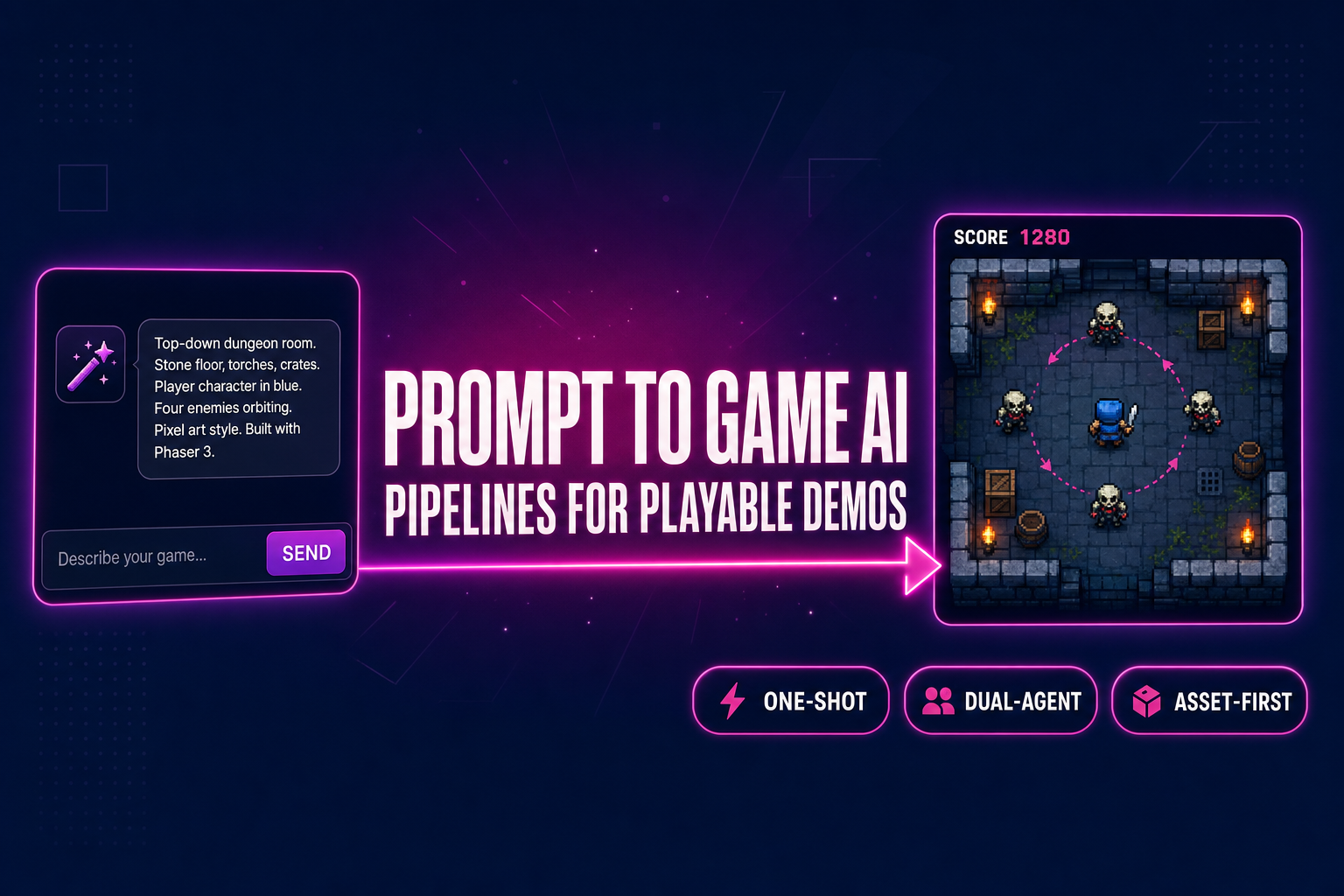
Type one paragraph describing a game. A few minutes later, click run. A real Phaser 4 scene loads inside your browser tab — you move, you jump, you collide, you take damage, you restart. That is what prompt to game AI means in 2026, and the “a few minutes later” clause is no longer aspirational. The trick is that there is no single “prompt to game AI” pipeline; there are at least four, with different speed, cost, and quality trade-offs. This guide walks the four pipelines you can drive inside WizardGenie today, what each one ships, when each one wins, and how to pick the right model on the typing side so the trial does not vaporise on the first iteration. Verified May 12, 2026.
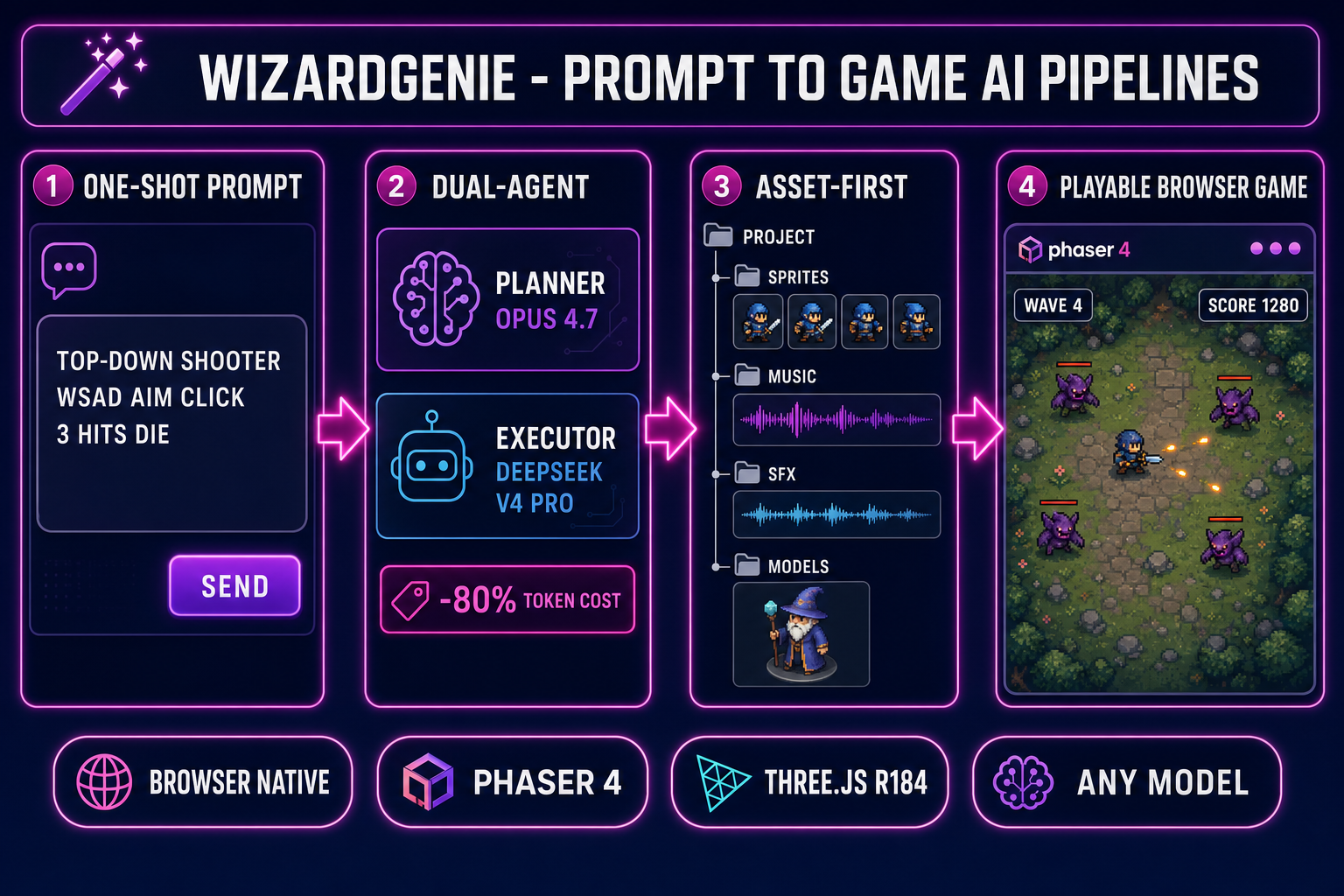
Prompt to game AI pipelines diagram: four numbered pipelines (one-shot, dual-agent, asset-first, genre-template) feeding a WizardGenie editor running a playable Phaser scene in the browser
The four prompt to game AI pipelines available inside WizardGenie: one-shot, dual-agent, asset-first, and genre-template. Each one trades speed against control.

The four prompt-to-game AI pipelines at a glance

Before walking each pipeline in detail, the comparison: which one to pick depends on whether you want speed, cost-control, asset quality, or a known genre baseline. The four pipelines and the one-line case for each:

  1. One-shot prompt-to-playable. Type one paragraph, hit run, get a playable scene. Best for the first prototype of a new idea or a quick jam-day starter. Fastest path to “does this concept feel right”; weakest path for production polish. Five minutes end to end.
  2. Dual-agent Planner+Executor. One expensive reasoning model plans, one cheap fast model types. Best for medium-length sessions where you want frontier-quality decisions but do not want to pay frontier-quality token rates on the entire output. Costs roughly one-fifth of single-frontier on the same project. Twenty to ninety minutes per iteration.
  3. Asset-first pipeline. Generate the sprites, the music, the SFX, and the 3D characters first; feed them to the agent as a manifest; let the agent wire the gameplay around finished assets. Best when you already know the visual identity you want and you do not want the agent inventing placeholder squares. Two to four hours of asset work, then a clean code session.
  4. Genre-template prompt pattern. Use a structured prompt that names the genre, the player verbs, the win condition, and the loss condition explicitly. Best when you want the agent to skip the “what kind of game is this” question and go straight to the mechanic implementation. Bypasses ten minutes of clarifying questions.

The four pipelines are not exclusive — most real projects start in pipeline 1, switch to pipeline 2 around iteration three, and pull in pipeline 3 once the visual identity locks in. The genre-template pattern (pipeline 4) is a prompt-engineering technique you can layer on top of any of the other three. The rest of this guide walks each one in order.

What “prompt to game AI” actually means in 2026

The phrase covers more ground than the marketing suggests. A prompt to game AI is not a single model that emits a finished game from a sentence; it is a coding agent that runs a multi-step loop — read the prompt, plan the file tree, write the code, run it, observe the output, fix the next bug, repeat — with you steering. The agent does the typing; you do the design taste, the bug spotting, and the “no, the jump should feel heavier” calls.

Every modern prompt-to-game AI system has the same three primitives under the hood. The first is a frontier-class language model that can reason about Phaser scene graphs, Three.js renderers, game loops, AABB colliders, frame-rate-independent movement, and the dozen other primitives that separate a working game from a static page. The second is a tool-use harness that lets the model call file-write, file-read, npm-install, run-the-dev-server, and read-the-console-output as actions rather than text. The third is the runtime — an actual browser tab where the game executes, so the agent can observe what the code did rather than guessing from what it wrote.

WizardGenie packages those three primitives into one editor. It runs in your browser at /wizard-genie/app with no install, ships a Windows desktop build with native filesystem access for longer projects, drives every leading coding model (Claude Opus 4.7, Claude Sonnet 4.6, GPT-5.5, Gemini 3.1 Pro, DeepSeek V4 Pro, Kimi K2.5, Grok 4.2, MiniMax M2.7), and emits browser-playable games on Phaser 4 for 2D and Three.js r184 for 3D. The Sorceress asset suite (3D Studio, Quick Sprites, Music Gen, SFX Gen, Voxel Studio) is wired straight into the editor so generated assets land in the project tree without an export step. The model lineup and engine targets are verified against src/app/_home-v2/_data/tools.ts on May 12, 2026.

Pipeline 1 — The one-shot prompt-to-playable path

The fastest of the four pipelines. You write one paragraph, the agent writes one game, you click run. Best for “is this idea worth a real session” and for the first ten minutes of a game jam. The five steps:

  1. Open WizardGenie and start a new project. The editor at /wizard-genie/app opens a fresh project with a Phaser 4 scaffold by default. Pick “blank Phaser project” for 2D or “blank Three.js project” for 3D — the agent reads the scaffold and uses it as the starting point.
  2. Pick a model. The model picker in the top bar lists every coding model the project supports. For one-shot prompts, Claude Opus 4.7 or GPT-5.5 produce the cleanest first-draft scenes. The picker shows credit cost and the “trial tokens remaining” chip if you have not added your own API key yet.
  3. Write one paragraph. The prompt should include the genre, the player’s control verbs, the win condition, and the loss condition. Example: “A 2D top-down arena shooter where you move with WASD, aim with the mouse, shoot with left click. Enemies spawn from the edges and chase you. You die in three hits. Score goes up per kill. Wave count goes up every twenty kills.”
  4. Hit run. The agent emits the file tree, the dev server starts, the browser tab loads the scene. End-to-end on one-shot Claude Opus 4.7 runs is two to four minutes for a 2D scene, three to seven minutes for a Three.js scene with one rigged character.
  5. Iterate by talking. “The bullets are too fast.” “The enemy spawn rate is unforgiving.” “The score should be in the top-right.” The agent reads the running scene’s state, edits the relevant file, the dev server hot-reloads. This is the vibe-coding loop made tangible — design feedback at the speed of conversation. The vibe coding explainer walks the philosophy in detail.

What this pipeline ships: a scene that compiles, runs, and behaves roughly as described. What it does not ship: production-grade art, balanced difficulty, polished feel. The one-shot path is for “does this concept feel right”, not for “is this ready to ship”. The next pipeline is what you graduate to.
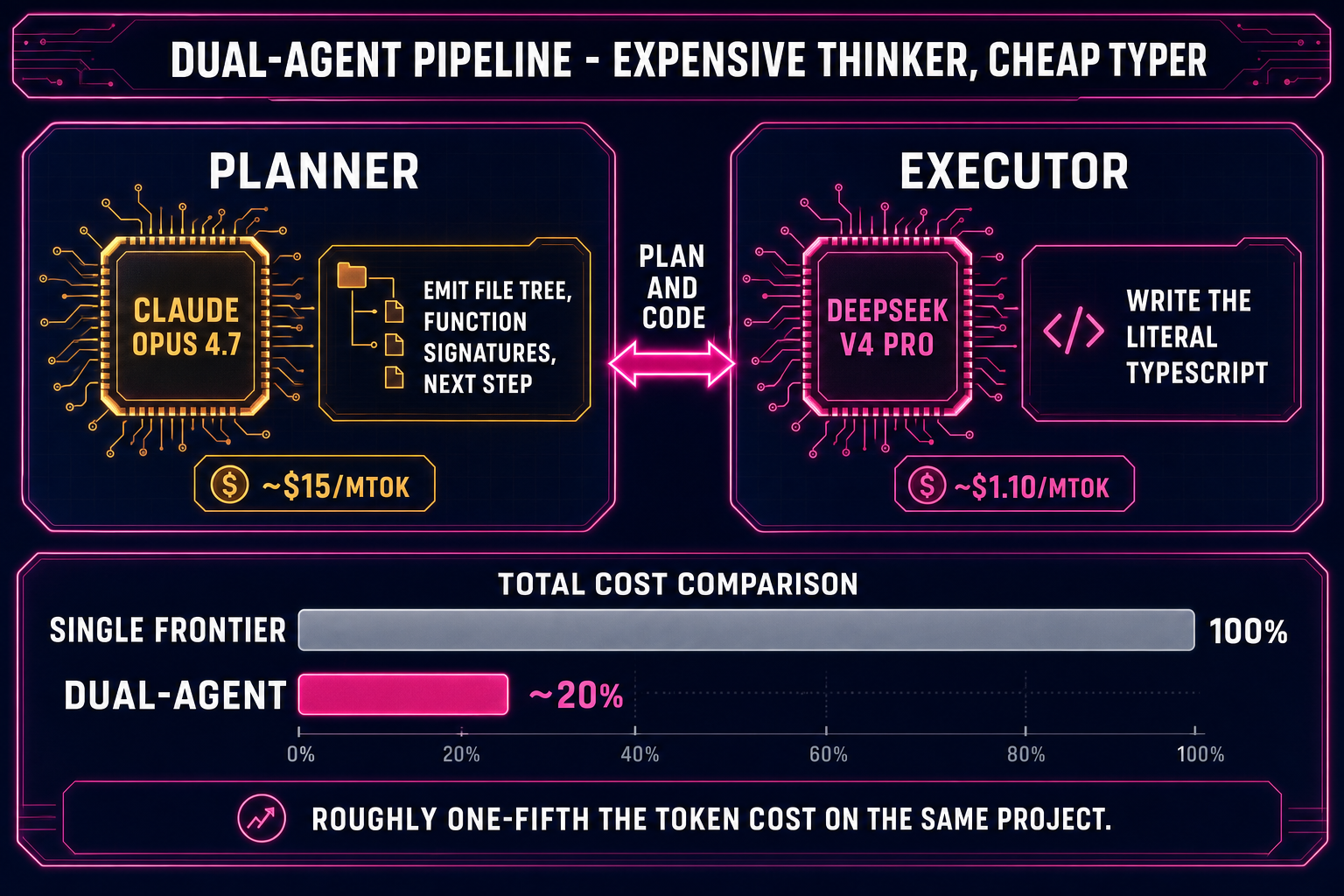
Dual-agent Planner+Executor diagram: Claude Opus 4.7 plans the architecture, DeepSeek V4 Pro types the code, both feed back into the WizardGenie editor running a Phaser scene
The dual-agent Planner+Executor pattern in WizardGenie: an expensive reasoner plans, a cheap fast model types. Roughly one-fifth the token cost of single-frontier on the same project.

Pipeline 2 — The dual-agent Planner+Executor path

The cost-aware production pipeline. Two models share the work: a frontier reasoner (Planner) decides what to build and why; a cheaper fast model (Executor) writes the actual code. The Planner only emits high-level plans — file lists, function signatures, the next concrete step — and the Executor expands each step into the literal lines of TypeScript or JavaScript. The cost ratio is the point: a Planner+Executor pair using Claude Opus 4.7 + DeepSeek V4 Pro typically lands around one-fifth the token cost of running everything on Opus 4.7 alone, on the same project.

The economic logic is “expensive thinker, cheap typer”. Frontier models are billed per token of output, and game code is heavy on output tokens (file trees, boilerplate, scene definitions, asset wiring). The Planner emits a few hundred tokens of plan; the Executor emits the thousands of tokens of code. Most of the per-session cost lands on the Executor side, so swapping the Executor down to a budget model collapses the bill.

Acceptable Planners (top-tier reasoning, expensive but worth it on the planning side): Claude Opus 4.7, GPT-5.5, Gemini 3.1 Pro, Grok 4.2. Acceptable Executors (genuinely cheap, fast, agent-ready, big context): DeepSeek V4 Pro, Kimi K2.5, MiniMax M2.7, Gemini 3.1 Flash, GPT-5.5 Mini. The pairing rule that matters: never put Sonnet, Opus, GPT-5.5, or Gemini Pro on the typing side — that erases roughly eighty percent of the cost advantage and is the most common way to misconfigure the pattern. The best AI model for coding write-up walks the model trade-offs in depth.

How to wire the pair inside WizardGenie: the model picker has a “dual-agent” toggle that exposes two slots — Planner and Executor — instead of one. Pick a top-tier reasoner in slot one (Opus 4.7 is a safe default) and a budget agent-ready model in slot two (DeepSeek V4 Pro is the workhorse). The agent loop now alternates: the Planner reads your prompt and the current project state, emits a plan; the Executor takes the plan and writes the files; the dev server reloads; you observe the result and reply. The session feels identical to single-model except the credit chip drains noticeably slower.
Pipeline 3 — The asset-first pipeline (assets first, code second)

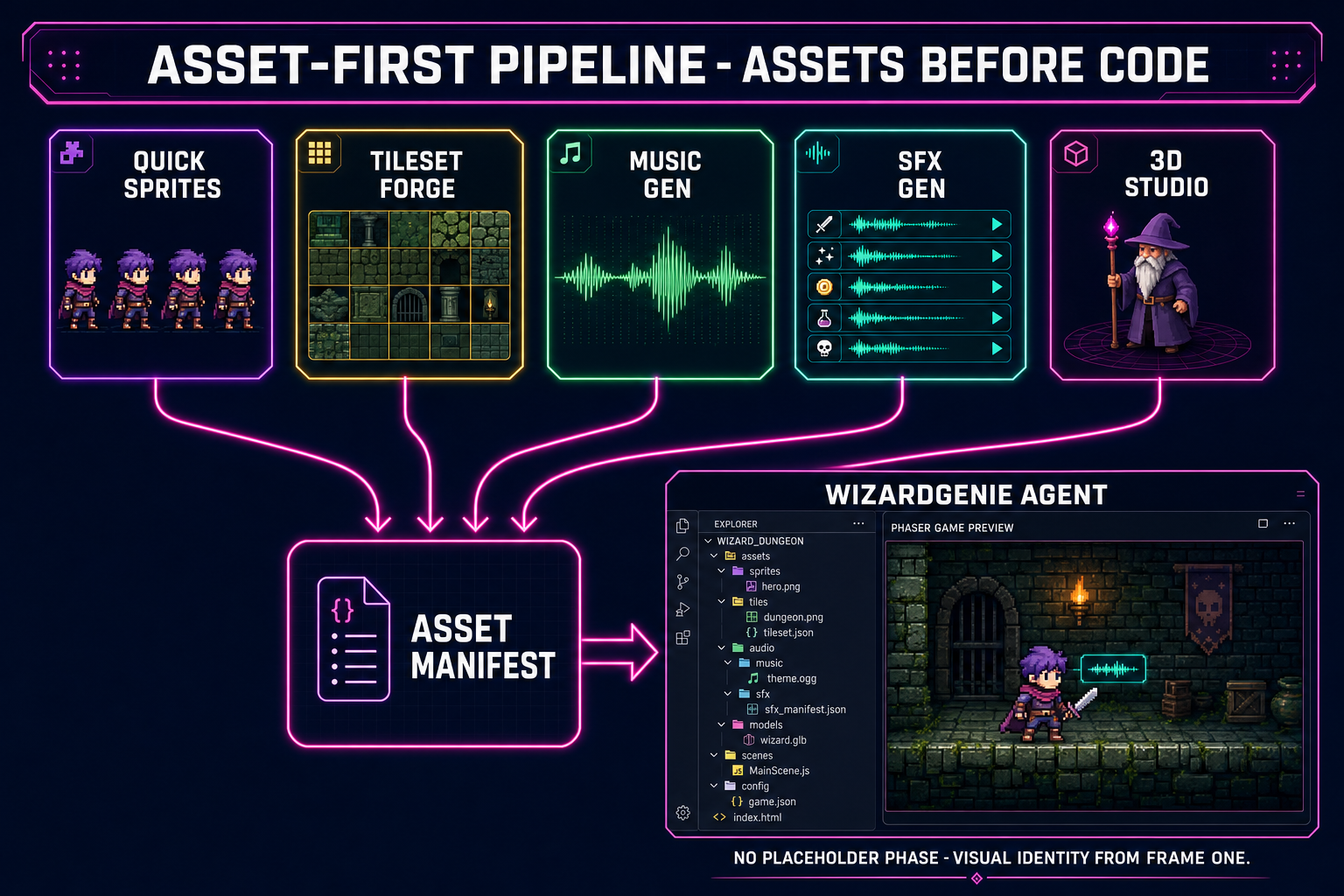
The visual-quality pipeline. Most prompt to game AI sessions on the one-shot path produce gameplay with placeholder art — coloured squares for the player, coloured circles for the enemies, the system font for the UI. That is fine for the first hour, but the project loses its visual identity the moment the placeholders feel permanent. The asset-first pipeline inverts the order: generate the sprites, the music, the SFX, and the 3D models first; hand the agent a manifest of the finished assets; let it wire the gameplay around them.

The assets you generate first depend on the genre, but a typical 2D-game manifest has four buckets:

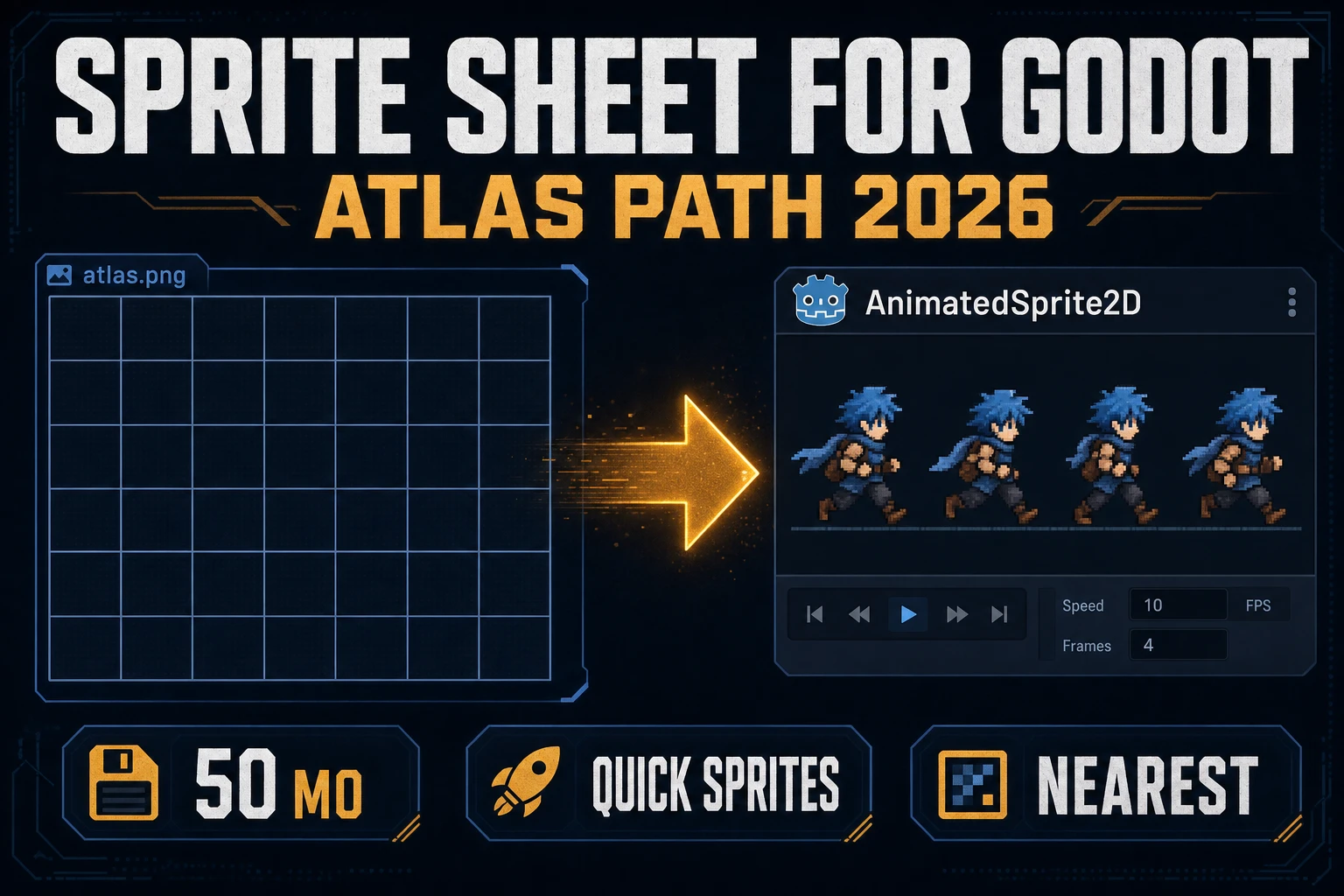
  • Player and enemy sprites. Quick Sprites emits a complete pixel-art animated sprite sheet (idle, walk, attack, hit, death) from a single prompt. Auto-Sprite v2 takes an existing reference image, runs it through an image-to-video pass, and slices the result into a sprite sheet for animations the prompt-only path cannot produce cleanly. The full sprite-sheet workflow is in the two-minute sprite sheet guide.
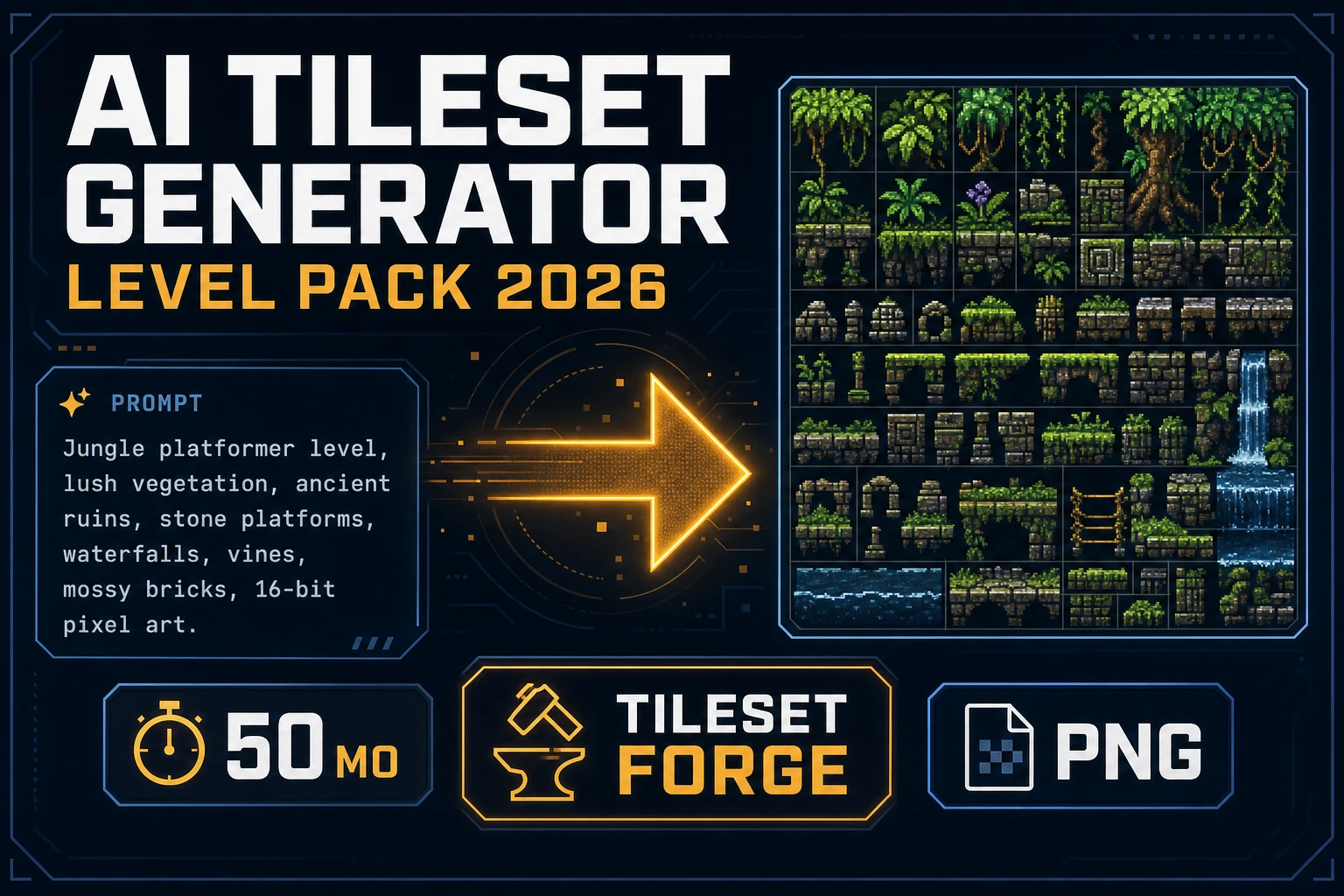
  • Tilesets and environment art. Tileset Forge generates game-ready tilemaps from a prompt. For non-tile background art, AI Image Gen with a reference image produces parallax layers and key art that share visual identity across the level.
  • Music and SFX. Music Gen emits looping royalty-free tracks from a genre-and-mood prompt. SFX Gen batch-generates the entire SFX pack (hit, jump, coin, hurt, death, win) from a structured list. The full audio workflow is in the SFX pack guide.
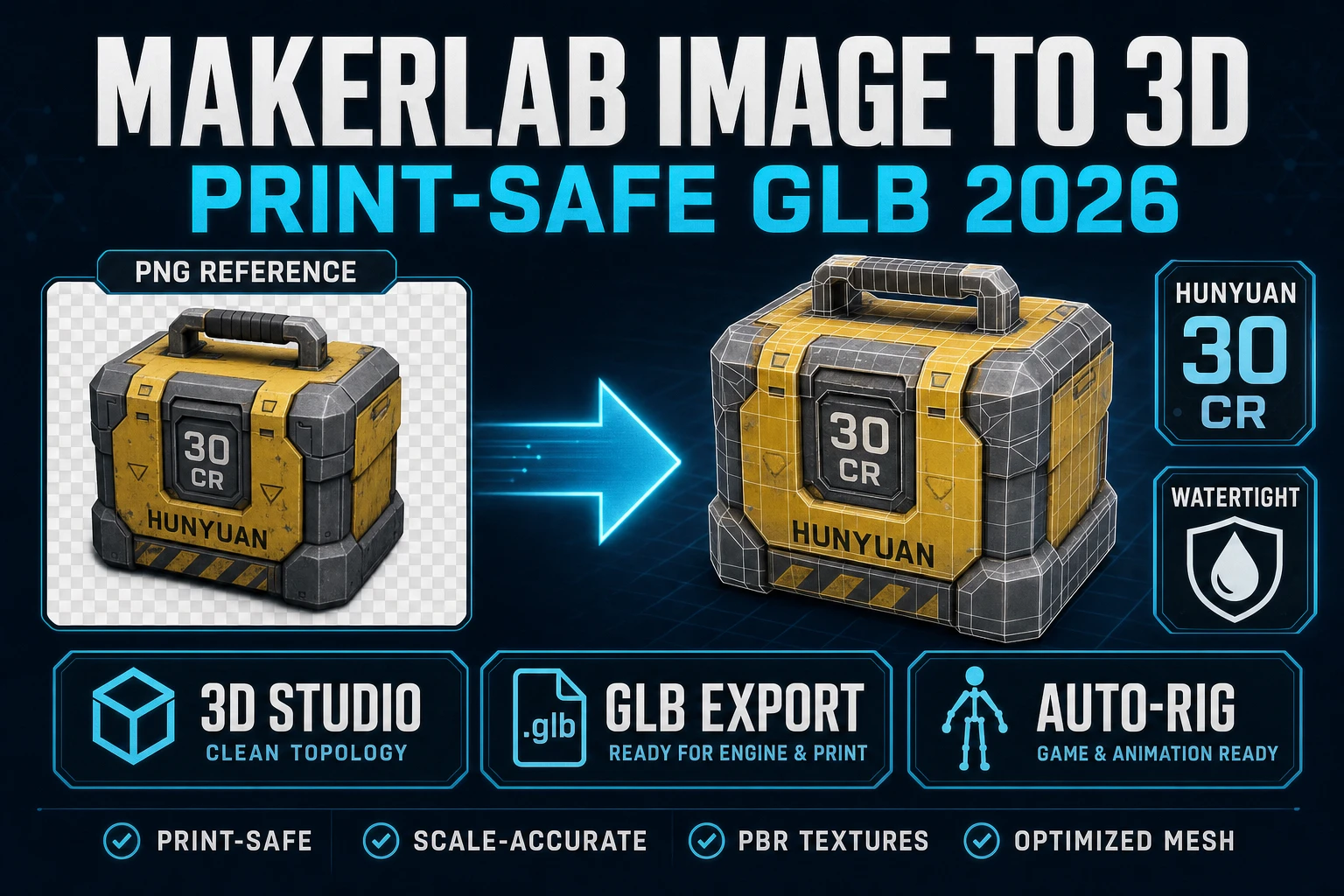
  • 3D characters and props (for Three.js projects). 3D Studio lifts a 2D reference into a textured 3D mesh, the auto-rigger places the skeleton, and the text-to-motion tab bakes the animation clips. The full pipeline is in the prompt-to-rigged-mesh guide.

Once the asset manifest is on disk, the agent prompt changes: instead of “build me a top-down shooter”, the prompt is “build a top-down shooter that uses these sprites in /assets/sprites/, plays this music in /assets/music/loop.mp3 on the level, and triggers these SFX from /assets/sfx/ on the matching events.” The Executor wires the asset paths into the scene loader and the gameplay code references the real assets from frame one. Result: no placeholder phase, no visual-identity reset, and a game that looks like the game you described from the first preview.

Asset-first pipeline diagram showing Quick Sprites, Tileset Forge, Music Gen, SFX Gen, and 3D Studio outputs feeding an asset manifest that the WizardGenie agent wires into a finished game
The asset-first pipeline. Generate the sprites, music, SFX, and 3D models first; hand the agent a manifest; the agent wires gameplay around finished assets instead of placeholders.

Pipeline 4 — The genre-template prompt pattern

A prompt-engineering layer that goes on top of any of the other three pipelines. The pattern: instead of describing the game in prose, give the agent a structured template with five fields filled in. The five fields:

  1. Genre. Name a recognisable genre the agent can use as a baseline. “Bullet-hell shoot-em-up”, “Match-3 puzzle”, “Endless runner”, “Twin-stick survival”, “Roguelike”, “Tower defence”. The genre name pulls in a thousand mechanical assumptions for free, so the agent does not have to ask “what kind of game is this”.
  2. Player verbs. Spell out the inputs and what each one does. “Arrow keys to move; space to jump; J to attack; K to dash.” The agent now knows the input map without inferring it from the genre.
  3. Win condition. One sentence on what makes the player win this level/run. “Reach the green flag at the right edge of the level.” “Survive sixty seconds.” “Defeat the final boss.” Without this, the agent invents a win condition that may not match what you want.
  4. Loss condition. The same for losing. “Touch a spike.” “Take three hits.” “Run out of time.” The loss condition determines half of the gameplay loop — spell it out.
  5. One twist. One thing about the game that is not standard for the genre. “The player slowly grows larger every kill.” “Gravity flips every five seconds.” “Enemies are invisible until they shoot.” The twist is what makes the prototype yours instead of a copy of the genre baseline. The agent will faithfully implement one twist per first-pass; trying to spec three twists at once produces less coherent output than implementing one cleanly and adding the next two by conversation.

The genre-template prompt cuts roughly five to ten minutes off the start of every session because the agent skips the clarification round. It works on every model in the picker. The pattern is genre-agnostic: it has been used inside WizardGenie to scaffold platformers, roguelikes, RPGs, fighting games, music games, and tower-defence prototypes — the existing platformer guide, roguelike guide, and RPG guide all use a variant of this template in their starter prompt.

Picking the right model in WizardGenie

The model picker in the top bar of WizardGenie lists eight coding models. The choice matters more than newcomers expect — the same prompt run on Claude Opus 4.7 and on a budget executor produces meaningfully different first drafts, and the wrong pick on the wrong pipeline burns credits. The honest pick-by-pipeline cheat sheet:

  • One-shot prompt-to-playable. Claude Opus 4.7 or GPT-5.5. The first draft is the deliverable here, and the frontier reasoners produce the cleanest scaffolds. The cost stings, but on a five-minute one-shot the absolute spend is small.
  • Dual-agent Planner+Executor. Planner: Claude Opus 4.7 (default), GPT-5.5, or Gemini 3.1 Pro. Executor: DeepSeek V4 Pro (default), Kimi K2.5, MiniMax M2.7, Gemini 3.1 Flash, or GPT-5.5 Mini. Never put Sonnet, Opus, GPT-5.5, or Gemini Pro on the Executor slot.
  • Asset-first. The agent is mostly wiring known asset paths into known scene primitives, which is a surface-area task an Executor handles cleanly on its own. DeepSeek V4 Pro or Kimi K2.5 in single-model mode is the cost-optimal pick. Claude Sonnet 4.6 if you want a middle-ground that handles edge-case wiring without escalating to Opus.
  • Genre-template. Same as one-shot: the template is doing the prompt-engineering, so the heavy lifting is on the model. Use a frontier reasoner for the first run, switch to dual-agent for iteration.

The model picker shows the trial-tokens chip on every model that supports the free DeepSeek V4 Flash trial; that chip is how you tell whether the next run consumes credits or runs against the trial pool. Bring-your-own-key is the unlimited path on every model, configured in WizardGenie’s settings panel and verified locally before any API call.

Common failure modes (and how to dodge them)

Three failure modes account for most of the wasted sessions on first-time prompt to game AI runs. Each is cheap to avoid once you know to look for it.

  1. Vague one-paragraph prompt with no win condition. “Make me a fun platformer.” The agent has no anchor on what “fun” means, no anchor on what wins the game, and no anchor on what loses. Result: the agent invents all three, and the result rarely matches your intent. The fix: the genre-template (pipeline 4) takes ninety extra seconds to fill in and saves the next twenty minutes of “no, that is not what I meant”.
  2. Frontier reasoner on the typing side. Single-model Opus 4.7 sessions on a long iteration burn credits at frontier rates on every line of code. The right move past iteration two is to switch to dual-agent (pipeline 2) with a budget executor. The token-cost chip in WG drops by a factor of four to five immediately. The best AI model for coding guide walks the cost math.
  3. Asking the agent to invent the visual identity. Single-model agents do not produce production sprite art — they produce coloured squares. If you let the project ship with placeholders for an hour, the placeholders feel permanent. The fix: the asset-first pipeline (pipeline 3) inverts the order so the agent never sees a blank-canvas state. Even a single Quick Sprites pass for the player and a single Music Gen pass for the level loop is enough to pin the visual identity early.

The verification path on every iteration is the running scene in the editor preview. If the prompt asked for a top-down shooter and the scene looks like a side-scroller, the failure is on the prompt side, not the model side — tighten the genre and the player verbs and re-run. If the prompt was clean and the scene still drifts, swap models and re-run; some models drift more than others on under-specified prompts.

Frequently Asked Questions

What does prompt to game AI actually mean in 2026?

Prompt to game AI is a coding agent that turns one paragraph of game description into a runnable browser game by alternating plan, write code, run, observe, and fix in a tight loop. It is not a single model that emits a finished game from a sentence - it is a frontier-class language model paired with a tool-use harness that can write files, install dependencies, run a dev server, and read the console output, plus an in-tab runtime where the game actually executes so the agent can observe what it built. WizardGenie packages those three primitives - the model, the tool-use harness, and the browser runtime - into one editor at /wizard-genie/app, with eight coding models in the picker (Claude Opus 4.7, Claude Sonnet 4.6, GPT-5.5, Gemini 3.1 Pro, DeepSeek V4 Pro, Kimi K2.5, Grok 4.2, MiniMax M2.7) and Phaser 4 / Three.js r184 as the engine targets. The reader supplies design taste, bug spotting, and the “no, the jump should feel heavier” calls; the agent does the typing.

How long does prompt to game AI take to ship a playable demo?

End-to-end on the one-shot pipeline with a frontier reasoner is two to four minutes for a 2D Phaser scene and three to seven minutes for a Three.js scene with one rigged character. That gets you a playable scaffold - the player moves, enemies behave, win and loss conditions trigger, the score counter works. The dual-agent Planner+Executor pipeline takes twenty to ninety minutes per iteration round but produces a much more polished output and costs roughly one-fifth of single-frontier on the same project. The asset-first pipeline takes two to four hours of asset work up front (sprites, music, SFX, 3D models) but eliminates the placeholder-art phase so the project never has a visual-identity reset later. The genre-template prompt pattern (pipeline 4) cuts five to ten minutes off the start of any session by skipping the agent’s clarification round.

What is the best AI model for prompt to game AI sessions?

It depends on the pipeline. For one-shot prompt-to-playable, Claude Opus 4.7 or GPT-5.5 produce the cleanest first-draft scaffolds because the first draft is the deliverable. For the dual-agent Planner+Executor pipeline, the Planner should be Opus 4.7, GPT-5.5, Gemini 3.1 Pro, or Grok 4.2 (frontier reasoning) and the Executor should be DeepSeek V4 Pro, Kimi K2.5, MiniMax M2.7, Gemini 3.1 Flash, or GPT-5.5 Mini (cheap, fast, agent-ready). The pairing rule that matters: never put Sonnet, Opus, GPT-5.5, or Gemini Pro on the typing side - that erases roughly eighty percent of the cost advantage and is the most common way to misconfigure the pattern. For the asset-first pipeline (mostly wiring known asset paths into known scene primitives), DeepSeek V4 Pro or Kimi K2.5 in single-model mode is the cost-optimal pick. The full per-model deep dive lives in the best AI model for coding write-up linked in the body.

Does prompt to game AI work for 3D games or only 2D?

Both. WizardGenie ships scaffolds for Phaser 4 (2D) and Three.js r184 (3D) and the model picker is identical for either target - the same eight coding models drive both engines. The 3D path is slightly slower because the agent has to wire renderer setup, camera controls, lighting, and a model loader before the first preview frame, but the iteration loop after the first run is identical. For 3D character work, the asset-first pipeline (pipeline 3) is almost always the right pick because the alternative is the agent emitting a coloured cube as the player and you spending the rest of the session looking at it. Sorceress 3D Studio at /3d-studio sits inside the same suite and produces rigged GLB characters from a 2D reference image in roughly ten minutes, which the agent can then load into the Three.js scene from frame one. The full prompt-to-rigged-mesh workflow is in the linked AI 3D character generator guide.

Do I need coding experience to use prompt to game AI?

No. The whole point of the prompt to game AI loop is that you describe the game in plain English and the agent writes the code. You can ship a working scene without typing a single line of TypeScript. The catch is that the games that come out of that loop without coding involvement are fine for prototypes, jam entries, and proof-of-concept, but production-ready games tend to need the human in the loop to make a few targeted fixes the agent does not catch on its own (gameplay feel, edge-case bugs, asset wiring on tricky imports). The honest framing: zero coding experience is enough to ship a playable demo; some coding experience is enough to ship a polished one. WizardGenie’s editor surfaces the file tree and the dev-server console so you can read what the agent wrote even if you are not editing it directly, and the conversational fix loop (“the player falls through the floor when jumping at corners - fix the AABB collider”) handles most of the bugs without ever opening a file by hand.

Can prompt to game AI generate the art and audio too, or just the code?

The agent itself generates the code. The asset side - sprites, tiles, music, SFX, 3D characters - is handled by a separate set of tools in the same suite, and WizardGenie wires their output straight into the project tree. Quick Sprites at /quick-sprites emits pixel-art animated sprite sheets from a single prompt. Auto-Sprite v2 at /autosprite-v2 turns reference images into sprite-sheet animations via image-to-video. Tileset Forge at /tileset-creator generates game-ready tilemaps. Music Gen at /music-gen produces looping royalty-free tracks. SFX Gen at /sfx-gen batch-generates entire SFX packs from a structured list. 3D Studio at /3d-studio lifts 2D references into rigged 3D characters with text-to-motion animation. The asset-first pipeline (pipeline 3 in this guide) generates the assets first and hands the agent a manifest of finished files; the result is a game that looks like the game you described from the first preview frame instead of the agent inventing placeholder squares.

How much does a prompt to game AI session cost in credits or tokens?

Model costs vary by pipeline and by model. WizardGenie’s trial-token chip in the header shows the free DeepSeek V4 Flash pool that every account starts with - that is enough for several short sessions on the cheaper models without any payment. Bring your own API key (configured in WizardGenie’s settings panel) is the unlimited path on every model. The cost-control technique that matters most is the dual-agent Planner+Executor pipeline (pipeline 2): pairing a frontier Planner with a budget Executor lands the per-session token cost at roughly one-fifth of running everything on the frontier model alone, on the same project. The exact ratio depends on the prompt and the iteration count, but the principle is robust: most of the per-session output tokens go to file content (boilerplate, scene definitions, asset wiring), which a budget Executor handles cleanly. For solo indie projects, dual-agent Opus 4.7 + DeepSeek V4 Pro is the cost-optimal default.

Sources

  1. Phaser 4.0.0 release notes (phaserjs/phaser)
  2. Three.js r184 release (mrdoob/three.js)
  3. Vibe coding (Wikipedia)
  4. WebGL (MDN Web Docs)
  5. HTML5 Canvas API (MDN Web Docs)
  6. Game loop (Wikipedia)
Written by Arron R.·2,917 words·13 min read

Related posts