How to Make a Platformer With AI in Your Browser

By Arron R.13 min read
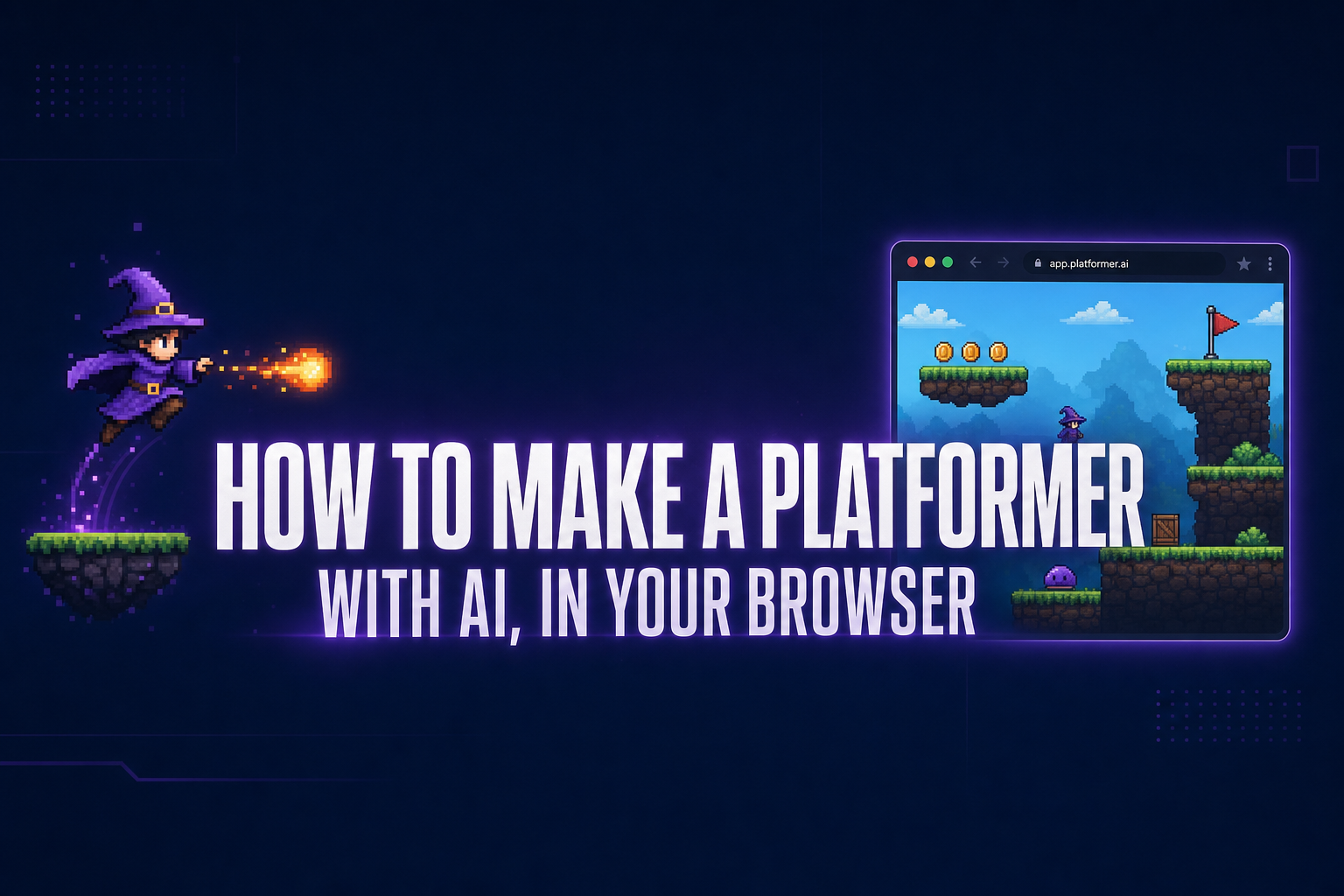
How to make a platformer with AI in 2026: open WizardGenie in your browser, describe the game in one prompt, and let the agent write a playable Phaser project.

A platformer is the canonical first game and historically the most painful one. The mechanics list reads like a pop quiz on physics — gravity, jump arcs, ground checks, AABB colliders, tilemap collision, hit-feel — and most beginners burn out somewhere between "install the engine" and "the player keeps falling through corners". AI agents now ship a playable Phaser project from a single sentence, run it in a browser tab, and let you fix the corners by chat instead of by editing every collider by hand.
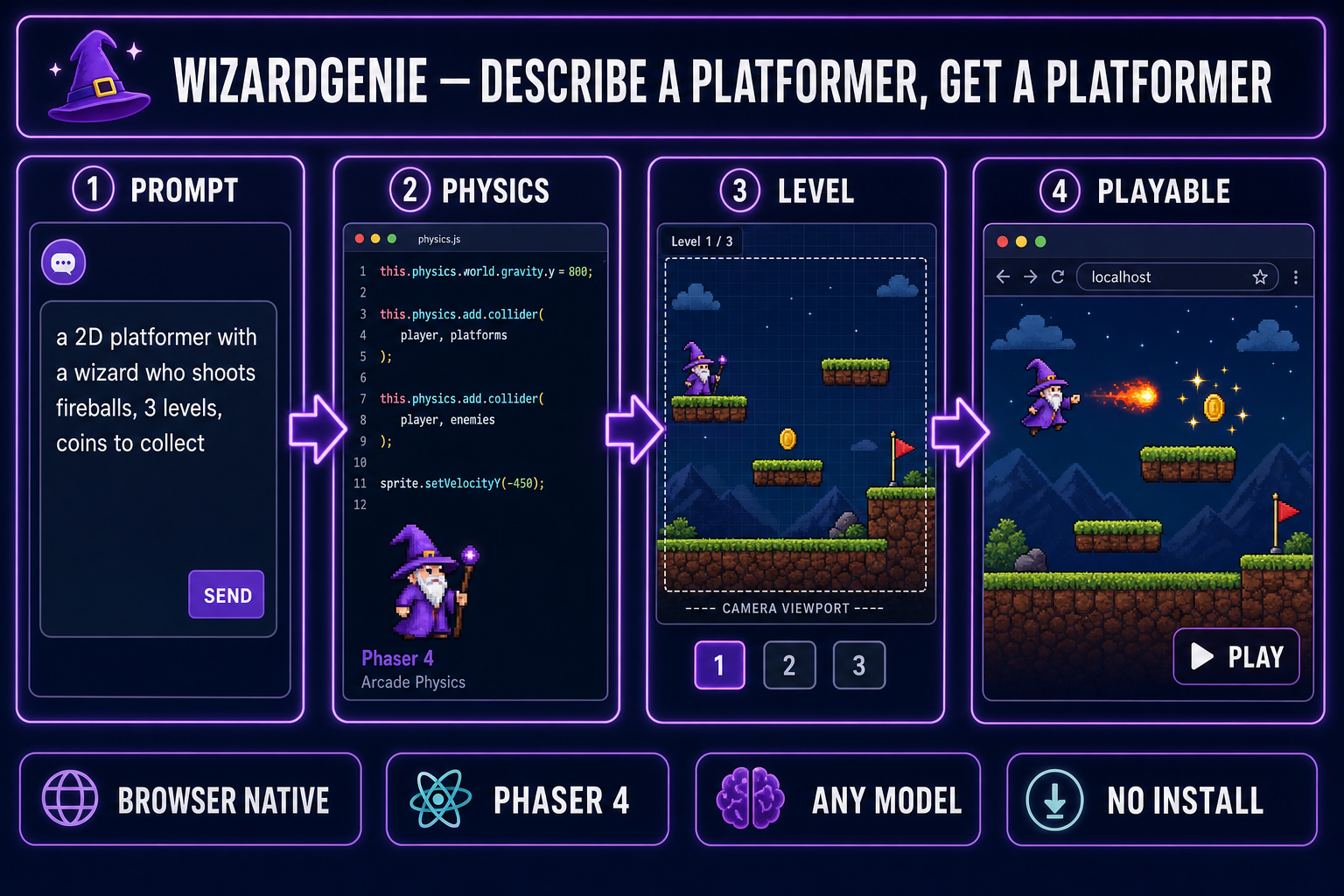
WizardGenie pipeline turning a one-line platformer prompt into a playable browser build with physics, level, and assets
The four-stage browser-native pipeline: prompt, physics, level, playable. No engine install, no SDK, no build pipeline to learn.

How to make a platformer in five steps

The full workflow lives in one browser tab. No editor download, no project template, no per-engine quirks to learn. The five steps in order:

  1. Open WizardGenie in your browser. Pick the model the agent will run on (a frontier reasoner like Claude Opus 4.7 or GPT-5.5 is the right pick for the very first prompt).
  2. Describe the platformer in one paragraph. Genre, player verbs, world layout, win condition, scope. The agent writes a Phaser 4 project with gravity, jump, ground check, tilemap collision, and a sample level wired up.
  3. Run the build in the side preview pane. The first run is always rough — placeholder art, occasional collider glitches — and that is fine. The point is to confirm the loop exists.
  4. Iterate by chat. "Increase gravity, the jump feels floaty." "The wizard falls through corners — fix the AABB." "Add coins and a level 2 with vertical scroll." Each message is one round-trip with the agent, usually a couple of seconds on a cheap executor model.
  5. Swap in real assets without leaving the tab. Quick Sprites for the player and enemy sprite sheets, SFX Gen for jump and coin sounds, Music Gen for the level loop. The agent drops the Sorceress URLs into the project’s asset folder for you.

Total time to a playable first build is usually fifteen to thirty minutes. A small two-level platformer with real art and a soundtrack lands in roughly an afternoon. The work that comes after — pacing, balance, hit-feel, polish — is the part where you stop typing prompts and start playing the game.

What a platformer actually needs (mechanically)

Before talking to the agent it helps to know what a platformer is, mechanically. Platform games as a genre go back to the late 1970s and the mechanical recipe has barely changed: a controllable character that runs and jumps across a structured world, with hazards and goals. Underneath that simple description sits a stack of subsystems every modern Phaser platformer wires up:
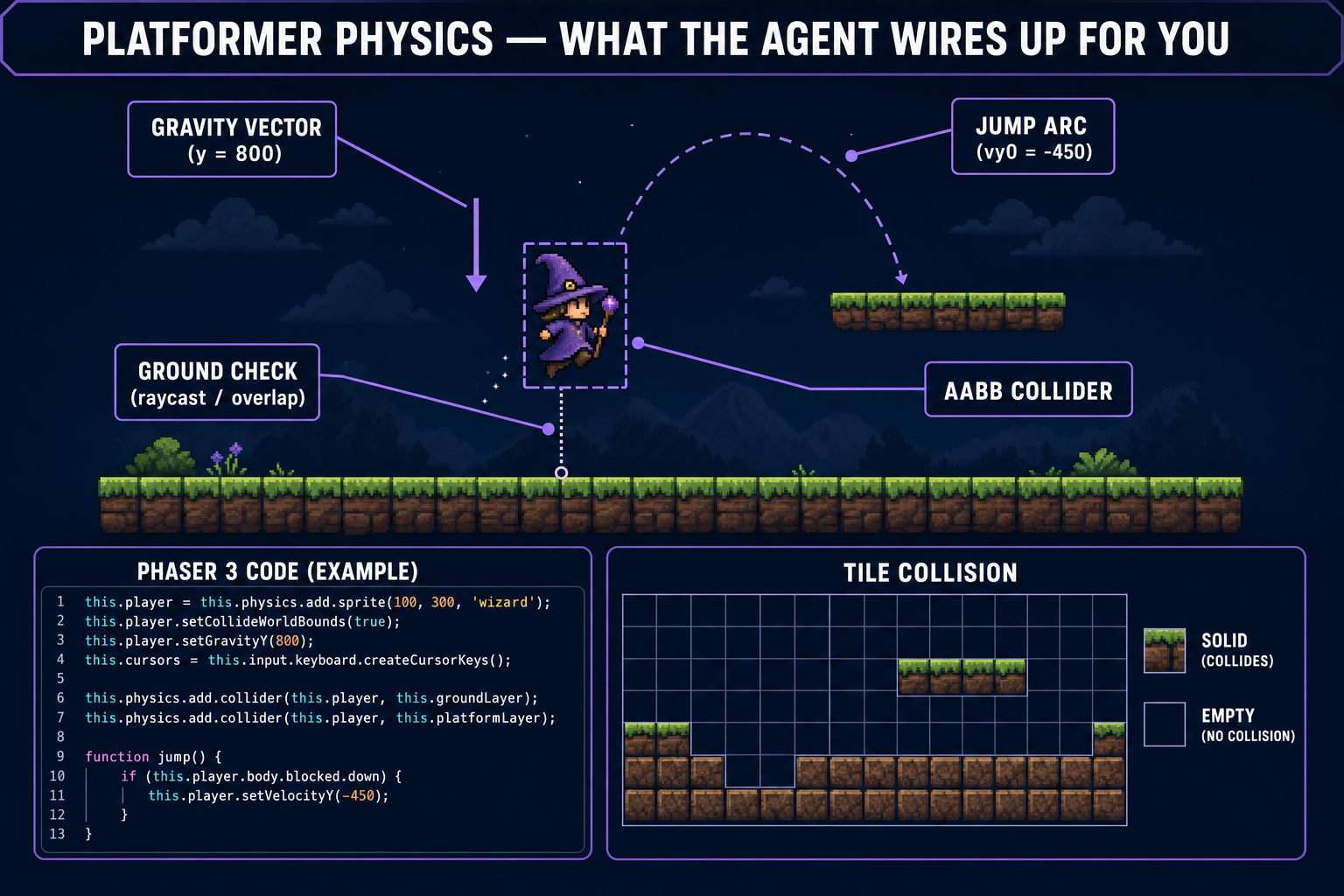
Annotated platformer scene showing gravity vector, jump arc, ground check raycast, AABB collider, and tilemap collision around a wizard sprite mid-jump
The five subsystems the agent scaffolds for you: gravity, jump arc, ground check, AABB collider, tilemap collision. None of them are individually hard; the work is wiring them up so they don’t fight.
  • Gravity. A constant downward acceleration applied to the player every frame. Phaser exposes this as this.physics.world.gravity.y. Real-feeling platformers usually run between 800 and 1500 — too low and the character floats, too high and the jump feels stiff.
  • Jump impulse. A negative-Y velocity applied on the jump button. Around -450 is the canonical starter value for a Phaser sprite at 32–48 px tall, but the right number is the one that makes your levels feel right.
  • Ground check. A test that returns true when the player is touching a solid surface, so the jump button only fires when standing. Implementations range from a one-pixel collision overlap at the player’s feet to a downward raycast.
  • AABB collider. An axis-aligned bounding box that handles physics overlap with the world. Phaser’s Arcade Physics wraps this so most of the time you tweak setSize() to match the visible sprite rather than write the math yourself.
  • Tilemap collision. The ground, walls, and platforms are usually a tilemap with a "collide" flag on solid tiles. The agent generates a JSON tilemap and the loader code; you edit the tile grid by chat ("add three floating platforms above the chest").
  • Side-scrolling camera. A camera that follows the player horizontally (and sometimes vertically) and only renders the visible chunk of the level. Phaser’s this.cameras.main.startFollow(player) is one line.
  • Hit, death, and respawn. When an enemy or hazard touches the player, what happens? Lose a heart, knockback, brief invulnerability, respawn at a checkpoint. This is where games gain or lose feel.

You don’t have to write any of these by hand. You do have to know they exist, because that’s the vocabulary you use to describe what’s wrong. "The jump feels floaty" is fuzzy. "Increase gravity from 800 to 1100 and shorten the jump impulse to -400" is a single chat message that the agent will land on the first try.

The five-minute version: prompt to playable

The first prompt is the most important decision in the whole workflow. A good first prompt locks the genre, the core verbs, the world layout, the visual style, and the scope in one paragraph. A bad first prompt produces a generic "here is a Phaser starter" the agent then spends an hour reshaping into your idea.

The shape that works for a platformer:

Make a 2D side-scrolling platformer in Phaser 4. The player is a small
wizard who walks left and right with the arrow keys and jumps with
spacebar. Three levels of increasing length, side-scrolling camera that
follows the wizard. Each level has slime enemies that walk a fixed
patrol path and damage the wizard on contact, coins to collect, and a
goal flag at the right edge. Pixel-art look, 32x32 tiles, 48x48 wizard
sprite. Variable jump height (hold spacebar for higher), coyote time of
about 100ms, jump buffering of about 100ms. Three hearts of health,
1-second invulnerability after each hit. Make it actually playable, not
just a render loop.

Notice what’s in there: genre (side-scroller), engine (Phaser 4), input (arrow keys + spacebar), enemy behavior (patrol, damage on contact), pickups (coins), win condition (goal flag), explicit scope (three levels), visual style (pixel art, exact tile and sprite sizes), feel parameters (variable jump, coyote time, jump buffering), HP system, and "actually playable" as a tag to nudge the agent into wiring up real input and a real game-over state. What’s not in there: model picking, file structure, framework version. The agent handles all of that.

About thirty to ninety seconds after sending the prompt, the agent returns a file tree. Something like:

index.html
package.json
vite.config.js
src/
  main.js
  scenes/
    BootScene.js
    Level1Scene.js
    Level2Scene.js
    Level3Scene.js
    HudScene.js
  objects/
    Wizard.js
    Slime.js
    Coin.js
  assets/
    placeholder-wizard.png
    placeholder-slime.png
    placeholder-tiles.png
    level-1.json
    level-2.json
    level-3.json

Resist the urge to read every file. Hit Run instead. WizardGenie launches the project in a side preview pane. The wizard is probably a colored square, the slimes might tunnel through walls, the camera might lag — that’s all normal. Confirm the loop runs, then go straight into the iteration phase.
Adding the second floor: levels, enemies, pickups

This is where vibe coding earns its name. Instead of opening files and editing variables, you describe what’s wrong and what you want, and the agent does the edit. A real iteration sequence for the wizard platformer:

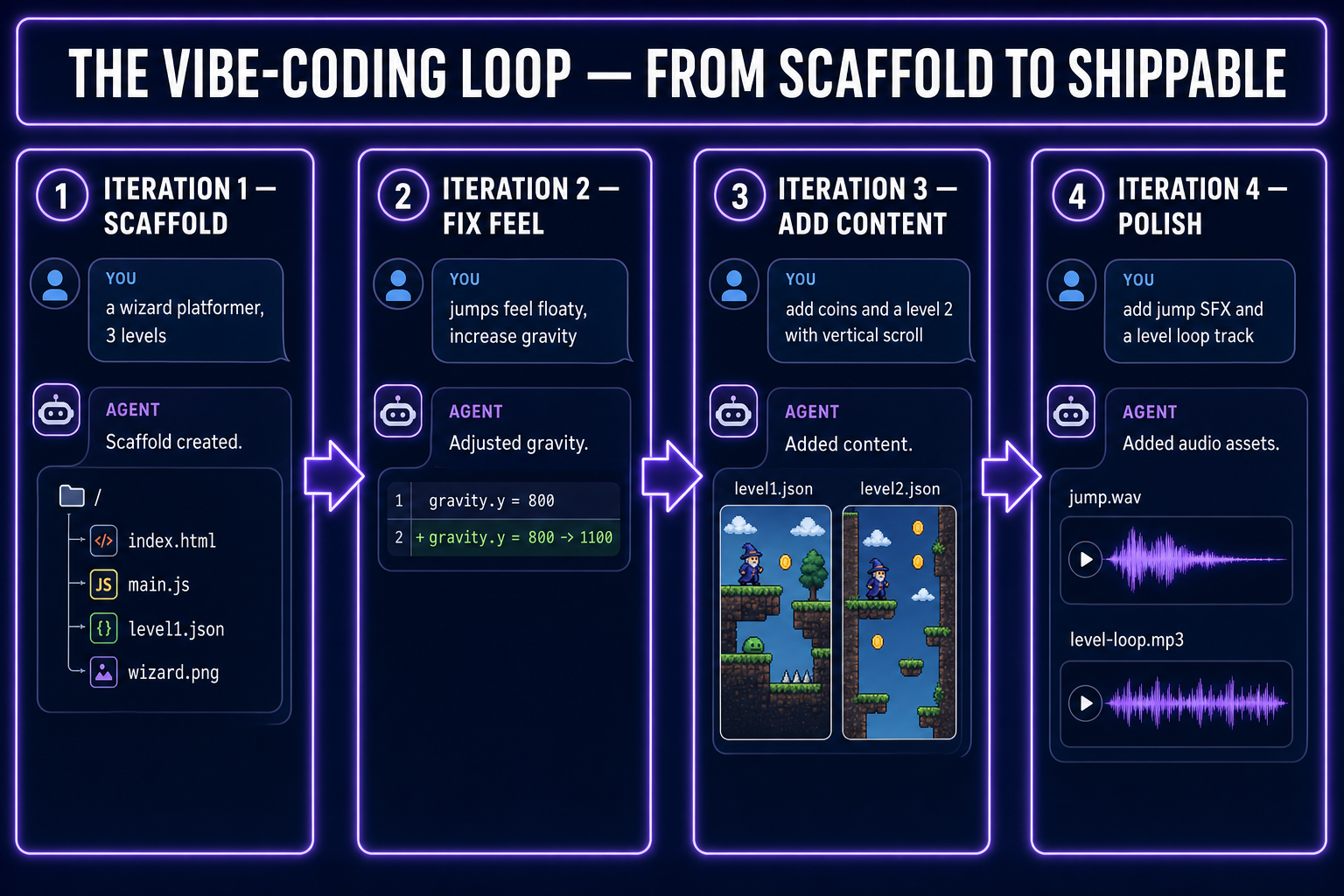
Iteration log showing four agent rounds: scaffold, fix feel, add content, polish, with a chat-bubble mockup for each step
Four iteration rounds, four chat messages. The agent edits across whatever files it needs; your job is to play the build and report what’s still wrong.
  1. "The jumps feel floaty. Increase gravity to 1200 and shorten the jump impulse to -420." Two-line diff in the wizard’s physics config. Run, jump, feel the difference.
  2. "The wizard falls through corner gaps when sliding off platforms. Tighten the AABB collider to 28x44 instead of the full 48x48 sprite." One-line change to setSize(). The corner-clip is gone.
  3. "Slimes pass through walls. They should respect tilemap collision like the wizard does." The agent adds this.physics.add.collider(slime, walls) to the level scene. Slimes now patrol the platforms instead of phasing through them.
  4. "Add a HUD with three hearts in the top-left. Lose one heart per slime touch with a 1-second invulnerability flash. Game over at zero hearts, restart from the start of the current level." The agent creates HudScene.js if it didn’t already, wires the heart sprites, and adds the invulnerability timer. One round-trip, one playable upgrade.
  5. "Add a vertical-scrolling section to level 2 — a tall climb with three moving platforms on left/right sine waves and a checkpoint flag at the top." Now the agent edits level-2.json and adds a MovingPlatform object. The vertical climb works on the first try about half the time; the second prompt usually nails it.
  6. "Add coyote time of 120ms and jump buffering of 120ms. The jump should feel forgiving." A pair of timer fields in the wizard controller. The jump goes from "pixel-perfect or you fall" to "responsive enough that I never blame the controls."

Each of these is one chat message. The agent does the cross-file editing; you play the build between each round and report what’s still off. The loop is fast — often two or three iterations a minute on a cheap executor model — and it’s genuinely how the rest of the game gets built.

Art and sound without leaving the browser

The agent’s placeholders work but they look like placeholders. To make the platformer feel like a game, swap in real assets from the rest of the Sorceress suite. Every tool below lives in the same account; the WizardGenie agent can fetch the resulting URLs directly into the project’s asset folder.

  • Player and enemy sprite sheets. For pixel-art characters with idle, run, jump, and attack frames, Quick Sprites is the fastest path — purpose-built for prompt-to-frame-grid output, finishes in roughly two minutes per character. For non-pixel styles (hand-painted, anime, full-color), Auto-Sprite v2 generates the character with AI image gen, animates it with AI video, and converts the clip into a clean sprite sheet — five to ten minutes per character.
  • Tilesets. Tileset Forge takes raw AI art and produces a tile-grid-aligned tileset PNG plus a tile-index map ready for Phaser tilemaps. Stone-floor, grass-floor, dungeon-wall, ice — pick a style, get a usable sheet.
  • Music. Music Gen turns a text prompt into full instrumental tracks. For a wizard platformer, "looping castle dungeon, mysterious, 90 bpm, lo-fi orchestral" yields two thirty-second variations. Same loop for boss-fight tracks, victory stingers, menu themes.
  • Sound effects. SFX Gen handles every short audio cue: jumps, double-jumps, footsteps on different surfaces, coin pickups, hits, deaths, UI clicks. Batch a whole pack ("ten 8-bit pickup sounds, ten footstep variants on stone") in one session.
  • Title screen, portraits, UI art. AI Image Gen covers anything that isn’t a sprite or a tile — a title-screen background, the wizard’s portrait for dialogue, item icons, particle textures.

The whole loop closes in one browser tab. You ask the agent to "use this sprite for the wizard" and paste a Sorceress URL; it writes the loader and swaps the placeholder. No download-then-upload step, no asset-pipeline configuration, no engine to learn.

Picking the right model for the agent

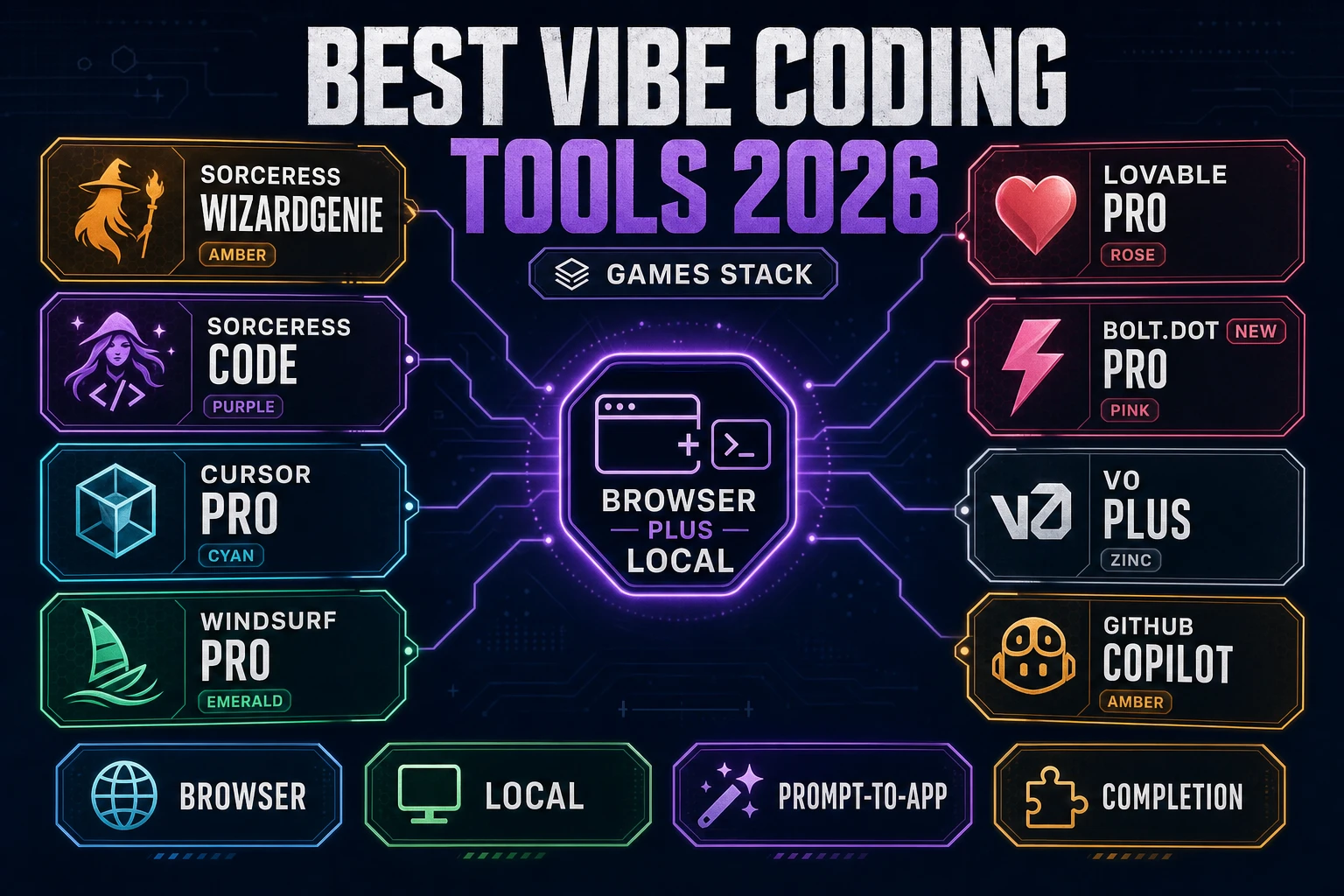
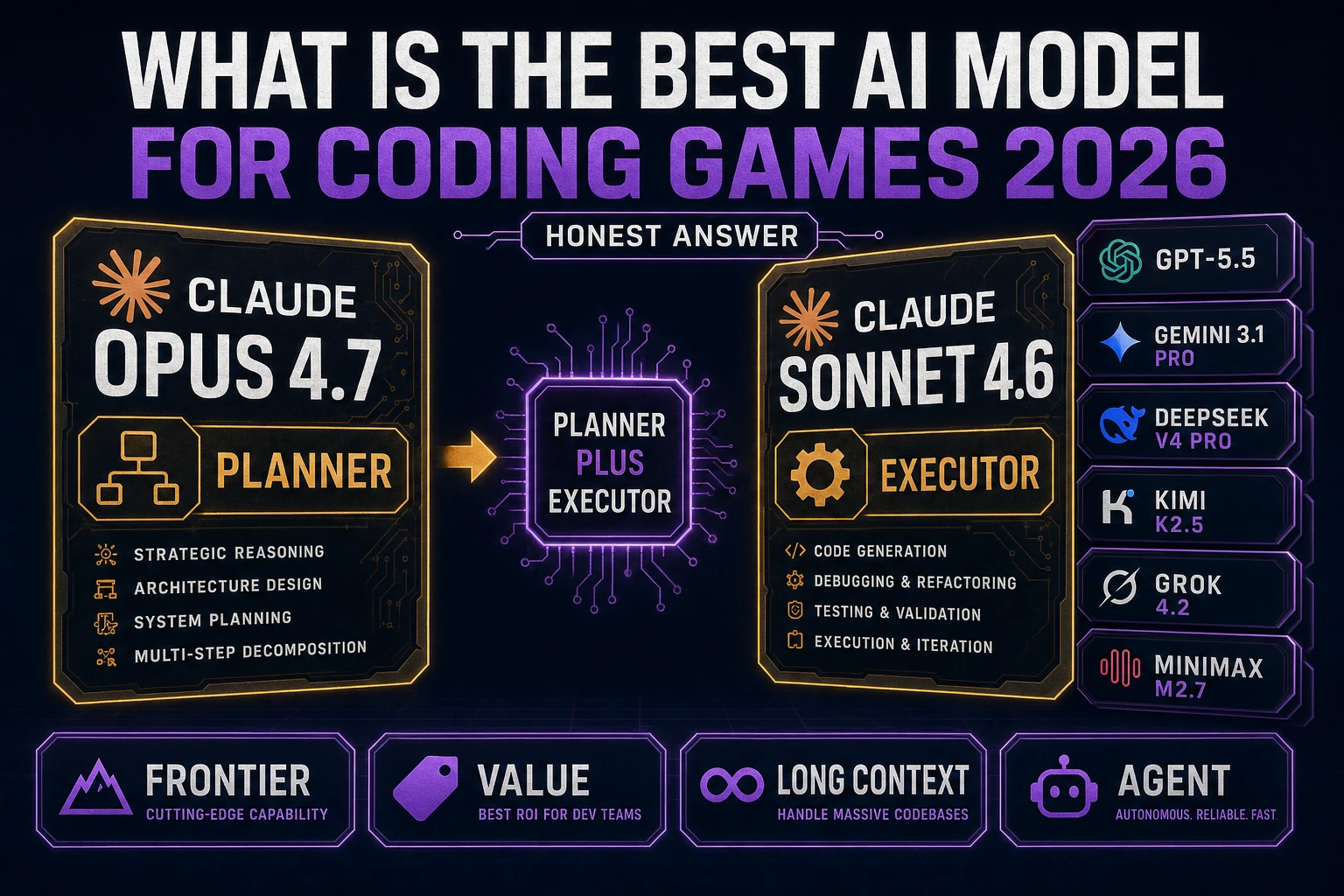
Inside WizardGenie, the agent itself is driven by an AI coding model that you pick from a dropdown. The current lineup includes Claude Opus 4.7, Claude Sonnet 4.6, GPT-5.5, Gemini 3.1 Pro, DeepSeek V4 Pro, Kimi K2.5, MiniMax M2.7, and Grok 4.2 (verified May 7, 2026 against the model picker source). Pricing and quality vary across roughly two orders of magnitude. The right pick depends on what kind of turn you’re taking.

  • One-shot scaffolding. The first prompt — the one that creates the entire project from nothing — benefits from a frontier reasoner. Claude Opus 4.7 or GPT-5.5 produce the cleanest Phaser 4 scaffolds in a single pass and are worth the cost for the moment that defines the whole project.
  • Iterative back-and-forth. Once the project exists and you’re tuning physics, levels, and pickups, switch to a cheap executor. DeepSeek V4 Pro, Kimi K2.5, MiniMax M2.7, and Gemini 3.1 Flash are dramatically less expensive per token and fast enough that the chat loop feels real-time.
  • Big architectural changes. "Refactor this into a proper component system" or "split this into a multi-scene state machine" — go back to a frontier reasoner for that single message, then drop straight back to a cheap executor.

If you’ve read about the Planner+Executor pattern in Best AI Model for Coding, the rule is hard: never put a frontier-priced model on the typing side of the pair. The cost ratio collapses if you do — the entire reason the pattern works is that the expensive model thinks while the cheap one types. A Sonnet-4.6-on-the-typing-side platformer costs roughly five times what the same project costs on a DeepSeek-V4-Pro executor with an Opus 4.7 planner, with no measurable quality gain on a tuning-heavy task like this one.

What WizardGenie won’t do for you

The agent is excellent at scaffolding, refactoring, and one-shot fixes. It’s mediocre at the parts of platformer development that require actual taste:

  • Game-feel intuition. Whether a jump arc feels right is a judgment the agent can approximate but not own. You play the build and decide. The agent then executes whatever change you describe.
  • Difficulty curves and pacing. The scaffolded levels are placeholders. Where to put the first hazard, when to introduce the second enemy, how long the safe stretch should be before the boss room — those are designer decisions. The agent will happily build whatever you describe; it won’t tell you the design is wrong.
  • Tile-and-pixel art direction. The Sorceress asset tools generate game-ready sprites and tilesets, but choosing a coherent palette, deciding what reads at small sizes, and making the wizard’s silhouette legible against a busy tileset is your call.
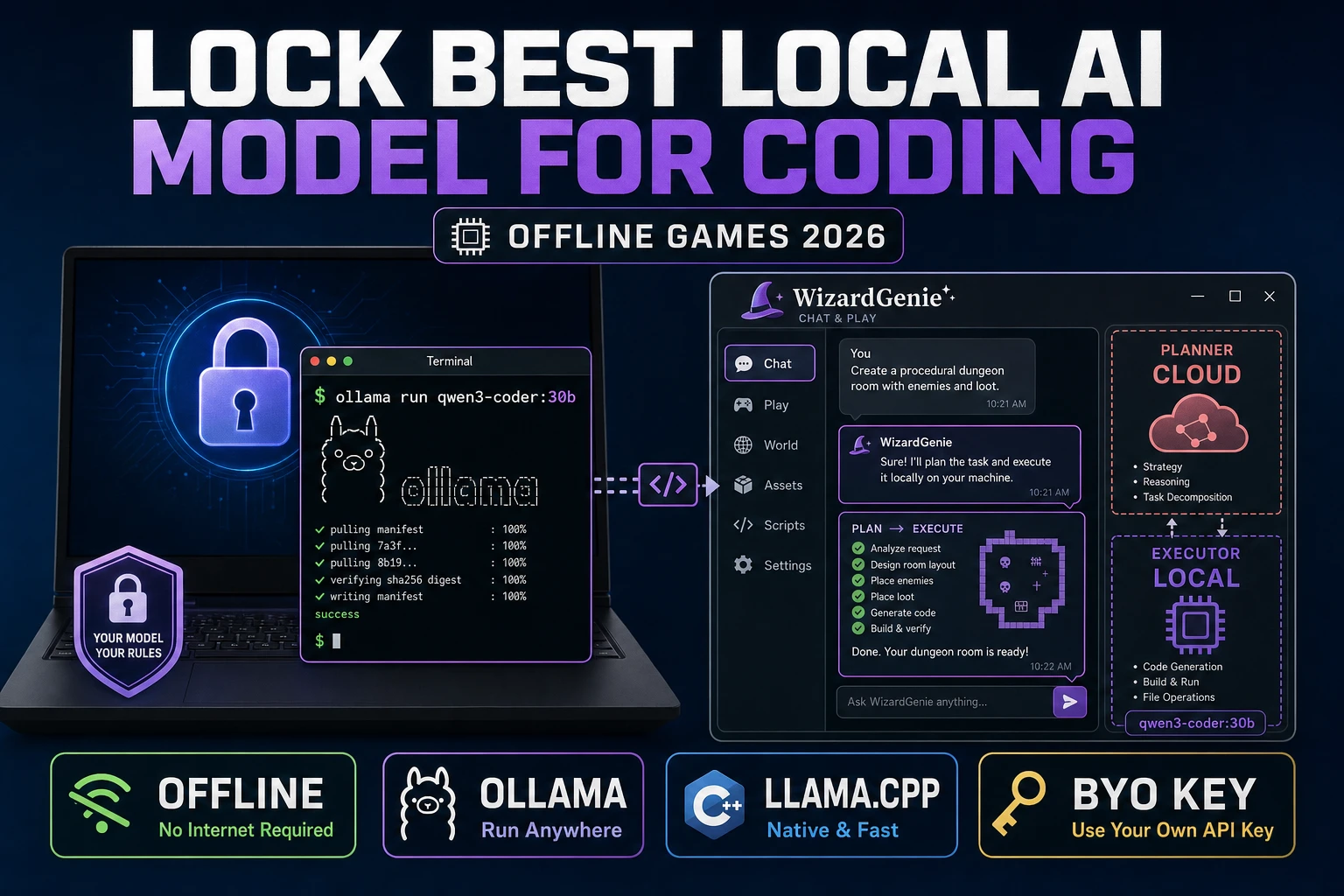
  • Distribution. The output is a normal Phaser project — JavaScript files, an asset folder, a Vite config. npm run build produces a static dist/ folder you can drop on any static host (your own domain, GitHub Pages, an itch.io browser-game upload, Netlify). The build process is yours to run on the day you ship; the WizardGenie web app does not auto-publish the finished game anywhere on your behalf.

None of this is a flaw in the workflow — it’s where human work meaningfully begins. The agent removes the parts of platformer development that were always painful and never fun. What’s left is the part that was always the actual game design.

Frequently Asked Questions

What is the easiest way to make a platformer in 2026?

Describe the platformer in one prompt to a browser-native AI game agent like WizardGenie, then iterate by chat. The agent writes a Phaser project with gravity, jump, ground check, tilemap collision, and a sample level — usually playable in five minutes. You refine by talking to the agent ("the player falls through corners — fix the AABB collider"), not by editing every line yourself.

Do I need to install Unity, Godot, or GameMaker to make a platformer?

No. WizardGenie ships a Phaser-based runtime that runs entirely in your browser tab — no engine install, no SDK, no command-line. Phaser 4 (released April 10, 2026; verified May 7, 2026) is the actively maintained successor to Phaser 3 and is what most browser-first 2D games use today. If you later want to move the project into Unity or Godot, the assets travel cleanly.

Can AI design the levels too, not just write the code?

Partially. The agent will produce a starter level — a few platforms, an enemy or two, a goal — and you can ask it for variations ("add a second level with vertical scrolling", "give level 3 spike traps"). Where AI is still weak is in level pacing, difficulty curves, and that intangible "feels good to jump" quality. You will iterate with the agent on those by playing the build and reporting what feels off.

What about art and music for the platformer?

Use Quick Sprites for the player and enemy sprite sheets (~2 minutes per character), Auto-Sprite v2 for any non-pixel-art style, SFX Gen for jump and coin sounds, and Music Gen for the level loop. All four tools live in the same Sorceress account and the WizardGenie agent can drop the resulting URLs into the project’s asset folder for you.

Which AI model should drive the WizardGenie agent for a platformer?

For one-shot scaffolding (the first prompt), Claude Opus 4.7 or GPT-5.5 produce the cleanest Phaser code in a single pass. For iterative back-and-forth ("fix this collider", "add that pickup"), the cheaper executor models — DeepSeek V4 Pro, Kimi K2.5, Gemini 3.1 Flash — are dramatically more cost-effective and fast enough that the loop feels real-time. Never put a frontier-priced model on the typing side of a Planner+Executor pair.

Can the platformer I build with WizardGenie be a real published game?

Yes. The output is a normal Phaser project — JavaScript files, a sprite folder, a Vite or webpack config — and you can host it anywhere a static site works (your own domain, GitHub Pages, itch.io upload of the build folder). It is your code; nothing in the workflow locks the project to Sorceress.

Sources

  1. Platform game (Wikipedia)
  2. Phaser official documentation
  3. Tile-based video game (Wikipedia)
  4. Collision detection (Wikipedia)
  5. Vibe coding (Wikipedia)
Written by Arron R.·2,878 words·13 min read

Related posts