Build a real, playable 2D game in a browser tab — no Unity, no Godot, no GameMaker download. How to make a 2D game in 2026 starts with one prompt to an AI game agent and ends with a Phaser project you can host anywhere a static site works. The whole loop runs in one tab.
How to make a 2D game with AI in 2026
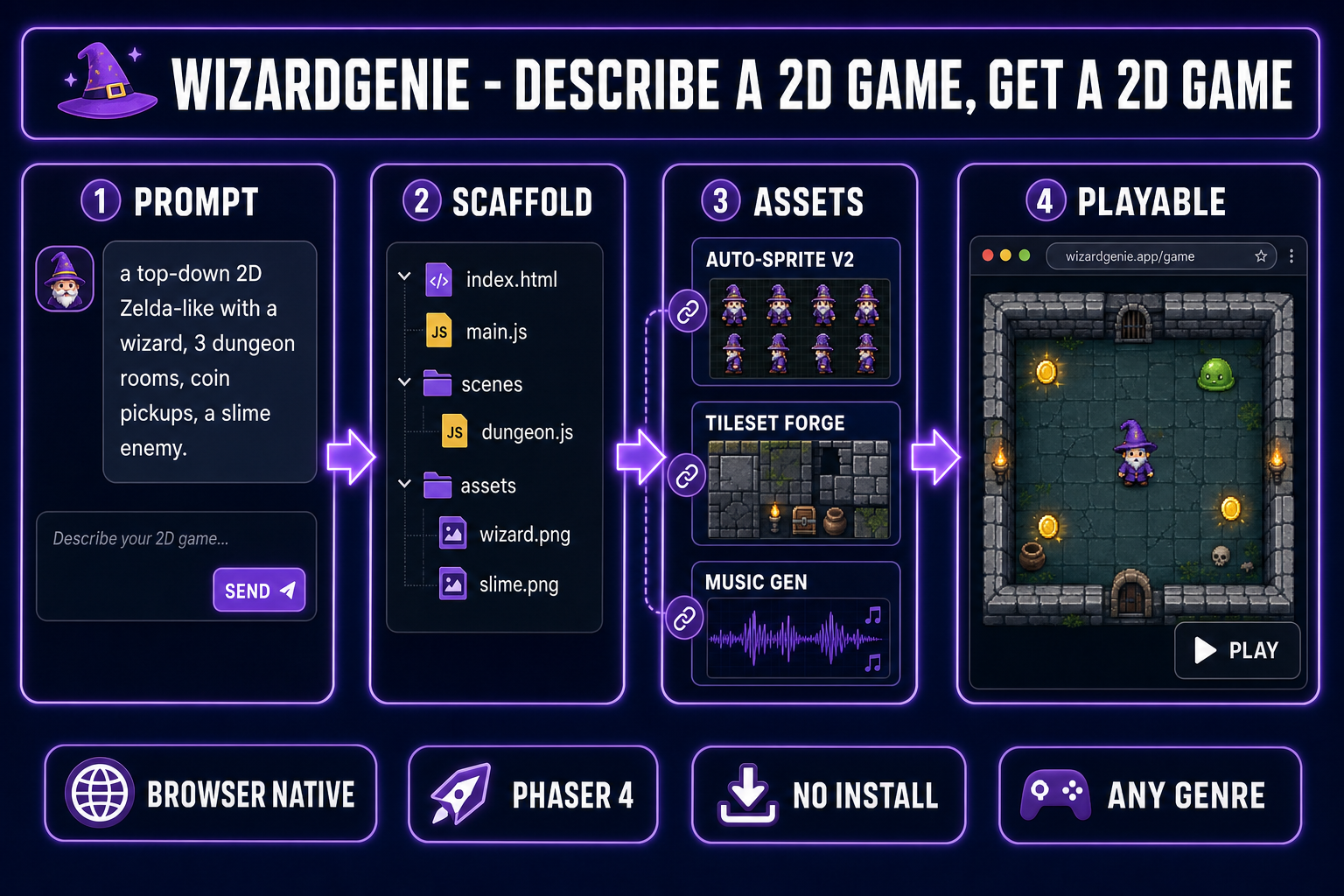
- Open WizardGenie in your browser. No engine install, no SDK, no command line.
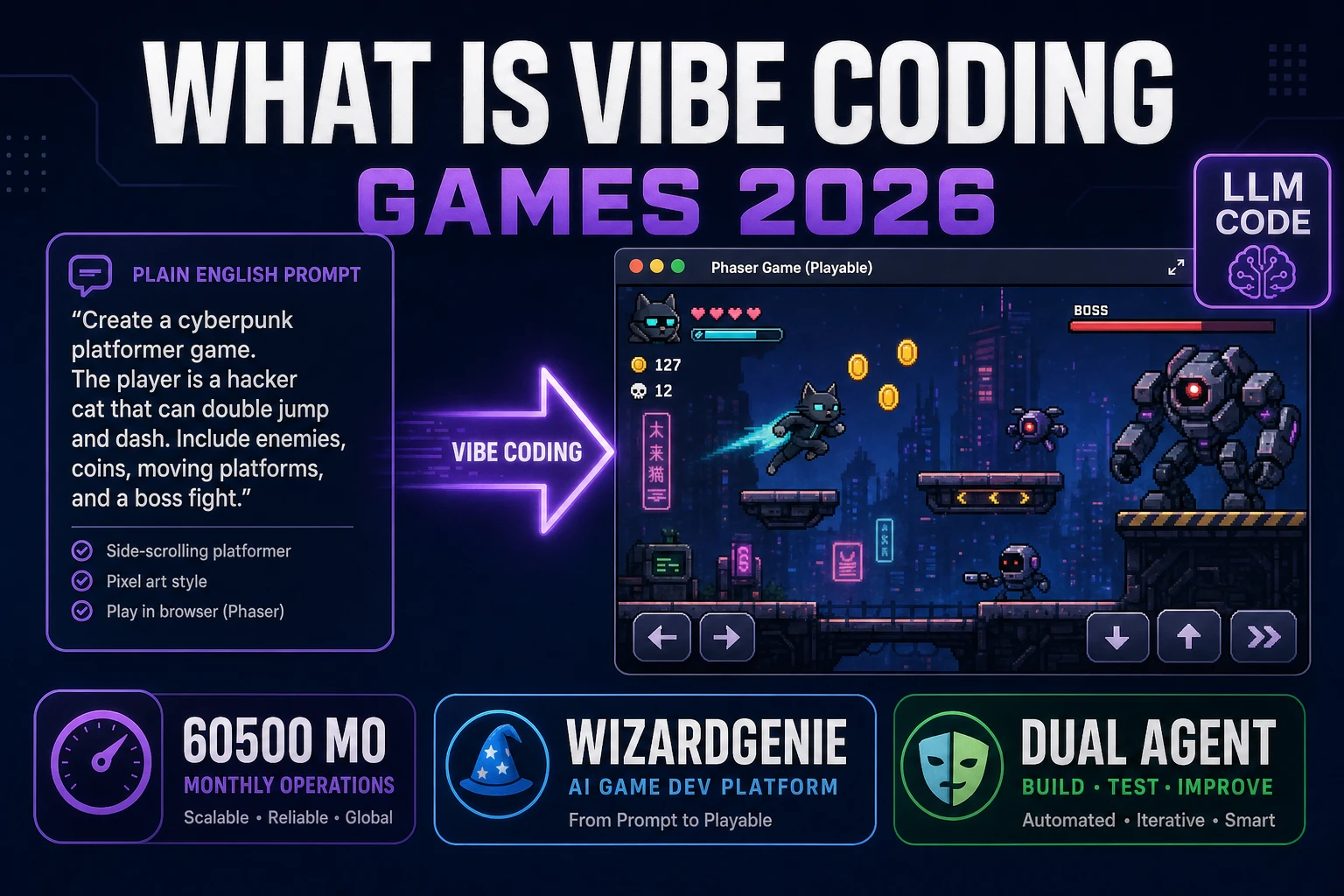
- Describe the game in one prompt: genre, core loop, characters, scope. The agent writes a Phaser 4 project with the scenes, physics, and input handling already wired up.
- Iterate by chat. Add a coin pickup, fix the enemy speed, layer in a second level — by talking to the agent, not by editing every file.
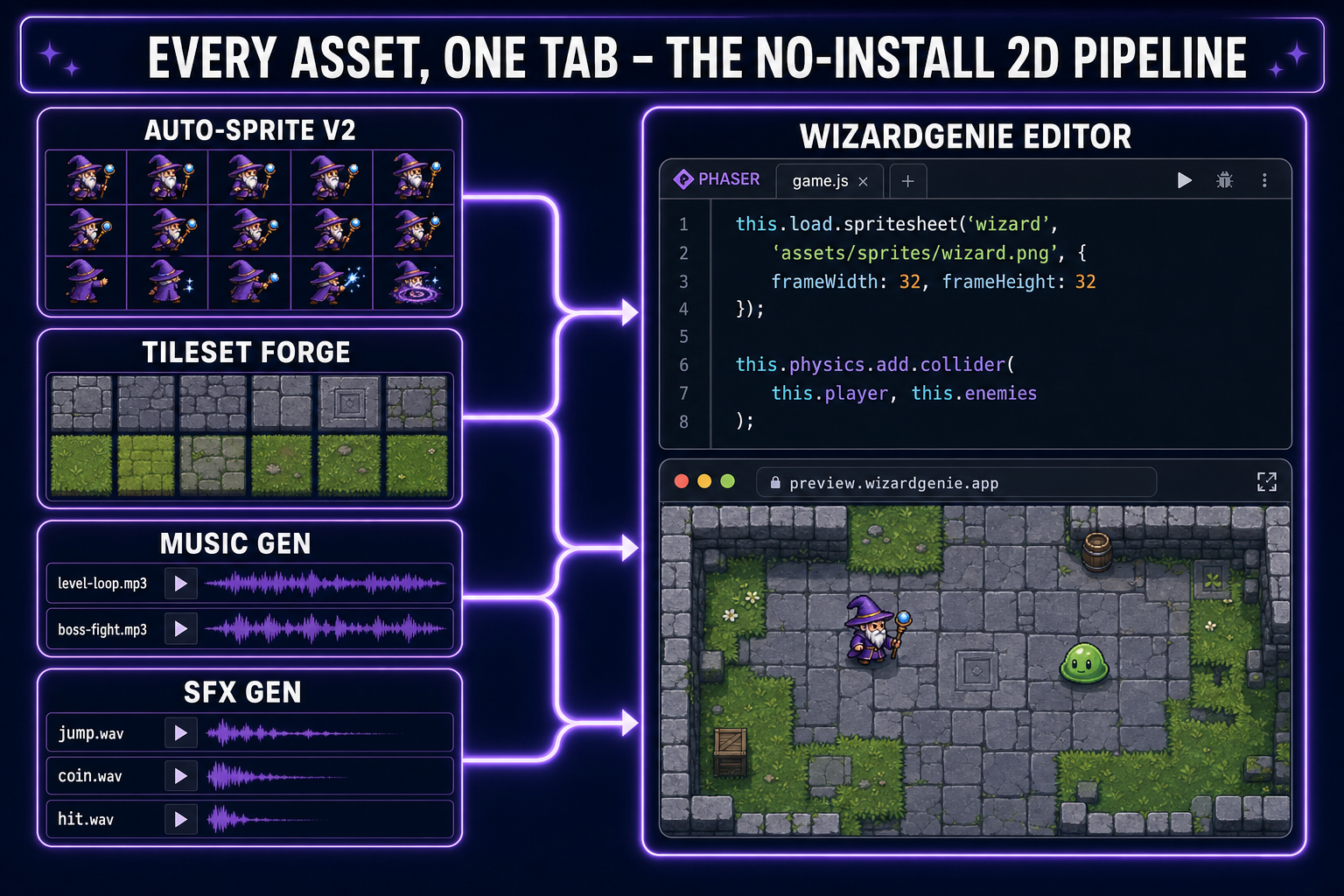
- Fold in real assets without leaving the browser: Auto-Sprite v2 for animated character sprites, Tileset Forge for level tiles, Music Gen for soundtracks, SFX Gen for jumps and hits.
- Total time to playable build for a small 2D game: roughly fifteen to ninety minutes depending on scope. Expect a few hours of polish after that.
Why “no engine install” matters more than it sounds
The single most common reason a first-time game dev quits before shipping anything is the engine setup. Unity asks you to pick a version, install Hub, install the editor, install Visual Studio, configure a project template, and learn an asset import pipeline before you ever see a sprite move. Godot is friendlier but still asks for a download, an editor learning curve, and a build pipeline. GameMaker, RPG Maker, and Construct each have their own onboarding tax.
For a sizable fraction of would-be 2D devs — especially jam participants, hobbyists, students with locked-down laptops, and the increasingly large vibe-coding cohort that came in through web tools — that hour of setup before the first sprite is the wall they bounce off. The browser-native AI workflow removes the wall entirely. Open a tab, type a sentence, watch a game load. The first dopamine hit happens before the first decision.
The tradeoff is real but smaller than people fear. You give up a few of the heavyweight features that justify a native engine: massively complex 3D scenes, deep editor extensions, certain console export targets. For the entire 2D game space — top-down RPGs, shooters, puzzles, Zelda-likes, platformers, roguelikes, runners — none of those tradeoffs apply. Phaser has shipped commercial games at this scale for over a decade.
What “2D game” actually means in this workflow
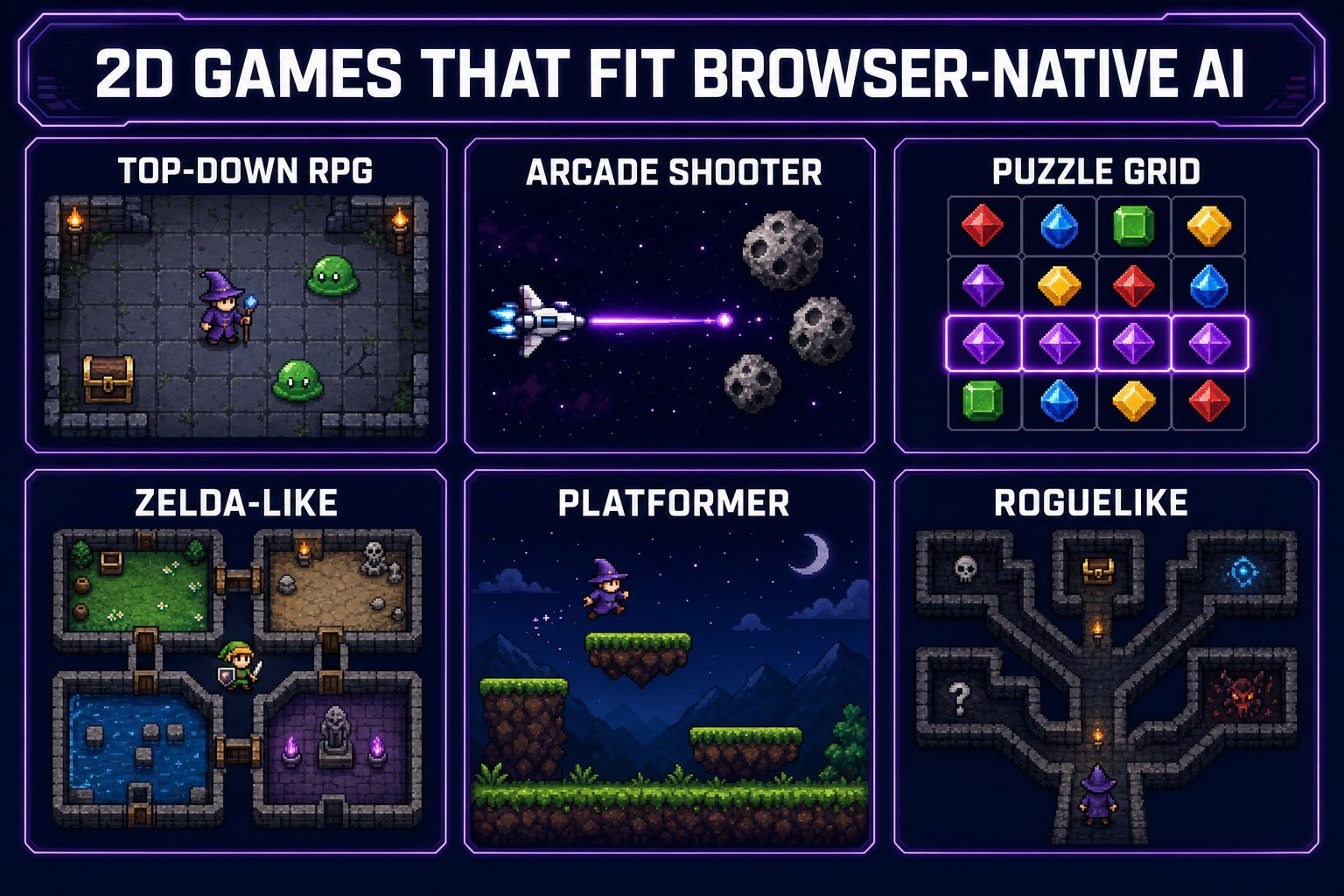
“2D game” is a wide tent. To set expectations, here is the genre map of what the browser AI workflow handles well today, ranked roughly by how cleanly the agent can scaffold a starter:
- Top-down RPG / Zelda-like. Player walks the world, enters dungeons, fights enemies, collects loot. Tilemap world, four-direction sprite, simple AI. The agent has dozens of canonical Phaser examples to draw from. Easiest starting point.
- Side-scrolling platformer. Gravity, jump, ground check, tilemap collision, hazards. Slightly more physics tuning than top-down but extensively documented.
- Arcade shooter. Player ship, projectiles, waves of enemies, scoring. Trivial to scaffold and easy to balance by chat.
- Puzzle grid. Match-3, Tetris, Sokoban, 2048. Discrete state, clean rules. Ideal for testing the prompt-to-prototype loop.
- Roguelike / dungeon crawler. Procedural rooms, turn-based or real-time movement, line-of-sight. The procedural step is where it gets interesting; the agent often nails it on the first try if you specify the algorithm.
- Runner / endless arcade. Auto-scroll, single input, score escalation. The classic single-prompt-to-playable category.
Genres that are weaker fits today: real-time multiplayer (server work outside the browser), heavy procedural 3D (use the 3D Studio pipeline instead), extreme physics simulations (rigid-body chains, soft-body), and anything that needs custom shaders for the core mechanic. None of these are blocked outright, but expect more iteration if you go there.
Step 1 — Write the first prompt
The first prompt to the WizardGenie agent is the most consequential decision in the whole workflow. A good first prompt locks the genre, the core loop, the player character, the scope, and the visual style in one paragraph. A bad first prompt produces a generic “here is a Phaser starter” output you then spend an hour reshaping.
The pattern that works: genre + core verb + player + one win condition + one or two enemies/obstacles + scope. For a top-down RPG:
Make a top-down 2D RPG in Phaser. The player is a small wizard who walks
the four directions and casts a fireball with the spacebar. Three dungeon
rooms connected by doorways. Each room has slime enemies that chase the
player; touching a slime costs one hit. Collect three coins and the door
to the next room opens. Pixel-art look, 48x48 sprites. Start small but
make it actually playable.
Notice what is in there: genre (top-down RPG), engine (Phaser), player verbs (walk, cast), enemy behavior (chase, collide for damage), win condition (collect coins, open door), explicit scope (“three rooms”), visual style (pixel art, 48x48). What is NOT in there: model picking, file structure, framework version. Let the agent handle all of that.
Two practical tips. First, name the engine explicitly. “Phaser” in the prompt anchors the agent to a battle-tested 2D framework instead of a custom canvas script. Second, say “actually playable” or equivalent — it nudges the agent to wire up real input handling and a real game-over state instead of stopping at a render loop.
Step 2 — Scaffold and read what came back
Within thirty to ninety seconds of sending the prompt, the agent returns a file tree. Open it. You should see something like:
index.html
package.json
vite.config.js
src/
  main.js
  scenes/
    BootScene.js
    DungeonScene.js
  objects/
    Wizard.js
    Slime.js
  assets/
    placeholder-wizard.png
    placeholder-slime.png
    placeholder-tiles.png
Resist the urge to start reading every file. Instead: hit Run. WizardGenie launches the project in a side preview pane. The first build is almost always rough — the wizard might be a stand-in colored square, the slimes might tunnel through walls, the camera might not follow you. That is fine. The point of the first run is to confirm the loop exists.
Now look at two things in the source. First, the scene file (DungeonScene.js in this example) — read the create() function. That tells you how the agent translated your prompt into actual game objects. Second, the object files — these are where you will direct most future iterations. Knowing they exist is enough; you do not need to memorize them.