An AI sound effects generator can spit out a “fireball whoosh” in eight seconds. The bigger question is: can it spit out a complete, coherent SFX pack for a game — UI clicks, footsteps, combat hits, magic effects, ambient drones, victory stingers — all sounding like they belong in the same audio universe? In 2026 the answer is finally yes, and the workflow is faster than buying a stock pack from any asset store. This is the practical guide to building a full SFX pack.
Using an AI sound effects generator for games
- Modern AI sound-effects generators produce game-ready SFX (1–10 seconds each) from a text prompt in under thirty seconds per generation.
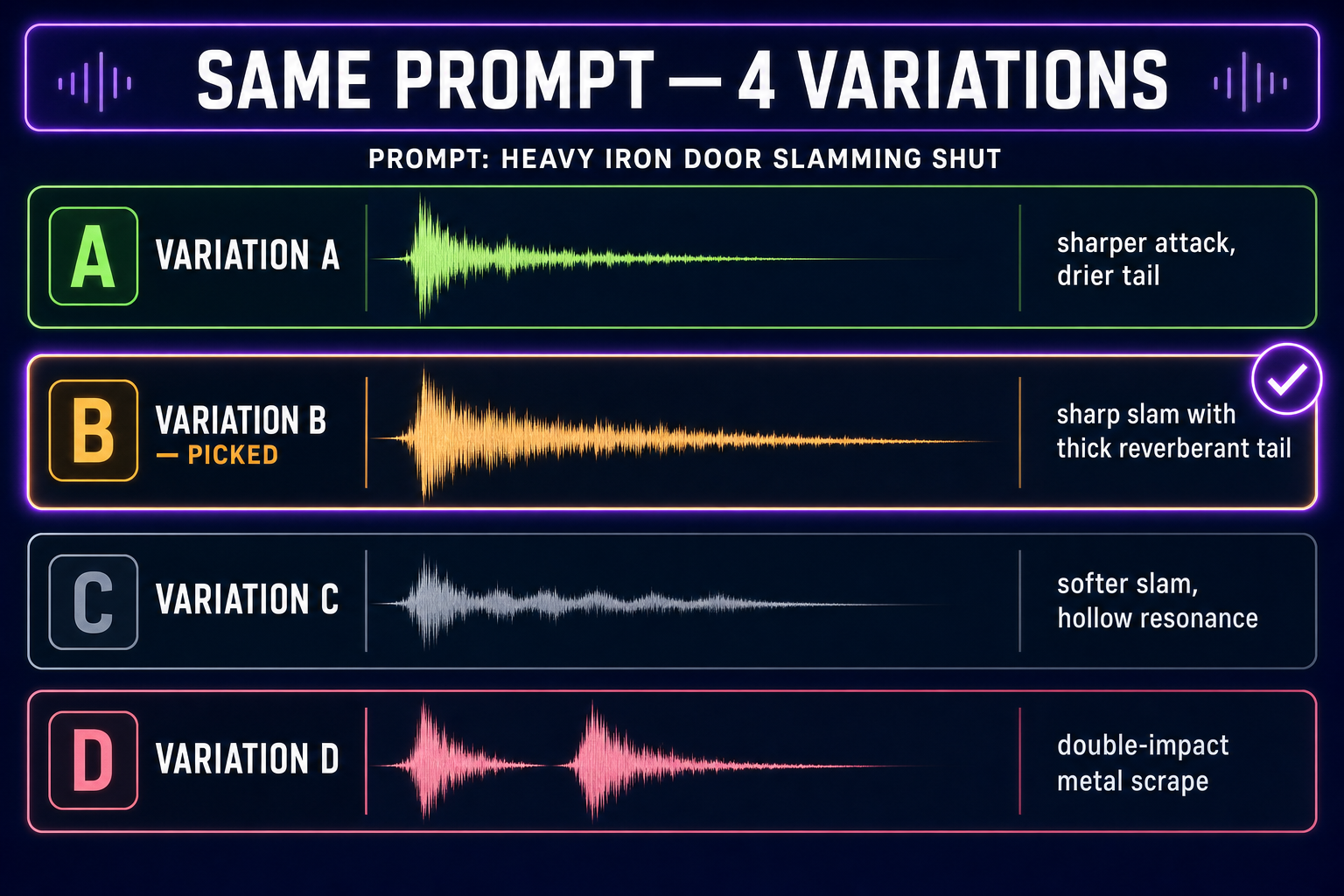
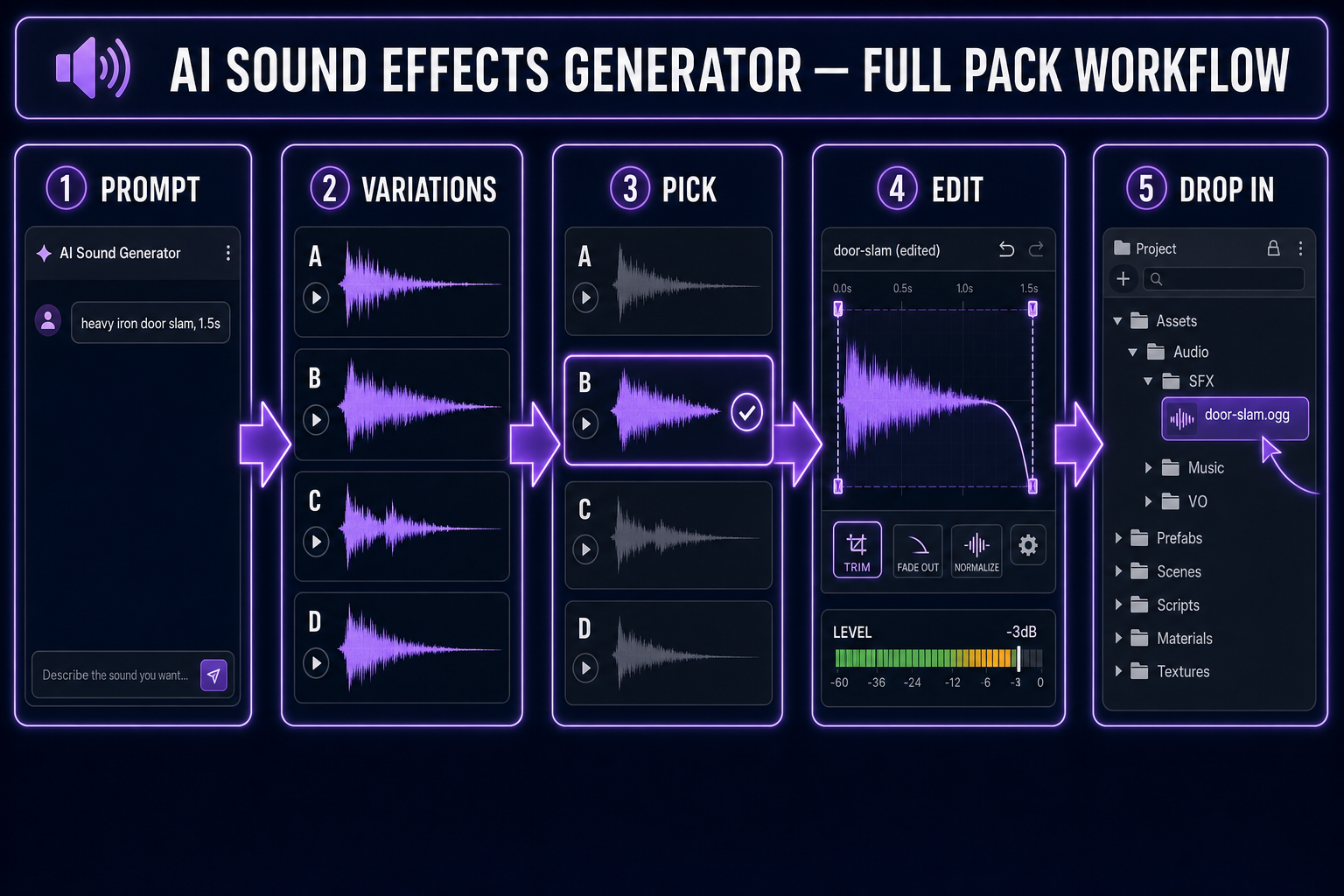
- For game work, generate multiple variations per slot — 4 to 8 — and pick the best. Single-take SFX rarely fits the game; the third or fifth often does.
- Sorceress SFX Gen ships variation control, duration control, and batch generation built in. Pair with SFX Editor for trimming and fade work.
- A complete indie-game SFX pack typically lands at 30–80 distinct effects across six categories. Total generation time for a full pack: 1–3 hours.
- The output is licensable for commercial games — verify the underlying model’s terms before shipping.
What separates “an AI sound” from a game-ready sound effect
A raw AI-generated sound has the right idea — explosion sounds explosive, sword sounds metallic, footstep sounds like a footstep. Whether it’s game-ready is a different question. Three properties matter:
- Right length. A UI click should be 50–150 ms, not 3 seconds. A combat hit should be 200–500 ms. A spell impact should be 1–3 seconds. Generated SFX often arrive at the wrong duration; trimming is non-optional.
- Right level. Each SFX should sit at consistent volume relative to the rest of your pack. Raw AI output varies wildly in level — one fireball sound might peak at -3dB, another at -15dB. Mastering to a consistent level is a 2-minute editor pass per pack.
- Clean tail. The end of an AI-generated SFX sometimes has a faint digital fizzle or hard cut. Adding a 50ms fade-out on every clip eliminates this and makes the pack feel professional.
Tools that handle these three concerns in-loop save hours over tools that only generate. SFX Editor handles trim/level/fade in one panel; the alternative is exporting to Audacity for every clip, which breaks the iterative loop fast.
The six categories of game SFX you actually need
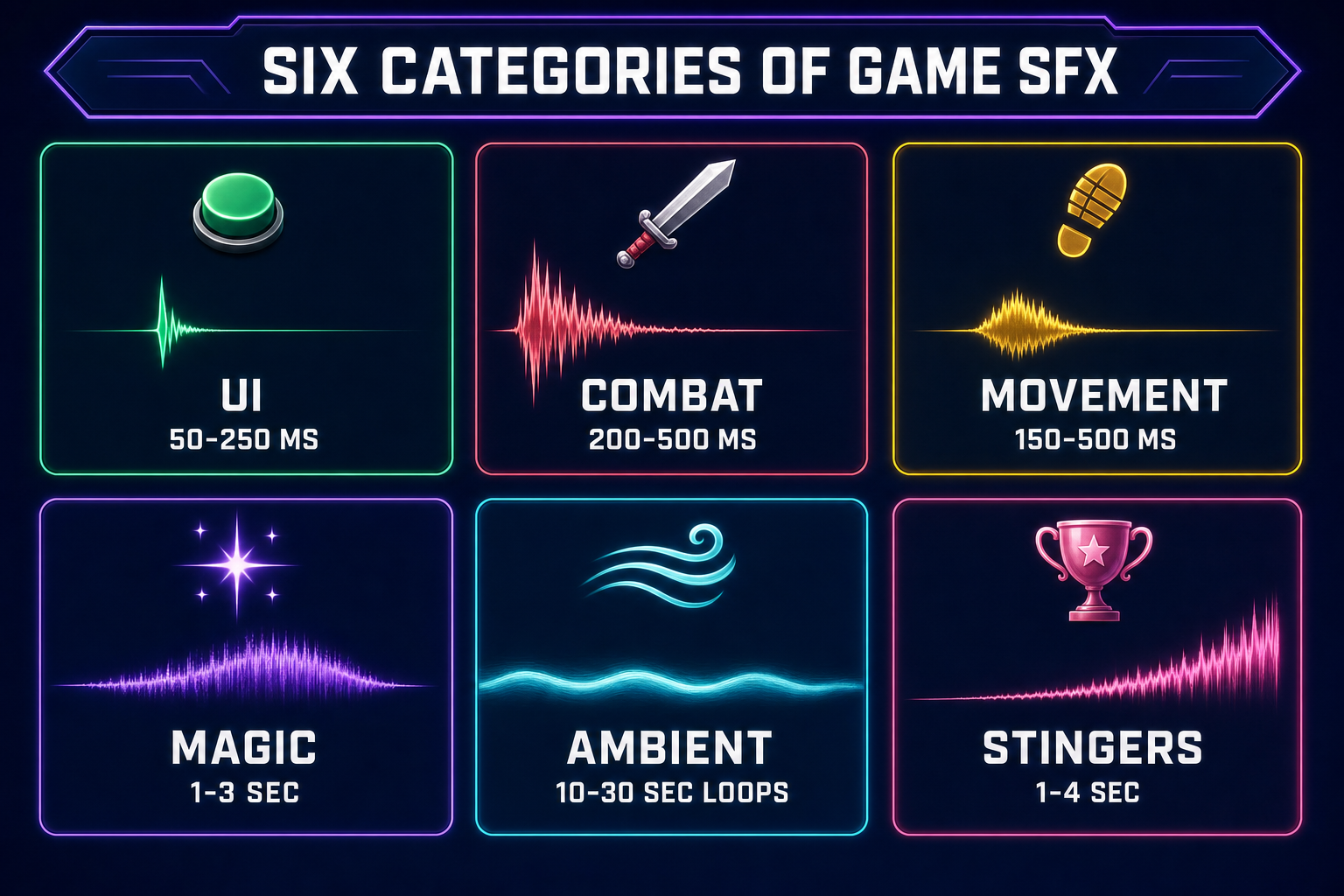
A complete SFX pack for an indie game breaks down into six categories. Plan generation around these:
- UI sounds (5–15 effects, 50–250 ms each) — button click, hover, menu open, menu close, error, confirm, level-up, item-equip. Short, snappy, distinctive. The most-frequently-heard SFX in your game; worth careful selection.
- Combat (5–15 effects, 200ms–1s each) — sword swings, sword hits, punches, gunshots, magic casts, enemy hits, enemy deaths. The most game-defining category — a strong combat-SFX pack makes the game feel meaty.
- Movement (5–10 effects, 150–500 ms each) — footsteps on different surfaces (grass, stone, wood, water), jumping, landing, sliding, dashing. Often layered with subtle randomization at runtime to avoid sounding repetitive.
- Magic / abilities (4–12 effects, 1–3s each) — fireball cast, lightning strike, healing aura, shield raise, teleport, summoning. More musical than combat SFX; can be longer to give the moment weight.
- Environment / ambient (3–8 effects, 5–30s loops) — wind, rain, distant battle, dungeon drones, machine hum, fire crackle. These layer under your background music to add atmosphere.
- Stingers / victory (3–6 effects, 1–4s each) — level complete, boss defeated, achievement unlocked, game over, secret found. Musical; reward moments. Can overlap with the music layer covered in the music guide.