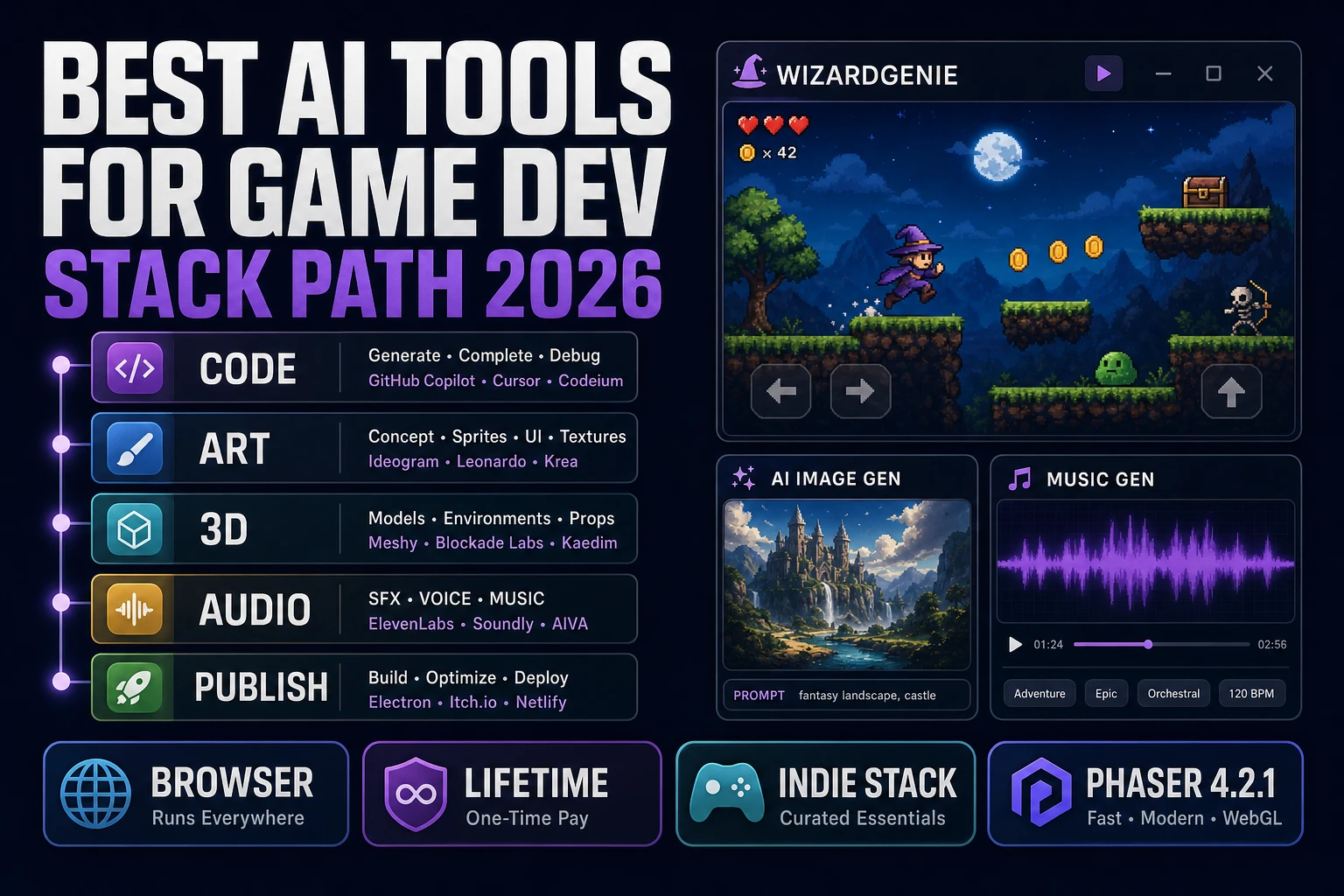
How to Make Game Music in Minutes With AI (Full 2026 Guide)

By Arron R.8 min read
How to make game music with AI in 2026: pick a genre, write a specific style prompt with era reference, generate (~2 minutes per track) in Music Gen, trim and l

How to make game music without licensing a track from an asset store, hiring a composer, or settling for the seventeenth indie game with the same default soundtrack. AI music generation in 2026 produces broadcast-quality instrumental and vocal tracks in around two minutes per song. The hard part isn’t generating a track — it’s prompting for the right track for the kind of game you’re shipping. This is the practical guide.
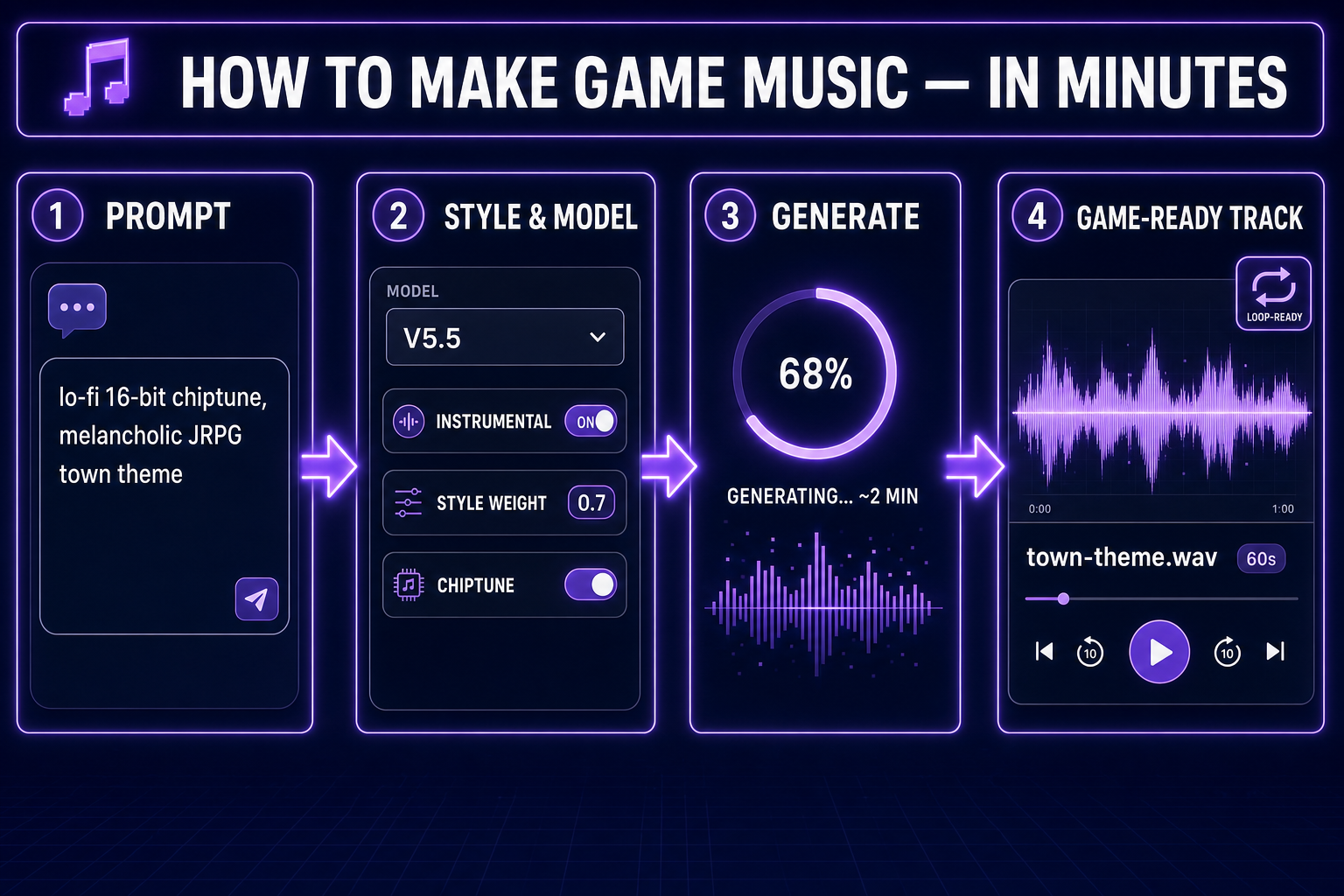
Diagram of the AI game music workflow: prompt, genre, generate, game-ready track
Four steps from prompt to a game-ready instrumental track. Pick a genre, describe the mood, generate, drop into your engine.

How to make game music with AI in 2026

  • Modern AI music tools generate full instrumental or vocal tracks (60–90 seconds) from a text prompt in roughly two minutes.
  • The right tool gives you genre control, instrumental toggle, vocal gender selection, and style-strength tuning. Sorceress Music Gen ships all of these with five model versions to pick from.
  • For game audio specifically, you’re rarely generating just a “song”. You’re generating four layers: background music, themes, ambience, stingers. Each layer has different prompting rules.
  • Once generated, you trim and loop in Sound Studio‘s built-in audio editor, then drop the final WAV/MP3 into your engine.
  • End-to-end on a complete soundtrack for a small game: 30 minutes to two hours depending on how many tracks you need.

The four layers of game audio (and why your soundtrack needs all of them)

Most beginner game audio fails because there’s only one layer — a single background loop that plays everywhere. That gets old fast and makes the game feel cheap. Real game audio uses four layers, each generated with different prompts:
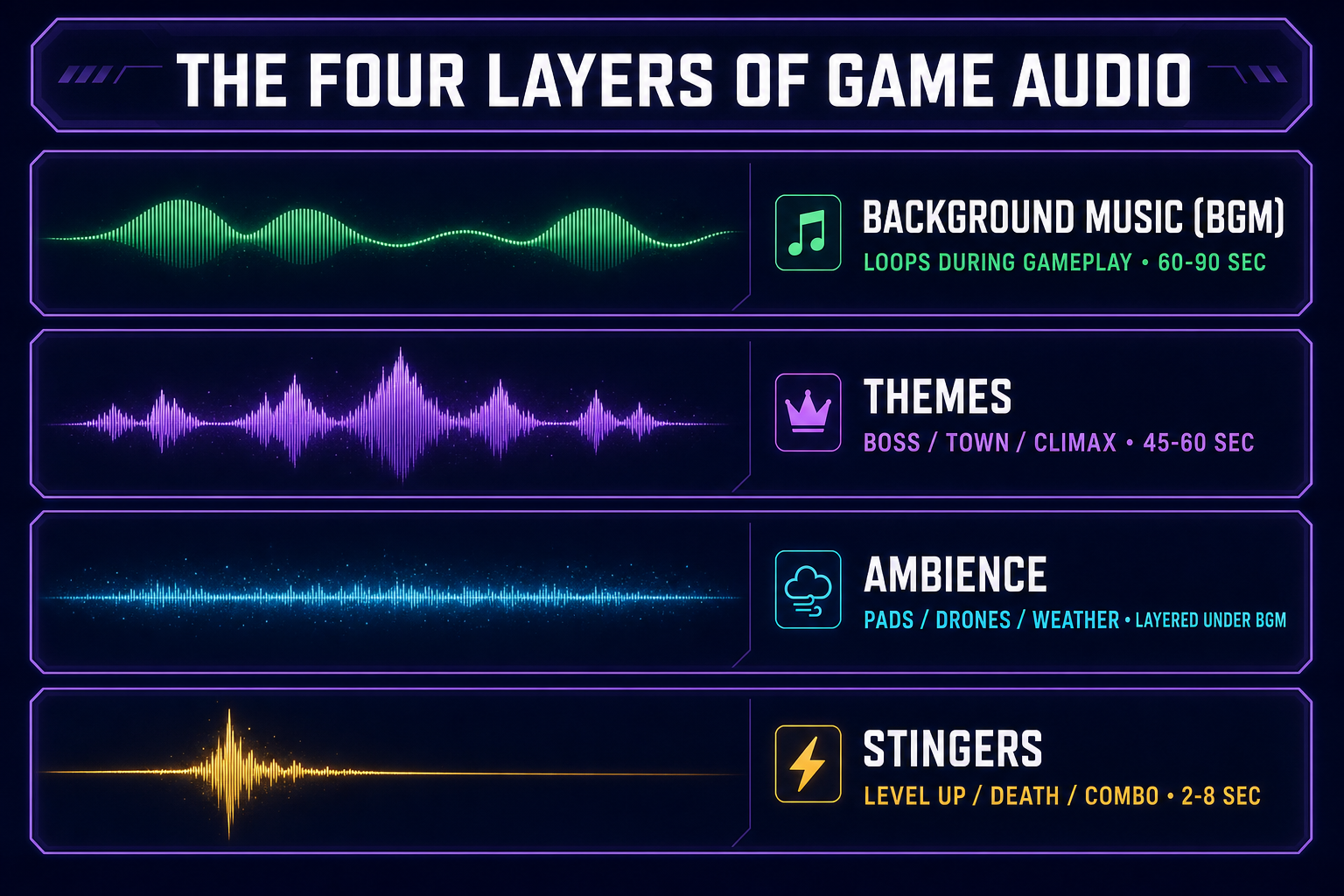
Diagram of the four layers of game audio: background music, themes, ambience, and stingers
Four audio layers in a shipped game. Background music sets the baseline; themes signal location; ambience builds atmosphere; stingers punctuate moments.
  • Background music (BGM) — the loops that play during normal gameplay. Need to be unobtrusive enough to fade into the background but musical enough to keep the player engaged. Generate at 60–90 seconds; loop seamlessly. Quantity: usually one per major area or biome.
  • Themes — distinctive tracks for boss fights, town centers, climactic moments. More melodic, more memorable, generally shorter (45–60 seconds). The track that plays for the final boss is a theme; the track that plays in the dungeon is BGM. Quantity: 2–5 for a small indie game.
  • Ambience — non-musical or sparsely-musical pads, drones, weather, room tones. Plays under everything else and creates atmosphere. Often layered with BGM at low volume. Quantity: one per environment type.
  • Stingers — short musical hits for events: level complete, combo achieved, player death, item collected. 2–8 seconds each. Quantity: 5–15 depending on game complexity.

A complete indie game soundtrack typically lands at 8–15 distinct audio assets across these four layers. AI music generation lets you produce all of them in an afternoon.

Music Gen workflow: prompt → genre → generated track

Sorceress Music Gen is built on the V5.5 generation of Suno-family models accessed via Kie.ai. Five model versions are selectable in the picker (V5.5, V5, V4.5+, V4.5, V4); V5.5 is the strongest current option for both vocals and instrumentals. The workflow:

  1. Pick a mode. Four modes ship: Create (new track from scratch), Extend (continue an existing track), Mashup (combine two tracks), Cover (reinterpret a track in a different style).
  2. Toggle instrumental. Most game music is instrumental. Toggle this on so the model doesn’t try to invent vocals. For boss themes or dramatic story beats you may want vocals; toggle accordingly.
  3. Write the style prompt. Genre, mood, tempo, instruments, era references. “Lo-fi 16-bit chiptune, melancholic, slow tempo, square-wave melody and triangle-wave bass, like a Game Boy RPG town theme.” Specific is better than abstract.
  4. Set style weight. Higher weight (closer to 1.0) keeps the model strictly inside your prompt’s genre. Lower weight (closer to 0.0) lets the model improvise more. For game work, 0.5–0.7 is the sweet spot — enough discipline to stay in genre, enough freedom to produce something interesting.
  5. Generate. The model produces a full track in roughly two minutes. Output is stereo WAV plus MP3 at standard sample rates.

Generation is non-deterministic — running the same prompt twice produces different tracks. Take advantage of that: generate three to five candidates per slot, pick the one that fits.
Looping and game-loop integration

A game-ready BGM track loops seamlessly. The generated track has a beginning and an end; in-game it needs to play forever without an audible reset point. Two options:

  • Built-in loop in Sound Studio. Open the generated track in Sound Studio‘s audio editor. Identify a clean transition point (typically the end of a measure or phrase). Trim the start to that point. Crossfade the end with the start. Export. Result: a track that loops cleanly.
  • Engine-side seamless looping. Most engines support seamless looping if the audio file’s first and last samples match. Generate the track with a clean fade-in / fade-out, then ask the model in a second pass to “extend with a smooth tail that returns to the opening motif”. The output naturally loops.

Engine-side handling: in Phaser this.sound.play('bgm', { loop: true }); in Godot set AudioStreamPlayer.stream.loop_mode to LOOP; in Unity set the AudioClip’s loop flag. The trick isn’t the engine — it’s making sure the generated audio is loop-friendly.

Style cookbook for common game genres

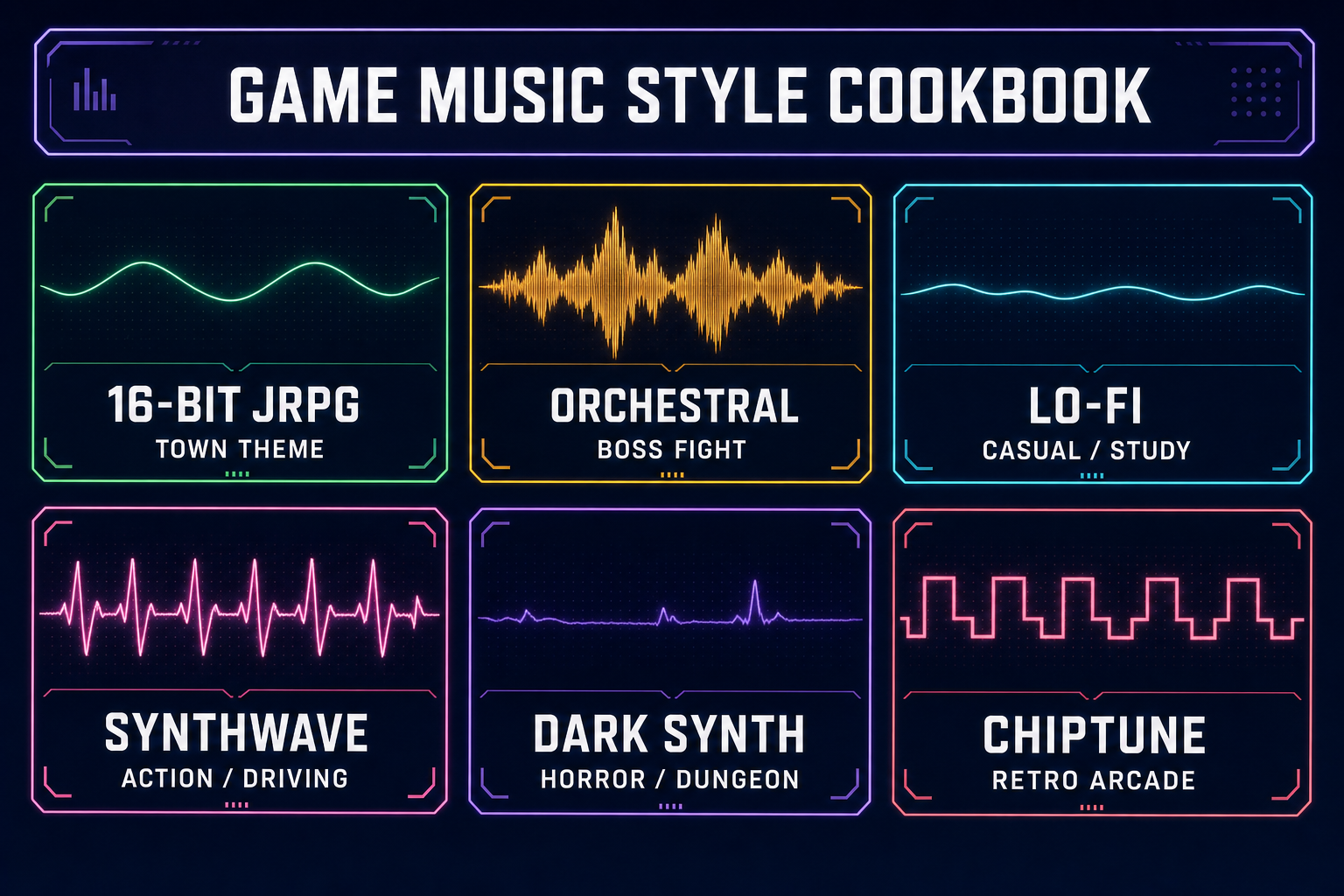
Style cookbook chart showing six game music genres with prompt examples and waveform thumbnails
Six common game-music styles with starter prompts. Each is a different waveform shape because each is doing a different job.

Starter prompts that consistently produce game-shaped music:

  • 16-bit JRPG town theme: “Lo-fi 16-bit chiptune, melancholic, mid-tempo, soft square-wave melody, gentle triangle bass, light percussion, like a Game Boy or SNES RPG town theme.” Best with style weight 0.7+.
  • Orchestral epic boss fight: “Epic orchestral, dark fantasy, fast tempo, full string section, heavy brass, taiko drums, choral pads building to climax, no vocals.” Style weight 0.6.
  • Lo-fi study / casual game: “Lo-fi hip hop, jazz piano, vinyl crackle, mellow rhodes, slow drums, instrumental, peaceful, like late-night cafe study music.” Style weight 0.7.
  • Synthwave action / driving: “80s synthwave, retro driving, fast tempo, gated drums, analog synth lead, bass arpeggios, warm pads, no vocals.” Style weight 0.6–0.7.
  • Dark synth horror / dungeon: “Dark ambient horror, slow tempo, drone synthesizer pads, distant percussion hits, occasional dissonant bell, no vocals, tense atmosphere.” Style weight 0.7+.
  • Retro arcade / casual: “Upbeat 8-bit chiptune, fast tempo, square-wave melody, energetic, like a 1980s arcade title screen, instrumental.” Style weight 0.7+.

Each prompt establishes genre, mood, tempo, instrumentation, and an era reference. The era reference (Game Boy, SNES, 80s synthwave) is the most important single descriptor — it activates a specific cluster of timbral and rhythmic patterns the model knows well.

Stingers and combat themes (the high-density audio assets)

Short audio cues are different from full tracks. The model is great at producing 60-second songs; for 4-second stingers you need a different approach:

  1. Generate a longer cue first (30 seconds) in the right genre.
  2. Trim to the high-energy moment in Sound Studio’s editor. Typically the first phrase or a peak moment in the middle.
  3. Apply a punchy fade-out at the end (200ms) so it doesn’t tail awkwardly.
  4. Export as a short clip (2–8 seconds).

This works because trimming a coherent 30-second cue gives a more natural-feeling stinger than trying to prompt for a 4-second cue directly. The model has a hard time committing to a strong musical idea in 4 seconds; in 30 it can develop one and you can then surgically extract the best moment.

Licensing AI-generated music for commercial games

One of the practical wins of generating your own soundtrack: you own it. The licensing situation varies by underlying model, so verify before shipping commercially. As of 2026, Music Gen’s underlying Suno-family models permit commercial use of generated outputs by paying users. The terms are explicit and listed in the provider’s documentation.

What this means in practice: you can ship the generated tracks in a Steam game without paying ongoing royalties, without watermarks, without crediting an asset store. The track is yours. Compare to licensing from a stock-music asset store, which typically permits commercial use only with a fee structure that scales with revenue or installs.

Common mistakes when generating game music

  1. Not toggling instrumental. The model defaults to producing a vocal track. For most game BGM, you want an instrumental. Toggling the instrumental flag prevents the model from inventing lyrics.
  2. Vague prompts. “Background music for a game” produces generic stock-music output. Specific era, specific genre, specific instruments — that’s what unlocks distinctive output.
  3. Single-take mentality. Generating once and shipping. The model is non-deterministic; the third or fifth generation is often noticeably better than the first.
  4. Ignoring style weight. Leaving it at default. Tune up to 0.7+ for tight genre adherence, tune down to 0.4 for more creative interpretations.
  5. Skipping the loop pass. Shipping a track that doesn’t loop cleanly. Listeners notice the seam within seconds.

Frequently Asked Questions

What's the best AI music generator for game soundtracks?

For instrumental game music specifically, the V5.5 generation of Suno-family models (accessed through Sorceress Music Gen via Kie.ai) currently produces the highest-quality output we've tested. Earlier models are still excellent and cheaper per generation; V5.5 wins on overall fidelity.

Can I use AI-generated music in a commercial game?

Generally yes, but read the specific model's terms before shipping. As of 2026, the underlying Suno-family models that power Music Gen permit commercial use by paying users. License terms can change between model versions, so verify on the provider's documentation.

How long does it take to generate one game music track?

Approximately two minutes per generation. For the typical workflow of generating three candidates and picking the best, budget five to eight minutes per slot. A complete indie game soundtrack of 8–15 tracks lands at one to two hours of total generation time.

Can the AI generate music in a specific game's style?

It can imitate broad genres (chiptune, orchestral, synthwave) very accurately. It can imitate specific composers' general approach. It cannot replicate a specific copyrighted track and shouldn't be asked to.

What format does the music export in?

Stereo WAV (lossless, large file size, best for trimming and editing) and MP3 (smaller, ready for direct use in-engine). Both export from Music Gen at standard 44.1 kHz / 16-bit.

Sources

  1. Video game music (Wikipedia)
  2. Chiptune (Wikipedia)
  3. Synthwave (Wikipedia)
  4. WAV (Wikipedia)
  5. Loop (music) (Wikipedia)
Written by Arron R.·1,728 words·8 min read

Related posts