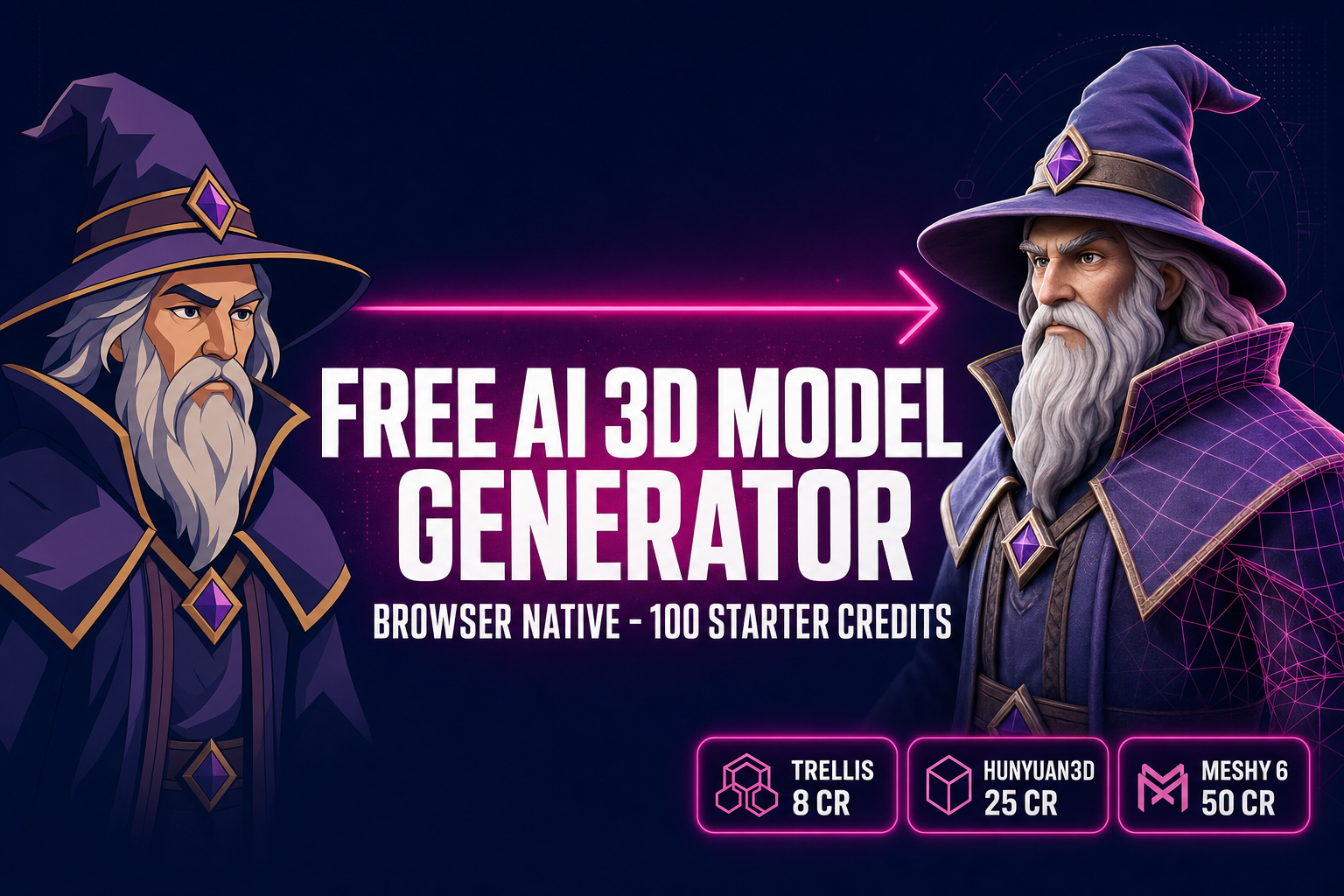
Free AI 3D Model Generator (Browser, No Install)

By Arron R.15 min read
Free AI 3D model generator in your browser: Sorceress 3D Studio hands every new account 100 starter credits, enough for up to 12 image-to-3D runs on TRELLIS, 4

A search for “free AI 3D model generator” returns a long list of tools that all promise to be free and then disagree about what that word means. Some are open-source models you run on your own GPU. Some are freemium with a fixed daily cap. Some are “free to try” with a one-time trial credit that expires the moment you hit the limit. Some are free but watermark every output. The honest free path inside Sorceress 3D Studio is the trial-credit kind — one hundred starter credits granted at sign-up, no card on file, no install, no watermark — and that hundred credits is enough for somewhere between 2 and 12 image-to-3D runs depending on which of the seven backends in the model picker you pick. This guide walks the math of that path: what each model costs, which one gets you the most runs out of the trial, what happens when the credits run out, and how 3D Studio compares against the other “free” AI 3D model generators on the market today.
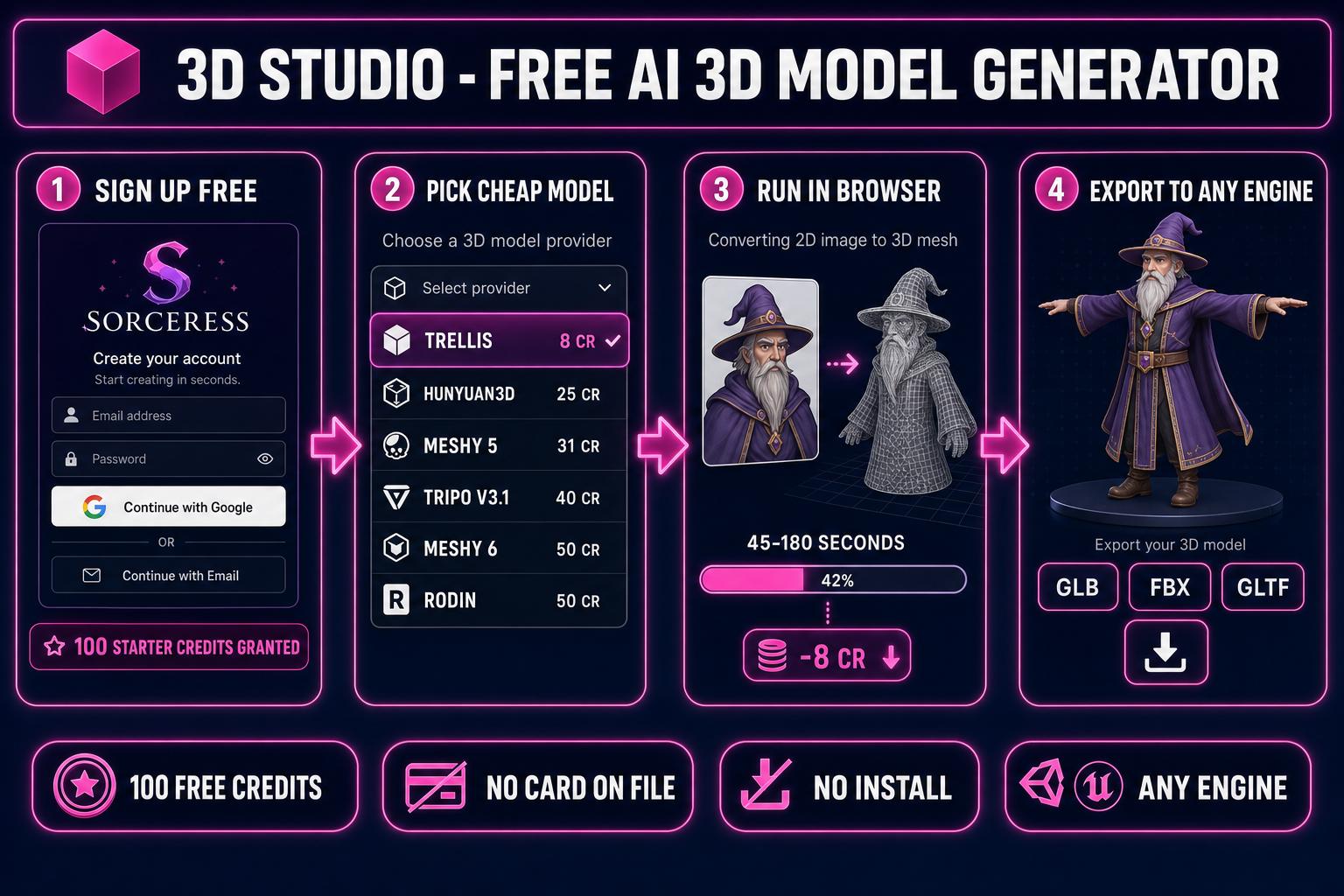
Free AI 3D model generator pipeline diagram: sign up, claim 100 starter credits, pick cheap model TRELLIS, run twelve image-to-3D conversions in the browser with no install
The honest free path through Sorceress 3D Studio: sign up, claim the 100 starter credits, pick the cheapest model, and you get roughly twelve free image-to-3D runs before any payment.

What “free AI 3D model generator” actually means in 2026

The word “free” hides four very different deals on AI 3D model generators in 2026, and reading them as the same thing is how readers end up frustrated when the trial limit lands ten minutes into their first project. The four shapes are worth naming up front because the rest of this guide assumes you know which one Sorceress 3D Studio is.

  • Free-as-in-open-source, local. The model weights are public, the inference code runs on your machine, and the only cost is the GPU you already own. Modern diffusion-based 3D models need a 16–24GB GPU to run at production quality, so this is the cheapest path if you have the hardware and the slowest path if you do not. There is no sign-up, no rate limit, and no upper bound on runs — but there is a forty-minute setup, a CUDA-compatible card, and the responsibility of keeping the dependencies alive.
  • Freemium with a daily cap. A hosted tool you can use immediately, with a fixed number of runs per day on a watermarked or low-resolution output, and a paid upgrade for the full quality. The cap is usually 2–5 runs per day. You never run out of “free”, but you also never finish a project on the free tier — every interesting iteration pushes you against the daily limit.
  • Trial credits at sign-up. The deal Sorceress 3D Studio runs on. New accounts receive a fixed pool of credits at sign-up, the same full-quality output as paid runs, no watermark, no resolution cap, no daily limit. You spend credits per generation; when the pool empties, you either top up or stop. This is the most honest of the four because the limit is concrete (a number you can count) rather than a moving target.
  • “Free to try” with no real free output. The fourth pattern is the trap: a tool that markets itself as free, lets you queue a generation, and then asks for a credit card before delivering the result. The output is gated behind payment; the “free” applied only to the input form. Worth recognising so you do not waste an evening on one.

Sorceress 3D Studio sits in the third bucket on purpose. The grant logic is verifiable: supabase/migrations/20260507000005_default_new_users_to_100_credits.sql sets the default credit balance on every new profile to 100. New accounts get the hundred credits the moment the row is created and can spend them on any of the credit-backed generators in the suite without ever entering a payment method.

The honest free path inside Sorceress 3D Studio

The path from “I read a blog post” to “I have a textured 3D mesh in my downloads folder” is five clicks, no install, and zero out-of-pocket cost. The five clicks:

  1. Open the studio in a browser tab. 3D Studio runs as a Next.js app at /3d-studio. Chrome, Firefox, Edge, and Safari all work. The browser handles the UI, the GLB preview, the export, and the project state; the model run itself is dispatched to a remote backend because no laptop GPU can run Meshy 6 in real time.
  2. Sign in or sign up. Google, email, or magic link — the three sign-in methods in the header. There is no “guest mode” for 3D generation: the credit ledger is tied to a profile, so an account is the price of getting your hundred starter credits. No card, no email confirmation flow, no installer, no extension. The sign-up itself is two clicks.
  3. Land on the Generate tab. 3D Studio opens to the Generate tab by default, with three input modes in the top toggle: text-to-3D, image-to-3D, multi-image-to-3D. Pick image-to-3D for the cheapest free runs (image-to-3D is supported on all seven models; text-to-3D is supported on five of them and tends to cost more credits per useful output).
  4. Pick a model and an image. The model picker lists seven image-to-3D backends, each with its credit cost displayed inline. Drop a JPG, PNG, or WebP onto the upload zone, or paste a URL. The credit chip in the header shows the current balance; the right-panel cost preview shows what this run will deduct.
  5. Click Generate and wait. The job dispatches, the queue progresses, and the textured GLB loads in the in-tab viewer when the model finishes. Typical end-to-end run times are 45–180 seconds depending on the model. When you are happy, click Export and pick GLB, FBX, or GLTF — every export option is free on top of the run that produced the mesh.

The five clicks are the whole pipeline. There is no separate “claim your credits” step, no email verification gate, no upgrade nag, no resolution lock — the hundred starter credits land on the profile at row-creation time and the next run consumes from that balance. The only step that distinguishes the free tier from the paid tier is what happens when the balance hits zero, which the rest of this guide covers honestly.

The seven image-to-3D models in 3D Studio (and what each one costs)

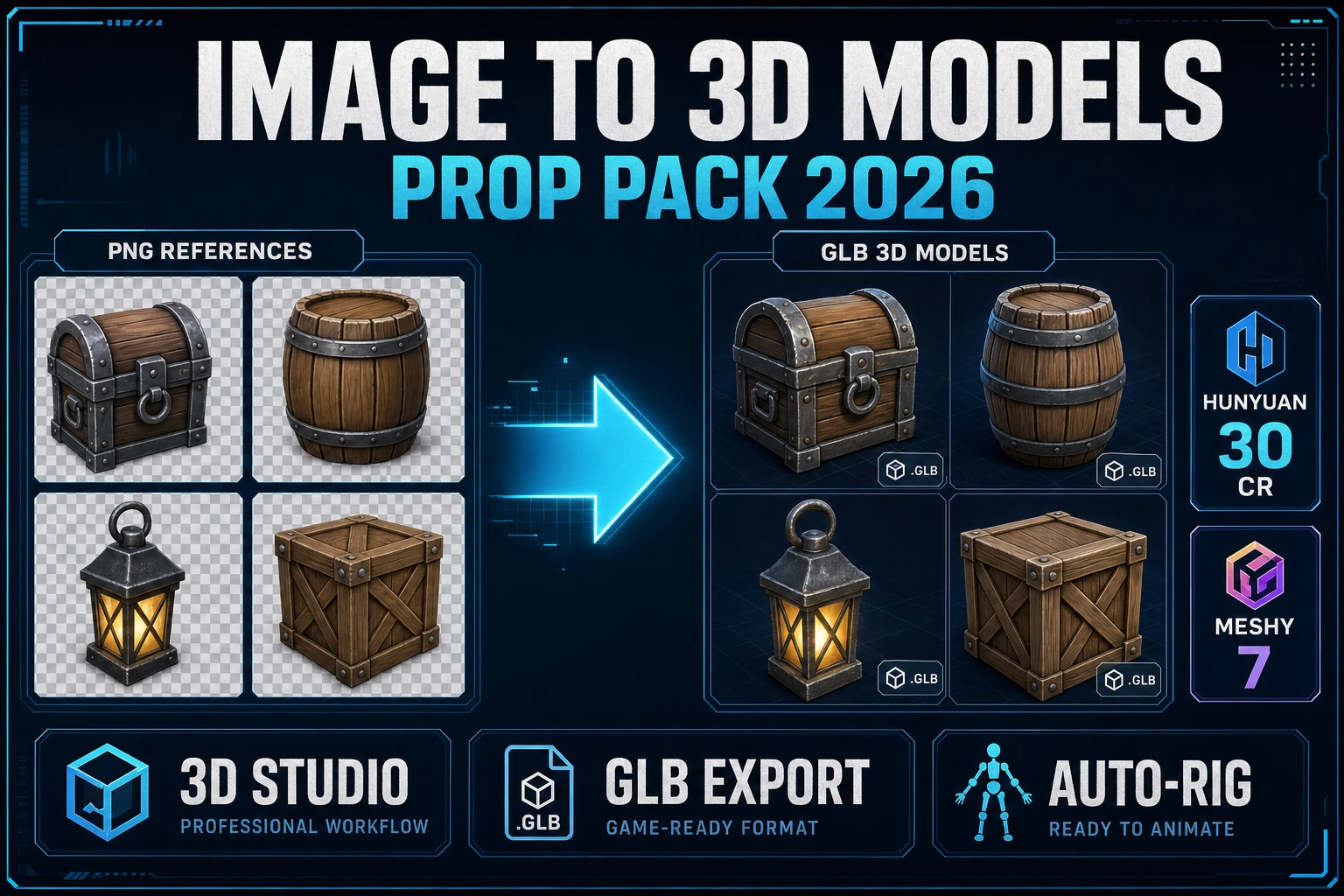
3D Studio exposes seven distinct image-to-3D backends inside a single model picker. Each routes to a separate provider, each has a separate strength, and each costs a different number of credits per run. The credit costs below are read directly from src/lib/threed-models.ts and verified against the live picker on May 11, 2026. Texture and remesh toggles add to the base cost as noted.

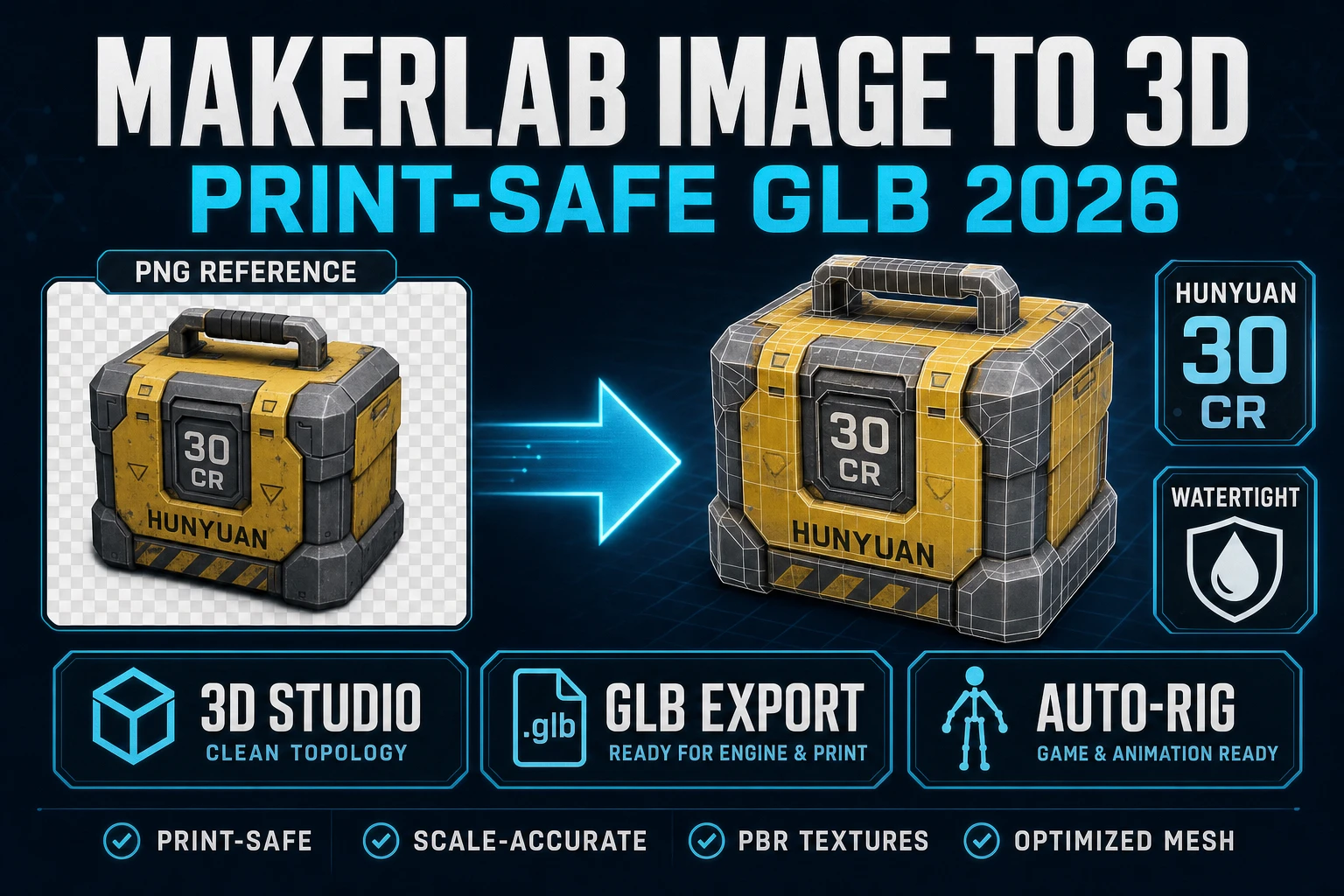
  • TRELLIS — 8 credits per run. Microsoft Research’s 3D reconstruction model, routed through Replicate. The cheapest model in the picker by an order of magnitude. Image-to-3D only (no text-to-3D path). Produces clean watertight meshes at the cost of slightly coarser texture detail than the Meshy models. TRELLIS is the workhorse of the free tier: a hundred credits buys twelve TRELLIS runs.
  • Hunyuan3D 3.1 — 25 credits per run. Tencent’s image-to-3D model. The most aggressive of the seven at hallucinating the back side of a single-view input, which is good when you want a 360-degree character mesh from a front-facing portrait and bad when you want a faithful conversion of only the visible front. A hundred credits buys four Hunyuan3D 3.1 runs.
  • Meshy 5 — 31 credits base; +25 if you turn texture on, +13 if you turn remesh on. The previous-generation Meshy model, kept in the picker for cost-conscious runs. Lower fidelity than Meshy 6 but a third of the price. A hundred credits buys three textured Meshy 5 runs (56 credits each) or one full-quality Meshy 5 + remesh + texture run (69 credits) plus change for a second pass.
  • TRELLIS 2 — 35 credits at 512p, 40 at 1024p (default), 45 at 1536p. Microsoft Research’s second-generation TRELLIS, on the fal.ai backend. Tighter mesh topology than TRELLIS 1 at the cost of higher per-run pricing. A hundred credits buys two TRELLIS 2 runs at the default 1024p.
  • Tripo v3.1 — 30 credits with no texture, 40 with texture, +5 if you turn the quad-mesh option on. Tripo’s third-generation HD model. The strongest of the seven for hard-surface props (vehicles, weapons, environment objects). A hundred credits buys two textured Tripo v3.1 runs and ~20 credits of headroom.
  • Meshy 6 — 50 credits base; +25 if texture is on, +13 if remesh is on. The default model and the strongest all-rounder for game-character work. Clean topology, faithful texture transfer, and the highest poly budget of the seven. A hundred credits buys one full-quality Meshy 6 run (88 credits with texture + remesh) and not much else — Meshy 6 is the model you save credits for, not the one you spam on the trial.
  • Rodin 2.0 — 50 credits per run. Hyper3D’s Rodin Gen-2, routed through Replicate. The cleanest texture quality of the seven on stylised inputs (anime, painted concept art, cel-shaded renders). A hundred credits buys two Rodin 2.0 runs.

The picker remembers the last selection across sessions, and the credit cost chip updates live as you toggle texture, remesh, and PBR flags. None of the models charge differently for image-to-3D versus multi-image-to-3D (the cost is per-mesh, not per-image), so a multi-image run is the same price as a single-image run on every backend that supports it.
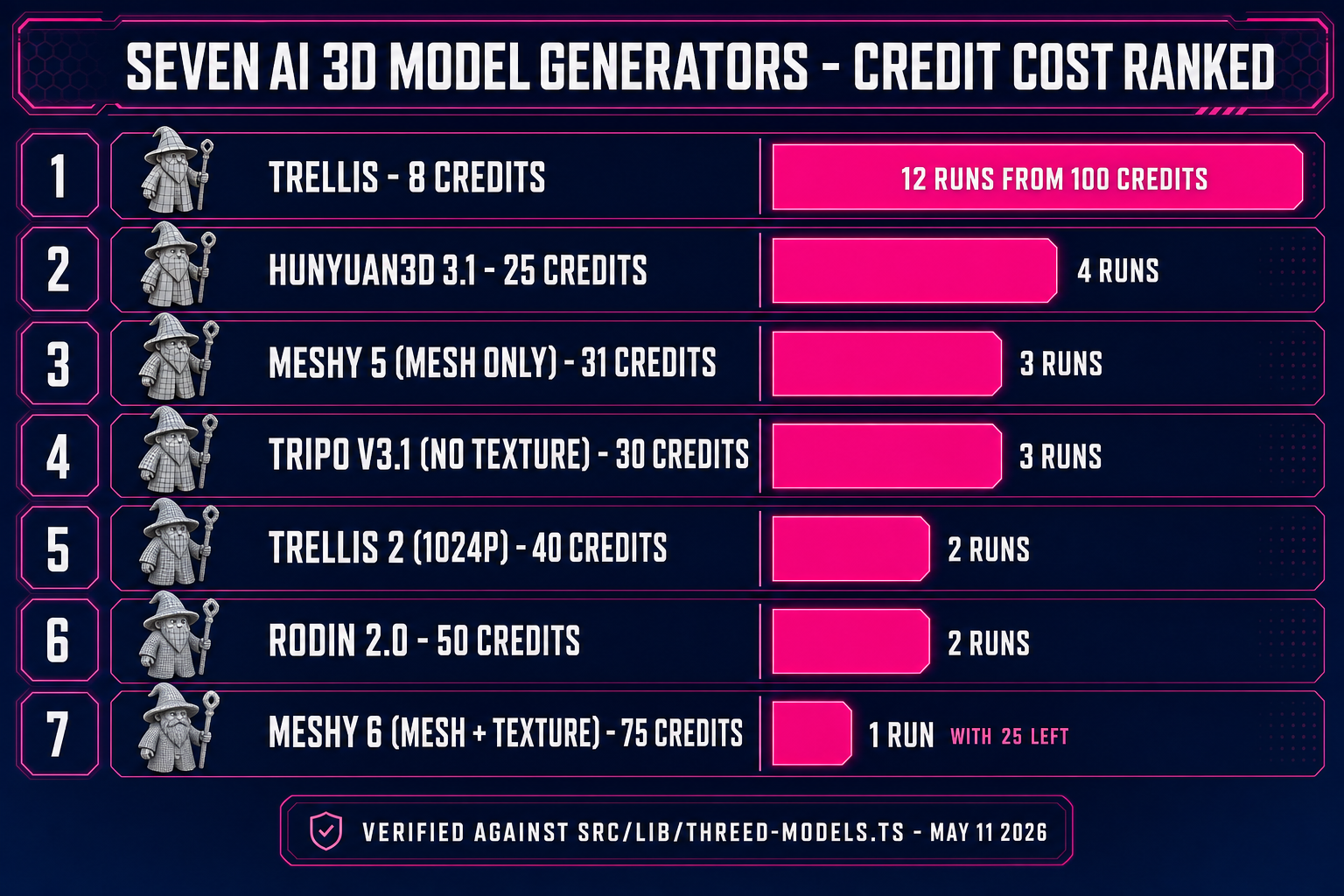
Seven AI 3D model generators in Sorceress 3D Studio with credit costs: TRELLIS 8 credits, Hunyuan3D 3.1 25 credits, Meshy 5 31 credits, TRELLIS 2 40 credits, Tripo v3.1 40 credits, Meshy 6 50 credits, Rodin 2.0 50 credits
The seven image-to-3D backends in 3D Studio with their base credit costs. TRELLIS at 8 credits stretches the 100 starter credits into roughly twelve free runs — the workhorse of the free path.

How to stretch the 100 starter credits the furthest

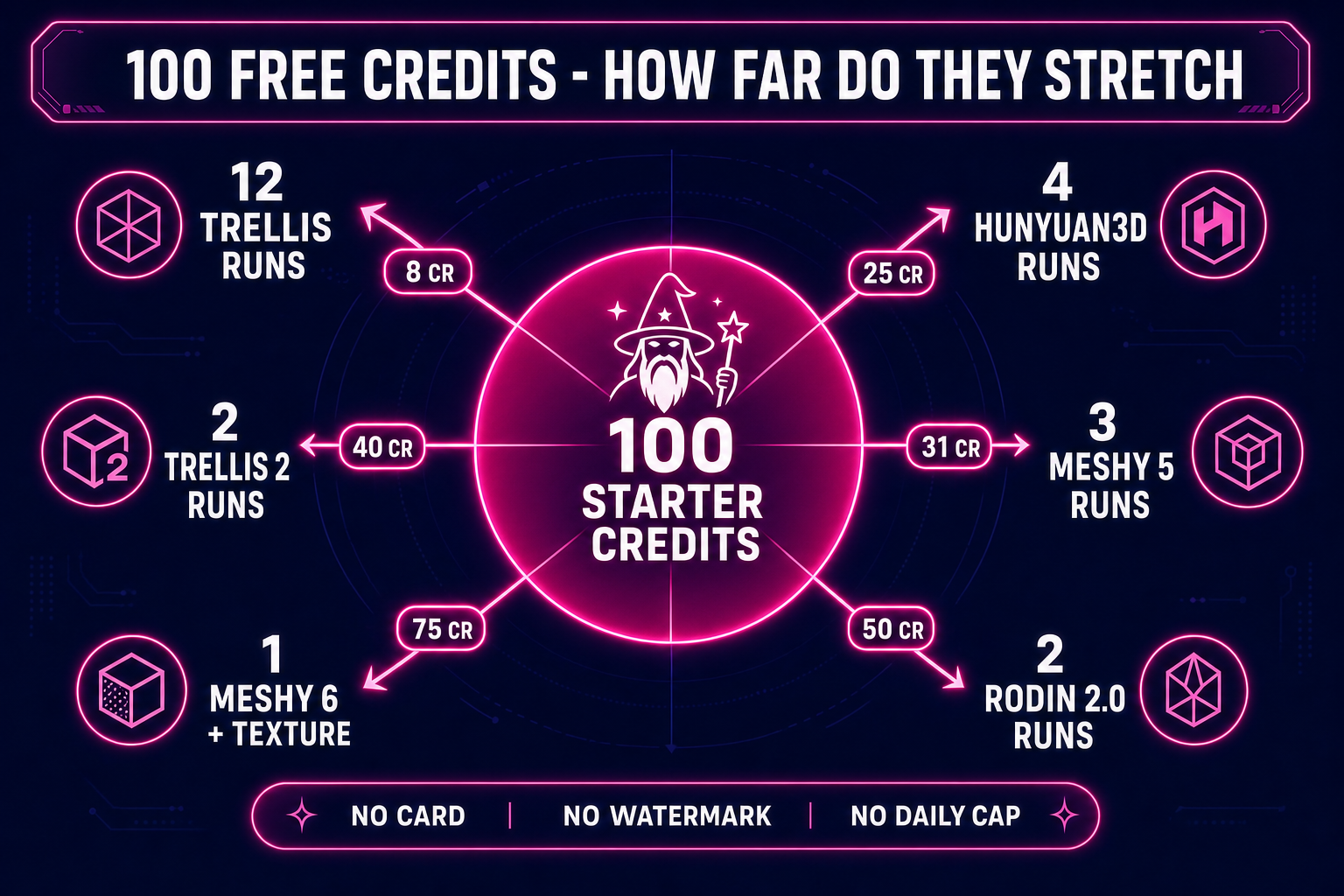
The credit table above is the input to the only piece of arithmetic that matters on the free tier. A hundred credits divided by the per-run cost is the upper bound on how many free runs you get before any payment. The numbers, ranked from most-runs-per-trial to fewest:

  • TRELLIS — up to 12 runs. 8 credits each, 100 / 8 = 12 runs with 4 credits left over.
  • Hunyuan3D 3.1 — 4 runs. 25 credits each, 100 / 25 = 4 runs exactly.
  • Meshy 5 (mesh only) — 3 runs. 31 credits each, 100 / 31 = 3 runs with 7 credits remaining (not enough for a fourth).
  • Tripo v3.1 (no texture) — 3 runs. 30 credits each, 100 / 30 = 3 runs with 10 credits left.
  • TRELLIS 2 (1024p) — 2 runs. 40 credits each, 100 / 40 = 2 runs with 20 left.
  • Meshy 6 (mesh + texture) — 1 run. 75 credits, 100 / 75 = 1 run with 25 left.
  • Rodin 2.0 — 2 runs. 50 credits each, 100 / 50 = 2 runs.

The “right” strategy for the trial depends on what you are trying to learn from it. Two patterns work most of the time. The exploration pattern: spend the first 60–80 credits on TRELLIS runs (7–10 of them), iterate on the source image until the conversion is clean, and reserve the last 20 credits for a single high-quality pass on Meshy 6 or Hunyuan3D 3.1. The single-target pattern: skip TRELLIS, run two passes on Meshy 5 (62 credits) to lock in the source-image quality, and finish with one Meshy 6 pass on the winning input (75 credits with texture). The exploration pattern is the better fit for a first-time user who has not yet learned what makes a good source image; the single-target pattern is the better fit if you already have a clean reference image from AI Image Gen.

What happens when the 100 free credits run out

There is no soft limit, no “use it twice a day” mode, and no watermarked tier — once the credit balance is at zero, the next image-to-3D run is blocked at submission with a “not enough credits” message and a link to the top-up page. Two paths past that point, both verified against src/app/plans/page.tsx on May 11, 2026:

  • Top up credits. Four pay-as-you-go tiers, all priced at exactly one cent per credit: $10 for 1,000 credits, $20 for 2,000, $50 for 5,000, $100 for 10,000. A single Meshy 6 mesh + texture run is 75 credits, so $10 of credits is 13 full-quality Meshy 6 runs; the same ten dollars buys 125 TRELLIS runs. There is no subscription, no per-month minimum, and no credit expiry — the credits sit on the profile until they are spent.
  • Lifetime Access — $49 one-time. A single payment that unlocks every non-credit-backed feature in the suite (Auto-Sprite v2, 3D Studio’s non-AI parts, True Pixel, Tileset Forge, the entire editor, the Sprite Analyzer + Slicer, the publishing flow, and every future tool that ships) forever, with no monthly fee. AI generation still consumes credits on top — Lifetime does not give you free AI runs. The pitch for Lifetime is that the non-AI tools cover the rig + animate + export pipeline once you have a model, so a single $49 payment plus periodic top-ups for the AI-only generation steps tends to come out cheaper than a monthly subscription that bundles credits.

The “free” of “free AI 3D model generator” stops being free at 100 credits. The question is what the per-run cost looks like beyond that point, and at one cent per credit the answer is honest: a fully textured Meshy 6 character run is 75 cents, a TRELLIS run is 8 cents, a Hunyuan3D run is 25 cents. That is meaningfully cheaper than the per-run pricing on most of the freemium tools the next section names.

The other “free AI 3D model generators” in 2026 (named, honestly)

Sorceress 3D Studio is not the only tool that markets a “free” AI 3D model generator in 2026. The other big options are worth naming so the comparison is on the record, even though every one of them is named in plain text rather than linked — the rule on this blog is that we are the thing the reader landed on, and pushing them off-platform to a competitor is a conversion leak. All four are real tools the reader can find with one search:

  • Meshy’s own free tier. Meshy (the same backend Sorceress 3D Studio drives for the Meshy 5 and Meshy 6 entries) runs a free tier directly on its own site, with a daily run cap and a watermark on every output. The free-tier output is lower-resolution than the Sorceress pass-through, which uses the full paid Meshy API. If you are willing to live with the watermark and the cap, the direct Meshy free tier is a real option; if you want clean output, the Sorceress trial-credit path is closer to what the paid API actually produces.
  • Tripo’s free tier. Same shape as Meshy’s: a daily run cap, a watermark, and a lower-resolution output. Tripo is stronger than Meshy on hard-surface props and weaker on stylised characters.
  • The open-source local path. TRELLIS, Hunyuan3D, and several other 3D-generation models are open-source — the weights are on Hugging Face and the inference code is on GitHub. If you have a 16–24GB GPU and forty minutes for the setup, you can run every model in the picker locally for genuinely zero ongoing cost. The trade-off is the setup time and the dependency maintenance; the Sorceress hosted version exists to make that “forty minutes and a 24GB card” disappear.
  • Generic image-to-3D websites with “free” in the URL. The fourth category is the catch-all. Most of these are reskins of one of the open-source models above, hosted on someone else’s GPU, monetised by either a paid upgrade, an aggressive ad load, or the “free input form, paid output” trap from the first section. Worth recognising for what they are, but not worth investing a project in.

The honest framing for “best free AI 3D model generator” depends on the reader’s constraint. Hardware-rich with patience for setup: the open-source local path. Want a daily cap and accept watermarks: Meshy or Tripo’s own free tiers. Want full-quality, no watermark, no install, fixed trial credit pool: Sorceress 3D Studio. Each is a real answer; the trade-offs are different.

The full pipeline once you have the 3D model

Generating the textured mesh is one step. The end-to-end indie game asset pipeline has at least three more steps after it — auto-rig, animate, and export — and Sorceress 3D Studio covers all three inside the same browser tab. The pipeline steps and their cost on the free tier:

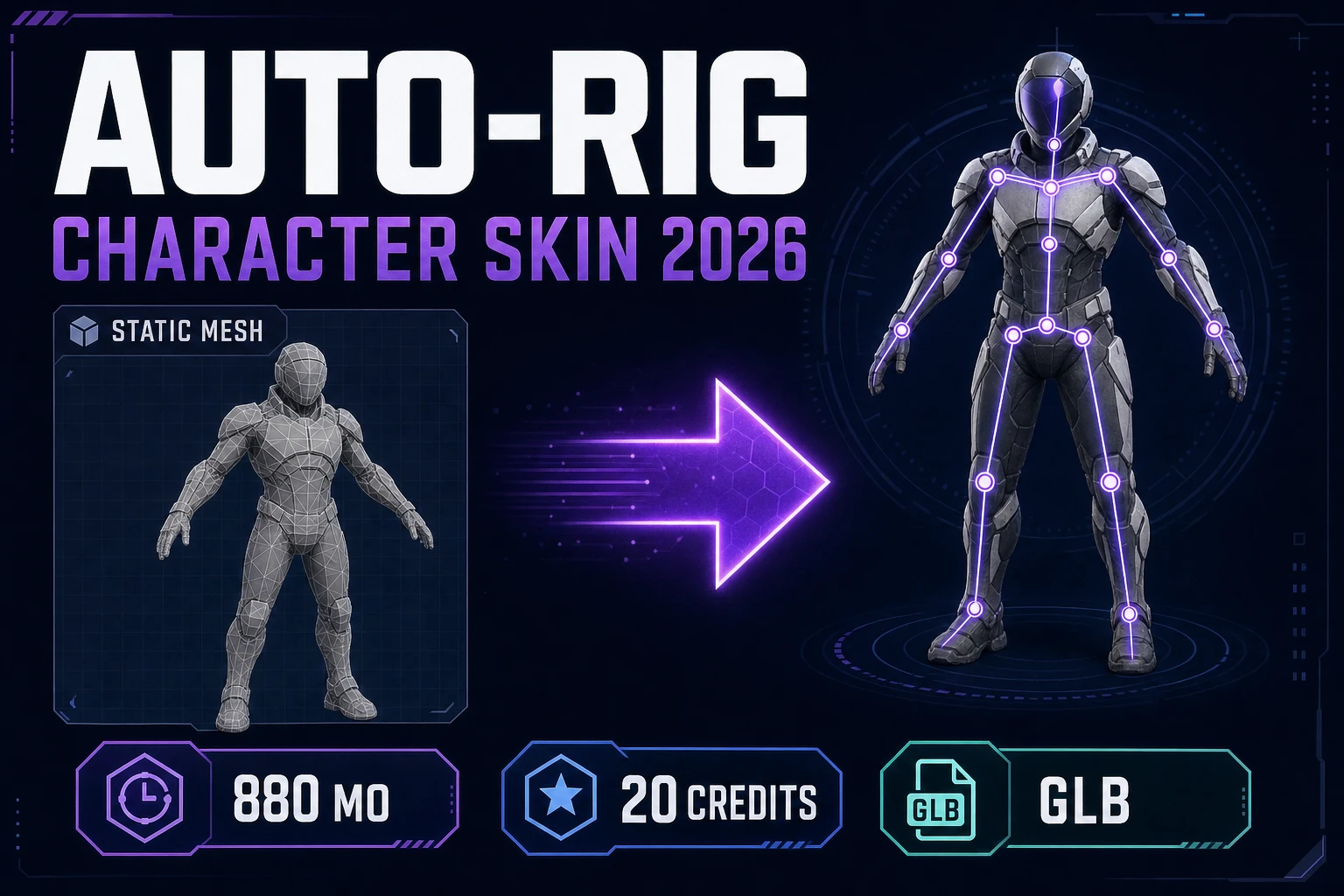
  • Auto-rig the humanoid. Sorceress Auto-Rigging takes the GLB straight from the generate step, places 13 anatomical markers, builds the skeleton, and runs the auto-weight solver in the browser. The full workflow is covered in the browser-based auto-rig guide, which walks through every marker placement and the auto-weight solver outputs.
  • Animate by text prompt. The Animate tab inside 3D Studio drives a Hunyuan-class text-to-motion model on the rigged mesh — describe the action (“walk forward, then jump”), get a baked GLB animation clip back. Animation consumes credits per clip, separate from the generation credits — budget for those if you intend to use the free trial for the full pipeline. The end-to-end character pipeline is covered in the prompt-to-rigged-mesh guide.
  • Export to any engine. Every step writes to GLB by default and offers FBX and GLTF on the export menu. Export itself is free — it does not consume credits — and runs entirely client-side. glTF 2.0 is the Khronos Group’s binary 3D asset format and the default for browser-first runtimes like Three.js, Babylon.js, and PlayCanvas; FBX is the industry-standard skeletal-asset container for desktop engines; GLTF is the JSON-text variant of glTF 2.0, useful when you want to inspect the materials by hand before importing.

If the asset starts as a 2D image rather than a text prompt, the natural starting point is the 2D to 3D image conversion guide; if you want the prompt-to-image-to-3D-to-rig-to-animate path as one read, the full image-to-3D-model pipeline guide covers the whole arc end to end. Non-humanoid creatures (quadrupeds, spiders, multi-leg drones) route through Procedural Walk rather than the humanoid auto-rigger.

Credit math for the free AI 3D model generator path: 100 starter credits divided by per-run cost equals 12 TRELLIS runs or 4 Hunyuan3D runs or 1 fully textured Meshy 6 run
The credit math of the free path. A hundred starter credits stretch to twelve TRELLIS runs, four Hunyuan3D 3.1 runs, three Meshy 5 mesh-only runs, or one full-quality Meshy 6 textured run.

Common failure modes on the free tier (and how to dodge them)

Three failure modes account for most of the wasted credits on first-time runs. Each is cheap to avoid once you know to look for it.

  1. Spending the first run on the most expensive model. The model picker defaults to Meshy 6 (the strongest, the most expensive). New users tend to leave the default in place, drop their source image, and watch 75 credits evaporate on a single output. The fix: switch the picker to TRELLIS for the exploration phase, learn what the model expects from your input by spending 24 credits on three TRELLIS runs, and reserve Meshy 6 for the locked-in source image at the end. A monocular reconstruction model is only as good as its input — burning the expensive model on a bad input is the most expensive thing you can do on the trial.
  2. Bad source image. The output mesh is bounded above by the source image: a busy background, hard shadows, a side-view, or multiple subjects in one frame all produce melted outputs regardless of which model you run. The fix: feed a clean front-facing or three-quarter view with even lighting and a single subject, ideally pre-passed through BG Remover to strip the background. The same TRELLIS run that produces noise on a busy reference produces a clean mesh on a clean reference. The cost of fixing the input image is zero credits; the cost of fixing the output mesh is another full run.
  3. Texture + remesh + PBR all on by default. The texture, remesh, and PBR-maps toggles each add credits to the base cost. The defaults vary by model — texture is on by default for Meshy 5 and Meshy 6, off by default for Hunyuan3D. Run with the toggles you actually need: if you are using the mesh as a base for a hand-painted texture later, turn texture off and save 25 credits per Meshy run. The right-panel cost preview updates live, so any toggle change shows the new total before you click Generate.

The verification path for any failed run is the in-tab GLB preview. Toggle wireframe, walk around the mesh, look for islands, look for back-side misalignment, look for melted geometry. If the failure is visible in the first preview frame, the fix is almost always on the input side rather than a different model — and on the free tier, input-side fixes are free while output-side re-runs cost credits.

Frequently Asked Questions

Is there really a free AI 3D model generator in 2026?

Yes, with one caveat: the word ''free'' covers four distinct deals that are not equivalent. The four shapes are open-source-local (run the model weights on your own 16-24GB GPU for zero ongoing cost), freemium-with-daily-cap (a hosted tool with 2-5 runs per day on a watermarked output), trial-credits-at-sign-up (a fixed pool of full-quality credits granted at account creation), and ''free to try'' with a paywall at the output (the trap, where the input form is free but the result is gated behind payment). Sorceress 3D Studio sits in the trial-credit bucket: every new account is granted 100 starter credits at sign-up, with no card on file and no watermark, and you can spend those credits on any of the seven image-to-3D backends in the model picker. The grant is verifiable in the database migration ''20260507000005_default_new_users_to_100_credits.sql'' which sets the default credit balance on every new profile to 100. So yes, the AI 3D model generator free path is real, but it is finite and the limit is a concrete number rather than a moving daily cap.

How many free 3D models can I generate with 100 starter credits?

Between 1 and 12 image-to-3D runs depending on which of the seven models in 3D Studio''s picker you pick, and whether you toggle the texture and remesh flags. The exact arithmetic at one credit per cent: TRELLIS at 8 credits per run buys 12 runs (with 4 credits left over). Hunyuan3D 3.1 at 25 credits buys 4 runs exactly. Meshy 5 at 31 credits base buys 3 mesh-only runs, or 1 full-quality Meshy 5 + remesh + texture run (69 credits) plus change for a second pass. Tripo v3.1 at 30 credits no-texture buys 3 runs; with texture it is 40 credits and buys 2 runs. TRELLIS 2 at 40 credits 1024p buys 2 runs. Meshy 6 at 50 credits base, 75 credits with texture, 88 credits with texture + remesh, buys 1 full-quality run with 25 credits headroom for a second TRELLIS pass. Rodin 2.0 at 50 credits buys 2 runs. The exploration strategy that gets you the most learning out of the trial is to spend the first 60-80 credits on cheap TRELLIS runs to iterate the source image, then reserve the last 20-40 credits for one premium Meshy 6 or Rodin 2.0 pass on the winning input.

Does the free 3D model generator require sign-up?

Yes. There is no guest mode for 3D generation in Sorceress 3D Studio because the credit ledger is tied to a Supabase profile row, and creating that row requires an authenticated account. The sign-up itself is two clicks (Google, email, or magic link), with no email confirmation flow, no installer, no extension, and no card on file. Once the profile row exists, the 100 starter credits are auto-granted at row creation time, so the practical flow is: click sign-up, choose a sign-in method, land on the studio with 100 credits already on your profile. The credit balance is visible in the header chip on every page in the suite. If you want a genuinely zero-account path, the alternatives are running TRELLIS or Hunyuan3D locally on your own GPU (open-source weights, no sign-up anywhere) or accepting a watermark and a daily cap on one of the freemium tools named in the comparison section above.

What is the cheapest model in 3D Studio for stretching the free credits?

TRELLIS at 8 credits per run, by an order of magnitude. The next-cheapest is Hunyuan3D 3.1 at 25 credits, then Meshy 5 at 31 credits mesh-only, then Tripo v3.1 at 30 credits no-texture, then TRELLIS 2 at 40 credits 1024p, then Meshy 6 at 50 credits base, then Rodin 2.0 at 50 credits. TRELLIS is the workhorse of the free tier because the gap between it and the next-cheapest model is so large: a single Hunyuan3D 3.1 run costs more than three TRELLIS runs, and a single Meshy 6 mesh+texture run costs more than nine TRELLIS runs. The trade-off is that TRELLIS''s texture detail is slightly coarser than the Meshy or Rodin models and TRELLIS does not have a text-to-3D path (image-to-3D only). For source-image exploration, where you mostly care about iterating the input rather than locking in the final mesh, TRELLIS is almost always the right pick. For the final hero asset where texture detail matters, save credits for one Meshy 6 or Rodin 2.0 pass on the locked source image.

What happens when the 100 free starter credits run out?

The next generation submission is blocked with a ''not enough credits'' message and a link to the top-up page. There is no soft limit, no usage-degradation, and no watermarked tier that kicks in after the trial ends. Two paths past that point. First, top up credits at one cent per credit: $10 for 1,000 credits, $20 for 2,000, $50 for 5,000, $100 for 10,000. The credits do not expire and there is no monthly minimum. At this pricing, a fully textured Meshy 6 character run is 75 cents, a Hunyuan3D 3.1 run is 25 cents, and a TRELLIS run is 8 cents. Second, Lifetime Access for $49 one-time, which unlocks every non-credit-backed feature in the suite (the entire editor, Auto-Sprite v2, True Pixel, Tileset Forge, the Sprite Analyzer, the publishing flow, and every future tool) forever. Lifetime does not give you free AI runs - AI generation still consumes credits on top - but the non-AI tools cover the rig, animate, and export pipeline, so a single $49 payment plus occasional top-ups tends to cost less than a monthly subscription. Both paths are verified in src/app/plans/page.tsx as of May 11, 2026.

What file formats does the free 3D model generator produce?

Three formats, all on the same Export menu, all free on top of the run that generated the mesh. GLB is the binary glTF 2.0 container and the default; it is one self-contained file with the texture embedded, which makes it the simplest format for browser-first runtimes like Three.js, Babylon.js, and PlayCanvas. GLTF is the JSON-text variant of glTF 2.0 - the same data structure with the texture stored in a separate file - which is useful when you want to inspect or edit the model''s materials by hand before importing. FBX is the industry-standard skeletal-asset format for desktop engines and the most engine-portable choice once you have rigged the character. Every export option is in the same Generate-tab UI as the model, costs zero additional credits, and writes directly to your local downloads folder. There is no resolution lock, no watermark, and no export-throttle on the free tier - if your run completed successfully, you own the GLB.

Can I use the free AI 3D models in a commercial game?

Yes, with one note. Sorceress 3D Studio runs every image-to-3D model under the provider''s own commercial-use licence (Meshy, Hyper3D, Tripo, Tencent, Microsoft Research, fal.ai) and passes that licence through to you on every output. The standard provider licences allow commercial use in games, apps, and standalone products without attribution. The one note is that the source image is your responsibility: if you fed in a copyrighted photo or a screenshot of someone else''s artwork to generate the 3D model, the copyright on the source carries through to the mesh. The fix is to source-image your reference cleanly - either a photograph you took yourself, a public-domain image, or an AI-generated reference from a model whose output you can legally use commercially. Sorceress AI Image Gen sits inside the same suite and produces commercial-use-clear references in seconds; pairing it with 3D Studio gives you a fully provenance-clean pipeline from prompt to game-ready mesh.

Sources

  1. Diffusion model (Wikipedia)
  2. 3D reconstruction (Wikipedia)
  3. Monocular depth estimation (Wikipedia)
  4. glTF 2.0 specification (Khronos Group)
  5. Polygon mesh (Wikipedia)
  6. Marching cubes (Wikipedia)
Written by Arron R.·3,464 words·15 min read

Related posts