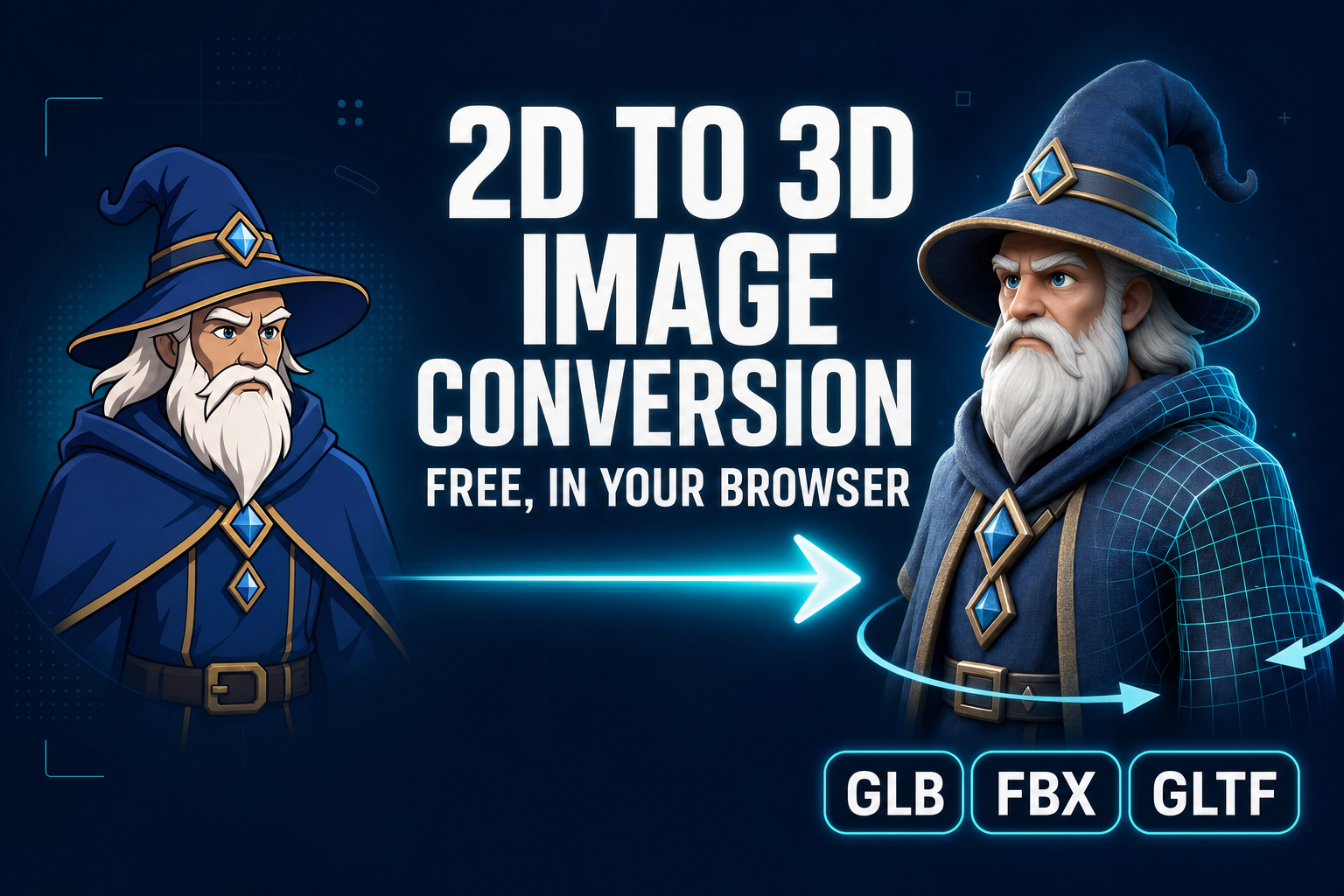
A 2D image is a flat grid of pixels: width, height, colour, nothing else. A 3D model is a mesh of vertices and triangles in three-dimensional space, with surface normals, UV coordinates, and a texture map you can rotate, light, and import into any game engine. The job of a 2D to 3D image conversion tool is to bridge that gap from a single flat input — one photo, one AI render, one concept sketch — and produce a textured, manifold mesh you can drop into a game in minutes. This guide walks the conversion primitive itself: the five image-to-3D models inside Sorceress 3D Studio, the model-picking trade-offs, the step-by-step browser workflow, what makes a good source image, and the failure modes that account for almost every bad output.
The five-minute 2D to 3D image conversion pipeline
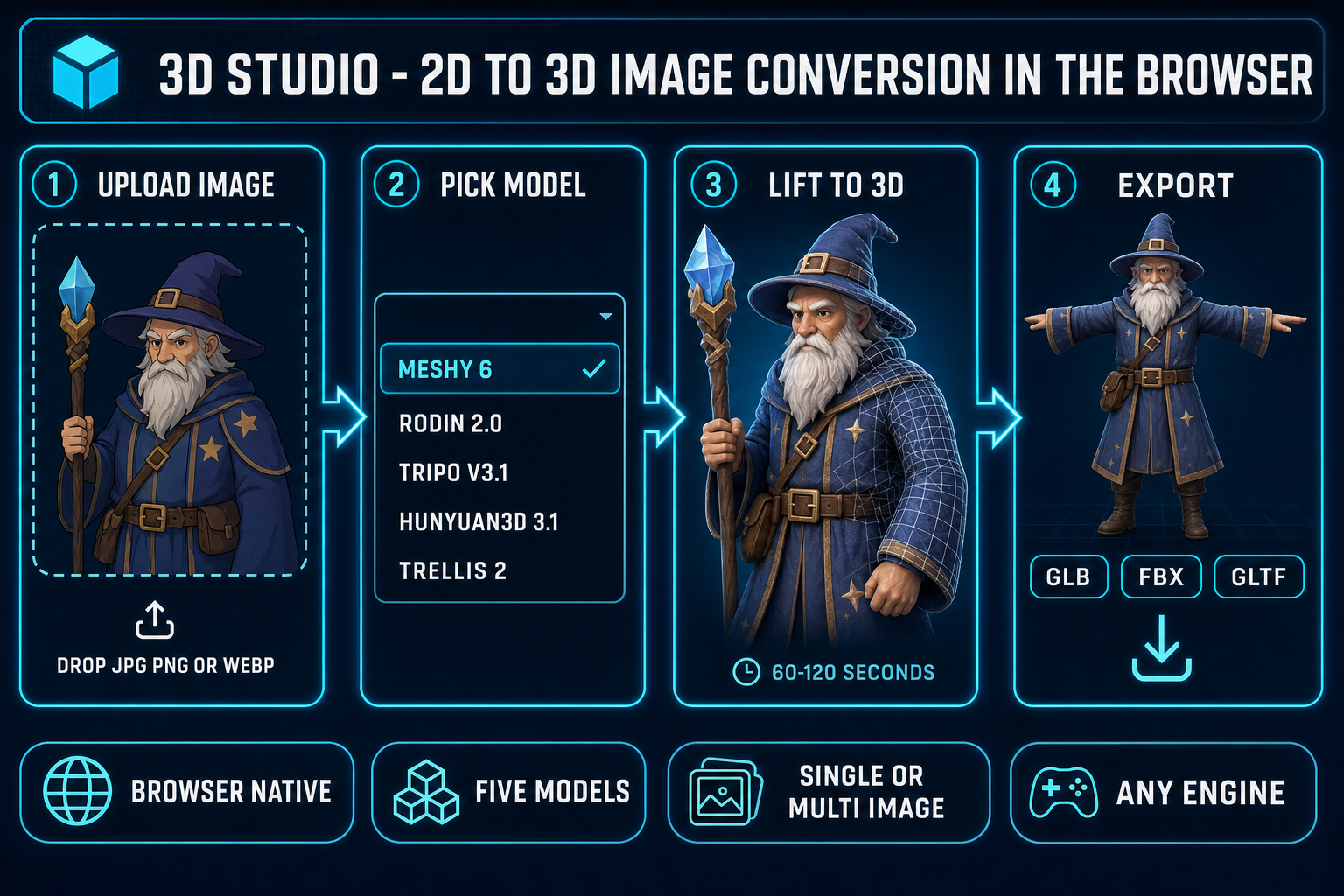
The whole conversion collapses to five steps once the image is on your machine. Five steps, one tab, no install:
- Open the Generate tab. Inside 3D Studio, the Generate tab is the entry point for both text-to-3D and image-to-3D. Drop the source image onto the upload zone, or paste a URL — the tool reads it client-side, normalises the orientation, and shows a thumbnail.
- Pick the model. Five image-to-3D models are exposed in the model selector: Meshy 6, Rodin 2.0, Tripo v3.1, Hunyuan3D 3.1, and TRELLIS 2. Each routes to its own backend; each has a distinct strength. The model-picker section below covers when to choose which.
- Run the conversion. Click Generate. The tool dispatches the job to the chosen provider, polls the queue, and streams the partial preview when the model exposes one. A typical Meshy 6 image-to-3D run takes 60 to 120 seconds end-to-end on a clear front-facing input.
- Preview the GLB. When the job completes, the textured mesh loads in the same tab inside an interactive viewer. Rotate, zoom, toggle wireframe, toggle the texture-only view. If the front looks right but the back is hallucinated badly, this is where you decide to keep, re-roll with a different model, or feed in a second reference image.
- Export. One click writes the model to GLB, FBX, or GLTF on the same page. Drop the file straight into Phaser, Three.js, or any other browser-first runtime. The same export feeds the auto-rig and animate tabs if you want to take the model further.
Every step except the model run executes in your browser tab. The image upload, the orientation normalisation, the GLB preview, and the export are all client-side. The only step that calls a remote service is the model run itself — and that is the entire point of the tool, because running Meshy or Rodin or Tripo on commodity laptop hardware is not something a 2026 GPU can do in real time.
What 2D to 3D image conversion actually means in 2026
A flat image is missing one of the three numbers a 3D mesh needs at every point. The image carries the X and Y of every pixel and the colour at that pixel; what it does not carry is depth — the Z that says how far each pixel sits from the camera. Monocular depth estimation is the long-standing computer-vision problem of inferring that missing Z from a single image. The classical approaches use shape-from-shading, perspective cues, focus blur, and known-object priors; the modern approaches train a neural network on millions of paired image-and-depth examples and let the network learn the prior end-to-end.
2D to 3D image conversion in 2026 goes one step further than depth estimation. Depth estimation gives you a depth map — one Z per pixel — which is enough to inflate the visible surface but produces a "ribbon" or "billboard" that has no thickness and no back side. A real 2D-to-3D model has to hallucinate the unseen geometry: the back of the head when the input is a front-facing portrait, the underside of the table when the input is a top-down photo, the inside of the silhouette when the input is a side-view of a fish. The technique that does this is 3D reconstruction from a single view, and as of 2026 every production-grade approach uses some form of diffusion model trained on 3D priors plus a mesh-extraction step like marching cubes on a learned signed-distance or occupancy field.
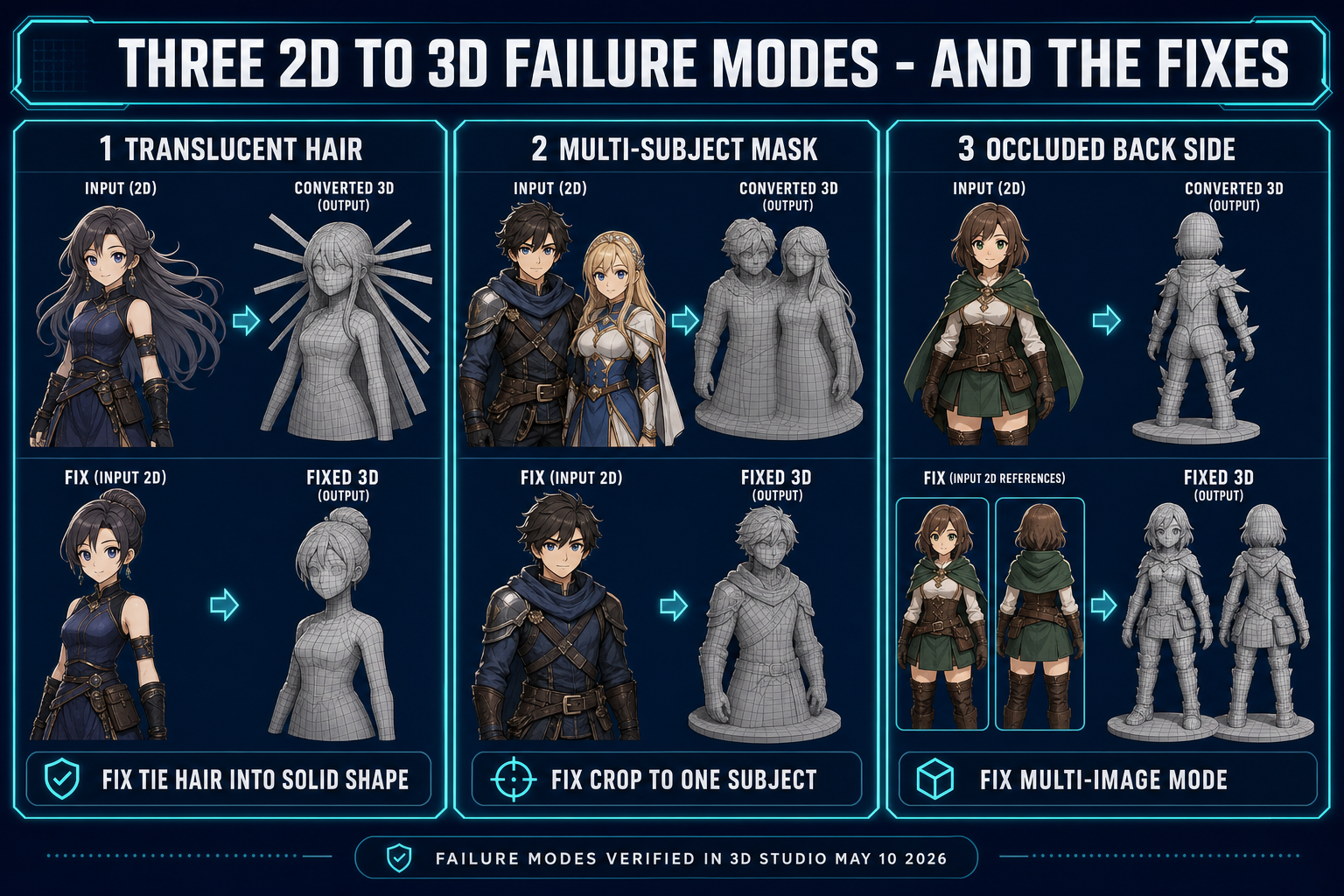
The reason the problem is hard, and the reason the back-of-the-head still looks wrong on most outputs, is that monocular reconstruction is fundamentally under-constrained — there are infinitely many 3D shapes whose front projection matches the input image, and the model is choosing one of them based on a learned prior over what real-world objects look like. When the input subject sits inside the prior's training distribution (a human in T-pose, a cartoon character with clean silhouette, a single rigid object on a plain background) the output is plausible. When the input is unusual (a translucent jellyfish, a cluster of three overlapping characters, a top-down map view) the prior runs out of guidance and the back side hallucinates badly. The good-source-image section below is mostly about staying inside that training distribution.
The five image-to-3D models in 3D Studio
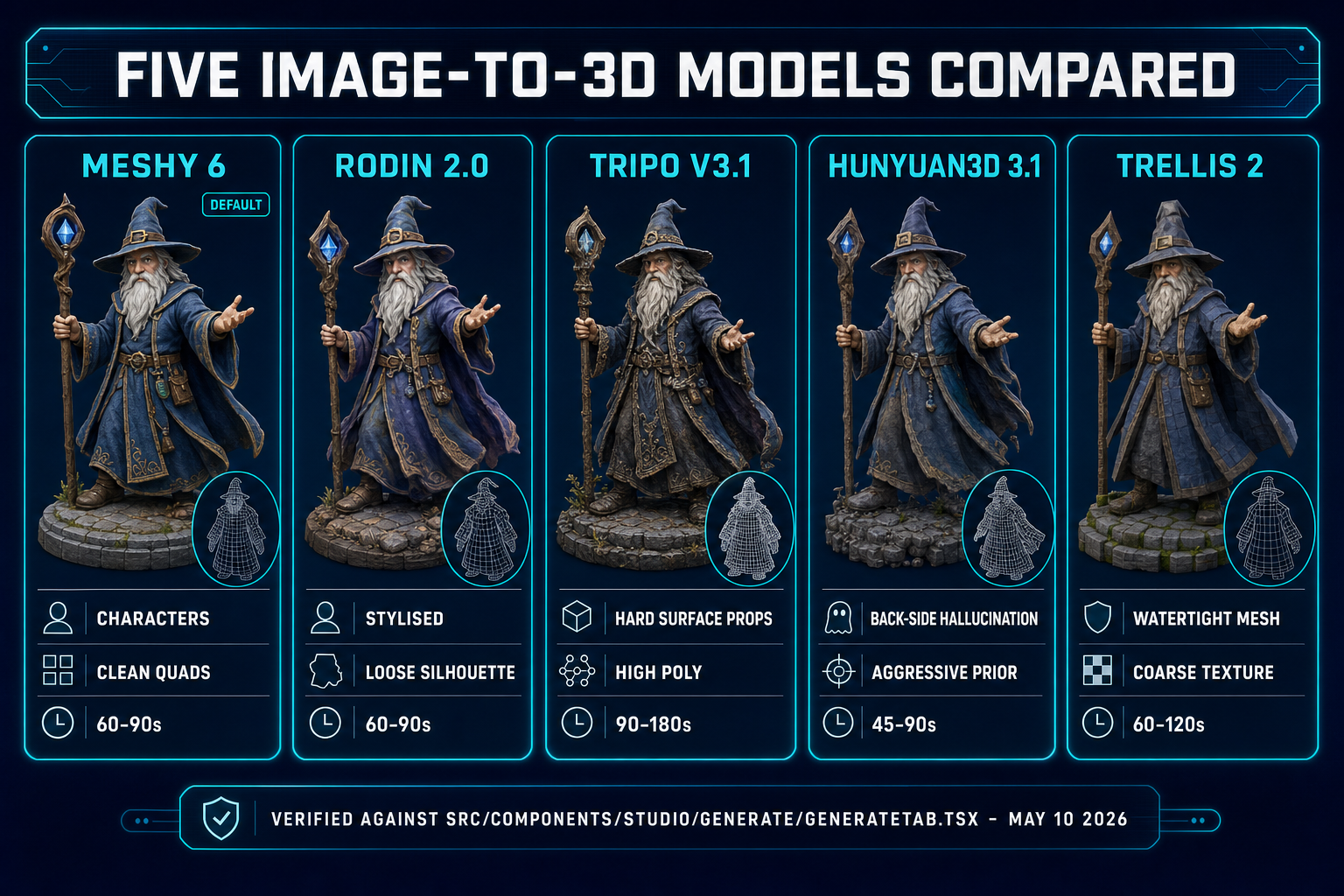
3D Studio exposes five distinct image-to-3D backends inside one model picker, all reachable from the same Generate tab. Each maps to a separate API on a separate provider, and each is verified live in src/components/studio/generate/GenerateTab.tsx as of May 10, 2026. The five models share the input contract (single image in, textured mesh out) but produce noticeably different geometry, topology, and texture quality.
- Meshy 6. The default. Meshy 6 is the strongest all-rounder for game-character and game-prop conversion: clean topology, watertight meshes, faithful texture transfer, and the highest poly-budget option of the five. Use Meshy 6 when the source is a front-facing character, a rigid prop, or anything you plan to auto-rig later — the topology lands close to what an auto-rigger expects. The Meshy preview/refine split (text-to-3D only) is a separate flow; image-to-3D goes straight to the textured mesh.
- Meshy 5. The previous-generation Meshy model, kept in the picker for cost-conscious runs. Lower credit cost than Meshy 6 (10 vs 40 mesh credits, per
src/components/studio/generate/types.ts). The geometry is rougher at sharp edges and the texture has visible seam artefacts on highly textured inputs. Use Meshy 5 for first-pass exploration when you do not yet know which input image you want to lift. - Rodin 2.0. Hyper3D's Rodin 2.0, routed through Replicate. Rodin's texture quality is the cleanest of the five on stylised inputs (anime characters, painted concept art, cel-shaded renders) — its 3D prior is trained heavier on stylised data than Meshy's. Rodin's geometry is slightly looser at the silhouette than Meshy, so the auto-rig step on a Rodin output can need a manual marker pass. Use Rodin when stylisation matters more than rig-readiness.
- Tripo v3.1. Tripo's third-generation model, accessible through the Tripo API. Tripo's strength is high-poly output on prop-style inputs: vehicles, weapons, environment objects. The face cap on v3.1 is 500,000 (versus the 100,000 cap on the older Tripo v2) and that headroom shows up as crisper geometry on hard-surface props. Use Tripo for environment props where the silhouette has lots of small detail.
- Hunyuan3D 3.1. Tencent's image-to-3D model, the most aggressive of the five at hallucinating the unseen back side from a single front view. Hunyuan tends to over-commit on the back hallucination, which is good when you need a fully textured 360-degree view of a character and bad when you want a faithful conversion of only the visible front. Use Hunyuan when "the back has to look like something" matters more than absolute fidelity.
- TRELLIS 2. Microsoft Research's TRELLIS, second generation, single-image-only on the fal.ai backend. TRELLIS produces the cleanest watertight meshes of the five at the expense of texture detail — it bakes the image into a coarser texture map than Meshy or Rodin. Use TRELLIS 2 when you need a manifold mesh for 3D printing or a clean-topology base for sculpting more than you need a perfect texture transfer.
The picker remembers your last choice across sessions, so once you have settled on a default for your project (Meshy 6 for characters, Tripo for props, Rodin for stylised concept art) the model selection drops out of the per-run workflow.