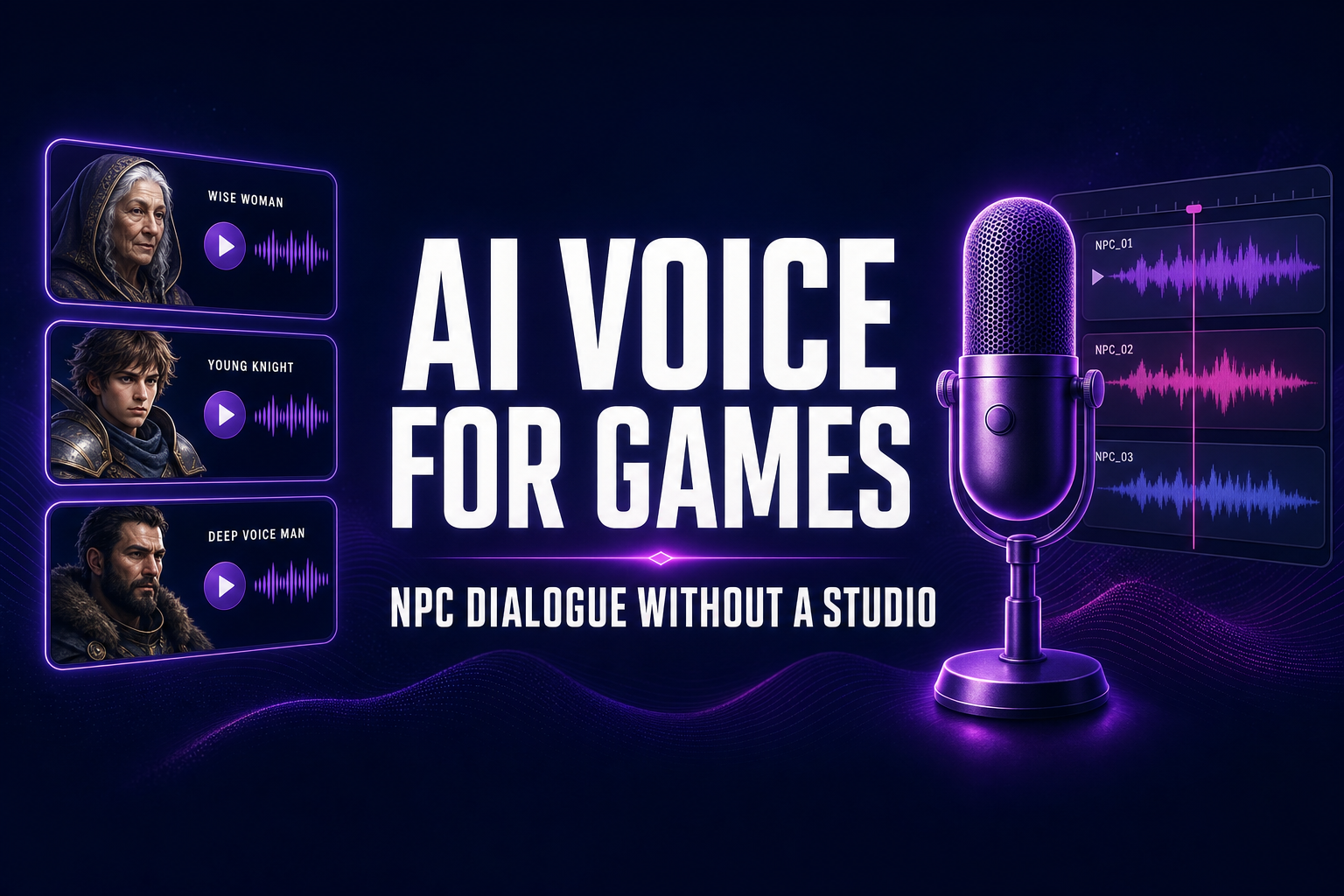
In 2026 a working voiceover session still costs a real booth, a directed read, a pickup pass, and per-line session fees that add up fast for an indie title. A two-hundred-line NPC bark pass — vendor patter, combat shouts, journal entries, conditional reactions — used to mean either a five-figure studio commit, a generic stock library that makes every game sound like the same game, or a deafening silence in every dialogue trigger. The 2026 alternative collapses the whole pipeline into a browser tab.
How AI voice for games actually works in 2026
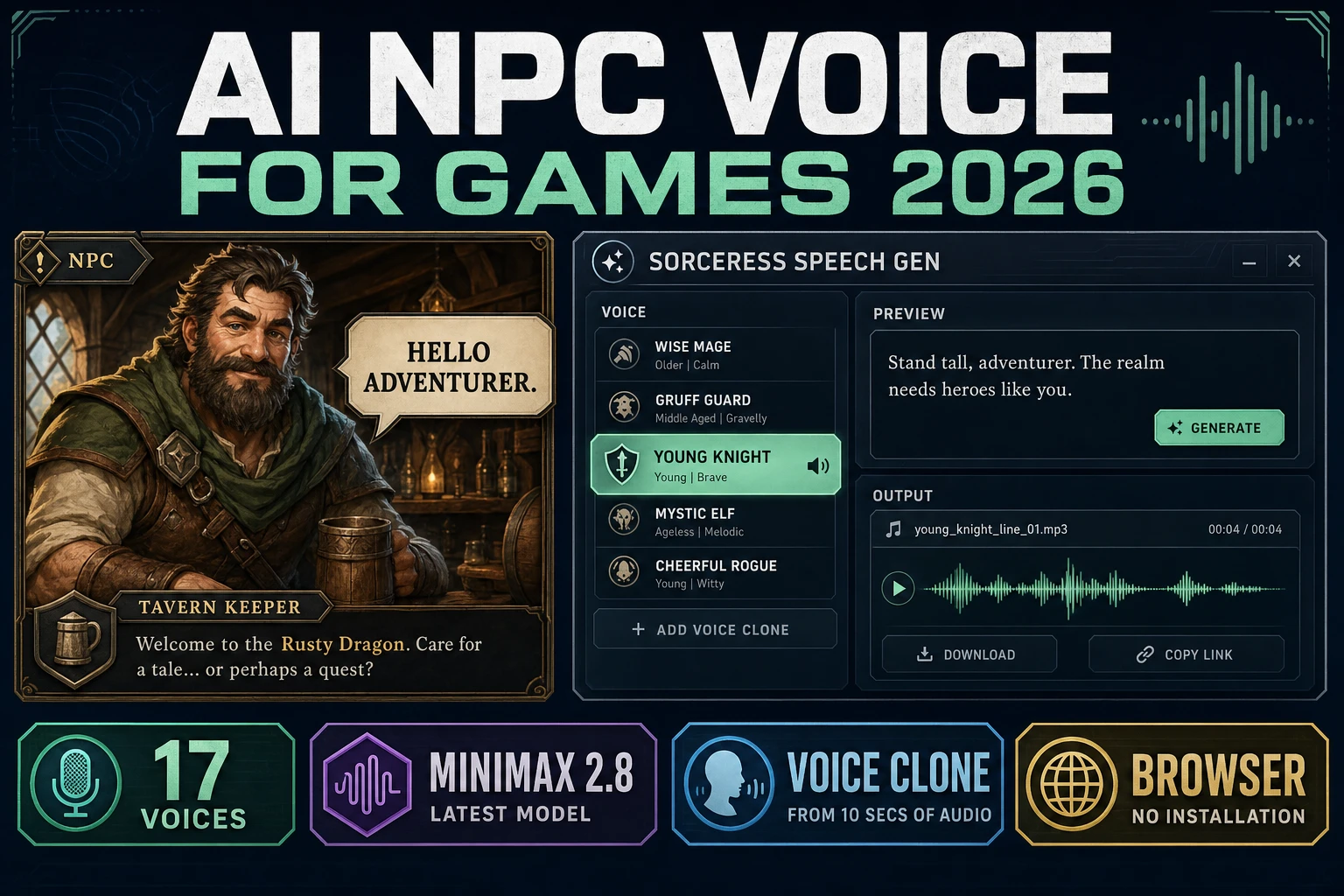
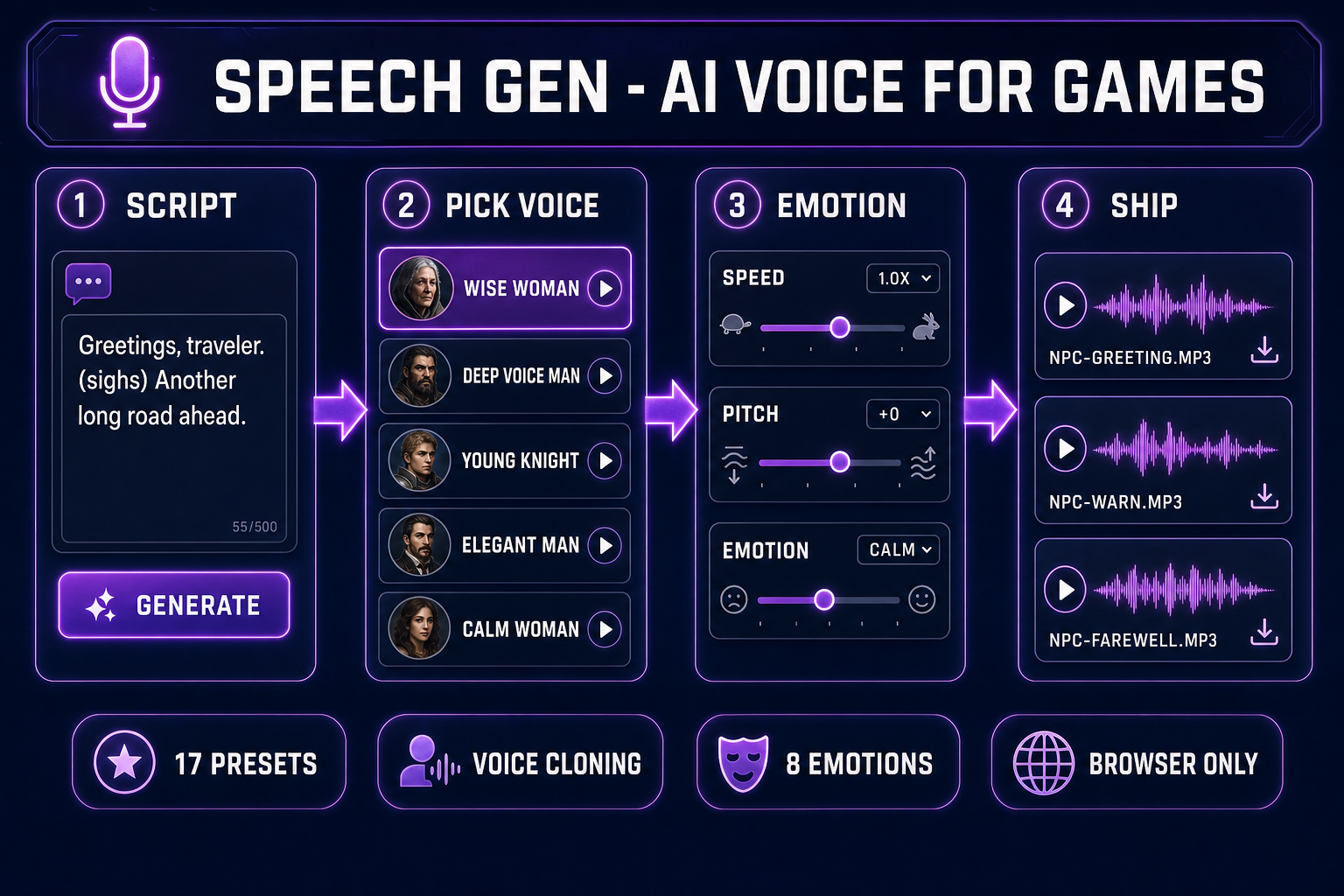
Speech Gen wraps the MiniMax neural speech synthesis engine with a tight game-dev workflow. The four-step loop is identical for a one-line bark and a fifty-line monologue:
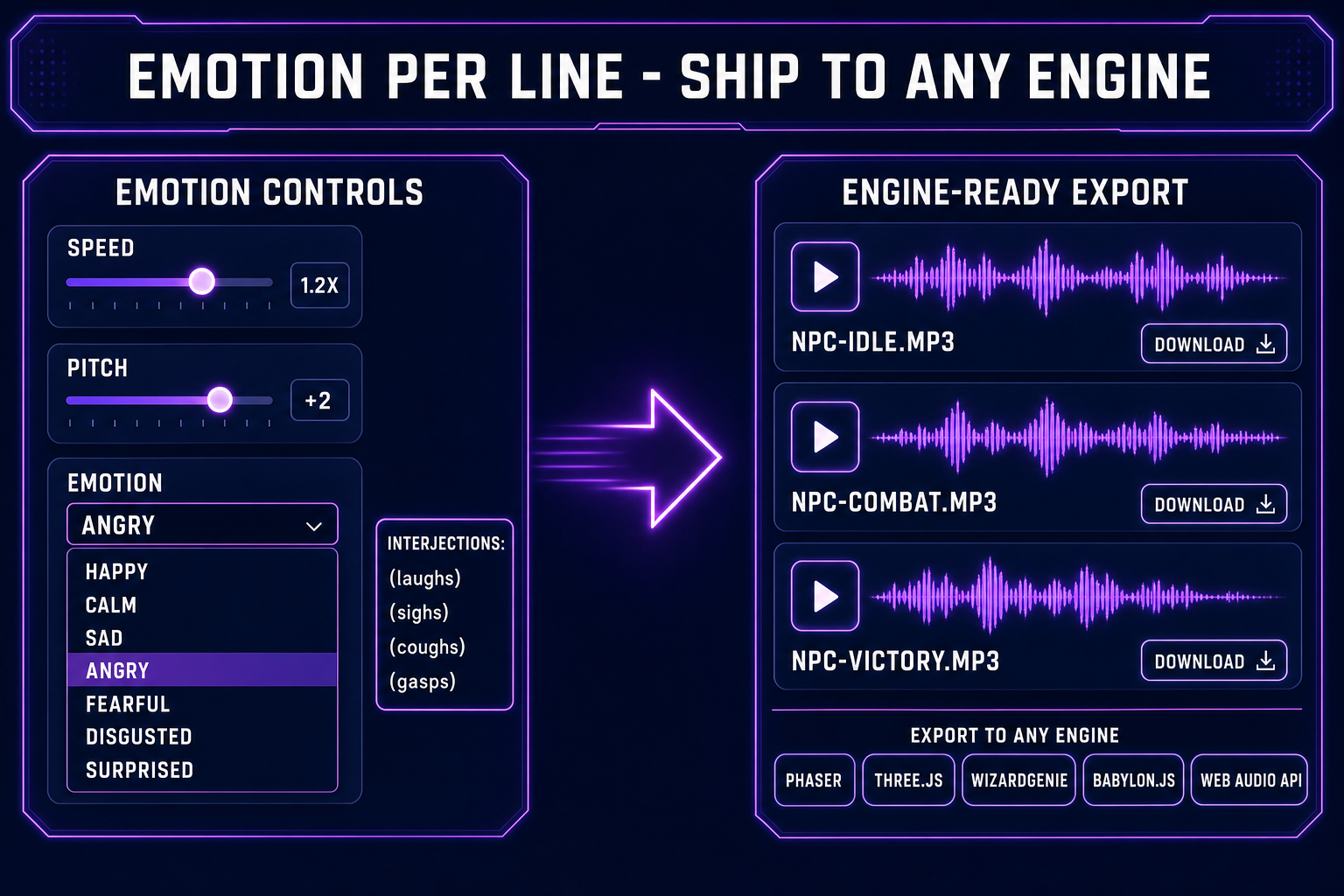
- Write the line. Plain text, with optional inline interjections like
(sighs),(laughs),(coughs),(gasps)that the engine reads as audible non-verbal cues. - Pick the voice. Seventeen preset MiniMax voices — nine male, eight female — cover the standard NPC archetypes (knight, sage, vendor, child, villain). For a recurring lead, clone a real voice once at 400 credits and reuse it forever.
- Tune the read. Speed from 0.5x to 2x. Pitch from minus twelve to plus twelve semitones. Emotion dropdown with eight options: Neutral, Happy, Calm, Sad, Angry, Fearful, Disgusted, Surprised. Every line gets its own combination.
- Ship the audio. The clip lands as an MP3 on Backblaze B2 with a permanent URL. Drop it into Phaser via
this.load.audio, into Three.js via Web Audio APIPositionalAudio, into WizardGenie via the project asset library, or into any custom engine via HTMLAudioElement.
The total elapsed time from blank tab to a finished NPC line is under a minute — the bulk of which is the speech engine waiting to render. Everything else is a click. Verified May 9, 2026 against src/app/speech-gen/page.tsx.
Why indie game NPC dialogue is broken
The math has not made sense for indie devs in over a decade. A union voice actor in Los Angeles bills around four hundred dollars an hour with a four-hour minimum. A non-union jam-team rate runs fifty to a hundred dollars an hour. Either rate buys you maybe one to three hundred lines per session, depending on script density and how much directing the lines need. A story-driven indie RPG can easily ship two thousand lines across the cast. Run the numbers: a fully-voiced indie title costs more in voice talent alone than the rest of the dev budget combined.
The default response has been one of three losing options. Option A: ship without voice, which makes every cutscene feel like a presentation slide. Option B: license a stock library, which makes the wizard sound like the same wizard a hundred other indie games used. Option C: hire one actor, voice the protagonist, leave every NPC silent. Option D — the new answer — is to use AI voice for games to fully voice the ambient cast, then optionally hand-record one or two leads if the budget exists.
The economics flip immediately. A hundred-line NPC bark pass at an average of seventy characters per line costs about ten Speech Gen credits at HD quality. The same pass with a hand-recorded actor would have cost a session day. Two thousand lines of journal entries and item descriptions cost roughly a hundred and fifty credits at HD. The studio-vs-AI cost ratio is roughly a thousand to one in AI’s favor at this scale — and the AI loop reads a hundred lines in under fifteen minutes of wall-clock time, with iteration baked in.
Pick a preset voice or clone a recurring hero
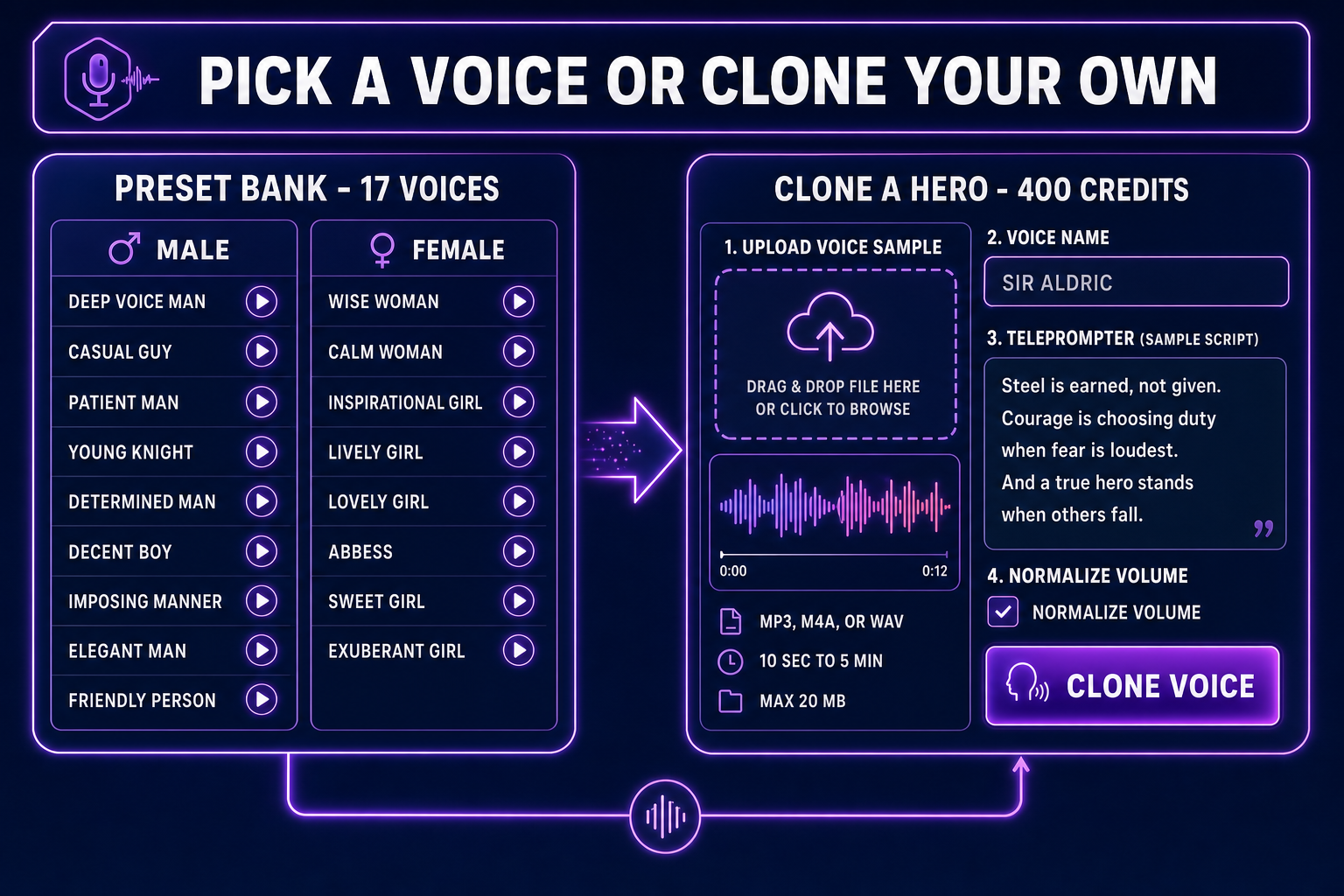
Speech Gen ships seventeen MiniMax preset voices grouped by gender. The honest mapping from preset to NPC archetype:
- Deep Voice Man, Imposing Manner — villains, kings, gods, dwarves with grudges. The vocal cord rumble that telegraphs threat without the actor ever raising his voice.
- Young Knight, Determined Man — protagonists, paladins, party leads, the tutorial mentor who actually has a backbone.
- Patient Man, Friendly Person, Casual Guy — vendors, innkeepers, every NPC who exists to sell you something or point you at the next quest marker.
- Decent Boy, Elegant Man — rogues, bards, court advisors, the apprentice with the better idea.
- Wise Woman, Abbess — the oracle, the lich queen, the village elder who knows the prophecy.
- Calm Woman, Inspirational Girl — the AI companion, the voice in your head, the spirit guide.
- Lively Girl, Lovely Girl, Sweet Girl, Exuberant Girl — the rogue’s apprentice, the merchant’s daughter, the catgirl shopkeeper, the rival.
The presets are licensed for commercial use under MiniMax’s terms. Cite Speech Gen in your credits the same way a stock SFX library would be cited and you are well-positioned for a Steam, Itch, or Epic launch. Voice cloning, on the other hand, is the legally serious step. Clone only voices you have direct consent to use — yourself, a teammate who signed a release, a hired actor whose contract includes cloning rights. Cloning a real human’s voice without consent is a publicity-rights claim regardless of the tooling; see the right of publicity overview for the legal frame.
The voice clone workflow itself is a single panel. Open Clone Voice, upload an MP3, M4A, or WAV recording between ten seconds and five minutes long, under twenty megabytes. The page auto-converts other formats to MP3 and auto-trims anything over four minutes fifty-nine seconds. Volume normalization is a checkbox. Following the page’s built-in seven-minute teleprompter script gives the engine a clean, varied corpus to model from — the script is intentionally written to span calm narration, dramatic recall, technical explanation, and emotional reflection so the cloned voice has the dynamic range to carry every dialogue mood the game later needs.
Write dialogue that reads like dialogue
The biggest mistake teams make with AI voice for games is treating the prompt like a screenplay. The MiniMax engine reads the text exactly — punctuation, spacing, and capitalization all become acoustic features. The patterns that consistently produce natural-sounding NPC dialogue:
- Use ellipses for pauses. I... I should not have come back here. The model treats ... as a half-second beat, which is exactly the rhythm a hesitant character needs.
- Use em-dashes for interruptions. Wait — you saw the dragon? The dash signals a sharp register shift the model performs as a small breath catch.
- Use interjections inline. Greetings, traveler. (sighs) Another long road ahead. The parenthesized cue is rendered as an audible sigh, not read aloud as the literal word. (laughs), (coughs), and (gasps) work the same way.
- Punctuate emotionally charged words. NO! Stay back! reads with appropriately raised volume; no, stay back reads as a tired parent. Punctuation is the model’s only signal for intensity.
- Spell out letters and numbers when ambiguous. Press X to attack reads naturally; Press X-key sometimes reads as ex-key. Level twelve beats level 12 ninety percent of the time. Phonetic transcription intuition applies.
For barks — the short repeated lines that play on contextual triggers — write three to five variants per trigger and pick the cleanest. Heard something. Show yourself. Footsteps? Variant pools prevent the “same line on every patrol” tedium that single-take dialogue causes.