Steer How to Vibe Coding (Game Dev Browser 2026)

By Arron R.17 min read
How to vibe coding for game dev in 2026 is a five-step loop: pick Claude Sonnet 4.6 in the WizardGenie eight-rail picker, write a one-paragraph brief, accept th

Most searches for how to vibe coding in 2026 come from indies who heard the term on a podcast or in a Collins Dictionary headline and want to actually try it on a game project, not on another to-do app. This guide walks every choice the loop forces — which surface, which model, which posture, which assets — in the exact order a brand-new vibe coder hits them. Every fact is verified against either the live Sorceress source on June 30, 2026 or the official vendor documentation pages on the same day. Pick the loop once, run it twenty times, and a weekend prototype stops being an aspiration.
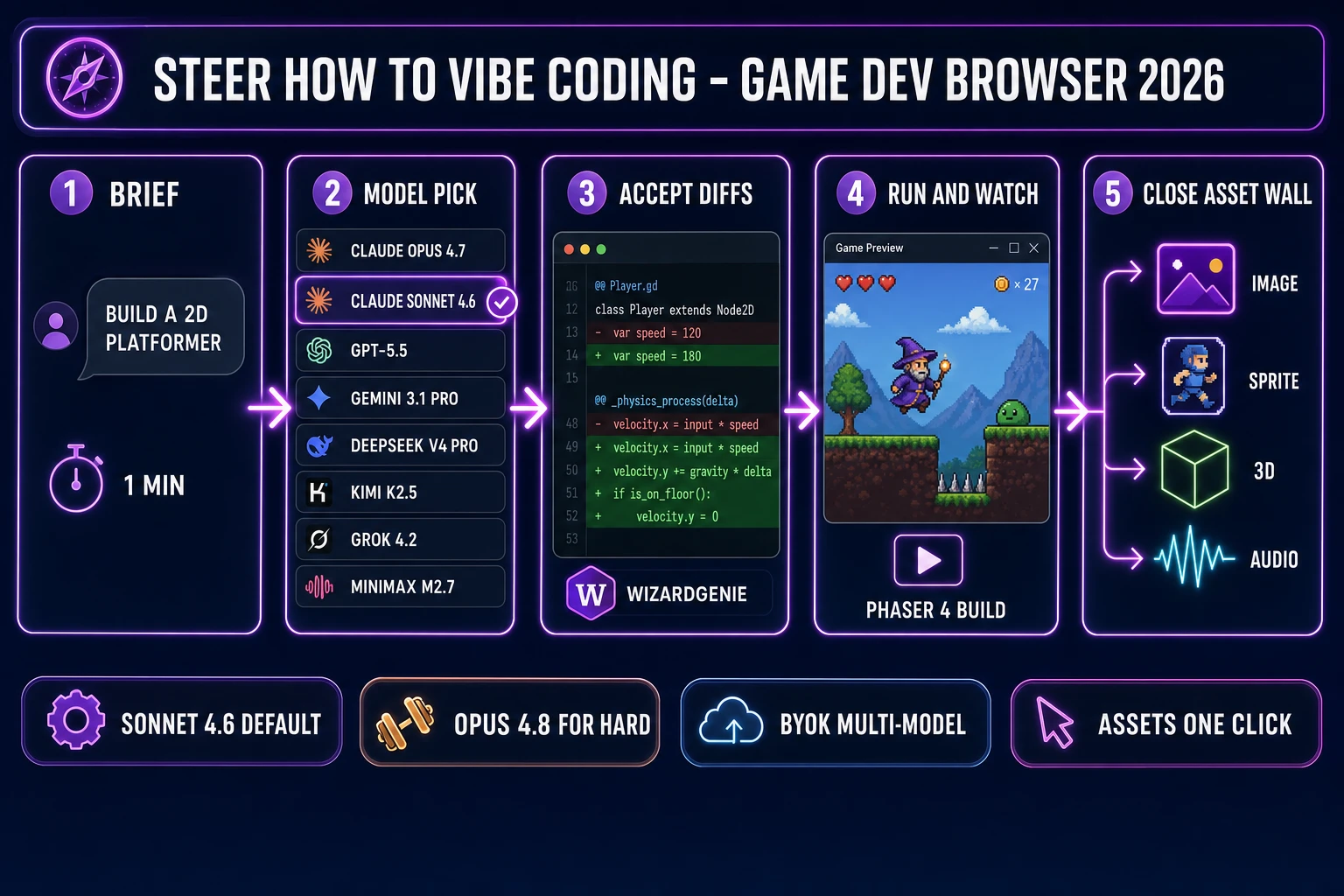
Steer how to vibe coding for game dev - 5-step browser pipeline from brief to model pick to diff accept to running build to asset wall
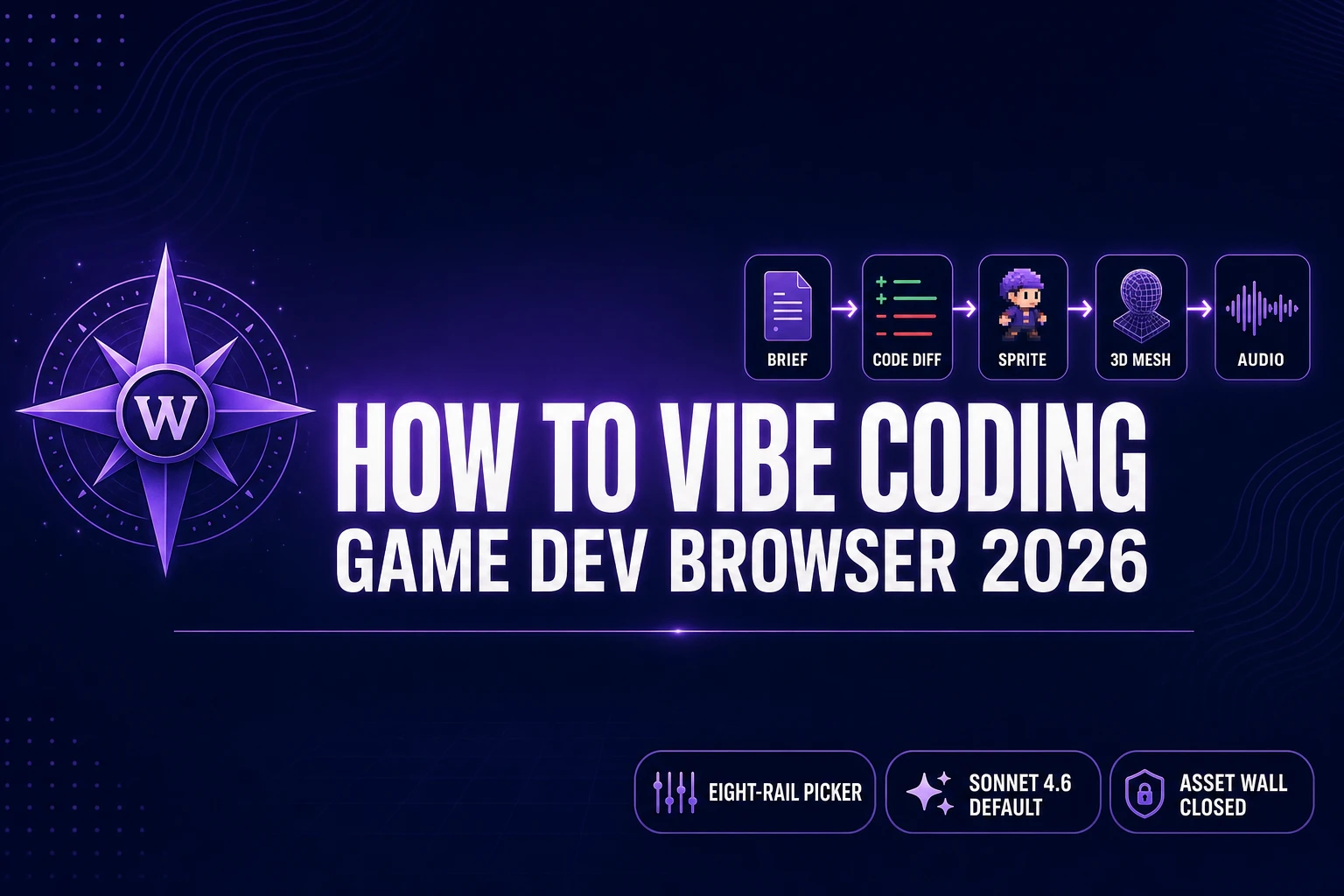
The five-step browser loop for how to vibe coding on a real game project: brief, pick a model rail, accept diffs, run the build, then close the asset wall with WizardGenie’s adjacent image, sprite, 3D, and audio panels.

What “how to vibe coding” actually means in 2026

Vibe coding is the workflow Andrej Karpathy named on X on February 3, 2025 (per the Vibe coding Wikipedia entry): describe what you want in plain English, accept the agent’s diffs sight unseen, run the build, watch the screen, react to what the screen shows. The dev’s eyes on the running game are the only validator. There is no per-change confirmation, no line-by-line code review, no manual editing of the agent’s output. The phrase “forget that the code even exists” is in the original X post, and a year later Karpathy extended the concept at Sequoia Ascent 2026 with the term “agentic engineering” to mark the professional discipline that grew out of the same loop. Vibe coding is the floor-raiser; agentic engineering is the ceiling-raiser. Both run on the same agent tooling.

For a game project specifically, “how to vibe coding” concretely means three choices in sequence. First, pick the surface where the agent runs — a terminal CLI, a desktop editor, a chat tab, or a browser-native engine. Second, pick the model the surface drives — Claude Opus 4.8, Sonnet 4.6, Haiku 4.5, GPT-5.5, Gemini 3.1 Pro, Grok 4.2, DeepSeek V4 Pro, Kimi K2.5, or MiniMax M2.7. Third, pick the posture — auto-edit / accept-everything (vibe coding) versus propose-then-confirm (pair programming). The same agent runs both postures; the human chooses which one is active. The full vibe loop only fires when the posture is loose.

The piece that traps almost every new vibe coder on a game project is the asset side. A finished game is gameplay code plus a sprite (per the Sprite computer graphics Wikipedia entry, sprites are rasterized images composited at runtime), plus a 3D mesh when the game is 3D (per the Khronos glTF 2.0 specification, meshes are vertex / index buffers with material maps), plus a rigged skeleton (per the Skeletal animation Wikipedia entry), plus music, plus sound effects. A coding agent is a frontier text model (per the Large language model Wikipedia entry); it cannot render those pixels or synthesize that WAV. The loop ends when the asset wall blocks it — unless the wrap closes that wall in the same browser tab.

The honest beginner constraints — what the vibe loop gets right and where it bounces off the asset wall

The vibe loop has a real success story on the code side. On Claude Sonnet 4.6 in auto-edit mode, a brand-new Phaser 4 game framework platformer goes from blank working directory to running game in roughly 35 to 60 minutes, depending on how clear the one-paragraph brief is. Movement, collision, scoring, scene transitions, save-game, simple enemy AI — the agent ships all of it on the first try with maybe two paste-back error recoveries across the session. The gameplay-code half of vibe coding is genuinely solved. That is the floor that Karpathy meant when he said vibe coding raises the floor: anyone with an idea can ship a running build of that idea now, in a way that was simply not true in 2023.

The wall is the asset half. Asking the same Claude Sonnet 4.6 to “make me a wizard sprite” returns one of four patterns: a Pillow Python snippet that runs against a path that does not exist, a bullet list of frame indices into a tileset that also does not exist, an apology and a suggestion to use a tool the agent cannot point at, or a 256-line JSON stub of tile indices into yet another tileset that also does not exist. None of that is a Claude failure or a GPT failure or a Gemini failure — frontier coding models are trained on text, not on pixel-art conventions, palette quantization, mocap retargeting, or drum patterns. The honest answer to the “but the model can do anything!” framing is that the model can do anything made of text and code. A sprite is not made of text. A 3D mesh is not made of text. A WAV file is not made of text.

The first lesson for how to vibe coding on a game project, then, is to stop asking the coding agent to do the asset half. Keep the agent on the gameplay-code half where it ships clean diffs on the first try, and route the asset half to dedicated generators that ship real pixels and real audio. Inside WizardGenie those generators sit one tab away from the code panel, which is the difference between a vibe loop that stalls at “needs assets” and a vibe loop that finishes a real prototype in an afternoon.

How to vibe coding in five steps without losing the plot

The five-step loop for how to vibe coding on a game project, in the exact order it actually runs, is: write the one-paragraph brief, pick a frontier model in the eight-rail picker, accept the agent diffs sight unseen, run the build and watch the screen, then close the four-step asset wall in adjacent panels. Steps one through four are the code half; step five is the asset half. Both halves run in the same browser tab inside WizardGenie, the AI-native game engine at the heart of Sorceress (description verified against src/app/_home-v2/_data/tools.ts on June 30, 2026: “AI-native game engine at the heart of Sorceress — describe the game you want, and WizardGenie writes, runs, and iterates on it in real time”).
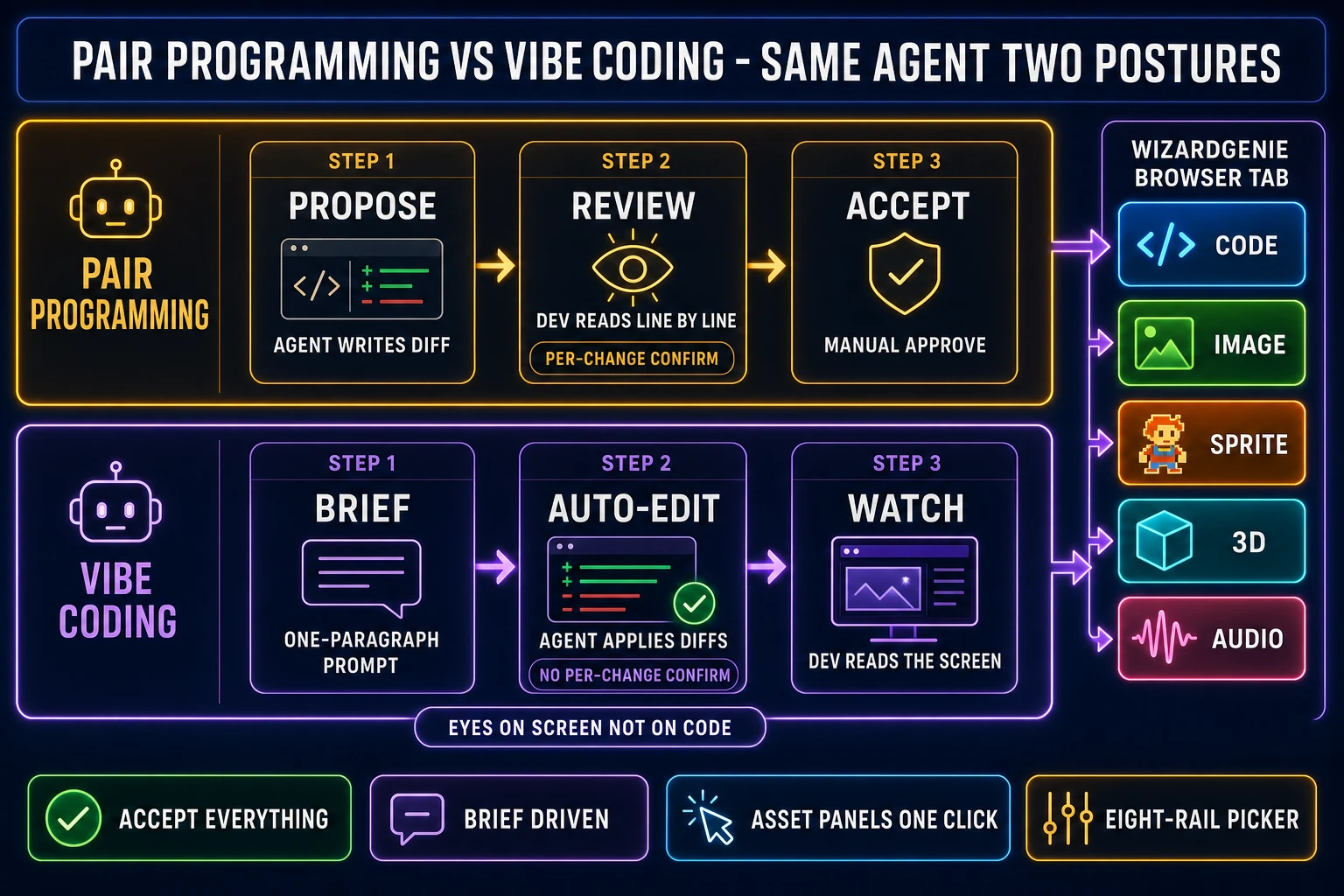
Pair programming vs vibe coding - same agent two postures with WizardGenie browser tab showing code image sprite 3D audio panels
Same Claude or GPT or Gemini agent on both postures. Pair programming proposes then confirms; vibe coding accepts the diff and watches the screen. The WizardGenie browser tab pairs the code panel with image, sprite, 3D, and audio panels so the asset wall never breaks the loop.

The model picker is the second decision and the one most new vibe coders get wrong by defaulting to the most expensive rail. The default for a small to mid game project on a vibe-coding session is Claude Sonnet 4.6, not Opus, not GPT-5.5, not Gemini 3.1 Pro. Sonnet hits the right spot on the price-versus-capability curve for the gameplay-code patterns most indie projects use. The Planner + Executor mode is the third decision, for when the session is going to run long enough that solo-frontier rates start to bite. Steps three and four are mechanical: accept diffs, watch the build. Step five is where the wrap matters — an unwrapped vibe loop simply stops at the asset wall, and a Sorceress-wrapped vibe loop closes that wall in adjacent panels in the same tab.

Below, each of the five steps gets its own H2 with the actual button paths, model names, credit costs, and verified June 30, 2026 facts. No marketing fluff — just the loop as it runs.

Step 1 — pick a frontier coding model from the eight-rail WizardGenie picker

The WizardGenie model picker exposes eight coding rails in one BYOK lineup, verified against src/app/_home-v2/_data/tools.ts lines 734-743 on June 30, 2026. The lineup is Claude Opus 4.7 (Anthropic, top tier, $5 input / $25 output per million tokens on the public API), Claude Sonnet 4.6 (Anthropic, fast + smart, $3 / $15, 1M context window), GPT-5.5 (OpenAI, frontier), Gemini 3.1 Pro (Google, 1M context), DeepSeek V4 Pro (DeepSeek, budget, roughly $0.27 / $1.10), Kimi K2.5 (Moonshot, 256K coding-tuned), Grok 4.2 (xAI, 2M context), and MiniMax M2.7 (MiniMax, agent-ready). Bring your own key for any of the eight rails; pay the providers directly with no Sorceress markup on the per-token rate. The longer read at the best AI model for coding right now walks the picker criteria in depth.

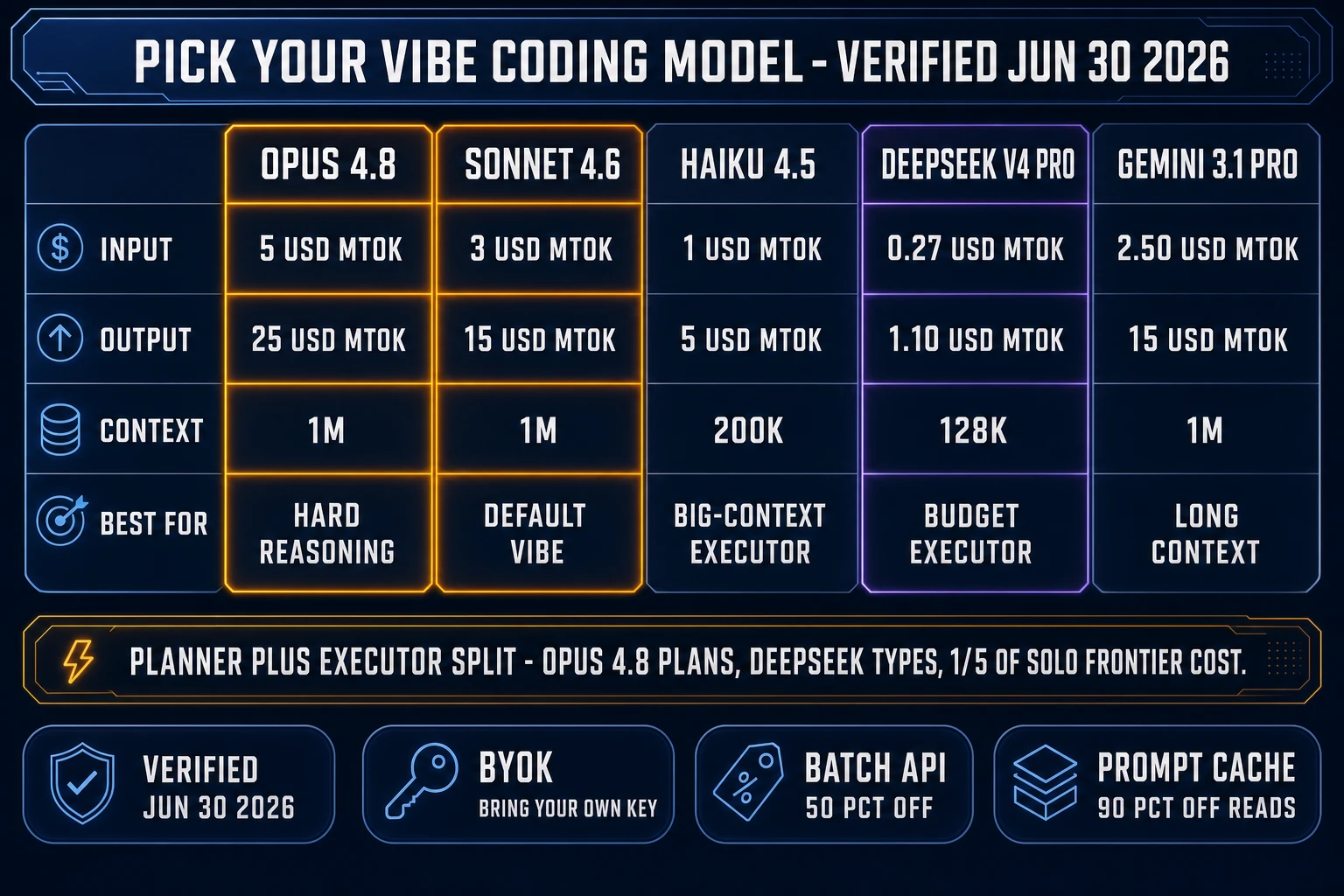
For a brand-new vibe-coding session on a small to mid game project, pick Claude Sonnet 4.6 as the default. It is fast, smart, and at $3 / $15 per million tokens (verified June 30, 2026 against the official Claude API pricing documentation) it leaves enough budget for a long session. A typical 45-minute Phaser vibe session on Sonnet lands around $1 to $3 of API-equivalent spend on a brand-new working directory, which is the spend a brand-new indie can absorb without thinking about it. Switch up to Claude Opus 4.8 ($5 / $25 per MTok, current flagship per the official Claude pricing docs on June 30, 2026) when the work is hard reasoning — a tricky multiplayer netcode bug, a custom shader pipeline, an architecture choice between two physics models, a refactor across six files. Opus catches more edge cases on the first try and reduces the paste-back error follow-ups that drag a vibe loop.

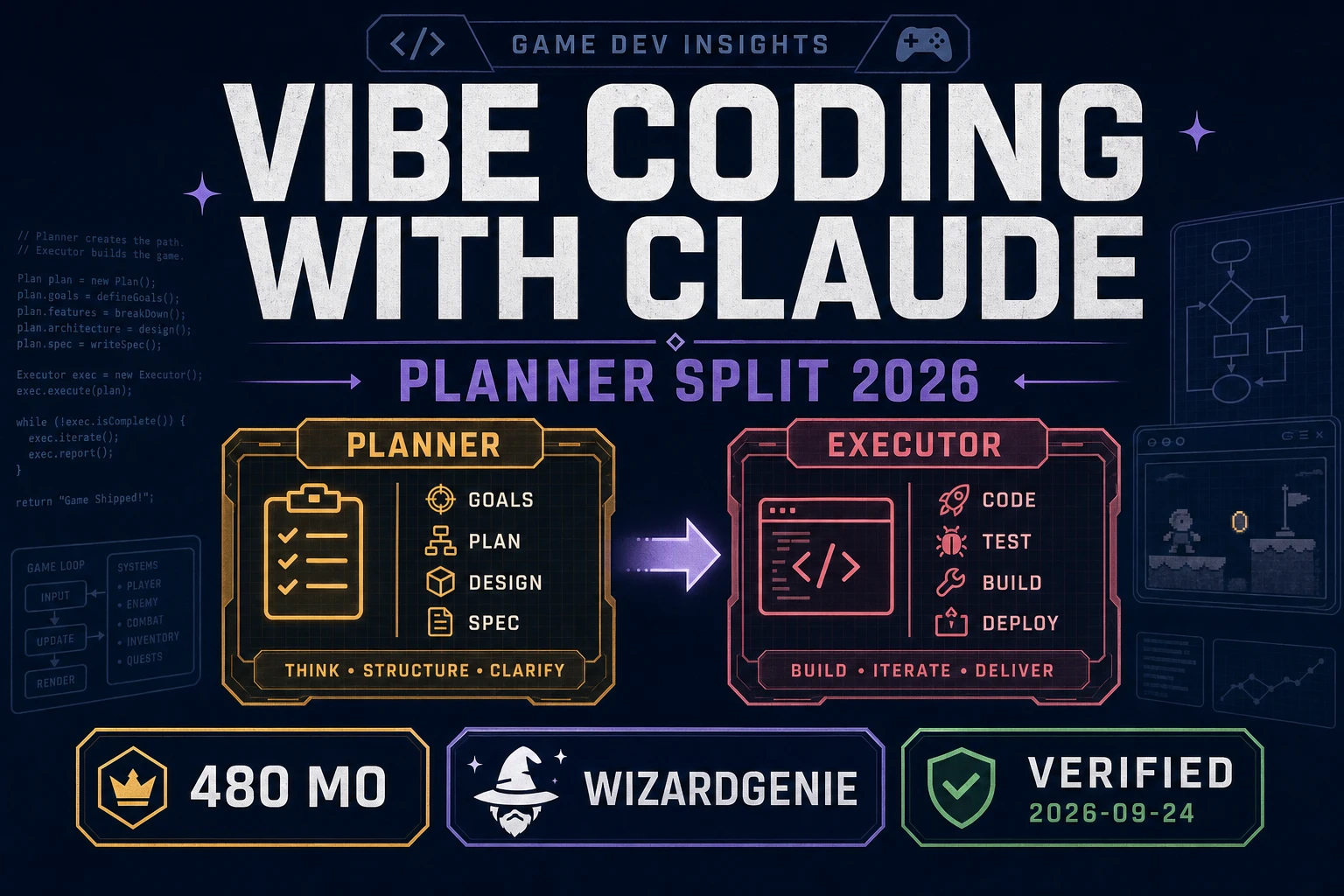
The cost-conscious move when the session is going to run long is the Planner + Executor split, exposed in WizardGenie as Dual-agent mode. The economic logic is “expensive reasoner thinks, cheap fast typer executes”: route the planning step (architecture decisions, diff plans, hard reasoning) to a frontier model, and route the actual code-typing step (the bulk of the output tokens) to a true cheap executor. Acceptable Planners include Opus 4.8, Opus 4.7, GPT-5.5, Gemini 3.1 Pro, and Grok 4.2. Acceptable Executors are DeepSeek V4 Pro, Kimi K2.5, MiniMax M2.7, Gemini 3.1 Flash, GPT-5.5 Mini, and Claude Haiku 4.5. Pairing Opus 4.8 as Planner with DeepSeek V4 Pro as Executor lands at roughly one-fifth of running Opus on both sides across a long session, because the executor types the bulk of the tokens. The single biggest mistake new vibe coders make is putting Sonnet, Opus, or GPT-5.5 on the executor side — that erases about 80 percent of the cost advantage the split was built to capture.

Step 2 — open WizardGenie and write the one-paragraph game brief

Open /wizard-genie/app in any modern browser. The web entry point runs inside a Chrome, Safari, Firefox, or Edge tab with no install, backed by the Fly.io headless build; the desktop entry point is a Windows installer with auto-updater for supporters who want native filesystem access and longer-running offline-capable agent sessions (the desktop side is one of WizardGenie’s strongest features, not a side option). Sign in, claim the 100 starter credits, then open a fresh project workspace. Pick Sonnet 4.6 in the model picker, or pick the Dual-agent Planner + Executor preset if you expect the session to run more than an hour.

The brief itself is one paragraph, three to six sentences. Be specific about genre (2D side-scrolling platformer, top-down RPG, turn-based roguelike, twin-stick shooter), engine (Phaser 4, the engine cited in the Wikipedia entry above; or another browser-native target), mechanics (double-jump, three coin pickups, patrolling slime enemies, save-game on touch checkpoint), aesthetic (pixel-art, low-poly 3D, hand-drawn, isometric), and scope (one level, two screens, a vertical slice). A worked example: “Build a side-scrolling Phaser 4 platformer in TypeScript with double-jump, three coin pickups per level, two patrolling slime enemies that hurt the player on contact, a checkpoint-flag save system, and a score HUD using Phaser BitmapText. Pixel-art aesthetic, 32x32 sprites. One level for now.” That brief produces a running build in roughly 35 minutes on Sonnet 4.6, with maybe one paste-back error recovery in the middle.

The two beginner mistakes on this step are under-specifying (“make me a platformer” gives the agent nothing to anchor on and produces a generic stub) and over-specifying (twelve paragraphs of detailed requirements turns the loop into a wall-of-text dictation that loses the vibe-coding posture entirely). One paragraph, three to six sentences, hits the right level. The deeper read at define vibe coding meaning covers the posture distinction in depth.
Step 3 — accept the diffs, run the build, watch the screen instead of the code

This is the step that distinguishes vibe coding from every other AI-assisted coding workflow. The agent applies edits to the project files automatically (no per-change confirmation), the bundler rebuilds the running game in a side pane, the dev’s eyes are on the running screen — not on the diff. Pair programming with the same agent would propose each change for line-by-line review; vibe coding skips that review entirely and validates against the screen. When the screen shows the wizard sprite jumping correctly, the previous diff was right. When the screen shows the wizard sprite floating through the floor, the previous diff was wrong, and the loop is to paste back the bug observation (“wizard falls through floor instead of landing on the ground tiles”) and let the agent ship the fix in the next diff.

A typical 35-minute Sonnet 4.6 session on the Phaser brief above ships roughly 18 to 25 diff cycles. The first 8 to 10 cycles set up the project scaffolding (vite config, tsconfig.json, Phaser 4 game config, scene file structure). The next 10 cycles flesh out gameplay (player controller, double-jump physics, coin pickup logic, slime patrol AI, scoring HUD, checkpoint save). The final 2 to 3 cycles tend to be bug fixes — usually a Z-order issue where the HUD ends up behind the level art, or a collision-box mismatch on the slime. The agent recovers from each on a single paste-back of the observation.

The dev’s job during step 3 is not to read every diff. The dev’s job is to watch the build, narrate observations honestly, and click accept. Resist the urge to second-guess the agent on stylistic choices that do not break the screen. If the build runs and the gameplay works, the diff was right by definition. Vibe coding only works if the posture stays loose — the moment you start line-editing the agent’s output, you have switched to pair programming, which is a fine workflow but not vibe coding. The piece at use Claude Code for vibe coding walks the same posture argument on the CLI surface, and the loop vibe coding with Claude piece covers the brand-anchored framing in depth.

Pick your vibe coding model rate card matrix - Opus 4.8 Sonnet 4.6 Haiku 4.5 DeepSeek V4 Pro Gemini 3.1 Pro pricing and context window verified June 30 2026
The 2026 model rate card for vibe coding picks, verified June 30, 2026 against the official Claude pricing docs. Sonnet 4.6 is the default at $3 / $15 per MTok; Opus 4.8 is the upgrade for hard reasoning; DeepSeek V4 Pro is the executor pick when running the cost split.

Step 4 — close the four-step asset wall in adjacent panels (image, sprite, 3D, audio)

When the gameplay code in step 3 references a sprite the project does not yet have (the wizard, the slime, the coin, the tilemap art), the vibe-coding loop hits the asset wall. The fix is not to switch agents or expand the brief — it is to generate the missing asset in an adjacent panel in the same browser tab. WizardGenie wraps the code panel alongside four asset panels that ship the four asset types frontier coding models cannot produce:

  • Image generation in AI Image Gen — seven image rails verified against src/app/_home-v2/_data/tools.ts lines 713-721 on June 30, 2026: Nano Banana Pro (Google, top tier), Nano Banana 2 (Google, fast and sharp), GPT Image 2 (OpenAI, photoreal — the only rail that reliably renders dense legible text inside the image), Seedream 5 Lite (ByteDance, uncensored), Flux 2 Pro (Black Forest Labs, pro), Z-Image Turbo (Tongyi-Mai, ultra fast), and Grok Imagine (xAI, creative). All rails support reference-image conditioning so the wizard portrait stays on-model across renders. Use it for the wizard concept art and the slime concept art the Phaser brief referenced but did not deliver.
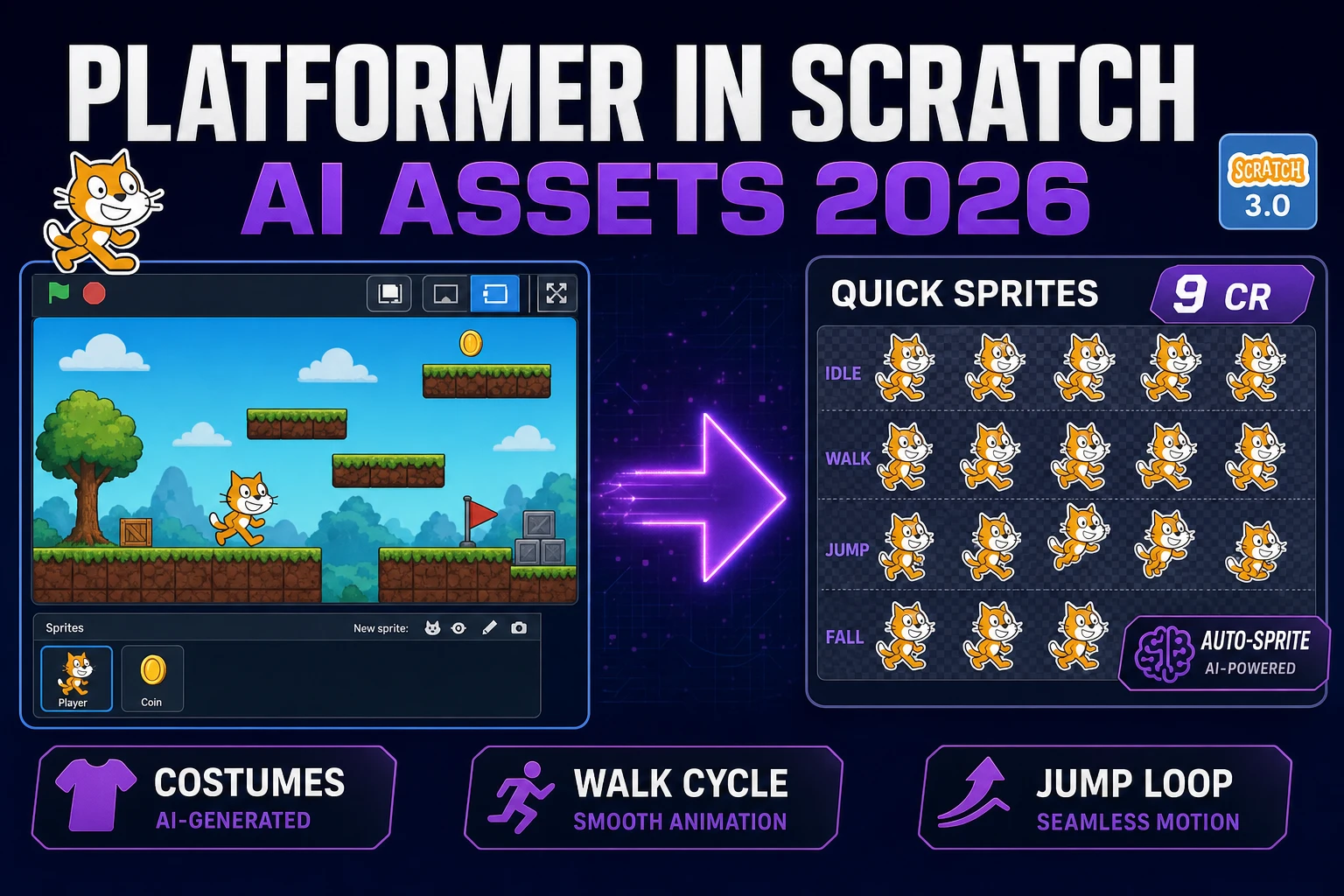
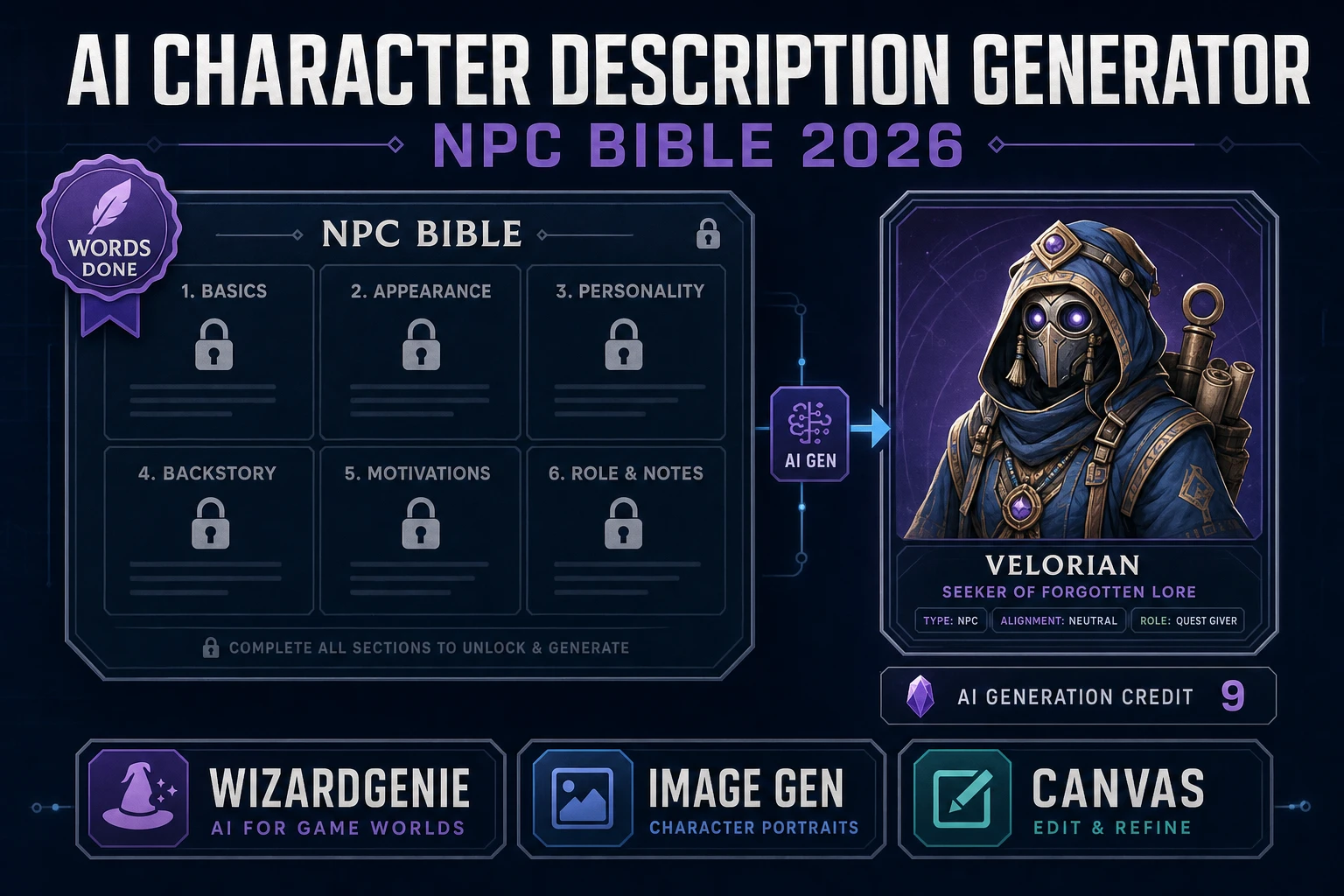
  • Sprite sheets in Quick Sprites — turns a character image into a packed animated sprite sheet with the retro-diffusion/rd-animation model at 9 credits per generation (verified against src/app/quick-sprites/page.tsx: CREDITS_PER_GEN = 9 line 21, MODEL_ID = 'retro-diffusion/rd-animation' line 20). Three animation styles ship: four-angle walking at 48x48, small sprites at 32x32, and VFX effects at 24 to 96 pixels. The wizard walk cycle the Phaser brief needed lands here, ready to drop into the Phaser preload step the agent already wrote in step 3.
  • 3D meshes in 3D Studio — eight image-to-3D rails verified against src/lib/threed-models.ts on June 30, 2026: Hunyuan 3D 3.1 (the recommended default), Tripo v3.1, Tripo P1, Meshy 6, Hunyuan 3D 2.1, Pixal 3D, TRELLIS 2, and Rodin Gen-2. Use the 3D Studio panel when the brief asks for a 3D game and the gameplay code references a wizard 3D model instead of a wizard sprite. The companion piece at bench an image to 3D model generator covers picking between the eight rails in depth.
  • Music and SFX in Sound StudioMusic Gen ships full vocal or instrumental tracks from a one-line prompt, SFX Gen ships full SFX packs from text descriptions, and the built-in SFX Editor handles trimming, fading, and mastering. The coin-pickup chime, the slime-defeat splat, the level music, and the menu music all land here. Audio is the asset category most beginner vibe coders skip entirely; closing this corner of the wall is what makes a prototype actually feel like a game instead of a code demo with silent boxes.

The starter credits cover this step for free on the first prototype: a fresh Sorceress account opens with 100 starter credits, which is enough to generate the wizard concept art on Nano Banana Pro (one credit), the wizard walk cycle on Quick Sprites (9 credits), a coin-pickup chime on SFX Gen (one credit), and a one-minute menu music loop on Music Gen (a few credits). The remaining 80-plus credits cover the second prototype. Credit pack tiers verified against src/app/plans/page.tsx lines 49-54 on June 30, 2026: $10 / 1000 Starter, $20 / 2000 Creator, $50 / 5000 Plus, $100 / 10000 Studio — all no-expiry credits. The LIFETIME_PRICE constant is $49 (line 45) for the non-AI Sorceress tools bundle.

Step 5 — ship the prototype and pick the next vibe-coding round

After step 4, the prototype is a real running build with real art and real sound. Step 5 is the close-out: hand the build to a friend, drop the link in a Discord, post a short clip on Bluesky or Mastodon, log what worked and what stalled. The point of the first vibe-coding round is not to ship a finished game — it is to internalize the loop fast enough that round two is sharper. Most brand-new indies finish round one in roughly two hours total (one hour for code, one hour for assets), and round two drops to ninety minutes once the briefs get tighter and the model-picker defaults stick.

The next-round picker decisions cluster around three axes. Bigger scope: if the round-one prototype was a one-level platformer, round two might be three levels with a boss; flip the model rail up to Opus 4.8 for the harder reasoning. Different genre: a top-down RPG, a roguelike, a twin-stick shooter; the same five-step loop runs, but the brief shape shifts to the genre’s patterns. Different engine: Phaser 4 for browser-native 2D, three.js for browser-native 3D, or a 3D-engine path that uses the 3D Studio assets directly. For deeper reading on engine-specific vibe loops, the how to make a 2D game with AI piece covers the engine-agnostic angle, and the best vibe coding tools for building games roundup covers competitor wraps for comparison.

Save the round-one project. It is the muscle memory the next round runs on. Open WizardGenie again, pick the model rail, paste the next brief, accept the diffs, watch the screen, close the asset wall. The loop is the same; the prototypes get sharper.

The verdict on how to vibe coding for game dev in 2026

The verdict on how to vibe coding for game dev in 2026 is shaped by two practical truths. First, the gameplay-code half of the loop is genuinely solved: frontier coding models like Claude Sonnet 4.6 and GPT-5.5 ship clean diffs on the first try for the patterns most indie projects use, and the diff-accept posture works on real game projects in a way it did not in 2023 or 2024. Second, the asset half is still the wall, and no coding agent of any vendor closes it — the wall is a property of how LLMs are trained, not of which frontier lab built them. The decision shifts to which wrap closes the wall fastest for the kind of project you have.

For a code-only artifact (a backend service, a CLI tool, a web app with no custom art), a terminal CLI is the cleanest wrap and Sonnet 4.6 in auto-edit mode is the default vibe model. The asset wall does not exist for those projects, so any vibe-coding workflow works. For a game project, the better wrap is WizardGenie because it closes all four asset steps in the same browser tab where the gameplay-code loop is running. Pick Sonnet 4.6 as the default Claude rail; upgrade to Opus 4.8 for hard sessions; flip to the Dual-agent Planner + Executor preset when the session is going to run long; generate the wizard sprite, the slime art, the tilemap, the coin-pickup chime, and the menu music in adjacent panels without ever leaving the tab. The five-step loop stops being a code-only stub and starts being a complete game-dev loop — which is the move that lets a brand-new indie ship a real prototype in a weekend instead of stalling out at the asset wall on Sunday afternoon.

The full Sorceress tool stack lives at the Sorceress tools guide, with every tool mapped to the game-dev step it owns. The plans page covers the credit math. For deeper reading on the surrounding cluster: the define vibe coding meaning piece walks the posture argument; the Google AI Studio vibe coding piece covers a competitor wrap and where it lands; the Cursor vibe coding piece walks the same asset wall on a different competitor surface; and the Replit vibe coding piece covers another competitor wrap on the same wall. On the technical primitives, the Vibe coding Wikipedia entry covers the term’s origin, the Phaser game framework Wikipedia entry covers the 2D engine used in the worked examples above, the Khronos glTF 2.0 specification covers the runtime format every engine reads for 3D assets, and the Integrated development environment Wikipedia entry covers the editor-class IDE concept the WizardGenie browser wrap fits into.

Frequently Asked Questions

What does “how to vibe coding” actually mean for a brand-new indie game dev?

Vibe coding is the workflow Andrej Karpathy named on X on February 3, 2025: describe what you want in plain English, accept the agent’s diffs without line-by-line review, run the build, watch the screen, react to what the screen shows. The dev’s eyes on the running game are the only validator. For a brand-new indie, “how to vibe coding” concretely means three choices: pick the surface where the agent runs (a browser tab, a terminal, a desktop editor), pick the model the surface drives (Claude Opus 4.8, Sonnet 4.6, GPT-5.5, Gemini 3.1 Pro, Grok 4.2, DeepSeek V4 Pro, Kimi K2.5, or MiniMax M2.7), and pick the posture (accept everything, or review every diff). Collins Dictionary named vibe coding its 2025 Word of the Year, and Karpathy himself extended the term to “agentic engineering” at Sequoia Ascent 2026 to mark the professional version of the same loop. The beginner version stays beginner: paste a one-paragraph brief, click accept, look at the screen.

Which model should I pick if I am just learning how to vibe coding for game projects?

Sonnet 4.6 is the default for a brand-new vibe-coding session on a small to mid game project. It is fast, smart, and at $3 input / $15 output per million tokens (verified June 30, 2026 against the official Claude API pricing docs) it leaves enough budget for a long agent session. Upgrade to Opus 4.8 ($5 / $25 per MTok) for the hard-reasoning sessions — tricky multiplayer netcode, a custom shader pipeline, an architecture choice between two physics models. For broad-context work where the project files exceed 200K tokens, swap in Gemini 3.1 Pro (1M context window) or Grok 4.2 (2M context). For cost-sensitive long boilerplate sessions, flip to the Dual-agent Planner + Executor mode in WizardGenie at /wizard-genie/app and pair Opus 4.8 on the planner half with DeepSeek V4 Pro on the executor half — that split lands at roughly one-fifth of running Opus on both sides because the executor types the bulk of the tokens. The WizardGenie eight-rail picker (verified against src/app/_home-v2/_data/tools.ts on June 30, 2026) exposes all eight frontier and budget rails in one BYOK lineup.

What is the four-step asset wall every how-to-vibe-coding loop bumps into on a game project?

The wall is image, sprite, 3D mesh, and audio. Frontier coding models like Claude Opus 4.8 and GPT-5.5 are trained on text and code; they can write the gameplay code that references a wizard sprite or a coin-pickup chime, but they cannot render the pixels for the wizard (per the Sprite (computer graphics) Wikipedia entry, sprites are rasterized images composited at runtime), they cannot extrude a 3D mesh (per the Khronos glTF 2.0 specification, meshes are vertex / index buffers with material maps), they cannot rig a skeleton (per the Skeletal animation Wikipedia entry), and they cannot synthesize a WAV file. Asking the agent to do those steps anyway returns a Pillow snippet running against a path that does not exist, a bullet list of frame indices into a tileset that also does not exist, or an apology. The honest path is to keep the agent on gameplay code where it is good, and run image / sprite / 3D / audio in dedicated generators. Inside WizardGenie those generators are AI Image Gen at /generate, Quick Sprites at /quick-sprites, 3D Studio at /3d-studio, and Sound Studio at /sound-creator with Music Gen and SFX Gen sub-panels — all one tab away from the code panel where the vibe loop is running.

How long does a how-to-vibe-coding session for a 2D platformer prototype actually take?

On Sonnet 4.6 in the WizardGenie diff-accept loop, a brand-new 2D platformer prototype goes from blank working directory to running game in roughly 35 to 60 minutes for the code half, depending on how clear the one-paragraph brief is and whether the brief asks for unusual mechanics. The brief itself is one minute (paste a sentence: “build a side-scrolling Phaser 4 platformer in TypeScript with double-jump, three coin pickups, and patrolling slime enemies”). The agent loop is the bulk of the session: accept diff after diff while the bundler rebuilds in a side pane, paste back any error the build throws, react to what the screen shows. The asset half adds another 15 to 30 minutes depending on how many assets the brief needs (a wizard sprite, a slime walk cycle, a tilemap, a coin-pickup chime, a menu loop), but those steps run in parallel panels in the same browser tab so the wall clock stays roughly flat. A reasonable target for a brand-new indie’s first vibe-coded prototype is one to two hours total — not a finished game, but a real running build with art and sound that you can hand to a friend.

Is “how to vibe coding” the same as agentic engineering?

No. Andrej Karpathy introduced the term “agentic engineering” at Sequoia Ascent 2026 to mark the professional discipline that grew out of vibe coding (per Business Insider’s February 2026 coverage and the Vibe coding Wikipedia entry). Vibe coding is the floor-raiser: anyone with an idea can build a prototype by accepting what the agent ships. Agentic engineering is the ceiling-raiser: a working engineer coordinates fallible agents while preserving correctness, security, taste, and maintainability through specs, tests, and architectural oversight. The skills overlap but the bar is different. For a brand-new indie shipping a weekend prototype, vibe coding is the right floor. For an indie shipping a paid Steam release a year later, the same person climbs into agentic engineering. The two terms are stages, not opposites — and Sorceress’ WizardGenie is built to support both: the diff-accept loop for vibe coding sits next to a Dual-agent Planner + Executor mode and a full asset stack for the agentic-engineering posture.

How does WizardGenie close the asset wall that other vibe coding wraps leave open?

WizardGenie at /wizard-genie/app is the AI-native game engine at the heart of Sorceress. The eight-rail coding picker (verified against src/app/_home-v2/_data/tools.ts lines 734-743 on June 30, 2026: Claude Opus 4.7, Claude Sonnet 4.6, GPT-5.5, Gemini 3.1 Pro, DeepSeek V4 Pro, Kimi K2.5, Grok 4.2, MiniMax M2.7) drives the gameplay-code half of the loop on the same frontier and budget models a terminal CLI would drive. The piece a terminal cannot close is the asset half: WizardGenie wraps the code panel alongside AI Image Gen (seven image rails verified against src/app/_home-v2/_data/tools.ts lines 713-721: Nano Banana Pro, Nano Banana 2, GPT Image 2, Seedream 5 Lite, Flux 2 Pro, Z-Image Turbo, Grok Imagine), Quick Sprites (retro-diffusion/rd-animation at 9 credits per generation, three animation styles verified against src/app/quick-sprites/page.tsx), 3D Studio (eight image-to-3D models verified against src/lib/threed-models.ts including Hunyuan 3D 3.1 as the default), Sound Studio (Music Gen, SFX Gen, Speech Gen), and the publish flow — all in adjacent panels in one browser tab. When the agent writes <Sprite key='wizard' /> in the gameplay code, you generate the wizard sprite in the next panel without leaving the tab.

Sources

  1. Vibe coding (Wikipedia)
  2. Sprite (computer graphics) (Wikipedia)
  3. Skeletal animation (Wikipedia)
  4. glTF 2.0 specification (Khronos Group)
  5. Large language model (Wikipedia)
  6. Phaser (game framework) (Wikipedia)
  7. Integrated development environment (Wikipedia)
Written by Arron R.·3,810 words·17 min read

Related posts