Sim How to Make a Simulation Game (Browser Sandbox 2026)

By Arron R.15 min read
How to make a simulation game in 2026: a discrete-time tick that advances every agent, resource, and world-grid cell one step at a time, plus a player-input lay

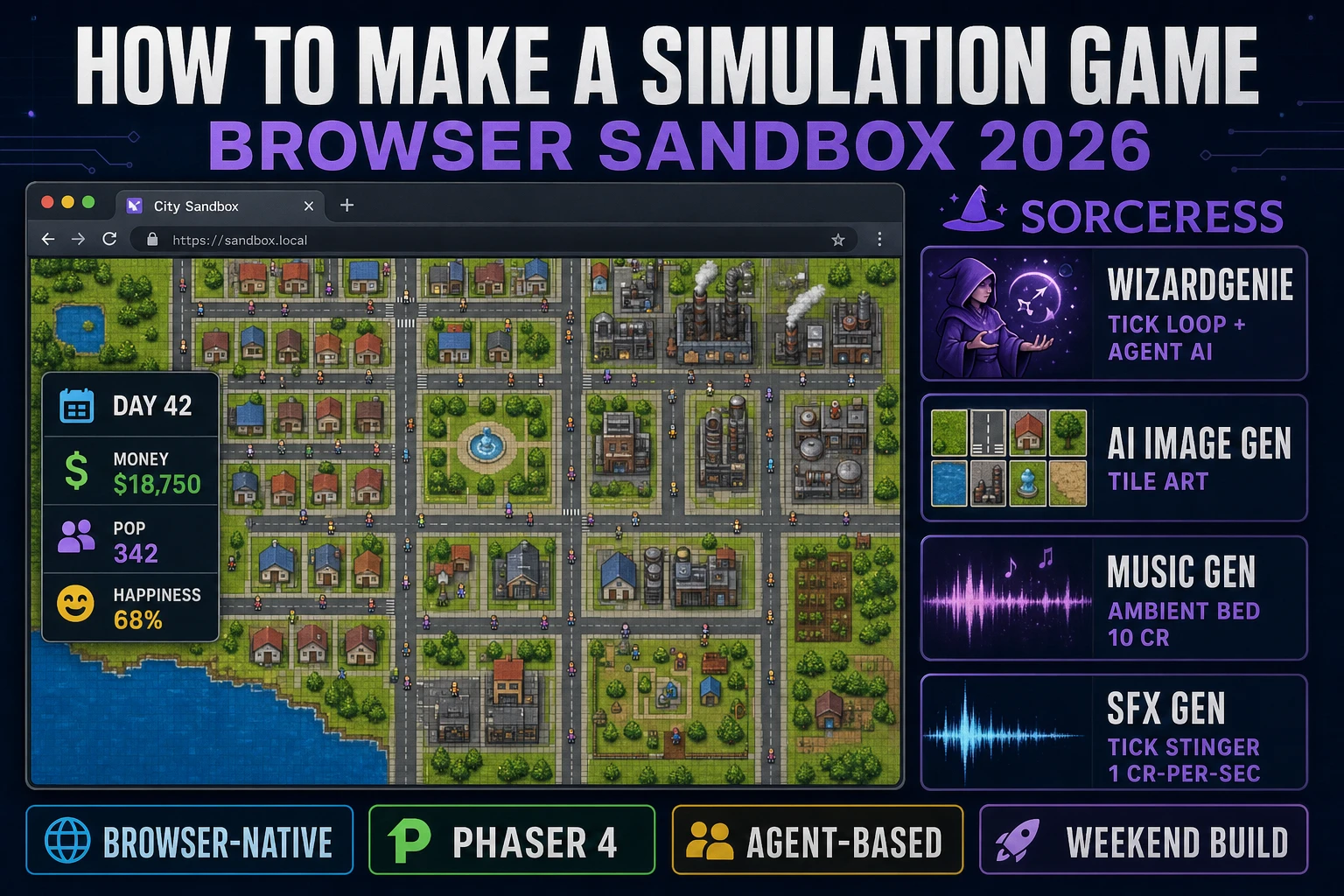
Will Wright shipped SimCity in 1989 (verified against en.wikipedia.org/wiki/Simulation_video_game on 2026-08-12), and every hobbyist who has tried to figure out how to make a simulation game since has run into the same shape of wall: the design work is not in the graphics or the story, it is in a single function called tick() that advances every citizen, every road, and every dollar by one step at a time. Most first attempts stall not because the code is hard but because the tick loop gets glued to the render frame, agents stop making local decisions, and the whole sim collapses into a bag of global counters. The 2026 pipeline for how to make a simulation game is very different: a coding agent scaffolds the agent-based decision loop and the accumulator-driven tick in one prompt, an image generator fills in the top-down tile art in twenty minutes, and a browser tab is the entire delivery target. That means WizardGenie to scaffold the tick loop, the agent update function, and the world-grid data structure, Sorceress AI Image Gen for the tile art and citizen sprites, Music Gen for the calm looping bed, and SFX Gen for the small tick stingers that make the sim feel alive. This guide is the honest end-to-end for how to make a simulation game in a browser sandbox in 2026.
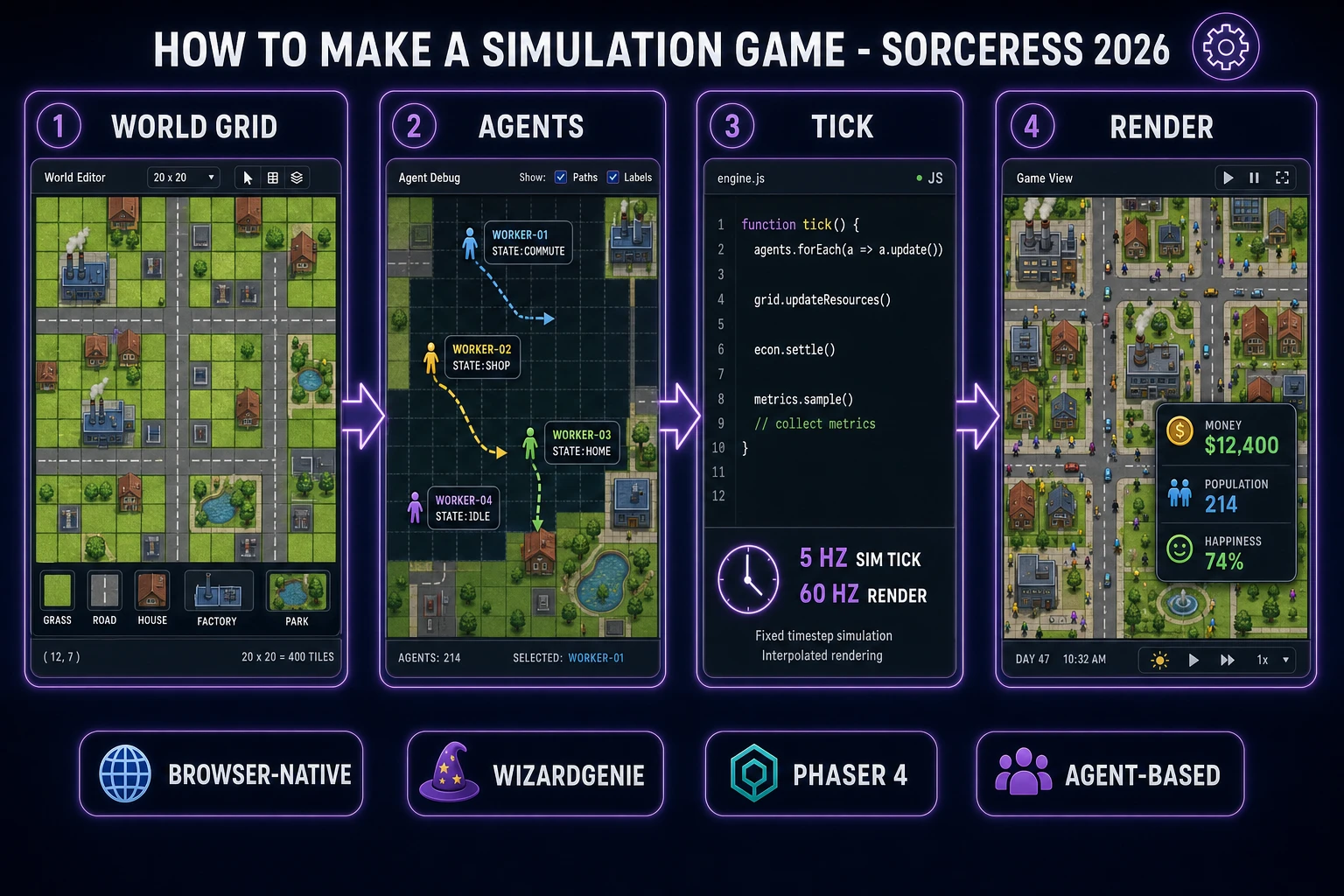
How to make a simulation game browser pipeline: world grid, agents, tick loop, and render frame with WizardGenie and Sorceress tools
The 2026 how to make a simulation game recipe: a world grid, a swarm of agents each making local decisions, a discrete-time tick that advances the world at roughly 5 Hz, and a render frame at 60 Hz driven by an accumulator so the two rates never couple.

What “how to make a simulation game” actually means in 2026

The query “how to make a simulation game” hides three very different requests. Some searchers want a city-builder in the SimCity or Cities: Skylines lineage — a top-down grid, zoning tools, and a population of citizens whose lives emerge from local decisions. Some searchers want a tycoon-style management sim — a business (restaurant, theme park, hospital) with revenue tick, staffing decisions, and customer AI. And some searchers want a life-sim or agent-based sandbox — ecosystems, ant colonies, populations of little characters with needs, or full life-sim scope like The Sims. This guide targets the shared core of all three because the underlying mechanics are the same: a discrete-time tick that advances the world one step at a time, plus a set of agents with local decision rules, plus a world grid or spatial structure that agents read and mutate, plus a player-input layer that nudges the sim without controlling it directly. Every subgenre is that skeleton plus a different theme layer on top.

Four things separate a simulation game from a plain arcade or puzzle build. First, the simulation runs whether or not the player is doing anything — time advances, citizens commute, plants grow, money is spent, and the world state changes on a tick timer independent of input. Second, the player input is indirect — you place a road, set a tax rate, hire a worker, or drop a building, but you do not directly control an individual agent's next step. Third, the emergent behavior is the payoff — the design goal is to write local rules per agent that combine into a system that surprises even the designer, per the technical definition of agent-based simulation in the Wikipedia article on agent-based modeling verified 2026-08-12. Fourth, the game has no strict win condition — most sims end when the player decides to stop playing, or when a soft-failure state (bankruptcy, population collapse, ecosystem crash) tells them the run is over. Get these four right and the game is a real simulation game on a first pass, even if the graphics are just colored tiles.

The simulation game loop in one minute (tick, advance, render, input, decide)

Five moving parts and nothing else, running on two separate clocks. First, the render frame runs at 60 Hz via the browser's requestAnimationFrame API verified 2026-08-12; it reads the current world state and draws pixels to the canvas, and it reads pending player input from a small input buffer. Second, the simulation tick runs at 1 to 10 Hz depending on how fast the sim should feel; it is a completely separate function driven from an accumulator that adds real elapsed time between render frames and fires the sim tick once per tick interval. Third, on each sim tick, every agent runs its decide function — a small pure function that reads the agent's own state plus a slice of the world grid around it and returns the agent's next state and next position. Fourth, on each sim tick, the world grid updates resources — tiles that produce resources per tick add to nearby stockpiles, tiles that consume resources drain them, and any resource that hits a threshold triggers an event. Fifth, on each sim tick, the player input is applied to the world — a placed road becomes a road tile, a hired worker spawns a new agent, and any queued action from the input buffer commits to state.

That is the entire game engine. Five steps, two clocks, and a strict rule: the render frame never mutates world state and the simulation tick never draws pixels. Keep them decoupled and the sim survives a slow browser tab, a mobile background tab, or a 144 Hz display without any code changes. Everything else — the main-menu screen, the save-and-load system via the browser's localStorage API verified 2026-08-12, the pause and speed-up controls, the graph of population over time, the notification popups when a citizen dies or a factory catches fire — is polish layered on top of these five steps. If you keep the world state a plain JavaScript object (agents in an array, grid as a 2D array, resources in a small counters object), you can serialize it on any tick, share it as a JSON file, and have the whole thing reload in three seconds.
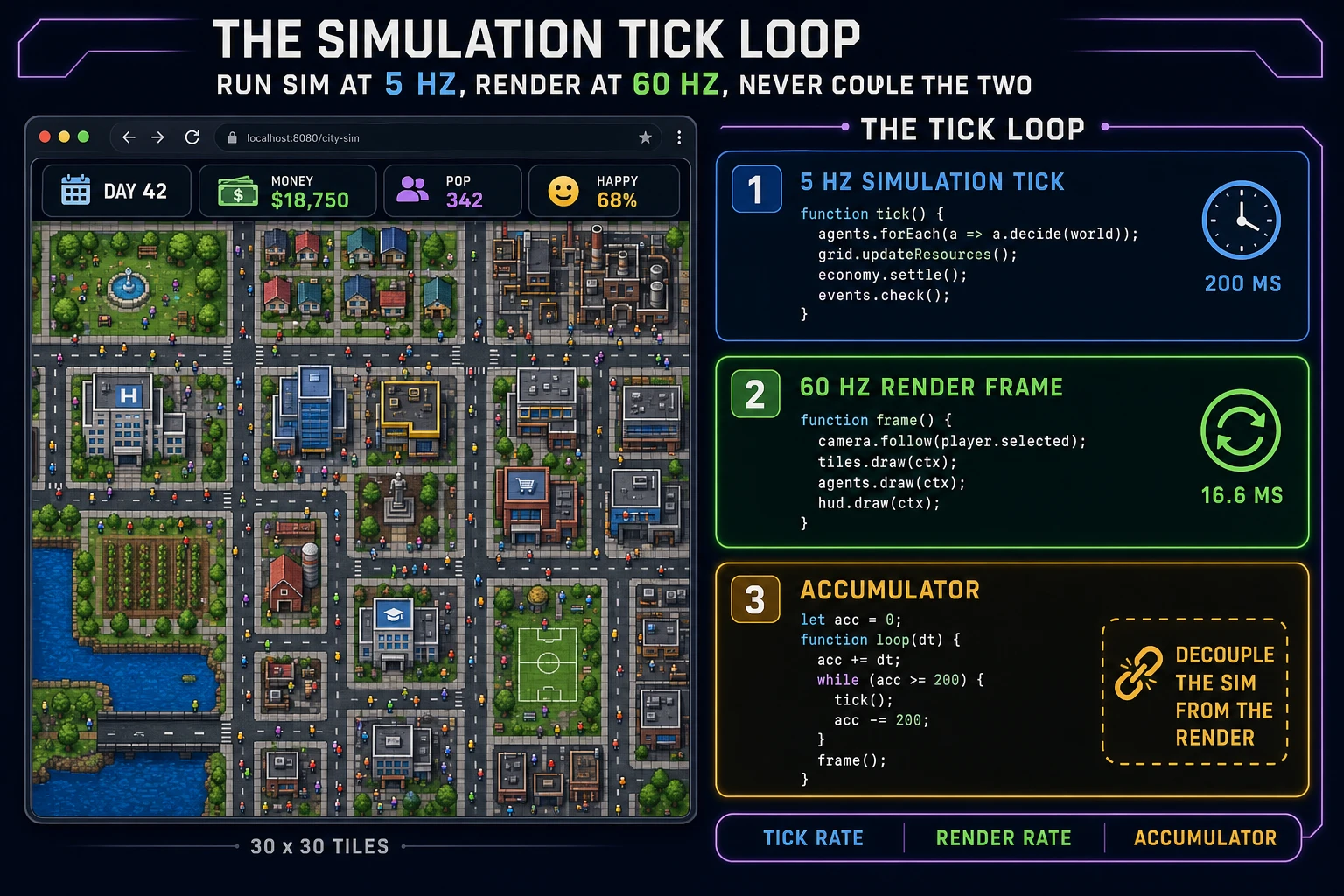
Simulation game tick loop timeline: 5 Hz simulation tick, 60 Hz render frame, and an accumulator that decouples the two rates
The two-clock pattern that every browser simulation game needs. The simulation tick runs at roughly 5 Hz and does all state mutation; the render frame runs at 60 Hz and only reads state. An accumulator adds real elapsed time between frames and fires the sim tick when it crosses the tick interval.

Pick your engine for how to make a simulation game: vanilla Canvas, Phaser 4, or WizardGenie

Three good browser targets in 2026, each with a very different trade-off. Vanilla HTML plus a single Canvas element plus a small JavaScript engine is the right pick when the sim is a top-down grid and the graphics are mostly colored rectangles and simple sprites. A working simulation game engine is roughly 500 lines of JavaScript: the tick function, the agent update loop, the world-grid resource pass, the render function that walks the visible grid and draws each cell, the input handler that maps mouse clicks to grid coordinates, and the save-load pair that serializes to localStorage. You get pixel-level control over what draws, no framework overhead, and a total build size under 50 KB before assets. This is the honest default for a first city-builder or tycoon-style sim.

Phaser 4.2.1 “Giedi” (released 9 July 2026, verified against phaser.io/download/stable on 2026-08-12) is the honest default when the sim needs isometric graphics, layered sprite management, tween animations for building placement, camera drag-and-zoom on a large world, or built-in physics for a vehicle-heavy sim like a truck-manager or a train-yard. Phaser ships Scene management, an asset loader, tween animations, a Tilemap layer purpose-built for grid-based games, and audio playback in one file, roughly 900 KB minified. Its Scene class maps naturally to sim states (main menu, running sim, paused sim, game-over screen), and the Tilemap layer means you can author your grid in Tiled and load it directly. If the sim is bigger than a 100-by-100 grid or needs isometric or 3/4 view, start with Phaser.

WizardGenie is not a separate rendering engine — it scaffolds whichever of the above you pick, from a single natural-language prompt. WizardGenie is the Sorceress game-native coding agent. It ships as both a Windows desktop app (installer with auto-update, available to Early Access supporters and above) and a no-install web build at the same URL. Its coding-model lineup (verified 2026-08-12 in src/app/_home-v2/_data/tools.ts lines 734 through 743) covers Claude Opus 4.7, Claude Sonnet 4.6, GPT-5.5, Gemini 3.1 Pro, DeepSeek V4 Pro, Kimi K2.5, Grok 4.2, and MiniMax M2.7. For a simulation game with a 50-by-50 grid, a thousand agents, and a five-resource economy, any of the frontier models scaffolds the entire tick loop plus the agent decision function plus the render frame plus the localStorage save system in one prompt. If you want to run cheap on a longer session, pair a frontier planner (Claude Opus 4.7 or GPT-5.5) with a budget executor (DeepSeek V4 Pro or Kimi K2.5) — the planner writes the world-state schema and the tick pseudo-code, the executor types the code. That pairing runs at roughly one-fifth the cost of a single-frontier session.
Step 1 — model the agents, resources, and world grid data structures

Open a fresh JavaScript file (or a WizardGenie prompt) and sketch the three data structures before you write a line of tick logic. A simulation game is almost entirely a data-structure problem; if the shapes are right, the tick is short.

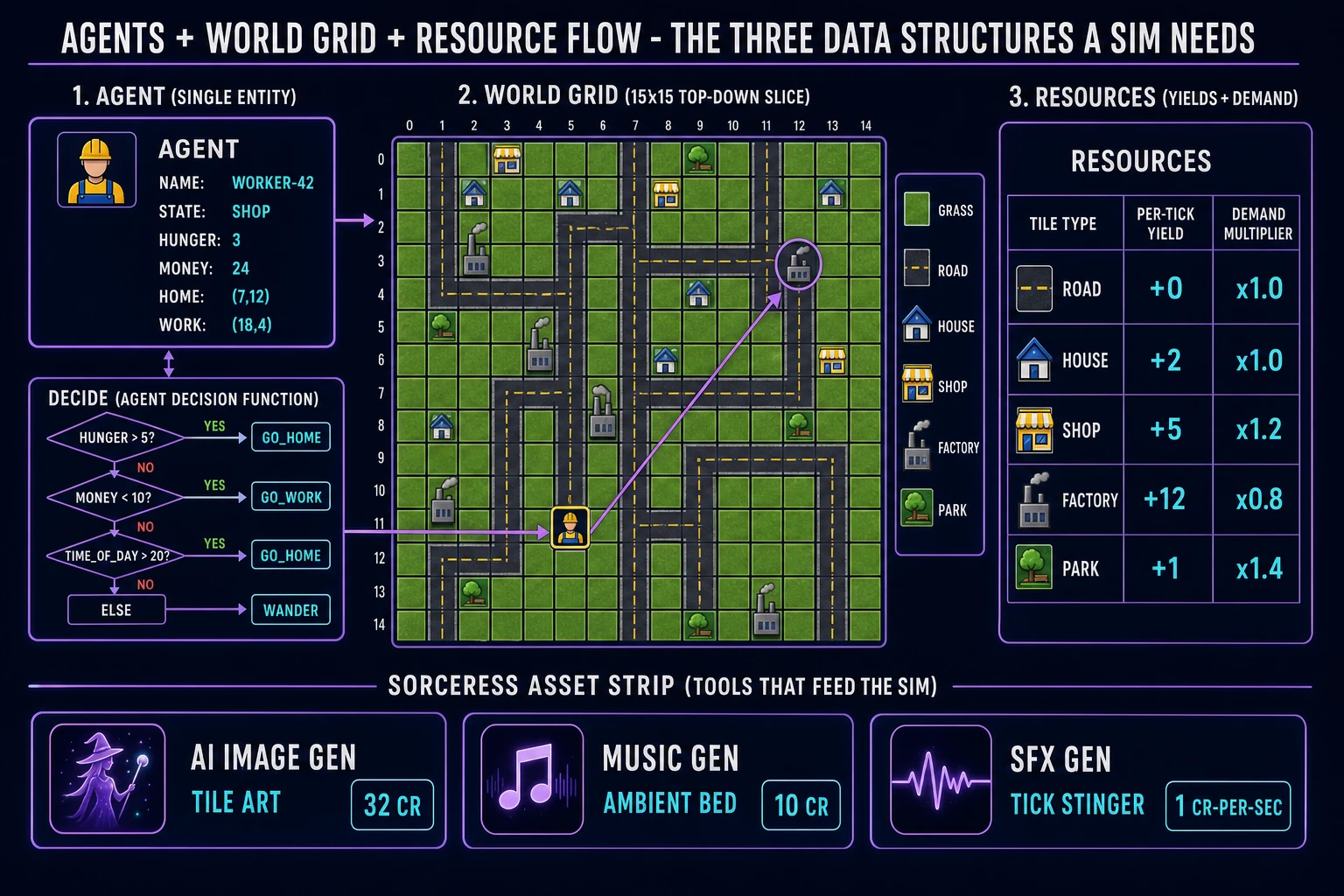
Start with the world grid. A 2D array of tile objects, sized to whatever the target world is (50-by-50 is a sensible first target — 2,500 tiles, small enough to render every frame, big enough to feel like a real space). Each tile has a type (grass, road, house, shop, factory, park), a per-tick resource yield, a demand multiplier, and a small state field for whatever theme-specific thing the tile carries (fire level, pollution, population). The whole grid is a single 2D array of small objects: const grid = Array.from({length: 50}, () => Array.from({length: 50}, () => ({type: 'grass', yield: 0, demand: 1.0, state: {}}))). Never model the grid as a flat 1D array with index math on a first project — the 2D form is easier to read and the browser handles the wrapper overhead invisibly.

Now the agents. An array of small objects, each with an id, a current state (idle, commute, work, shop, home), a hunger or need counter, a money counter, a home tile position, a work tile position, and a current position. Cap the agent count at 200 for the first playable build and scale up later. Each agent's shape is small enough to fit on a screen: {id: 1, state: 'commute', hunger: 3, money: 24, home: [7,12], work: [18,4], pos: [10,8]}. Populate the agents array on world creation by walking the grid, finding house tiles, and spawning one agent per house.

Third, the global resources object. A small counters record for the sim-wide numbers the player cares about: {money: 10000, population: 200, happiness: 70, day: 1, tick: 0}. This is the object the HUD reads on every render frame. Every tick, the resource pass sums the yields from every tile the player owns and updates money, walks the agents array to compute happiness as an average of agent satisfaction, and increments day every N ticks. Print all three of these objects to the developer console during testing so you can spot bugs by scanning the numbers.

Simulation game data structures: an agent card with a decision tree, a world grid slice with tile types, and a resource yield table
The three data structures every simulation game needs. Every agent is a small decision tree over its own state and the grid slice around it. Every tile has a resource yield and a demand multiplier. The player never controls agents directly; they nudge the world and watch what emerges.

Step 2 — wire the simulation tick, agent decision AI, and player-input nudges

The tick function is the heart of the engine. Open WizardGenie and paste your data structures in as the seed. Give the agent one paragraph: “Wire the simulation game tick loop for this world model. Build it as a small JavaScript module: (1) an accumulator-driven main loop that adds real elapsed time between requestAnimationFrame callbacks and fires a tick function once every 200 ms (5 Hz), (2) a tick function that first walks the agents array and calls each agent's decide function which mutates the agent's state and position based on its needs and its local grid slice, then walks the world grid and runs a resource pass that updates the global resources object, then applies any queued player input actions to the world, (3) a render function that runs on every requestAnimationFrame callback and only reads state, drawing the visible grid slice, the agents on top of it, and the HUD, (4) a localStorage save that serializes the world state (grid + agents + resources + tick) to a JSON string on every 25th tick, and (5) a boot function that either restores from localStorage on page load or generates a fresh world if no save exists.” Any coding model in the lineup produces the module in under three minutes.

Now the agent decision function, which is where the emergent behavior lives. A simple starting rule set that already produces interesting behavior on a city-builder theme: if hunger > 5, set state to 'go home' and set target to the agent's home tile; else if money < 10 and time-of-day is between 8 and 18, set state to 'go work' and set target to the agent's work tile; else if time-of-day > 20, set state to 'go home' and set target to home; else set state to 'wander' with a target one tile away in a random direction. On every tick, the agent takes one step toward its current target along the grid's road network (or in a straight line if there is no road path yet). This produces the classic sim behavior of citizens commuting to work in the morning, shopping in the afternoon, and returning home at night — from six lines of if-else.

Then player-input nudges. Add a small input buffer as an array of queued actions: [{type: 'place_tile', pos: [12,5], tileType: 'road'}, {type: 'set_tax', rate: 0.08}]. The render loop reads mouse clicks, translates them to grid coordinates and current-tool state, and pushes an action onto the buffer. The next sim tick drains the buffer at the start of its input phase before running the agent decide loop. This decoupling is critical: it means the player can click during a tick without corrupting the sim mid-update, and it means every action goes through a single audit log if you want to record replays or share worlds. The whole sim is now playable at this point — the tile placer, the tick, the agents, the HUD.

Step 3 — AI Image Gen tile art, Music Gen ambient bed, SFX Gen tick stingers

Colored rectangles work for testing but a real simulation game needs three asset layers: tile art, ambient music, and small SFX stingers. Sorceress covers all three in under an hour of hands-on time.

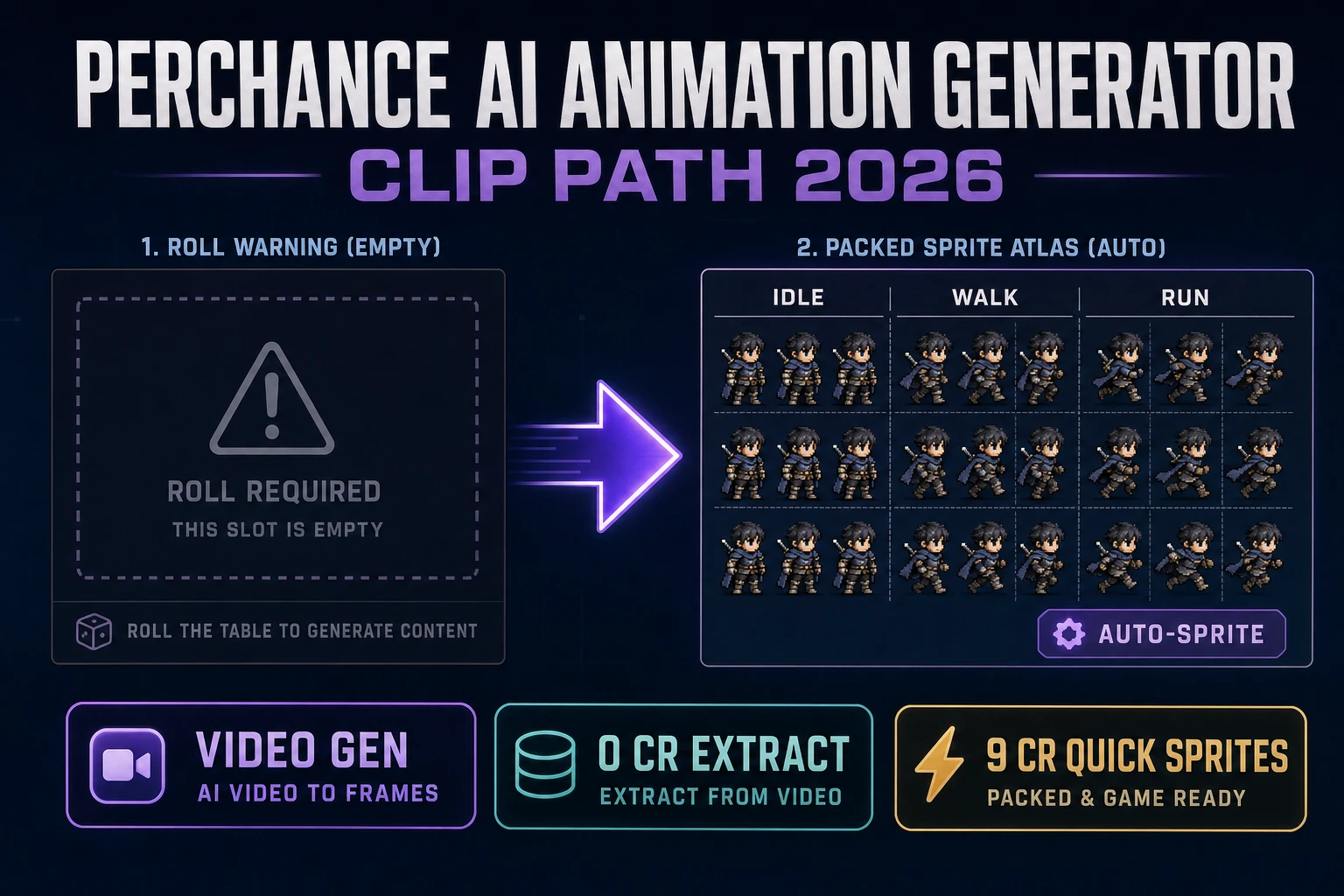
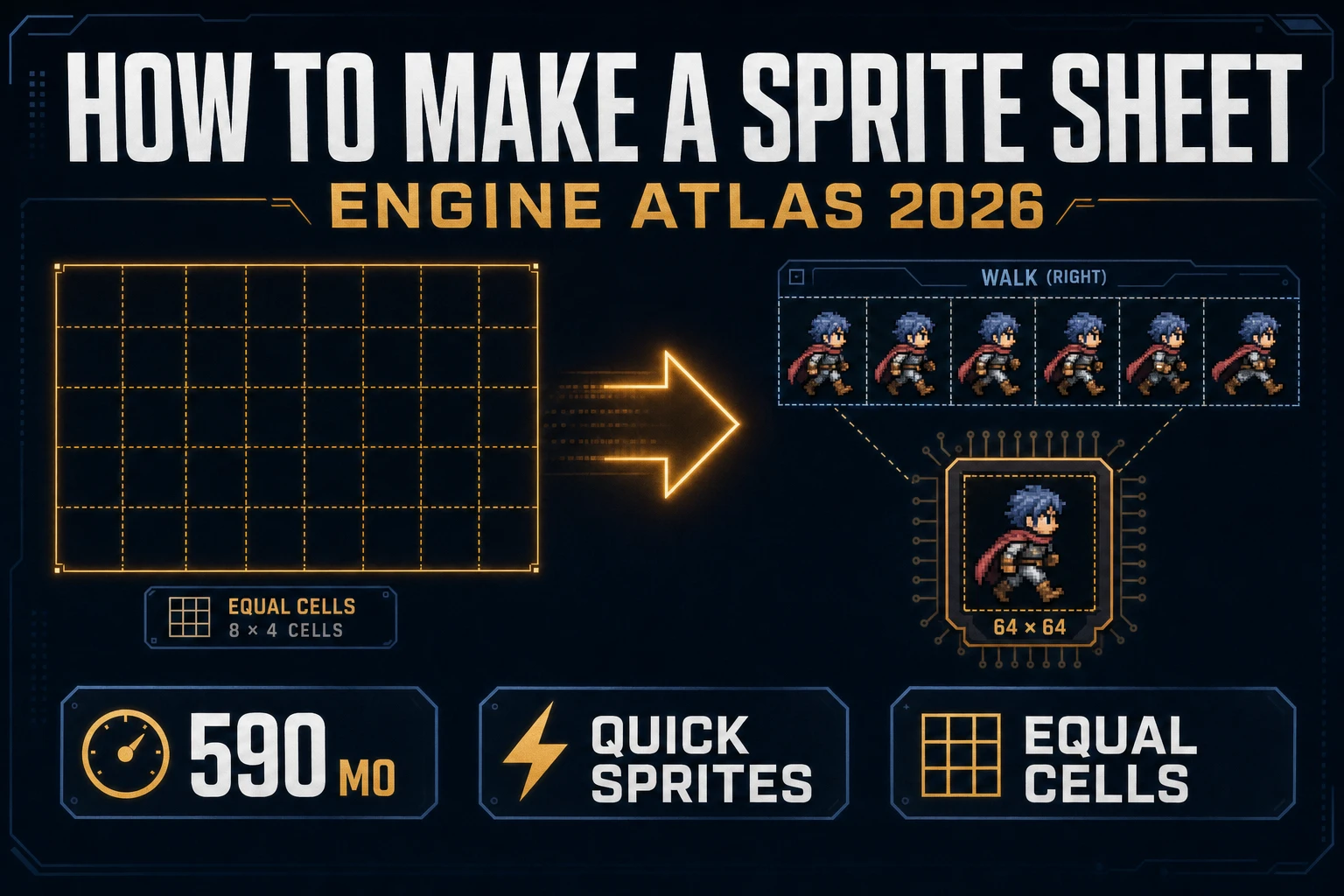
Tile art first. A first sim needs six tile types (grass, road, house, shop, factory, park) plus a few decoration tiles (tree, streetlight, fountain). Open AI Image Gen and prompt each tile as a top-down 128x128 square PNG on a transparent background. Keep the prompt style identical across all tiles — the same art direction phrase (“top-down flat vector, soft shadow”) plus a per-tile subject — so the tileset looks like a set rather than a bag of stray images. Ten tiles at the default 2K Nano Banana Pro rate (18 credits per image, verified 2026-08-12 in src/lib/models.ts line 303 as credits: 18) is 180 credits or $1.80. Optionally add a small citizen sprite set (idle, walk, run) at 32x32 with Quick Sprites at 9 credits per generation (verified 2026-08-12 in src/app/quick-sprites/page.tsx line 21 as CREDITS_PER_GEN = 9), so 27 credits for three animation frames.

Music second. A simulation game rewards a calm, loopable ambient bed — nothing dramatic, because the drama is in the player's decisions and the emergent world. Open Music Gen. Music Gen bills 10 credits per generation (verified 2026-08-12 in src/app/music-gen/page.tsx line 28 as MUSIC_CREDIT_COST = 10). Two or three tracks minimum: a slow acoustic-guitar-and-piano daytime bed (120 seconds loopable), a slightly moodier evening bed (90 seconds), and one tension track that only plays when the sim is failing (population crash, bankruptcy). Two or three generations per track to nail each, so budget 60 to 90 credits total (about $0.60 to $0.90). Add 2 credits per WAV export (WAV_CREDIT_COST = 2, same file line 31) if you want lossless.

SFX third. A simulation game feels alive when small tick stingers punctuate the sim's events: a coin chime when a tax cycle settles, a soft chime when a new citizen moves in, a two-note descending stinger when a citizen leaves, a low hum for factories, and a soft error tone when the player tries an invalid placement. Open SFX Gen. SFX Gen bills 1 credit per second on the seed-audio tier (verified 2026-08-12 in src/app/sfx-gen/page.tsx line 23 as SEED_AUDIO_CREDITS_PER_SECOND = 1). A full sim SFX kit is roughly 10 short stingers times 2 seconds each, so 20 credits (about $0.20).

What a how to make a simulation game project costs on Sorceress in 2026

Concrete asset and generation budget for a browser simulation game with a 50-by-50 grid, 200 agents, six tile types, a three-track music score, and a full SFX kit, from empty repo to zip-and-share playable, all numbers verified 2026-08-12 against local Sorceress source:

  • Tile art (AI Image Gen, Nano Banana Pro 2K): 18 credits per image, 10 tiles (six primary + four decoration), so 180 credits ($1.80 USD).
  • Citizen sprite frames (Quick Sprites): 9 credits per generation, 3 frames (idle, walk, run), so 27 credits ($0.27 USD).
  • Music (Music Gen): 10 credits per generation, 3 tracks with 2 to 3 tries each, so 60 to 90 credits ($0.60 to $0.90 USD). Add 2 credits per WAV export per track.
  • SFX (SFX Gen, seed-audio tier): 1 credit per second, 10 stingers at 2 seconds each = 20 credits ($0.20 USD).
  • WizardGenie coding time: effectively free on the Sorceress side (bring your own model API key, or use one of the built-in trial-key options for the smaller models). Model-side API cost for a 3-to-4-hour prompt session on a cheap Executor like DeepSeek V4 Pro is typically under $0.80.
  • Total for one complete browser simulation game build (10 tiles, 3 citizen frames, 3 music tracks, 10 SFX stingers, working sim engine): 287 to 317 credits, or roughly $2.87 to $3.17 USD in Sorceress credits, plus under $0.80 in model API time. Under $5 end-to-end for a first playable simulation game.

Sorceress bills 100 credits per dollar at the standard rate (CREDITS_PER_DOLLAR = 100 in src/lib/models.ts line 69). New accounts start with 100 free credits (SIGNUP_GRANT = 100 in src/app/api/admin/credits/route.ts line 12), which is enough for the citizen sprites, the SFX kit, and the first music track with room to spare. The Sorceress Lifetime tier at $49 one-time (LIFETIME_PRICE = 49 in src/app/plans/page.tsx line 51) covers unlimited Music Gen, SFX Gen, and Quick Sprites use, which matters if you plan to make this the first entry in a series (a common progression from a city-builder to a tycoon-style spinoff to a full life-sim adds several more tile sets and expanded audio kits).

For related browser-game pipelines that share the tick-loop-and-asset-pack spine, the closest reads are Tally How to Make a Clicker Game (Browser Score Loop 2026) for the arithmetic sibling with a click-driven tick, Heart How to Make a Dating Sim (Browser Route Loop 2026) for the branching-choice cousin with an affection-counter model, Pen How to Make a Visual Novel (Browser Scene Loop 2026) for the scene-graph baseline, and Court How to Make a Fighting Game (Browser Combo Loop 2026) for a completely different frame-based loop for comparison. The Sorceress Tools Guide is the master index for every tool the guide referenced. Under five dollars, one weekend, and how to make a simulation game is a done deal on Sorceress in 2026.

Frequently Asked Questions

What is the difference between a simulation game and a strategy game?

A strategy game has a defined win condition and asks the player to defeat an opponent or complete an objective; a simulation game usually has no strict win condition and asks the player to build, manage, or observe an ongoing system. Per the technical definition on en.wikipedia.org/wiki/Simulation_video_game verified 2026-08-12, construction and management simulation games differ from strategy games in that 'the player's goal is not to defeat an enemy, but to build something within the context of an ongoing process.' Concrete examples: SimCity 1989 (Will Wright, Maxis) is a simulation game because the goal is to keep the city alive and growing rather than defeat another city; Civilization is a strategy game because there is an explicit victory condition. The engineering difference is that a simulation game has a discrete-time tick that advances the world regardless of player action, while a strategy game usually only advances state when the player takes a turn. For a first browser build, pick the simulation approach because the tick loop is the entire engine and the design work is in tuning the numbers, not writing an AI opponent.

How fast should the simulation tick run in a browser simulation game?

Two ticks matter and they run at very different speeds. The render tick runs at 60 Hz via requestAnimationFrame per developer.mozilla.org/en-US/docs/Web/API/Window/requestAnimationFrame verified 2026-08-12; it draws the current state to the screen and reads player input. The simulation tick runs much slower, typically between 1 Hz and 10 Hz depending on the game. SimCity ran roughly one simulation tick per second in its slowest mode; a fast tycoon game might run five to ten simulation ticks per second. Never couple the simulation rate to the render rate. Keep the render loop pure (read state, draw pixels) and drive the simulation tick from a separate setInterval or accumulator so a slow browser tab does not silently degrade the sim's timing. If the game runs on a phone in a background tab, the render loop will pause but the accumulator can catch up on foreground return by advancing multiple simulation ticks at once.

Do I need agent-based simulation to make a simulation game?

Not always, but almost always the honest answer for a browser build is yes. Agent-based simulation, per en.wikipedia.org/wiki/Agent-based_model verified 2026-08-12, models a system as a collection of autonomous decision-making entities called agents, each with its own state and rules that dictate how it interacts with other agents and its environment. That is exactly the mental model that produces emergent, interesting simulation gameplay: 200 tiny citizens each making local decisions about where to work and shop combine into a city that behaves like a real city, without a designer scripting the city's behavior. The alternative is a purely arithmetic simulation where global counters (population, money, happiness) tick up and down based on aggregate formulas. Arithmetic simulations are cheaper to build and can work for tycoon-style games where the player mostly watches numbers, but they feel flat. For a 2026 browser project, spend the extra day to model 100 to 1000 individual agents. WizardGenie can scaffold the agent update function in one prompt and the emergent behavior is the entire selling point of the genre.

How many agents can a browser simulation game handle before it slows down?

A typical modern browser on a mid-range laptop handles roughly 1,000 to 10,000 lightweight agents per simulation tick before the frame rate drops noticeably. The exact number depends on how much work each agent does per tick. Rules of thumb from browser-sim experience. First, if each agent does a single decision-tree lookup and a state mutation per tick and the tick runs at 5 Hz, 5,000 agents is comfortable. Second, if each agent runs a pathfinding query per tick, the ceiling drops to about 200 agents unless you cache paths and only recompute on demand. Third, if the tick is doing global work like flood-fill on the world grid, run that work at 1 Hz instead of per-tick and cache the result. When testing, use the browser DevTools Performance profiler to check the tick function's runtime; if a single tick takes more than 16ms, you cannot render at 60 Hz between ticks. The fix is either to lower the tick rate, cache the expensive work, or move the expensive work to a Web Worker.

Should I save a simulation game's state to localStorage or IndexedDB?

localStorage is the correct choice for a first browser simulation game. Per developer.mozilla.org/en-US/docs/Web/API/Window/localStorage verified 2026-08-12, localStorage gives every origin roughly 5 to 10 MB of synchronous string storage, which is more than enough for a simulation with a few thousand agents, a hundred-by-hundred world grid, and a handful of resource counters. Serialize the world state to JSON with JSON.stringify on every simulation tick or every N ticks, and read it back with JSON.parse on page load. The synchronous access model matches how a simulation tick already thinks: read state, mutate state, write state. IndexedDB is the right answer when the save file grows past 5 MB (which happens if you keep years of historical data for graphs and analytics, or if you have tens of thousands of agents with rich state per agent), but do not reach for it before that. Also consider a manual export button that downloads the save as a JSON file so players can back up progress or share worlds. That single feature turns a browser sim into a semi-permanent piece of work rather than a session that dies with the tab.

Sources

  1. Simulation video game - Wikipedia
  2. Phaser 4 - HTML5 Game Framework
  3. MDN - requestAnimationFrame
  4. MDN - localStorage
  5. Agent-based model - Wikipedia
Written by Arron R.·3,373 words·15 min read

Related posts