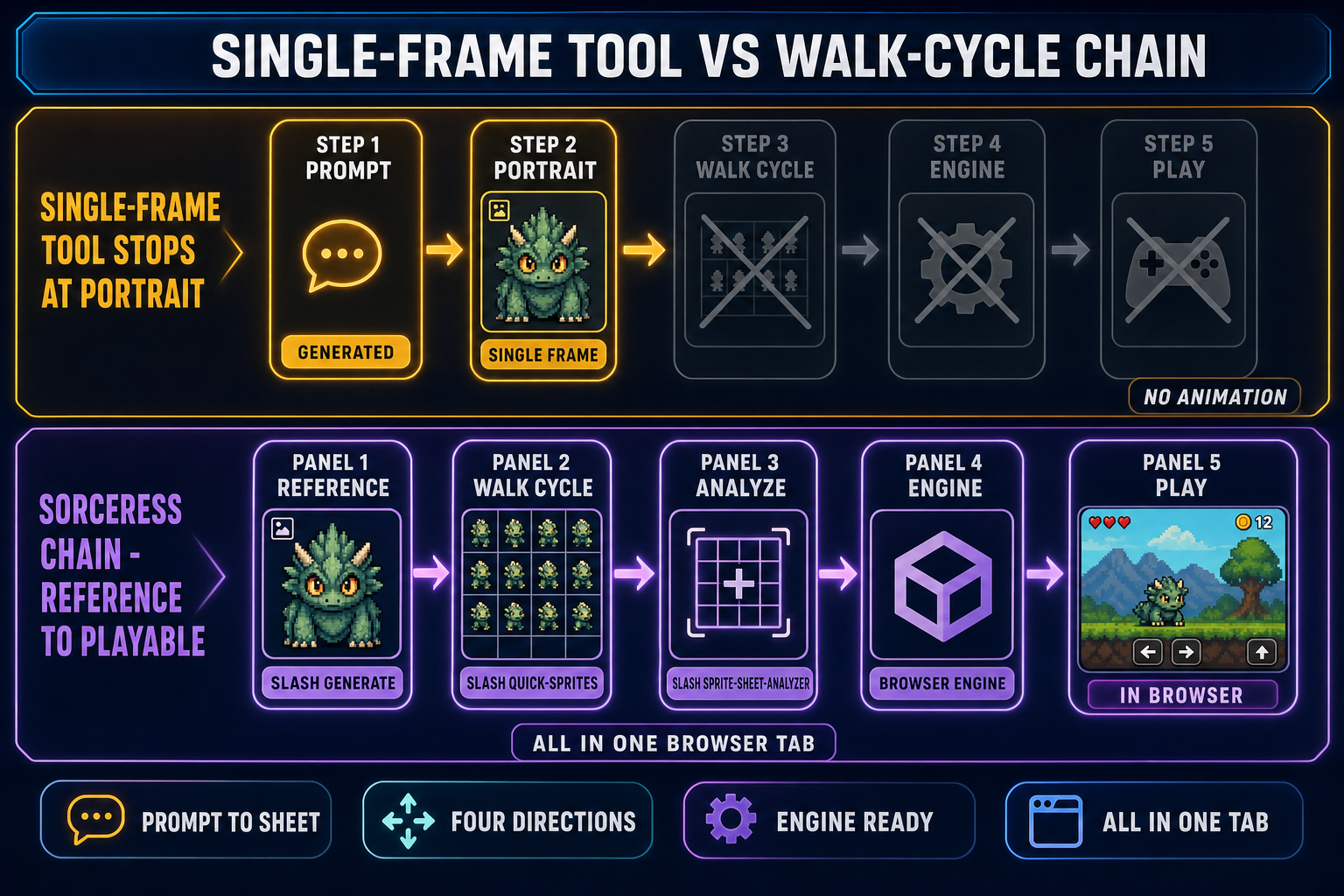
An AI Pokemon sprite generator is a narrow but very popular sub-category of the broader pixel-art toolset — the one people search for when they want a four-direction trainer or creature walk cycle in the visual language of the mainline games, ready to drop into a fan project or an original creature-collector built in Phaser, Godot, or RPG Maker. This is a how-to. Five clicks inside Sorceress Quick Sprites produce a 4-row, 4-frame transparent sprite sheet that loads into any 2D engine without conversion. Below is the exact five-click workflow, the prompt formula that produces on-style results without crossing into trademarked designs, the sprite-size matrix for matching Game Boy through Nintendo DS aesthetics, and an honest look at the other AI Pokemon sprite generator tools in the 2026 market. Verified May 17, 2026 against src/app/quick-sprites/page.tsx, src/lib/models.ts, and the live tool listings indexed this week.
What “Pokemon sprite” actually means in 2026 (and what an AI Pokemon sprite generator outputs)
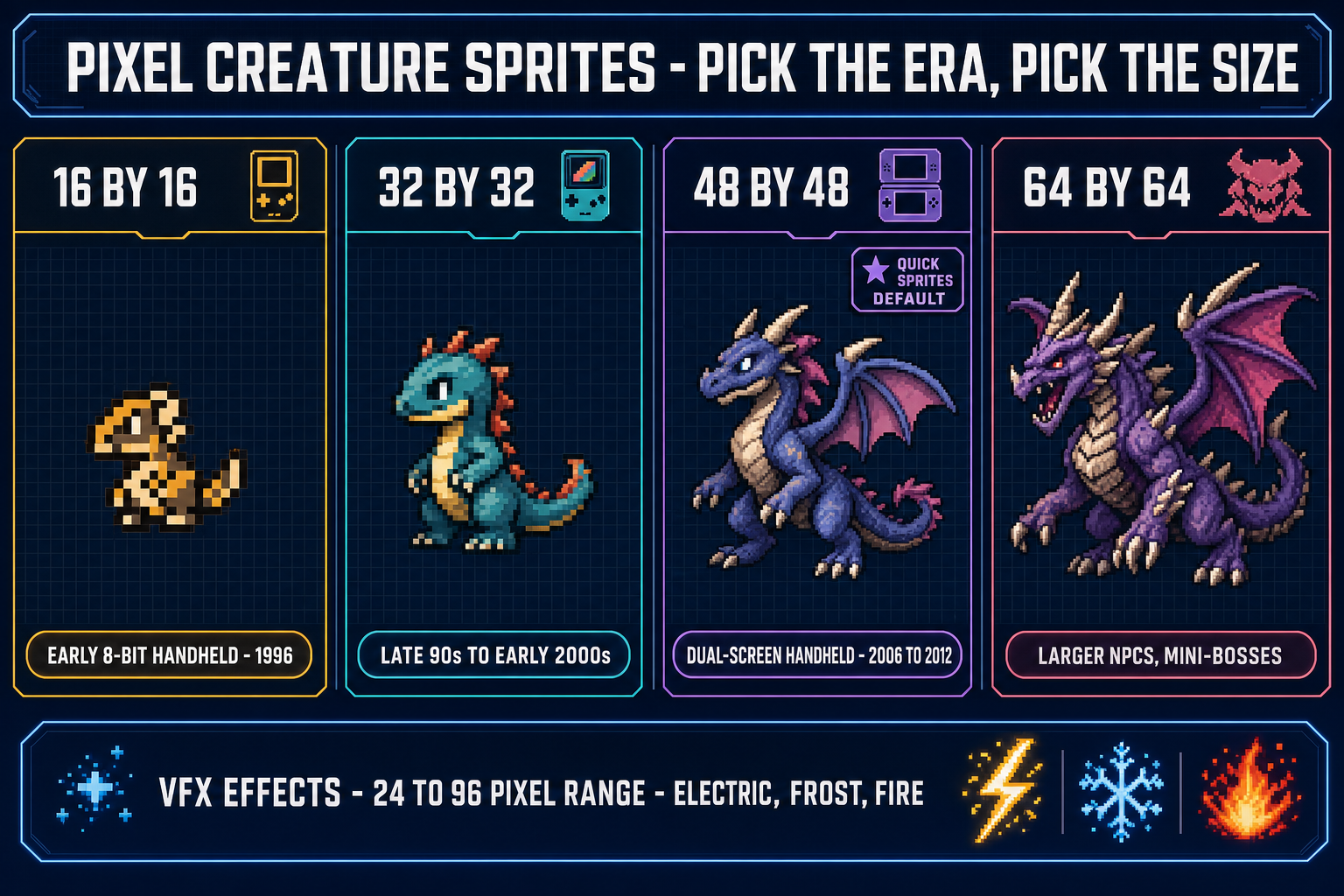
The phrase Pokemon sprite covers two different art jobs that look related and behave nothing alike. Battle sprites are the larger, often single-pose, full-body portraits the player sees during a combat encounter — historically front-facing and back-facing variants per creature, drawn at 80 by 80 pixels in Generation 5 (Black and White) and rendered as 3D models from Generation 6 onward. Overworld sprites are the smaller, fully animated, four-direction walk cycles the player controls outside of battle — trainers and roaming creatures rendered at 16 by 16 pixels in Generation 2 (Gold, Silver, and Crystal), 32 by 32 in Generation 4 (HeartGold and SoulSilver) for standard NPCs with larger 64-pixel frames for oversized characters, and a similar 16 to 32 pixel range for non-3D titles in later generations. An AI Pokemon sprite generator typically targets the overworld job — the directional walk cycle — because that is the visual language modders, fan-game makers, and indie creature-collectors actually need in quantity.
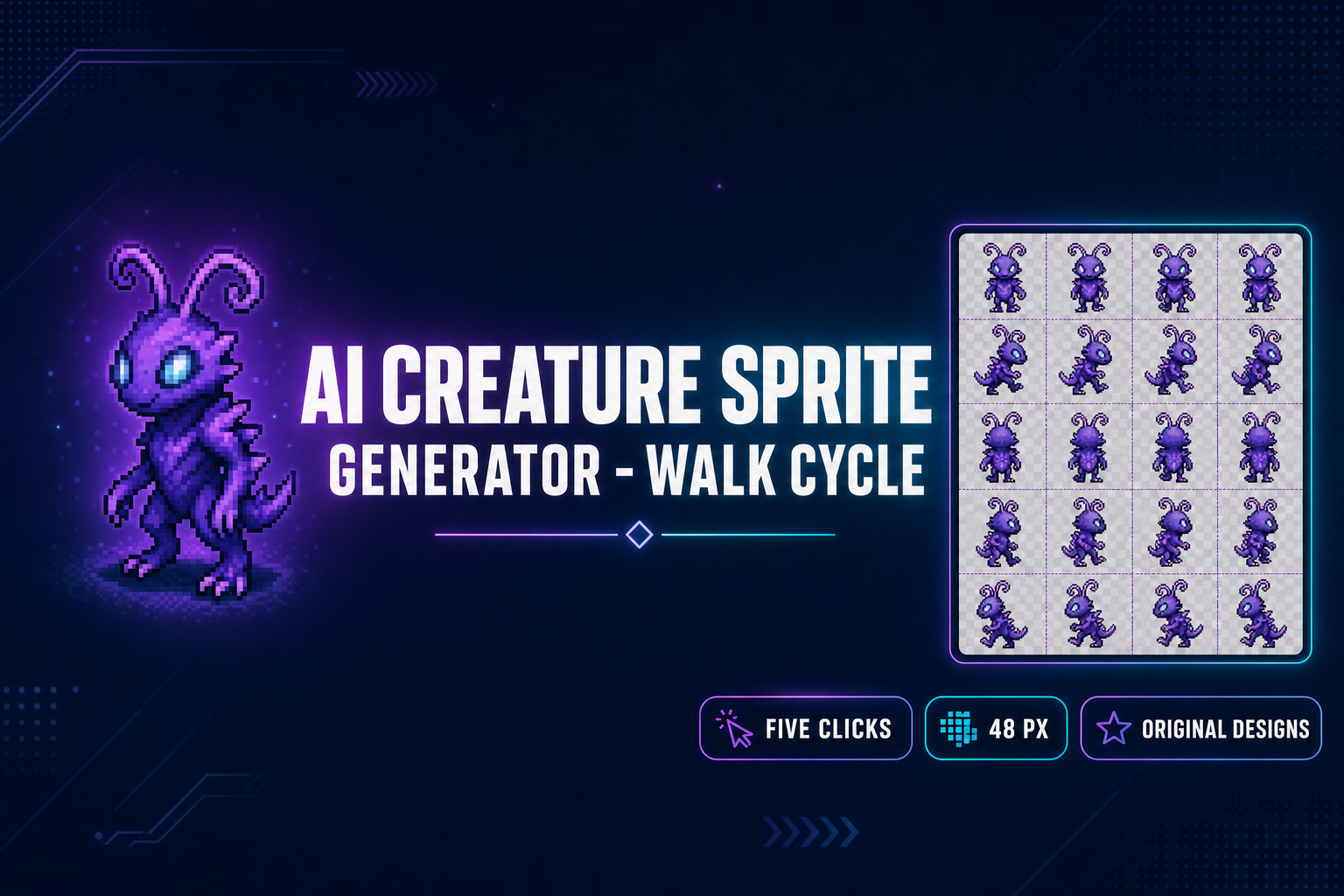
The Sorceress Quick Sprites Four Angle Walking style verified against src/app/quick-sprites/page.tsx on May 17, 2026 outputs a 4-row by 4-column grid at 48 by 48 pixels per frame. That maps cleanly to the Nintendo DS-era overworld sprite size — bigger than the Game Boy Color sprites, smaller than the Generation 5 battle sprites, and in the same size class as HeartGold and SoulSilver NPC overworld art. The model behind the output is Retro Diffusion’s rd-animation, a diffusion model specifically fine-tuned for pixel-art sprite sheets rather than a general image generator pushed into making pixel art. The difference matters: general models produce frames that wobble between sprites, drift in palette, and lose silhouette consistency across the walk loop. A sprite-sheet-trained model holds the character across all sixteen frames.
A note on the law before any of the prompt work. Pokemon is a trademarked franchise owned by The Pokemon Company, Nintendo, Game Freak, and Creatures Inc. An AI Pokemon sprite generator that reproduces existing Pokemon designs — Pikachu, Charizard, the canonical 1,025-creature roster as of 2026 — produces output that is not safe to publish commercially regardless of the tool used. The safe and creatively interesting path is to use the AI Pokemon sprite generator for Pokemon-style work: original creatures (fakemon), original trainers, original regions, in the visual style of the mainline games. Every prompt example below targets that goal.
The five clicks — the Quick Sprites Pokemon-style walk-cycle workflow
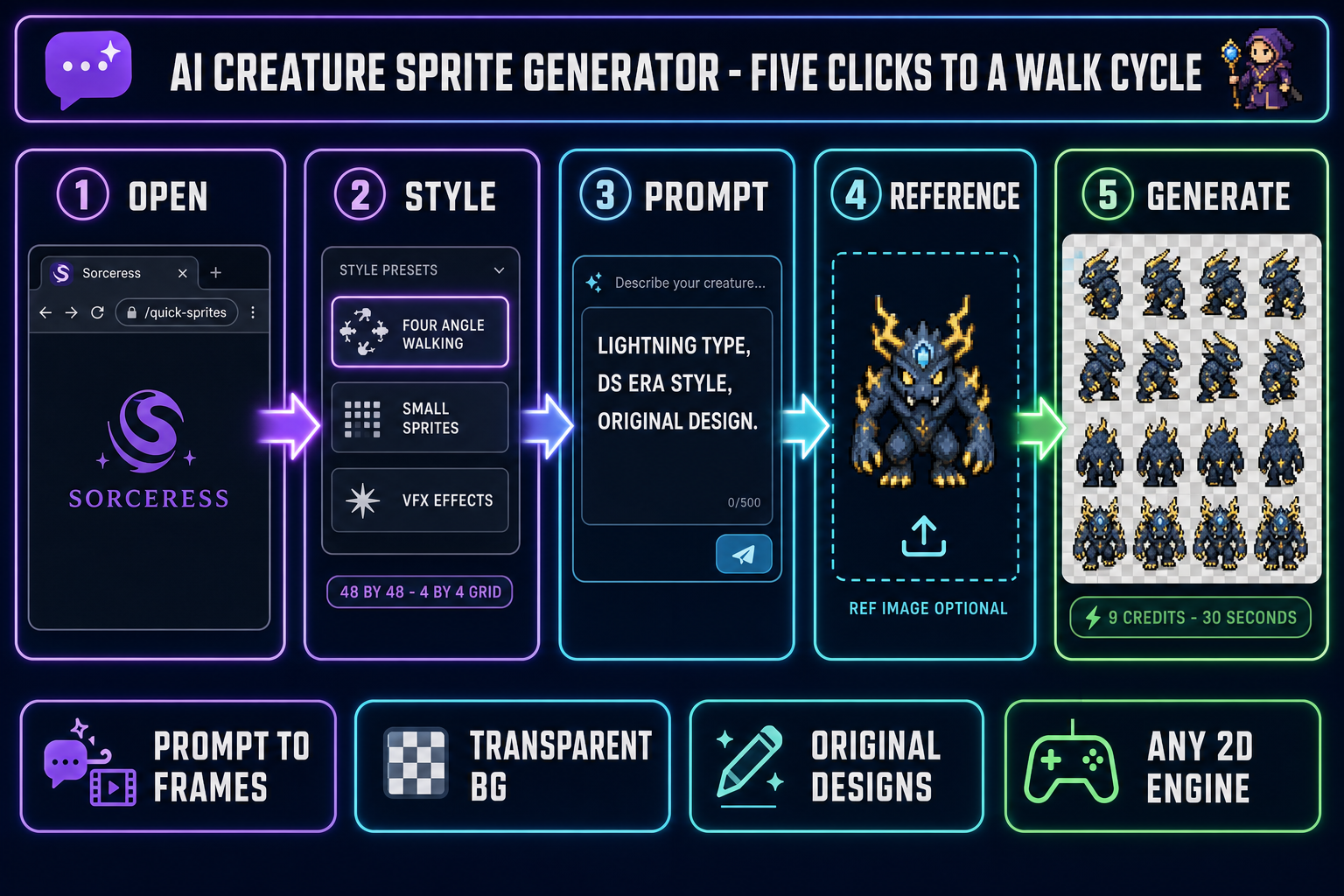
The five-click number is literal, not a marketing rounding. Open Sorceress, sign in, and the entire path is:
- Click 1 — open Quick Sprites from the tool grid (or paste
/quick-spritesinto the URL bar). The page loads with three animation styles down the side: Four Angle Walking, Small Sprites, and VFX Effects. - Click 2 — pick “Four Angle Walking” for a Pokemon-style overworld walk cycle. The style chip locks the output to 48 by 48 per frame in a 4-row by 4-column grid (up, right, down, left rows, four frames per direction). If you want a Gold-and-Silver-era 16-pixel feel, pick Small Sprites at 32 by 32 instead — fewer rows but the right scale for the Game Boy Color era.
- Click 3 — type the prompt into the prompt field. The prompt formula is in the next section; a working starting prompt is roughly
a tall, lanky lightning-type creature with curled antennae and three-toed feet, in the visual style of a Nintendo DS overworld sprite, fakemon, original design. Press Enter (or use the microphone for voice input). - Click 4 — drop a reference image (optional but recommended) into the reference-image slot. A single front-facing portrait of your creature locks the silhouette and palette across the walk cycle. If you do not have a reference image yet, generate one in Sorceress AI Image Gen first using Flux 2 Pro or Nano Banana Pro, then drag it into Quick Sprites here. (If you skip this click, you have a four-click workflow — but the on-model rate drops sharply.)
- Click 5 — Generate. The job runs on Retro Diffusion’s
rd-animationmodel and costs 9 credits per generation, verified against theCREDITS_PER_GENconstant in the page source on May 17, 2026. Output lands in about 30 seconds as a transparent-background PNG sprite sheet you can save with a sixth click — but the generation itself is the fifth.
The output is a single PNG with a four-by-four grid. Each row is a direction (up, right, down, left); each column is a frame of the walk loop. The transparent background means the sheet drops directly into any 2D engine without an additional background-removal pass. Sprite Sheet Analyzer at /sprite-sheet-analyzer auto-detects the grid shape and emits the engine-side numbers (frameWidth: 48, frameHeight: 48, cols: 4, rows: 4) you paste into the engine config.
The prompt formula for Pokemon-style overworld sprites that actually look right
A bare prompt — “a fire-type Pokemon” — produces a generic fiery blob. Three additions to the prompt move the output from generic to genuinely Pokemon-style. They are the same three additions that make any AI character description generator output usable for game work, applied to the visual side.
One — name the era. “In the visual style of a Generation 4 Nintendo DS overworld sprite” anchors the model to a specific palette, silhouette shape, and outline thickness. Generation 2 produces stubby, four-color, Game-Boy-Color-palette designs. Generation 4 produces taller, more articulated, 32-or-48-pixel designs with anti-aliased outlines. Generation 5 produces the same scale with more saturated palettes. Without an era anchor the model averages across all of them and produces a sprite that looks like none of them.
Two — name the type and one mechanical trait. “Lightning-type, has visible electrical discharge along its spine” or “water-type, has a tail that doubles as a paddle” gives the model both a color cue (yellow or blue) and a silhouette cue (electrical spikes or paddle-tail). The mechanical trait makes the creature feel like it has gameplay attached, not just an aesthetic.
Three — name one contradiction. The single line that lifts a Pokemon-style sprite from forgettable to memorable is a trait that contradicts the type. A fire-type with a glass body. A grass-type that looks like a knight in armor. A water-type that walks on land using its arms. The contradiction rule applies to creature design exactly the way it applies to NPC bio writing with an AI character description generator — without it the model collapses to its training-set median (which for Pokemon-style designs is heavily Generation 1).
A full working prompt that combines all three additions reads:
A small bipedal creature in the visual style of a Generation 4
Nintendo DS overworld sprite. Type: ice, with visible frost
crystals along its back. Contradiction: it has a single bright
flame floating above its head. Walk cycle, four directions,
front three-quarters view, soft outlines, original design,
fakemon, NOT based on any existing Pokemon character.
Note the explicit “NOT based on any existing Pokemon character” line. Modern diffusion models trained on internet-scale data have seen every existing Pokemon design hundreds of thousands of times. Telling the model in plain language to stay original reduces the rate of accidental near-copies. It does not eliminate the risk — visually review the output before using it commercially — but it shifts the distribution toward original designs.