An AI sound effects generator free of subscription, install, and Maya-grade audio software is the single most under-served corner of the 2026 browser game-dev stack. The big SFX names ship a free tier, but the small print kills game use: ElevenLabs' free tier explicitly forbids commercial licensing — verified May 20, 2026 against the official ElevenLabs documentation — which means every UI click, every footstep, every magic-bolt zap you generate on the free plan cannot ship in a paid Steam build. The honest 2026 question is not "is there an AI sound effects generator free of cost," because there is. The honest question is which free pipeline ships an unwatermarked, commercially-licensed MP3 or WAV you can drop into a Phaser scene or an itch.io build without owing a royalty. This guide walks the Sorceress browser path — SFX Gen on Suno V5_5 at 3 credits per sound, Sound Studio at 1 credit for code-driven precision, and the free SFX Editor for trim-fade-loop-EQ — because it is the only path that pairs generation + editing inside one browser tab with a 100-credit starter grant and no commercial-use asterisk. Verified May 20, 2026 against the live tool source and the official Web Audio API primer.
What an "AI sound effects generator free" actually means in 2026
The phrase "AI sound effects generator free" hides two fundamentally different promises that game devs care about for different reasons. The first sense is free-to-try: the platform gives you some daily allowance, you generate a few clips, and then either you pay or you wait twenty-four hours for the meter to reset. The second sense is free-to-export: the resulting MP3 or WAV is unwatermarked, licence-clear for your game, and survives the move from "I made this in a browser tab" to "I shipped this on Steam at twenty dollars." Both senses matter; only the second one keeps you out of trademark trouble at launch.
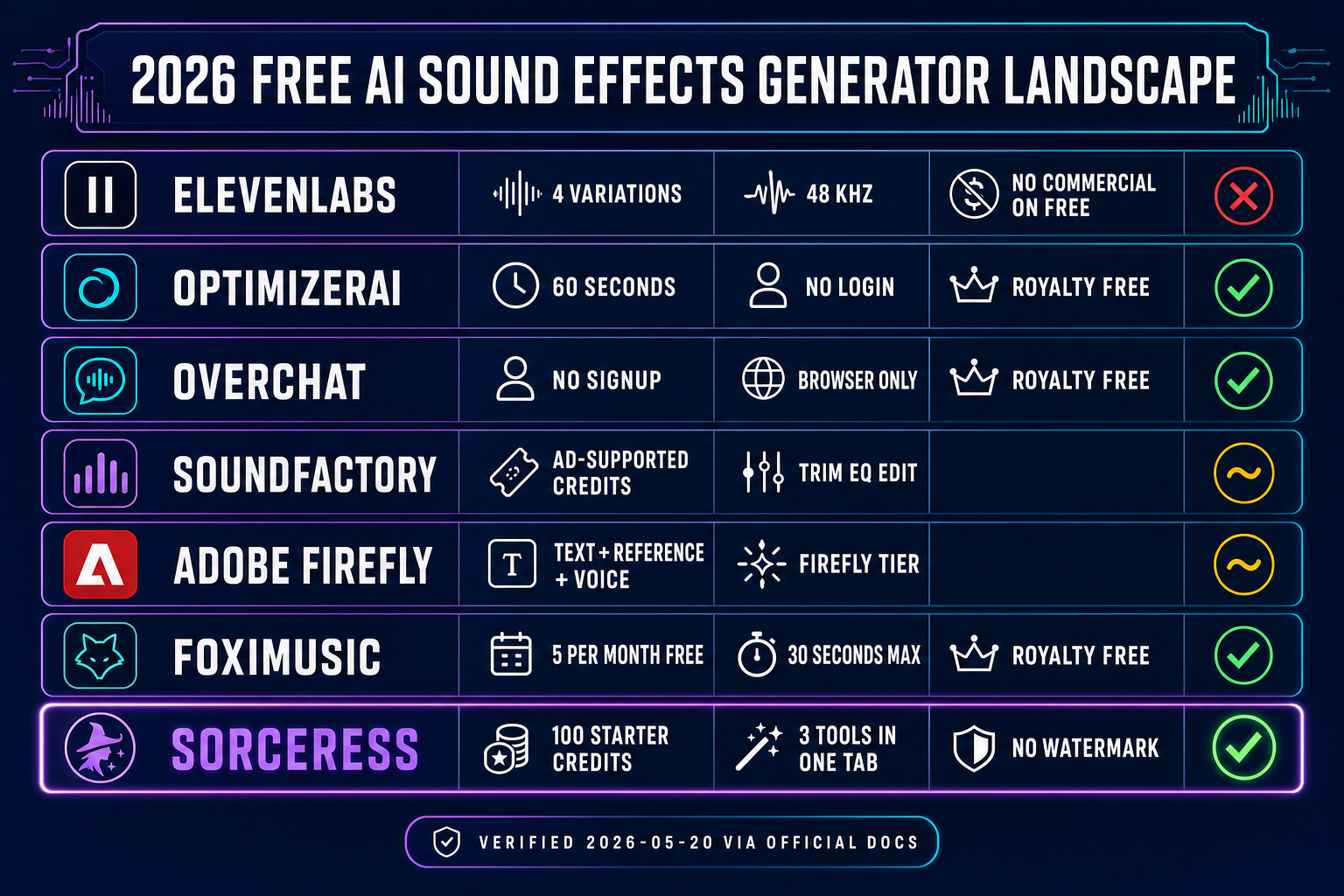
The 2026 landscape splits cleanly. ElevenLabs ships an AI sound effects generator free of monetary cost on its free tier — verified May 20, 2026 against the official ElevenLabs Sound Effects documentation at elevenlabs.io/docs/eleven-creative — but the free tier carries no commercial licence, four variations per prompt, and a 48 kHz sample rate on the September 2025 V2 update. Adobe Firefly ships a browser-based AI sound effects generator that supports text prompts, reference-audio uploads, and microphone voice-acting modes — verified against adobe.com/products/firefly/features/sound-effect-generator.html — though the free Firefly tier behavior changes regularly and commercial-use rights remain tied to a paid Creative Cloud entitlement. OptimizerAI at optimizerai.xyz is one of the rare free-and-royalty-free options — verified May 20, 2026 — with text-to-sound up to sixty seconds and no login wall.
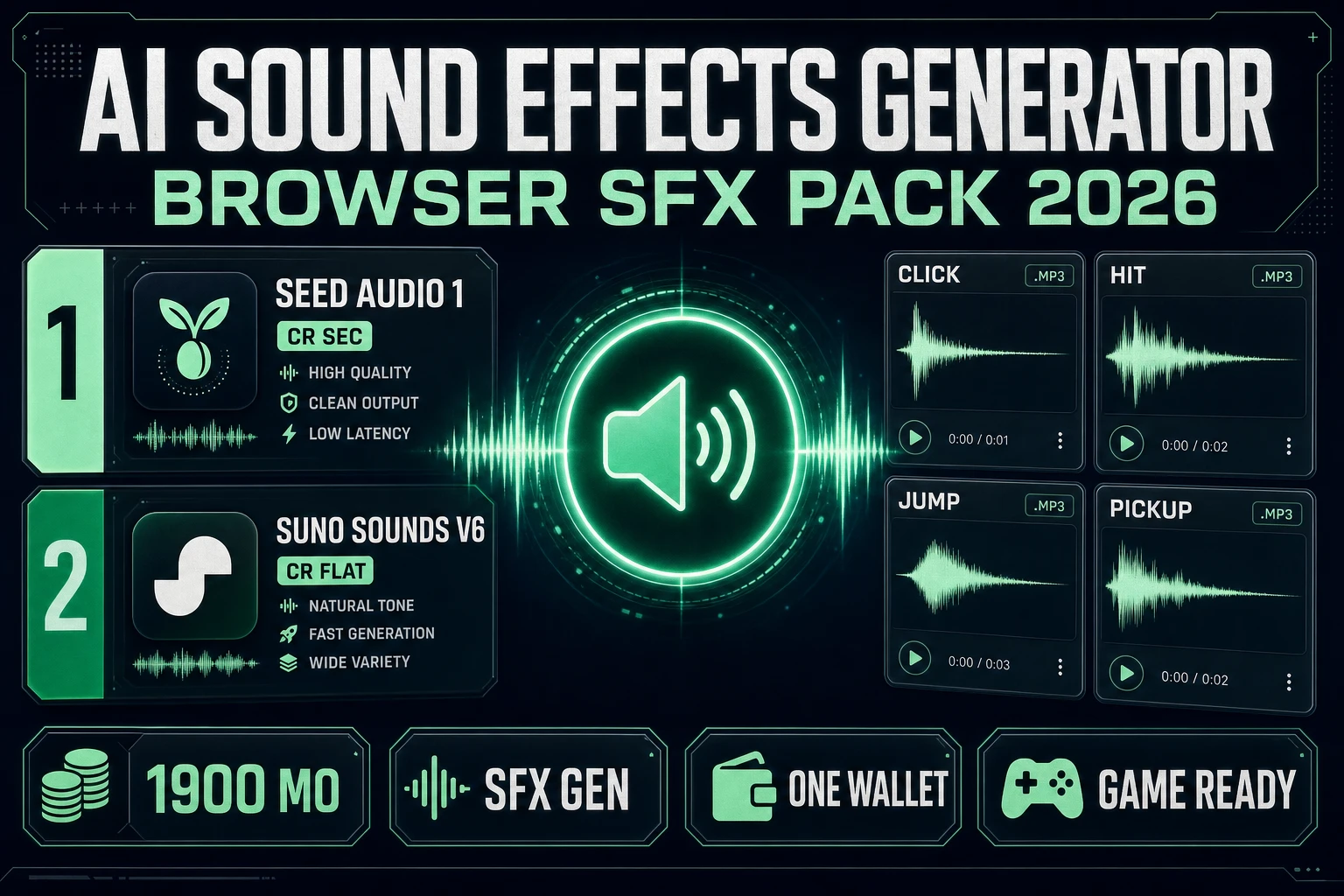
The Sorceress browser path takes the second sense seriously. Every signed-in user gets a 100-credit starter grant on signup — verified against the home-v2 hero component on 2026-05-20. SFX Gen costs 3 credits per sound effect, Sound Studio costs 1 credit per sound, and the SFX Editor is free. The output is unwatermarked, commercially-licensed MP3 or WAV. That is the difference between "I can play with this in a browser tab" and "I can ship this in my Steam build" — verified against the live tool source on 2026-05-20. A first-time visitor can generate roughly thirty-three SFX Gen clips or one hundred Sound Studio clips against the starter grant before any top-up, and the marginal cost after that is two to four orders of magnitude cheaper than a Sound Ideas library subscription or a freelance Foley session.
The 2026 free AI sound effects generator landscape (honest matrix)
Six browser-based contenders ship a workable free tier in 2026. Verified May 20, 2026 via WebSearch against each vendor's official documentation. Named here in plain text only — no outbound links to direct competitors, per the standard editorial policy.
ElevenLabs is the highest-quality free AI sound effects generator on the public web, but the free tier does not licence the output for commercial use. The paid plans charge 200 credits per generation on auto-duration mode and 40 credits per second on manual mode (capped at 30 seconds per generation, five times more expensive per second than auto-duration on a 10-second clip). Output: MP3 at 44.1 kHz or WAV at 48 kHz; four variations per prompt; seamless loop mode supported. The free tier is great for prototyping but not for shipping.
OptimizerAI at optimizerai.xyz is free, royalty-free, and accessible with no login — verified May 20, 2026. Up to 60-second clips, text-to-sound, audio variation and remixing, style selection. Aimed squarely at game devs, video creators, and content makers. The trade-off: model quality is below ElevenLabs, and the variation control is less granular.
Overchat at overchat.ai/audio/ai-sound-effect-generator is free, no sign-up required, browser-based — verified May 20, 2026. Royalty-free downloadable clips. Covers game SFX, foley, ambient sounds, and UI effects. Quality is solid for UI feedback and ambient layers; less convincing for cinematic crashes and explosions.
SoundFactory at soundfactory.ai/ai-sound-generator is free with optional login for advanced features — verified May 20, 2026. Adjustable duration, prompt-influence slider, built-in editing (trim, fade, EQ, speed). Credits earned by watching ads. The ad-supported model can drag on a long generation session.
Adobe Firefly at adobe.com/products/firefly/features/sound-effect-generator.html is browser-based — verified May 20, 2026 — with text prompts, reference-audio uploads, microphone voice acting, and sound layering. Quality is high, but commercial-use rights depend on a Creative Cloud subscription tier, and the free Firefly allowance rotates frequently.
Foximusic at foximusic.com/free-sound-effects-sfx-generator advertises a fully free AI sound effects generator — verified May 20, 2026. Two guest generations, then five free-account generations per month. Royalty-free with commercial-use clearance, up to 30-second clips. The five-per-month cap makes it useful for one-off sounds but cramped for a full pack.
Against that matrix, the Sorceress browser path lands in a different lane: three integrated tools in one tab (generation, code-driven synthesis, editing), 100 free starter credits, unwatermarked commercially-licensed output, and the option to stay on the platform from "prompt a footstep" to "drop this WAV into Phaser." That integration is the practical difference, not the model.
How to pull an AI sound effects generator free pipeline together in five browser steps
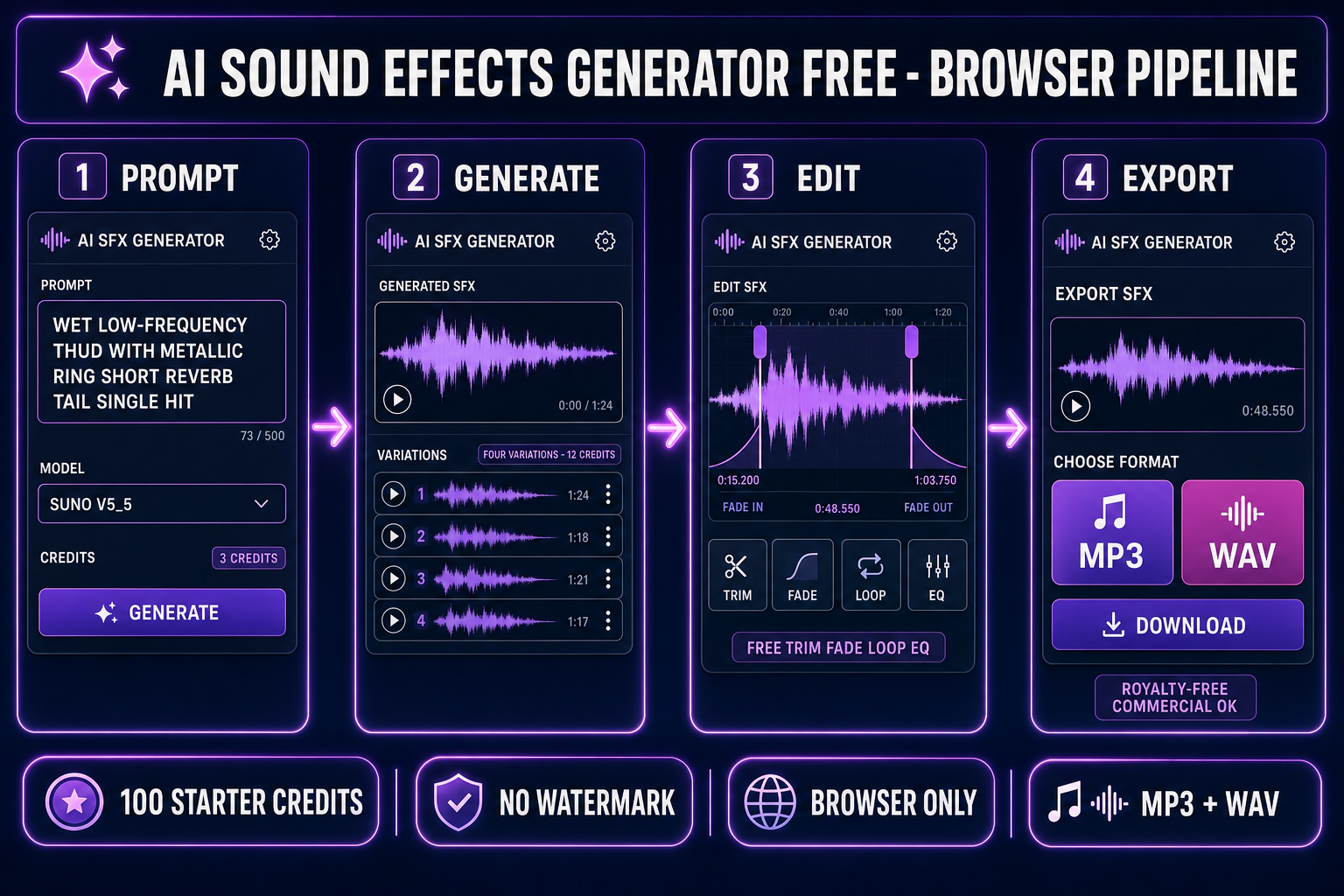
The Sorceress pipeline is intentionally three tools because no single AI sound effects generator free of trade-offs covers every case. SFX Gen on Suno V5_5 is best for organic, foley-style, and ambient sounds. Sound Studio is best for synthesized arcade pew-pews, UI clicks, and procedurally-controllable noise. The SFX Editor handles every post-generation step (trim, fade, loop, EQ, reverb, compression, normalize) for free. Here is the five-step browser pipeline; every step is verified against the live tool source on 2026-05-20.
Step 1 — Prompt SFX Gen for the organic core sound
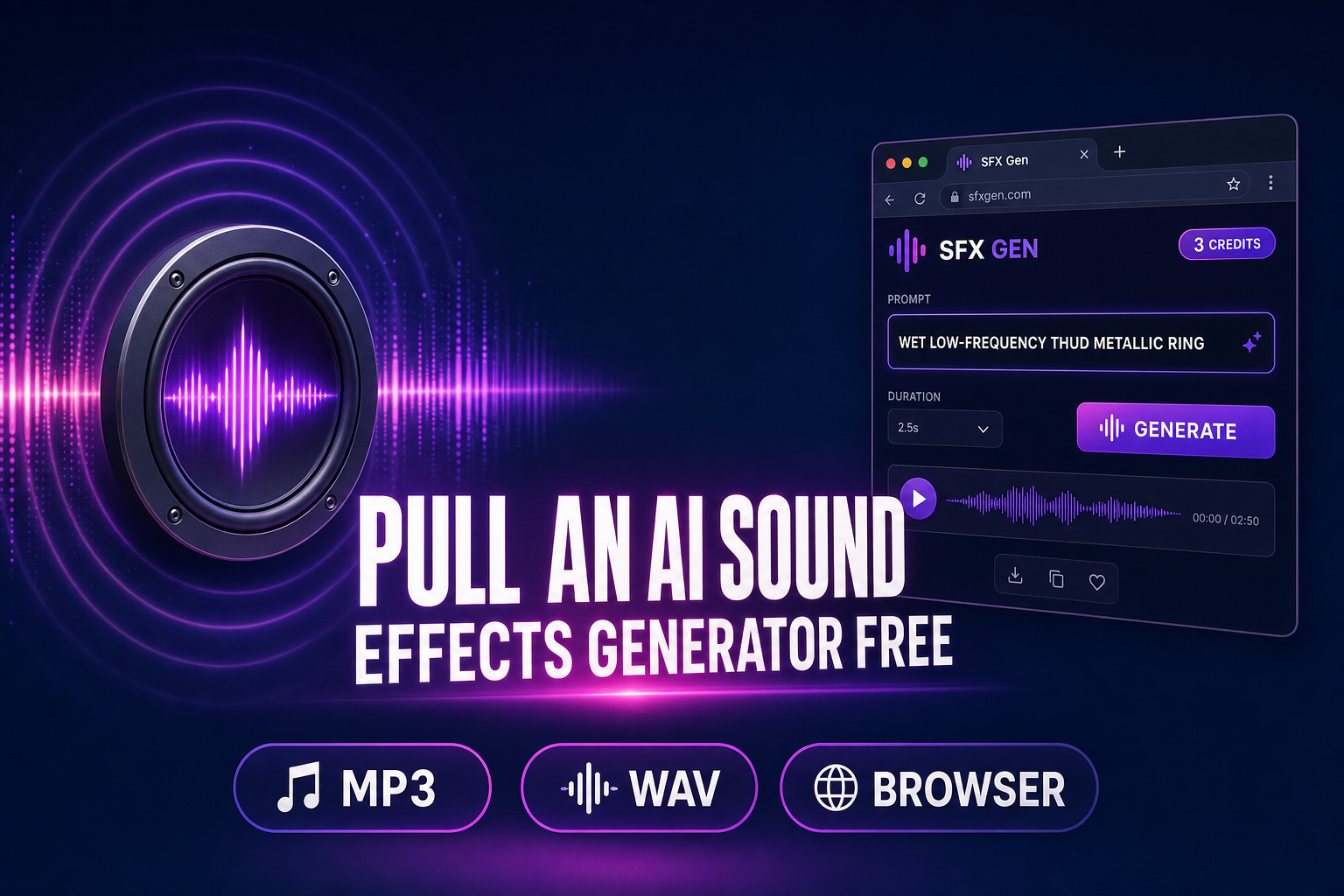
Open SFX Gen at /sfx-gen. The credit cost is 3 credits per sound — verified against src/app/sfx-gen/page.tsx line 24 (SFX_CREDIT_COST = 3). Type a concrete prompt: "wet thud of a metal sword striking leather armour, single hit, no reverb tail." SFX Gen sends the prompt to the KIE.ai endpoint at api.kie.ai/api/v1/generate/sounds — verified against src/app/api/sfx-gen/route.ts line 84 — with model V5_5 (Suno V5.5 sound effects model) and an optional soundLoop boolean for seamless-loop output. The generation returns an MP3 file at completion. SFX Gen lets you batch four variations from one prompt at 3 credits each (12 total) so you can audition before committing to a winner.
Step 2 — Audition variations and lock the best take
SFX Gen renders an inline waveform for each variation — verified against the WaveformDisplay component starting on line 105. Click any waveform to play; click again to scrub. The waveform peaks are cached in localStorage so subsequent visits to the same generation skip the analysis step. Pick the take with the cleanest attack and the least background hum (Suno V5_5 can occasionally bleed a faint hiss on quiet ambient prompts; the second variation is often cleaner than the first because the model warms up across the batch).
Step 3 — Switch to Sound Studio for any sound SFX Gen cannot model
Some sounds — chiptune-style arcade pew-pews, retro coin-collect dings, 8-bit explosions, square-wave laser zaps — are easier to generate as code than as a prompt. Open Sound Studio at /sound-creator. The credit cost is 1 credit per sound — verified against src/app/sound-creator/page.tsx line 28 (SOUND_CREDIT_COST = 1). Pick the model from the four-LLM picker (GPT-5 Nano default, Gemini 2.5 Flash, Gemini 3 Pro, or Claude Opus 4.6 — verified against lines 38 through 63 of the source). Type the same kind of concrete prompt, and the LLM writes JavaScript that runs in the browser to synthesize the sound from Web Audio API oscillators, biquad filters, gain envelopes, and a destination node. The output is editable code — you can ask the model to "make the pitch sweep faster" or "add a 50 ms reverb tail" and it patches the code. This is the bridge: SFX Gen for organic, Sound Studio for synthetic, both routed into the same library.
Step 4 — Edit in the free SFX Editor (no credit cost)
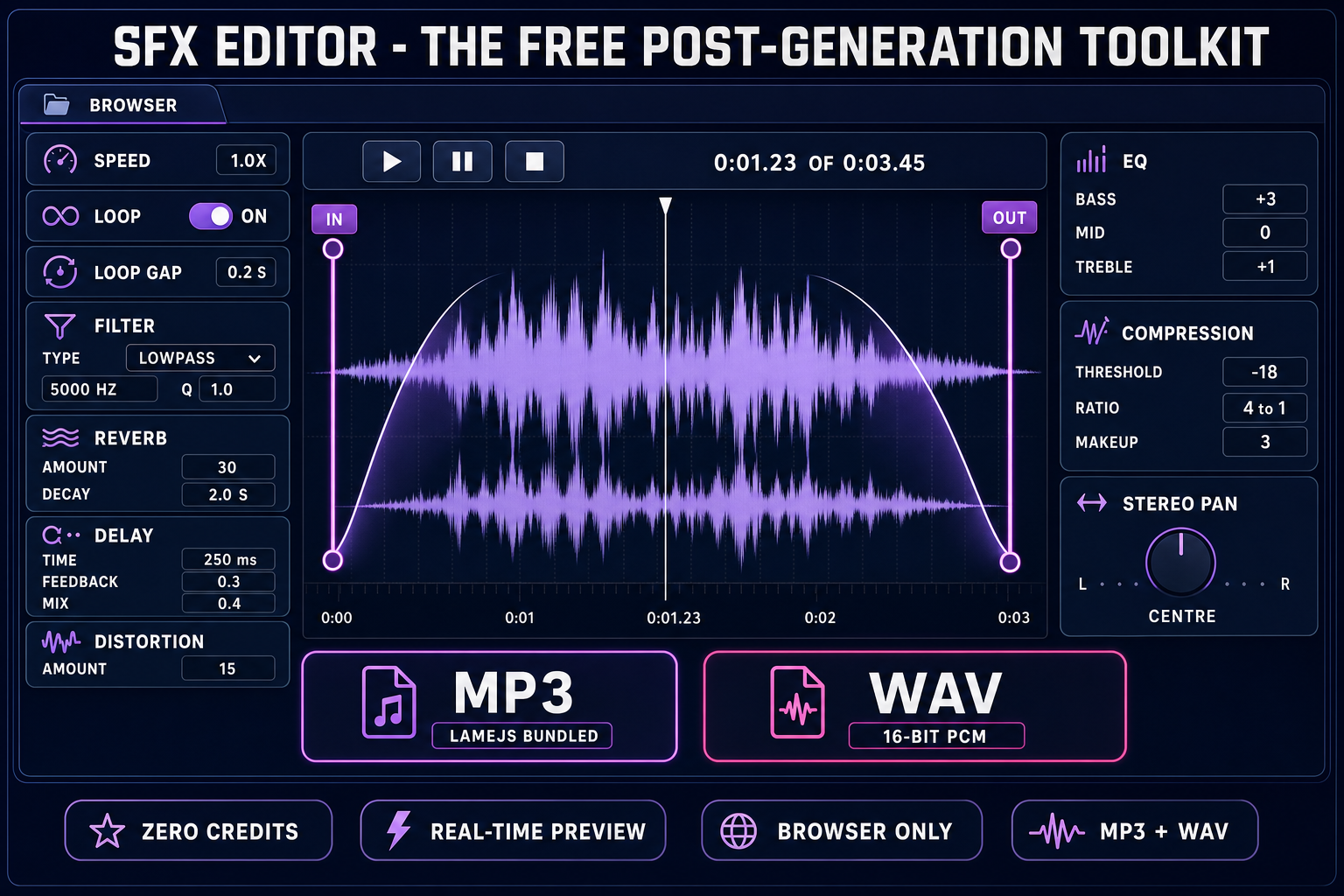
From either tool, send the output to SFX Editor at /sfx-editor. The editor is fully free — no credit deduction on any operation — verified against the source on 2026-05-20. The editor stack: trim handles for in-point and out-point (lines 313 through 314 of src/app/sfx-editor/page.tsx), speed slider (line 318), seamless loop with optional loop-gap (lines 319 through 320), fade-in plus fade-out (lines 323 through 324), filter (lowpass + highpass + bandpass) with frequency and Q controls (lines 327 through 330), reverb amount + decay (lines 332 through 334), delay + feedback + mix, distortion, stereo pan, three-band EQ (bass + mid + treble), and compression (threshold + ratio). Every effect is real-time-previewable through the same Web Audio graph the playback uses; what you hear is exactly what exports.
Step 5 — Export MP3 or WAV and load it in your engine
The SFX Editor exports both formats — verified against line 360 (exportFormat state, "wav" or "mp3"). WAV is uncompressed 16-bit PCM at the source sample rate; MP3 is encoded via the bundled @breezystack/lamejs Mp3Encoder library (line 5) at default quality. For Phaser games, MP3 is the safer choice because every modern browser decodes it; iOS Safari historically had OGG playback gaps. For Unity and Unreal builds, WAV is the right pick because both engines re-compress at build time and want the highest-fidelity source. Drop the file into your engine's audio loader (Phaser 4 LoaderPlugin#audio, Three.js AudioLoader, Unity AudioSource, Unreal SoundCue) and it plays — verified against the official Phaser 4 documentation at phaser.io.