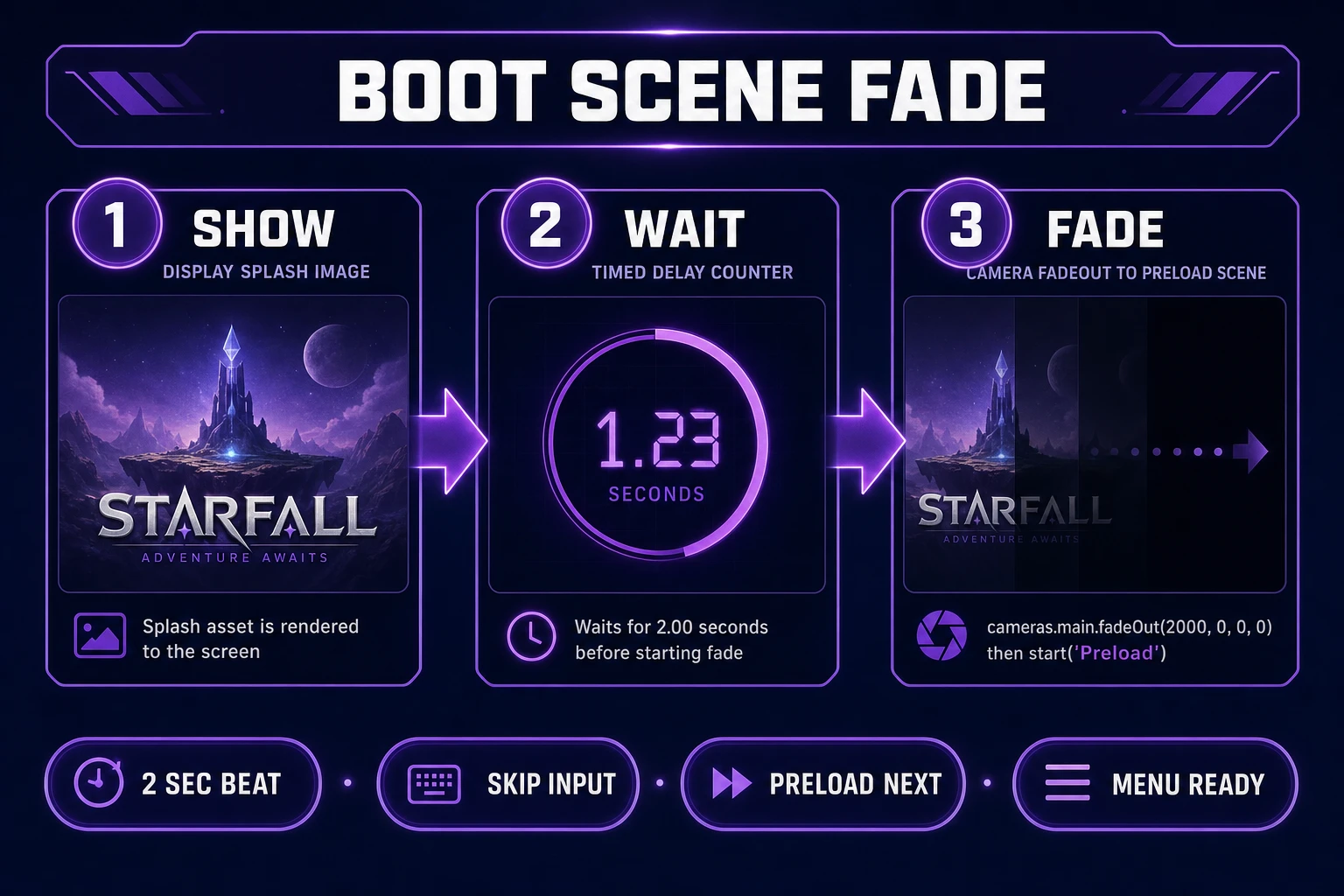
The first frame players see is rarely gameplay—it is a logo on a mood background, a publisher stamp, a two-second beat that says “you opened the right tab.” A splash screen generator workflow turns that beat into repeatable art instead of a stretched screenshot or a meme template that fights your palette. On Sorceress, the path runs through AI Image Gen for backgrounds, Canvas for logo layers, and a Phaser boot scene for the fade into your preload or main menu. If you already built store icons with Brand’s logo pipeline or a progress-bar screen with Load’s loading-screen guide, reuse those PNGs here—the splash is the shorter cousin, not a duplicate job. New to the stack? Start from the tools guide or open plans when you are ready to export from Canvas.
What a splash screen generator actually outputs for games
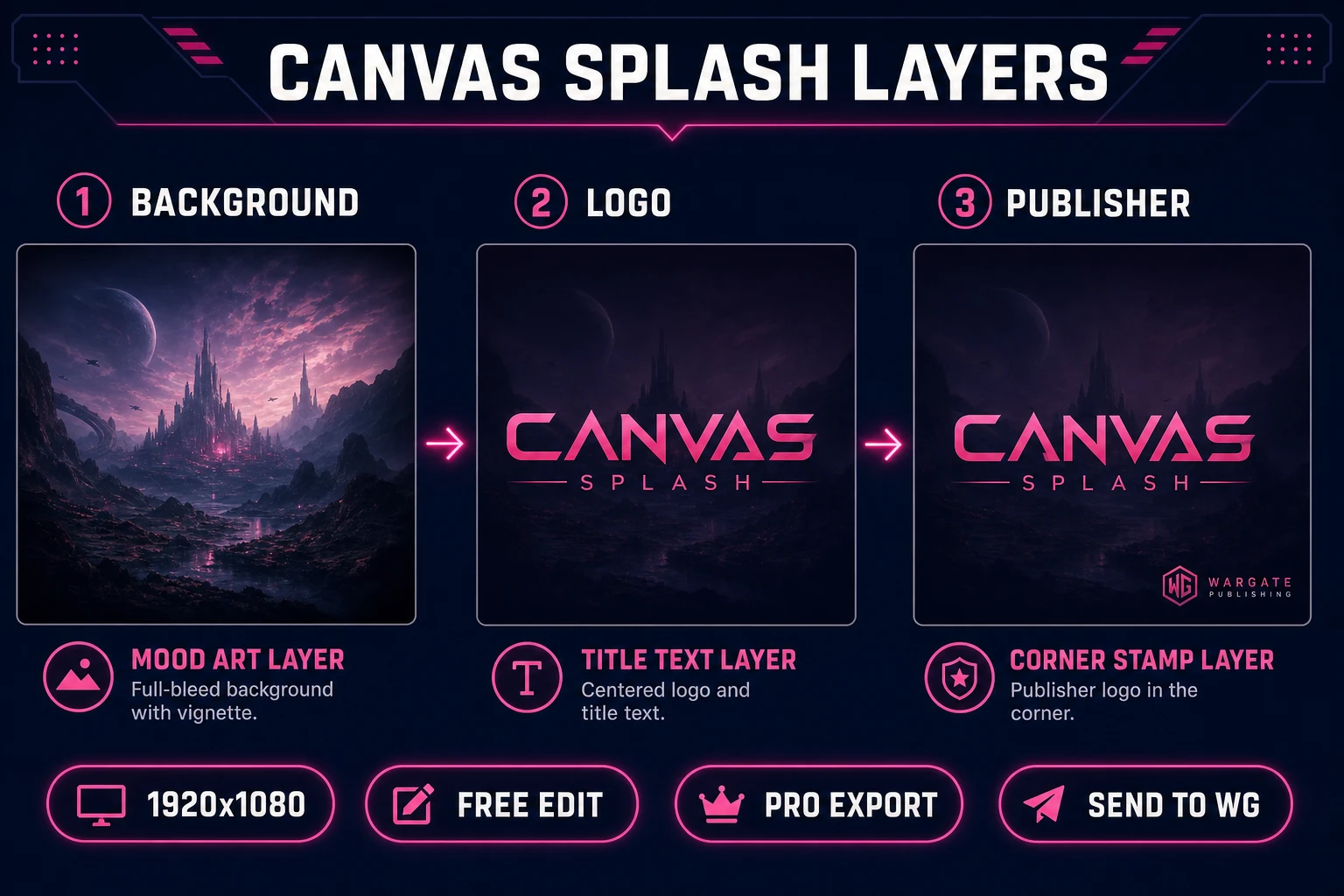
A splash screen generator—whether you mean a mobile app tool or a browser-game pipeline—produces a static or lightly animated boot frame: full-bleed background art, a centered logo, optional publisher or “powered by” line, and timing metadata for when to fade out. The splash screen pattern predates modern PWAs; console and PC titles used it for decades before app stores existed.
For indie browser games, the deliverable is usually one or two PNGs at your game’s native resolution plus a scene script that displays them before heavier assets load. Unlike an indie game loading screen, a splash rarely shows download progress—it is branding theater with a fixed duration, skippable on second launch if you wire input.
Search traffic around “splash screen generator” mixes mobile app builders (Android adaptive icons, iOS launch storyboards) with game jam authors who just want a logo on a gradient. This guide targets the game-dev slice: Phaser boot scenes, 16:9 browser tabs, layered PNGs you own. PWA manifest splash fields (MDN manifest docs, verified July 8, 2026) follow the same visual rules—solid background color plus a centered icon—even when the implementation differs.
Good splash art respects negative space. The generator’s job is mood and logo clearance, not gameplay UI. Keep text out of AI backgrounds; add typography in Canvas where you control stroke, kerning, and contrast against a real checkerboard.
Document skip policy in the brief. Jam builds often allow any key to continue; polished releases may enforce a minimum two-second publisher logo. Code owns timing; PNGs own pixels.
Why splash screens differ from loading screens
Confusing the two wastes art credits. A loading screen tracks bytes—background, empty bar track, tips, this.load.on('progress') wiring. A splash screen is a fixed beat: show logo, wait, fade. Players tolerate a two-second logo; they resent a fake progress bar stuck at ninety-nine percent while audio still streams.
Scene order in Phaser typically runs Boot → Preload → Main (samme/phaser3-faq, verified July 8, 2026). Boot displays splash PNGs already bundled in the initial payload—tiny files, fast first paint. Preload then queues the heavy atlas while optionally reusing art from Load’s pipeline if you want a seamless visual handoff.
Mobile-native searches like “android splash screen generator” or “ios splash screen generator” expect density-specific PNG stacks and XML storyboards. Browser games sidestep that matrix: one 1920×1080 master scaled by Phaser’s scale manager often suffices for jam scope. Mention the native formats in planning docs if you later wrap the tab in Capacitor or Tauri, but do not block shipping the web build waiting for six density buckets.
Visual overlap is fine—same palette as your loading screen—but layer separation matters. Splash logos sit centered; loading screens anchor bars at the bottom safe zone. Compose both in Canvas as separate projects so you can swap languages without regenerating backgrounds.
Finally, splash screens set legal tone: ESRB-style notices, epilepsy warnings, and “press any key” hints belong in code-driven text objects, not baked into AI backgrounds that change every regeneration.
The Sorceress splash screen generator pipeline in four steps
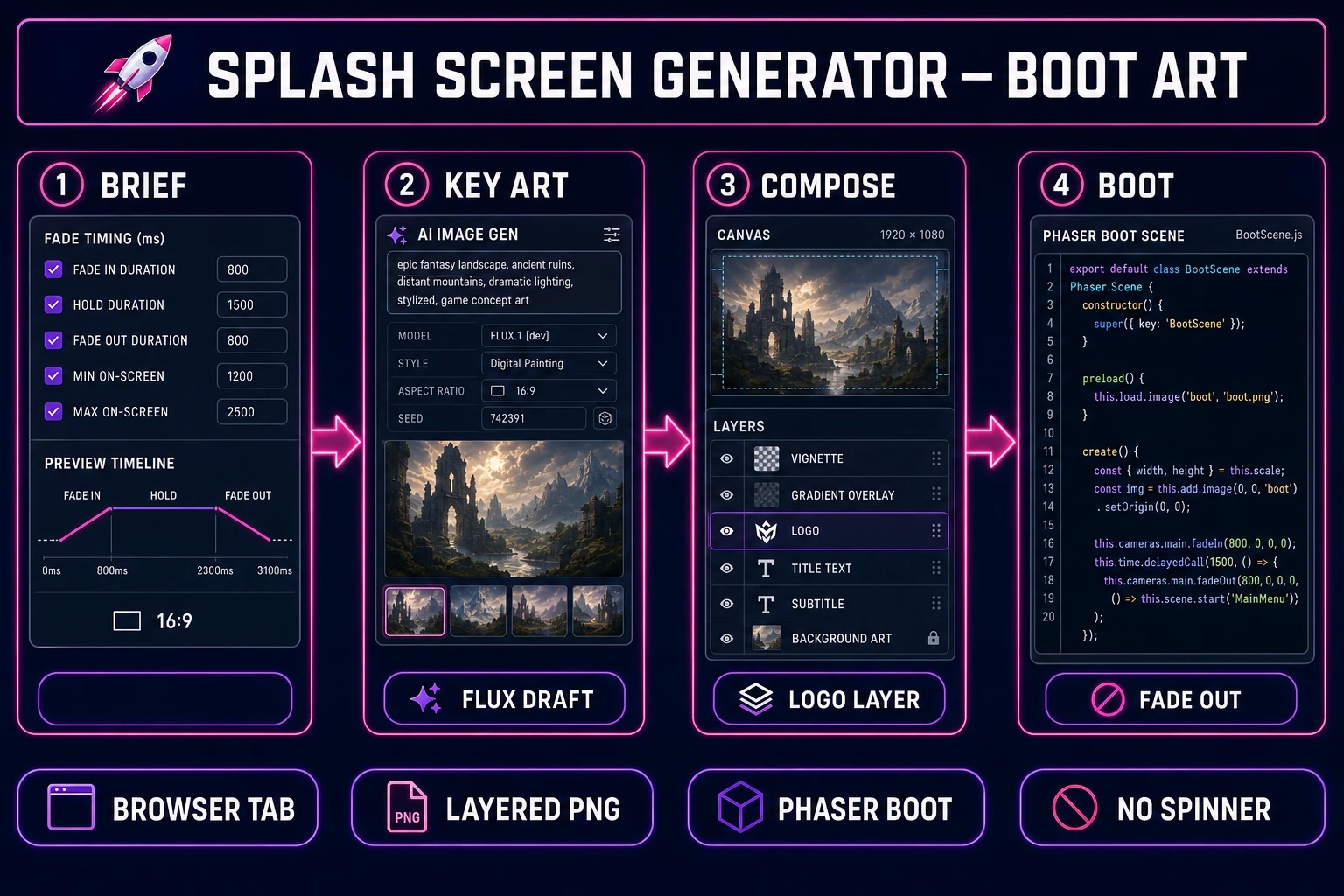
Think of the Sorceress splash screen generator path as four stations: brief and timing, key art generation, Canvas compositing, and boot-scene wiring. No hidden fifth step—WizardGenie is optional acceleration for the Phaser scene, not a requirement to download art.
Step 1 locks duration, aspect ratio, and fade curve. Step 2 drafts backgrounds in AI Image Gen at 16:9 with clear center space. Step 3 imports layers into Canvas, aligns logo and publisher stamp, exports PNG. Step 4 shows the PNG in a Boot scene, waits, fades to Preload or Main. Repeat the same four steps for sequel logos or publisher swaps without touching gameplay scenes.
Cross-tool handoffs stay inside Sorceress: generate → Send to Canvas from the lightbox menu, or drag from WizardGenie embed when you compose inside the agent workspace. That keeps prompts, seeds, and exports in one funnel instead of scattered downloads.
The pipeline deliberately separates static art from timed fades. Canvas handles pixels; Phaser handles clocks. Baking a three-second animation into a GIF splash bloats your initial fetch—camera fades on a static PNG stay lightweight.