Store pages reject amateur marks faster than players reject short demos. A muddy wordmark disappears in Steam search lists; a busy emblem collapses when itch shrinks the cover. A real game logo maker is not a social-media template site — it is a pipeline that locks a title brief, generates legible letterforms, exports transparent PNGs, and crops those masters into the sizes Valve and itch actually require. The 2026 Sorceress stack does that in one browser account: WizardGenie freezes the naming brief, AI Image Gen paints candidates, BG Remover clears alpha, Canvas tightens edges, and Slicer cuts store crops. Everything below was checked against Sorceress source and vendor docs on July 8, 2026.
What a game logo maker actually outputs for indie stores
Searchers typing game logo maker usually want one of three deliverables. Mobile and Roblox creators want a square app icon. Steam partners want capsule art where the title mark stays readable at Tiny List scale. Itch authors want a bold cover wordmark that still works when the cover crop is aggressive. This post targets the second and third camps: indie teams shipping browser, itch, and Steam builds who need a reusable master mark — not a one-off profile picture.
A useful game logo maker for stores produces:
- A transparent master wordmark — PNG with clean alpha, no baked gradient backdrop, letterforms thick enough for small capsules.
- An optional emblem / icon lockup — crest or symbol that can sit beside the wordmark on key art without fighting the title.
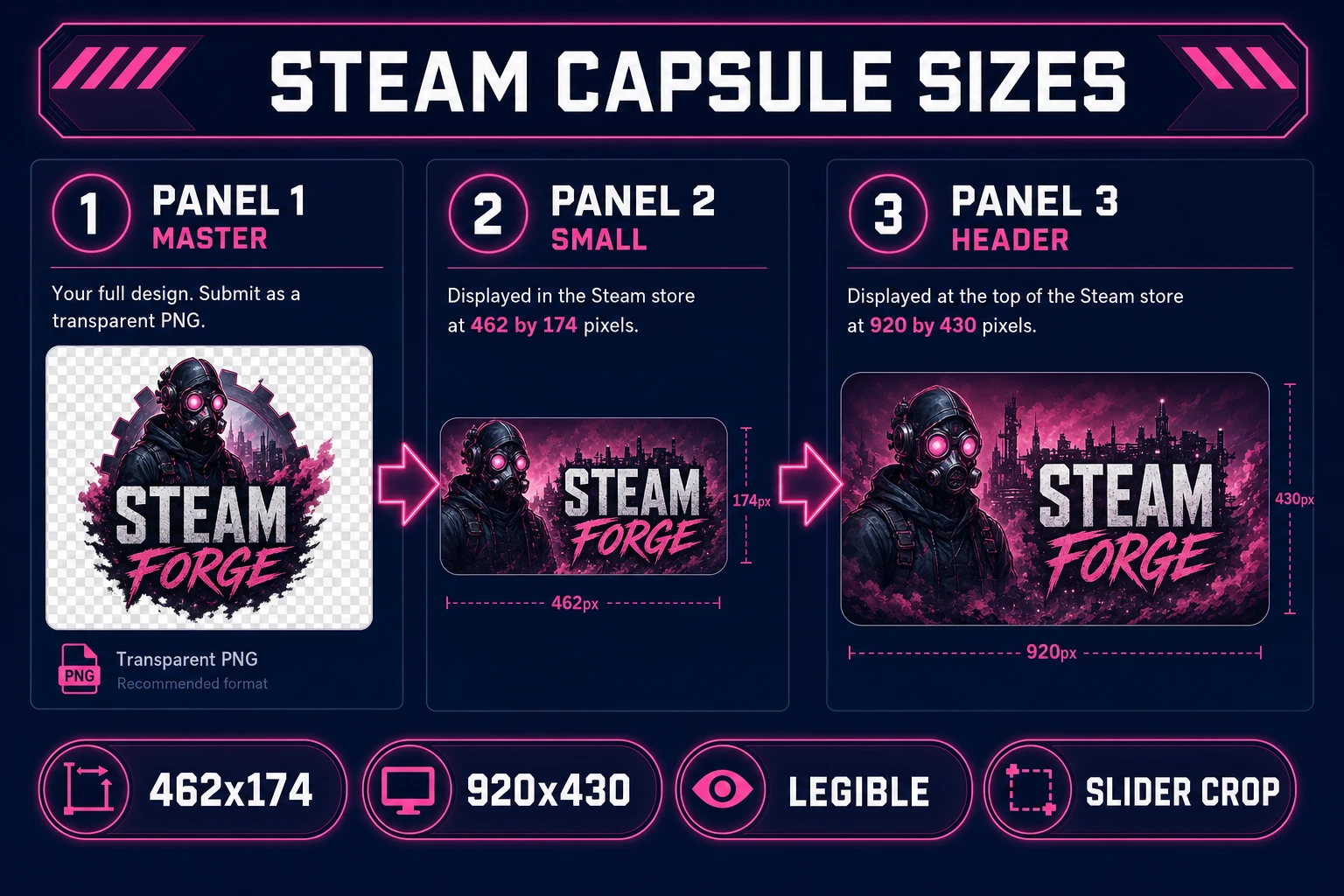
- Store composites — the logo placed on Small Capsule (462×174 source) and Header Capsule (920×430) art per Valve documentation verified July 8, 2026.
- Square exports — 512 and 1024 masters for itch cover crops, Discord, and trailer end cards.
Each variant should share palette, letter geometry, and stroke weight. That consistency requirement is why random "logo AI" sites fail as a game logo maker — they optimize for one pretty square, not a family of sizes your store pipeline will reuse for six months.
Why free logo sites fail for Steam and itch capsules
Opening a free logo generator and typing your game title feels fast until Valve Partner docs remind you Small Capsule art must keep the logo "clearly legible" after downscale. Free sites typically bake busy backgrounds, thin scripts, and watermark-ish flourishes that vanish at 120×45. They also ship flattened JPEGs, so you cannot composite the mark onto darker key art without a white box.
Steamworks store asset guidelines (https://partner.steamgames.com/doc/store/assets/standard, fetched July 8, 2026) are explicit: provide a Small Capsule source at 462px × 174px (Steam auto-generates 120×45 and 184×69), and a Header Capsule at 920px × 430px. Main Capsule art should stay graphically-centric with the title mark readable — not a paragraph of marketing copy. Itch quality guidelines (https://itch.io/docs/creators/quality-guidelines, verified the same day) require a cover image and screenshots without prescribing a single pixel canvas the same way Steam does, so your game logo maker still needs a transparent master you can place on cover art at multiple crops.
Generic logo sites do not speak those constraints. An integrated game logo maker collapses the hops: WizardGenie holds the title spelling and tone, AI Image Gen iterates lettering, BG Remover removes flat backdrops, Canvas corrects anti-alias fringes, and Slicer produces the capsule crops without leaving the tab.
If you still need a title before branding, start with the game name generator workflow. If you are mid-jam and only need a theme seed, see the game jam theme generator post. A game logo maker sits after naming — once the string is final, you stop renaming mid-capsule.
The Sorceress game logo maker pipeline in four steps
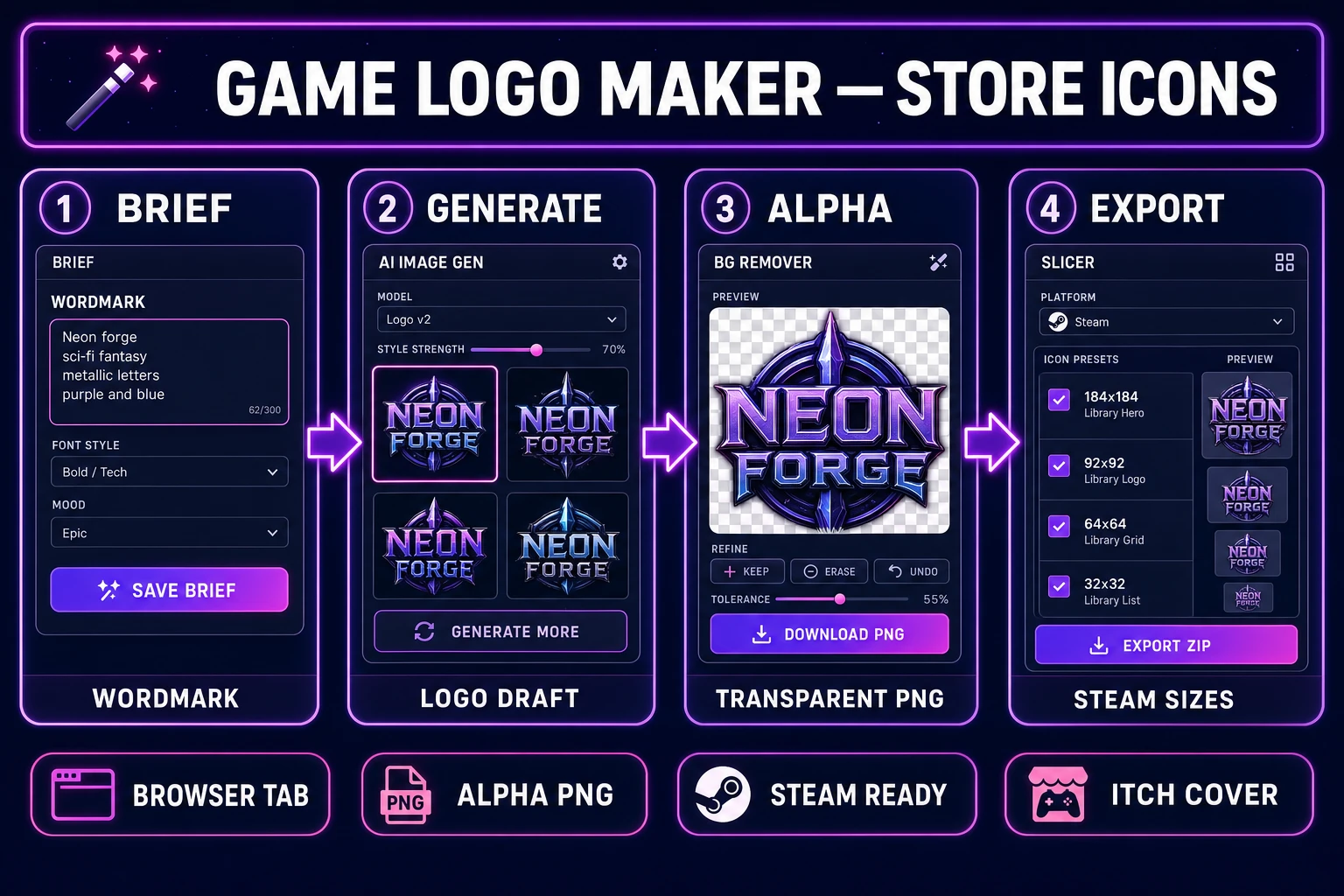
The Sorceress answer to game logo maker maps one brief to four tools verified in the repository on July 8, 2026:
- Brief layer — WizardGenie locks spelling, tone adjectives, and banned motifs before any pixel is spent.
- Render layer — AI Image Gen drafts wordmarks and emblems with model-cost awareness (Z-Image 3 cr, Flux 2 Pro 6 cr, Nano Banana Pro 18 cr).
- Alpha layer — BG Remover exports transparent PNGs at 3 credits each; Canvas cleans fringe pixels.
- Export layer — Slicer crops Steam and square sizes; optional WizardGenie generates capsule layout checklists.
Tools Guide lists every step if you are new to Sorceress. The workflow below assumes the $49 lifetime unlock verified in src/app/plans/page.tsx (LIFETIME_PRICE = 49) on July 8, 2026.
Step 1 — lock the wordmark brief before you render
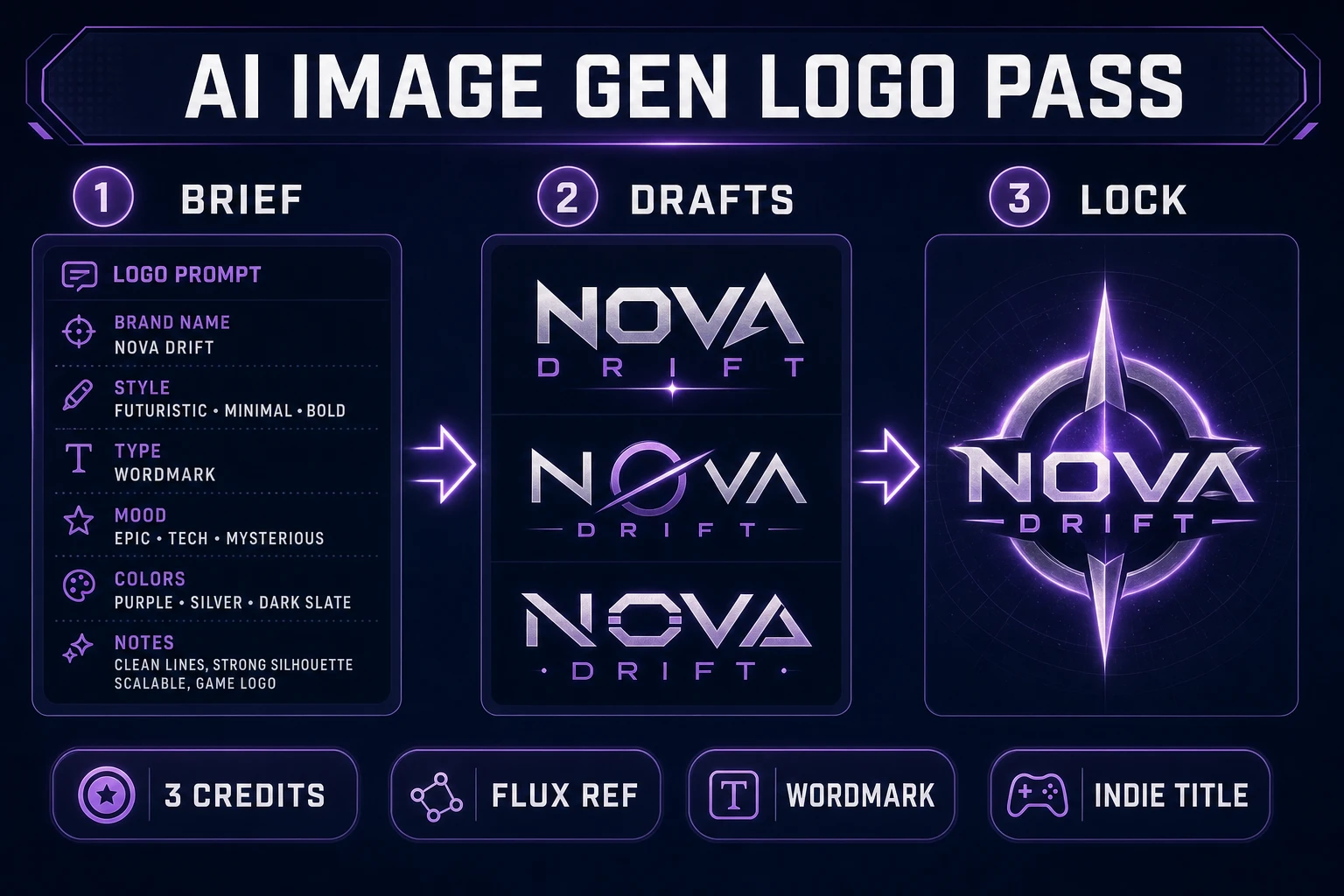
Logos fail when spelling drifts mid-session. Before opening AI Image Gen, ask WizardGenie to output a brief you will paste verbatim into every prompt:
TITLE: ASHWALKER
SPELLING: one word, all caps in logo, no hyphen
TONE: grim fantasy, readable at tiny sizes, no script fonts
PALETTE: #E8D5A3 gold lettering, #1A1028 void, optional #7B2D8E accent
SHAPE: heavy sans wordmark; optional triangular crest LEFT of text
FORBIDDEN: thin hairlines, photoreal faces, long taglines, fake metal chrome cliches
DELIVERABLES: transparent master PNG, Steam small+header composites, 1024 square
Store this as brand/ashwalker/brief.txt. A game logo maker session that skips the brief wastes credits inventing titles Steam will later reject for inconsistency against the store name field.