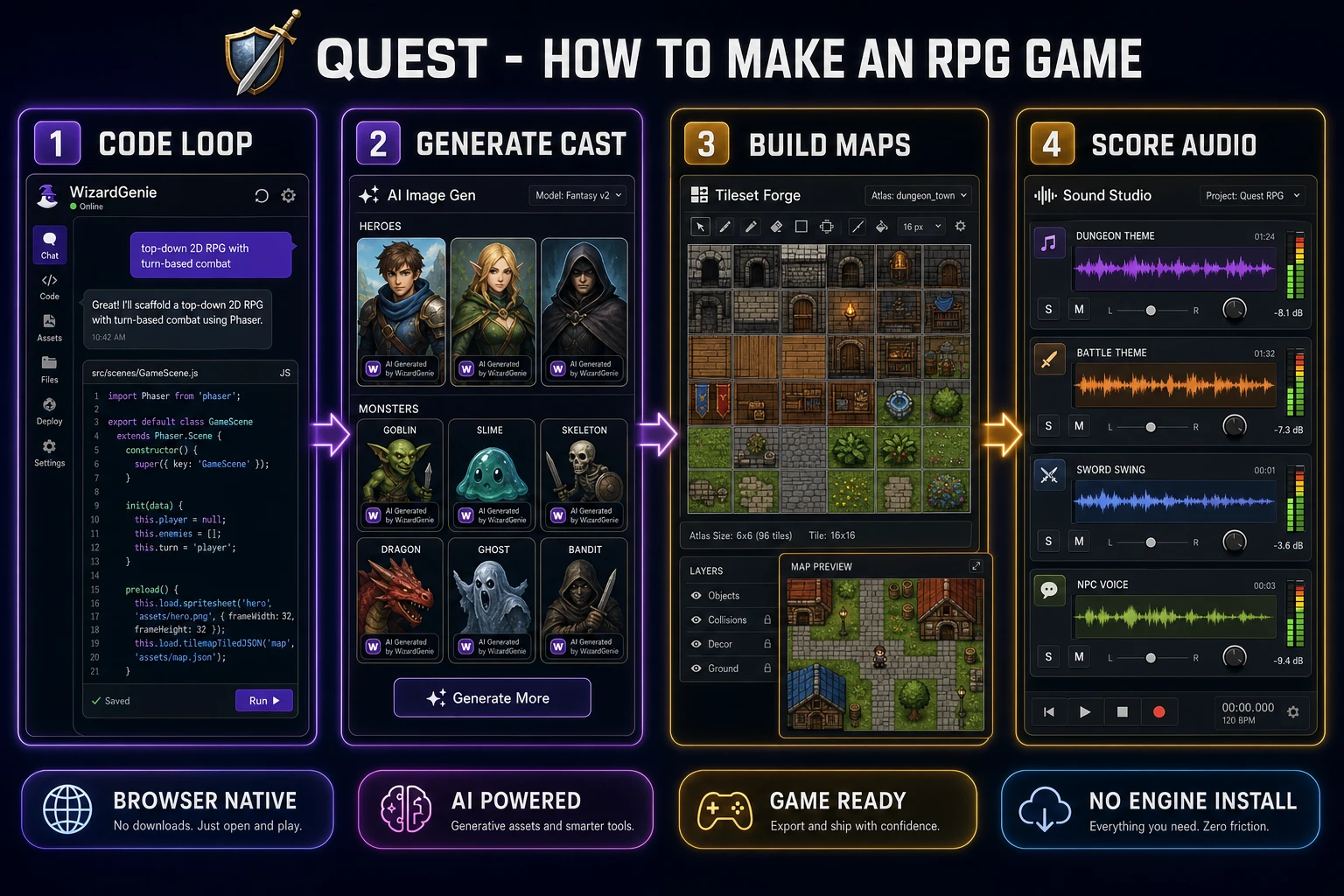
Building how to make an RPG game used to mean a year of work and a small team — sprite animator, level designer, programmer, composer, voice director. In 2026 a solo developer can ship a playable RPG in a long weekend without any of that crew, by chaining a browser AI engine, an AI image generator, a sprite pipeline, a tileset generator, a music generator, an SFX generator, and a voice generator. This guide walks the honest 2026 path from blank tab to playable demo, using the WizardGenie game engine as the code-half spine and the rest of the Sorceress catalog as the art-and-audio half. Every model name, every credit cost, and every pricing line in this article was live-verified against the vendor docs and the Sorceress source code on June 16, 2026.
What “how to make an RPG game” actually means in 2026
A role-playing video game in 2026 is the same genre it was when Ultima IV defined it — a player-controlled protagonist who explores a persistent world, fights creatures, gains experience, equips items, talks to non-player characters, and progresses through a branching narrative. The role-playing video game Wikipedia entry catalogues the genre conventions in detail; the short version is that an RPG always has stats, inventory, dialogue, encounters, and progression. Everything else — turn-based versus action, first-person versus top-down, fantasy versus sci-fi — is sub-genre flavour.
What changed in 2026 is who can build one. The mechanical work that used to gate solo developers — writing a tile-based game loop, hand-drawing 64 sprite frames per character animation, sculpting eight dungeon tilesets at pixel precision, composing 20 minutes of looping music, recording NPC voice lines — collapses into a single browser session that calls AI models for each layer. The honest how to make an RPG game path in 2026 is to keep the creative decisions (the world, the cast, the plot, the combat feel) in human hands and route every mechanical generation step through AI in the same browser tab.
The price floor matters too. A traditional RPG asset budget for a solo indie was roughly $3,000 to $10,000 in commissioned art, music, and voice work before the first beta build. The 2026 floor inside Sorceress is $0 to start (100 starter credits at signup), $49 one-time for the Lifetime tier, and credit top-ups from $10 per 1,000 credits when the starter pool runs dry. Pricing verified against src/app/plans/page.tsx on June 16, 2026.
The six pillars of every RPG — what you must ship
Before generating a single asset, pin down what an RPG actually requires. The genre has six mandatory pillars; skipping any of them turns the project into something else (a roguelike, a visual novel, a beat-em-up). The six pillars in 2026:
- A controllable protagonist with stats. Health, attack, defence, level, experience — the numbers that define what the player can do. Without stats the genre tips into action-adventure.
- An explorable world. A tile-based or scene-graph map the protagonist can walk across, with at least one town, one wilderness, and one dungeon. The map carries the progression gating.
- An encounter system. Turn-based combat, real-time action combat, or grid tactics — pick one and commit. The encounter system is what consumes the stats and produces the experience reward.
- An inventory and equipment loop. Items the protagonist can find, buy, equip, and combine. The inventory is what makes the stats meaningfully scale across the playthrough.
- NPCs and dialogue. At minimum a shopkeeper, a quest giver, and a barrier-NPC who gates a key area. Dialogue is what turns the world from a level into a narrative.
- A win condition. Defeating the final boss, recovering the lost artefact, escaping the dungeon, surviving the night — whatever ends the game. Without a win condition the player has no reason to engage with the other five pillars.
The six pillars are non-negotiable. The 2026 AI stack does not change them; it changes the speed at which a solo developer can author each one. The earlier RPG-with-AI overview from May 20 covers the genre-level decisions in more depth; this guide focuses on the mechanical pipeline.
The honest browser AI stack — how to make an RPG game in eight tools
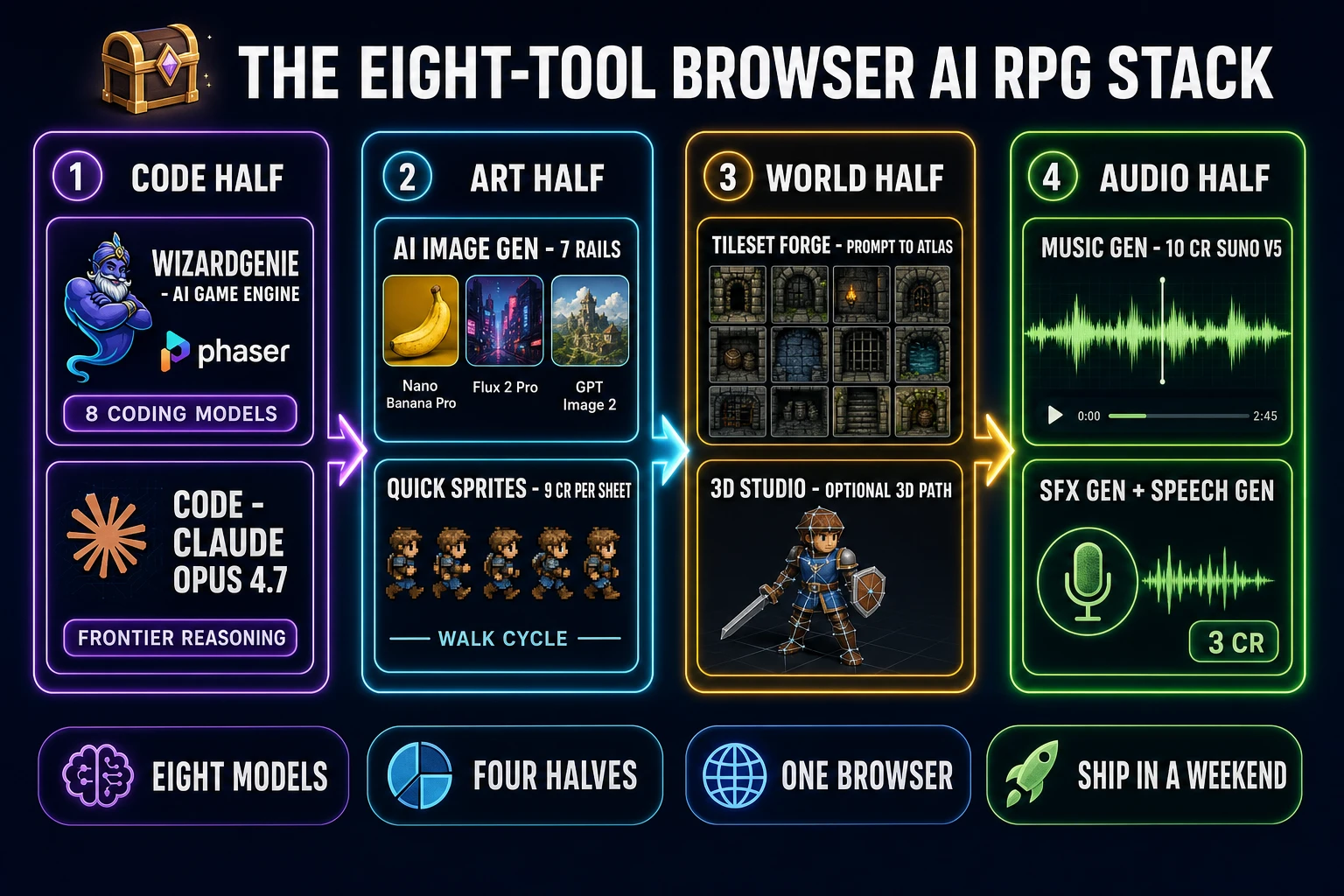
The 2026 stack for how to make an RPG game in a browser is eight layers, each replacing a specific hour-by-hour chunk of the traditional pipeline. Verified against src/app/_home-v2/_data/tools.ts and the live tools guide on June 16, 2026.
- Code half. WizardGenie — the browser-embedded AI game engine. Picks across eight coding models (Claude Opus 4.7, Claude Sonnet 4.6, GPT-5.5, Gemini 3.1 Pro, DeepSeek V4 Pro, Kimi K2.5, Grok 4.2, MiniMax M2.7) so the developer can run a frontier model on the architecture and a cheap fast model on the iteration loop. Ships on desktop and in the browser.
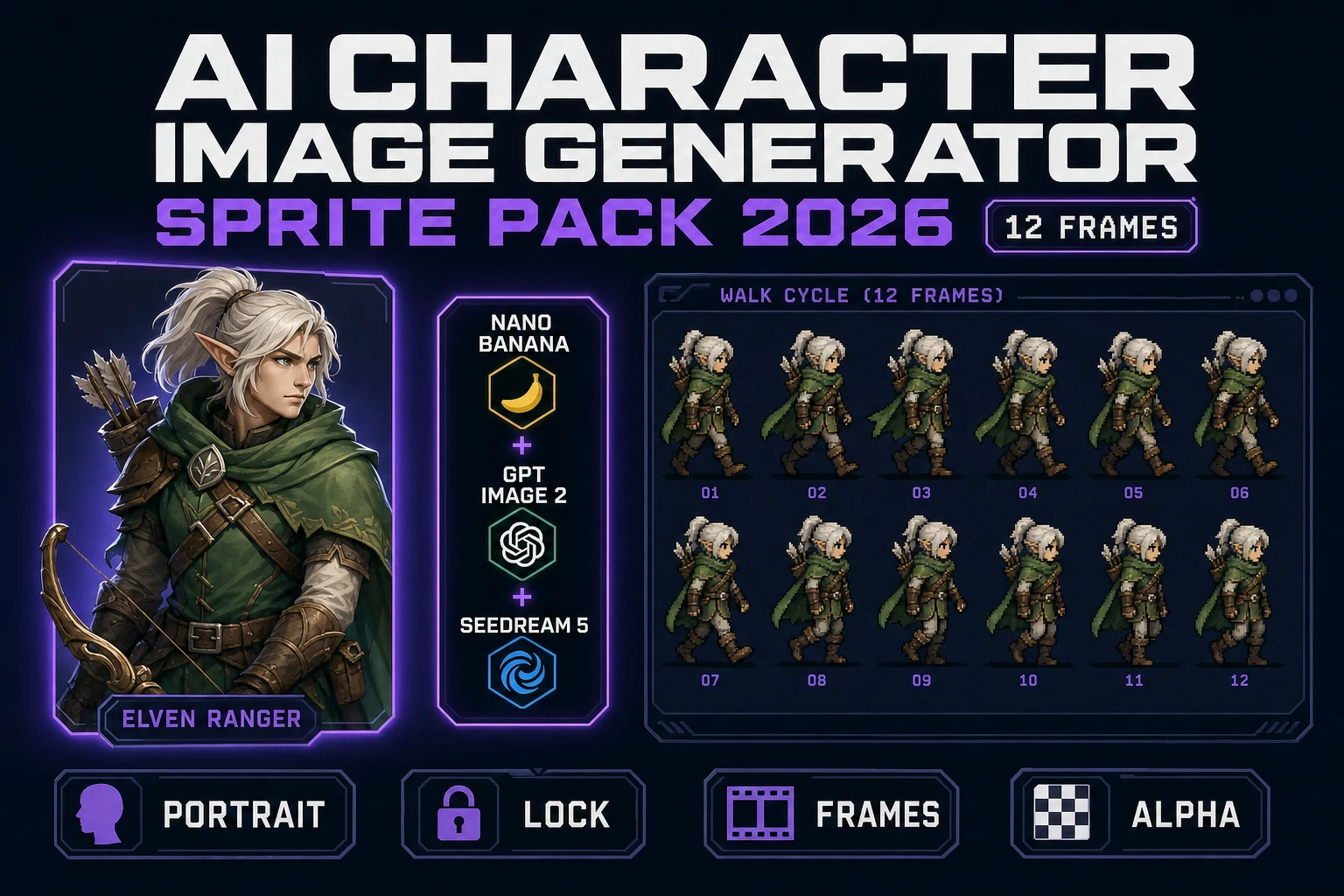
- Character art. AI Image Gen — seven-rail image picker (Nano Banana Pro, Nano Banana 2, GPT Image 2, Seedream 5 Lite, Flux 2 Pro, Z-Image Turbo, Grok Imagine) for hero portraits, monster concepts, item icons, and key art.
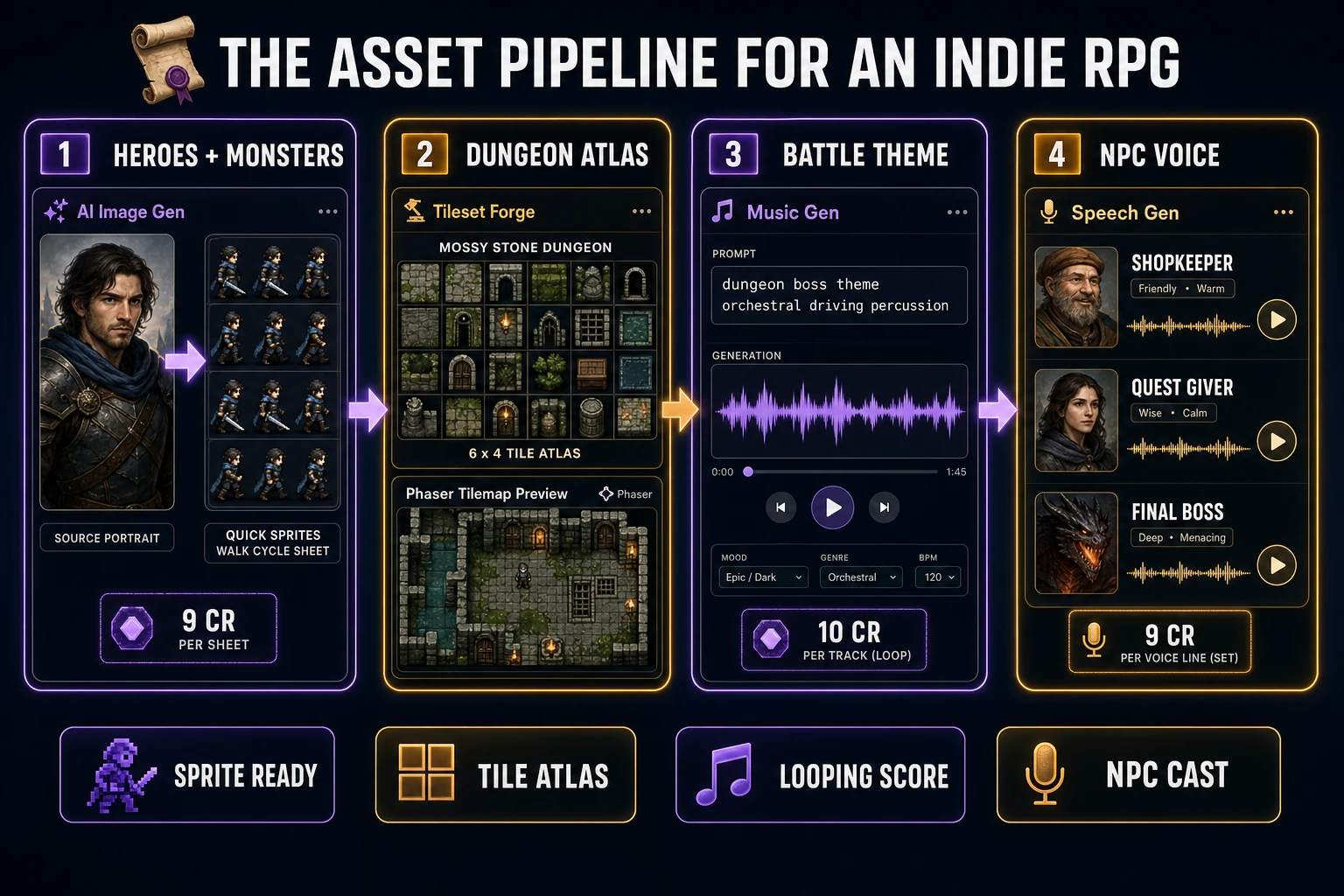
- Sprite sheets. Quick Sprites — 9 credits per generation, drops a generated character into a clean walk-cycle sprite sheet ready for the game loop. Pixel Snap takes any AI image down to game-resolution pixel art.
- Tilesets. Tileset Forge — prompt-to-tileset generator. Outputs the dungeon, town, and overworld tile atlases the RPG’s map system reads at load time.
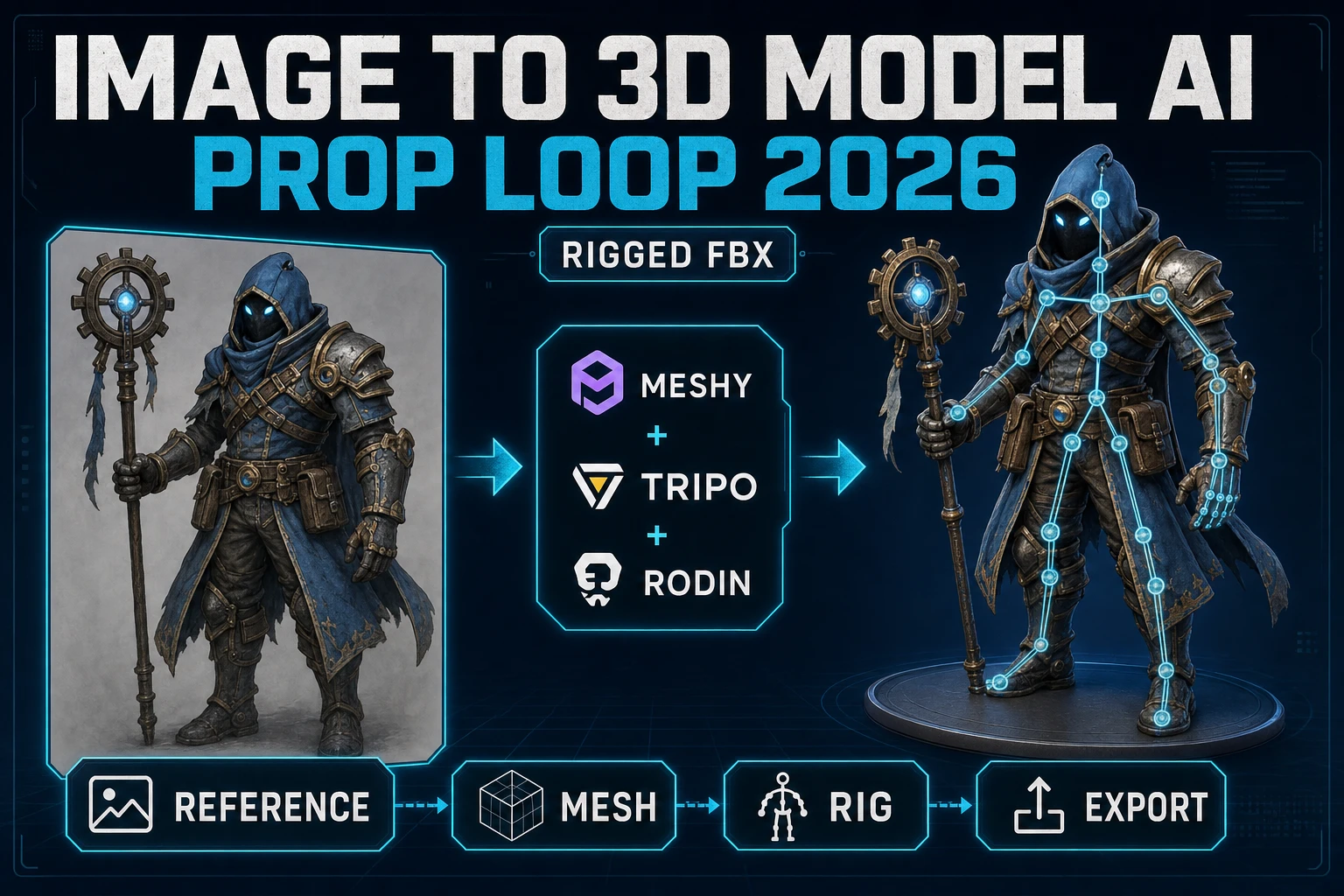
- Optional 3D path. 3D Studio + Auto-Rigging — for an RPG with 3D characters in a 2D-pixel or isometric world, the 3D pipeline produces rigged, animated GLB meshes that render to sprite frames via 3D to 2D.
- Music. Music Gen — 10 credits per track, Suno V5.5 backend. Generates the dungeon theme, the town theme, the battle theme, and the boss theme in minutes.
- Sound effects. SFX Gen — 3 credits per generation. Sword swings, footsteps, menu blips, monster cries, level-up jingles. SFX Editor shapes the rough output into clean loops.
- NPC voices. Speech Gen — AI text-to-speech for the shopkeeper, the quest-giver, the final-boss monologue. Routes through Sound Studio for final mixing.
Eight tools, one browser tab. The order matters less than the integration — every asset that drops out of the picker lands in Sorceress storage and can be wired straight into the WizardGenie code half without an export round trip. The umbrella how-to from earlier today covers the same stack at the genre-agnostic level; this article narrows it to the RPG genre specifically.
src/app/_home-v2/_data/tools.ts on June 16, 2026.Step 1 — prompt WizardGenie for the RPG game loop
The code half is where every RPG either works or stalls. The 2026 path is to open WizardGenie and prompt for the game loop in one go — not the whole game, just the loop. A working loop is the foundation every other system bolts onto.
The starter prompt that lands cleanly is roughly: “Build a top-down 2D RPG game loop in Phaser 3. The protagonist walks on a 32-pixel tile grid with arrow keys. Stepping onto a monster tile triggers a turn-based combat scene where the player picks Attack, Magic, Item, or Run. Health and attack stats live on the protagonist; defeating monsters grants XP; reaching 100 XP levels up. Inventory holds 12 slots. Save state to localStorage on every scene transition.” WizardGenie scaffolds the project, picks the rendering library, sets up the scene manager, wires the input handler, and ships a playable prototype in one session.
The model selection matters. For the architectural pass — the prompt that sets up the project, picks the rendering library, designs the data model — use a frontier reasoning model (Claude Opus 4.7, GPT-5.5, or Gemini 3.1 Pro). Claude Opus 4.7 launched April 16, 2026 at $5 per million input tokens and $25 per million output tokens with a 1M-token context window; the model ID for the API is claude-opus-4-7. GPT-5.5 launched April 23, 2026 at $5 per million input tokens and $30 per million output tokens with a 1M-token API context window and a 400K-token Codex context window; the model ID is gpt-5.5. Live-verified on the vendor docs on June 16, 2026.
For the iteration pass — the dozens of small prompts that tweak the dialogue tree, balance the encounter rates, fix the off-by-one in the inventory grid — switch the picker to a cheap fast executor (DeepSeek V4 Pro, Kimi K2.5, MiniMax M2.7, or Grok 4.2). The Planner+Executor pattern pairs a frontier planner with a cheap executor and lands the project at roughly 1/5 of single-frontier cost without sacrificing the architectural quality. Never pair two frontier models on the typing side; the math collapses to zero savings and the executor latency makes the iteration loop feel slow.
The shipping target for an RPG in 2026 is browser-native. WizardGenie writes Phaser by default for 2D RPGs and Three.js for 3D RPGs; either path renders into an HTML Canvas the browser plays without an install. The first iteration of the loop should be playable end-to-end — a single tile, a placeholder protagonist, a placeholder monster, a placeholder combat menu — before any art generation begins. A working loop with placeholder art is worth more than a beautiful asset pile without a loop.