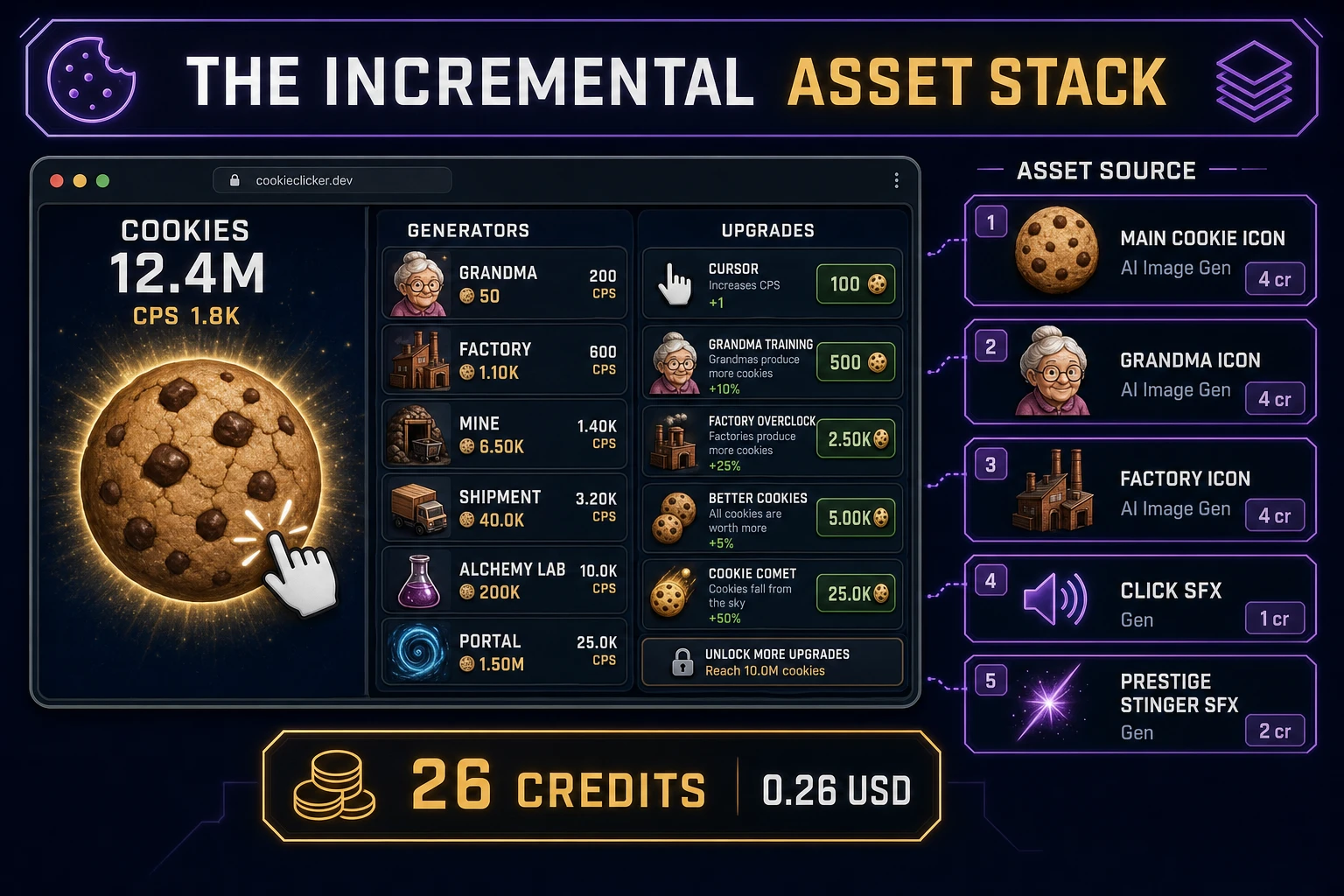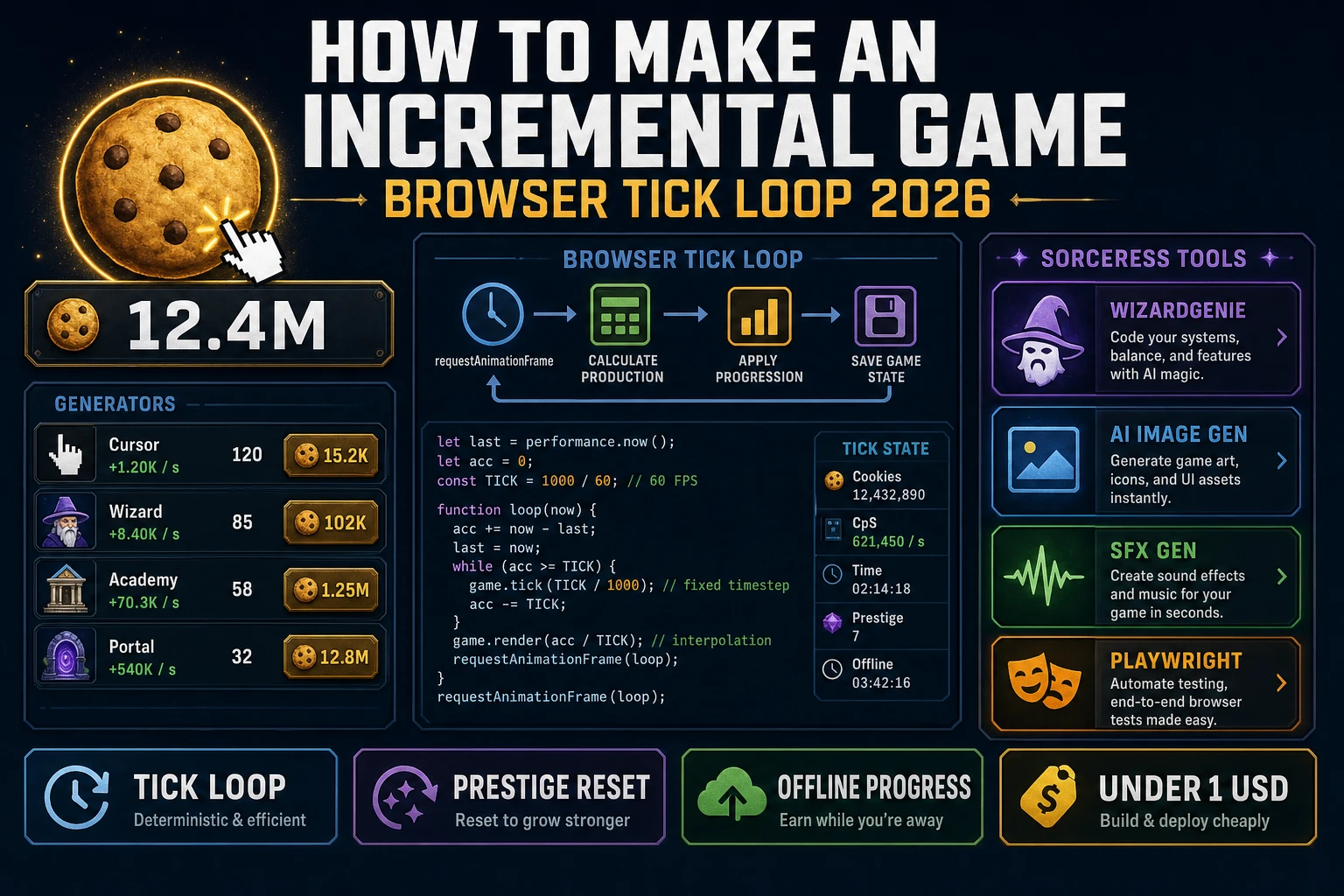
Most beginners who search "how to make an incremental game" want the Cookie Clicker feel - a fat clickable icon that spits out currency, a shopping list of generators whose prices climb 15% per purchase, upgrades that quietly multiply everything, an offline catch-up bonus when they return, and a prestige button that resets progress for a permanent multiplier - not a Progress Quest reimplementation on day one. The genre is famously "glorified spreadsheets with really neat mechanics", and that is a compliment. A commercial idle game is a live-service business with weekly balance patches and event calendars. A browser incremental game is different. A coding agent scaffolds the tick loop, the resource math, the offline catch-up, and the prestige reset from one prompt, and AI generation covers the icons and audio cues. On desktop or web, that means WizardGenie for the tick-loop interpreter, AI Image Gen for cookie, grandma, and factory icons, and SFX Gen for click and prestige cues. This guide is the honest end-to-end for how to make an incremental game in 2026, as a weekend build you can actually finish.
What how to make an incremental game actually means in 2026
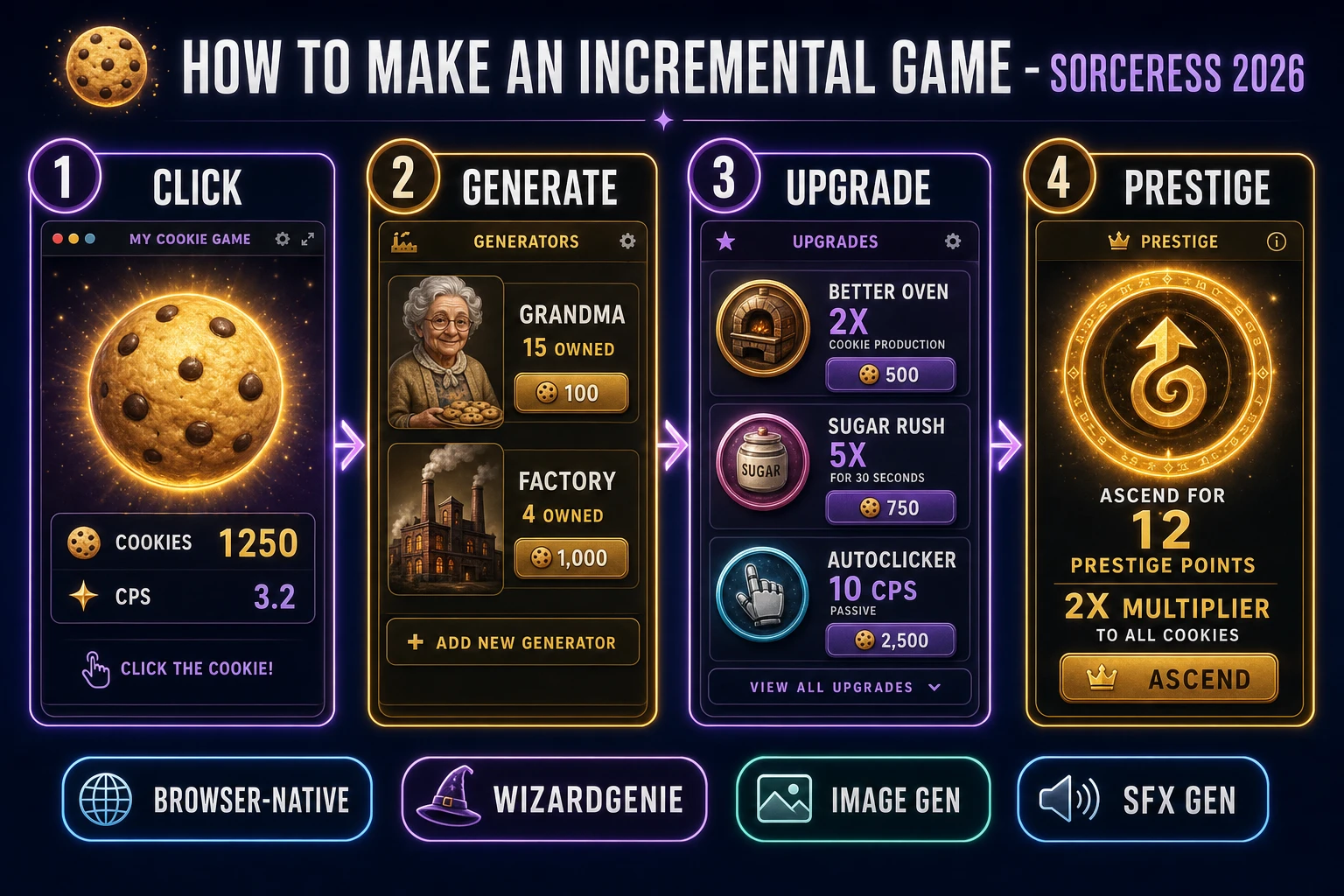
The query "how to make an incremental game" hides three distinct intents. Some searchers want an economics deep dive on live-service monetization - ad rewards, gacha boosters, time-warp microtransactions - a business brief, not a browser build. A second intent is a broader how to make a video game guide covering engines, art, and audio under one umbrella - useful, but too broad to answer the incremental-specific "click, generate, upgrade, automate, prestige" mental model. The intent this guide targets is the third: a browser incremental game that boots into a single-page HTML shell with a clickable resource, a shopping list of generators whose costs climb exponentially, a small upgrade grid, an automated tick that runs even while the tab is hidden, and a prestige reset that grants a permanent multiplier and restarts the run. That is a weekend build, it demos the Sorceress toolset, and it is the format most incremental game tutorial and browser clicker upgrade searchers actually want.
The presentation contract is small and strict. A hero panel shows the primary resource with a big animated icon and the current total in a short-scale suffix like 12.4M. A per-second readout tracks the current cumulative income. A generators panel lists each generator with cost, count owned, and per-tick emission. An upgrades panel lists purchasable multipliers or unlocks with cost and effect. A prestige panel appears once the player crosses the reset threshold, showing how many prestige points ("ascension points", "sacred coins", whatever theme you pick) the current run would grant. The incremental game overview on Wikipedia (verified 2026-08-30) traces the genre from Progress Quest (2002) through Cow Clicker, Candy Box, Cookie Clicker (2013), and Clicker Heroes (which pioneered layered prestige), and confirms these five panels as the defining loop - cite that page in your itch.io blurb so players know you shipped a browser incremental game tick loop, not a walking simulator.
The incremental tick loop in one minute (click, generate, upgrade, automate, prestige)
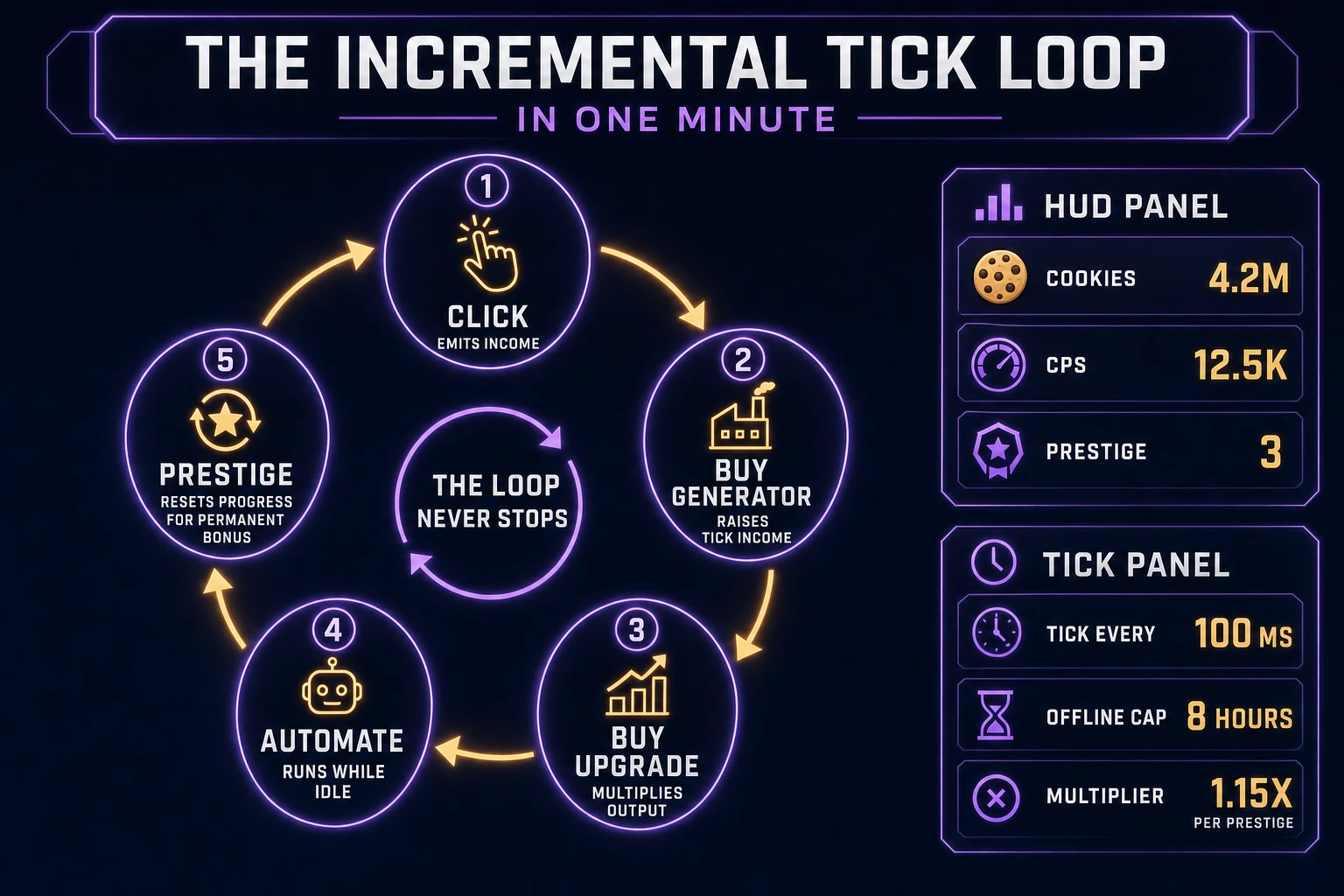
Five moving parts, cycled forever. First, click - the player taps the primary resource icon and it emits a small amount of currency, which seeds the whole economy. Second, generate - the player spends accumulated currency on generators; each owned generator emits a per-tick amount that scales linearly with count and exponentially with tier. Third, upgrade - the player buys milestone upgrades that multiply either click income, one generator's output, or the whole economy; costs are usually flat but effect stacks are permanent. Fourth, automate - the tick loop runs every 100 ms, evaluating idle income even when the player is not clicking; when the tab is hidden, the loop pauses but timestamps are saved so the next visit can catch up. Fifth, prestige - once total lifetime earnings cross a threshold, a prestige button appears; pressing it resets the run but grants prestige points that permanently multiply future income. That five-step cycle is the whole idle game javascript loop - everything else (themes, upgrades trees, ascension layers, event currencies) is polish on top.
Pick your engine for how to make an incremental game: vanilla DOM, Canvas, or WizardGenie
Three good targets in 2026, each with a different trade-off. Vanilla HTML with a bit of CSS grid is the honest default and the pick this guide recommends for a first build. Incremental games are UI-heavy, not render-heavy - the game state fits in one JavaScript object, the DOM handles all layout, and the only animation you need is a subtle scale bounce on the click target and a numeric ticker. Bind buttons and use requestAnimationFrame only for the visual ticker; keep the game tick on a setInterval at 100 ms so it survives tab focus changes cleanly. The MDN Page Visibility API docs (verified 2026-08-30) explain why setTimeout and setInterval are throttled in background tabs, and how the visibilitychange event lets you save state at the exact moment the tab hides so a browser crash never costs the player a full run.
Big numbers matter more than beginners realize. Cookie Clicker style pacing routinely crosses 1e15 within a few prestige loops, and plain JavaScript Number starts losing integer precision at 2^53. The MDN BigInt reference (verified 2026-08-30) covers the native primitive that handles arbitrary-precision integers with the n suffix - 10n ** 100n is exact, no library required. For a first build, stick with Number and cap the design around 1e12; when a v2 wants Cookie-Clicker-scale pacing, migrate the currency fields to BigInt and format for display with a short-scale suffix table (K, M, B, T, Qa, Qi, Sx, Sp, Oc, No, De) or fall through to scientific notation once you cross the last suffix.
Phaser v4.2.1 "Giedi" (released 9 July 2026, verified 2026-08-30 on the official Phaser stable download page) becomes the right pick only when the incremental game is really an incremental hybrid - a shooter with idle DPS, a clicker with a real Canvas play field, an autobattler with per-frame simulation. Phaser Scenes give you a clean HUD-plus-play-field split and physics-arcade bodies for particle bursts on click. For a pure spreadsheet-style incremental, Phaser is overkill; stick to DOM. Use Phaser when the Scene stack and per-frame render are the product; use plain HTML when the product is a readable incremental game tutorial people can build in one sitting.
WizardGenie is not a separate incremental engine - it scaffolds whichever of the two you pick from a single natural-language prompt. WizardGenie ships as both a desktop app (Windows installer with auto-update, available to Early Access supporters and above) and a no-install web build. Its coding-model lineup covers Claude Opus 4.7, Claude Sonnet 4.6, GPT-5.5, Gemini 3.1 Pro, DeepSeek V4 Pro, Kimi K2.5, Grok 4.2, and MiniMax M2.7 (verified 2026-08-30 in src/app/_home-v2/_data/tools.ts). For a first incremental tick loop, any frontier model scaffolds the click-generate-upgrade-automate-prestige state machine in one prompt. Pair a frontier planner with a budget executor like DeepSeek V4 Pro or Kimi K2.5 for the typing pass - the dual-agent pattern lands most projects at roughly one-fifth the single-frontier cost.
Step 1 - model resources, generators, upgrades, and the tick math
Nothing else in the pipeline matters if the numbers drift or a refresh loses the run. Start with a small, testable model:
const SAVE_KEY = "incremental.save.v1";
const TICK_MS = 100;
const OFFLINE_CAP_SECONDS = 8 * 60 * 60;
const COST_GROWTH = 1.15;

const state = {
  cookies: 0,
  lifetime: 0,
  prestige: 0,
  clickPower: 1,
  generators: [
    { id: "grandma", baseCost: 15, baseCps: 1, count: 0 },
    { id: "factory", baseCost: 100, baseCps: 8, count: 0 },
    { id: "temple",  baseCost: 1e4, baseCps: 47, count: 0 },
    { id: "portal",  baseCost: 1e6, baseCps: 260, count: 0 },
  ],
  upgrades: { doubleClick: false, sugarRush: false },
  lastTick: Date.now(),
};

function multiplier() {
  return 1 + state.prestige * 0.02;
}

function costFor(gen) {
  return Math.ceil(gen.baseCost * Math.pow(COST_GROWTH, gen.count));
}

function cps() {
  const base = state.generators.reduce((s, g) => s + g.count * g.baseCps, 0);
  const boost = state.upgrades.sugarRush ? 5 : 1;
  return base * boost * multiplier();
}

function clickCookie() {
  const gain = state.clickPower * (state.upgrades.doubleClick ? 2 : 1) * multiplier();
  state.cookies += gain;
  state.lifetime += gain;
  playSound("click");
}

function buy(id) {
  const gen = state.generators.find(g => g.id === id);
  const cost = costFor(gen);
  if (state.cookies < cost) return false;
  state.cookies -= cost;
  gen.count += 1;
  playSound("purchase");
  return true;
}

function prestigePointsAvailable() {
  return Math.floor(Math.pow(state.lifetime / 1e12, 0.5));
}

function ascend() {
  const gain = prestigePointsAvailable();
  if (gain <= 0) return;
  state.prestige += gain;
  state.cookies = 0;
  state.lifetime = 0;
  state.generators.forEach(g => g.count = 0);
  state.upgrades = { doubleClick: false, sugarRush: false };
  playSound("prestige");
}
Unit-test five cases before you generate any art: clicking with default state raises cookies by exactly 1; buying the first grandma at cost 15 sets count to 1 and drops cookies by 15; the second grandma costs 18 (15 * 1.15 rounded up); cps() returns 1 when one grandma is owned and no prestige bonus is active; ascending with lifetime = 4e12 grants 2 prestige points and zeroes cookies. Those five tests catch ninety percent of javascript idle game bugs. Keep the cost growth constant at 1.15 - Cookie Clicker's original ratio - and only tune it after the whole loop feels honest.