How to Make a Video Game With AI (No Coding Required)

By Arron R.8 min read
How to make a video game with AI, no code: describe it in plain English. WizardGenie writes the code, generates the art and music, and runs the result on deskto

If you’ve been wondering how to make a video game with AI but never wrote a line of code, the answer used to be “go learn Unity for six months.” That isn’t the answer anymore. AI coding agents can now design, write, run, and debug a real game while you describe what you want in plain English. This guide walks through exactly how to do it — from a one-sentence idea to a game you can actually play — in well under an hour.

The whole workflow runs in a single editor. No SDK juggling, no command-line setup, no learning a proprietary scripting language first. The only thing you need is a free Sorceress account and an idea.
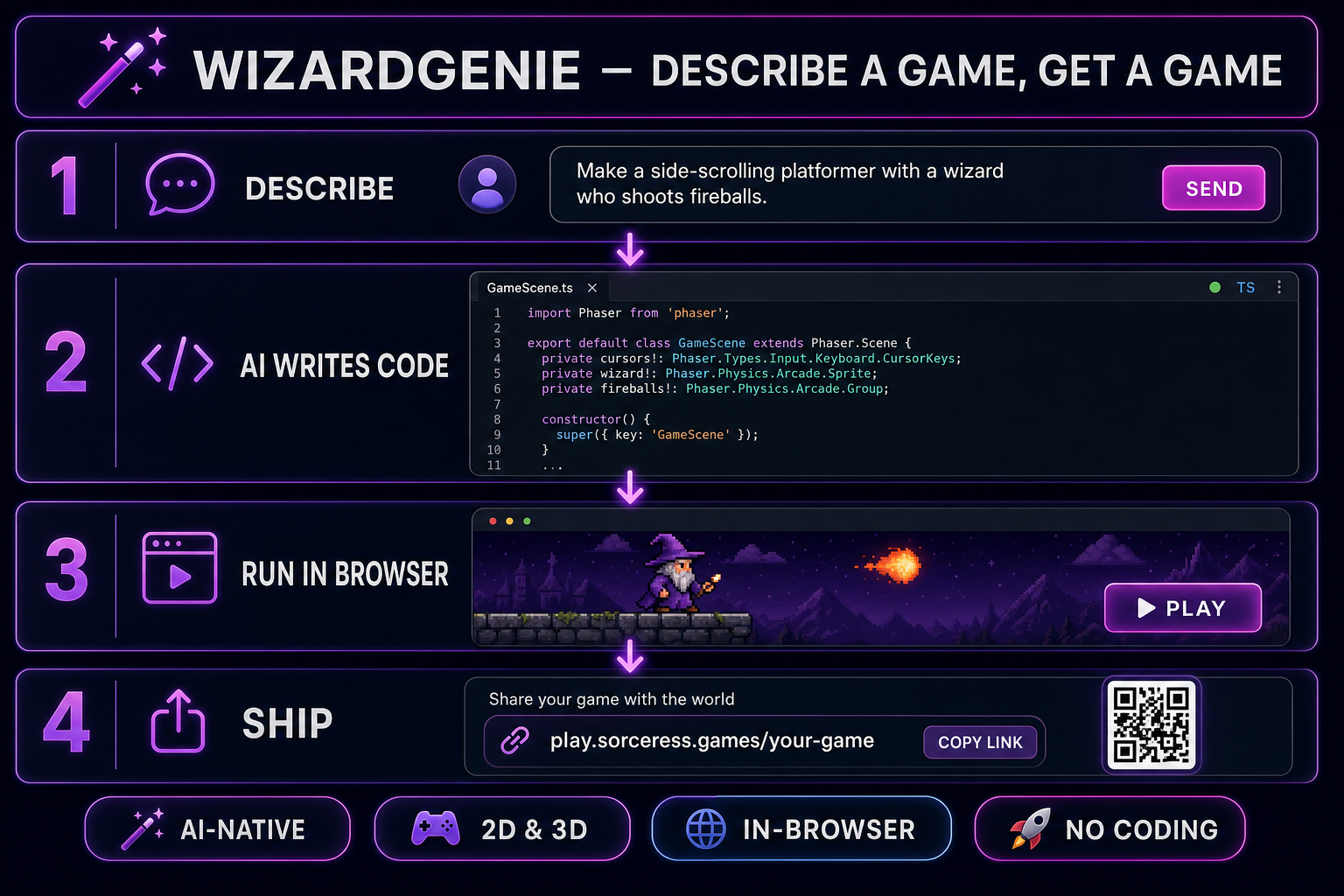
WizardGenie 4-step pipeline diagram: describe a game in chat, AI writes Phaser code, run the game in the preview, ship a playable build
The whole flow in one picture: describe a game in plain English, the agent writes and runs the code, you end up with a real, playable game.

How to make a video game with AI: what you’ll need first

One free account on WizardGenie, the AI-native game engine inside Sorceress. That’s the whole shopping list. No Unity install. No Godot install. No GitHub account. No graphics tablet. No paid AI subscription on day one — WizardGenie ships with a fallback trial key so you can prove the workflow before you pay anyone for tokens.

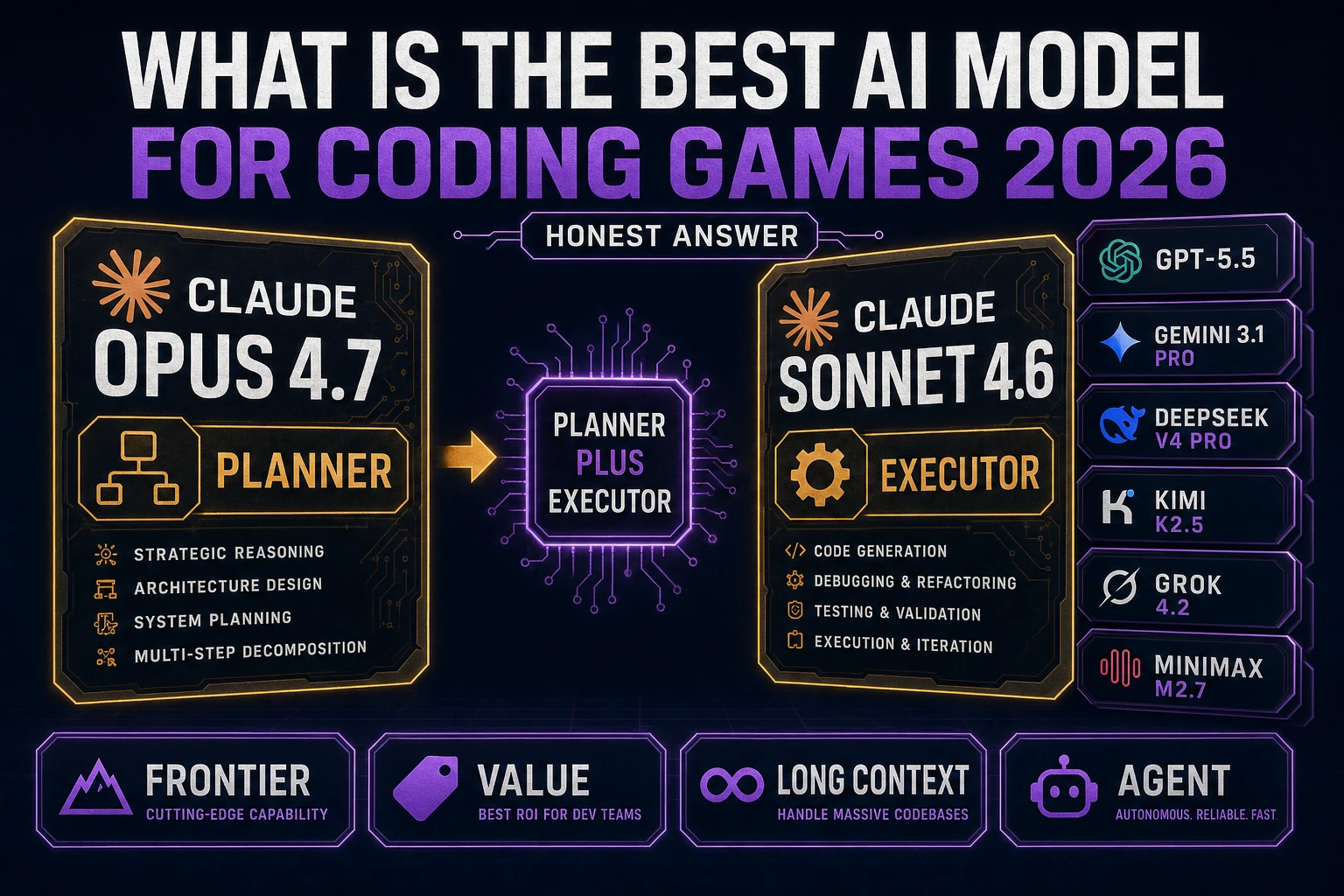
If you want to hand-pick which AI model writes your game’s code, WizardGenie supports every flagship coding model in a single drop-down: Claude Opus 4.7 and Claude Sonnet 4.6, GPT-5.5, Gemini 3.1 Pro, Grok 4.2, DeepSeek V4 Pro, Kimi K2.5, and MiniMax M2.7. Bring your own API key, pay providers directly, no markup or middleman.

Step 1 — Open WizardGenie (web or desktop)

WizardGenie is available two ways and you pick what works for you:

  • Web app. Go to Sorceress.games/wizard-genie/app. A real game editor loads inside the browser tab — chat panel on the left, live game preview in the middle, tool palette on the right with image generation, music generation, sprite tools, and 3D assets all built in. Zero install.
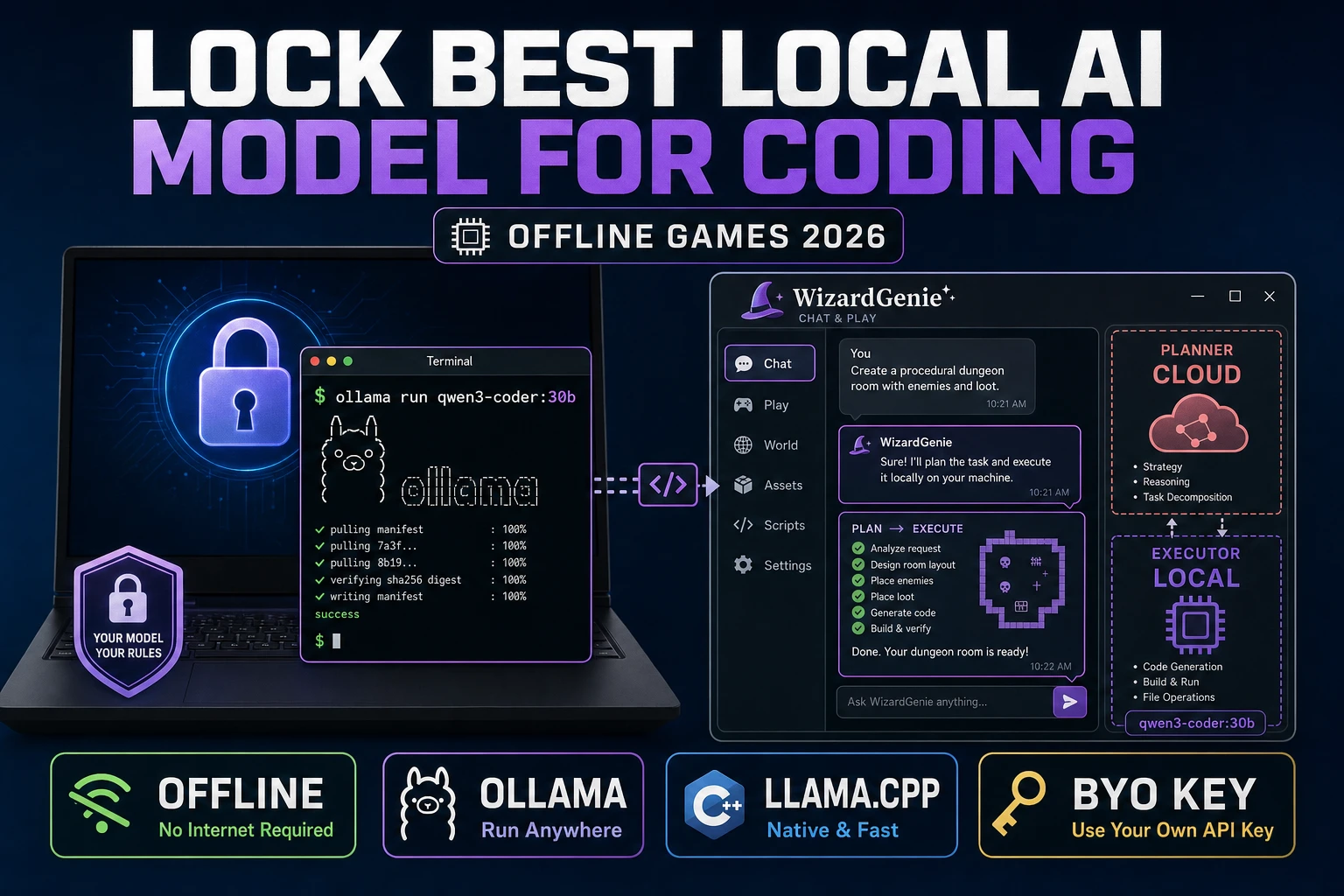
  • Desktop app. A Windows installer with auto-updates, native filesystem access, and longer-running agent sessions. Built for serious project work — keep your files on your machine, run the agent for hours at a time, and stay productive offline once the project is loaded. Get it on the WizardGenie page.

Both versions run the same agent on the same project format, so you can start in the browser, install the desktop app later, and pick the project up where you left off.

You don’t have to configure anything on first open. WizardGenie bootstraps a clean Phaser project (for 2D) or Three.js project (for 3D) so the agent has somewhere to write code. From here on the AI does the heavy lifting.

Step 2 — Describe the game you want, in plain English

Type your game idea into the chat box. The trick is to write the way you’d describe a game to a friend, not the way you’d write a spec doc. Examples that work well:

  • “A side-scrolling platformer with a wizard who shoots fireballs at goblins.”
  • “A top-down RPG where you walk around a forest and fight slimes.”
  • “A puzzle game where you push blocks onto switches to open doors.”
  • “A space shooter — the player flies a ship at the bottom of the screen and asteroids fall from the top.”

Keep your first prompt short. The agent’s first job is to lock in a genre and a player loop, not to ship the whole game in one shot. You’ll layer details in over the next few prompts. If you ask for too much at once, you’ll spend more time un-doing things than building forward.

Step 3 — Let the AI agent write and run the code

WizardGenie reads your prompt, picks the right framework (Phaser for 2D, Three.js for 3D), and starts writing actual TypeScript. Files appear in the file tree as the agent works. Within 30–60 seconds the agent hot-reloads the preview and you can play the first version of your game in the middle panel.

This is where WizardGenie’s dual-agent mode matters. A “Planner” model — typically a top-tier reasoner like Claude Opus 4.7 or GPT-5.5 — breaks your idea into a numbered plan. A separate “Executor” model — usually something cheap and fast like DeepSeek V4 Pro or Kimi K2.5 — actually writes the code, file by file, against that plan. The expensive brain only thinks; the cheap brain only types. That split typically runs at roughly a fifth of the token cost of using one frontier model for everything, and the final output quality holds up because the architectural decisions live in the plan, not in the typing.
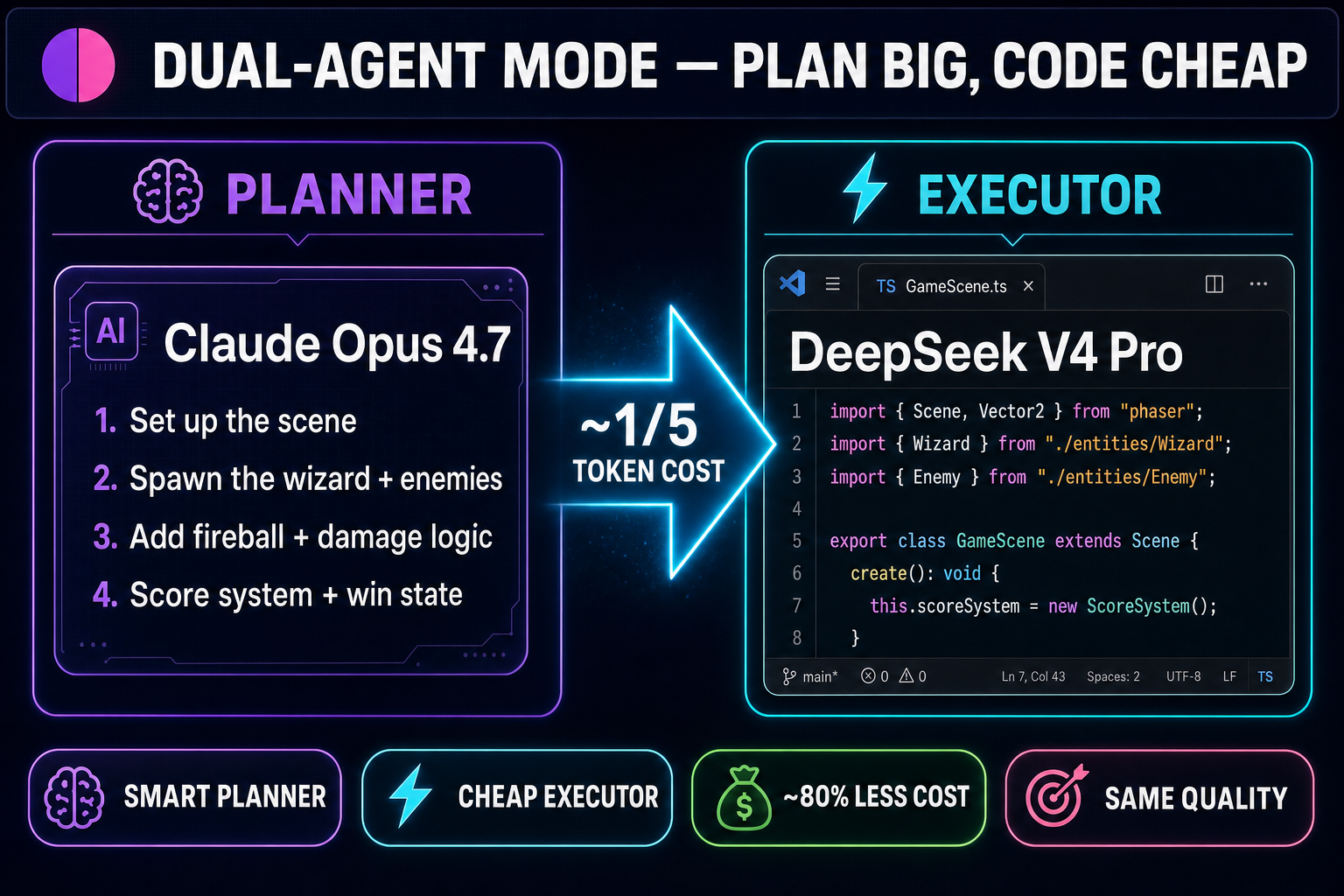
Dual-agent diagram showing Claude Opus 4.7 as the Planner producing a numbered plan and DeepSeek V4 Pro as the Executor writing TypeScript code, with a glowing arrow between them labeled approximately one fifth token cost
Planner thinks, Executor codes. Pair Claude Opus 4.7 with a cheap, fast coder like DeepSeek V4 Pro and you get the same quality at roughly a fifth of the token cost — the savings compound fast when you’re iterating dozens of times in one session.

If your trial allotment runs low, switch to your own API key in settings and you keep going at near-zero marginal cost.
Step 4 — Generate art, music, and sound (without leaving the editor)

A working game still needs to look and sound like something. WizardGenie’s tool palette ships with the entire Sorceress Game Creation Suite embedded inside the editor — so you don’t have to bounce between tabs to add a sprite, a tileset, or a soundtrack.

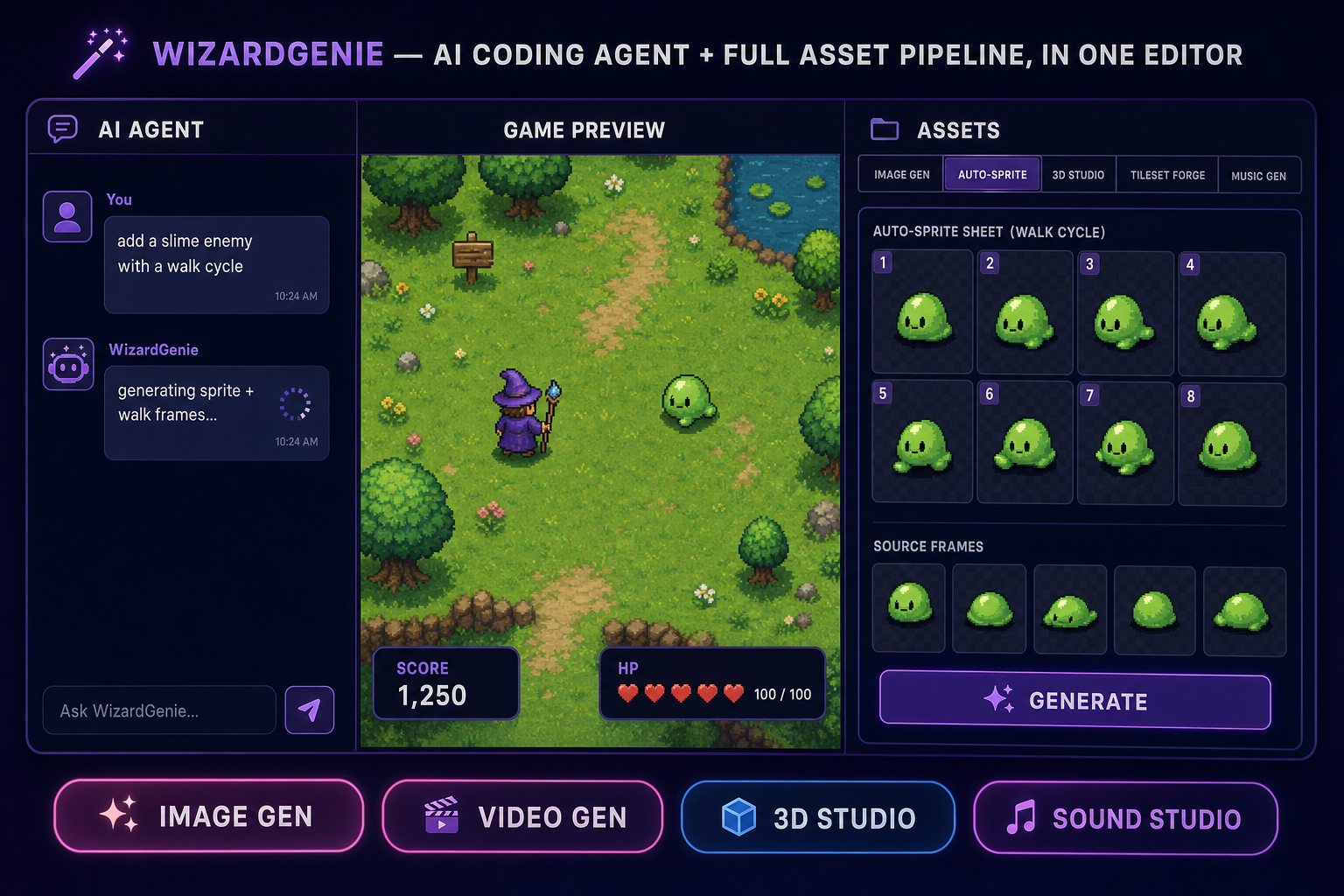
WizardGenie editor mockup showing the AI agent chat panel, a top-down RPG game preview with a wizard and a slime, and an Assets panel on the right with tabs for Image Gen, Auto-Sprite, 3D Studio, Tileset Forge, and Music Gen
The whole asset pipeline lives inside the editor. Generate a sprite from a prompt, drop it into the scene, and ask the agent to wire it up.

The most useful tools when you’re starting out:

  • Image Gen. A unified interface for Nano Banana Pro, GPT Image 2, Seedream 5 Lite, Flux 2 Pro, and Grok Imagine. Use it for character art, backgrounds, item icons, UI panels.
  • Auto-Sprite v2. Turn a character image into an animated sprite sheet (walk, idle, attack frames). Drop the sheet into the scene, ask the agent to wire it to the player, done.
  • Music Gen. Type “8-bit dungeon battle music, 90 BPM, looping” and you get a track ready to play on the boss-room enter event.
  • 3D Studio. If your game is 3D, this turns a character image into a fully rigged, animated 3D model exportable to GLB.

The agent knows these tools exist and can invoke them on its own. Tell it “give the wizard a fireball-casting animation” and it will route through Image Gen → Auto-Sprite, then update the player code so the new animation plays on the right input.

Step 5 — Iterate by talking to the agent

This is where most beginners speed up. You don’t have to rewrite anything yourself. You just say what you want next:

  • “Make the wizard jump higher.”
  • “Add a score counter in the top-right corner.”
  • “When the wizard takes 3 hits, show a Game Over screen with a Restart button.”
  • “Make the goblins drop coins. Coins increase the score by 10.”
  • “Add a soundtrack — something dark and orchestral, looping.”

The agent reads the existing project before each change. It knows what you already built, what your player object is called, what your scene contains. This is the part traditional engines couldn’t do — Unity and Unreal have AI plugins now, but they’re bolted on. WizardGenie’s agent has scene-awareness built into its core, which means iteration cycles are short and the agent rarely undoes its own work.

One tip from experience: when the agent gets something wrong, don’t argue with it abstractly. Say what’s actually broken in concrete terms (“the fireball passes through goblins instead of damaging them”) and it will fix the right thing the first time.

How long does it actually take to make a video game with AI?

For a simple genre — a single-screen platformer, a top-down explorer, a falling-blocks puzzle — expect 30 to 60 minutes from first prompt to a playable build. For something more involved (multiple levels, an inventory, save/load) you’re looking at a few sessions across a few days. Asset generation runs in parallel with code generation, so you’re rarely waiting on one thing at a time.

The largest variable is your prompt discipline. If you describe the game cleanly and iterate one feature at a time, you’ll be surprised how fast it moves. If you ask for fifteen things in one message, you’ll spend twice as long sorting through what the agent did and didn’t get right.

Common issues you’ll hit

  • The agent keeps regenerating files instead of editing them. Be more specific — say “edit the existing GameScene file” instead of “add this feature”.
  • The preview doesn’t update after a code change. Hard-refresh the preview pane. Sometimes the agent writes correctly but the hot-reload misses an asset path.
  • Generated art doesn’t match your game’s style. Use a reference image. WizardGenie’s image gen accepts reference inputs — drop in a screenshot of your existing scene and ask the agent to match its style.
  • The trial key runs out. Plug in your own API key in settings. Pay providers directly, no Sorceress markup.

Why this beats “build a game with ChatGPT” tutorials

You can technically write game code by pasting prompts into a generic chat tool, and most “make a game with AI” tutorials online do exactly that. The reason it doesn’t actually work is the chat tool can’t see your project — every change starts from scratch, every fix needs the whole file pasted back in, and there’s no preview, no asset pipeline, and no way to run the result.

The thing that makes a working game possible from text alone is an editor where the agent can read the codebase, run the game, see the result, and re-prompt itself. WizardGenie is built around that loop. The agent knows Three.js for 3D and Phaser for 2D deeply, has the scene state in context, and can chain through the asset tools without leaving the conversation. The frontier coding models WizardGenie ships in its drop-down — Claude Opus 4.7, GPT-5.5, Gemini 3.1 Pro, DeepSeek V4 Pro, Grok 4.2, and the rest — are now strong enough that the agent rarely needs you to step in. When it does, you talk to it; you don’t take over. Open WizardGenie and try a prompt yourself — that’s the fastest way to see the loop in action.

Frequently Asked Questions

Do I need to know how to code to make a video game with AI?

No. WizardGenie's AI agent writes all the code from your plain-English description. You can review or tweak it later, but you don't have to write anything yourself to get to a playable game.

How much does it cost to make a game with WizardGenie?

Sorceress accounts include a fallback trial key, so you can build a real game without paying anything up front. When you want unlimited iteration, you plug in your own API key and pay providers like Anthropic, OpenAI, or DeepSeek directly — no Sorceress markup. Dual-agent mode keeps token costs around a quarter of what a single-model setup would burn.

Can I make 3D games with AI, or only 2D?

Both. WizardGenie uses Phaser for 2D games and Three.js for 3D — both are first-class, and the same AI agent ships either kind. You pick by saying "3D" or "top-down 2D" in your description.

How long does it take to make a video game with AI?

For a simple genre — single-screen platformer, top-down explorer, falling-blocks puzzle — most people get to a playable first build in 30 to 60 minutes. More complex games with multiple levels, inventories, or save systems take a few sessions.

Is WizardGenie a desktop app or a web app?

Both. There is a Windows desktop app with auto-updates, native filesystem access, and longer-running agent sessions, plus a no-install web app at sorceress.games/wizard-genie/app. Both run the same AI agent on the same project format, so you can switch between them freely.

Sources

  1. Three.js — JavaScript 3D Library
  2. Phaser 3 Documentation
Written by Arron R.·1,717 words·8 min read

Related posts