A vibe coder who built their first browser platformer in WizardGenie and now wants a grid-based dungeon crawler, a jam developer with three weeks and zero pixel-art skill, and an indie who dropped Unity after the latest licensing rumble all land on the same question in 2026: how to make a roguelike in Godot without writing every system from scratch. Godot 4.6.3 stable (released May 20, 2026, verified June 10, 2026) ships the right primitives — the TileMapLayer node, a signal-driven event model, an idiomatic class_name and Resource workflow, and an HTML5 export — but the systems a traditional roguelike needs (turn-based movement, procedural dungeons, field of view, permadeath) are still wiring the developer has to write. This post walks the honest six-pillar build inside Godot 4.6.3, then maps the Sorceress browser stack that supplies the sprite art, the dungeon tiles, the chiptune loops, and the GDScript itself.
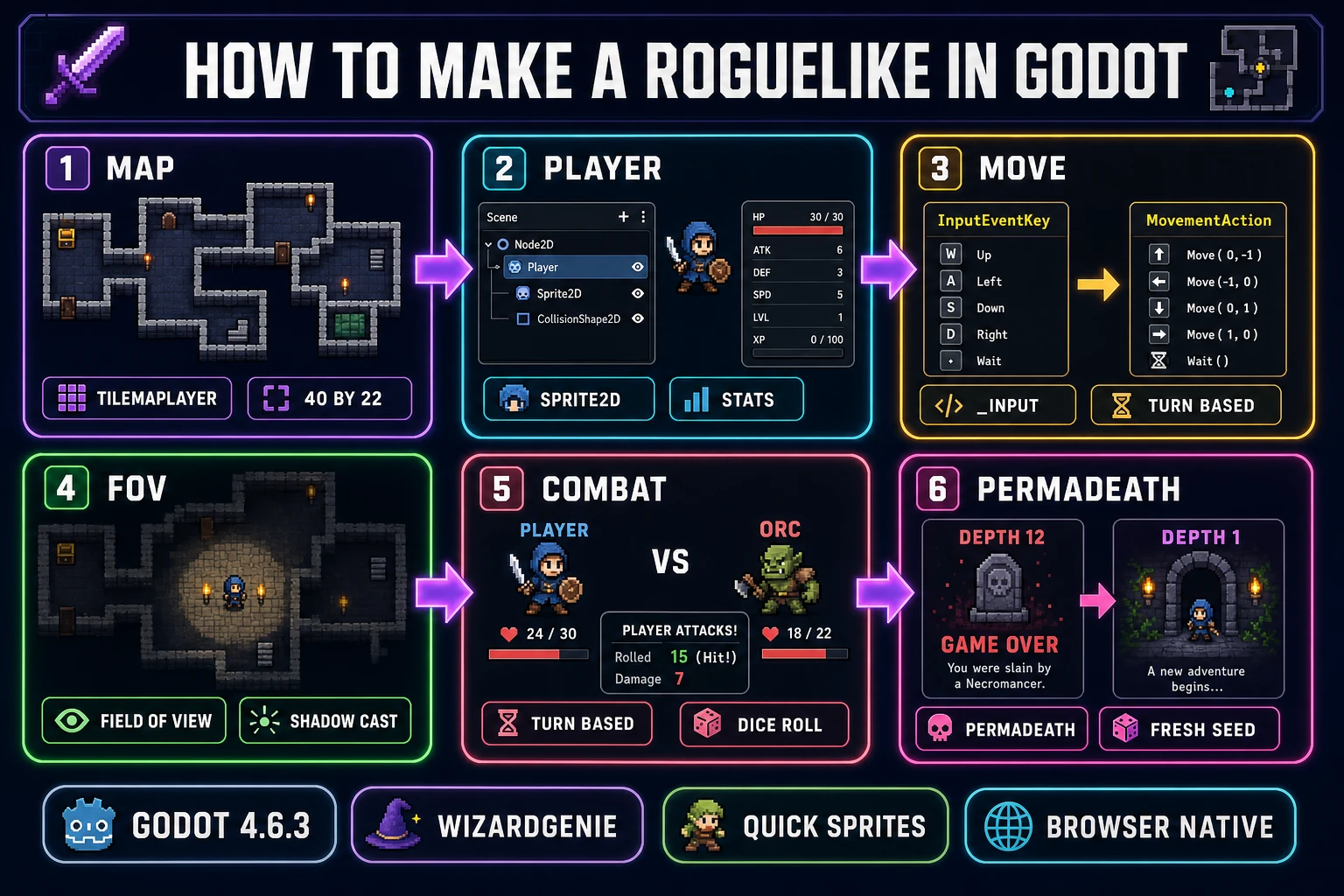
_input Action loop, field-of-view shadow casting, turn-based combat, and permadeath. The Sorceress browser stack supplies every asset and every line of GDScript.What “how to make a roguelike in Godot” actually means in 2026
A roguelike is the genre with the sharpest mechanical constraints in 2D game design: a tile-based grid, turn-based movement, procedural dungeons that rebuild every run, field-of-view that fogs unexplored tiles, and permadeath that voids every save when the player dies. The first roguelike (Rogue, 1980) ran in an ASCII terminal; the modern interpretation keeps the grid and the turns but renders pixel-art sprites in a real engine. Godot 4.6.3 is a good fit for the modern interpretation because the engine’s scene-tree plus signal model lets every system stay independent, the TileMapLayer node holds the grid losslessly through saves, and the GDScript language is what every leading 2026 AI coding model writes most fluently.
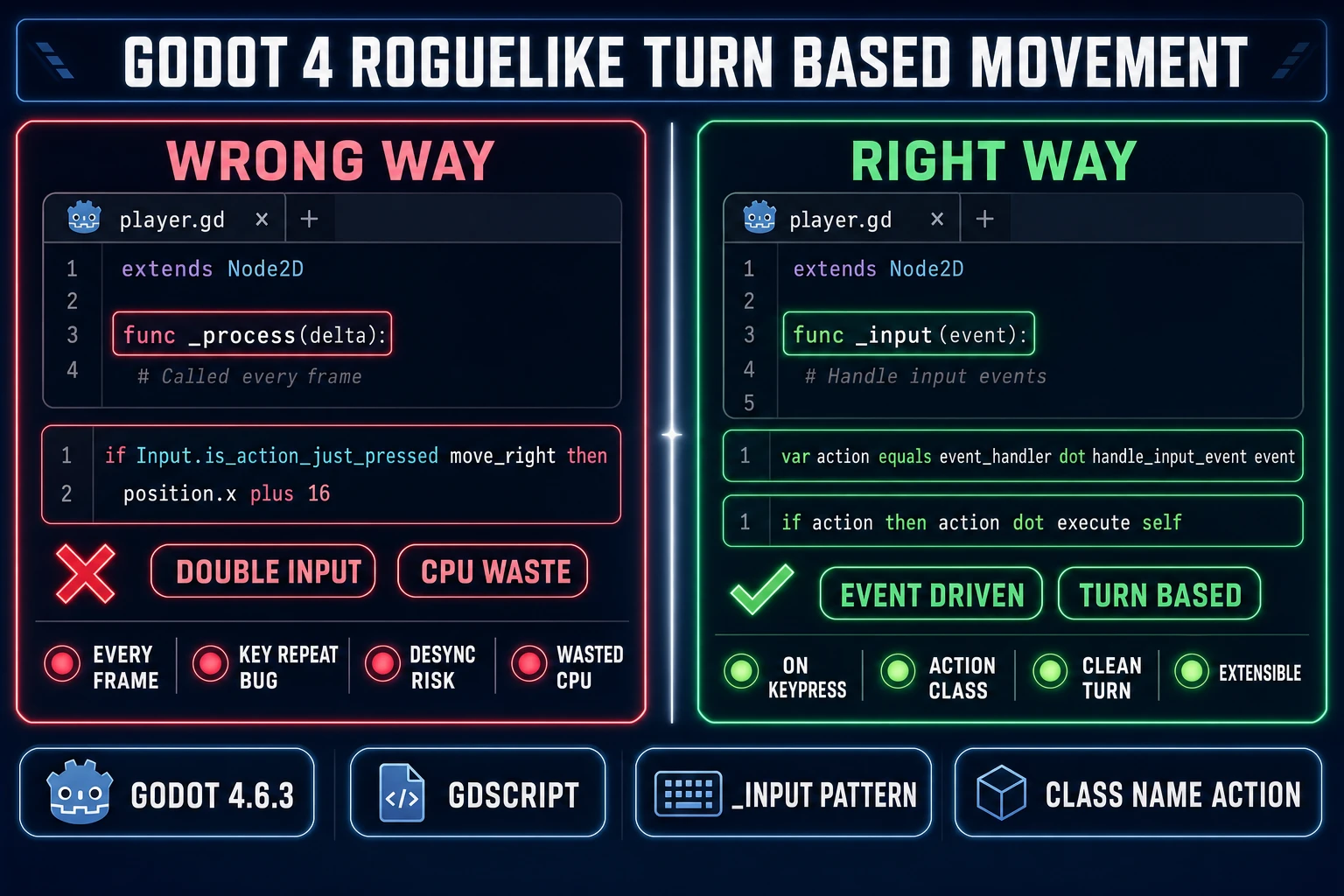
The 2026 honest framing is that Godot 4.6.3 ships every primitive a roguelike needs and zero of the systems pre-assembled. Sprite2D and AnimatedSprite2D handle the player and monsters. TileMapLayer (the modern grid node, replacing the deprecated TileMap) handles the dungeon. Resource and class_name handle the data definitions. The _input method on the Game node handles turn-based input correctly (continuous polling with _process is the wrong shape for a roguelike). FileAccess plus JSON handle the run save. Signals handle the cross-system events. The developer’s job is to wire those primitives into the six systems the genre requires, which is exactly where an AI coding agent earns its keep.
The six building blocks of every roguelike (map, player, movement, FOV, combat, permadeath)
Every Godot roguelike worth shipping in 2026 is built on six pillars. Naming them up front gives the AI a clean target for each prompt and keeps the project from drifting into a single 2,000-line script-of-everything.
Pillar 1: The map. A WorldScene with one TileMapLayer per render layer (ground, walls, decorations, overhead). Tiles store as a Dictionary keyed by Vector2i so walkability and explored-state lookups stay O(1). The dungeon generator overwrites the ground TileMapLayer every time the player descends a stair.
Pillar 2: The player. A Sprite2D (or AnimatedSprite2D for visible walk frames) with a stats Resource (current_hp, max_hp, attack, defense, depth_reached) and a small inventory Array. Position is stored as Vector2i grid coordinates, not pixel coordinates, and converted on render with global_position = grid_pos * TILE_SIZE.
Pillar 3: Turn-based movement. An EventHandler node that converts InputEventKey into an Action subclass (MovementAction, AttackAction, EscapeAction), all registered with class_name for type-safe dispatch. The Game node calls action.execute(self) when the player presses a key, then advances every monster, then ends the turn.
Pillar 4: Field of view. A symmetric shadow-casting algorithm that walks rays from the player to a radius (usually 7 to 10 tiles), marks every tile a ray reaches as visible, and marks every tile a ray has ever reached as explored. The renderer dims explored-but-not-visible tiles and fully hides never-seen tiles. Field of view is one of the two systems Godot does not ship pre-built (the other is the dungeon generator).
Pillar 5: Combat. A bump-to-attack pattern where moving into a monster’s tile triggers a damage roll instead of a position change. Damage = max(1, attacker.attack - defender.defense); on hp_zero the entity emits a died signal that the GameLog UI subscribes to.
Pillar 6: Permadeath. A SaveSystem autoload that writes the current run to user://current_run.json after every turn and deletes the file on death. Permadeath is the constraint that makes every decision matter; without the delete-on-death step, the roguelike is just a turn-based RPG.
Step 1 — Set up the Godot project (4.6.3, viewport, TileMapLayer)
Open Godot 4.6.3 and create a new project. Three Project Settings changes matter for a roguelike before any code gets written.
Viewport size. Navigate to Display → Window and set the viewport to 640 x 360. At a 16 by 16 tile size, that renders a 40 by 22.5 visible grid, which matches the canonical roguelike aspect and gives the player enough room to see the dungeon ahead without scrolling. The 16:9 aspect upscales cleanly to 720p and 1080p browser windows.
Stretch mode. Display → Window → Stretch → Mode = viewport. Godot renders at the native 640 by 360 resolution and upscales the entire viewport to fit any screen size, which keeps the pixel art crisp on any monitor.
Default texture filter. Rendering → Textures → Canvas Textures → Default Texture Filter = Nearest. This is the single most important setting for any pixel-art project. Without it, every sprite gets bilinear-interpolated to a blurry mush as soon as the engine upscales. With it, pixels stay pixels.
With the project configured, create the WorldScene root node (Node2D), parent four TileMapLayer children (Ground, Walls, Decorations, Overhead), and create a shared TileSet resource on each. The TileSet holds the source PNG atlas and the per-tile physics, navigation, and terrain data. Tile-based world structure is the idiomatic Godot 4.6 approach and replaces the deprecated TileMap node entirely. Each TileMapLayer can be saved, scrolled, and re-rendered independently, which matters when the dungeon generator only needs to rewrite the Ground layer between floors. The Walls layer holds the unbreakable border and any indestructible decoration; the Decorations layer holds doors, torches, and pickup glows; the Overhead layer holds anything that should render above the player (low ceiling, archways).
Step 2 — Generate pixel tiles and sprites with AI (free AI sprite pack from Sorceress)
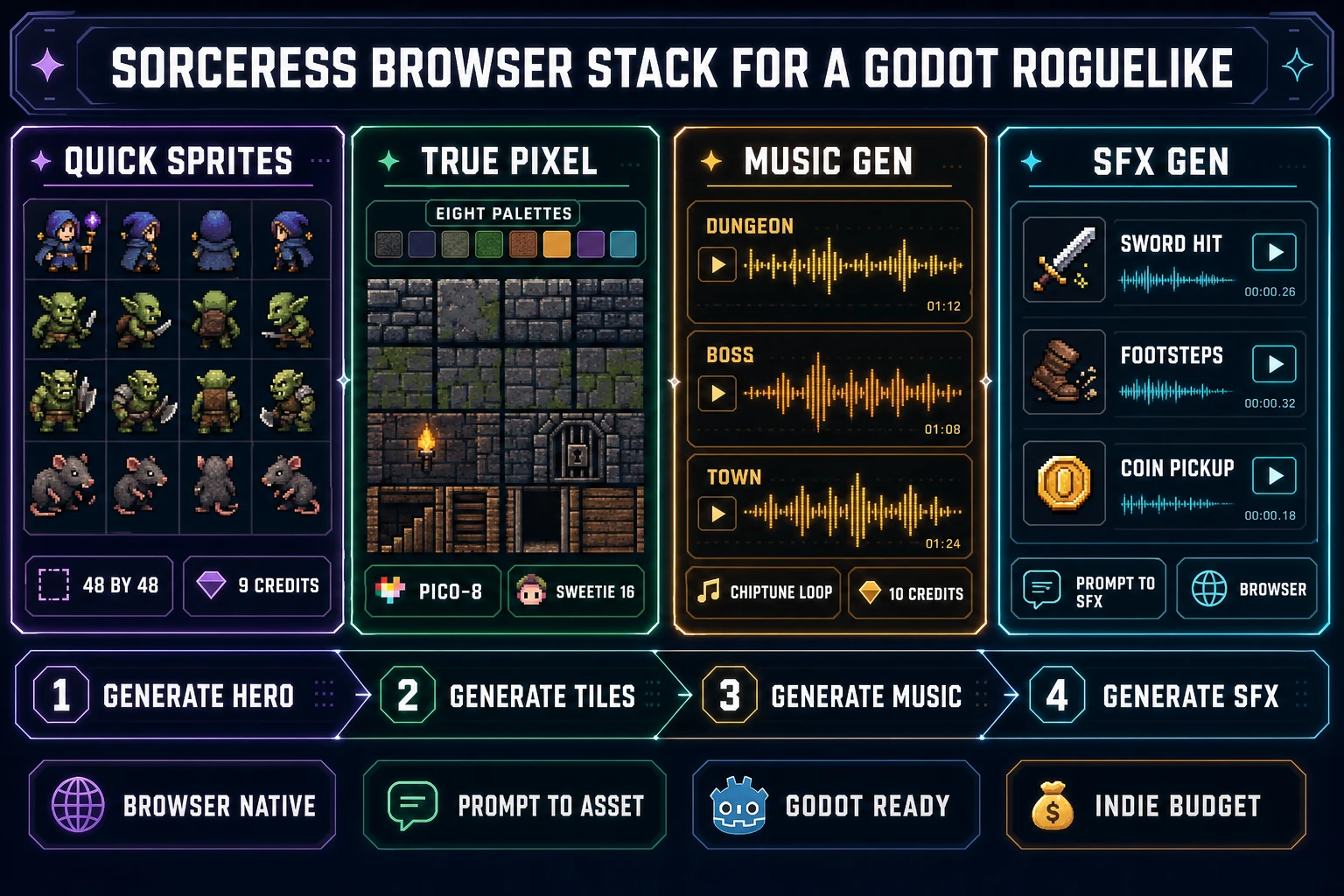
The art is the second-largest cost on an indie roguelike after the time. The Sorceress browser stack generates every asset class a roguelike needs from a text prompt, and the 100 starter credits every new account gets at signup cover roughly the first dungeon’s worth of art for free.
Quick Sprites generates the hero and monster sprite sheets. The tool runs the Retro Diffusion rd-animation model at 9 credits per generation (verified at MODEL_ID = 'retro-diffusion/rd-animation' and CREDITS_PER_GEN = 9 in src/app/quick-sprites/page.tsx on June 10, 2026). The three preset shapes are Four Angle Walking at 48 by 48 (four-direction four-frame walk cycles for the player and humanoid NPCs), Small Sprites at 32 by 32 (six-row layout for monsters and bystanders), and VFX Effects at 24 to 96 pixels for spell hits, fire, and pickup glows. Output is a packed PNG sheet plus an animated GIF preview that imports straight into a Godot 4 SpriteFrames resource.
True Pixel handles image-to-pixel-art conversion and palette enforcement. The tool ships eight palette presets (PICO-8 16, SWEETIE-16, Endesga 32, Game Boy, CGA, NES 54, Grayscale 8, 1-Bit, verified against PALETTE_PRESETS at line 24 of src/app/pixel-art/page.tsx on June 10, 2026). Endesga 32 is the modern roguelike default; SWEETIE-16 gives the saturated palette of newer indie roguelikes; PICO-8 16 gives the classic constraints. Drop in any AI image and True Pixel quantizes it to the palette and downsamples it to the chosen pixel resolution.
AI Image Gen handles the tileset bases, the prop sheets, the title-screen background, and the death-screen image. Seven leading models drive the picker: Nano Banana Pro and Nano Banana 2 for top-tier general-purpose generation, GPT Image 2 for photoreal text-in-image, Seedream 5 Lite for stylised illustration, Flux 2 Pro for hyper-detailed fantasy, Z-Image Turbo at 2 credits for fast iteration, and Grok Imagine for creative compositions (verified against src/app/_home-v2/_data/tools.ts on June 10, 2026). Z-Image Turbo at 2 credits is the workhorse for tileset iteration.
Music Gen produces full chiptune loops at 10 credits per track (verified at MUSIC_CREDIT_COST = 10 in src/app/music-gen/page.tsx on June 10, 2026). One dungeon track, one boss track, one town track, and one game-over sting covers an entire roguelike for 40 credits. Sound Studio and SFX Gen handle the sword-hit, footstep, coin-pickup, and door-creak SFX. Godot 4.6 imports MP3, OGG, and WAV directly into an AudioStreamPlayer node.