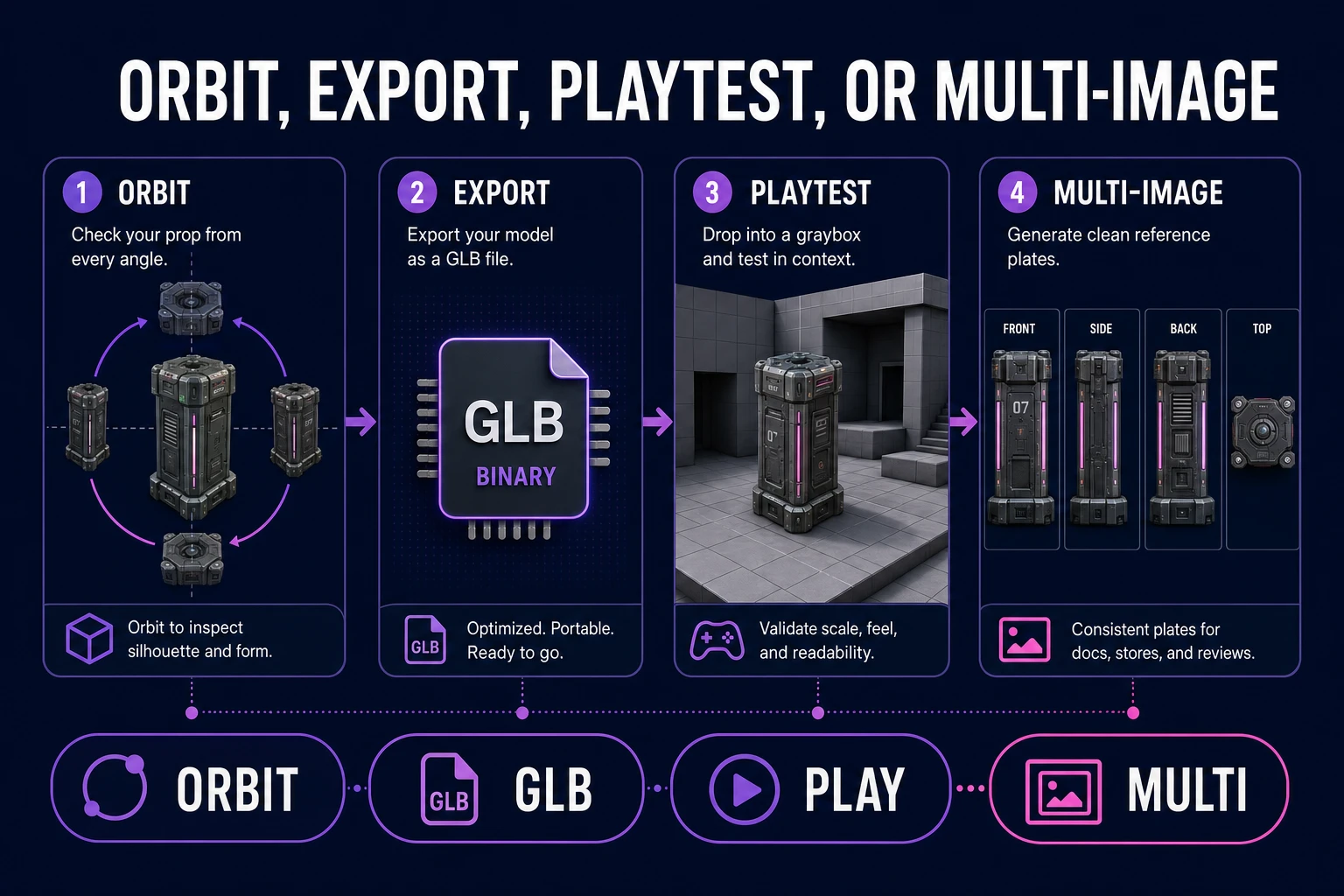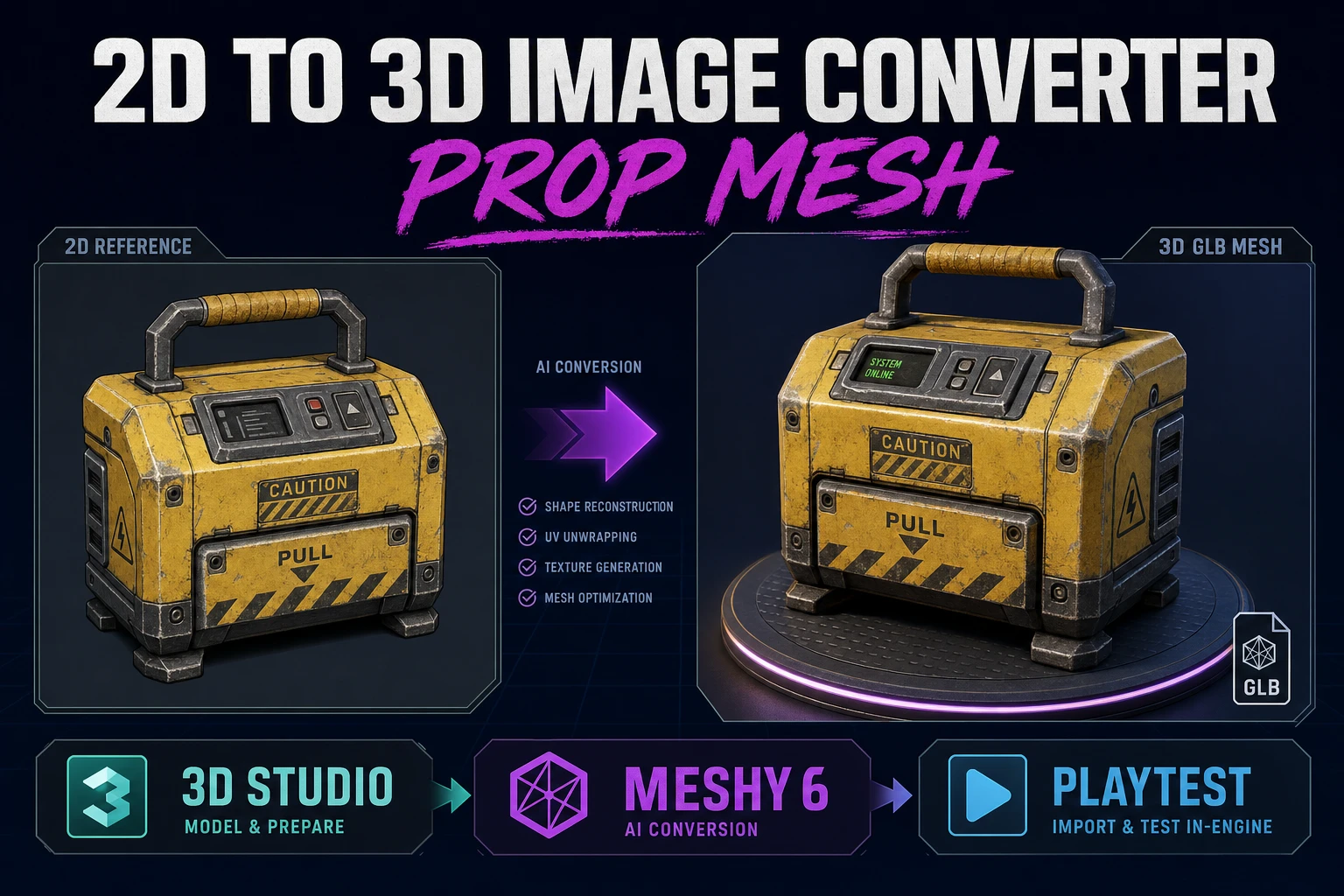
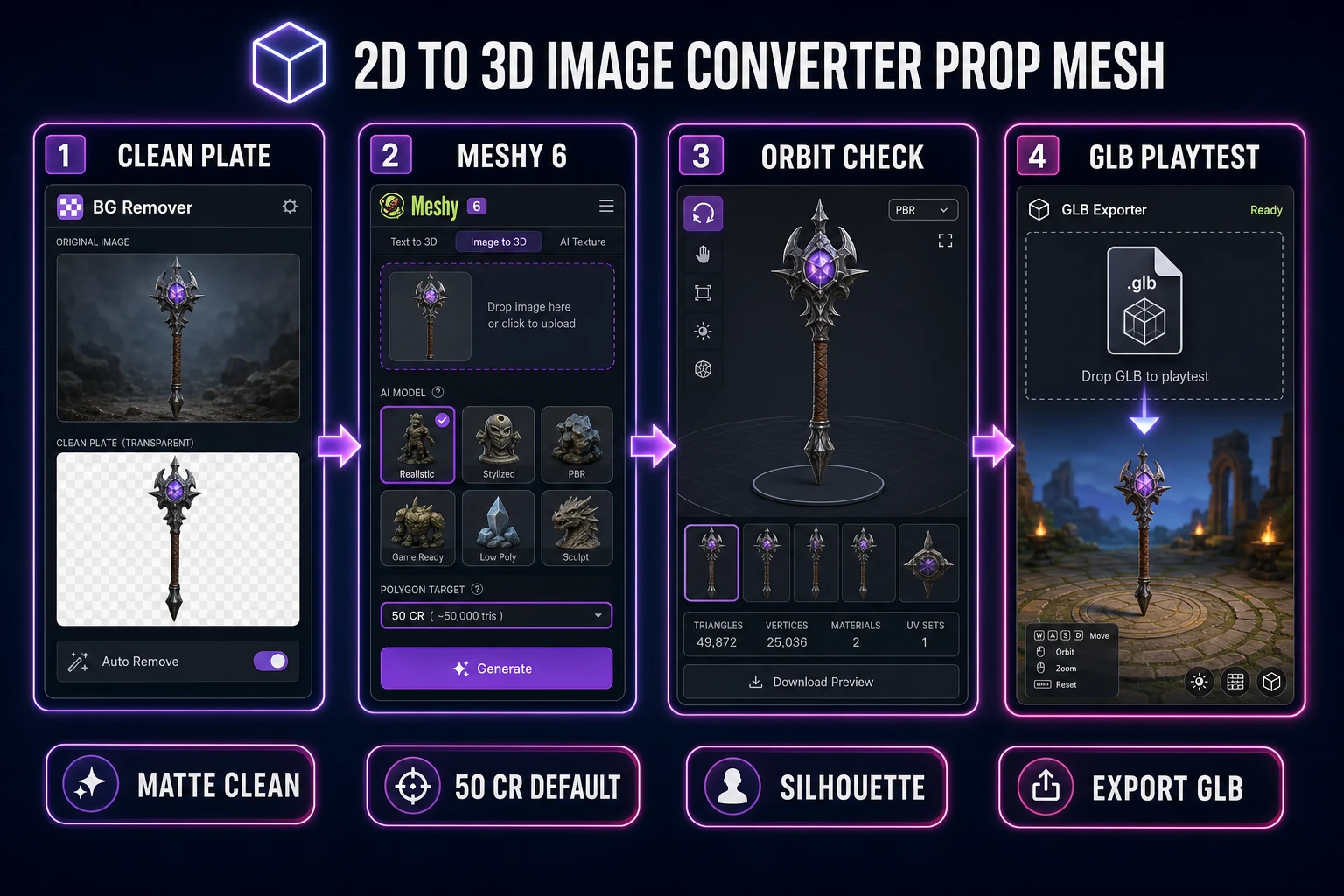
Searchers typing 2d to 3d image converter want a playable prop mesh, not a gallery turntable. A single clean plate, one Meshy 6 pass in 3D Studio, an orbit check, and a GLB drop into a one-screen playtest beats three blind re-rolls. This guide clamps that path with credits and model versions verified July 26, 2026.
What a 2d to 3d image converter must deliver for games
DataForSEO lists 2d to 3d image converter at 880 monthly searches with KD 0 in research-supplement.md, verified July 26, 2026. Sibling phrases like 2d to 3d image conversion (880/mo) and converting image to 3d model (720/mo) share the same job: turn a 2D plate into a mesh you can load. A true 2d to 3d image converter for games finishes only when the mesh survives a playtest camera, not when the turntable looks pretty.
Write four lines in a text file named prop_brief_v1.txt before you open the picker:
- Prop job - pickup, weapon, crate, or landmark (pick one).
- Camera rule - front three-quarter for single-image; plan front/side/back if the silhouette matters from all sides.
- Poly budget - web/mobile playtest vs hero render (do not mix those goals on pass one).
- Export rule - GLB must drop into a graybox scene without manual retopo.
That brief is the difference between a 2d to 3d image converter workflow that ships and a folder of pretty meshes that never leave the viewer. For a Tripo-specific credit chart on a related long-tail, see Form Tripo AI Image to 3D Model (Browser GLB). This article stays on the converter path with Meshy 6 inside Sorceress.
Decide what is out of scope. Full characters that need auto-rig belong in a later pass on Auto-Rigging. Trailer cinematics belong in Video Gen. Day-one converter work should prove one prop reads at game scale.
Prep a clean single-subject plate
Start from a photo you trust or generate a concept in AI Image Gen. The plate must be:
- Single subject - one prop, no cluttered shelves, no hands holding the object unless the hand is the prop.
- Even lighting - hard shadows bake into albedo and read as fake geometry.
- Readable silhouette - if you squint and lose the outline, the mesh will too.
- Resolution that survives crop - aim for a clear subject at least 512x512 after you cut the matte; larger is better when detail matters.
Run the plate through BG Remover before 3D Studio. Busy backgrounds invent table edges, wall seams, and phantom limbs. Keep a flat or transparent matte. If the cut leaves hairline fringe, fix the plate once - do not pay for three converter runs that all inherit the same fringe.
Name the file with intent: crate_front_clean_v1.png, not final_final2.png. The next you (or a teammate) will thank you when the multi-image set needs matching stems.
Pick Meshy 6 texture and credit tier
Open 3D Studio and select Meshy 6. Live-checked against Meshy Docs on July 26, 2026, Meshy 6 is the current Image to 3D model for production-quality meshes. In Sorceress the visible picker order places Tripo v3.1 first and Meshy 6 second (src/lib/threed-models.ts, verified July 26, 2026). For this 2d to 3d image converter path we stay on Meshy 6 so texture and remesh costs stay honest.
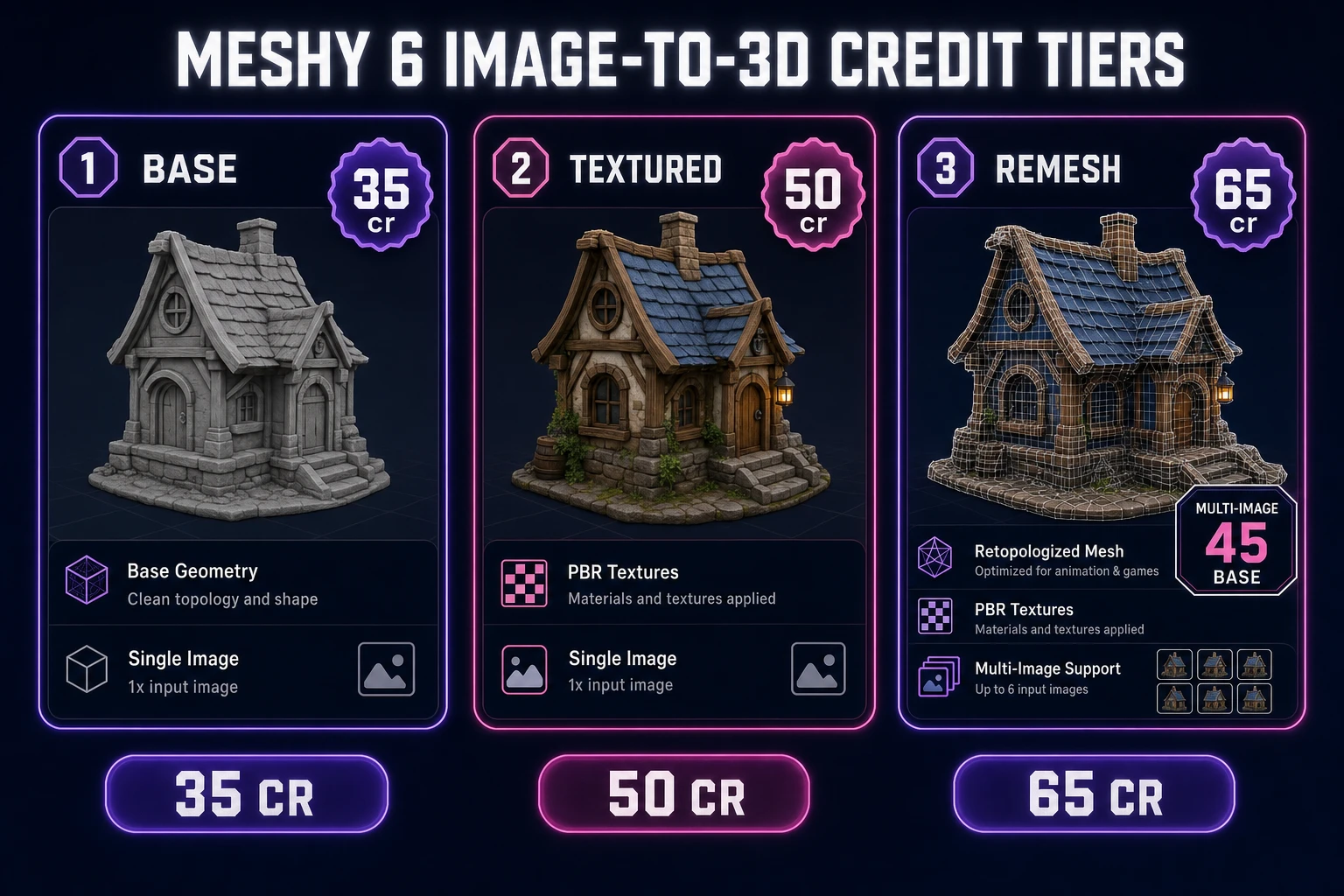
Sorceress credit schedule for Meshy 6 image-to-3D (same source file, verified July 26, 2026):
- Base (no texture) - 35 credits for a single-image geometry pass.
- Default textured - 35 + 15 texture = 50 credits (the usual game-prop run).
- Remesh add-on - +15 credits when you need cleaner topology for later animation.
- Multi-image base - 45 credits before texture/remesh when you feed front/side/back plates.
Leave remesh off on pass one unless the prop is a humanoid you already plan to rig. Leave PBR maps for a second pass only after the silhouette passes playtest. Default texture on, enhancement on, lighting strip on - those defaults match how Meshy Docs recommend starting Image to 3D for clear single subjects.
Budget one measured pass, not a credit fountain. If the brief says crate pickup for a browser jam, spend 50 credits once, then playtest. Do not unlock remesh, PBR, and multi-image on the first click.