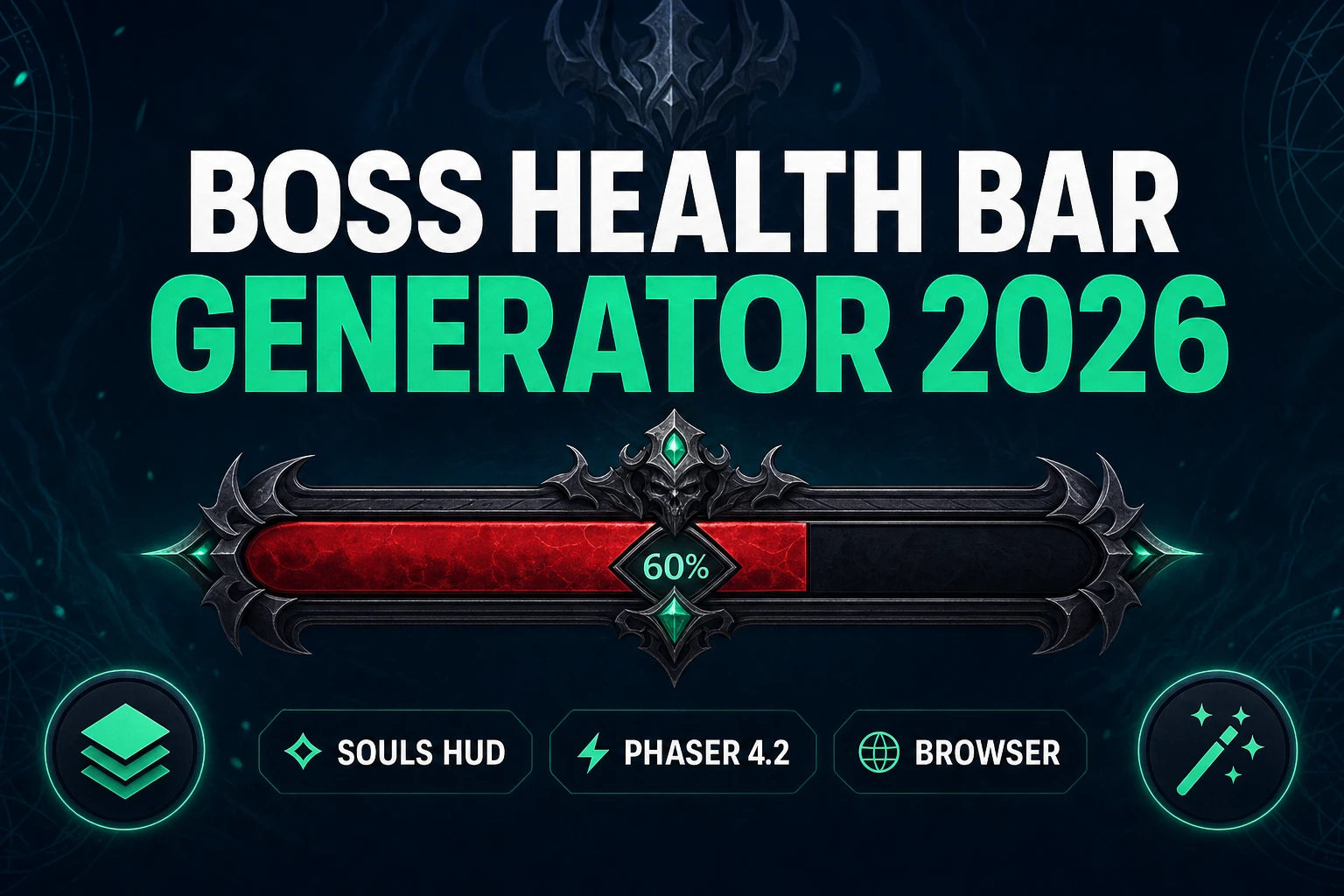
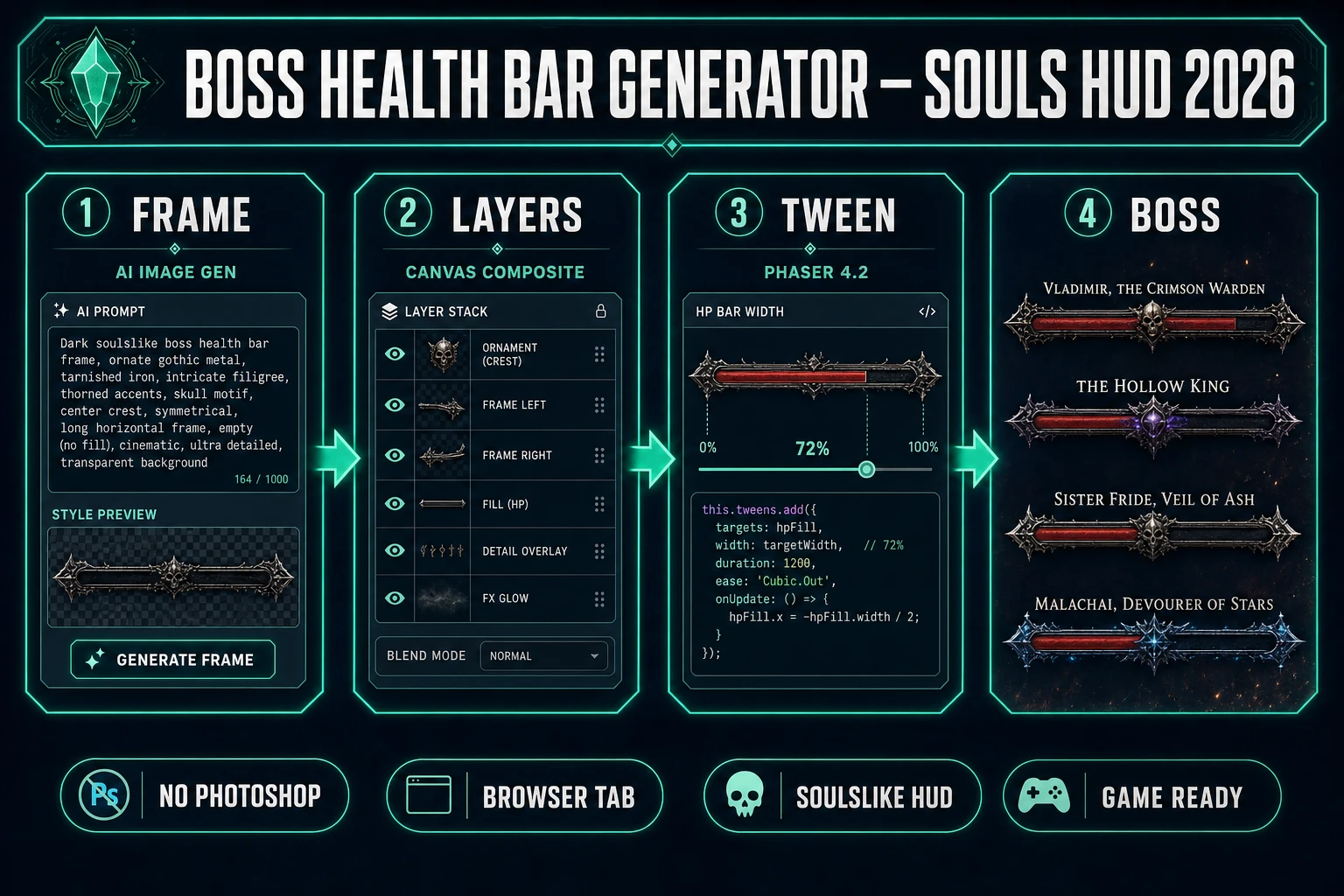
Search boss health bar generator on July 10, 2026 and the SERP hands you Figma templates, itch.io asset packs, and forum threads debating Photoshop layer styles. None of those paths answer the indie question — how do I paint a cinematic Souls-style boss bar, separate the fill from the frame, and wire it into Phaser without commissioning a UI artist for one encounter? This guide answers that. The 2026 answer is a three-layer browser pipeline: AI Image Gen paints ornate frames and name plates, Canvas composites fill and damage-chunk layers, and Phaser 4.2 tweens HP width on every hit. Every tool cost below is verified against the live Sorceress source on July 10, 2026.
What a boss health bar generator outputs for game dev
The phrase boss health bar generator (90/mo, KD 0 per DataForSEO probe verified July 10, 2026) targets a reader building a boss encounter who needs a head-up display element that reads as high-stakes — not the small corner rectangle from a platformer prototype. Sibling queries confirm the cluster: health bar generator (90/mo, KD 0), dark souls boss health bar generator (170/mo, KD 0), and game hud health bar all describe wide cinematic bars with ornamental frames, boss name typography, and optional phase transitions.
A boss health bar in a browser game is still PNG art plus runtime code. What changed in 2024–2026 is that the art half — ornate frame, name plate, phase marker icons — now batches from text prompts in one Sorceress account, and Canvas separates the red fill strip from the frame so Phaser can tween displayWidth without regenerating pixels on every sword swing.
Why placeholder rectangles kill boss fight tension
Gray rectangles work in gray-box combat tests. They fail the moment you invite someone to playtest because players read UI chrome as production quality. A Souls-style boss bar signals three things before the first attack lands: this enemy matters, damage is being tracked precisely, and the fight has phases worth learning. The delayed damage chunk — where a pale red strip lingers behind the true HP fill — is pure code once you export separate fill layers from Canvas.
The traditional bottleneck was never drawing a red rectangle in Phaser. It was sourcing a frame that matches your art direction, hand-aligning the fill strip inside Photoshop, and re-exporting when the art director wants gold trim instead of iron. AI Image Gen closes the frame pass; Canvas closes the alignment pass. Cross-link the broader HUD context in game loading screen art and splash screen generator posts — boss bars share the same ornate UI vocabulary.
The Sorceress boss health bar generator pipeline in four steps
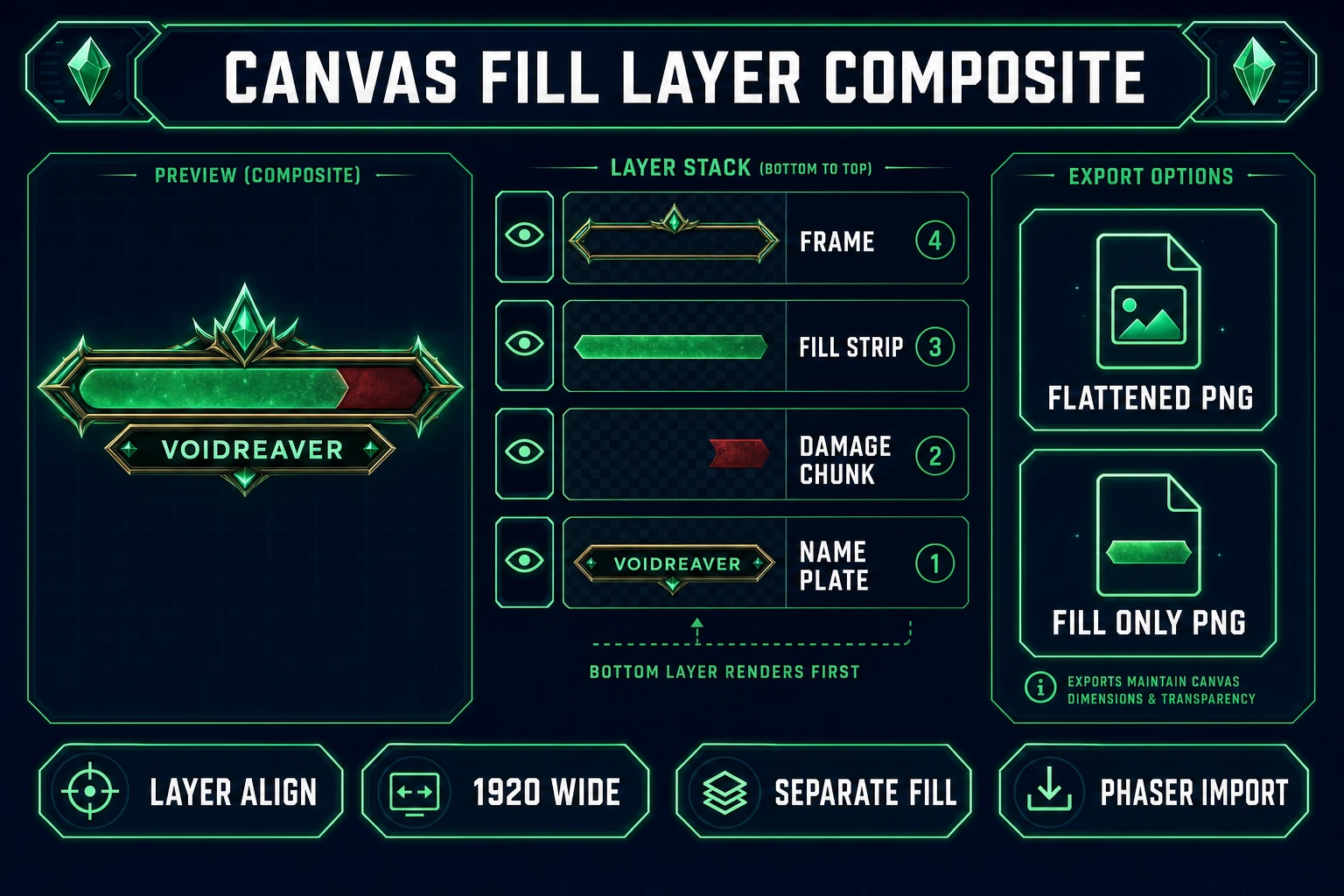
Every cinematic boss HUD ships four layers regardless of theme: ornamental frame, HP fill strip, delayed damage chunk, and boss name plate. In 2026 each layer maps to one Sorceress tool verified against the live catalog on July 10, 2026:
- Ornate frame and name plate — AI Image Gen across the image model lineup in
src/lib/models.ts; Nano Banana 2 starts at 9 credits per image. - Layer compositing and alignment — Canvas with 16:9 Landscape preset (1920×1080), multi-layer export, no per-export credit charge.
- Edge cleanup — BG Remover when a generation ships with a solid backdrop instead of transparency.
- Runtime HP tween — WizardGenie scaffolds Phaser 4.2 HUD containers; your API key covers coding credits.
Pricing is a $49 lifetime unlock plus pay-as-you-go credit packs — Starter $10/1,000 credits, Creator $20/2,000, Plus $50/5,000, Studio $100/10,000 — verified against src/app/plans/page.tsx lines 46 and 50. New accounts ship with 100 starter credits. The Sorceress tools guide lists every tool in the catalog.
Step 1 — generate the ornate frame in AI Image Gen
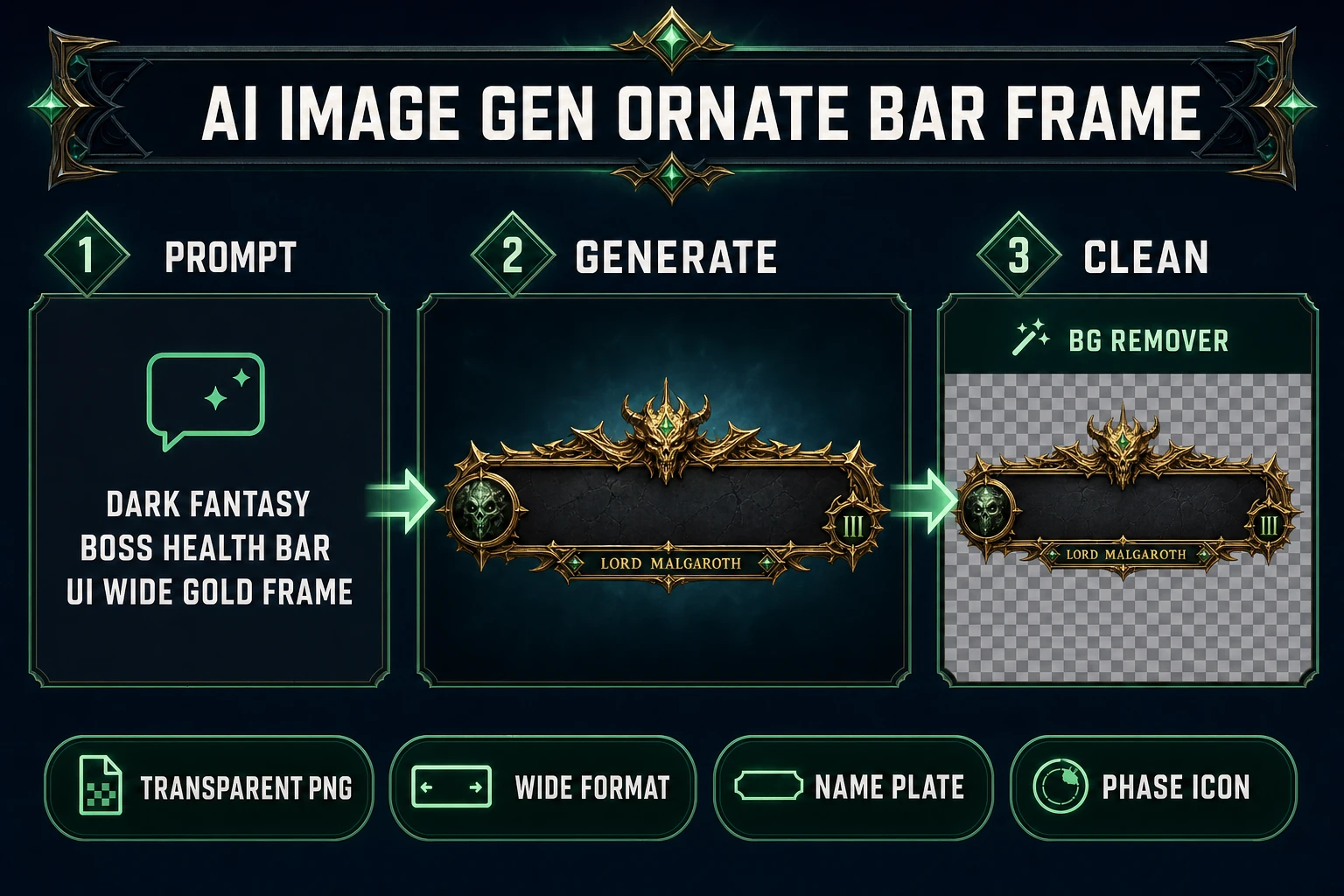
Open AI Image Gen and name the target explicitly. A reliable Souls-adjacent prompt: “dark fantasy boss health bar UI, wide ornamental gold and iron frame, empty center channel for HP fill, gothic serif name plate area below, transparent PNG, game HUD asset.” Pick a 3:2 or 16:9 aspect ratio that matches your target bar width — you want roughly 1200×80 to 1400×100 pixels of usable frame, not a square icon.
Batch a second generation for the boss name plate if you want it separate from the frame: “dark fantasy boss name plate UI, ornate border, empty center for dynamic text, transparent PNG.” Optional third pass for phase markers — skull icons, flame borders, cracked frame variants — that you swap in WizardGenie code when HP crosses 50% and 25%. If any output ships with a gray or white backdrop, run it through BG Remover before importing to Canvas.