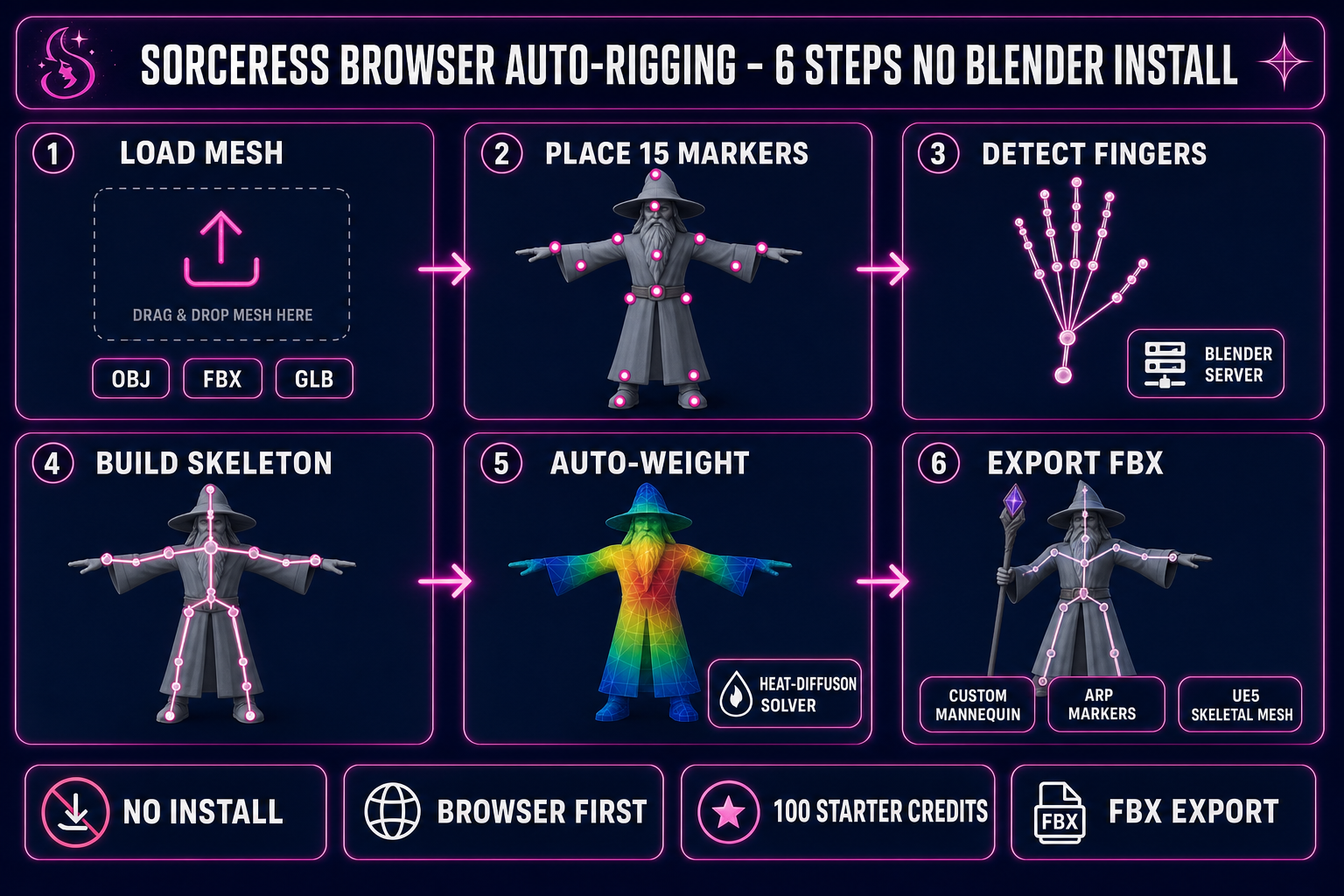
Searches for auto-rig pro blender in 2026 land in one of two buckets: rigging artists who already own Blender and want to compare ARP against the latest competition, or game devs who do not have Blender installed and are wondering whether buying Auto-Rig Pro is the cheapest path to a rigged FBX. This guide is the honest field map for both. We name the editions, the prices, and the export gates; walk the six-step ARP-in-Blender workflow; and then show the browser path that runs the same Blender heat-skinning headlessly without installing Blender or paying for an add-on. Every fact below was verified against the live source on June 1, 2026.
What auto-rig pro blender actually is, and why people search this
Auto-Rig Pro is a paid Blender add-on by Lucky3D (the studio name Artell uses for plugin distribution) sold on Superhive, the marketplace formerly known as Blender Market. The add-on automates the four slowest steps of character rigging inside Blender: skeleton placement inside a humanoid mesh, weight calculation, FBX export with engine-specific bone naming, and animation retargeting between rigs. It is the de-facto humanoid rigging plugin for Blender users who do not want to hand-place every bone or hand-paint every vertex weight.
The reason auto-rig pro blender shows up as its own search query (distinct from the head term auto-rig pro) is that the Blender sub-vertical has two clear sub-audiences. The first is Blender-native riggers comparing ARP to Blender’s built-in Rigify, which ships free with Blender 5.1.2 (released May 19, 2026) but expects manual meta-rig alignment and hand-painted weights. The second is people not yet committed to Blender who Google “auto-rig pro blender” to ask the upstream question: do I need Blender at all to get a rigged FBX?
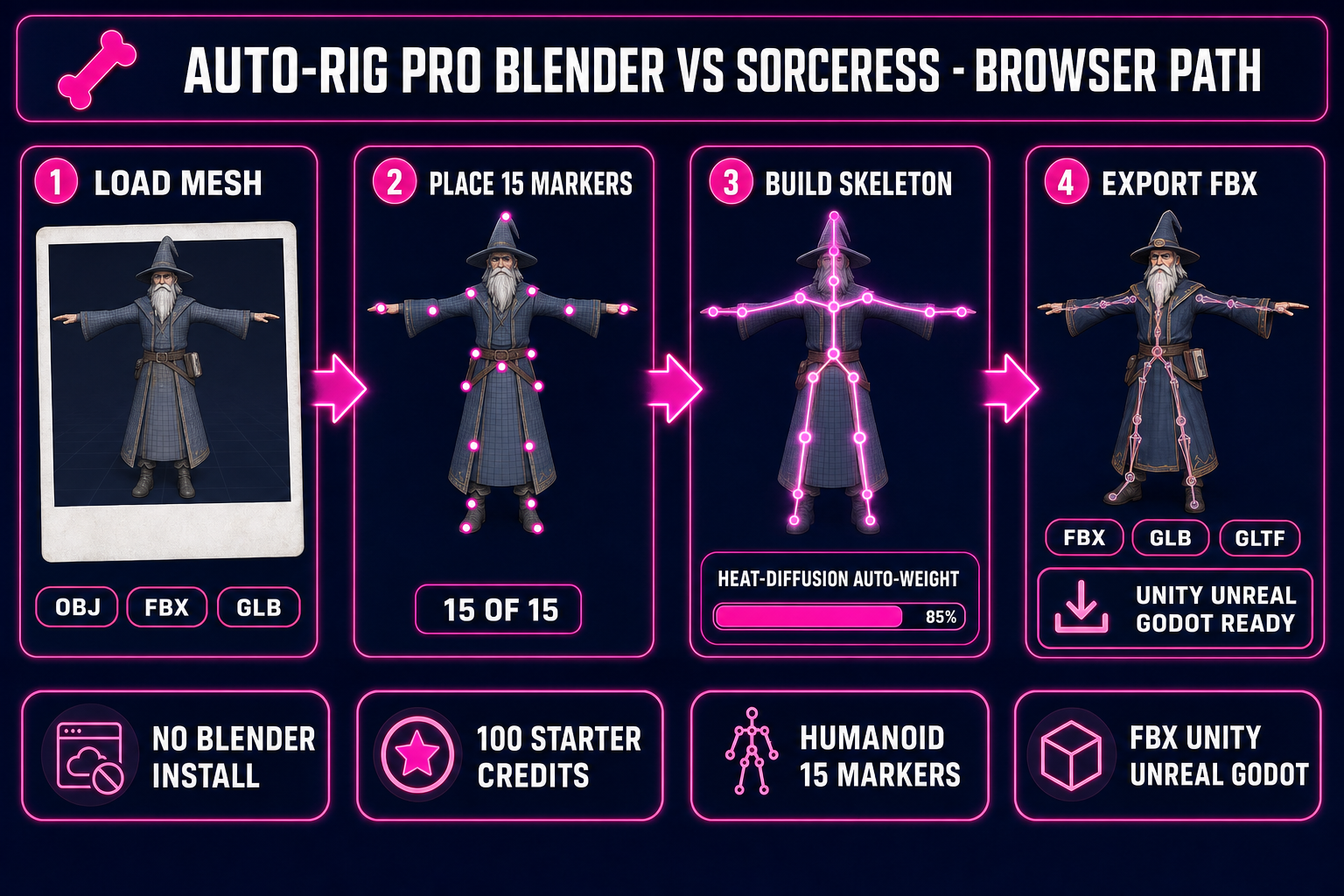
The honest answer to the upstream question is no, you do not. Browser-based auto-rigging now runs the same Blender heat-diffusion auto-weight algorithm headlessly on a hosted server, with the rigger never touching a Blender install. We cover that path in detail below. But first the in-Blender story, because if you already own Blender it remains the canonical rig pipeline.
Auto-Rig Pro Blender editions: Lite $25 vs Full $50
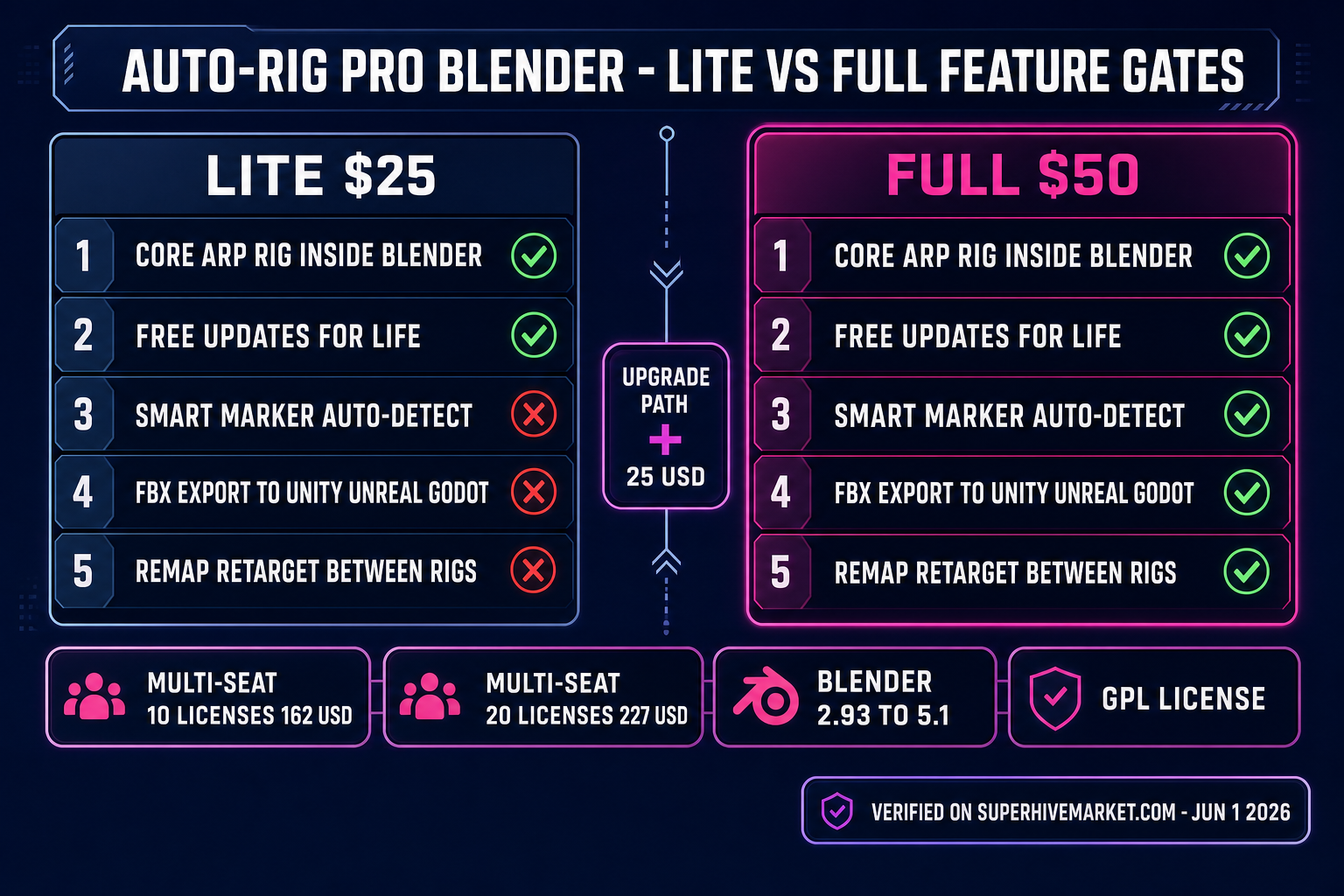
There is no free version of Auto-Rig Pro. Auto-Rig Pro 3.76 ships in two editions on Superhive (Blender Market), both one-time purchases, both with lifetime updates:
- Lite at $25. Auto-Rig Pro core rig generation, free updates with email notification, support messages. Does not include Smart marker auto-detection, does not include the FBX game-engine export modules, does not include Remap retargeting.
- Full at $50. Everything in Lite plus the Smart tool (biped body recognition), FBX / GLTF export to Unity / Unreal / Godot with the correct bone naming and root motion, and the Remap retargeting tool to move motion clips between different bone hierarchies inside Blender. This is the edition almost every game-character rigger buys, because Smart is the auto-skeleton-from-mesh feature the marketing leads with, and the game-engine export presets are what make ARP feel like a pipeline rather than a generator.
- Full 10-seat license at $162. For small studios. Per-seat math works out to $16.20.
- Full 20-seat license at $227. For larger studios. Per-seat math drops to $11.35.
- Lite-to-Full upgrade. A separate $25 purchase. Buying Lite and upgrading later costs the same total ($50) as buying Full up front.
All prices verified against the live Superhive product page on June 1, 2026. The license is GPL because Blender add-ons inherit Blender’s GPL license; the purchase price covers ongoing maintenance, the Smart detector, and the export modules rather than a code license per se.
The full auto-rig pro blender workflow in six steps
Assuming you have Blender 5.1.2 installed (or any Blender from 2.93 onward inside the supported range) and the Full edition of Auto-Rig Pro purchased and enabled in Edit → Preferences → Add-ons, the canonical workflow on a humanoid mesh in T-pose is:
- Import the mesh. File → Import the OBJ, FBX, or GLB into Blender. Apply scale (Object → Apply → All Transforms) so the character is roughly 1.7 to 2.0 Blender units tall. ARP’s heuristics expect real-world-ish scale.
- Run Smart on the mesh. Open the Auto-Rig Pro panel in the 3D Viewport sidebar, click Smart, then click Get Selected Objects with the mesh selected. ARP scans the silhouette and bounding-box ratios to drop a marker rig roughly onto pelvis, shoulders, elbows, wrists, hips, knees, ankles, neck, and chin.
- Nudge misplaced markers. Smart guesses; sometimes the shoulder marker lands too far down the deltoid, or the knee marker sits slightly forward of the joint. Click Edit Reference Bones and translate any misplaced markers in the 3D viewport. This is the only manual step.
- Click Generate Armature. ARP builds the final armature with the right IK / FK / stretch / picker control bones, plus root motion bone and the optional finger bones if the mesh has separable fingers. The armature is parented to the mesh as a child of the empty.
- Bind with Auto-Skin. Click Bind to Selected Objects. ARP runs Blender’s heat-diffusion auto-weight solver on the mesh, producing a vertex group per bone with smooth falloff. Most game characters skin cleanly on the first pass; long coats, capes, or low-poly hair sometimes need a Weight Paint touch-up.
- Export FBX with the game-engine preset. Open the ARP Export panel, pick the target preset (Unity, Unreal, or Godot), tick the boxes for animation and bake actions if you have any, and click Export FBX. The result is a clean Skeletal Mesh FBX that drops into the target engine without manual bone remapping.
On a clean mesh the full six-step pass takes 15 to 30 minutes the first time and 5 to 10 minutes once muscle memory kicks in. The slow steps are the Blender install (354 MB on Windows per blender.org/download), the Auto-Rig Pro purchase + add-on enablement, and the initial Smart nudge pass; the actual auto-weighting on a 20k-tri mesh is sub-second on modern hardware.
Where auto-rig pro blender wins (and where it does not)
Auto-Rig Pro genuinely is the best in-Blender humanoid rigger on the market, and that is not a controversial claim. The places it wins clearly:
- Inside an existing Blender workflow. If your modeling, sculpting, texturing, and shading all already happen in Blender, the ARP rig lives in the same .blend file as the mesh. Keyframe edits, weight-paint touch-ups, and pose-mode iteration all stay in one editor.
- For non-game animation. ARP’s stretch / FK / IK / picker control panel is a hand-animation tool first. Hand-keyed walk cycles, facial expressions, and combat sequences all feel native because the controls are designed for the artist, not just the exporter.
- For studios with locked Blender versions. ARP’s wide compatibility window (Blender 2.93 through Blender 5.1) means a studio on Blender 4.5 LTS (supported until July 2027 per blender.org/download/lts) can buy Full once and run it across the whole team for years.
- For motion retargeting between rigs. The Remap tool moves a motion clip from a Mixamo-style skeleton to a custom ARP rig, or between two custom ARP rigs, without manual bone-channel surgery. This is a real capability that Blender’s stock NLA editor does not give you.
Where ARP loses, honestly:
- If you do not already use Blender. A 354 MB install plus a learning curve plus a $50 add-on is a steep first day for one rigged FBX. Most indie devs hit this gate and bounce.
- For pipelines that never go back to Blender. If you generate a character in an AI image generator, lift it to 3D in a browser tool, and ship straight to a game engine, the Blender round-trip adds friction you do not actually need.
- For one-character projects. $50 for one rig amortizes badly. Browser tools with starter credits often cost less per rig at low volumes and zero per rig at the open-source local extreme.
- For non-humanoid characters. Auto-Rig Pro is humanoid-first. Spiders, drakes, quadrupeds, and other multi-leg creatures need procedural rigging that ARP does not ship out of the box.