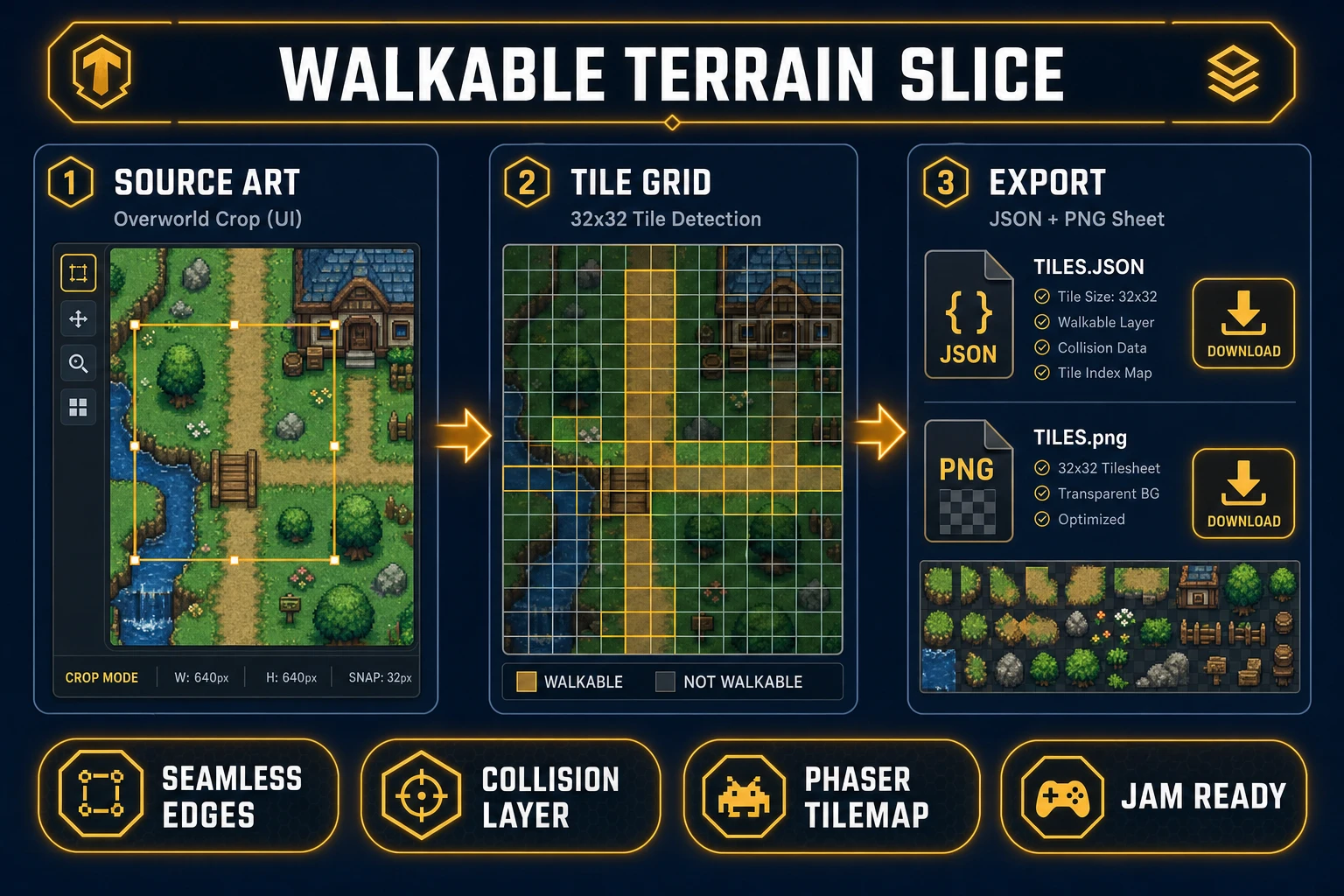
Most indie RPGs stall on the same invisible milestone: the overworld exists only as a grey box in the editor while combat and dialogue get real art. Tabletop-oriented map tools were built for campaign PDFs, not for tile collision and camera scroll in a browser build. An ai fantasy map generator aimed at game dev closes that gap when it outputs layered PNGs, tileable ground sheets, and a Phaser scene that loads them tonight—not a printable poster you screenshot into Photoshop. The 2026 Sorceress stack runs that pass in one account: AI Image Gen paints the continent, Tileset Forge slices walkable terrain, and WizardGenie scaffolds a scrollable Phaser 4.2 map scene. Phaser 4.2.0 shipped June 19, 2026 (verified against the official GitHub release tag on July 6, 2026). Everything below was checked against the Sorceress source on the same date.
What an ai fantasy map generator actually outputs (and what it is not)
Searchers typing ai fantasy map generator into Google usually want one of two deliverables. Dungeon masters want a pretty world map for session notes. Indie devs want files their engine can load: a large overworld PNG or layered images, optional biome masks, city markers, and a tile sheet where the player actually walks. This post serves the second camp inside a fantasy world built for play, not print.
Free standalone generators and procedural wiki tools optimize for lore documents and export sizes meant for posters. They rarely emit a 32×32-aligned terrain sheet, a collision layer, or JSON your tilemap loader understands. That is why the honest ai fantasy map generator workflow in 2026 lives inside a game-dev stack: painted overview plus ground tiles plus runtime wiring, with aspect ratios chosen for 16:9 overworld pans rather than letter paper.
The sibling query fantasy map generator ai (390/mo, KD 2 per probe-fresh-seeds-5.md) often points at the same tools with a commercial bent. The game-dev distinction is export shape: PNG paths, tile size, and a MapScene class—not a single flattened JPEG.
Why Azgaar-style map makers fail as game overworld pipelines
Opening a famous fantasy map generator feels fast until you try to ship it. Procedural political maps excel at kingdom names and river logic for tabletop prep. They do not automatically produce art direction that matches your sprite scale, nor a seamless grass-to-dirt edge your character can traverse. You end up exporting a huge raster, manually slicing tiles in an image editor, guessing grid size, and rebuilding collision by hand.
An integrated ai fantasy map generator collapses those hops. AI Image Gen holds the painted look you want—hand-drawn parchment, painterly satellite, or pixel-adjacent stylization—while Tileset Forge enforces grid alignment on the walkable slice. WizardGenie then emits Phaser code that loads both the backdrop and the tile layer from known paths. The difference is structural: lore tools give you geography essays; a game-native pipeline gives you an overworld pack ready for assets/maps/world_01/.
The Sorceress ai fantasy map generator pipeline in four steps
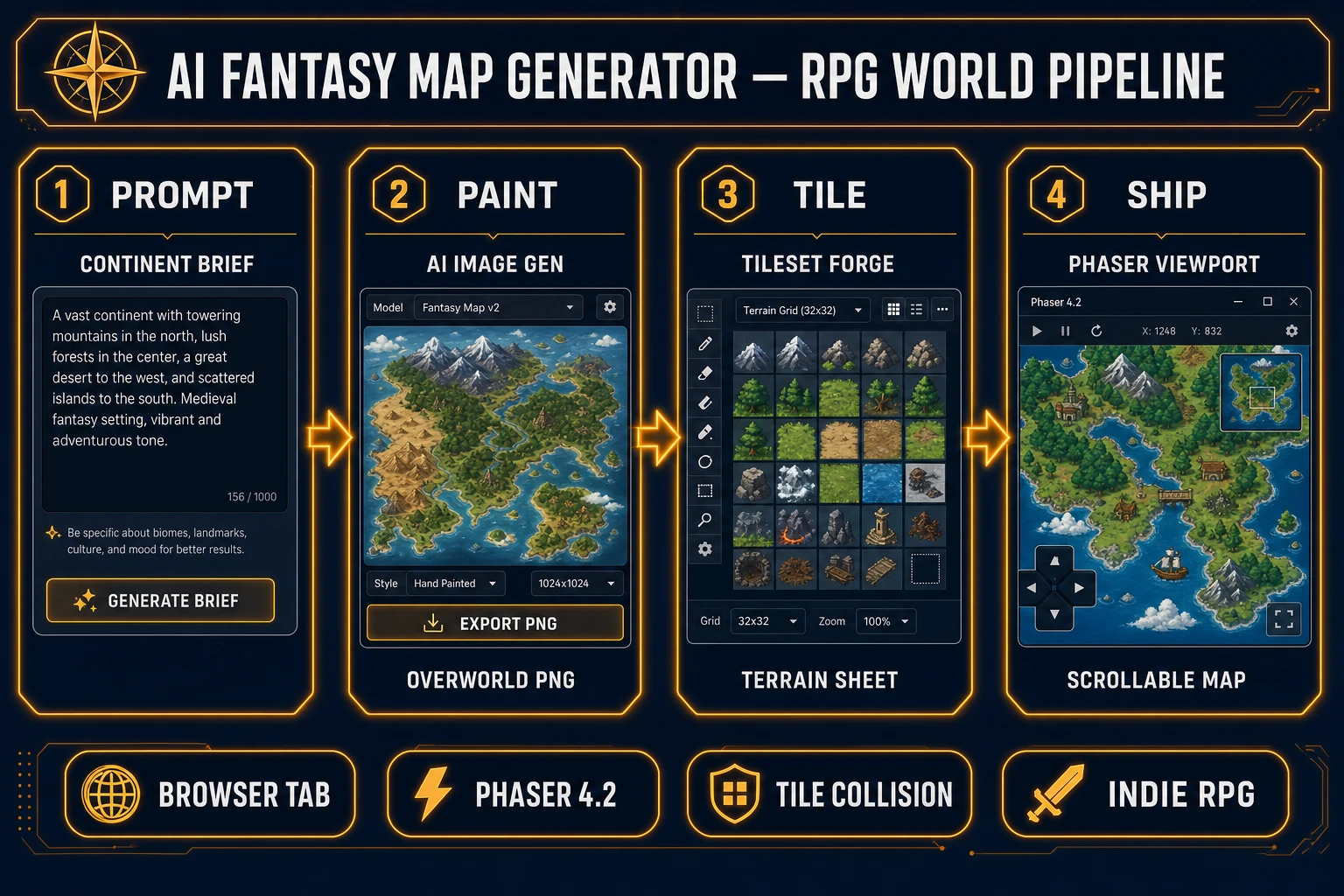
The Sorceress answer to ai fantasy map generator is four layers, each mapped to a real tool verified in the repository on July 6, 2026:
- Brief layer — write continent scale, biome list, and camera behavior before you spend credits on art.
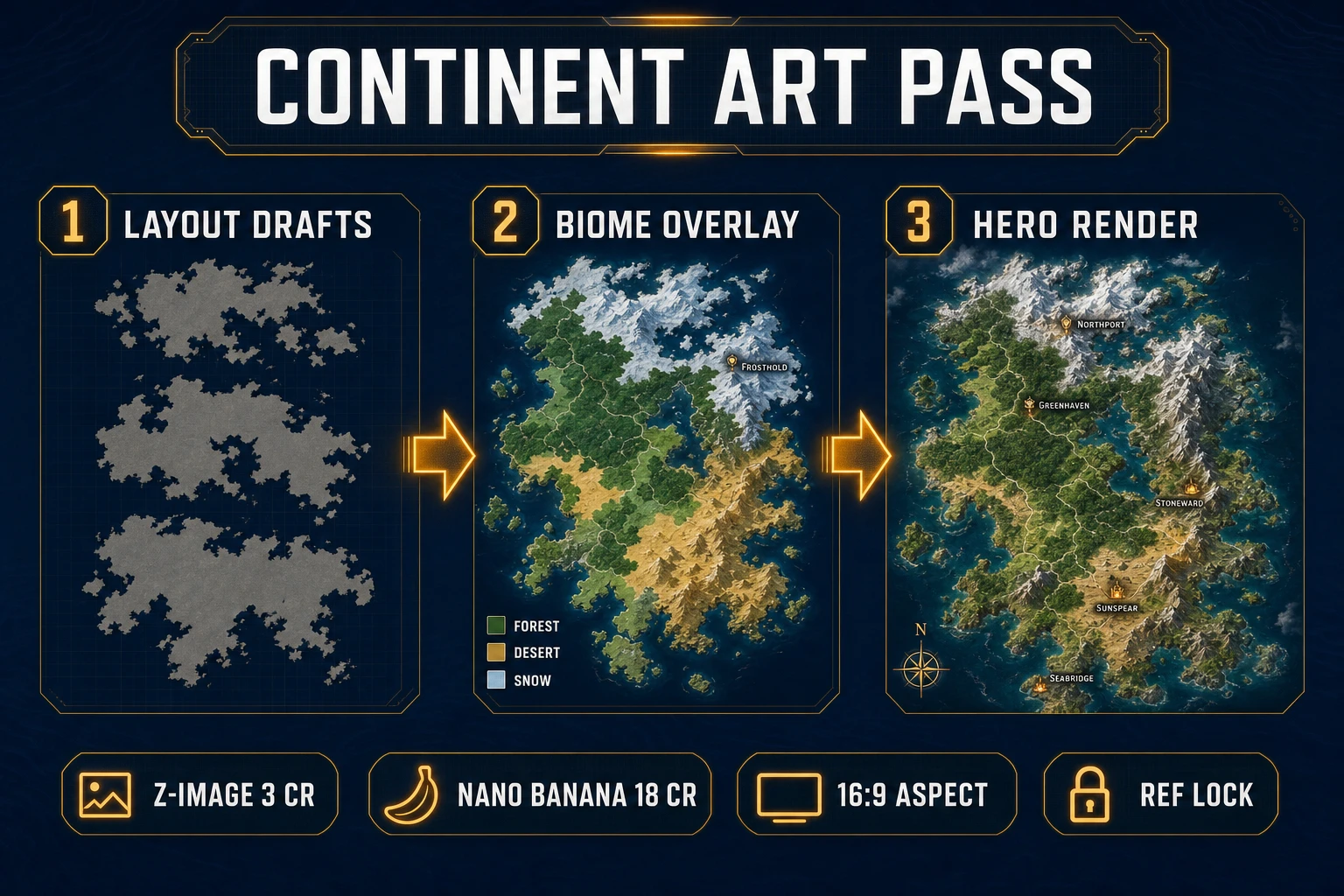
- Paint layer — generate overworld layout drafts and a hero render in AI Image Gen at /generate.
- Tile layer — crop walkable terrain and export a aligned sheet plus map data from Tileset Forge at /tileset-creator.
- Ship layer — ask WizardGenie for a Phaser 4.2 MapScene with pan, zoom, and optional fog-of-war hooks.
Tile-based RPGs and action-adventures share the same contract: the backdrop can be painted, but the ground the avatar crosses must be grid-consistent. For a deeper tile-only pass without the continent overview, see the tileset generator ai post—it shares Tileset Forge but skips the painted overworld layer.
Step 1 — write the continent brief before you open AI Image Gen
Start with constraints, not vibes. A strong continent brief for an ai fantasy map generator sounds like: “16:9 overworld for a Phaser 4.2 JRPG. Three continents, inner sea, snow cap north, desert choke south. Player starts on the west island. Cities marked as small golden dots—not labeled text. No modern borders. Style: muted watercolor atlas, readable at 50% zoom.” Paste that into your WizardGenie project notes so every iteration diffs against the same spec.
Decide early whether the player walks on a separate tile layer or on a purely visual map with invisible collision polygons. Most Sorceress RPG workflows use a painted backdrop plus a Phaser TilemapLayer for paths, bridges, and dungeon entrances—because editing collision on a grid beats hand-drawing vector masks on a 4K PNG.