What Is an AI Consistent Character Generator (2026)

By Arron R.12 min read
An ai consistent character generator uses reference-image conditioning to lock a character's face, outfit, and palette across many generations. Sorceress AI Ima

Type consistent character AI generator into Google in 2026 and every result is a variation on the same complaint: the character looked right in the first render, then drifted a half-inch in the second, changed hair color by the fourth, lost its scar by the sixth, and gained a whole new outfit by the tenth. The fix is not a magic prompt. An ai consistent character generator is a text-to-image workflow that conditions every generation on the same reference images of the character - face, wardrobe, palette, silhouette - so the model has no room to invent. Sorceress ships that workflow as a built-in feature of the AI Image Gen panel, verified 2026-09-05 against src/lib/models.ts: eleven image models on the panel today accept between 3 and 16 reference images per prompt, which is the mechanical primitive that makes character consistency possible in the first place.
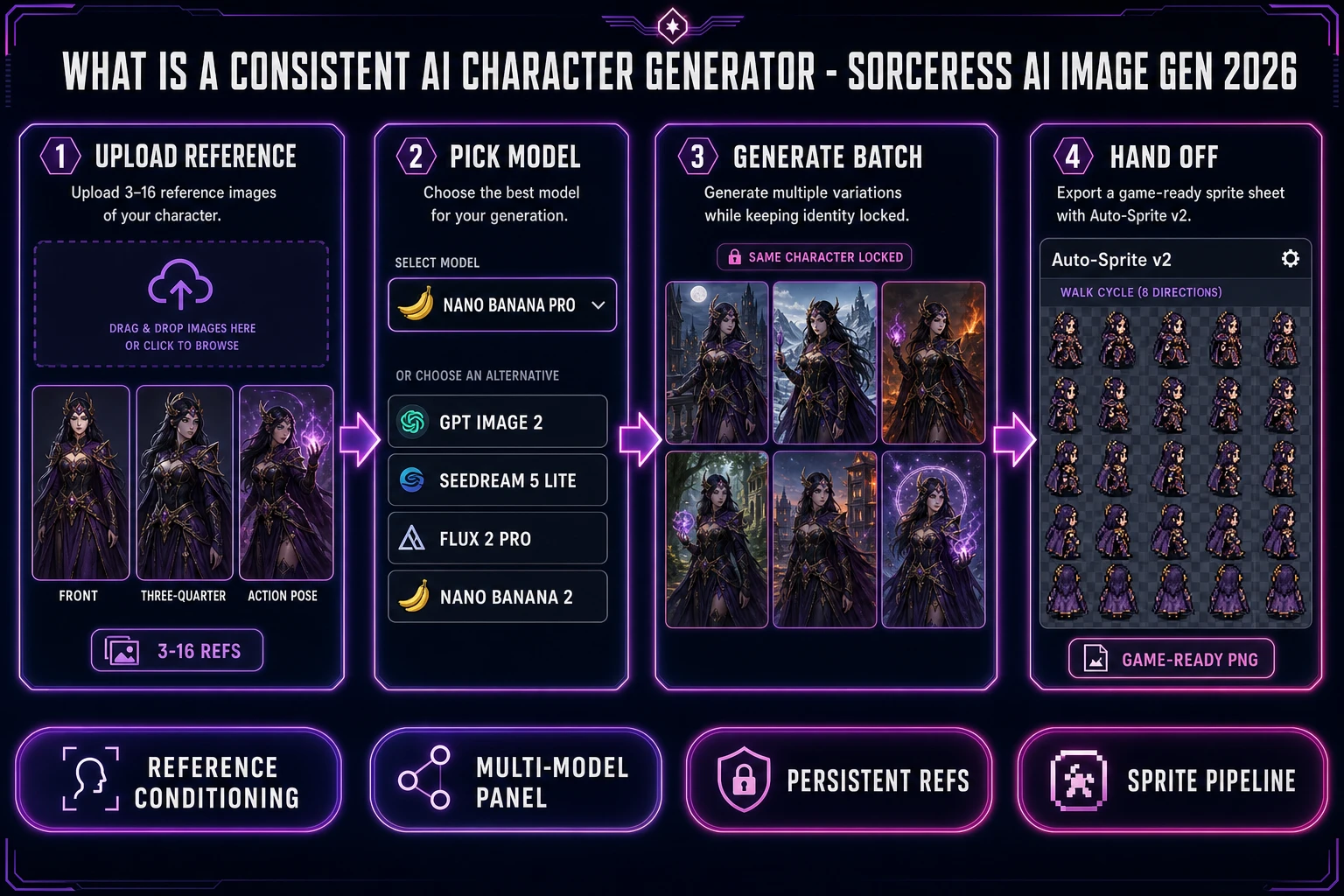
What is an ai consistent character generator 2026: four-panel Sorceress AI Image Gen diagram showing reference upload, model picker Nano Banana Pro GPT Image 2 Seedream, batch of consistent character portraits, and Auto-Sprite v2 sprite sheet handoff
A consistent AI character generator is a reference-conditioned loop, not a single prompt: upload the character, drive any of the reference-image-capable models on the Sorceress panel, and every subsequent generation snaps to the same face and outfit.

What an ai consistent character generator actually is in 2026

An ai consistent character generator is any image-generation surface that lets you fix a character's identity - face, hair, wardrobe, palette, silhouette - across many separate generations by conditioning each render on the same reference images. It is not a single model, and it is not a special prompt trick. It is a workflow: one reference set, one style spec, many generations, all with the same person in them. The output is a set of images a game or comic can actually use, because the character in image #1 is the same character in image #47.

The category matters because vanilla text-to-image models - the ones you type a prompt into and get an image out - are stochastic by design. Two prompts identical to the last comma produce two different images. That is the strength of a diffusion model when you want variety, and its weakness when you want a single hero character that shows up 40 times in a game with the same face. The "consistent" in ai consistent character generator is the direct response to that weakness: the same reference set, the same style keywords, the same model, batch after batch, until the character reads as a character and not as a mood board.

Why character consistency is the hard problem in generative image work

Consistency is the single hardest problem in generative image work, and the reason is baked into how the models work. A diffusion model does not remember the character it drew for you five minutes ago. It samples pure noise, then denoises it toward whatever the prompt describes, one step at a time. Two runs of the exact same prompt land on different points in the same neighborhood - close, but different. The face shifts. The eye color drifts. The armor's shoulder plates change shape. For a mood-board image that is a feature. For a game character or a comic panel it is a bug.

The failure modes are predictable. First, the model reads "young elf ranger with a green cloak" as a family of thousands of visually plausible young elf rangers - all with green cloaks, all clearly the same archetype, none of them the same person. Second, small prompt edits ("in a forest" vs "on a mountain") shift far more than the background - because a diffusion loop entangles subject and setting. Third, the model has no long-term memory across sessions, so tomorrow's ranger will not match today's ranger even if the prompt is copy-pasted. The prompt-engineering tricks that used to paper over these gaps in early 2024 (seed pinning, textual inversion, hyper-specific token stuffing) no longer scale past a handful of images.

Reference-image conditioning is the fix that actually holds. Instead of trusting words to describe the character, you upload the character. The model treats the reference image the way it treats the prompt - as a signal to steer denoising toward - and the resulting image inherits the face, the outfit, and the palette by construction. That is the shift that turned "consistent character AI" from a prompt-engineering war story into a production workflow.

How reference-image conditioning turns a text-to-image model into a consistent generator

The mechanism is straightforward once you see it. Instead of only reading a text prompt, the model reads a text prompt plus one or more images. Those reference images pass through the same encoder that would normally chew on training data, and the resulting embeddings get folded into the denoising loop as an extra conditioning signal. In practice: whatever the reference shows - a face at three-quarter angle, a specific hair color, a signature outfit - propagates into every generation you kick off while the reference is loaded.

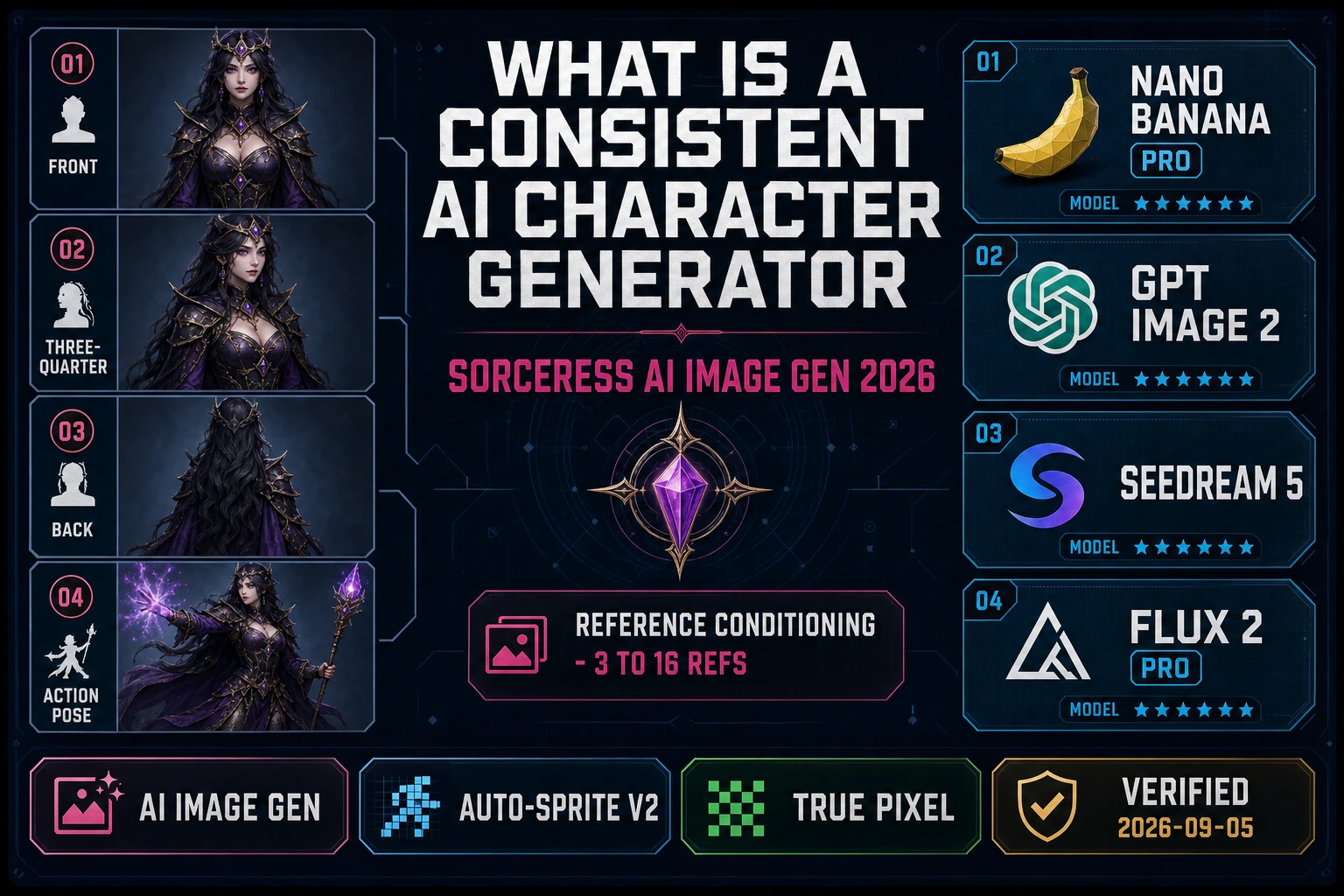
Different image models expose this capability at different scales. In the Sorceress AI Image Gen registry (verified 2026-09-05 in src/lib/models.ts), reference-image capacity ranges from 3 refs on the base Nano Banana row up to 16 refs on GPT Image 2. That range matters because character consistency scales with how many angles of the character the model can see at once. Three refs is enough for a locked face; ten or more starts to lock the wardrobe, the props, and the silhouette from every camera angle a game would ever need.

  • GPT Image 2 - 16 reference images per prompt. The highest ref capacity on the panel today. Best for full character sheets where you want the model to see the character from front, back, three-quarter, and combat pose at once.
  • Nano Banana 2 and Seedream 5 Lite - 14 reference images per prompt. Both are Sorceress Special picks with promo pricing, and both handle multi-angle character sheets cleanly.
  • Seedream 5 Pro and Nano Banana 2 Lite - 10 reference images per prompt. The sweet spot for iterative character work where you want a locked face plus one or two outfit references.
  • Nano Banana Pro - 8 reference images per prompt. The default studio-quality pick from Google's Gemini Image family (verified 2026-09-05 via deepmind.google/models/gemini-image: Nano Banana Pro is the "Gemini 3 Pro Image" model in the Nano Banana family).
  • Flux 2 Pro - 8 reference images per prompt, with a small per-ref credit adder (+3 credits per ref) verified in the same source file.
  • Grok Imagine - 5 reference images per prompt.
  • GPT Image 1.5 - 4 reference images per prompt (the base version below the 16-ref GPT Image 2).
  • Nano Banana (base) - 3 reference images per prompt (the entry-level Google row).

Eleven models with reference-image conditioning on a single browser panel is the practical definition of an ai consistent character generator in 2026. Any one of the eleven, driven with the same 3-16 reference images, will produce a coherent character across a batch. The interesting question is which model to reach for first, and that is a job for the panel's model picker, not a hard rule.
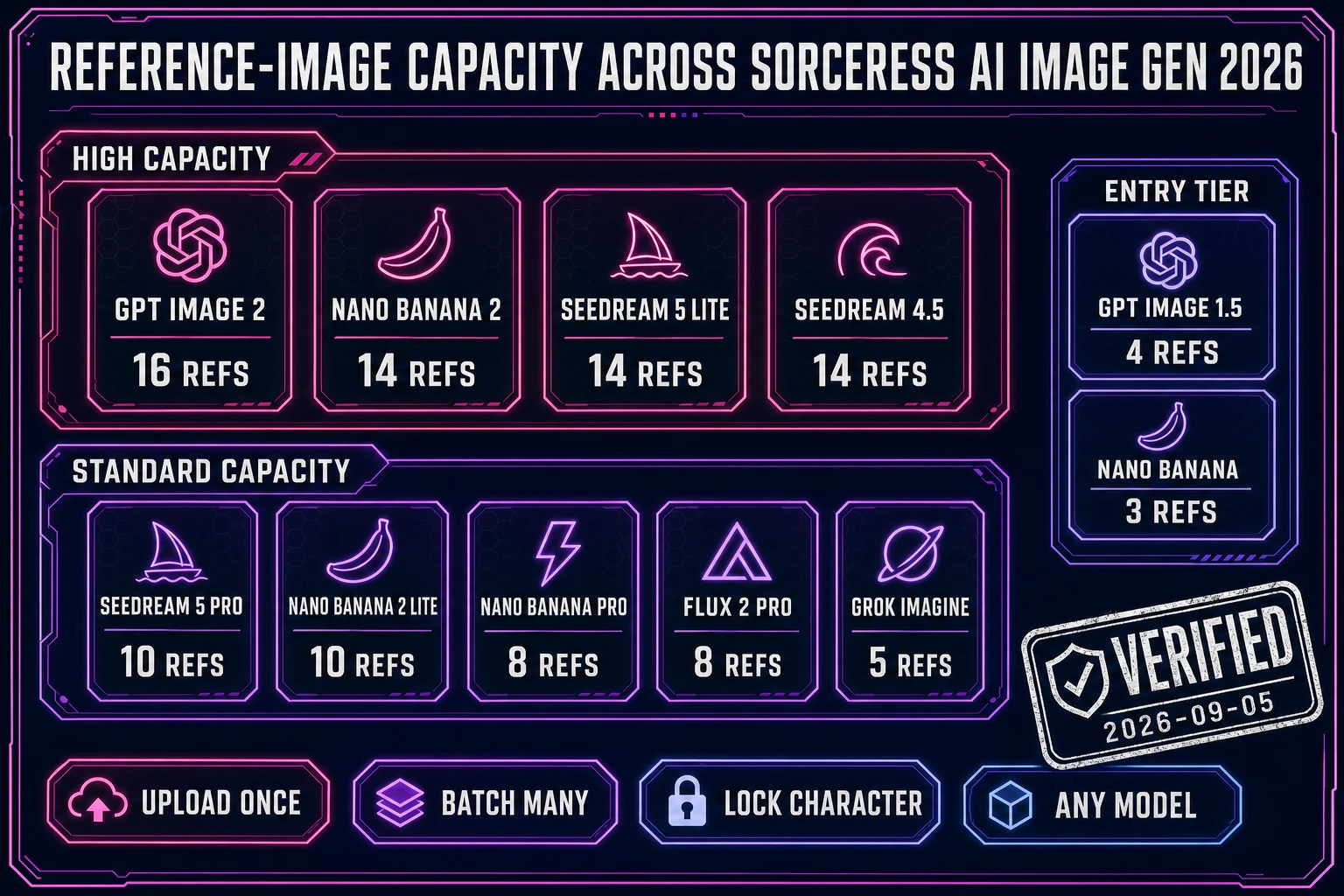
Reference-image conditioning across Sorceress AI Image Gen models: matrix diagram showing GPT Image 2 16 refs, Nano Banana 2 14 refs, Seedream 5 Lite 14 refs, Seedream 5 Pro 10 refs, Nano Banana 2 Lite 10 refs, Nano Banana Pro 8 refs, Flux 2 Pro 8 refs, Grok Imagine 5 refs, GPT Image 1.5 4 refs, Nano Banana 3 refs
Reference-image capacity across the Sorceress AI Image Gen panel on 2026-09-05: eleven models, 3 to 16 refs per prompt. More refs means tighter character lock across angles.

Sorceress AI Image Gen as a browser-native ai consistent character generator

Sorceress AI Image Gen is the Sorceress entry point for consistent character work, and it is designed around the reference-image workflow rather than the single-prompt workflow. The panel does three things a generic image-gen site does not, and each one matters if the goal is a shipped game character rather than a mood-board image.

  • Every reference-image-capable model on one panel. No tab hopping. Nano Banana Pro, GPT Image 2, Seedream 5, Flux 2 Pro, Grok Imagine, and the rest all sit in the same picker, all accept the same uploaded reference set, and all bill through the same Sorceress credits meter. Swapping models to test which one holds the face best on a new character is one click, not a new account.
  • Reference images persist across the batch. Upload a character once and the next twenty generations reuse the same refs unless you clear them. That is what turns "one consistent image" into "one consistent character across forty images", which is what a game actually needs.
  • Downstream handoff to the game pipeline. Consistent character images are not the end of the workflow; they are the start. The panel is wired directly into Auto-Sprite v2 (character to animated sprite sheet), True Pixel (character to pixel-art sprite), and the 3D pipeline. That is the difference between a consistent-character output and a game-ready character asset.

The credit model is straightforward: each model has a base credit cost per generation (a few cents worth), and reference-heavy models like Flux 2 Pro add a small per-ref cost on top. Full pricing lives on /plans and updates in the app; the Lifetime Early Access tier covers a full weekend of consistent-character iteration without a separate provider bill because the Sorceress meter absorbs the passthrough.
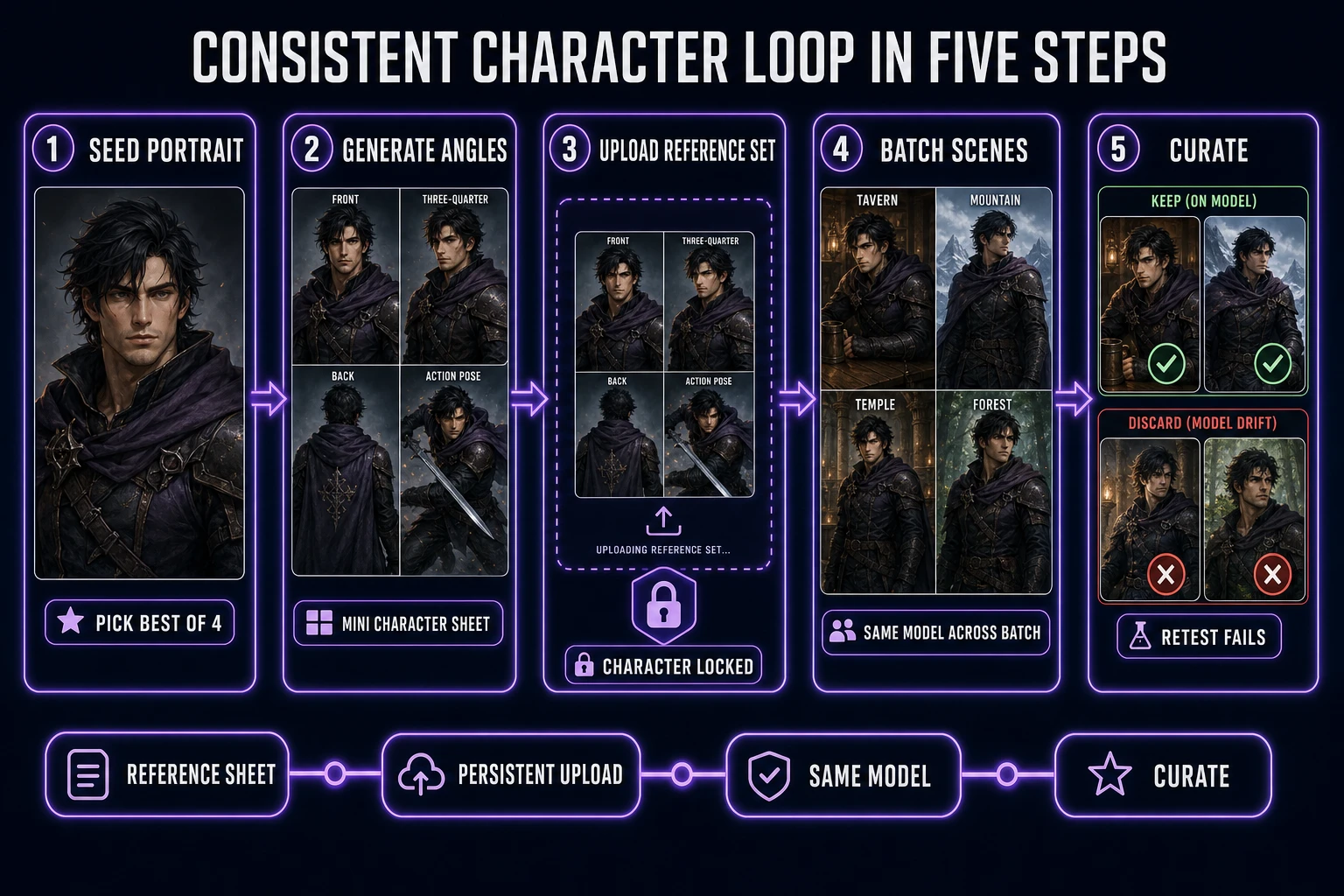
A five-step consistent character workflow in Sorceress AI Image Gen

The workflow below is the honest short path from a blank panel to a locked character. It assumes zero prior art - if you already have concept art of the character, skip Step 1 and upload it in Step 3. The whole loop runs in a browser tab.

  1. Generate the seed portrait. Open /generate, pick Nano Banana Pro or GPT Image 2, and write a short prompt describing the character (species, age, wardrobe, mood, camera angle). Batch two or four images and pick the best one as the seed. This is the only step where you are letting the model roam free; from here on the seed does the driving.
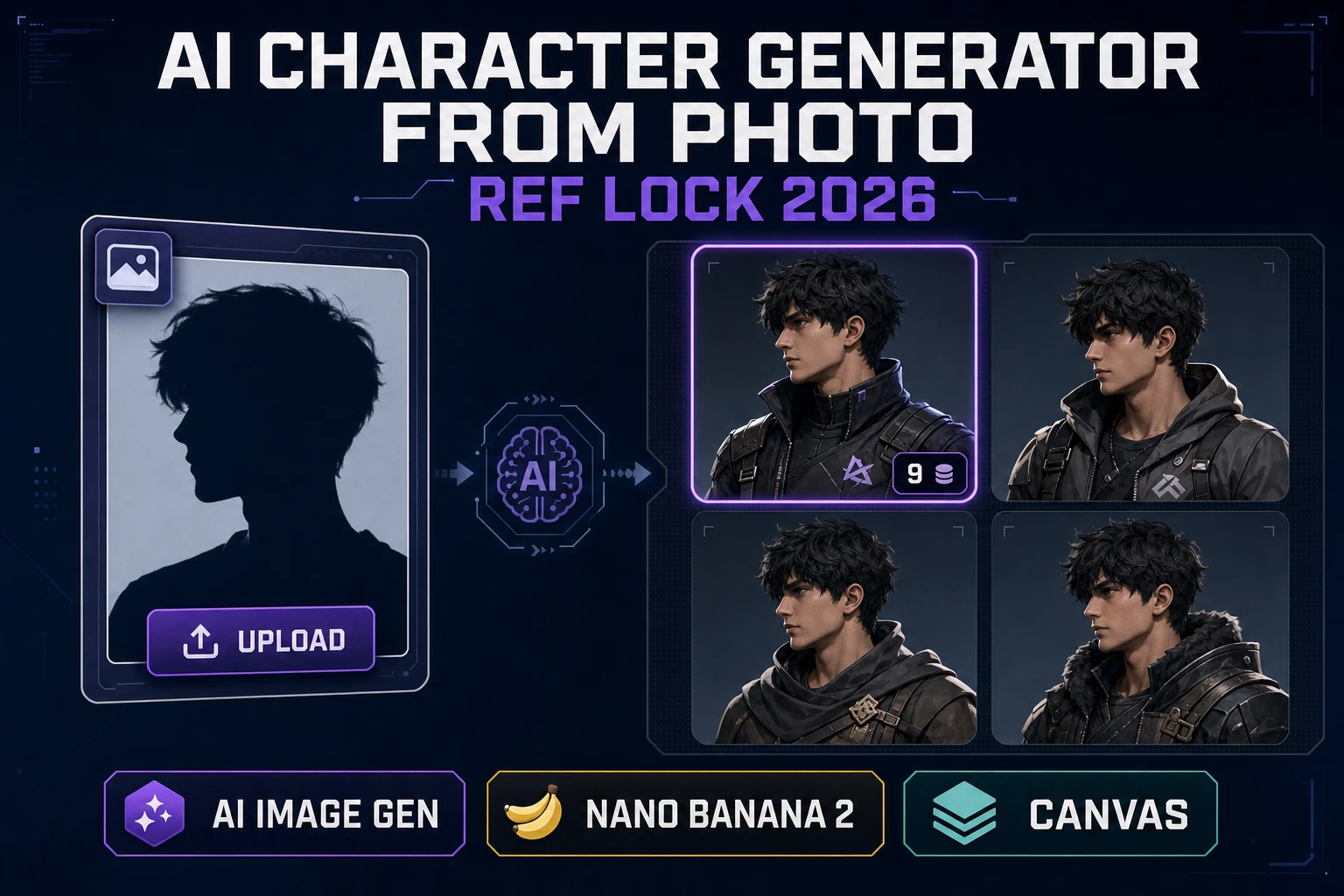
  2. Generate three to five additional angles from the seed. Upload the seed as a reference image, then prompt: "same character, three-quarter view from left"; "same character, back view"; "same character, action pose mid-swing". Batch and pick the cleanest one per angle. You now have a mini character sheet: front, three-quarter, back, and an action pose - three to five images that all show the same person.
  3. Upload the full character sheet as the reference set. Clear the single-image seed and upload the three-to-five-image sheet as the new reference set. This is the character-lock: from here every generation reads the whole sheet, not just one angle, which is what suppresses drift across pose changes and camera moves.
  4. Batch the scenes you actually need for the game. Write prompts for the scenes the game needs - "in the tavern", "climbing the mountain", "casting a spell in the underground temple". Each generation inherits the character from the reference sheet and only changes the setting and pose. Keep the same model across the batch; switching models mid-batch reintroduces drift you spent Steps 1-3 killing.
  5. Curate and retest. Even with a locked reference sheet, some prompts push the model into edges where consistency slips (very close-ups, extreme camera angles, heavy occlusion). Reject those and reprompt. If a specific setting fails on Nano Banana Pro, try the same reference sheet on GPT Image 2 or Seedream 5 Lite - the panel makes the swap trivial, and different models fail at different edges.

That is the workflow. Nothing exotic; the whole trick is the reference-sheet upload in Step 3, and the discipline to keep the same model across the batch in Step 4. Everything else - prompt phrasing, camera-angle wording, negative-prompt tweaks - is polish on top of a workflow that already works because the model has the character in front of it.

Consistent character workflow in Sorceress AI Image Gen five steps: generate seed portrait, generate three to five angles, upload full character sheet as reference set, batch game scenes, curate and retest
The five-step consistent-character loop: seed portrait, angle sheet, reference lock, scene batch, curate. The character-lock in step three is the whole trick.

From a consistent character to a game-ready sprite via Auto-Sprite v2

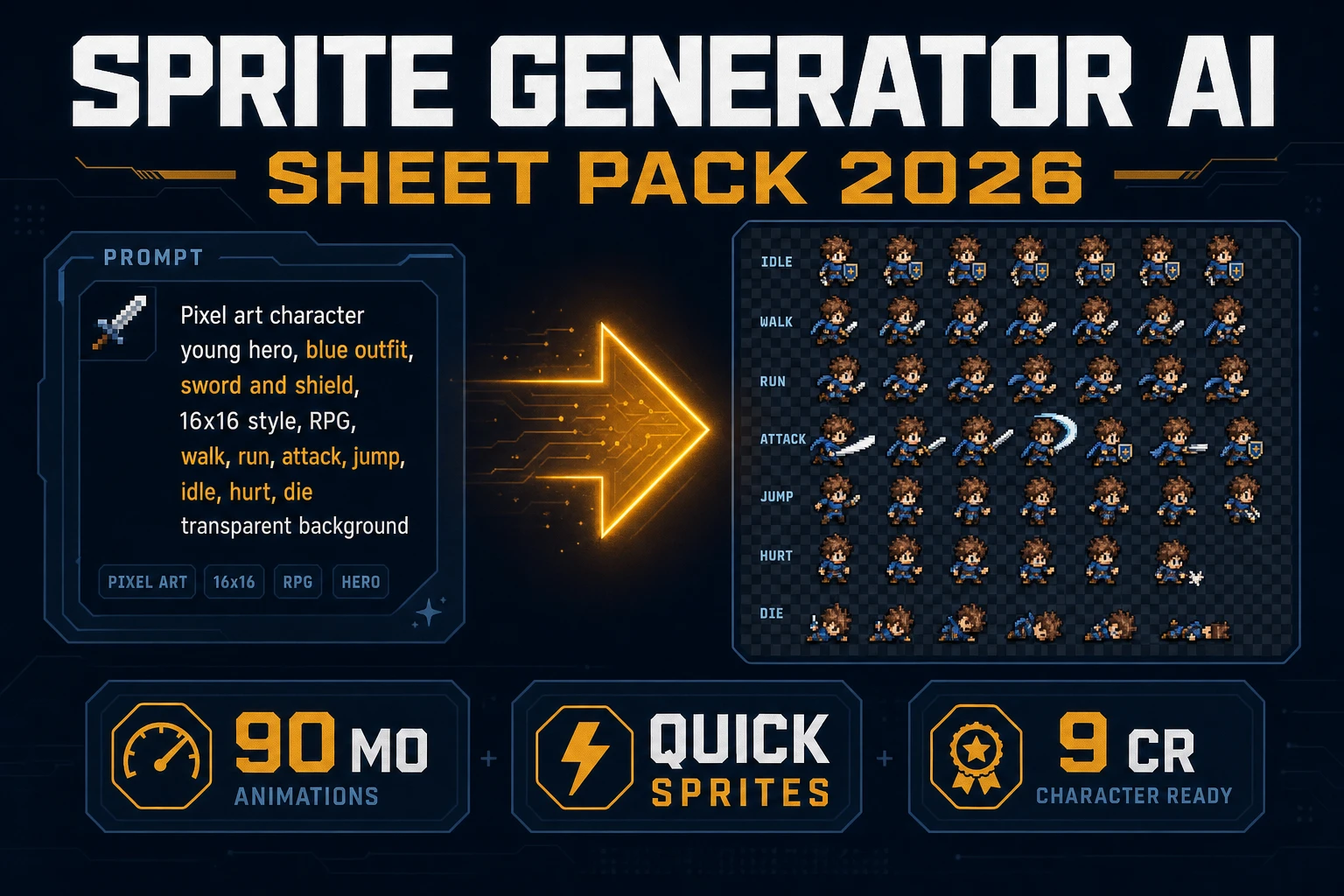
Consistent portrait art is a milestone, not the finish line. A browser game needs the character animated - walk cycle, idle, attack, hit reaction, death - and it needs those frames aligned on a grid the engine can slice. Auto-Sprite v2 is the Sorceress bridge between "I have a consistent character" and "I have a sprite sheet Phaser, Godot, Unity, or RPG Maker can consume."

The bridge is a three-step pipeline. First, take the locked character image out of AI Image Gen. Second, feed it into AI Video Gen to produce a 3-6 second clip of the character performing the animation (walking, attacking, casting). Third, run the clip through Auto-Sprite v2 - it extracts frames, removes the background, aligns them on a grid, and hands back a game-ready PNG sprite sheet. Because the input clip was seeded from the locked character image, every frame in the sheet is the same character - the consistency won in the image-gen step propagates all the way to the sprite pipeline.

Verified 2026-09-05 in src/app/autosprite-v2/page.tsx: Auto-Sprite v2 exports frames as PNG grids or animated GIFs, credit cost scales with frame count and resolution, and local-server mode is free. The ai consistent character generator half of the pipeline is Sorceress AI Image Gen; the sprite-sheet half is Auto-Sprite v2; the game-audio half - the voice that comes out of that character's mouth in cutscenes - lives at Cast an AI Character Voice Generator. All three surfaces bill through the same Sorceress credits meter, which is why the workflow holds together instead of fragmenting across five accounts.

Mistakes that quietly break character consistency

Four mistakes come up in every consistent-character thread and every DM support ticket. Each one looks reasonable in isolation and each one silently undoes the work of a locked reference sheet.

  • Switching models mid-batch. Nano Banana Pro reads a reference sheet slightly differently than GPT Image 2 or Seedream 5. Each model has its own idea of what "same character" means in the small details - eye shape, skin tone, wardrobe accents. Swap models between generation #12 and generation #13 and the character subtly re-faces. Lock the model choice for the whole scene batch; swap models only when starting a fresh scene.
  • Overprompting the character in every scene. If the reference sheet already carries the character, the scene prompt should describe the scene, not re-describe the character. Redundant character description ("a young elf ranger with green cloak, brown hair, and a scar over her left eye, standing in the tavern") fights the reference sheet and lets the model reinterpret the face. Trust the refs; describe only the setting and action.
  • Too few reference angles. A single front-facing portrait is enough to lock a face at eye level but not at a three-quarter angle from below. Three-to-five angles in the reference sheet suppresses drift across camera moves; one angle guarantees drift the moment the camera moves.
  • Ignoring the free-vs-paid tier of the model. The Sorceress catalog carries free tiers (base Nano Banana, Nano Banana 2 Lite) and paid tiers (Nano Banana Pro, GPT Image 2 at higher resolutions). Free-tier renders are fine for iteration but often lower fidelity, which reads as "the character is drifting" when it is actually just resolution. If a batch on a free tier looks inconsistent, retest one render on Nano Banana Pro or GPT Image 2 at 4K before assuming the workflow is broken.

Fifth mistake, less obvious and much more expensive: chasing perfect consistency past the point of usefulness. A game character does not need to be 100% identical in every frame. It needs to be recognizable, distinctive, and stylistically coherent. Ninety-five percent consistency across a locked reference sheet is a shipped character; a hundred-percent target is a rabbit hole. Ship at ninety-five, iterate on the fails, move to the next character.

Where a consistent ai character generator fits inside the Sorceress workflow

A consistent character is upstream of everything else in the Sorceress pipeline. It is the artifact that unlocks the sprite pipeline (via Auto-Sprite v2), the pixel-art pipeline (via True Pixel), the voice pipeline (via the character voice generator workflow), and eventually the in-game asset drop-in (via the game-build tools listed on the Sorceress tools guide). Without a locked character, every downstream step compounds the drift: a slightly different face on the sprite sheet, a slightly different palette in the pixel-art conversion, a mismatched voice actor for the cutscene. With a locked character, everything downstream reads as one asset.

The definition to remember: an ai consistent character generator is not a single button; it is a workflow that combines a reference-image-capable text-to-image model with a set of persistent reference uploads and a disciplined batch loop. Sorceress AI Image Gen is that workflow in a browser tab, verified 2026-09-05 against the source, and it plugs directly into the downstream game-build surface that the rest of the Sorceress catalog exposes. Every game character that will ever ship out of a Sorceress project starts as a locked reference sheet on that panel.

Frequently Asked Questions

What is an ai consistent character generator?

An ai consistent character generator is a text-to-image workflow that locks a character's identity - face, hair, wardrobe, palette, silhouette - across many separate generations by conditioning each render on the same reference images. The Sorceress AI Image Gen panel is this workflow in a browser tab: eleven reference-image-capable models sit in the same picker, verified 2026-09-05 in src/lib/models.ts, and every generation reuses whichever refs you have uploaded until you clear them.

How do I keep an AI character consistent across many generations?

Three moves. First, generate three to five angles of the character (front, three-quarter, back, action pose) and treat that mini-sheet as the reference set. Second, upload the whole sheet as the reference on every subsequent prompt so the model sees the character from every camera angle at once. Third, lock the model choice for the whole scene batch - swapping models mid-batch reintroduces drift because each model reads a reference sheet slightly differently.

Which AI image models support reference images for character consistency in Sorceress?

Verified 2026-09-05 in src/lib/models.ts, eleven models on the Sorceress AI Image Gen panel accept reference images: GPT Image 2 (16 refs), Nano Banana 2 (14), Seedream 5 Lite (14), Seedream 4.5 (14), Seedream 5 Pro (10), Nano Banana 2 Lite (10), Nano Banana Pro (8), Flux 2 Pro (8), Grok Imagine (5), GPT Image 1.5 (4), and Nano Banana base (3). Any of them will hold a character across a batch when driven with the same reference set.

Can I turn a consistent AI character into a game-ready sprite?

Yes. Auto-Sprite v2 is the Sorceress bridge. Take the locked character image out of AI Image Gen, feed it into AI Video Gen to produce a 3-6 second clip of the animation (walk, attack, cast), then run the clip through Auto-Sprite v2 - it extracts frames, removes the background, and hands back a PNG sprite sheet ready for Phaser, Godot, Unity, or RPG Maker. Because the input clip was seeded from the locked character, every frame is the same character.

Is there a free ai consistent character generator?

Yes, up to a point. The Sorceress AI Image Gen panel exposes free-tier models (base Nano Banana and Nano Banana 2 Lite) that accept reference images at no per-image credit cost during the promo window. Free-tier renders are fine for iteration; the paid tiers (Nano Banana Pro, GPT Image 2 at 4K, Seedream 5 Pro) are worth the credits when the character needs to hold at higher resolution or across more angles.

Sources

  1. Text-to-image model - Wikipedia
  2. Diffusion model - Wikipedia
  3. Prompt engineering - Wikipedia
  4. Games - MDN Web Docs
  5. Gemini Image - Nano Banana - Google DeepMind
Written by Arron R.·2,794 words·12 min read

Related posts