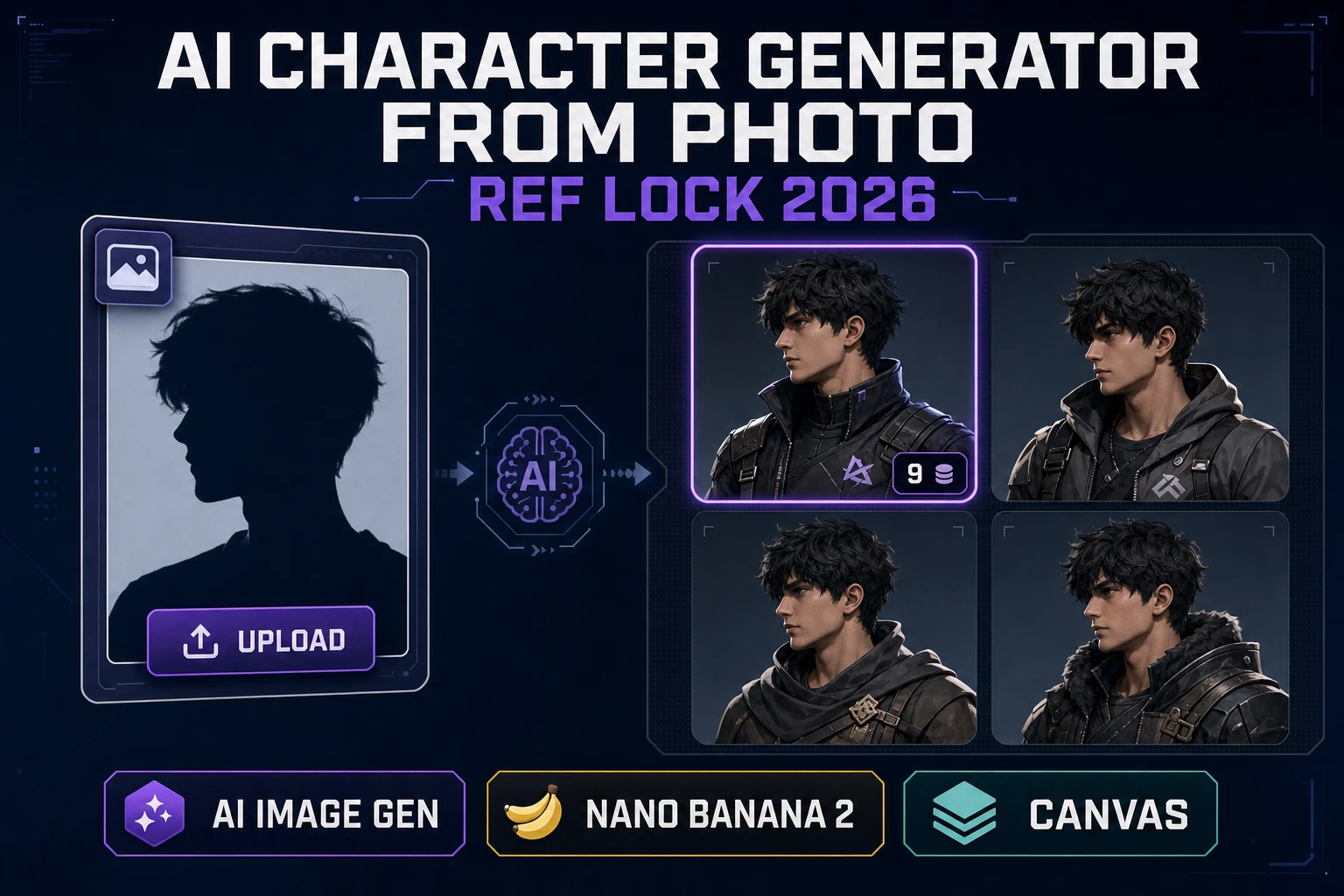
Anchor AI Character Generator From Photo (Ref Lock 2026)

By Arron R.14 min read
A game-side ai character generator from photo job is a reference-lock pass, not a filter: upload the source photo to Sorceress AI Image Gen, run it through Nano

People who type ai character generator from photo into a search box in 2026 already have a face on disk. A phone shot of a cosplay friend. A scan of a hand-drawn face. A locked portrait from an earlier campaign. What they need is not another filter that swaps hair color — they need a workflow that reads the face, holds the silhouette, and reprints the character on-model across a whole party. This page treats the query as a reference-lock shipping problem: what the search actually wants, how Sorceress AI Image Gen reads the reference photo on the Nano Banana 2 lane, how the keeper portrait becomes an anchor for every follow-up character, and how Canvas stamps the finished sheet Free. Every credit, every model, and every reference-image maximum in this piece was checked against the local source on 2026-09-30.
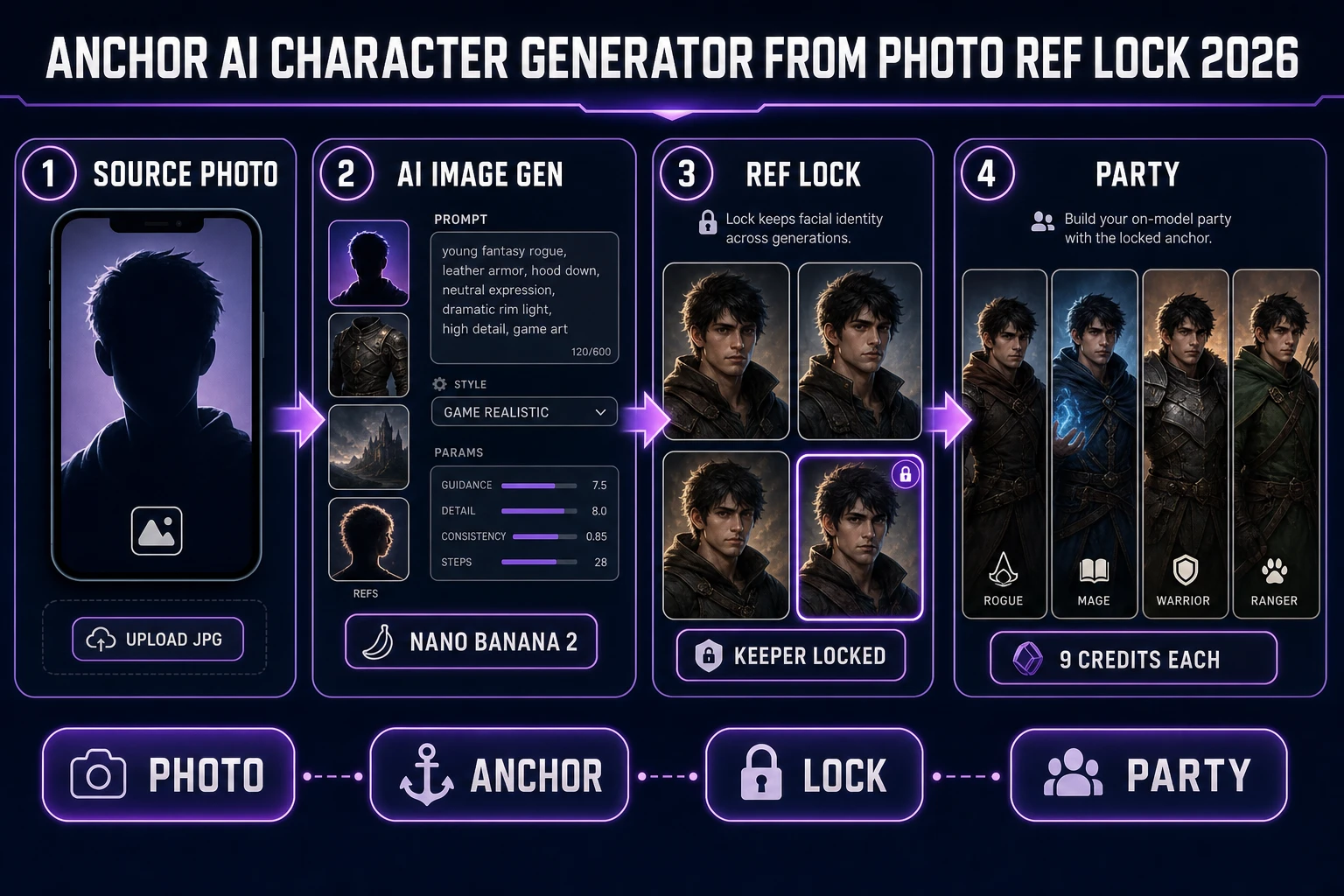
Anchor ai character generator from photo: upload photo, run AI Image Gen with reference images on Nano Banana 2, lock a keeper, print the party
An ai character generator from photo reframed as a ref-lock pass: upload the source photo, anchor it in AI Image Gen, lock a keeper, and re-anchor the whole party against that same keeper.

What an ai character generator from photo search actually wants

DataForSEO lists ai character generator from photo at 320 searches a month with KD 36 and informational intent (confirmed in tools/research-supplement.md, verified 2026-09-29 pull). The sister phrases split cleanly. ai character generator and character ai generator lean toward roster-building and chatbot brands. ai character description generator is words-first. But ai character generator from photo is a workflow query — the searcher has a source image and needs a reference-driven pipeline, not another randomizer.

Wikipedia’s image-to-image translation article (verified 2026-09-30) frames the job cleanly: the model takes an input image and produces an output image in a target domain while preserving some content structure from the source. That is exactly the game-dev ask — keep the face and silhouette, change the outfit, the pose, the lighting, and the render style. Wikipedia’s diffusion model entry (verified 2026-09-30) is blunt about the mechanic: modern generators start from noise and denoise toward a target, and reference images act as conditioning signals that pull the denoiser toward the reference features. Give the model one clean photo and it has something to hold; give it none and every seed is a fresh guess.

Wikipedia’s character (arts) entry (verified 2026-09-30) is the reminder that a character is a person or figure in a narrative, and the reader recognises them across scenes when the identifying features stay stable — the silhouette, the palette, the props, the pose vocabulary. An ai character generator from photo that only reprints the face is fine for a portrait. A generator for a game party has to hold the whole identity while the pose, the outfit, and the camera change. That is a reference-lock job, and it is what the Nano Banana lane inside AI Image Gen is built for.

Why reference images beat pure prompts

A prompt-only pipeline can describe a face, but every diffusion pass re-samples that description. Ten seeds on the same prompt return ten different people who all technically match “short brown hair, hazel eyes, weathered leather coat.” That is fine for concept exploration and a disaster for a shipped party. A reference photo is a hard constraint on the sampler — the model can move the character to a new pose or a new environment while the face and silhouette stay recognisable.

Practical shape of a photo-anchored ai character generator from photo pass for game work:

  • Source — one clean photo where the face is readable at 128 px. Front three-quarter or straight-on. Not a group shot; not a heavily filtered selfie.
  • Silhouette words — one shape word plus one prop word (“hunched apothecary with a strap of glass vials”). The prompt does the outfit; the reference does the face.
  • Pose line — one sentence that changes between takes (three-quarter portrait, action pose, campfire, throne room). This is the only clause that varies in a locked party.
  • Style clause — one sentence that pins render language (painterly stylized game art, semi-realistic RPG portrait, pixel-art card at 128 px). Fixed for the whole party.
  • Keeper — the first output that reads on-model. This becomes the reference for every follow-up character in the same visual family.

The order matters. Prompt-then-photo pipelines drift because the sampler treats the photo as a hint. Photo-first pipelines — the ones AI Image Gen exposes by putting the reference tray at the top of the panel — treat the photo as the constraint the prompt has to bend around. That is why a party of four locked characters from one source photo stays recognisable across a whole campaign, and a party of four prompted from a paragraph does not.

The Nano Banana 2 reference-image lane

AI Image Gen is the featured tool for the anchor step. The home more-tools card (verified 2026-09-30 in src/app/_home-v2/_data/tools.ts) lists Nano Banana Pro, Nano Banana 2, GPT Image 2, Grok Imagine, Seedream 5 Pro and Lite, Flux 2 Pro, and Z-Image Turbo behind one prompt field. Every one of those lanes accepts reference images; the ones that read a face reliably are the Nano Banana family, GPT Image 2, and Seedream 5.

Reference maxima and base credits verified today in src/lib/models.ts:

Model Max refs Base credits Best fit for photo → character
Nano Banana 2 Lite104Cheap iteration on outfit variants
Nano Banana36Legacy lane; keep for older refs
Flux 2 Pro86 (+3 per extra ref)Painterly named NPCs
Seedream 5 Lite146Anime and stylized face reads
Seedream 5 Pro106Sharper semi-realistic party cards
GPT Image 2167Sheet layouts with legible on-image text
Nano Banana 2149Default photo-locked party workhorse
Nano Banana Pro818Hero card for the campaign villain

The default lane for an ai character generator from photo job is Nano Banana 2 at 9 credits with up to 14 reference images. Fourteen is more than any single-source workflow needs — the useful count is three: the source photo, a lit test render if you already have one, and the current keeper. Nano Banana 2 Lite at 4 credits is the fast iteration lane while the silhouette is still being negotiated; promote to Nano Banana 2 the moment a seed reads on-model, and reserve Nano Banana Pro at 18 for the one character whose card will end up on the campaign trailer.

Non-face reference lanes deserve a note. Grok Imagine 2 at 6 credits (max 5 refs) is strong on cinematic light and weak on stable identity across seeds — use it for atmosphere reference, not for the face lock. Flux 2 Pro at 6 credits + 3 credits per extra ref (verified in src/lib/models.ts as refImageCredits: 3) climbs quickly if you dump more than two refs on it; keep its ref count minimal. Z-Image Turbo at 3 credits has no ref slot in the models table — treat it as a prompt-only draft lane and never expect it to hold a face across seeds.

Uploading the photo and running the first pass

Open AI Image Gen, dock the source photo on the reference tray, and pick the Nano Banana 2 model card. The image formats you can actually upload are JPEG, PNG, WebP, GIF, and AVIF — MDN’s image types guide (verified 2026-09-30) is the canonical list of browser-accepted formats and it maps one-to-one to the reference input. Phone JPEGs at 12 MP work; hand-drawn scans at 3 MP work; screenshots of an existing 3D render or a locked portrait from a previous session work. The sampler does not care about resolution above a modest floor — it cares that the face is unambiguous.

Practical upload hygiene for the source photo:

  • Crop to a single subject. Group shots confuse the sampler about which face to hold. If the reference has two people, crop or mask the one that is not the character.
  • Front three-quarter beats profile. A face at 15–30 degrees off-axis gives the sampler both eye lines and the nose bridge; a strict profile hides half the identity.
  • Even light, plain background if you can. Heavy shadow across the face teaches the diffuser that shadow is a feature. Plain background keeps the outfit from bleeding into the pose.
  • Never upload something you do not have permission to reference. The workflow is agnostic to source, but consent is not a rendering problem.

Run the first pass at low count — four to six seeds — on Nano Banana 2 Lite at 4 credits each while the prompt is still being negotiated. Read the outputs against the source: does the silhouette read? Does the face stay recognisable through the outfit change? If yes, promote to Nano Banana 2 at 9 credits and generate the keeper set. If not, tighten the prompt (usually the silhouette clause) and re-run before you spend the Nano Banana 2 credits.
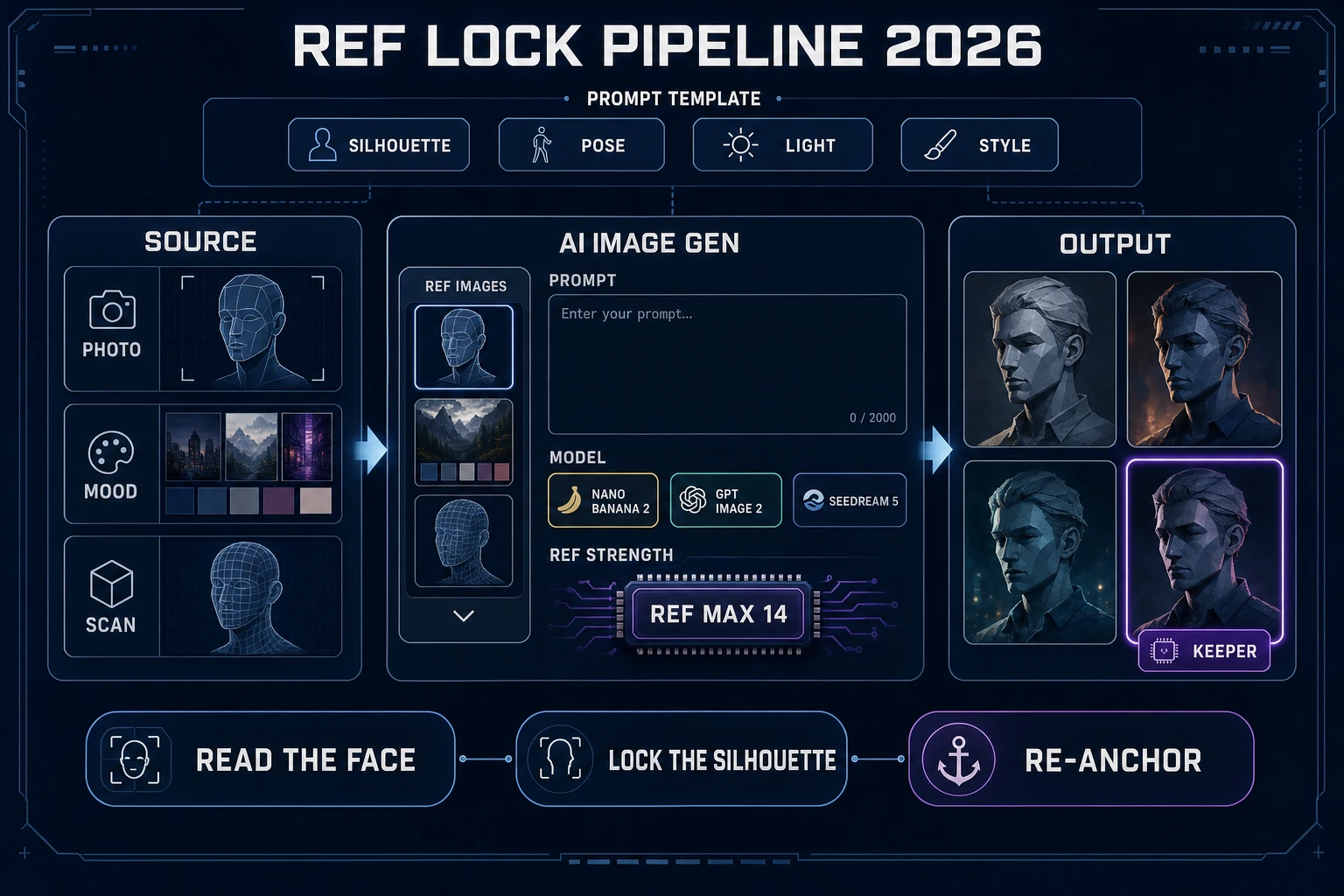
Reference image workflow diagram showing photo source, prompt template, model selection, and locked keeper output
Ref-lock pipeline: source photo docks on the left, the prompt template pins silhouette / pose / light / style, and Nano Banana 2 returns a grid where one tile becomes the keeper.

A prompt template you can paste today

The prompt for an ai character generator from photo job is short because the photo does most of the work. Keep the shape identical for every character in the party — the point of the template is that the outfit and pose clauses change while every other line stays fixed.

Portrait of <silhouette clause with one shape word + one prop word>.
Wearing <outfit clause, one sentence>.
<Pose clause, one sentence>.
Reference face on the left; hold the identity of the source photo.
Style: <fixed style clause, one sentence>. Plain background.

Two example rows for a four-character tavern party, referenced against the same source photo:

Row 1 (harbormaster):
Portrait of a weathered harbormaster with a brass compass on a leather strap.
Wearing a stained wax-canvas coat, sea-salt-blown collar, one gold earring.
Three-quarter portrait, campfire light from below-left, tired watchful expression.
Reference face on the left; hold the identity of the source photo.
Style: painterly stylized game art, semi-realistic RPG portrait. Plain background.

Row 2 (apothecary sister):
Portrait of a hunched apothecary with a bandolier of glass vials.
Wearing an ash-grey wool cloak, high-necked scholar tunic, ink-stained cuffs.
Three-quarter portrait, cool morning window light, half-smile with mistrust.
Reference face on the left; hold the identity of the source photo.
Style: painterly stylized game art, semi-realistic RPG portrait. Plain background.

Two clauses vary between rows: silhouette + outfit and the pose sentence. Everything else — the style line, the reference clause, the plain-background instruction — is fixed. That is the shape that keeps four different characters looking like they belong in the same game.

Locking a party from one source photo

The keeper is the first output that reads on-model against the source. It is not the prettiest one and it is not necessarily the closest one to the photo — it is the tile whose silhouette, palette, and expression you are willing to reprint on every follow-up character. Ring it (mentally, or with a color swatch in a Canvas note) and download it at full resolution.

From that moment on, the keeper becomes the second reference image on every follow-up prompt. Re-anchoring works like this:

  • Ref slot 1: the original source photo. Never removed from the ref tray while the party is being built. This is the face-identity anchor.
  • Ref slot 2: the current keeper. Every follow-up character in the same visual family gets the keeper as a second ref so the render language stays constant. This is the style-identity anchor.
  • Ref slot 3 (optional): the previous follow-up. Adds a third data point on style. Skip it if the party is drifting toward monotony.

Two hard rules that keep the party locked. First, never change the style clause mid-party — if the harbormaster is painterly and the apothecary sister is anime, the pair does not read as one cast. Second, never remove the source photo from the ref tray while the party is being generated. A follow-up character without the source anchor will drift toward the keeper’s face, and a party of five clones of the keeper is a different failure mode than a party of five strangers.

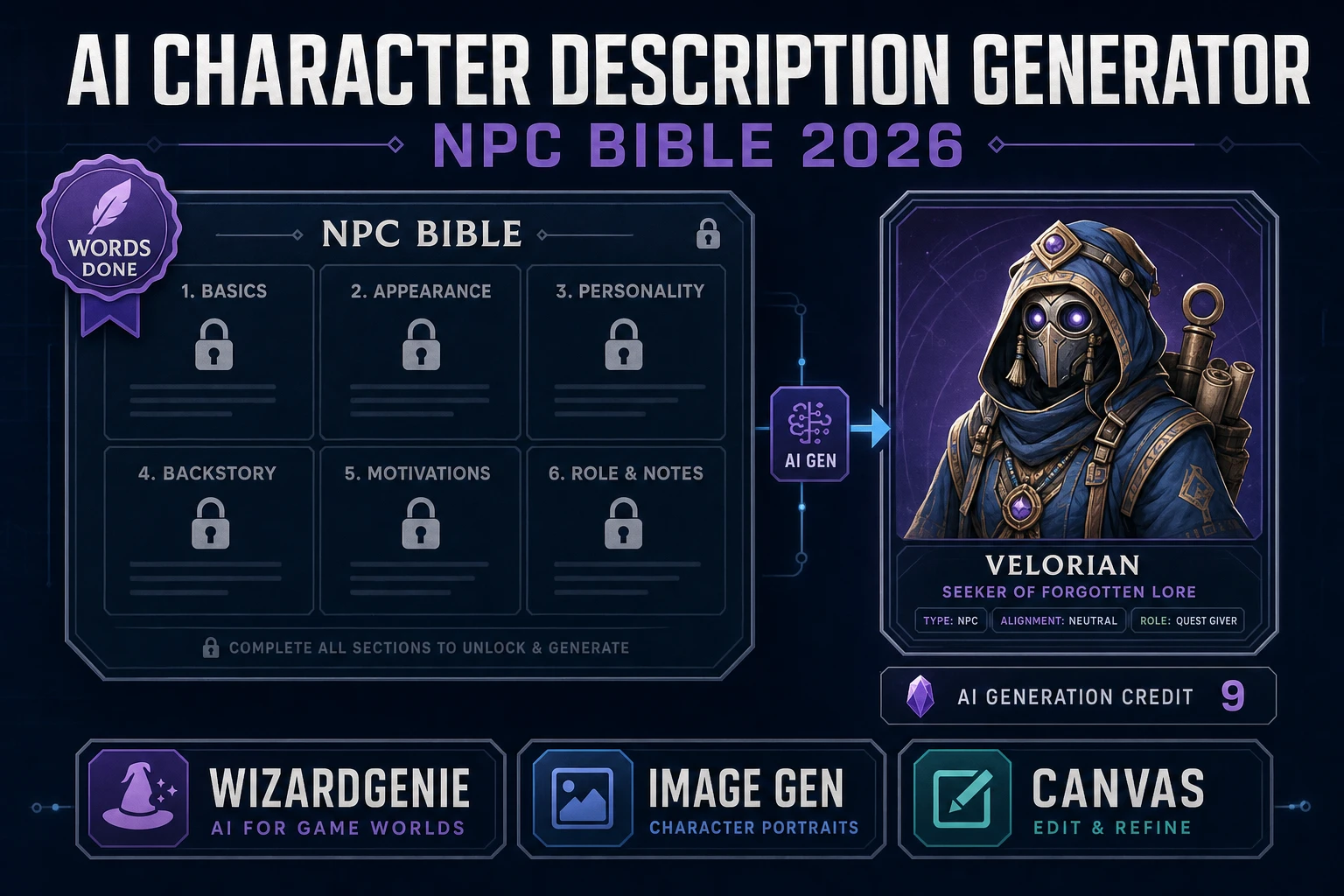
Related Sorceress angles already on the blog for adjacent moves: bank character AI generator party lock for the portrait-first sibling of this workflow, draft AI character description generator NPC bible for the words-first companion, and sculpt an AI 3D character generator for the 3D handoff after the 2D lock.

Stamping the sheet in Canvas and cutting alpha in BG Remover

A portrait, even a locked one, is not yet a sheet. Open Canvas — the home more-tools card badges it Free (verified 2026-09-30 in src/app/_home-v2/_data/tools.ts). Drop the locked photo-anchored portrait on the left, stamp the character name and role as real text on the right, keep a session scratch box in the corner, and export the whole thing as a single PNG per character. Do not ask Canvas to invent a face; treat it as the layout bench between AI Image Gen and the table.

Useful sheet habits for an ai character generator from photo export:

  • Same canvas size for every character in the party. A stack of mismatched sheets reads as a broken cast.
  • Stamp field labels (NAME, ROLE, SILHOUETTE, POSE NOTES) with real fonts inside Canvas. Never ask the image model to render field labels; it will hallucinate letters at any size.
  • Reserve one corner for a session-side scratch box — where the runner writes what the party learned this session. That box is what turns a static sheet into a live one.
  • Export as PNG. Wikipedia’s text-to-image model entry (verified 2026-09-30) notes that most consumer diffusion models emit PNG or JPEG; PNG is the sensible choice for game-ready assets that will need masking downstream.

If the portrait needs true alpha — for a tabletop token, a party UI slot, or a Canvas import for a VTT — open BG Remover at a flat BG_REMOVER_CREDITS = 3 per image (verified 2026-09-30 in src/app/bg-remover/page.tsx). Cut alpha once, then stop regenerating backgrounds inside the diffusion model. Canvas is free layout; BG Remover is the paid alpha pass; AI Image Gen is the paid generation. The bill for a whole ai character generator from photo session should be dominated by the anchor step (Nano Banana 2 credits) with Canvas contributing zero and BG Remover contributing 3 credits per token.

If the party needs a shared words-side bible to sit under the portraits — NPC role, wound, want, secret — feed the locked keeper back into WizardGenie as a description prompt. WizardGenie runs the Planner + Executor pattern: a frontier reasoner on the Planner slot (Claude Opus 4.7, GPT-5.5, Gemini 3.1 Pro, Grok 4.2) writes the six-field schema, a cheap executor (DeepSeek V4 Pro, Kimi K2.5, MiniMax M2.7, Gemini 3.1 Flash, GPT-5.5 Mini) expands each field into prose. Never put a frontier-priced model on the typing side — the pattern only earns its cost when the executor is actually cheap.

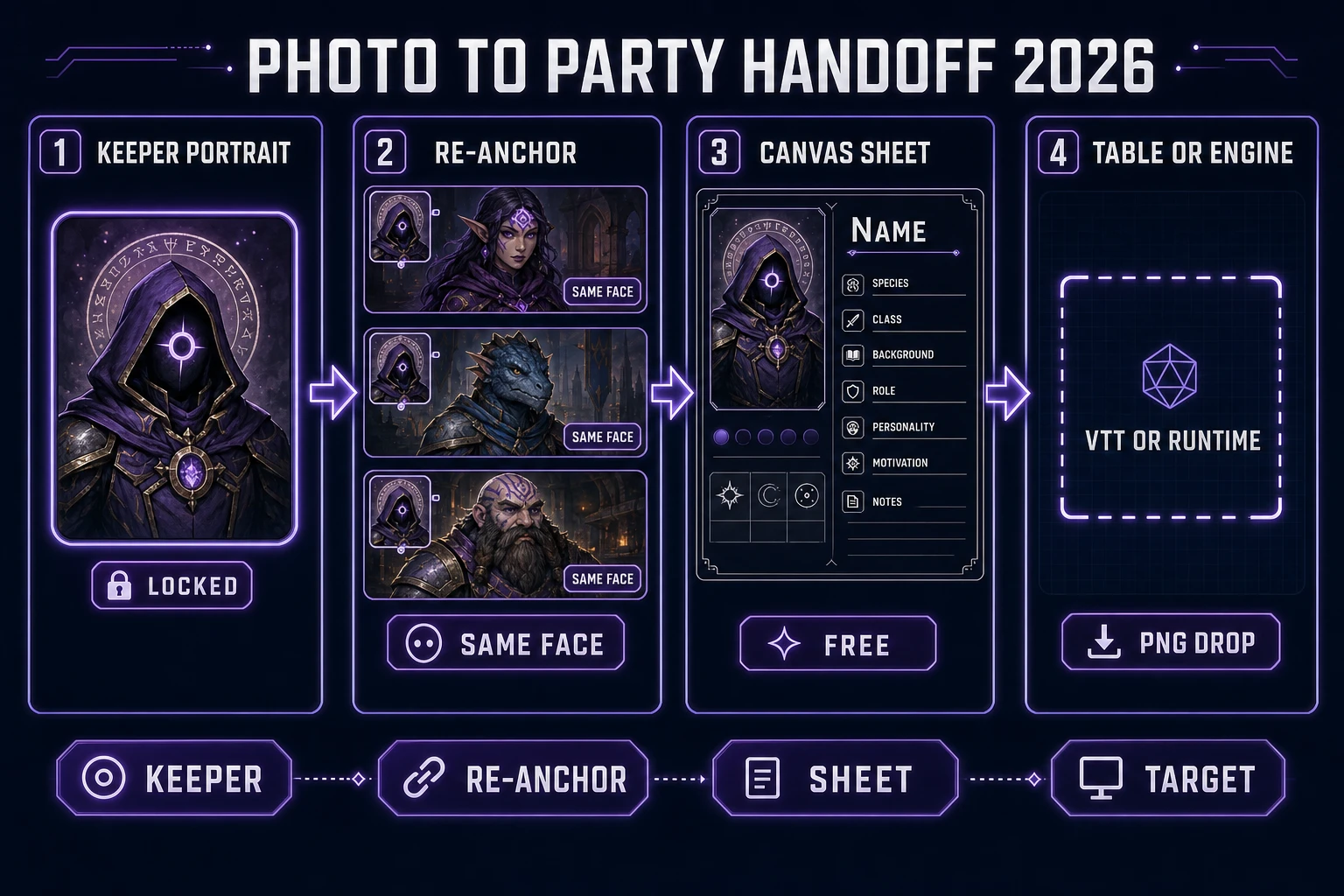
Photo-to-party handoff diagram: locked keeper, re-anchor for follow-ups, Canvas sheet, target table or engine
Honest photo-to-party handoff after a ref lock: keeper on the left, three re-anchored follow-up characters in the middle, Canvas sheet on the right, table or engine at the end.

Credit math for a four-character photo-anchored party

Quote wallet numbers from source, not marketing memory. CREDITS_PER_DOLLAR = 100 in src/lib/models.ts. SIGNUP_GRANT = 100 in src/app/api/admin/credits/route.ts. Both verified 2026-09-30. Nano Banana 2 is 9 credits per image with up to 14 reference images and no refImageCredits surcharge in the models table — the 9-credit tag is what you pay per output regardless of ref count.

Session plan Draft passes Locked passes Alpha Credit total USD at 100 cr/$
1 keeper on Nano Banana 2 Lite draft + 1 Nano Banana 2 lock4 (16 cr)1 (9 cr)025$0.25
4-character party on Nano Banana 2, no drafts04 (36 cr)036$0.36
4-character party, drafts + locks + BG Remover tokens4 (16 cr)4 (36 cr)1264$0.64
Same + 1 Nano Banana Pro hero card4 (16 cr)4 (36 cr) + 1 (18 cr)1585$0.85
Cheap tavern extras batch (12 Nano Banana 2 Lite)12 (48 cr)0048$0.48

A four-character party with a full ref-lock pipeline, alpha tokens for the VTT, and a single hero card lands at 85 credits ($0.85) on the Image Gen side — the 100-credit signup grant covers the whole session with room to test. Cheap tavern extras on Nano Banana 2 Lite come in at $0.04 each; a fifty-face crowd batch fits inside a top-up under a dollar.

A practical checklist before you run the ai character generator from photo loop: verify permission to reference the source photo, crop to a single subject at front three-quarter, write the silhouette clause and the fixed style clause, draft on Nano Banana 2 Lite at 4 credits per image, promote the on-model tile to Nano Banana 2 at 9 credits and download the keeper, re-anchor every follow-up character with the source photo in ref slot 1 and the keeper in ref slot 2, stamp the sheet in Canvas, cut alpha in BG Remover only when a token needs transparency, and export as PNG named after the silhouette phrase. Drifting faces are a ref-slot problem, not a prompt problem — never remove the source photo from the tray while the party is being built.

Verdict: anchor the photo, lock the party, print the roster

A clean ai character generator from photo session on Sorceress in 2026 ends with a folder of on-model character sheets that read as one cast. The finished shape is a locked keeper portrait, three or more re-anchored follow-ups whose face and silhouette match the source photo, optional alpha tokens for the VTT, and a Canvas layout you can hand to a printer or an engine importer. The face-swap filter sites give you one novelty portrait; a proper anchor gives you a whole party the table will still recognise in session four.

  1. Upload one clean source photo (front three-quarter, single subject, plain light) to AI Image Gen and dock it on the reference tray.
  2. Draft four to six seeds on Nano Banana 2 Lite at 4 credits each to negotiate the silhouette and style clauses.
  3. Promote the on-model tile to Nano Banana 2 at 9 credits per image (max 14 refs), download the keeper at full resolution, and never remove the source photo from the ref tray.
  4. Re-anchor every follow-up character with the source photo in ref slot 1 and the keeper in ref slot 2; keep the style clause identical across the whole party.
  5. Stamp each character sheet in Free Canvas: portrait on the left, name and role as real text on the right, session scratch box in the corner. Cut alpha in BG Remover at 3 credits per image when a token needs transparency, and optionally feed the keeper back into WizardGenie for the words-side bible.

That is the whole job the ai character generator from photo search is actually buying: not a filter, not a face-swap, but a party of characters anchored on one real photo whose identity stays stable across a whole campaign. Anchor the photo, lock the keeper, re-anchor the follow-ups, and stamp the sheet — then let the table meet a cast whose faces they can actually recognise across sessions.

Frequently Asked Questions

What does an ai character generator from photo search actually want?

For the game-dev slice, it wants a repeatable reference-lock pass, not a face-swap filter. DataForSEO lists ai character generator from photo at 320 searches a month with KD 36 and informational intent (tools/research-supplement.md, verified 2026-09-29). The searcher already has a face on disk - their own reference, a mood-board portrait, a scanned drawing - and needs a workflow that turns that face into an on-model game character that stays consistent across a whole party.

Which Sorceress model actually reads a reference photo?

All Nano Banana lanes and every top image model in AI Image Gen accept reference images. Verified 2026-09-30 in src/lib/models.ts: Nano Banana 2 supports up to 14 reference images at 9 credits, Nano Banana Pro up to 8 refs at 18 credits, Nano Banana up to 3 refs at 6 credits, Nano Banana 2 Lite up to 10 refs at 4 credits, GPT Image 2 up to 16 refs at 7 credits, Seedream 5 Lite up to 14 refs at 6 credits, Flux 2 Pro up to 8 refs at 6 credits base plus 3 credits per extra ref.

Do I need to upload a real photo or can I use another AI image as the reference?

Either works. AI Image Gen accepts JPEG, PNG, and WebP on the reference slot (MDN's image formats guide covers the field, verified 2026-09-30). A phone photo, a screenshot of an existing 3D render, a hand-drawn scan, or a locked keeper from a previous session all behave the same on the reference input. What matters is that the face and silhouette are readable at thumbnail size - if a human cannot identify the character from a 128-pixel crop, the diffusion model will not either.

How much does a four-character ai character generator from photo party cost on Sorceress?

Verified 2026-09-30 against src/lib/models.ts: Nano Banana 2 is 9 credits per image with up to 14 refs, CREDITS_PER_DOLLAR is 100, SIGNUP_GRANT is 100. Four Nano Banana 2 portraits from one reference photo cost 36 image credits. Adding BG Remover alpha on all four adds 12 credits at BG_REMOVER_CREDITS = 3 each (src/app/bg-remover/page.tsx, verified 2026-09-30). A single Nano Banana Pro hero card at 18 credits brings the party total to 66 credits or $0.66 - well inside the 100-credit signup grant.

Do I need Canvas Pro to stamp the finished portrait sheet?

No. The home more-tools card badges Canvas as Free (verified 2026-09-30 in src/app/_home-v2/_data/tools.ts). Canvas is the layout bench: drop the locked photo-anchored portrait on the left, stamp the character name and party role as real text on the right, keep a session scratch box in the corner. Canvas does not invent free diffusion generations, but the layout step and the export step are free.

Sources

  1. Text-to-image model - Wikipedia
  2. Image-to-image translation - Wikipedia
  3. Diffusion model - Wikipedia
  4. Character (arts) - Wikipedia
  5. Image file type and format guide - MDN
Written by Arron R.·3,233 words·14 min read

Related posts