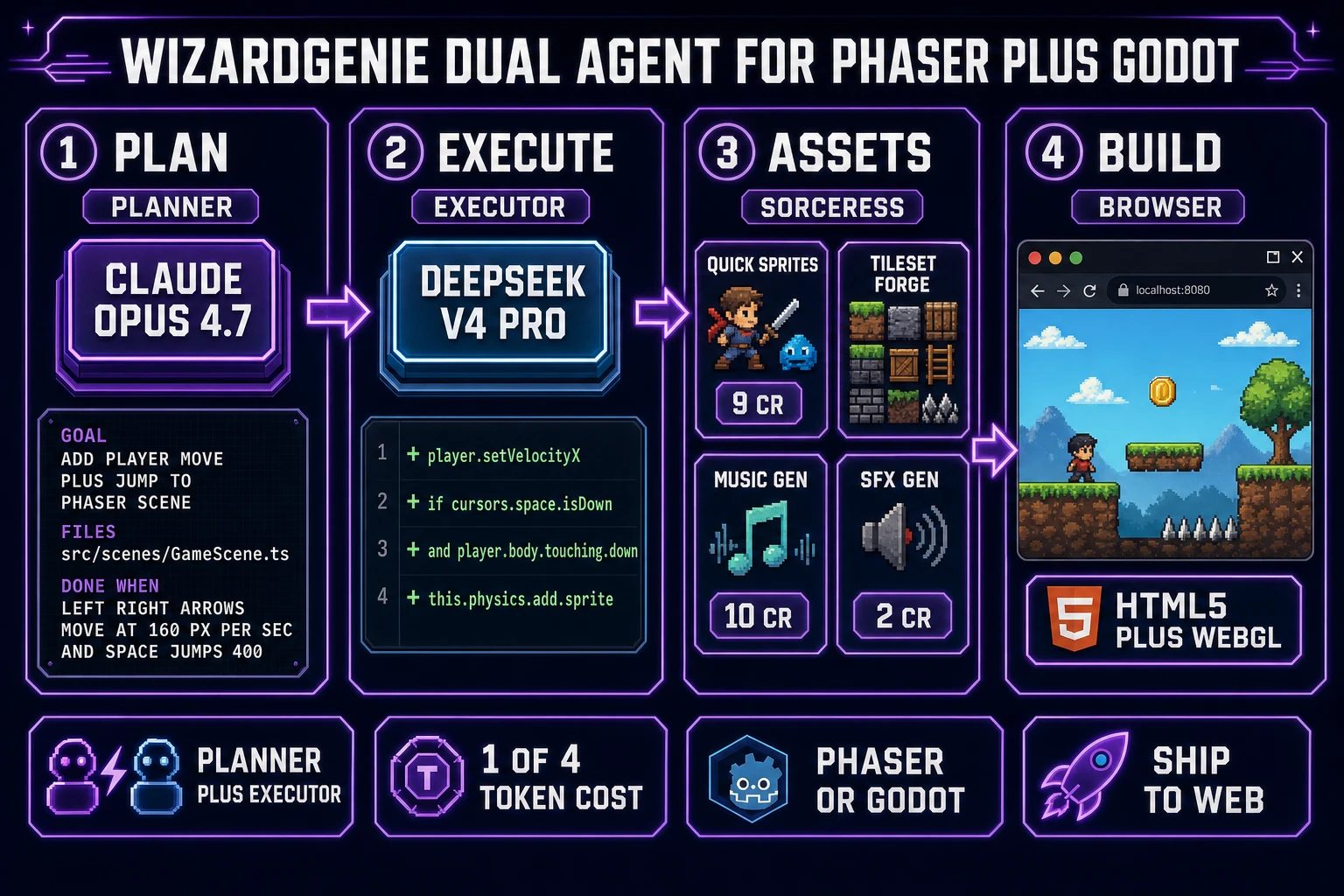
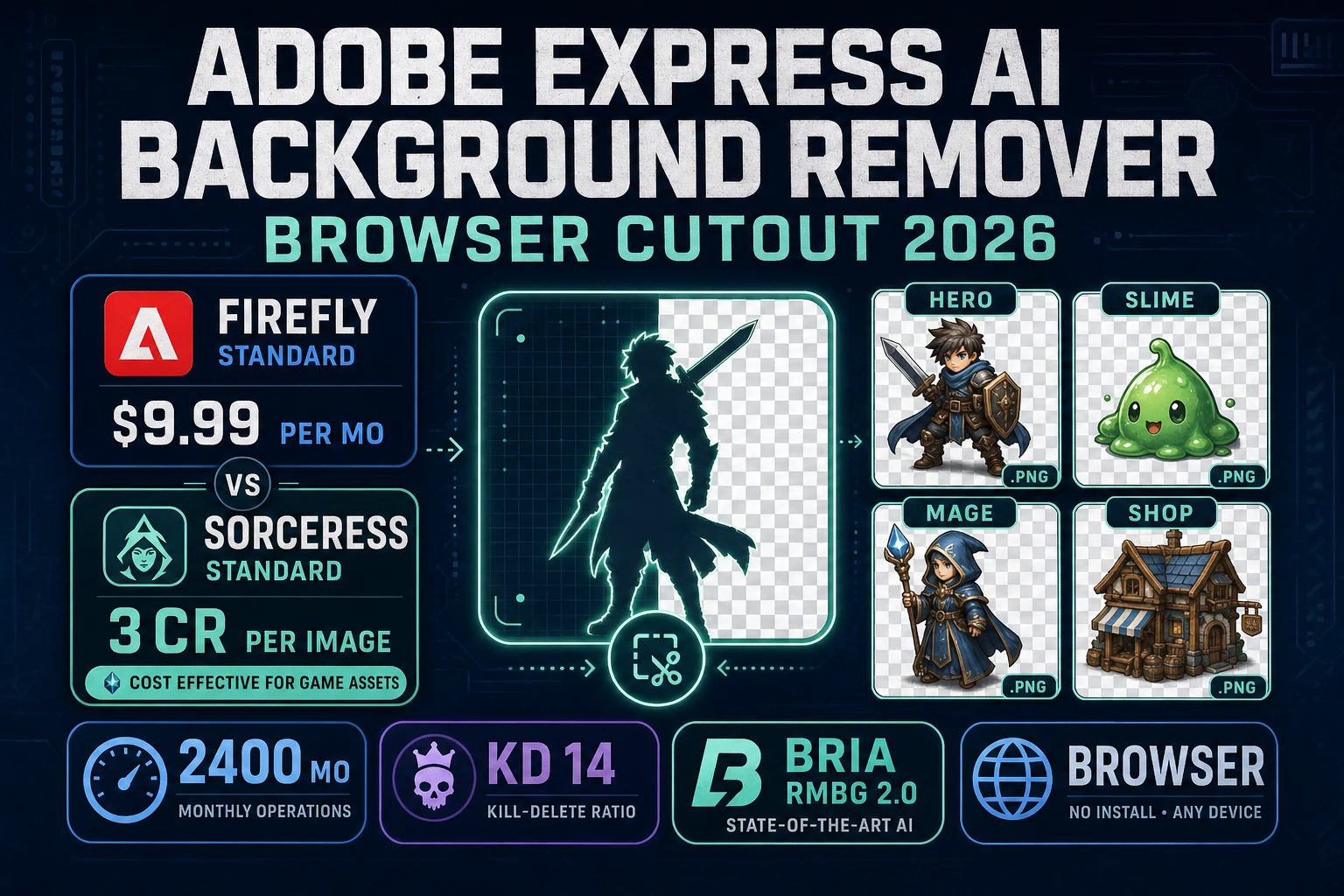
Pixel art is having its longest comeback ever. The Pixel art Wikipedia article (verified 2026-10-03) tracks the medium from Space Invaders and Pac-Man through the 2010s wave of Terraria, Fez, Shovel Knight, Undertale, Stardew Valley, and Celeste, and into the 2020s run of Vampire Survivors, Pizza Tower, Dave the Diver, Balatro, and Antonblast. The style is not retro any more; it is a durable aesthetic solo devs choose because 16 by 16 reads cleaner than a half-rendered 3D scene and because a palette of 32 colours is cheaper to iterate on than a PBR texture. Making a pixel art game in 2026, though, is still bottlenecked by the same thing it was bottlenecked by in 1996: the hand-pixelled asset side. This guide walks the full browser-first pipeline that fixes that bottleneck — Sorceress Quick Sprites for characters, Auto-Sprite v2 for walk cycles, Tileset Forge for environments, True Pixel for cleanup, WizardGenie's dual-agent code for the engine glue, and Music Gen plus SFX Gen for audio. Every credit cost, source line, and model lineup below was verified against the live docs or the Sorceress source on 2026-10-03.
What searchers typing how to make a pixel art game actually want
DataForSEO lists how to make a pixel art game at 110 searches a month, KD 0, competition 0.05, intent informational (verified 2026-10-03 in tools/research-supplement.md, seed how to make pixel art). KD 0 means the SERP is wide open. The current first page splits into year-old YouTube series that stop at a working movement controller, hand-pixelling tutorials that assume you already own Aseprite and have six months of free time, and tool-roundup posts that list ten engines without walking through one end to end. Nothing on the first page in October 2026 is a full-pipeline write-up that honestly accounts for the character art, the tiles, the music, the SFX, and the code in one sitting. That is the gap this post fills.
Reader intent falls into three honest buckets: (1) “I like pixel art games, I have never shipped one, show me the whole pipeline so I know what I am signing up for”; (2) “I can draw a little but I cannot animate a four-frame walk cycle in a weekend, what is the shortest path to a playable prototype”; (3) “be honest about cost, time, and what AI can and cannot do”. All three answered below.
The 2026 state of pixel art game development
Pixel art as a medium has a formal definition the Pixel art Wikipedia article (verified 2026-10-03) is explicit about: deliberate placement of individual pixels, usually inside a restricted palette, with a visible pixel grid as part of the aesthetic. The medium traces back to Space Invaders (1978) and Pac-Man (1980); the term itself was first published in 1982 by Adele Goldberg and Robert Flegal at Xerox PARC. For four decades the production bottleneck has been the hand-labour: a 48 by 48 four-direction walk cycle is 16 frames of individually-placed pixels, every stray pixel against the silhouette ruins the sprite, and every sprite in the project has to agree on palette and lighting direction. That is why most solo pixel art games either stall at the roster screen or ship with a visibly inconsistent asset set.
The 2026 shift is that the generation side of that bottleneck has finally caught up. A dedicated pixel art diffusion model (Retro Diffusion’s rd-animation, which Quick Sprites wraps at src/app/quick-sprites/page.tsx line 20, verified 2026-10-03) can produce a four-direction, four-frame walk-cycle sprite sheet from a prompt in under 90 seconds for 9 credits. That is roughly 9 cents at CREDITS_PER_DOLLAR = 100 (src/lib/models.ts line 69, verified 2026-10-03). The output is not quite shippable raw — it needs a 2 to 5 minute cleanup pass in True Pixel to snap off-palette strays and tighten the silhouette — but it is 95 percent of the way there, and that last 5 percent is editing work rather than drawing work. For a solo dev, that collapses the asset side from months to days.
The browser-first pipeline at a glance
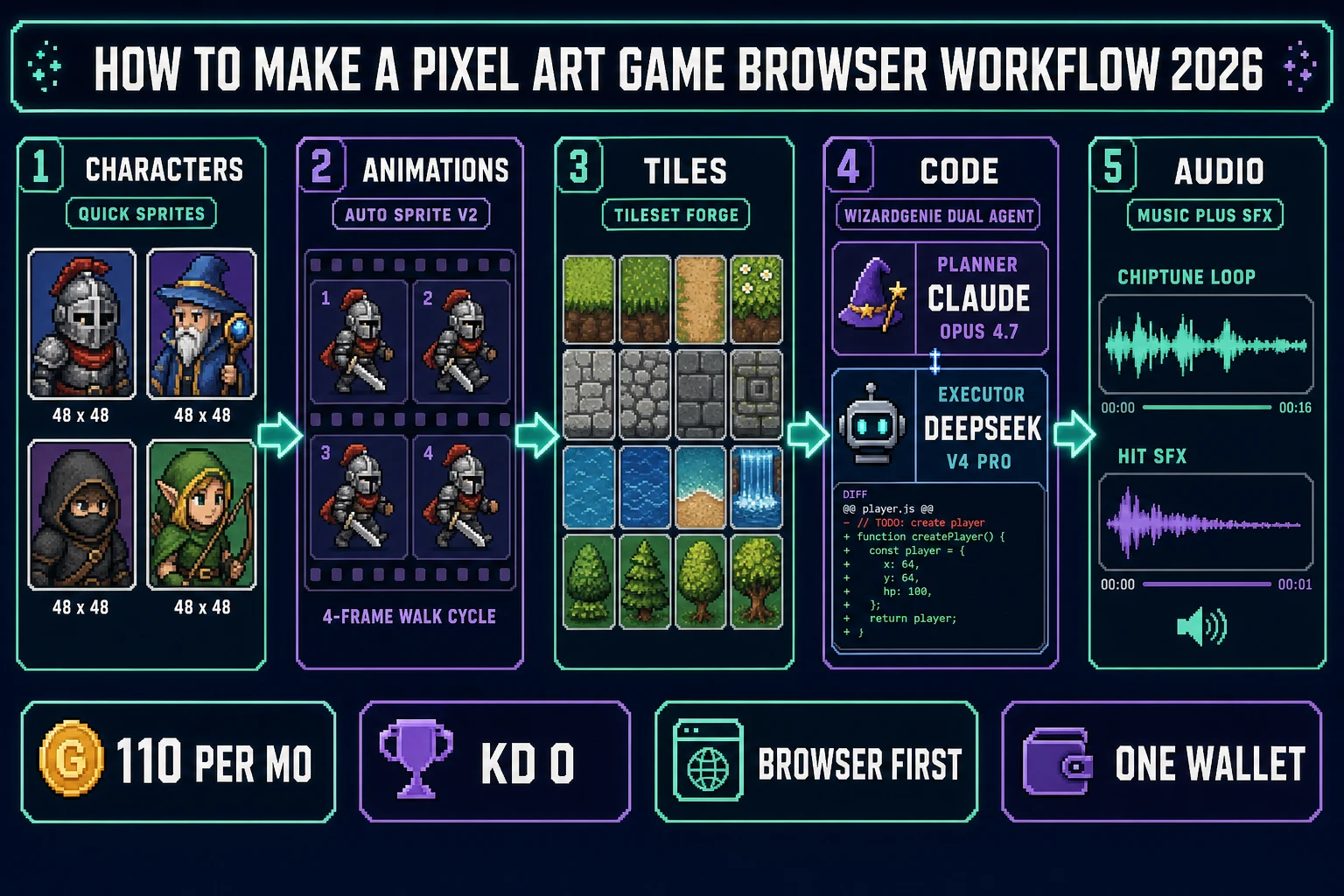
Every pixel art game, from a Ludum Dare jam prototype to a 20-hour commercial release, breaks into the same five stages. MDN’s Anatomy of a video game (verified 2026-10-03) reduces any game loop to present → accept input → interpret → calculate → repeat; the five stages below are the pixel-art-specific shape of that loop:
- Characters. Hero, enemies, NPCs. Each is a sprite sheet with idle, walk, jump or attack, hit, and death frames. Generated with Quick Sprites, polished in True Pixel.
- Animations. Walk cycles, attack frames, hit flashes. Generated with Auto-Sprite v2, imported into the engine as flipbooks.
- Tiles and environments. Ground, walls, water, props, parallax layers. Built as a tile atlas in Tileset Forge, loaded into the engine as a TileMap.
- Code. Movement, physics, collisions, scene management, HUD, save system. Written through WizardGenie’s dual-agent Planner-plus-Executor pattern. Target engine is Phaser (HTML5 first) or Godot (desktop plus web).
- Audio. Chiptune music loops (overworld, combat, menu) via Music Gen; short SFX (step, jump, hit, pickup, UI) via SFX Gen.
Each stage runs in a browser tab under one Sorceress wallet, which is the operative word in “browser-first”. The alternative — one subscription for a pixel editor, one for a sprite animator, one for a tile editor, one for a music tool, one for an SFX pack site, one for a coding agent — is five separate billing surfaces and five separate credit lines. The one-wallet model matters for a solo dev because it collapses the whole cost side onto a single credit meter you can watch.
Stage 1 and 2: Characters and animations with Quick Sprites plus Auto-Sprite v2
The honest starting point for how to make a pixel art game in 2026 is the character sheet. The sprite sets the resolution, the palette, and the visual language the rest of the project will be built against. Lock it first, generate everything else to match.
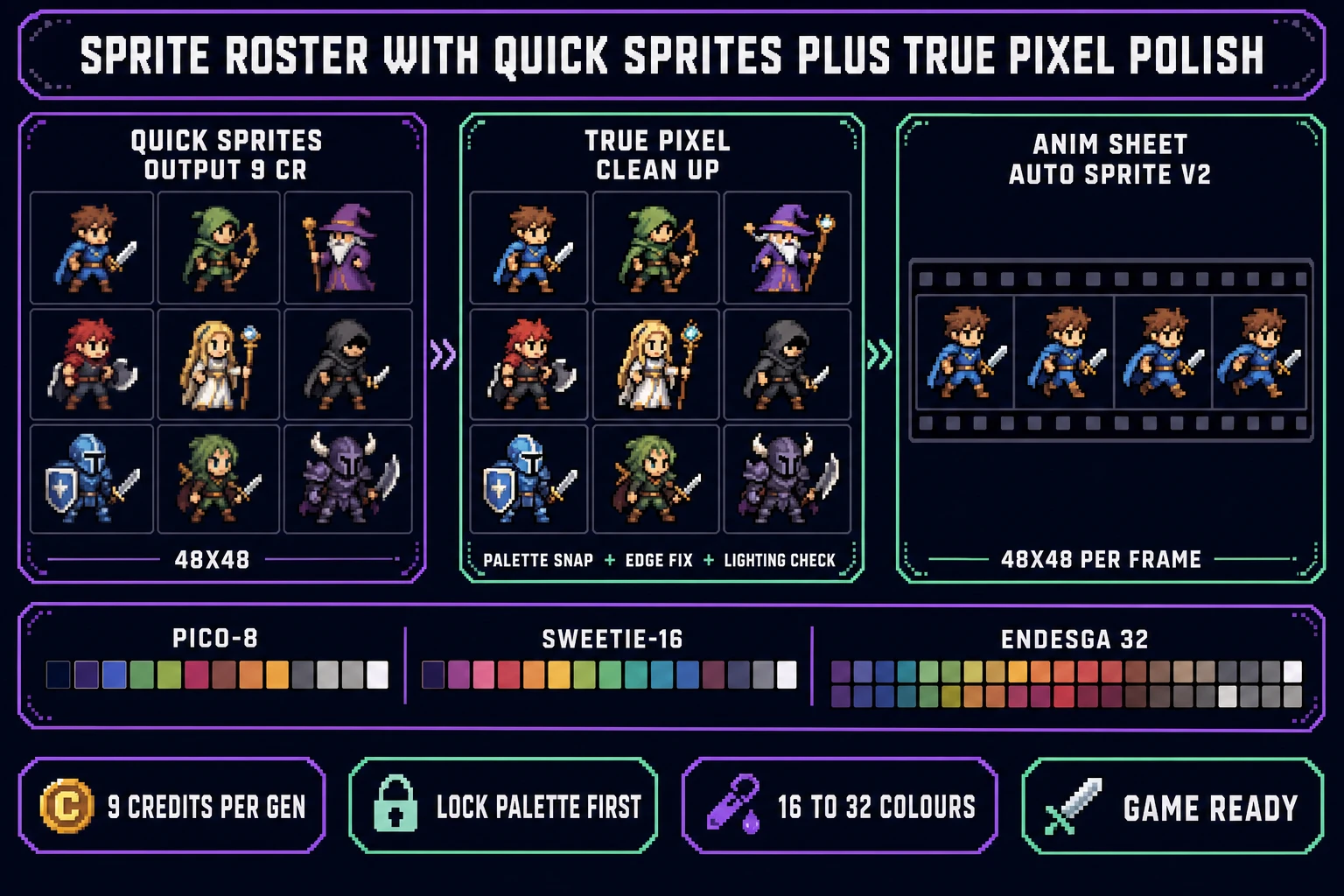
In Quick Sprites, pick the animation style first: the tool at /quick-sprites ships three built-in styles (verified at src/app/quick-sprites/page.tsx lines 35 to 39 on 2026-10-03): four_angle_walking at 48x48 (consistent four-direction, four-frame walk), small_sprites at 32x32 (four-direction walk plus arm movement, looking, surprised, laying-down poses), and vfx at 24 to 96 pixels square for explosions, fire, and lightning. Burning 9 credits (CREDITS_PER_GEN = 9 at line 21, verified 2026-10-03), each generation returns a game-ready PNG strip. Plan on 3 to 6 generations per character to lock the final sprite — generation 1 gets the silhouette, 2 locks the palette, 3 to 6 fine-tune the pose.
A sample prompt that reliably produces usable 48x48 four-direction walk sprites: “pixel art fantasy knight in silver plate armour, 48x48, four-direction four-frame walk cycle, clean silhouette, 16-colour palette, no background, sprite sheet layout”. For a consistent roster, change only the archetype and the palette-driving adjective (red tunic rogue, green cloak ranger, purple robe mage, white robe cleric). Keep the shoulder phrasing identical so the sprites agree on lighting direction and silhouette weight.
Once the hero sprites are locked, run them through Auto-Sprite v2 at /autosprite-v2 to produce the attack, jump, hit, and death flipbooks. Auto-Sprite v2 takes a static sprite plus a target animation and returns a frame-by-frame PNG strip. For a platformer plan on at least idle, walk, jump, fall, attack, hit, and death per hero. For a top-down RPG plan on idle plus four-direction walk per hero. For enemies, 3 to 5 animations each is enough for a jam-size game.
Pass each generated sprite through True Pixel at /pixel-art for the cleanup pass. True Pixel ships with 7 built-in palette presets (verified at src/app/pixel-art/page.tsx on 2026-10-03): PICO-8 at 16 colours, SWEETIE-16 at 16 colours, Endesga 32 at 32 colours, Game Boy at 4 colours, CGA at 16 colours, NES at 54 colours, plus the editor’s own custom-palette workflow. Snap the sprite to your chosen palette (one click), inspect the silhouette for off-palette strays (pencil-tool fix), and flip the sprite horizontally to double-check the lighting reads from both directions.
Stage 3: Tiles and environments with Tileset Forge
The next bottleneck is the world. A pixel art platformer needs ground, slope, platform, water, hazard, and decoration tiles; a top-down RPG needs grass, path, wall, door, water, and prop tiles; a dungeon crawler needs floor, wall, pit, door, and chest tiles. Each tile is usually 16x16 or 32x32, laid out in an atlas (also called a tilesheet) that the engine loads once and then references by index. The MDN Tiles and tilemaps overview (verified 2026-10-03) is the canonical reference: the tile atlas stores every tile in a single image file for performance, and the tilemap data structure holds a visual grid (which tile index goes where) plus a logic grid (collision, path-finding, triggers) over the same cells.
Tileset Forge at /tileset-creator generates a tileset atlas from a prompt and a target dimension. A sample prompt for a fantasy dungeon: “16x16 pixel art dungeon tileset, stone floor, stone wall, door, chest, pit, torch, 32-colour palette, consistent lighting from top-left, no background”. The output is an atlas PNG plus a JSON index that most engines can import directly. Keep two separate atlases: one for terrain (grass, stone, water, path) and one for props (chest, barrel, door, decoration). Terrain updates less often than props, so splitting the atlas means a prop iteration does not require re-slicing the terrain atlas.
Pass the atlas through True Pixel once to snap the palette (identical process to the sprite cleanup above) and to verify the tiles tile cleanly — a tile tiles cleanly when the right edge of a tile matches the left edge of the next instance of the same tile, and the bottom edge matches the top edge. Walk around the atlas with the pencil tool checking that every tile tiles with its neighbours; any seam that reads as a vertical or horizontal line in the final game started as a one-pixel mismatch in the atlas.
For animated tiles (water, torches, lava), run the base tile through Auto-Sprite v2 the same way you ran the character sprites, then import the resulting flipbook as a per-tile animation in your engine. Phaser handles this with the TilemapLayer.setLayerAnimation() pattern; Godot handles it via the TileMap’s Animations tab on each atlas tile.