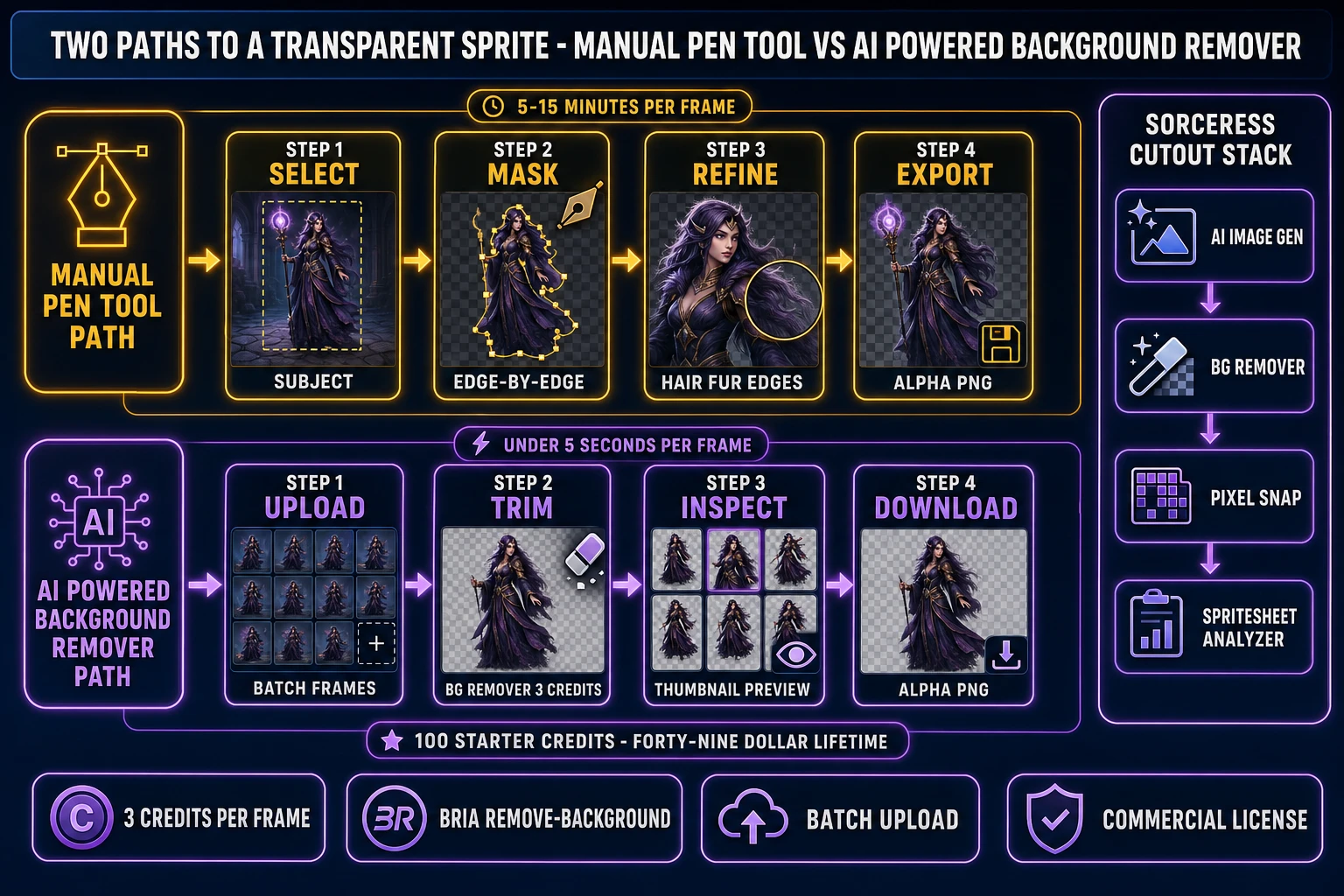
The hand-mask step has been the slowest single pass in the indie sprite-sheet pipeline for as long as transparent PNGs have existed. A trained artist can clip a clean character cutout in five to fifteen minutes per frame in a desktop editor, and a 36-frame roster (twelve characters, three animation states) eats a full workday before any in-engine code runs. An AI powered background remover in 2026 collapses that step into a single batch upload, returns transparent PNGs at under five seconds per frame, and ships at 3 credits per image (about three cents on the Sorceress Starter pack) instead of an hour of artist time per character. This guide trims a full character roster end to end with the Sorceress browser stack, with every credit cost and model identifier re-verified against the live source on June 29, 2026.
src/app/bg-remover/page.tsx on June 29, 2026.What an AI powered background remover actually means in 2026
The category covers any tool that takes an input image with a subject sitting on a background and returns a transparent PNG with only the subject pixels left, ready to drop on top of a game scene without a colored fringe. The technical primitive sits at the intersection of three well-studied disciplines: image segmentation, which decides which pixels belong to the subject; alpha matting, which computes the soft edge between subject and background (including hair, fur, and translucent surfaces); and binary cutout, which writes the result back as a transparent PNG with a clean alpha channel.
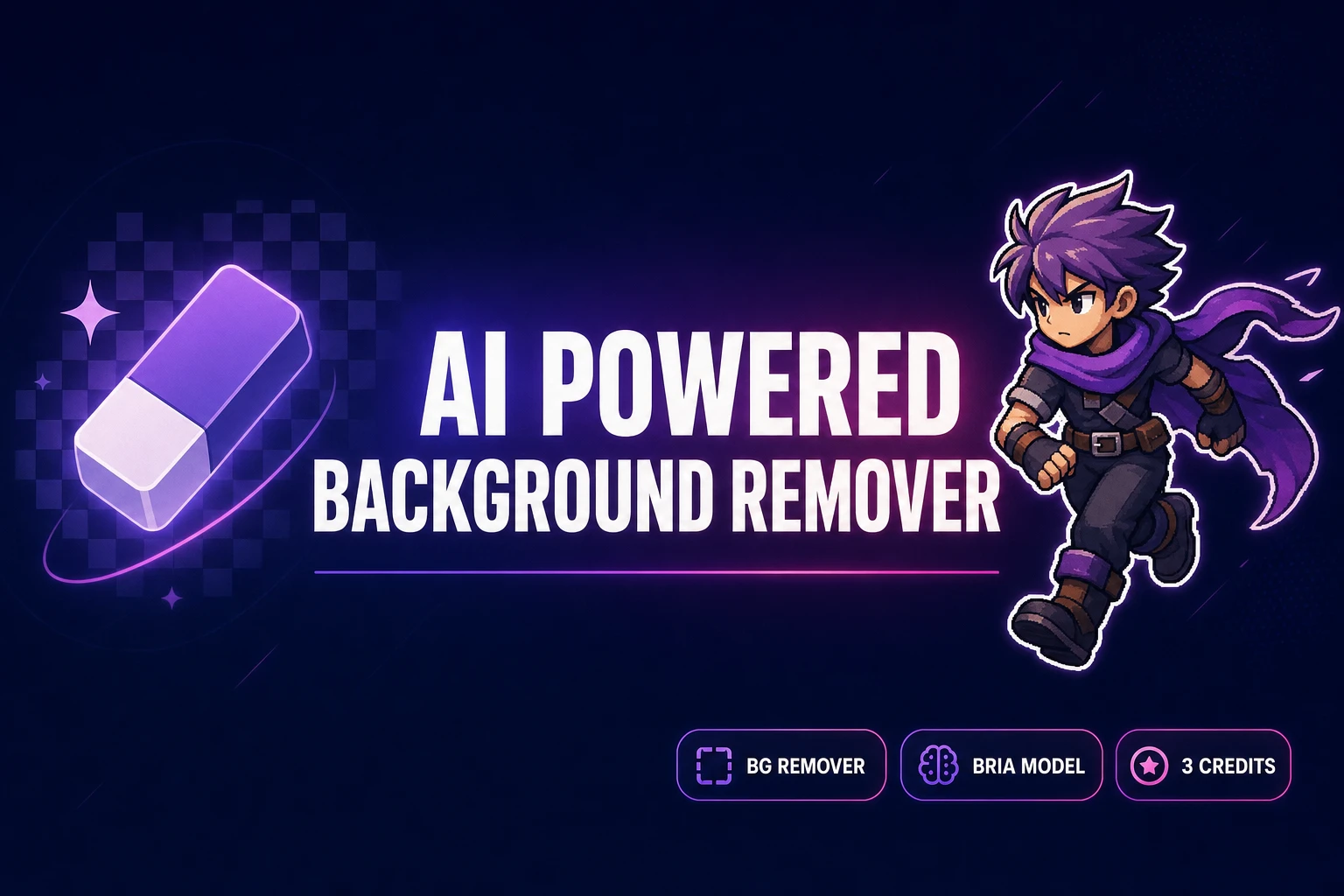
Sorceress BG Remover runs the Bria remove-background model verified against src/app/bg-remover/page.tsx line 577 on June 29, 2026 at 3 credits per image (BG_REMOVER_CREDITS constant on line 13 of the same file). The tool accepts PNG, JPG, and WebP up to 5 MB each (MAX_FILE_SIZE_MB constant on line 14), supports batch upload of multiple frames in a single pass (batch processing logic on lines 617 to 637), and outputs a transparent PNG with a clean alpha channel suitable for direct sprite-sheet packing.
The 2026 generation of AI powered background removers run on transformer-based segmentation backbones that learn the “subject vs background” boundary from millions of labeled images. The same architecture that solved general object segmentation also solved the harder sub-problem of chroma key-quality alpha edges without a green screen, which is why a single still photo, an AI-generated sprite, or a video frame all run through the same one-click pipeline.
The honest limits — where AI matting still loses to a manual mask
An AI powered background remover beats a manual pen-tool mask on speed and matches it on quality for the 90 percent of sprite-style subjects that have a clear silhouette, a single subject, and no complex transparency. The remaining ten percent of subjects produce predictable failure modes worth flagging up front, because catching them at the source-image step costs minutes while catching them at the engine-import step costs hours of cleanup.
- Translucent hair, fur, or fabric. The model cuts through wispy strands instead of preserving the partial alpha, leaving a sprite with a hard outline where the artist wanted soft hair. Fix at the source: prompt the upstream image generator for short tied hair, helmets, or hooded silhouettes that read as solid blocks at sprite resolution.
- Subject-colored background fringe. When the background plate shares hues with the subject (a green wizard on a forest background, a red knight on a brick wall), the model bleeds background color into the cutout edge. Fix at the source: ask the upstream generator for a contrasting background (white background, neon green background, hot pink background) that the cutout model can separate without ambiguity.
- Multiple overlapping subjects. The model cuts both characters as a single mask, returning a two-character sprite glued together instead of two separate cutouts. Fix at the source: generate each character on its own frame, then composite the pair in the engine where Z-ordering is explicit.
- Low resolution. Input images below 256 by 256 do not give the model enough per-pixel information to make a clean mask decision, and the alpha edge gets blocky. Fix at the source: generate at 512 by 512 or 768 by 768, run the AI powered background remover, then downscale the trimmed result to the final sprite resolution rather than upscaling a low-res cutout.
- Heavy motion blur or compression artifacts. The model treats blurred or compressed edge pixels as ambiguous and either keeps too much or cuts too aggressively. Fix at the source: prefer fresh diffusion-model output over compressed reference frames from external image hosts.
For the 90 percent of indie sprite-sheet subjects that fall outside these five failure modes — clear central character, tight palette, contrasting background, fresh source image, no overlap — the AI path lands a clean alpha-channel PNG in under five seconds and matches a manual pen-tool result to the eye at sprite resolution.
How an AI powered background remover beats the manual pen-tool path for sprites
The economic case for an AI powered background remover in an indie 2026 pipeline runs on three axes: time per frame, cost per frame, and consistency across a roster. A 12-character roster with three animation states each (36 frames total) costs about six hours of artist time at the manual pen-tool rate of ten minutes per frame — effectively a full workday before any in-engine wiring. The same 36 frames through the Sorceress AI powered background remover cost 108 credits (about 1.08 dollars on the Starter pack) and finish in under three minutes of wall-clock time, with the artist freed up for the upstream design work that the cutout step never deserved.
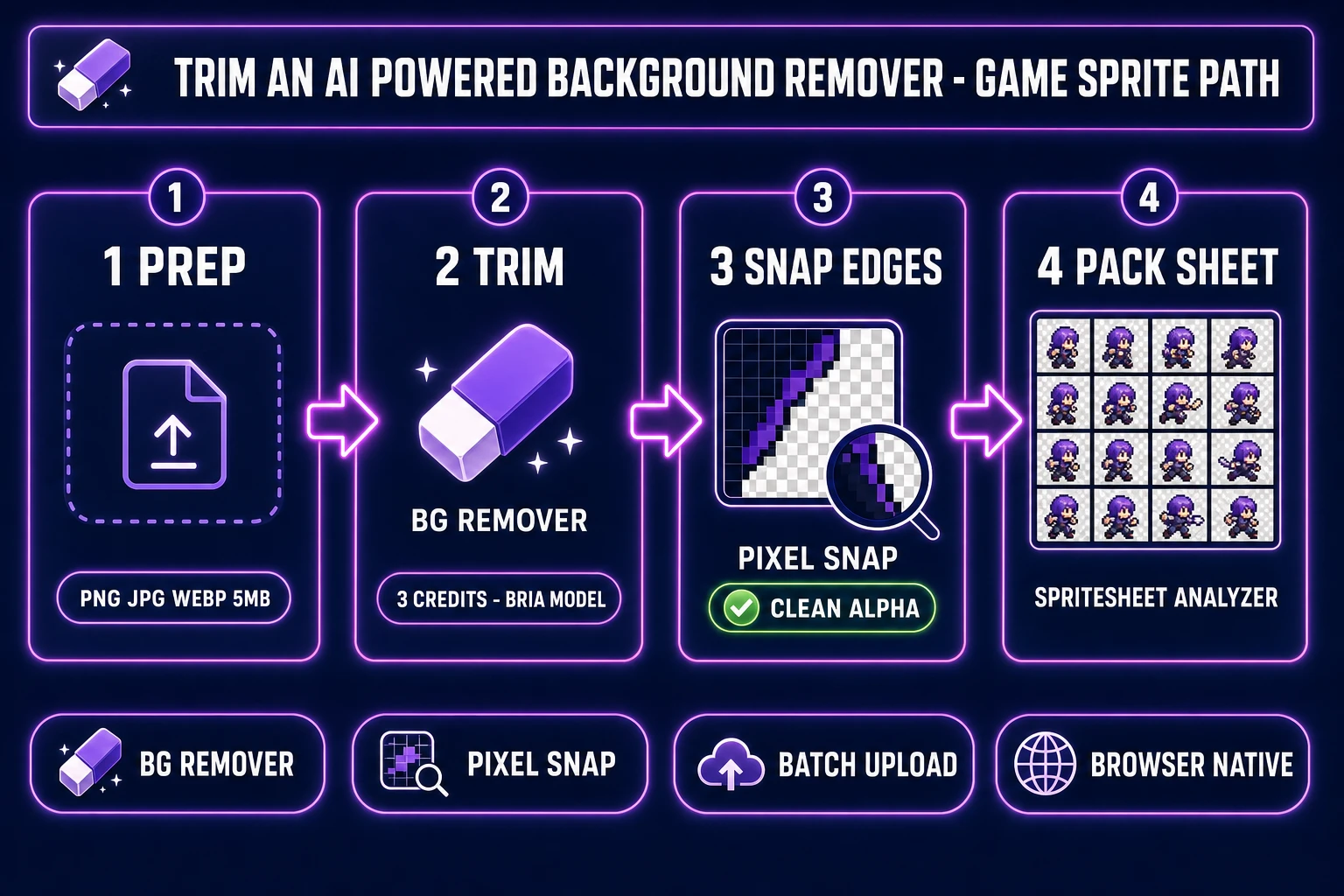
The four-step pipeline below is the one shipped in production by Sorceress users every day in June 2026. It assumes a fresh project and a brand-new account — readers with an existing sprite roster can skip the AI Image Gen reference pass and go straight to the BG Remover batch step.
- Prep the source frame in AI Image Gen. Generate or upload the character at 512 by 512 or higher with a contrasting background.
- Trim with BG Remover in batch. The core cutout step. 3 credits per image, batch upload supported, transparent PNG out.
- Snap edges in Pixel Snap. The optional cleanup pass that locks the alpha edge to a square pixel grid and hides any residual subject-colored fringe.
- Pack the sheet in Spritesheet Analyzer. The inspect, slice, and export pass that produces an engine-ready PNG plus a JSON frame map.
Two related Sorceress walkthroughs cover adjacent ground: the online AI background remover free-tier comparison stacks Sorceress against the vendor-spotlight competition for a hobby workflow, and the original one-click AI background remover for game sprites covers the broader category landscape. This guide is the production pipeline view — the one to follow when an actual game ship date matters.
Step 1 — prep the source frame in AI Image Gen with clean subject framing
The prep pass is optional for projects with existing sprite art but essential for fresh characters, because the source image quality decides the cutout quality. AI Image Gen at /generate in Sorceress runs through an extensive model library verified against src/lib/models.ts lines 94 to 340 on June 29, 2026, including Flux 2 Pro, Seedream 4.5, Seedream 5 Lite, Nano Banana, Nano Banana Pro, Nano Banana 2, GPT Image 1.5, and GPT Image 2. Each model accepts a text prompt plus optional reference images and outputs at resolutions from 512 by 512 up to 1536 by 1024 or higher depending on the model.
The five-token prep prompt pattern that produces a cutout-friendly source frame:
- Subject archetype first. Knight, wizard, rogue, slime, dragon, robot, NPC shopkeeper. Specific archetypes beat generic ones — “stout dwarf warrior” lands a tighter silhouette than “fantasy character.”
- Pose anchor. Standing forward, walking right, attacking with a sword, casting a spell. The pose anchor locks the silhouette so subsequent frames in the same animation series stay on-model.
- Style era. 16-bit JRPG, NES Game Boy, modern indie cartoon, painted fantasy. The style era maps to the era of training data the diffusion model will draw from.
- Contrasting background callout. White background, neon green background, hot pink background. This single token is the most important in the prompt for cutout quality — a contrasting background plate makes the downstream AI powered background remover decision trivial.
- Resolution callout. High resolution, sharp focus, no motion blur. The resolution callout pushes the model toward cleaner edge pixels that survive the cutout pass without artifacts.
Generate each character on its own frame — never composite two characters in a single source image, because the AI powered background remover treats overlapping subjects as a single subject. For a character with multiple animation states (idle, walk, attack, hit), generate each state as a separate source frame with the same archetype + style + background tokens but a different pose anchor. The resulting source pack drops as a batch into the next step.