Stamp a Bitmap Font Generator (HUD Type Sheet 2026)

By Arron R.7 min read
Bitmap font generator in 2026 is a four-step browser pipeline: lock cell size, generate a glyph atlas in AI Image Gen, snap edges in Canvas or True Pixel, then

Shop prices look polished in a mockup until the first “999,999 GOLD” string wraps mid-digit because every glyph has a different advance width. Searchers typing bitmap font generator want a fixed-cell atlas their engine can index — a PNG sheet plus a character map — not a vector TTF that blurs when scaled to HUD size. Generic font converters export smooth curves; game runtimes expect bitmap fonts: hard edges, equal cell slots, and a loader path for BitmapText. The 2026 answer is a browser pipeline where AI Image Gen drafts the atlas, Canvas and True Pixel snap soft AI edges onto a grid, and WizardGenie wires Phaser 4.2 BitmapText for runtime HUD labels. Phaser 4.2.0 Giedi (released June 19, 2026, verified against the official GitHub release tag on July 16, 2026) still ships BitmapText as the texture-font path. Everything below was checked against the Sorceress source on the same date.

“Bitmap
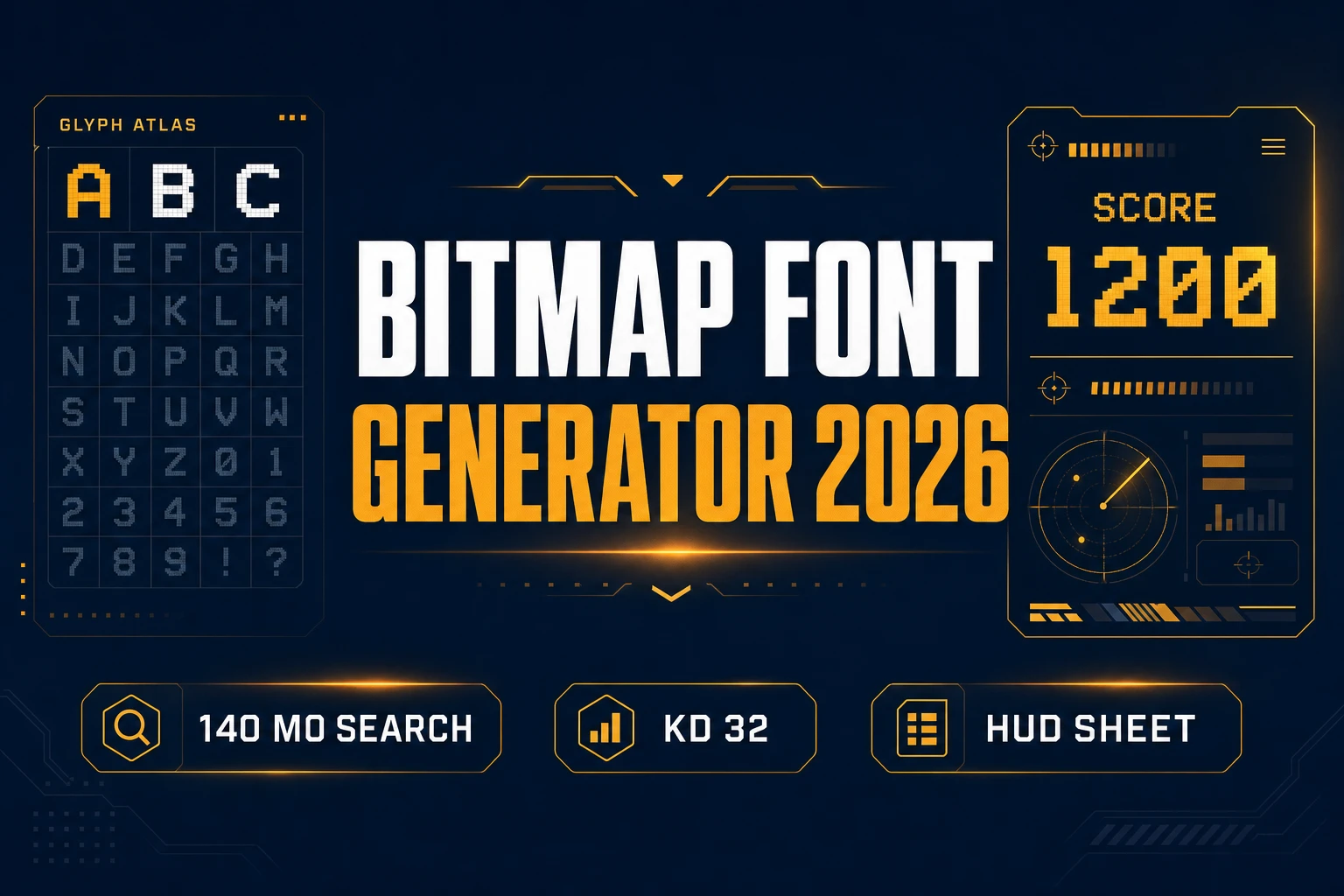
The 2026 bitmap font generator pattern: one browser account turns a fixed-cell brief into an engine-loadable HUD atlas — PNG cells plus a width map, not a blurred web font.

What a bitmap font generator outputs for indie HUD type

Searchers typing bitmap font generator usually need one of three deliverables. Jam teams want a digits-heavy sheet for score and damage floats. RPG builders want A–Z plus punctuation for inventory and dialogue chrome. Mobile web prototypes want a compact monospace face that never clips inside a 32-pixel health frame. A useful bitmap font generator for games produces a single transparent PNG atlas where every glyph shares cell width, plus a JSON (or XML-style) width table your preload can register.

That format focus is why this query differs from a style-first pixel font generator search. Pixel-font intent often means “make it look retro.” Bitmap-font intent means “give me a sheet my engine loads tonight.” Your art direction can be chunky NES, clean UI sans, or outlined arcade — the bitmap font generator win is the loadable atlas, not the aesthetic label alone.

Why vector fonts and desktop converters stall jam timelines

Dropping a free TTF into Phaser feels fast until camera scroll exposes sub-pixel wobble on “HP: 100.” Kerning tables built for prose shove currency symbols away from digits. Bilinear filtering turns one-pixel stems into gray halos on dark panels. Desktop bitmap tools (Littera-style exporters, old Codehead editors) still assume you already drew every glyph by hand — fine for a font artist, brutal for a 48-hour jam.

AI image models can draft a full charset in one pass if the prompt locks cell size, stroke weight, and the exact character list. The failure mode is soft edges: models love anti-aliasing. A bitmap font generator session that skips cleanup ships an atlas that looks “almost fine” in a thumbnail and unreadable at 1× in-game. Canvas brush cleanup and True Pixel palette snaps close that gap before you write the loader.

The Sorceress bitmap font generator pipeline in four steps

The Sorceress answer to bitmap font generator is four layers, each mapped to a real tool verified in the repository on July 16, 2026:

  1. Spec layer — lock cell size, charset, stroke rule, and palette in a written brief.
  2. Atlas layer — generate a monospace glyph sheet in AI Image Gen on a 1:1 canvas.
  3. Snap layer — hard-edge cleanup in Canvas; optional True Pixel quantization for palette-locked stems.
  4. Load layer — export PNG + JSON widths, then scaffold Phaser 4.2 BitmapText via WizardGenie.

For palette-matched HUD chrome that shares colors with your sprites, pair this flow with the ai recolor guide. For broader UI chrome — hearts, stars, mana orbs — Canvas also covers quick icon touch-ups documented in the tools guide.

“AI
AI Image Gen bitmap font generator pass: one structured prompt produces the full charset atlas on a transparent 1:1 sheet before edge snap.

Step 1 — lock cell size and the character map

Bitmap font generator sessions fail when the brief is vague. Before opening AI Image Gen, write four constraints:

  • Cell size — “8×10 pixels per glyph, 1-pixel padding between cells.”
  • Charset — uppercase A–Z, digits 0–9, and . , ! ? : - $ for HUD labels.
  • Stroke rule — “1-pixel vertical stems, no anti-aliasing, no gradients, no drop shadows.”
  • Palette — “White glyphs on transparent” or a named game palette (PICO-8 off-white, SWEETIE-16 cream).

Store the brief in your WizardGenie project as docs/hud-bitmap-font-brief.md. Monospace width is non-negotiable — if “I” and “W” share the same cell width, shop strings align without custom kerning. Digits-first teams can ship a numbers-only atlas for damage floats, then expand to letters in a second bitmap font generator pass.

Step 2 — generate the glyph atlas in AI Image Gen

Open AI Image Gen and select Nano Banana or Seedream 4.5 (both support 1:1 aspect; credit costs verified in src/lib/models.ts on July 16, 2026 — 6 credits per generation for either model). Workflow for a bitmap font generator atlas:

  1. Set aspect ratio to 1:1 and resolution high enough for your grid (2K covers a 10×6 layout of 16×16 cells).
  2. Paste a structured prompt that names cell size, charset, and “no anti-aliasing.”
  3. Generate two passes — one tighter grid, one slightly bolder stroke — and keep the cleaner sheet.
  4. Download the winner as assets/fonts/hud_bitmap_atlas_v1.png.

Example prompt that works for bitmap font generator output:

“Monospace bitmap font atlas for game HUD, fixed 8×8 pixel cells, uppercase A through Z and digits 0 through 9 in a neat equal grid, punctuation period comma exclamation question colon hyphen dollar, 1-pixel white strokes on transparent background, no anti-aliasing, no shadows, no 3D, evenly spaced columns, no watermark, no UI chrome.”

If glyphs bleed together, add “each character in its own bordered cell, equal column width” and regenerate. Seedream 4.5 edit mode accepts reference images when the sheet must match an existing HUD screenshot — useful when your bitmap font generator pass has to sit next to an already-shipped health bar frame.

Step 3 — snap edges in Canvas and True Pixel

Canvas is where bitmap font generator output becomes engine-safe. Import the atlas, zoom to 800%, and inspect every glyph edge. Canvas exposes brush, eraser, fill, and picker tools plus layered editing (verified in src/app/canvas/page.tsx on July 16, 2026). PNG download requires an active Pro / lifetime unlock (getSubscriptionStatus().isActive gate; LIFETIME_PRICE = 49 in src/app/plans/page.tsx).

Cleanup checklist:

  • Remove gray fringe — paint stray mid-gray pixels to pure white or transparent.
  • Equalize baselines — capitals and digits share the same bottom row inside each cell.
  • Verify monospace width — “1” and “8” occupy identical horizontal slots.
  • Optional True Pixel pass — if stems still look soft, run the atlas through True Pixel with a locked palette and target cell size so quantization kills remaining anti-alias haze.

True Pixel shines when AI output looks “almost pixel” but not grid-true. Treat it as the quantizer after Canvas brush work, not as a replacement for the bitmap font generator brief. Export the final PNG only when every cell reads crisp at 1×.

“Canvas
Snap layer: Canvas removes fringe, True Pixel locks the palette, then the atlas PNG feeds Phaser 4.2 BitmapText at runtime.

Step 4 — load BitmapText in Phaser 4.2 via WizardGenie

Shipping is where amateur bitmap font generator pipelines stall. You have a PNG but no character map. WizardGenie can scaffold a Phaser 4.2 scene that registers the atlas and renders HUD strings. Phaser 4.2.0 (June 19, 2026) keeps BitmapText as the standard path for texture fonts — verified on July 16, 2026 against docs.phaser.io and the v4.2.0 Giedi release notes.

Ask WizardGenie: “Generate a Phaser 4.2 preload that loads assets/fonts/hud_bitmap_atlas_v1.png as a bitmap font with JSON character widths for A–Z and 0–9. Add a top-left HUD label that displays GOLD: 9999 using BitmapText.” Example runtime call:

this.add.bitmapText(16, 16, 'hudBitmap', 'GOLD: 9999', 16);

Set pixelArt: true in the Phaser game config so BitmapText textures skip bilinear filtering. Test longest strings first — “999,999 GOLD” and “WAVE 12/12” expose width drift that “HP: 10” hides. For dialogue boxes that mix this face with portrait art, see the ai dialogue generator pipeline — it assumes you already own a monospace HUD typeface.

Monospace rules that keep bitmap font generator sheets readable

Three rules separate a shippable bitmap font generator atlas from a pretty thumbnail:

  1. Digits first — if damage floats clip, regenerate 0–9 alone on a tighter grid before redoing the alphabet.
  2. Disable smoothing — set pixelArt: true in Phaser so BitmapText textures skip bilinear filtering.
  3. Stress-test longest strings — “999,999 GOLD” and “WAVE 12/12” expose width drift that “HP: 10” hides.

If you also need palette-locked sprite art that shares the same HUD colors, run companion icons through True Pixel with the identical palette preset so chrome and type never fight each other on screen.

What a bitmap font generator session costs on Sorceress in 2026

Pricing verified July 16, 2026 against src/app/plans/page.tsx (LIFETIME_PRICE = 49). Sorceress base unlock is $49 one-time for the tool suite including Canvas and True Pixel export under active Pro status. AI credits are pay-as-you-go: Starter $10 for 1,000 credits, Creator $20 for 2,000, Plus $50 for 5,000, Studio $100 for 10,000.

One full monospace atlas with two regeneration passes at 6 credits each typically burns 12–18 Sorceress credits — roughly $0.12–$0.18 on a Starter pack atop the lifetime unlock. A three-face HUD set (title, body, damage digits) lands around 36–54 credits if you generate two passes per style. WizardGenie coding runs on your own API keys, so the BitmapText scaffold stays on your model provider bill.

Open the full stack on the tools guide, compare tiers on plans, and start your first bitmap font generator atlas at AI Image Gen with a locked cell brief tonight.

Frequently Asked Questions

What does a bitmap font generator output for games?

A bitmap font generator for games produces a PNG glyph atlas plus a character-width map your engine can index — every letter sits in a fixed cell so HUD labels, damage floats, and shop prices align without kerning tables. On Sorceress that maps to AI Image Gen for the atlas, Canvas or True Pixel for hard-edge cleanup, and Phaser 4.2 BitmapText for runtime rendering.

How is a bitmap font generator different from a pixel font generator?

Pixel font generator searches (1,300/mo) skew toward retro aesthetic style. A bitmap font generator (140/mo, KD 32 per DataForSEO probe verified July 16, 2026) targets the engine format: fixed cells, PNG atlas, and a width descriptor BitmapText or BMFont-style loaders consume. Style can be pixel, chunky, or clean UI — the deliverable is the loadable sheet, not the art direction alone.

Which Sorceress tools run a bitmap font generator session?

AI Image Gen at /generate drafts the monospace atlas (Nano Banana or Seedream 4.5 at 6 credits each, verified in src/lib/models.ts on July 16, 2026). Canvas at /canvas fixes stray anti-aliased pixels. True Pixel at /pixel-art quantizes soft AI edges onto a locked palette when the sheet needs NES-tight stems. WizardGenie scaffolds the Phaser 4.2 preload + BitmapText HUD code.

Can Phaser 4.2 load a custom bitmap font from a PNG atlas?

Yes. Phaser 4.2.0 Giedi (released June 19, 2026, verified against the official GitHub release tag on July 16, 2026) ships BitmapText for texture-based fonts. Export a cleaned atlas PNG, pair it with a JSON character-width map, and load both in preload before calling this.add.bitmapText for HUD strings.

What does a bitmap font generator session cost on Sorceress?

Verified July 16, 2026 against src/app/plans/page.tsx (LIFETIME_PRICE = 49). Base unlock is $49 one-time for Canvas/True Pixel export via active Pro status. One atlas with two regeneration passes typically burns 12–18 Sorceress credits ($0.12–$0.18 on a Starter pack of $10 / 1,000 credits). WizardGenie coding runs on your own API keys.

Sources

  1. Bitmap font — Wikipedia
  2. Phaser — Official documentation
  3. Phaser v4.2.0 release (Giedi)
  4. HTML canvas element — MDN
Written by Arron R.·1,621 words·7 min read

Related posts