Type how to make an rpg in scratch into Google on June 20, 2026 and the SERP is split between two readers. One is a fourteen-year-old who just finished a Scratch arcade game and now wants Dragon Quest. The other is a parent or teacher who needs a real lesson plan for a club. Both want the same thing: a step-by-step path from the blank Scratch stage to a playable RPG with a hero, a town, a dungeon, a turn-based battle screen, and a save file. The honest 2026 path is the Scratch 3.0 block editor at scratch.mit.edu for the game logic, plus a Sorceress catalog for the asset half (hero walk cycle, NPC portraits, enemy sprites, overworld and dungeon tilesets, battle music, combat SFX) — all in one browser tab on a $49 Lifetime account, verified against the live Sorceress source code on June 20, 2026.
What “how to make an rpg in scratch” actually means in 2026
The phrase how to make an rpg in scratch means something very specific in 2026. Scratch is a free, browser-based visual programming language hosted at scratch.mit.edu, designed at the MIT Media Lab in 2007 and now in its 3.0 generation (rewritten in JavaScript on top of HTML5 Canvas). Code is written by snapping coloured Lego-shaped blocks together inside a 480 by 360 pixel stage editor — there is no syntax to mistype, no language to install, no IDE to configure. An RPG in 2026 means a role-playing video game with a stat-driven hero, an overworld map, NPC dialogue, turn-based or action combat, an inventory, levels, and ideally a save system. Combine the two and the goal becomes: ship a playable RPG inside Scratch’s block-based editor that runs in the Scratch player after publish.
The reason this works as a how-to is that the Scratch design surface and the RPG design surface map cleanly onto each other. The 480 by 360 stage holds a Dragon Quest-scale tile world (15 by 11 tiles at 32x32, or 30 by 22 tiles at 16x16). The block library covers every primitive an RPG needs: variables for HP, MP, gold, XP, and level; lists for the inventory and the enemy roster; broadcasts as the message-passing system for state transitions between overworld, dialogue, battle, and menus; my-blocks (custom blocks) for the damage formula and the level-up curve; the costumes tab handles sprite animation; the sounds tab handles music and SFX playback. The only thing Scratch does NOT ship in-engine is asset generation — the cat is the default and the dev brings their own pixel art for everything else. That is exactly the half AI now removes.
The seven pillars of every Scratch RPG — what blocks, what assets
Before opening Scratch, a dev needs a clear pillar list because every pillar maps either to a specific block group (the code half) or a specific Sorceress tool handoff (the asset half). The seven pillars an indie 2026 Scratch RPG actually has to ship are: (1) the overworld — a tile-based map with the hero sprite, NPCs, doors, treasure chests, and an inn or save point; (2) movement and collision — arrow-key input that moves the hero one tile at a time, with collision blocked by impassable tile colours or by sensing-touching-sprite tests; (3) dialogue and NPCs — the say-block speech bubble or a custom dialogue-box sprite with text driven by a list, plus broadcast triggers for shop, heal, save, and story beats; (4) turn-based combat — a battle backdrop, a hero sprite on the left, an enemy sprite on the right, an action menu (Attack, Magic, Item, Run), a damage formula in a my-block, and the broadcasts that drive the state machine; (5) inventory and gold — lists for owned-items and item-counts, a shop-menu sprite that buys and sells, a use-item handler for potions; (6) level and XP — an XP variable that compares against a level curve in a my-block, a level-up broadcast that bumps HP, MP, attack, and defence; (7) save and load — a Cloud Variable for shared projects or a project-local list of variable values for unshared projects, with a save-game broadcast on the inn-rest action.
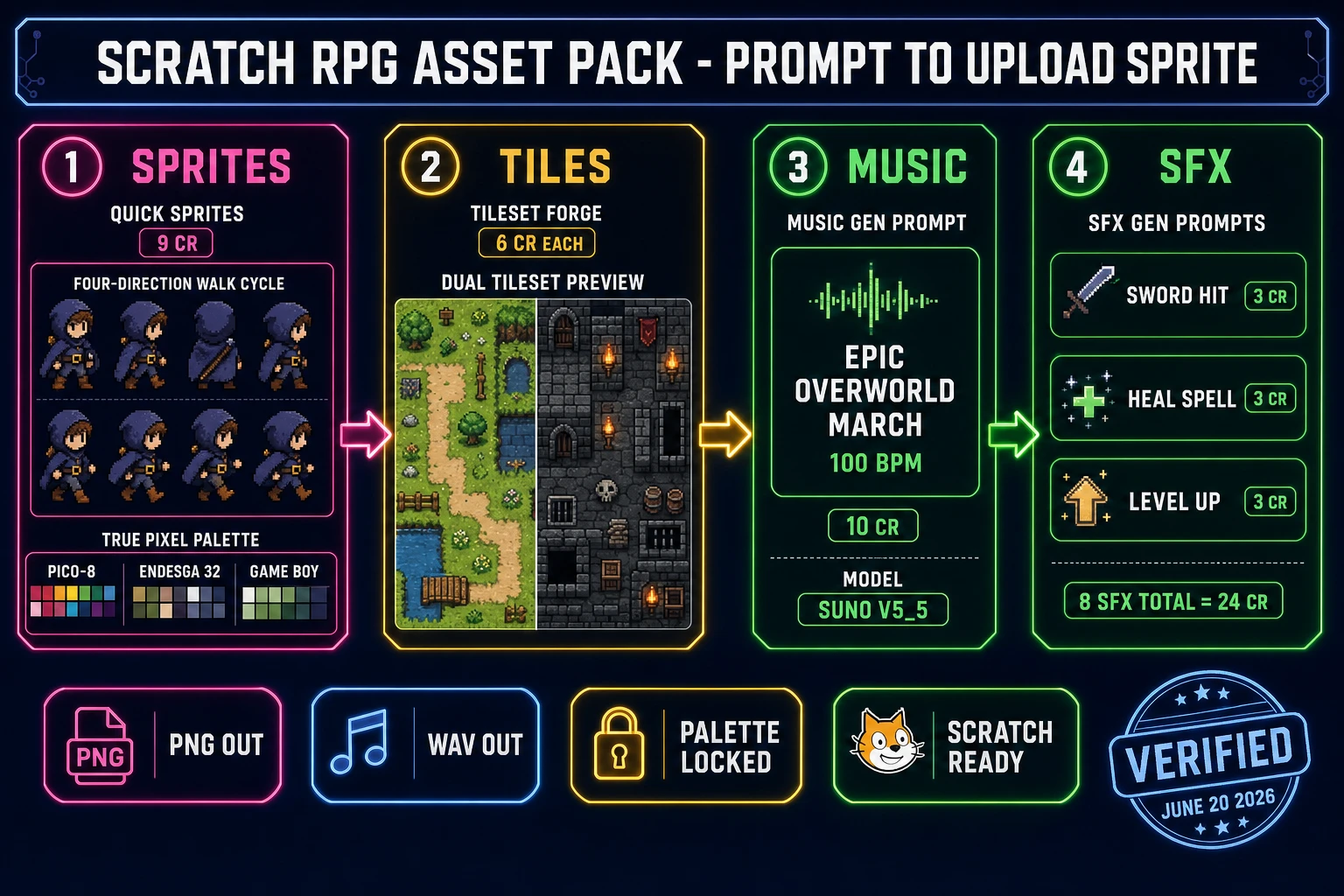
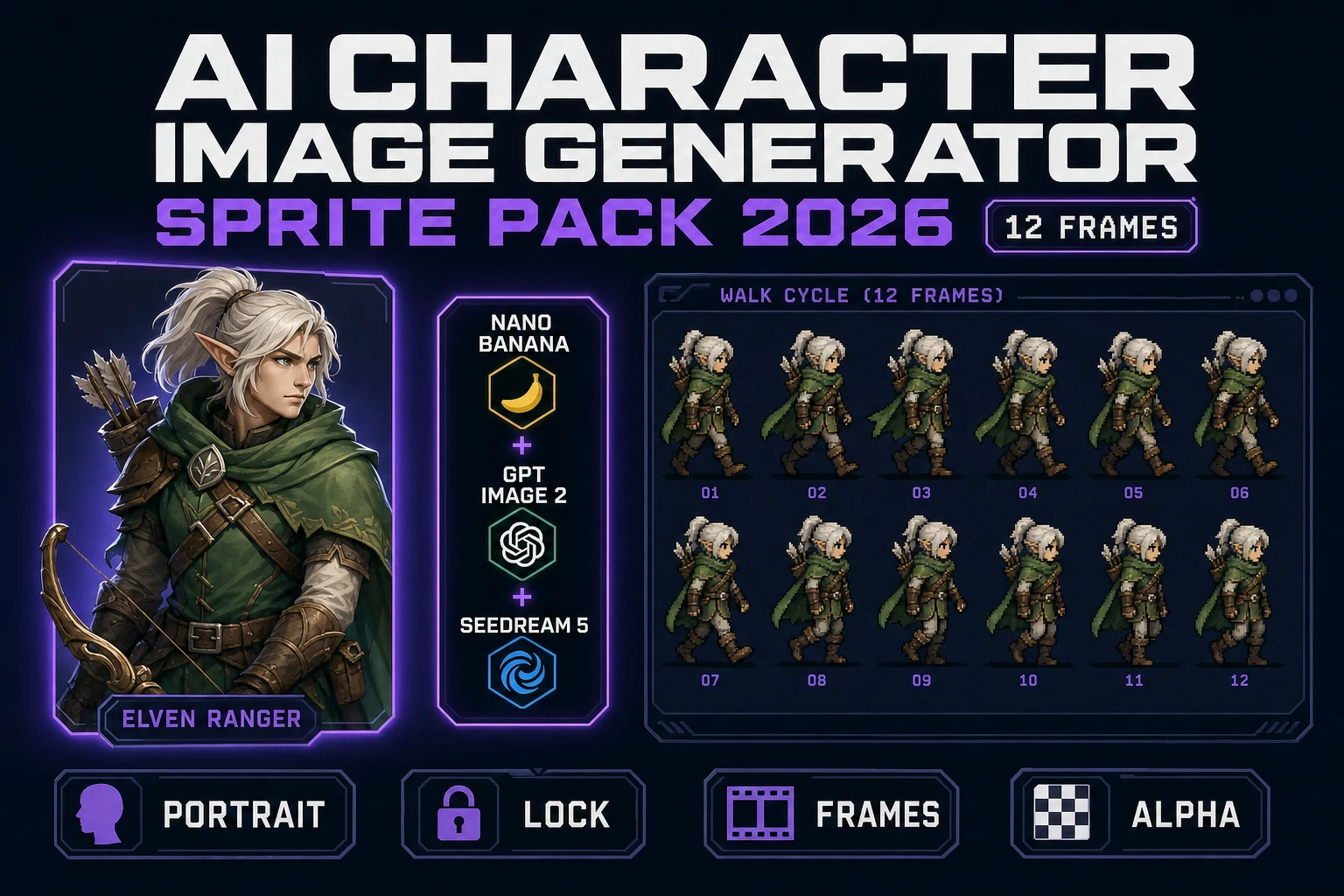
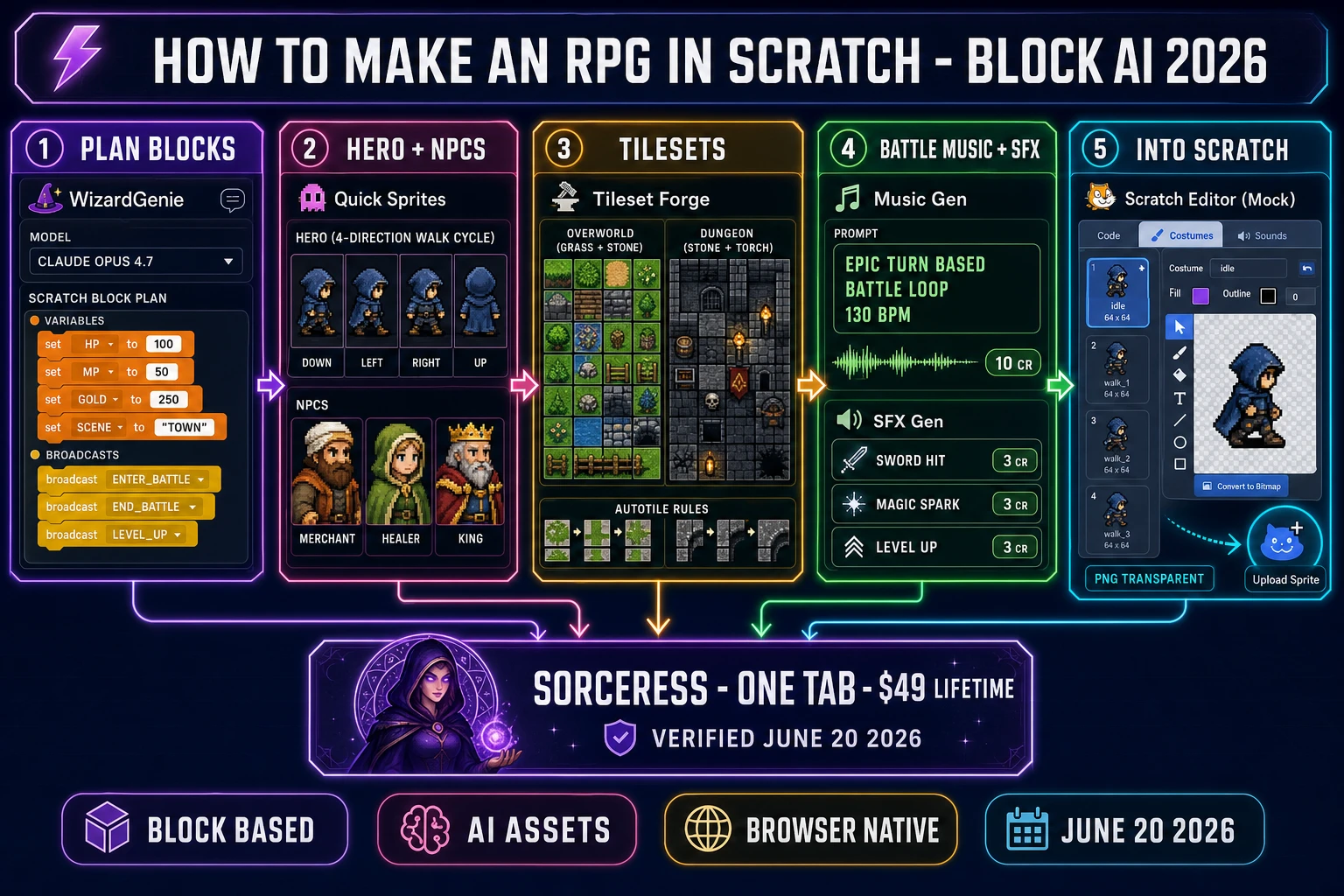
The split between Scratch blocks and Sorceress asset handoffs falls cleanly along these pillars. Pillars 1, 2, 3, 4 (logic side), 5, 6, and 7 are blocks — WizardGenie writes the plan and explains each block stack with the eight-model coding picker (verified against src/app/_home-v2/_data/tools.ts CODING_MODELS on June 20, 2026: Claude Opus 4.7, Sonnet 4.6, GPT-5.5, Gemini 3.1 Pro, Grok 4.2, DeepSeek V4 Pro, Kimi K2.5, MiniMax M2.7). Pillars 1 (visual side), 3 (NPC portrait side), and 4 (battle backdrop and enemy art side) are visual assets — Quick Sprites for hero and enemy walk cycles, AI Image Gen for NPC portraits and shop signage, Tileset Forge for the overworld and dungeon tile sets, and True Pixel for palette-locking every output to a consistent retro look. The audio half — the overworld theme, the battle loop, the boss theme, the menu chime, the level-up sting, the sword-hit, the magic-spark, the victory fanfare — comes out of Music Gen and SFX Gen. Every Sorceress output is PNG, WAV, or MP3, and Scratch’s Upload Sprite and Upload Sound buttons accept all three.
How to make an RPG in Scratch with the honest 2026 browser AI stack
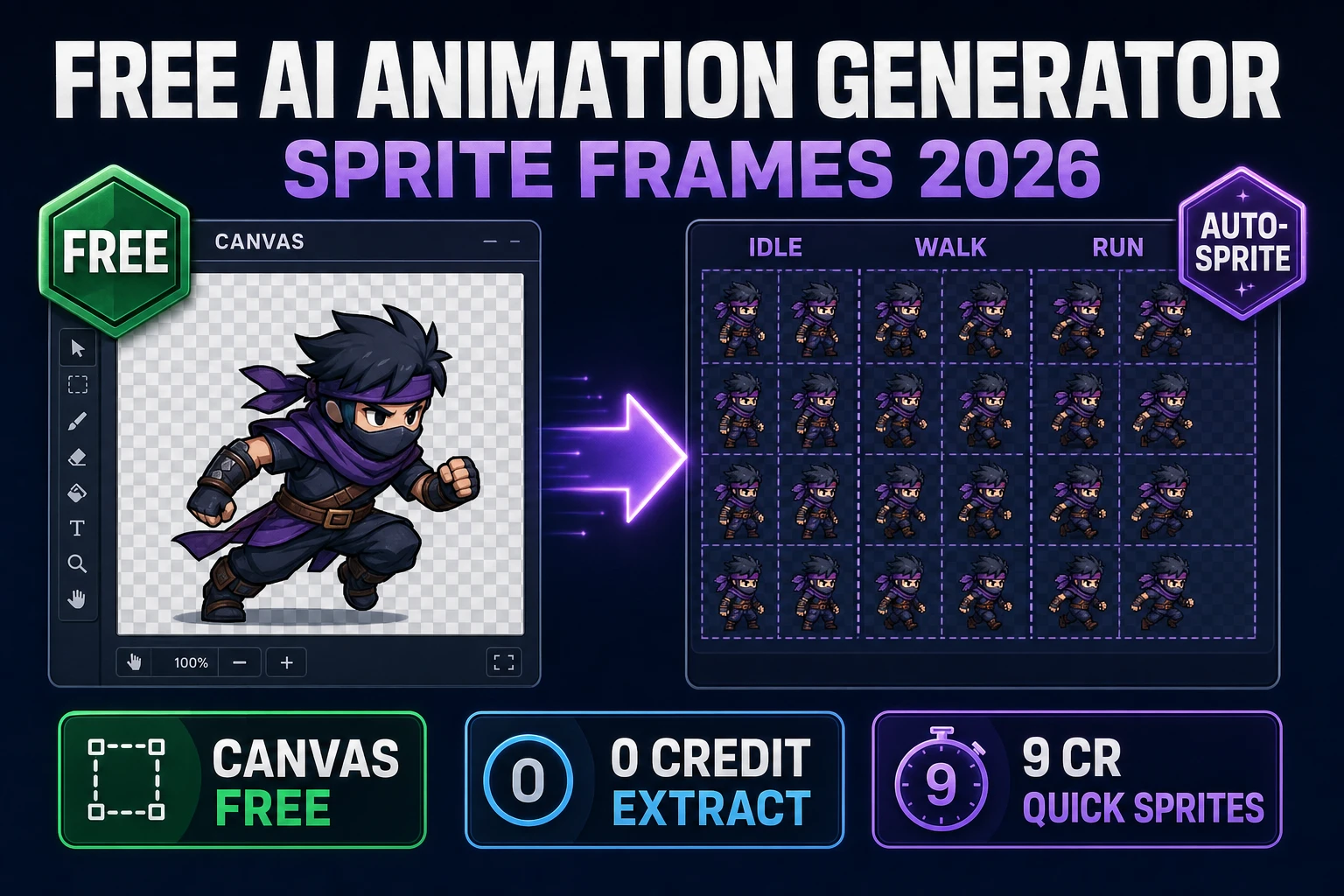
The honest stack to make an RPG in Scratch in 2026 is one Scratch tab plus one Sorceress tab. Verified against the live source on June 20, 2026, the Sorceress side is eight tools deep, all reachable from one account: WizardGenie for the variable, broadcast, and custom-block plan; Quick Sprites for hero and enemy walk cycles at 9 credits per sprite sheet; AI Image Gen for NPC portraits, shop signage, and battle backdrops; True Pixel for palette-locking every output to one of eight presets (PICO-8 16, SWEETIE-16, Endesga 32, Game Boy, CGA, NES 54, Grayscale 8, 1-Bit, verified against src/app/pixel-art/page.tsx on June 20, 2026); Tileset Forge for the overworld and dungeon tile sets; Music Gen for the overworld, battle, and boss loops at 10 credits per generation (each generation returns 2 variations, verified against src/app/music-gen/page.tsx on June 20, 2026); SFX Gen for combat and menu one-shots at 3 credits per sound; and Sound Studio as the in-tab DAW for trimming and mastering before drop-in. Bundle pricing is one $49 Lifetime fee plus pay-once credit packs ($10 for 1,000 credits Starter, $20 for 2,000 Creator, $50 for 5,000 Plus, $100 for 10,000 Studio), verified against src/app/plans/page.tsx on June 20, 2026. New accounts ship with 100 starter credits, enough to draft the hero walk cycle and one tileset before topping up.
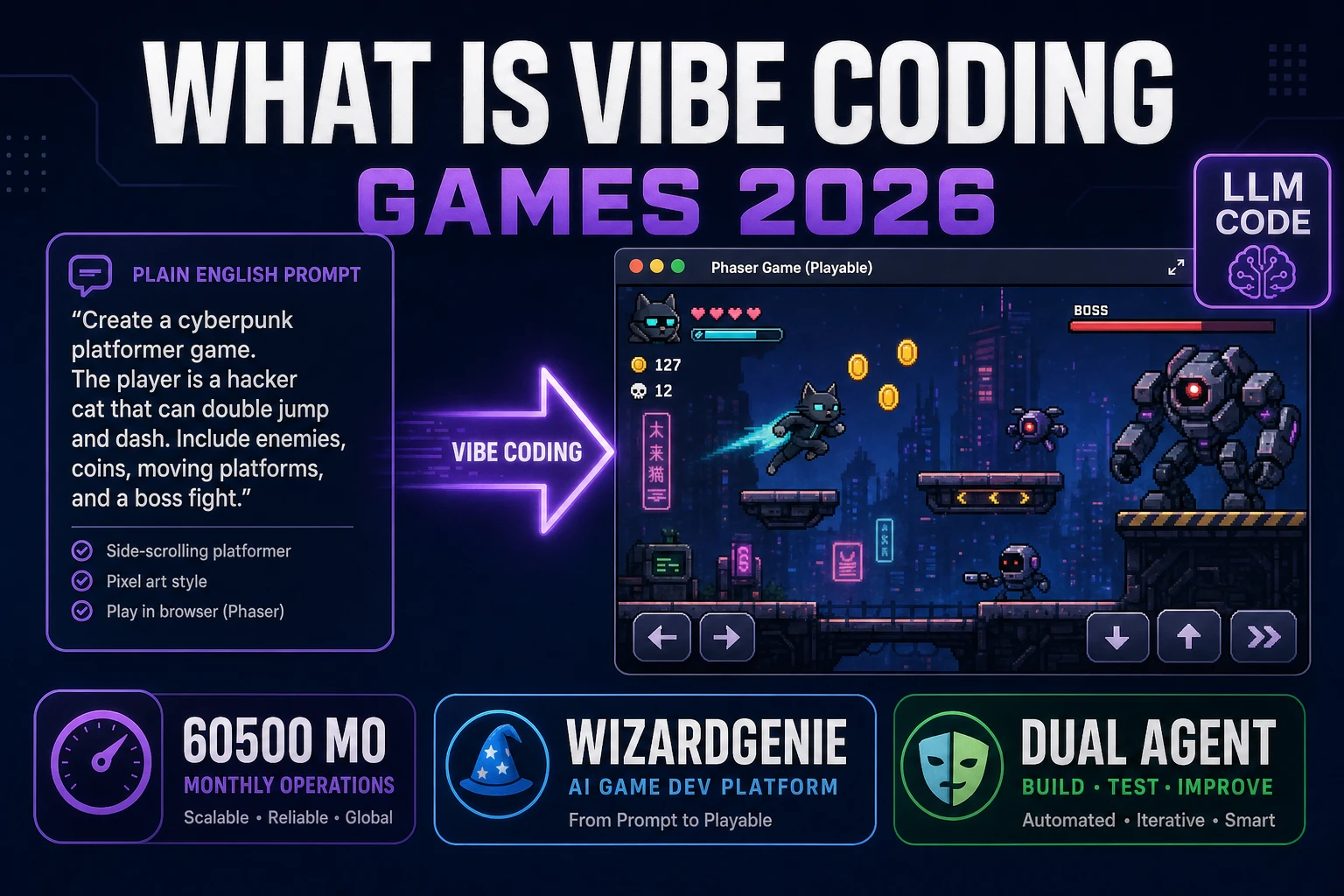
The reason this stack works for an RPG in Scratch specifically is that Scratch removes the asset pipeline assumptions a desktop engine would force. There is no Aseprite seat to buy for the sprite work, no FL Studio install for the music, no Audacity for SFX clean-up — the in-browser Sorceress catalog covers every handoff, every output drops into Scratch via the bottom-right Upload Sprite and Upload Sound buttons, and the dev never leaves the browser between the Sorceress tab and the Scratch tab. The eight-model coding picker in WizardGenie matters for the planning half because RPG state machines are the hardest part to get right on the first pass — pair Opus 4.7 as the planner with DeepSeek V4 Pro or Kimi K2.5 as the executor and the whole pass costs roughly one-fifth of single-frontier billing (the mixture-of-experts economics that make the dual-agent pattern worth deploying). Acceptable executors per Sorceress’s guidance are DeepSeek V4 Pro, Kimi K2.5, MiniMax M2.7, Gemini 3.1 Flash, GPT-5.5 Mini, and Claude Haiku 4.5; never put a frontier-priced model on the typing side or the cost advantage disappears.
Step 1 — open Scratch and prompt WizardGenie for the variable, block, and broadcast plan
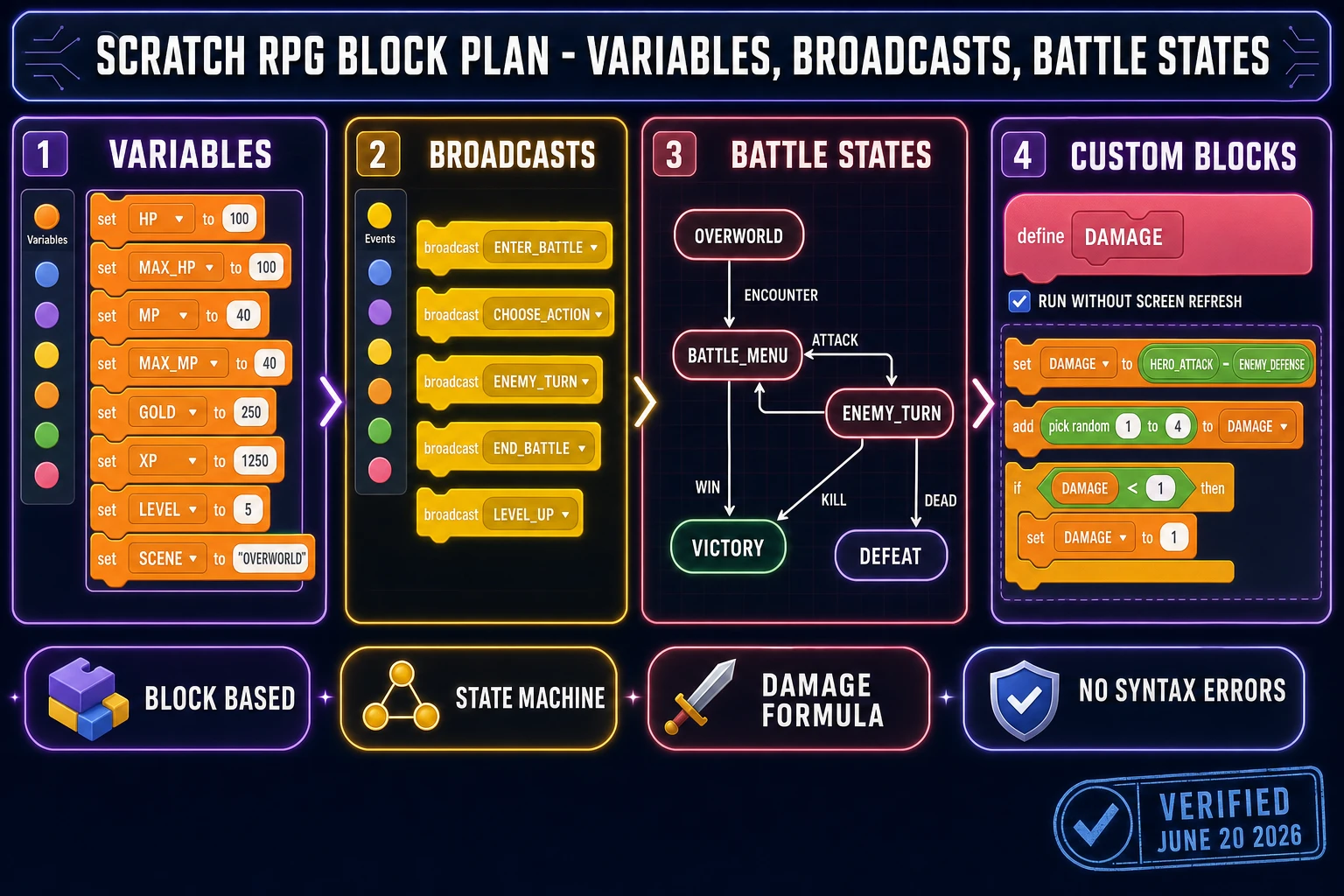
The first move is to open Scratch 3.0 in one browser tab (scratch.mit.edu, new project) and WizardGenie in another (sorceress.games/wizard-genie/app). Before snapping a single block, prompt WizardGenie for the full structural plan. A reliable opening prompt looks like this: “I am building an RPG in Scratch 3.0. Write me the complete variable plan, broadcast plan, and custom-block plan for a Dragon Quest-style game with one playable hero, three towns, two dungeons, four enemy archetypes, one boss, fifteen items, a turn-based battle loop with Attack/Magic/Item/Run, an inventory, and an inn-based save system. List every variable name, every broadcast name, every custom-block name, and tell me which Scratch sprite or backdrop should hold each script.” Pick the Claude Opus 4.7 model from the dropdown for this prompt — RPG state machines reward the heavy reasoner, and Opus 4.7 ships at $5 input / $25 output per million tokens with a 1M context window. The first response will hand back something like: variables HP, MAX_HP, MP, MAX_MP, GOLD, XP, LEVEL, SCENE, HERO_X, HERO_Y; broadcasts enter_battle, choose_action, enemy_turn, end_battle, level_up, open_shop, save_game, load_game; my-blocks damage(attacker_attack, defender_defense), heal(amount), level_curve(current_level), save_state, load_state.
The second prompt scopes the battle state machine specifically because turn-based combat is where most beginner Scratch RPGs collapse. Prompts like “write the exact Scratch block stack for the battle-state variable transitions: overworld > battle_menu > enemy_turn > battle_victory or battle_defeat > overworld, with the menu sprites (Attack, Magic, Item, Run) using when-this-sprite-clicked hat blocks that branch on the battle-state and broadcast choose_action with the chosen action stored in a global last_action variable” produce a step-by-step block list that maps one-to-one to the Scratch editor. Switch to Claude Sonnet 4.6 ($3/$15) or DeepSeek V4 Pro for the iteration phase because the planning is done and the typing-side cost matters more than the reasoning depth. The eight-model picker (Claude Opus 4.7 for the hard reasoning, GPT-5.5 for code review, Gemini 3.1 Pro for 1M-context refactors, DeepSeek V4 Pro and Kimi K2.5 for cheap fast iteration, Grok 4.2, MiniMax M2.7, Sonnet 4.6) lets the dev pick the right tool for each prompt round without leaving the tab.