Spawn How to Make an RPG in Unity (Browser AI 2026)

By Arron R.18 min read
How to make an RPG in Unity in 2026 is Unity 6.3 LTS (or the 6.4 Supported update) plus a Sorceress browser tab that ships hero and enemy sprites from Quick Spr

Type how to make an rpg in unity into Google on June 28, 2026 and the SERP is dominated by paid courses, ten-hour video playlists, and asset-store bundle pitches. The honest path for a solo indie in mid-2026 is simpler. Unity 6.3 LTS (or the 6.4 Supported update) still owns the engine half — Tilemap, Sprite Renderer, Rigidbody2D, ScriptableObjects, the C# scripting surface, the build pipeline. The asset half — hero walk cycle, NPC portraits, enemy art, overworld and dungeon tile sets, battle music, combat SFX — now ships out of a single Sorceress browser tab. One $49 Lifetime account covers the entire content pipeline, every Unity Personal seat is free under $200,000 annual finances, and the Runtime Fee is gone. This is the step-by-step path from a blank Unity project to a playable RPG with hero, town, dungeon, turn-based battle, and a save file — verified against the live Unity documentation and the Sorceress source code on June 28, 2026.
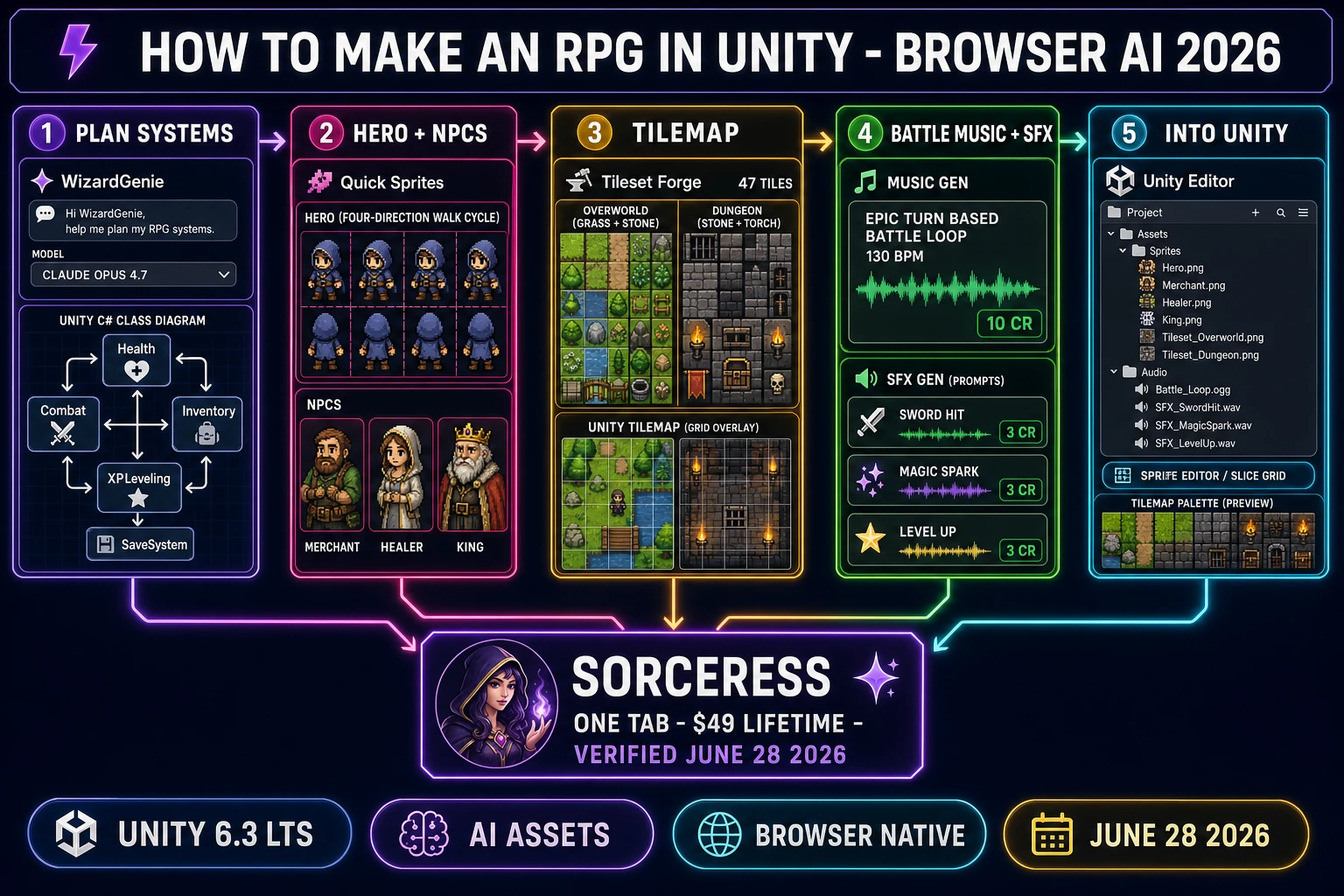
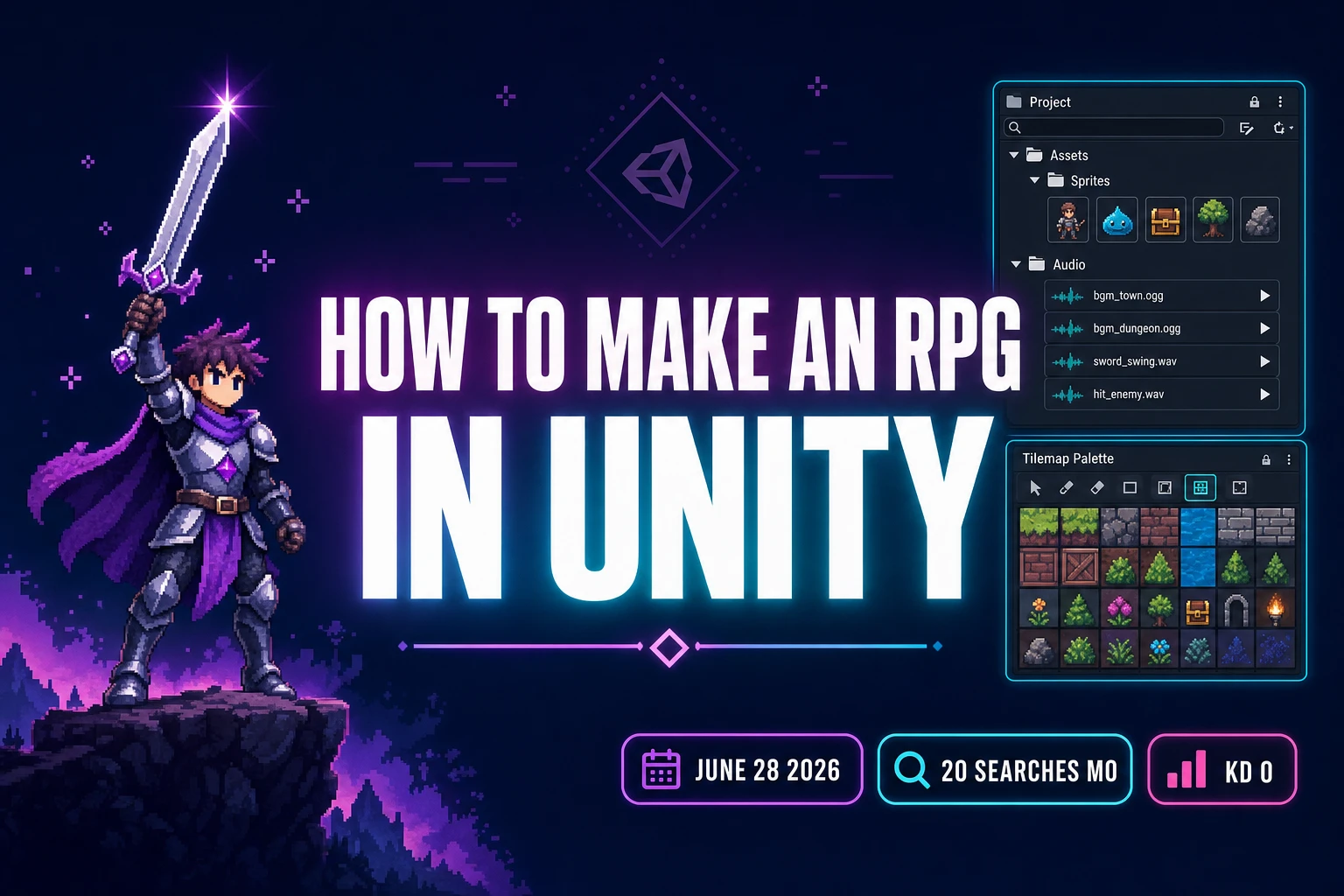
How to make an RPG in Unity in 2026 - browser AI pipeline showing WizardGenie system architecture, hero and NPC sprites, Tilemap overworld and dungeon, battle music and SFX, and the Unity Project window handoff verified June 28, 2026
How to make an RPG in Unity in 2026 means five layers in one tab: C# system architecture in WizardGenie, hero and NPCs in Quick Sprites, overworld and dungeon tiles in Tileset Forge, battle music in Music Gen, combat SFX in SFX Gen — every output drops into Assets/Sprites and Assets/Audio in the Unity Editor. Verified June 28, 2026.

What “how to make an rpg in unity” actually means in 2026

The phrase how to make an rpg in unity means something specific in mid-2026. Unity is a cross-platform 2D and 3D game engine that ships its current Unity 6 family in two release tracks: an LTS track (Unity 6.3 LTS, supported until December 2027) for projects locking into production, and a Supported update track (Unity 6.4 was the latest at the time of writing) for mid-cycle teams that want the newest features sooner without sacrificing QA. An RPG in 2026 means a role-playing video game with a stat-driven hero, an overworld map, NPC dialogue, turn-based or action combat, an inventory, levels, and ideally a save system. Combine the two and the goal becomes: ship a playable RPG inside the Unity Editor that builds to WebGL, Windows, Mac, Linux, iOS, Android, or any console for which you have a license.

The reason this works as a how-to is that Unity’s 2D feature set and the RPG design surface map cleanly onto each other. The Tilemap component handles the overworld and dungeon tile painting natively; Sprite Renderer plus an Animator Controller handles the hero walk cycle; Rigidbody2D and Collider2D handle movement and collision; ScriptableObjects let an indie tune items, enemies, skills, and dialogue directly in the Inspector without recompiling. The Tilemap system even ships an Isometric Tilemap and Isometric Z-as-Y Tilemap option for Chrono-Trigger-style three-quarter views (verified against the official Unity 6 Manual on June 28, 2026). The only thing Unity does NOT ship inside the editor is the actual art and audio — the default cube is the default and the dev brings pixel art, tile sets, music loops, and SFX for everything else. That is exactly the half a 2026 AI catalog now removes.

The seven pillars of every Unity RPG — code, assets, and what AI now ships

Before opening Unity, a dev needs a clear pillar list because every pillar maps either to a specific Unity component (the engine half) or to a specific Sorceress tool handoff (the asset half). The seven pillars an indie 2026 Unity RPG actually has to ship are: (1) the overworld — a Tilemap-painted map with the hero GameObject, NPCs, doors, treasure chests, and an inn or save point; (2) movement and collision — Rigidbody2D plus arrow-key or WASD input from the new Input System, with TileMap Collider 2D blocking impassable tiles and Custom Axis sorting (0, 1, 0) handling depth so taller-Y objects render behind shorter-Y ones (verified against the official Unity 6 sorting manual on June 28, 2026); (3) dialogue and NPCs — a Canvas-based dialogue box driven by ScriptableObject DialogueLine assets, with OnTriggerEnter2D firing the conversation; (4) turn-based combat — a battle scene or a battle state inside the overworld scene, with a BattleManager MonoBehaviour driving a five-state machine (Overworld, BattleMenu, PlayerAction, EnemyTurn, Resolution); (5) inventory and gold — List<Item> on a Player component plus a Shop ScriptableObject that lists item references and prices; (6) level and XP — an XPLeveling component that listens for Health.onDeath UnityEvents and compares against a LevelCurve ScriptableObject; (7) save and load — PlayerPrefs for a beginner build, JSON serialization to Application.persistentDataPath for a production build.

The split between Unity components and Sorceress asset handoffs falls cleanly along these pillars. Pillars 1, 2, 3, 4 (logic side), 5, 6, and 7 are code — WizardGenie writes the architecture plan and explains each C# class with the eight-model coding picker (verified against src/app/_home-v2/_data/tools.ts CODING_MODELS on June 28, 2026: Claude Opus 4.7, Sonnet 4.6, GPT-5.5, Gemini 3.1 Pro, Grok 4.2, DeepSeek V4 Pro, Kimi K2.5, MiniMax M2.7). Pillars 1 (visual side), 3 (NPC portrait side), and 4 (battle backdrop and enemy art side) are visual assets — Quick Sprites for hero and enemy walk cycles, AI Image Gen for NPC portraits and shop signage, Tileset Forge for the overworld and dungeon tile sets, and True Pixel for palette-locking every output to a consistent retro look. The audio half — the overworld theme, the battle loop, the boss theme, the menu chime, the level-up sting, sword-hit, magic-spark, victory fanfare — comes out of Music Gen and SFX Gen. Every Sorceress output is PNG or WAV, and Unity’s Assets folder ingests both natively.
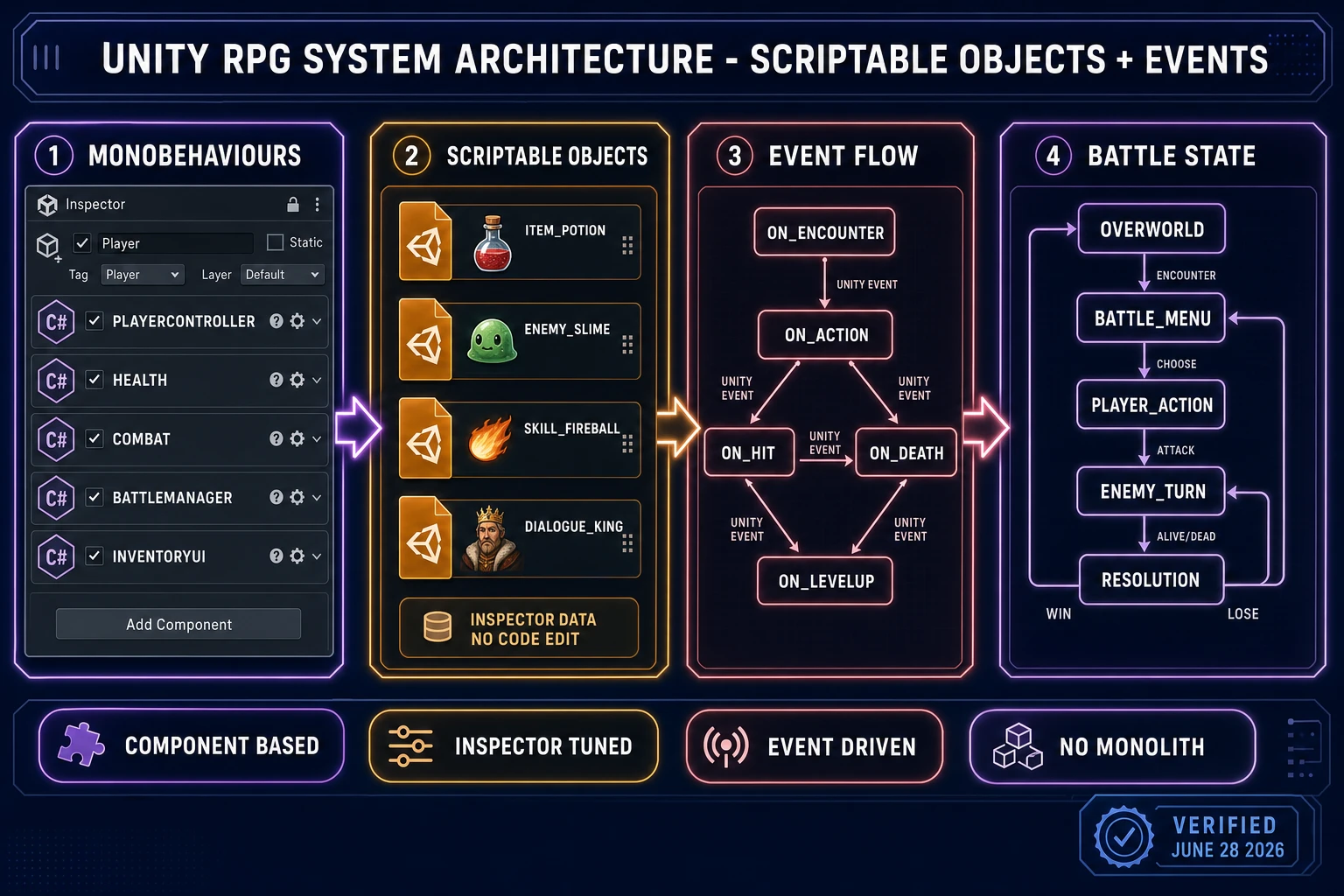
Unity RPG architecture diagram showing four panels - MonoBehaviours (PlayerController, Health, Combat, BattleManager, InventoryUI), ScriptableObjects (Item, Enemy, Skill, Dialogue), event flow (onEncounter, onAction, onHit, onDeath, onLevelUp), and battle state machine - verified June 28, 2026
The Unity RPG architecture has four pieces: focused MonoBehaviours per system, ScriptableObjects for tunable data, UnityEvents driving the cross-system communication, and a five-state battle state machine. WizardGenie writes the C# plan before you open the Unity Editor.

How to make an RPG in Unity with the honest 2026 browser AI stack

The honest stack to make an RPG in Unity in 2026 is one Unity Editor window plus one Sorceress tab. Verified against the live source on June 28, 2026, the Sorceress side is eight tools deep, all reachable from one account: WizardGenie for the C# architecture plan and the ScriptableObject schemas; Quick Sprites for hero and enemy walk cycles at 9 credits per sprite sheet (verified against src/app/quick-sprites/page.tsx CREDITS_PER_GEN on June 28, 2026); AI Image Gen for NPC portraits, shop signage, and battle backdrops; True Pixel for palette-locking every output to one of eight presets (PICO-8 16, SWEETIE-16, Endesga 32, Game Boy, CGA, NES 54, Grayscale 8, 1-Bit, verified against src/app/pixel-art/page.tsx on June 28, 2026); Tileset Forge for the overworld and dungeon tile sets; Music Gen for the overworld, battle, and boss loops at 10 credits per generation (verified against src/app/music-gen/page.tsx MUSIC_CREDIT_COST on June 28, 2026); SFX Gen for combat and menu one-shots at 3 credits per sound (verified against src/app/sfx-gen/page.tsx SFX_CREDIT_COST on June 28, 2026); and Sound Studio as the in-tab DAW for trimming and mastering before drop-in. Bundle pricing is one $49 Lifetime fee plus pay-once credit packs ($10 for 1,000 credits Starter, $20 for 2,000 Creator, $50 for 5,000 Plus, $100 for 10,000 Studio), verified against src/app/plans/page.tsx on June 28, 2026. New accounts ship with 100 starter credits, enough to draft the hero walk cycle and one tile set before topping up.

The reason this stack works for an RPG in Unity specifically is that Unity removes the engine learning-curve excuse while the AI catalog removes the asset-volume excuse. There is no Aseprite seat to buy for the sprite work, no FL Studio install for the music, no Audacity for SFX clean-up — the in-browser Sorceress catalog covers every handoff, every output drops into the Unity Project window via drag-and-drop or via Unity Hub’s file integration. The eight-model coding picker in WizardGenie matters for the planning half because RPG architecture is the hardest part to get right on the first pass — pair Claude Opus 4.7 as the planner with DeepSeek V4 Pro or Kimi K2.5 as the executor and the whole pass costs roughly one-fifth of single-frontier billing (the mixture-of-experts economics that make the dual-agent pattern worth deploying). Acceptable executors per Sorceress’s guidance are DeepSeek V4 Pro, Kimi K2.5, MiniMax M2.7, Gemini 3.1 Flash, GPT-5.5 Mini, and Claude Haiku 4.5; never put a frontier-priced model on the typing side or the cost advantage disappears.

Step 1 — install Unity 6 and prompt WizardGenie for the C# architecture plan

The first move is to install Unity Hub (free) from the official Unity downloads page and pull a 2D Unity 6.3 LTS template, or pick Unity 6.4 if you want the latest Supported update release (verified on June 28, 2026: 6.3 LTS is supported until December 2027, 6.4 ships the same QA level as LTS with newer features). Create a new 2D (URP) project named whatever your RPG’s working title is. While Unity Hub downloads the editor, open WizardGenie in another tab at sorceress.games/wizard-genie/app and prompt for the full structural plan. A reliable opening prompt looks like this: “I am building a top-down turn-based RPG in Unity 6.3 LTS, 2D URP template. Write me the complete C# architecture plan: list every MonoBehaviour I need on the Player, on enemies, on the BattleManager, on UI; list every ScriptableObject schema I need for Item, EnemyDef, SkillDef, DialogueLine, LevelCurve, and Shop; list the UnityEvent flow for combat (OnEncounter, OnAction, OnHit, OnDeath, OnLevelUp); and give me the BattleManager state machine for Overworld, BattleMenu, PlayerAction, EnemyTurn, Resolution. Use ScriptableObjects for all tunable data so I can edit values in the Inspector without recompiling.” Pick the Claude Opus 4.7 model from the dropdown for this prompt — RPG architecture rewards the heavy reasoner, and Opus 4.7 ships at frontier-tier pricing exactly because the plans it returns hold up under months of expansion.

The second prompt scopes the battle state machine specifically because turn-based combat is where most beginner Unity RPGs collapse. Prompts like “write the BattleManager.cs MonoBehaviour with a State enum (Overworld, BattleMenu, PlayerAction, EnemyTurn, Resolution), a current State field, an Enter/Exit method per state, a public OnAction(ActionType action) method called by the UI Buttons, and an event-driven flow where Health.onDeath fires UnityEvent OnEntityDied that BattleManager subscribes to” produce a step-by-step C# class outline that maps one-to-one to a Visual Studio script template. Switch to Claude Sonnet 4.6 or DeepSeek V4 Pro for the iteration phase because the planning is done and the typing-side cost matters more than the reasoning depth. The eight-model picker (Claude Opus 4.7 for the hard reasoning, GPT-5.5 for code review, Gemini 3.1 Pro for 1M-context refactors, DeepSeek V4 Pro and Kimi K2.5 for cheap fast iteration, Grok 4.2, MiniMax M2.7, Sonnet 4.6) lets the dev pick the right tool for each prompt round without leaving the tab.
Step 2 — generate hero, NPC, and enemy sprites in Quick Sprites, AI Image Gen, and True Pixel

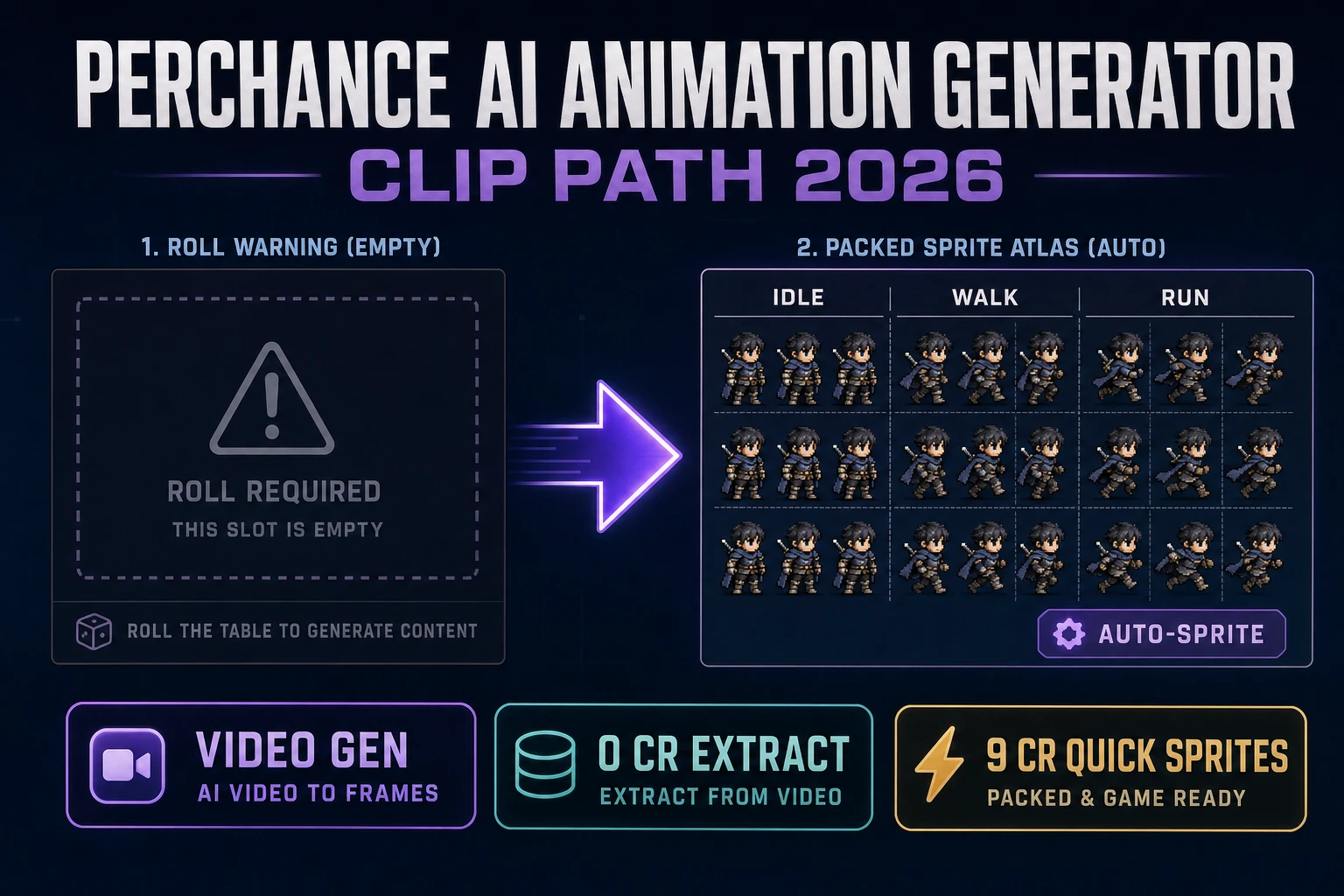
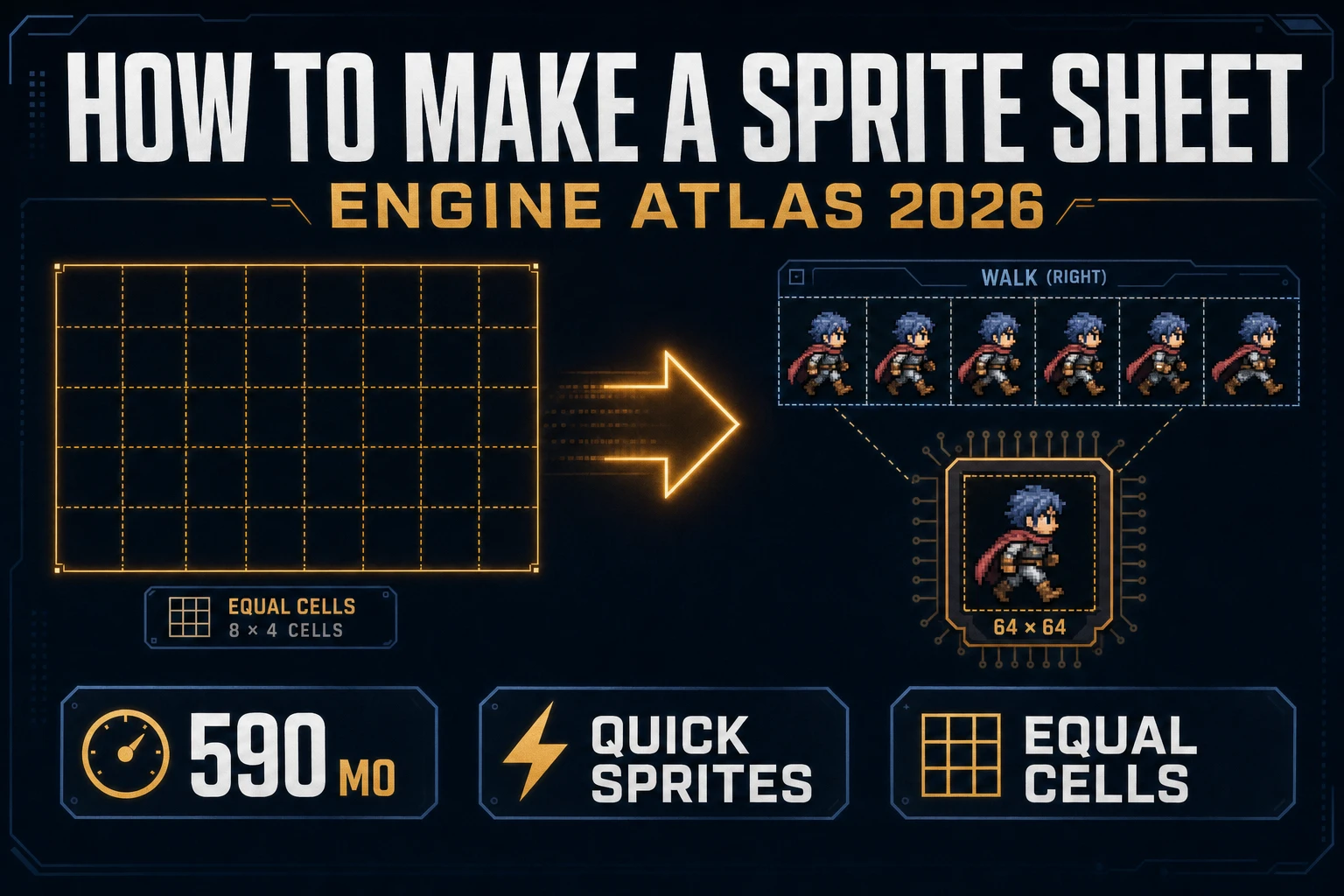
With the C# plan written, the next session is asset generation. The Unity RPG sprite pipeline starts with the hero. Prompt Quick Sprites with a one-sentence hero description in a Four-Angle Walking template at 48 by 48 pixels: “heroic young swordsman in blue cloak and silver armour, brown hair, pixel art, four-direction walk cycle, transparent background.” The output is a packed PNG sprite sheet at 9 credits per generation. Drag the PNG into Unity’s Assets/Sprites folder, click the imported asset in the Project window, and in the Inspector set Texture Type to Sprite (2D and UI), Sprite Mode to Multiple, Pixels Per Unit to 48, Filter Mode to Point (no filter) for crisp pixel art, and Compression to None. Click Sprite Editor, choose Slice > Grid By Cell Size, set the cell size to 48 by 48, click Slice then Apply. Unity creates one child sprite per frame named heroSheet_0, heroSheet_1, and so on. Run the same Quick Sprites template for each of the four enemy archetypes (slime, skeleton, bat, goblin) and an optional final boss — five sprite sheets at 9 credits each is 45 credits, well inside the 100 starter credit allotment for new Sorceress accounts.

NPC portraits and shop signage come out of AI Image Gen with a different handoff. A Dragon-Quest-scale town needs roughly six to ten NPCs (merchant, healer, innkeeper, king, captain of the guard, two villagers, an elderly sage, a child, a mysterious stranger). Prompt them as a single batch with a consistent style word so the model stays on-style: “NPC portrait set, 64 by 64 pixel art, fantasy RPG, transparent background, palette PICO-8, one merchant in red apron, one healer in white robe, one innkeeper with kitchen apron, one king with crown and red cape.” Pass each output through True Pixel to lock the palette to PICO-8 16 (or Endesga 32 for SNES-era polish, or NES 54 for the canonical Dragon Quest look). Pick one palette and stick with it across the hero, NPCs, enemies, tiles, item icons, menu chrome, and battle backdrops — the whole game should read as a single coherent pixel art picture, not a collage of different art styles. Animate each walk cycle in Unity by right-clicking the sliced frames in the Project window and choosing Create > Animation > Animation Clip, then wiring the clip into an Animator Controller on the Player GameObject.

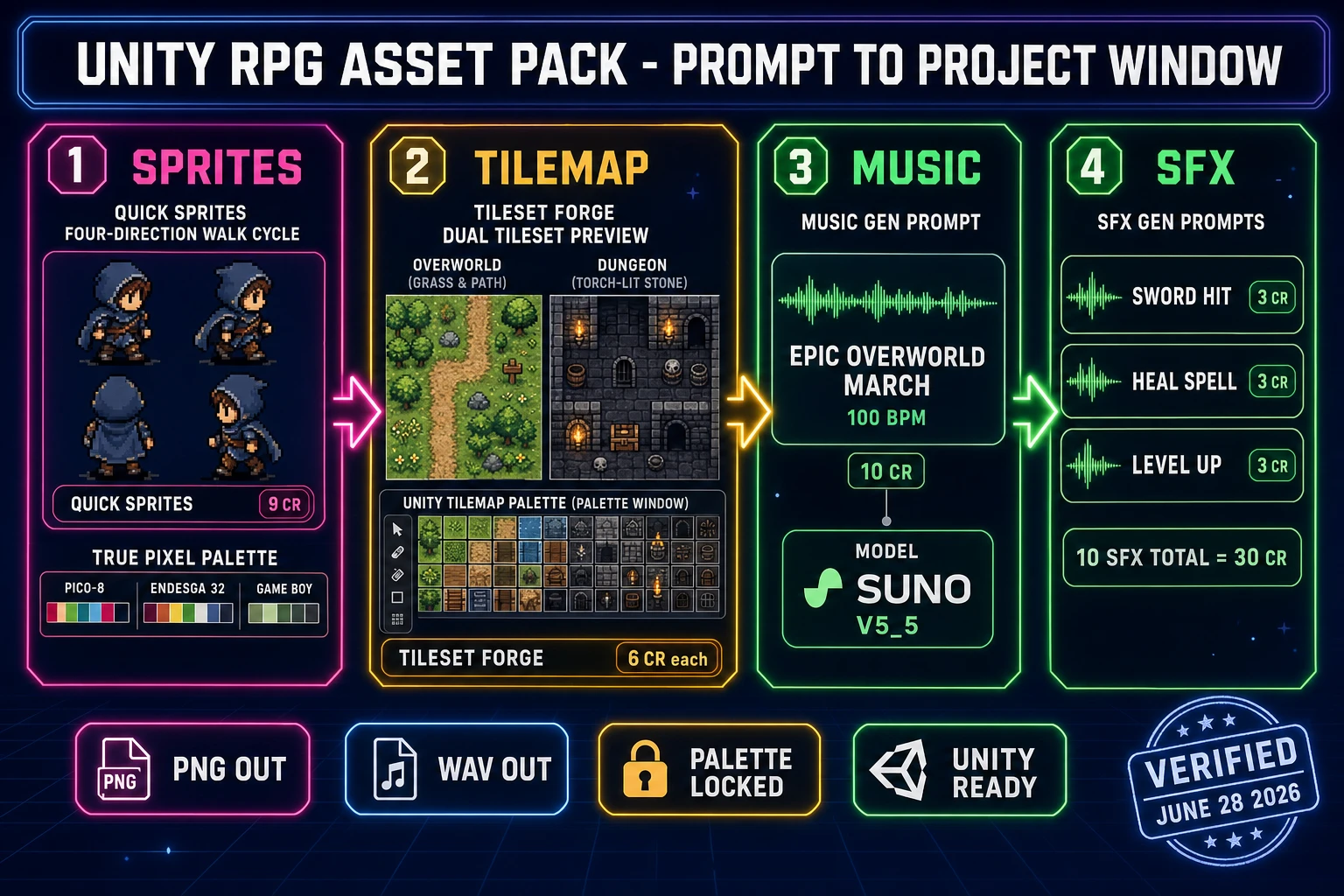
Unity RPG asset pipeline diagram showing four panels - Quick Sprites four-direction walk cycle, Tileset Forge overworld and dungeon sets with Unity Tilemap palette, Music Gen overworld march, and SFX Gen sword hit / heal spell / level up sounds - all Unity-ready, verified June 28, 2026
The Unity RPG asset pipeline has four handoffs: hero and enemy sprites from Quick Sprites with True Pixel palette lock, overworld and dungeon tiles from Tileset Forge sliced into a Unity Tile Palette, music loops from Music Gen, and combat SFX from SFX Gen. Every output is PNG or WAV and drops straight into Assets/Sprites or Assets/Audio.

Step 3 — paint overworld and dungeon Tilemaps in Tileset Forge plus the Unity Tile Palette

The tile set is the visual backbone of every Unity RPG, and the Unity Tilemap system is one of the cleanest 2D feature surfaces shipped in any modern engine. A 32-by-32 tile fills a 15-tile-wide overworld at 480 pixels (Dragon Quest scale); a 16-by-16 tile doubles the resolution to 30 tiles wide for a Final Fantasy IV-scale map. Tileset Forge generates either an 8-direction tile pack (floor, wall, four corner tiles, transition tiles) or a 47-tile blob set with full autotile rules baked in for arbitrary surface shapes. For an RPG specifically, the 8-direction set is usually enough for the overworld (grass, paths, water edges, mountain edges, trees, town gates) and the dungeon (stone floor, stone wall, torch sconces, door tiles, treasure-chest tile, exit tile). Prompt the overworld set with a one-sentence biome description (“grass and dirt path overworld tileset, 32 by 32 tiles, NES palette, one grass variant, two path variants, three tree variants, one water-edge variant, one mountain-edge variant”) and the dungeon set separately (“torch-lit dungeon stone tileset, 32 by 32 tiles, dark NES palette, stone floor, stone wall, four corner pieces, one torch sconce, one door, one treasure chest, one staircase”). The tool returns packed PNGs at roughly 6 credits per set.

The Unity import for a tileset is a three-step move because Unity ships native tile-based support. Step one: drag the tileset PNG into Assets/Tiles, set Texture Type to Sprite (2D and UI), Sprite Mode to Multiple, Pixels Per Unit to 32, Filter Mode to Point, and slice the grid in the Sprite Editor. Step two: open the Tile Palette window (Window > 2D > Tile Palette), create a new Palette named Overworld, drag every sliced sprite into the palette. Unity creates a Tile asset per sprite automatically and saves them into Assets/Tiles. Step three: create a new Tilemap in the scene (GameObject > 2D Object > Tilemap > Rectangular for top-down or Isometric for Chrono-Trigger-style three-quarter view per the official Unity 6 Isometric Tilemap manual), select your Overworld palette, and paint. Add a Tilemap Collider 2D and a Composite Collider 2D component to the wall and water tiles so the hero’s Rigidbody2D physics correctly blocks impassable tiles. For top-down depth sorting, set Edit > Project Settings > Graphics > Transparency Sort Mode to Custom Axis and Transparency Sort Axis to (0, 1, 0) so taller-Y objects render behind shorter-Y ones — the canonical Unity 2D top-down sort axis. For a one-off prop or feature decoration that the main tileset does not cover (a unique sign, a destructible barrel, a sparkle particle), pull True Pixel on a single AI Image Gen render — the photo-to-pixel-art conversion handles props that do not deserve their own tileset run.

Step 4 — compose overworld and battle music in Music Gen, fight SFX in SFX Gen

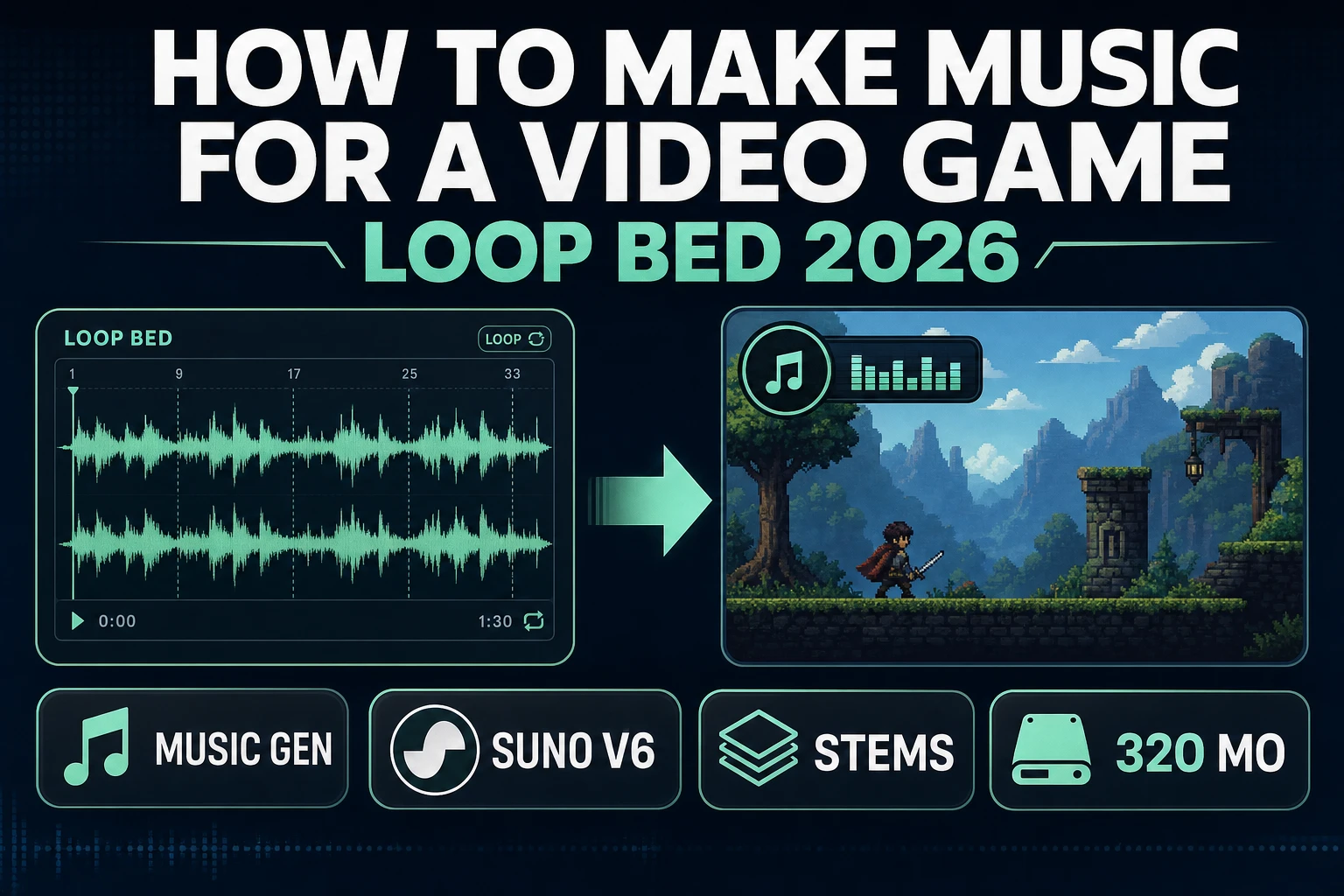
Audio is the layer most beginner Unity RPGs ship without, and the absence kills the mood faster than any other shortcut. A silent Unity overworld feels broken; a silent battle feels worse. The 2026 fix is three music loops total from Music Gen at 10 credits per generation (verified against src/app/music-gen/page.tsx MUSIC_CREDIT_COST on June 28, 2026). Loop one is the overworld theme — prompt “heroic Dragon Quest-style overworld march, NES chiptune, 100 BPM, looping” in Create mode. Loop two is the battle loop — “epic turn-based battle music, NES chiptune, 130 BPM, looping, urgent but not overwhelming.” Loop three is the boss theme — “final boss battle music, NES chiptune, 140 BPM, looping, dramatic with a clear melodic hook.” Three loops at 10 credits each is 30 credits total. Drop the WAV exports into Assets/Audio/Music in the Unity Project window, then attach each clip to an AudioSource component on a dedicated MusicManager GameObject. Use AudioSource.PlayOneShot for SFX and a fade routine on the MusicManager for music cross-fades between overworld and battle.

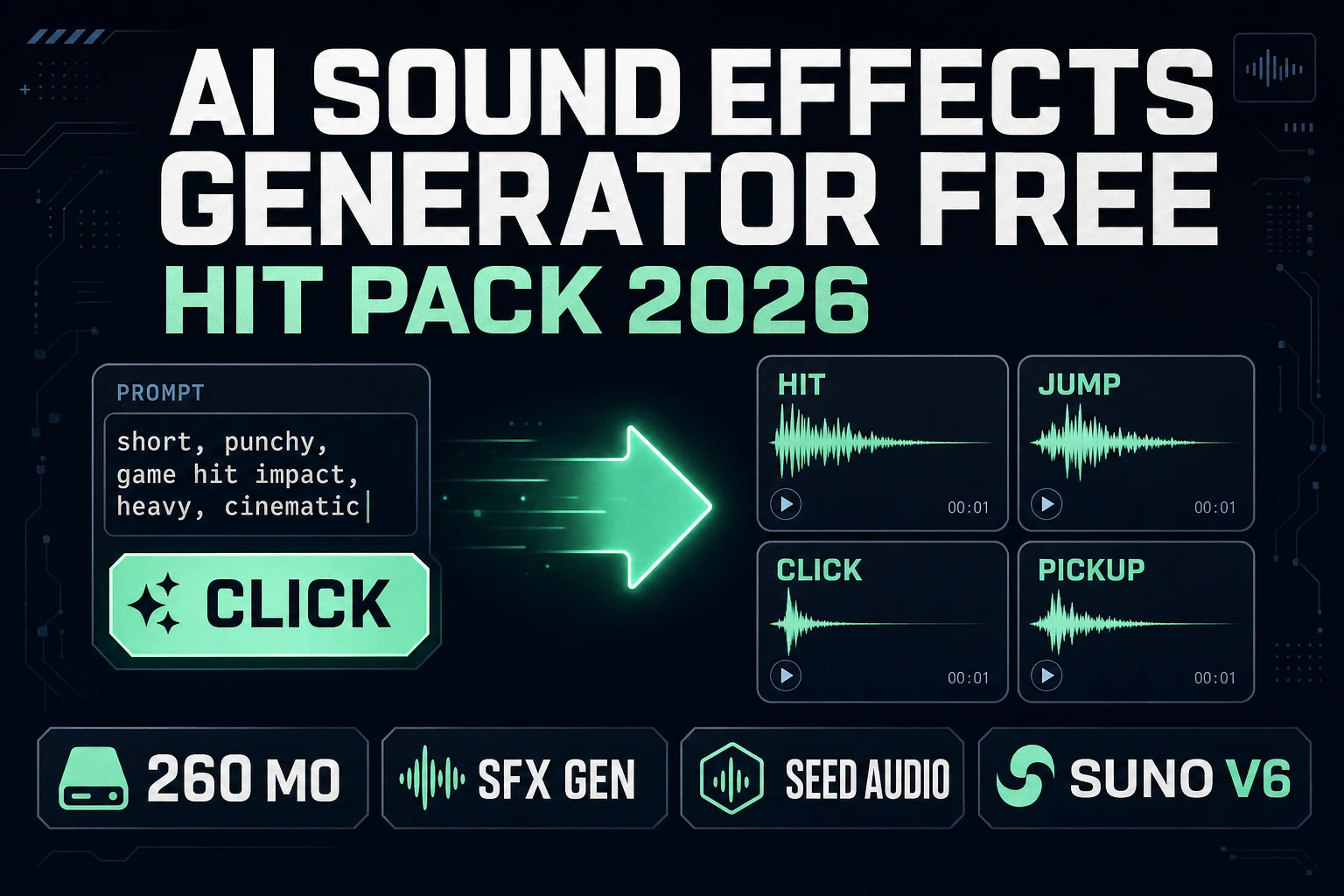
SFX one-shots come out of SFX Gen at 3 credits per sound. A Unity RPG needs roughly ten to twelve SFX: sword hit, magic spark, heal spell, hurt, level up, menu chime, item pickup, treasure chest open, footstep, victory fanfare, defeat sting, save chime. Batch the prompts in one session and use a consistent style word (“NES chiptune,” “8-bit retro,” “Sega Genesis-style”) so the SFX layer reads as a coherent palette. Ten SFX at 3 credits each is 30 credits. Trim and fade in Sound Studio, the in-tab DAW for music, SFX, and dialogue clean-up. Drag each WAV into Assets/Audio/SFX and reference them as public AudioClip fields on the relevant component (CombatHitFX.cs holds the sword-hit clip, MenuFX.cs holds the chime clip). Total audio pack: 30 credits music plus 30 credits SFX = 60 credits, which fits inside one $10 Starter credit pack (1,000 credits) with 940 credits left over for the next project.

Step 5 — wire the turn-based battle loop with Unity ScriptableObjects, UnityEvents, and the BattleManager state machine

The turn-based battle loop is the heart of every RPG, and Unity handles it cleanly with four primitives: a BattleManager MonoBehaviour with a State enum, ScriptableObject EnemyDef and SkillDef assets per enemy and per ability, a shared Health component with a public TakeDamage method and an OnDeath UnityEvent, and a UI Toolkit or Canvas-based action menu that wires the four action Buttons to BattleManager.OnAction. The state machine has five states: Overworld, BattleMenu, PlayerAction, EnemyTurn, Resolution. The transition from Overworld to BattleMenu fires either from the encounter system (a one-in-128 chance on each tile-step is the canonical Dragon Quest rate, implemented in a TileStepListener component on the Player) or from an OnTriggerEnter2D with a Boss-tagged Collider2D. BattleMenu enters when the encounter starts: the overworld camera fades out, the battle scene loads additively, the BattleManager populates the hero and enemy slots from a HeroDef ScriptableObject and the selected EnemyDef, and the menu UI appears.

The four menu Buttons (Attack, Magic, Item, Run) each call BattleManager.OnAction(ActionType) which transitions to PlayerAction state. The damage formula lives in a static Combat.Damage(attacker, defender) method or in a CombatRules ScriptableObject for Inspector-tunable values: damage equals attacker.attack minus defender.defense plus a UnityEngine.Random.Range(0, 4) roll, clamped to a minimum of 1. The Health component receives TakeDamage(damage), subtracts from currentHp, and fires OnDamageTaken and OnDeath UnityEvents. Listeners on those events (XPLeveling subscribes to OnDeath to award XP, InventoryDropper subscribes to drop loot, BattleManager.OnEnemyDeath subscribes to check victory) react without any of them knowing about each other — the loose coupling is what makes the architecture stay finishable as the project grows. After PlayerAction resolves, BattleManager transitions to EnemyTurn, the enemy AI picks an action from its EnemyDef.skillSet weighted list, applies damage, and BattleManager transitions to Resolution. Resolution checks: if every enemy is dead, fire OnVictory (award XP via XPLeveling, drop loot via InventoryDropper, transition back to Overworld); if the hero is dead, fire OnDefeat (load the last save via SaveSystem.Load and transition to Overworld). Save state lives in PlayerPrefs for a beginner build, or in a JSON serialized to Application.persistentDataPath for production. The whole battle loop is roughly 600 to 1,200 lines of C# across BattleManager, Health, Combat, EnemyAI, XPLeveling, InventoryDropper, and SaveSystem, ships in three to five evenings, and uses ScriptableObjects for every tunable value so designers can rebalance from the Inspector without opening Visual Studio.

The verdict on how to make an RPG in Unity in 2026

The honest verdict on how to make an RPG in Unity in 2026 is that the genre has finally crossed the line where one indie dev with one Unity Personal license (free under $200K finances per the official Unity support page on June 28, 2026) and one Sorceress account can ship a release-quality RPG in three or four focused weeks. The seven pillars of a Unity RPG (overworld, movement, dialogue, combat, inventory, levels, save) all map cleanly onto either Unity’s 2D feature set (Tilemap, Rigidbody2D, ScriptableObjects, UnityEvents, the Animator, the new Input System) or onto an AI handoff that did not exist in 2023. WizardGenie’s eight-model coding picker writes the C# architecture in one tab; Quick Sprites, AI Image Gen, True Pixel, and Tileset Forge ship the visual half; Music Gen, SFX Gen, and Sound Studio handle the audio half. Every layer has a credit cost displayed inline before the run, every output is a PNG or WAV that Unity’s Project window ingests via drag-and-drop, and the bundle costs $49 once plus pay-once credit packs that never expire (verified against src/app/plans/page.tsx on June 28, 2026). For comparison, the closest reference build — a Sorceress user shipped their first game in three weeks — used this same catalog end-to-end with no other paid subscriptions.

The honest path forward is one tight scope at a time. Pick the scope first — one playable hero, three towns, two dungeons, four enemy archetypes, one boss, fifteen items, twenty hand-tuned battle encounters — then build the first town and the first dungeon end-to-end in week one (Tilemap painted, three NPCs with ScriptableObject dialogue, one battle scene with one enemy, the inn-save, the first level-up). Playtest the loop, fix what feels wrong, and only then extend to the second town and dungeon in week two. The dev who tries to ship four continents and twelve character classes on day one will fail at scope; the dev who ships one town and one battle in week one and then iterates will ship a real Unity RPG in a month. The genre rewards focus on the first hour of gameplay, and AI generation now handles the piece that used to break that focus — the asset volume.

For the next step, the natural follow-ups are how to make an RPG game for the engine-agnostic head-term path, how to make an RPG in Godot if you want the free open-source engine path instead, how to make an RPG in Scratch for the block-based beginner path, how to make a 2D game in Unity for the broader Unity 2D fundamentals, or the best AI for Unity if the AI-model choice is the open question. The WizardGenie tab is the single entry point that turns this whole guide into a Unity project folder.

Frequently Asked Questions

What is the easiest way to make an RPG in Unity in 2026?

Verified June 28, 2026: the easiest way to make an RPG in Unity in 2026 is a five-step pipeline. One: install Unity Hub from the official downloads page and pull Unity 6.3 LTS (recommended for new productions, supported through December 2027) or Unity 6.4 (the latest Supported update release). Two: prompt WizardGenie at /wizard-genie/app for the architecture plan — the Health, Combat, Inventory, XPLeveling, and SaveSystem C# scripts plus the ScriptableObject schemas for Item, EnemyDef, and DialogueLine — and let the eight-model coding picker (Claude Opus 4.7, Sonnet 4.6, GPT-5.5, Gemini 3.1 Pro, DeepSeek V4 Pro, Kimi K2.5, Grok 4.2, MiniMax M2.7) shape the systems before you write a single MonoBehaviour. Three: generate the hero, three to six NPC archetypes, and four enemy archetypes in Sorceress Quick Sprites at /quick-sprites (9 credits per sprite sheet) with True Pixel at /pixel-art locking the palette to PICO-8 16, Endesga 32, or Game Boy. Four: paint the overworld and one dungeon Tilemap-ready set in Sorceress Tileset Forge at /tileset-creator and the town interiors in AI Image Gen at /generate. Five: compose the overworld loop, battle loop, and boss theme in Music Gen at /music-gen (10 credits per generation) and batch the combat SFX (sword hit, magic cast, level up, menu chime, hurt, victory, defeat) in SFX Gen at /sfx-gen (3 credits per sound). Drop every PNG into Assets/Sprites, every WAV into Assets/Audio, slice in the Sprite Editor, paint into the Tilemap, and wire ScriptableObjects in the Inspector. End to end on the first run, about three to four focused weeks of evenings.

What version of Unity should I use for a 2D RPG in 2026?

Use Unity 6.3 LTS if you are locking in production today. Verified against unity.com/releases/unity-6/support on June 28, 2026: Unity 6.3 LTS is the current LTS release, supported until December 2027 (with an additional year for Unity Enterprise and Unity Industry subscribers), and is the recommended choice for live-service games and projects about to enter production. Unity 6.4 is the latest Supported update release as of June 2026 and ships the same QA level as LTS while delivering quality-of-life improvements ahead of the next LTS, which makes it the right pick for mid-cycle projects that want the newest features without waiting. Both 6.3 LTS and 6.4 ship the 2D Tilemap system, Sprite Renderer, Rigidbody2D, the new Input System, ScriptableObjects, and the same C# scripting surface, so an RPG built on either will move forward cleanly. Unity 6 is the family that cancelled the Runtime Fee entirely — there is no per-install charge associated with games made on Unity 6, just the per-seat editor subscription if your finances cross the Personal threshold.

Is Unity free for an indie RPG, and what does it actually cost?

Yes, Unity is free for most indies. Verified against support.unity.com on June 28, 2026: Unity Personal is the free tier for individuals and small studios whose total finances are under $200,000 USD in the most recent 12-month period. The full editor is included, the splash-screen requirement was removed in Unity 6, and there are no runtime fees on Unity 6 builds. Unity Pro is mandatory once finances cross $200,000 and stays mandatory through $25 million, priced at roughly $2,310 USD per seat per year as published on the official support page. Unity Enterprise applies above $25 million and is priced through Unity Sales. The Unity Student Plan is free for eligible students with under $1 million in total finances. For an indie RPG shipped on a $0–10,000 first-year budget, Personal covers everything: editor, build pipeline, package manager, Tilemap, ScriptableObjects, the whole 2D feature set. Pair that with the one-time $49 Sorceress Lifetime (verified against src/app/plans/page.tsx LIFETIME_PRICE on June 28, 2026) for the asset half and the total engine + AI catalog cost is $49 plus credits that never expire.

How long does it take to make an RPG in Unity with AI in 2026?

A focused indie dev with a clear scope (one playable hero, three towns, two dungeons, twelve enemy types, one boss, fifteen items, twenty hand-tuned battle encounters) can ship a playable Unity RPG in three to four weeks evenings-only using a browser AI stack. Unity 6.3 LTS handles the engine work in the first week: project setup, Tilemap painting, player controller with Rigidbody2D, basic combat with Physics2D.OverlapCircleAll, ScriptableObject Item and EnemyDef schemas. Weeks two and three layer the asset half (sprites, tilesets, music, SFX) and wire dialogue, inventory, and the turn-based battle scene. Week four polishes save/load (PlayerPrefs for a beginner build, JSON serialization for a real one), encounter balance, and the build pipeline. The benchmark for the asset half: a Sorceress user shipped a complete game in three weeks using this same catalog of tools, and the Unity engine learning curve does not add weeks to that timeline if you start from a clean ScriptableObject-based architecture rather than from monolithic MonoBehaviour scripts.

How do I import a Sorceress sprite sheet into Unity?

Three steps. Step one: drag the PNG sprite sheet from your downloads folder directly into the Assets/Sprites folder in the Unity Project window. Unity imports the texture using the Default settings, which for an RPG you change to Texture Type Sprite (2D and UI), Sprite Mode Multiple, Pixels Per Unit 16 or 32 depending on tile size, Filter Mode Point (no filter) for crisp pixel art, and Compression None. Step two: with the sheet selected in the Project window, click Sprite Editor in the Inspector. In the Slice dropdown choose Grid By Cell Size, set the cell width and height to your sprite frame size (commonly 32 by 32 or 48 by 48 for an RPG hero), and click Slice then Apply. Unity creates one child sprite per frame, named heroSheet_0, heroSheet_1, and so on. Step three: drag the parent sheet into the Hierarchy to instantiate a GameObject with a Sprite Renderer, or right-click the sliced frames in the Project window and choose Create > Animation > Animation Clip to build a walk-cycle animation. Wire that clip into an Animator Controller, set the transitions on a horizontal and vertical velocity float, and the hero walks. Quick Sprites at /quick-sprites and True Pixel at /pixel-art both export PNG with transparent backgrounds, which is exactly what Unity expects.

How do I wire turn-based combat in Unity for an RPG?

Turn-based combat in Unity is four pieces: a battle-state machine in a single BattleManager MonoBehaviour, ScriptableObject definitions for the hero, enemies, items, and skills, a shared Health component with a public TakeDamage method and an onDeath UnityEvent, and a UI-driven action menu wired with the Unity UI Toolkit or the older Canvas + Button stack. The state machine has five states: Overworld, BattleMenu, PlayerAction, EnemyTurn, Resolution. Transition triggers come from the overworld (encounter detection on a tile-step, or an OnTriggerEnter2D with a Boss-tagged collider), from the UI menu (the four action Buttons call into BattleManager.OnAction), from the resolution check (if every enemy is dead, transition to Victory; if hero HP is 0, transition to Defeat). The damage formula lives in a static method or in a Combat ScriptableObject so it can be tuned in the Inspector without recompiling: damage equals attacker.attack minus defender.defense plus a random int from 0 to 3, clamped to 1. The Health component fires onDeath when its currentHp reaches 0, and listeners (XPLeveling, InventoryDropper, BattleManager.OnEnemyDeath) react via UnityEvent or C# events. Save the encounter snapshot to PlayerPrefs or to a JSON file on every Inn rest. This architecture is what every Unity RPG tutorial shipped in 2026 converges on because it isolates each system into a testable, swappable component.

How much does the Sorceress AI asset pack cost for a Unity RPG?

The Sorceress free signup ships 100 starter credits. A typical Unity RPG first-pass content list looks like: one hero walk cycle from Quick Sprites at 9 credits; four enemy walk cycles from Quick Sprites at 9 credits each (36); three NPC portraits from AI Image Gen at roughly 3 credits each (9); two Tilemap-ready tile sets from Tileset Forge (overworld plus dungeon); three battle backdrops from AI Image Gen at 3 credits each (9); one overworld music loop, one battle loop, one boss loop from Music Gen at 10 credits each (30); ten combat and menu SFX from SFX Gen at 3 credits each (30). Total: roughly 135 credits for the entire first-pass content set, just past the 100 starter tier. Top up with a $10 Starter pack (1,000 credits) from /plans and the whole pack costs $10 plus the one-time $49 Lifetime fee that unlocks the rest of the catalog. The Sorceress pricing model is verified against src/app/plans/page.tsx on June 28, 2026: LIFETIME_PRICE 49, CREDIT_TIERS Starter $10/1000, Creator $20/2000, Plus $50/5000, Studio $100/10000, no expiry, no auto-renew, no subscription. Combined with Unity Personal (free under $200K finances), the entire engine and AI stack costs $59 once.

Sources

  1. Unity 6 Releases & Support: LTS & Updates Releases
  2. Unity 6: Download the Latest Release of Unity 6
  3. Unity - Manual: 2D game development
  4. Unity - Manual: Change the sorting order of 2D GameObjects
  5. Unity - Manual: Create an Isometric Tilemap
  6. Role-playing video game - Wikipedia
  7. Sprite (computer graphics) - Wikipedia
  8. Tile-based video game - Wikipedia
  9. Mixture of experts - Wikipedia
  10. Pixel art - Wikipedia
Written by Arron R.·3,942 words·18 min read

Related posts