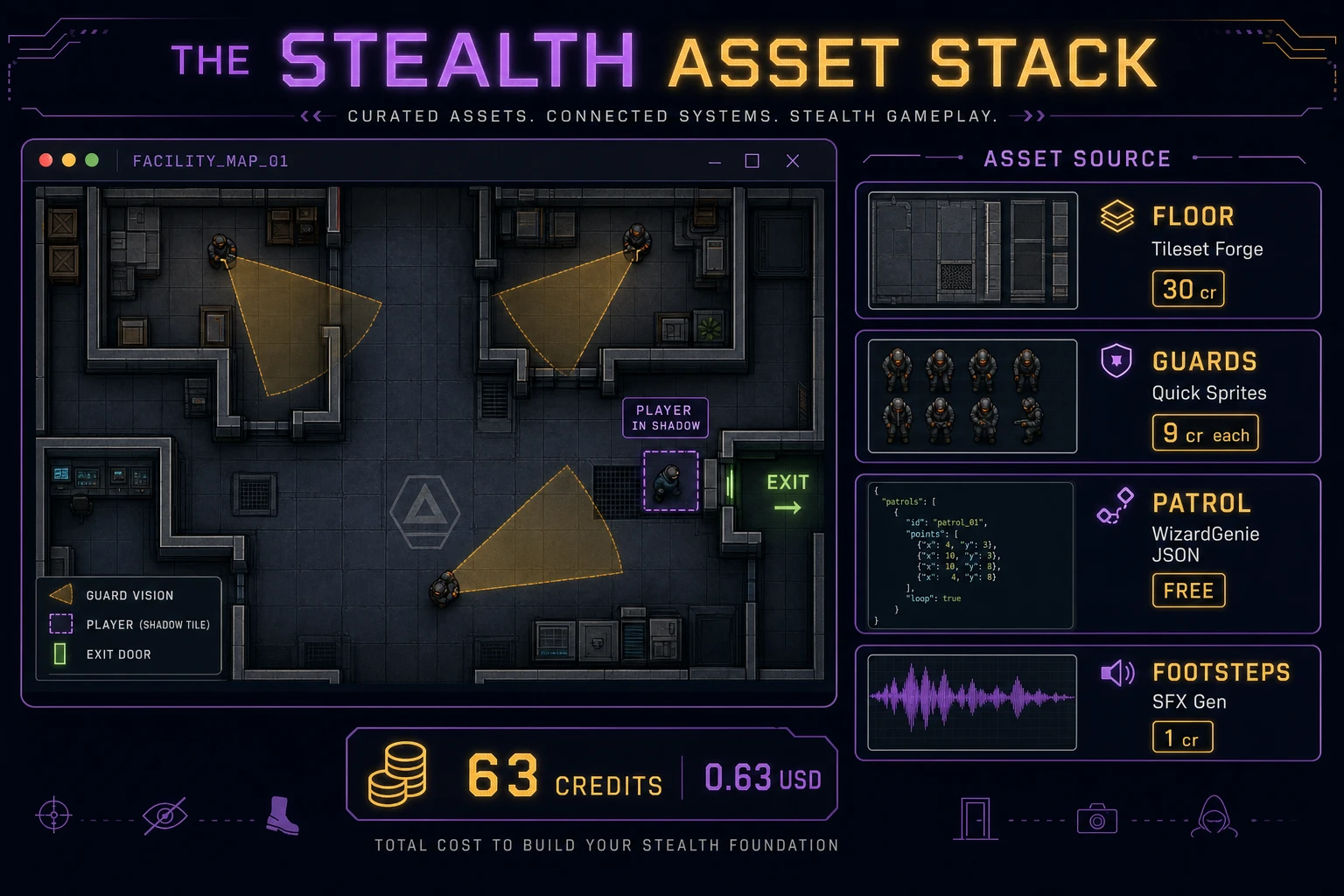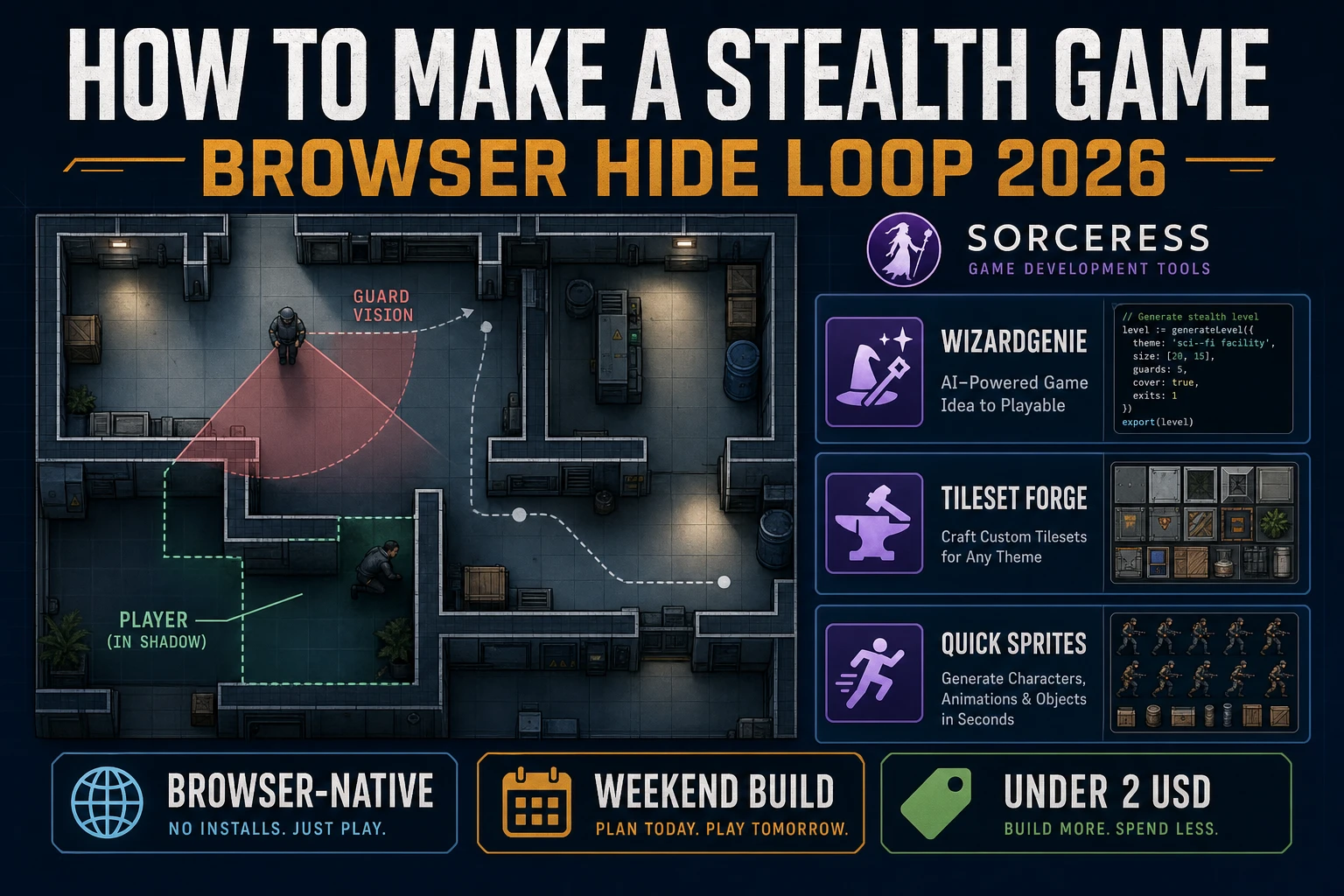
Most beginners who search “how to make a stealth game” want one top-down facility floor, guards walking fixed patrol loops, translucent vision cones, shadow tiles where the player disappears, and a fail state the moment someone gets spotted in the open. A full Metal Gear-scale stealth sim with disguise systems, noise propagation, and ten interconnected wings is a studio product. A browser hide loop is different. A coding agent scaffolds patrol paths and cone math from one prompt, and AI generation covers the tile floor, guard sprites, and footstep audio. On desktop or web, that means WizardGenie for the patrol-and-detection interpreter, Tileset Forge for the facility grid, Quick Sprites for the player and guards, and SFX Gen for footstep and alert stingers. This guide is the honest end-to-end for how to make a stealth game in 2026, as a weekend build you can finish once.
What how to make a stealth game actually means in 2026
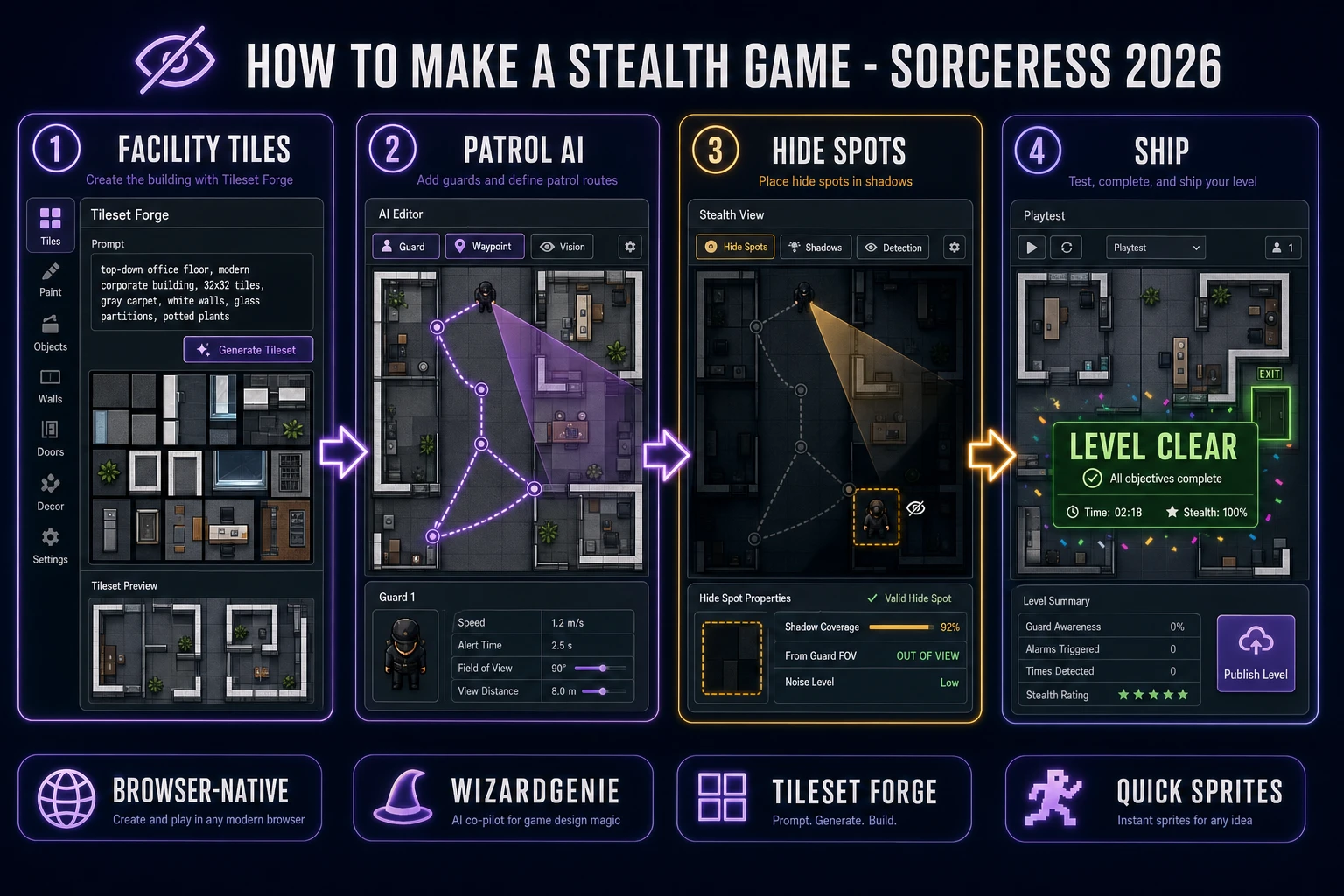
The query “how to make a stealth game” hides three intents. Some searchers want a Unity or Godot template with navmesh guards and animation trees — that is engine shopping, not a minimal playable loop. A second intent is a franchise-scale stealth sim with non-lethal takedowns, cover systems, and branchy level design — a multi-year roadmap, not a solo jam. The third intent, and the one this guide targets, is a browser hide loop: one top-down facility room or corridor chain, two guards on waypoint patrols, vision cones rendered as translucent wedges, hide tiles where detection is disabled, and a win when the player reaches the exit without triggering alert. That is a weekend build, it demos the Sorceress toolset, and it is the format most stealth game tutorial and javascript stealth searchers actually want.
The presentation contract is small and strict. A title screen shows the game name, optional Continue if localStorage stores a best clear time, and Play. The play screen shows the tile map, the player sprite, guard sprites with visible cones in dev mode, a mute toggle, and an optional “spotted” flash overlay. On detection, freeze movement, play an alert sting, and show Game Over with Retry. On reaching the exit zone without alert, show Level Clear with elapsed time and Play Again. The Stealth game overview on Wikipedia (verified 2026-08-26) traces the genre from Castle Wolfenstein through Thief, Metal Gear, and Mark of the Ninja — cite it when you write your itch.io blurb so players know which promise you kept. If you already shipped a room-by-room dungeon crawl, the sibling guide on how to make a dungeon crawler covers turn combat and room graphs; this post owns patrol cones and hide tiles instead.
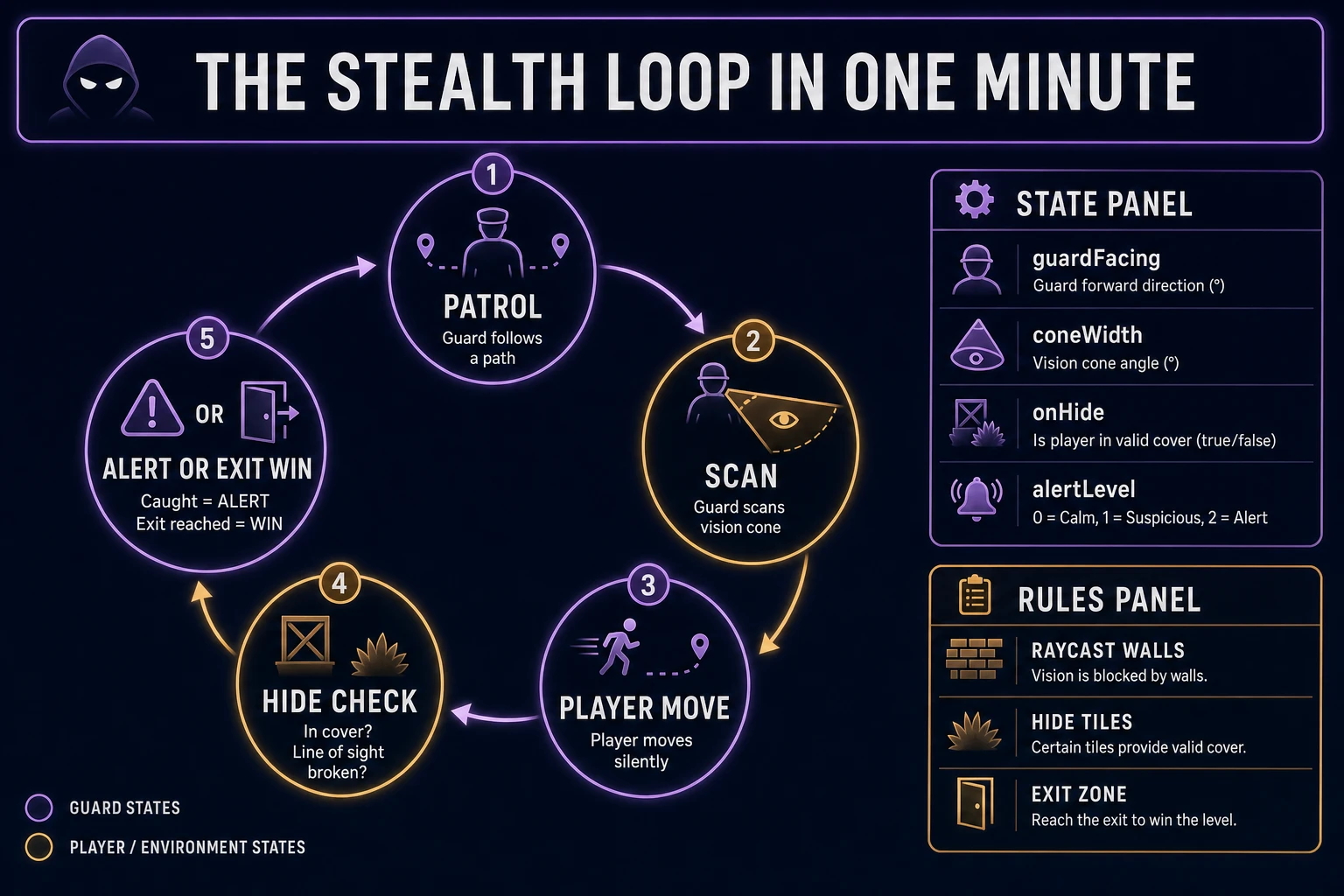
The stealth loop in one minute (patrol, scan, move, hide, alert or exit)
Five moving parts, repeated every frame until the player wins or gets spotted. First, patrol — each guard walks toward the next waypoint in its loop and rotates facing when it arrives. Second, scan — cast a vision cone from the guard’s facing angle and test whether the player stands inside range, inside the cone angle, and not blocked by wall tiles. Third, move — arrow keys or WASD translate the player unless alert has fired. Fourth, hide — if the player’s tile coordinates match a hide tile in the level JSON, skip detection even when geometrically inside the cone. Fifth, alert or exit — on failed hide check inside an active cone, trigger game over; on overlap with the exit zone while unspotted, show Level Clear. Noise radius, disguise outfits, and multi-phase suspicious states are polish layered after one honest level clears without the player phasing through walls.
Pick your engine for how to make a stealth game: canvas, Phaser, or WizardGenie
Three good targets in 2026, each with a different trade-off. Vanilla JavaScript with canvas is the honest default and the pick this guide recommends for a first build. One <canvas> draws the tile map with drawImage, sprites for player and guards, and semi-transparent arc or triangle fills for cones. Total code footprint for a working browser hide game is under 400 lines including patrol AI, raycast wall checks, and win screen. The MDN Canvas API docs cover drawing, and 2D collision detection covers circle-rectangle overlap for the exit zone.
Tile-grid logic without a physics engine stays readable: store the map as a 2D array where 0 is floor, 1 is wall, and 2 is hide shadow. Player position snaps to tile centers or moves freely with tile lookup via Math.floor(x / tileSize). Guards use the same grid for wall collision during patrol.
Phaser 4.1.0 (verified 2026-08-26 on the official Phaser API documentation page) becomes the right pick if you want camera follow on larger maps, tweens on the alert overlay, or five facility rooms with door transitions. Phaser does not invent your cone math — you still need the same waypoint arrays and hide-tile lookup. Use Phaser when animated guard walk cycles and multi-room progression are the product; use raw canvas when the product is a line of sight game walkthrough people can read in one sitting.
WizardGenie is not a separate rendering engine — it scaffolds whichever of the two you pick from a single natural-language prompt. WizardGenie ships as both a desktop app (Windows installer with auto-update, available to Early Access supporters and above) and a no-install web build. Its coding-model lineup covers Claude Opus 4.7, GPT-5.5, Gemini 3.1 Pro, DeepSeek V4 Pro, Kimi K2.5, Grok 4.2, and MiniMax M2.7 (verified 2026-08-26 in src/app/_home-v2/_data/tools.ts). For stealth games, any frontier model scaffolds patrol paths, cone checks, and hide tiles in one prompt. Pair a frontier planner with a budget executor like DeepSeek V4 Pro or Kimi K2.5 for the typing pass — the Dual-agent pattern lands most projects at roughly one-fifth the single-frontier cost.