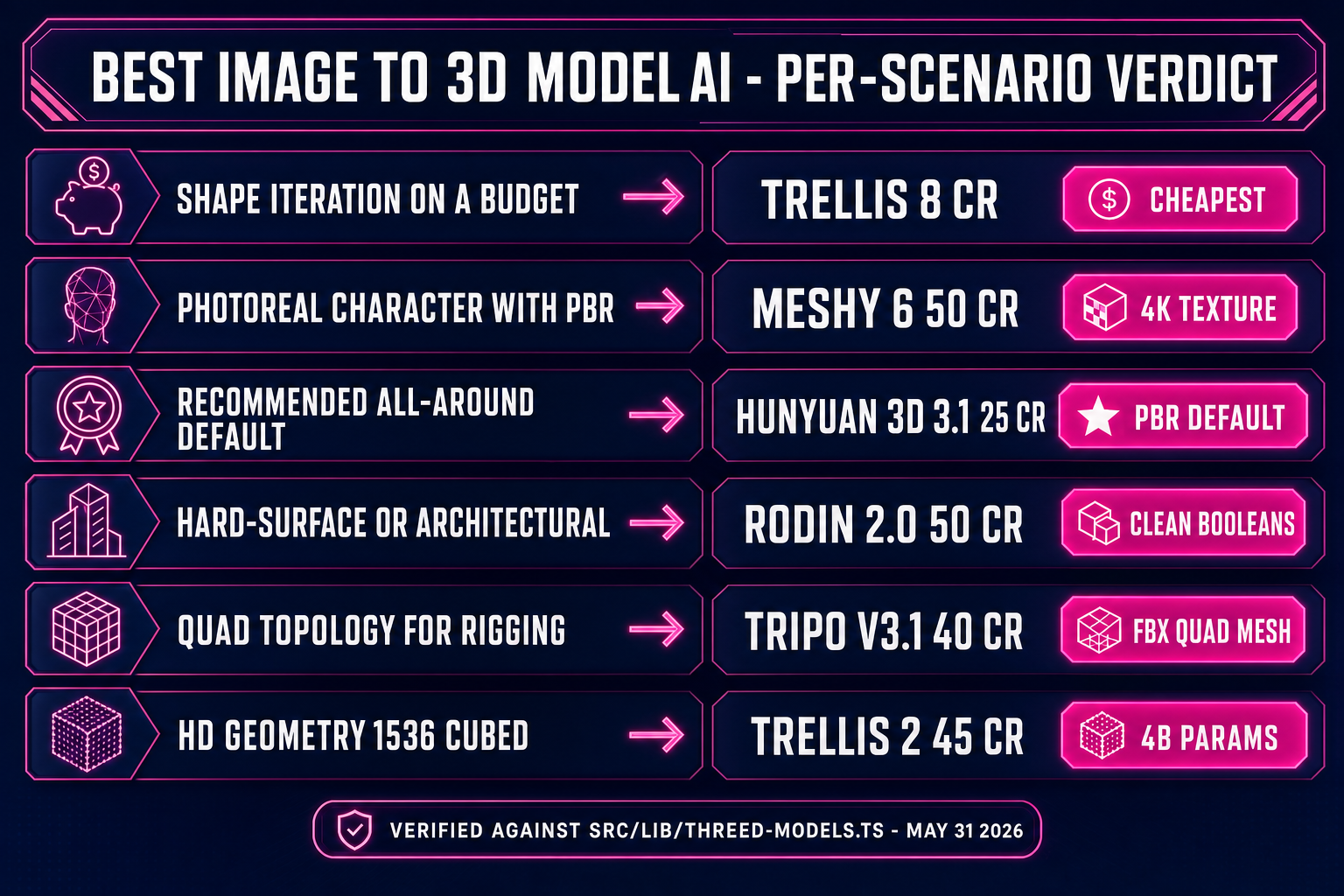
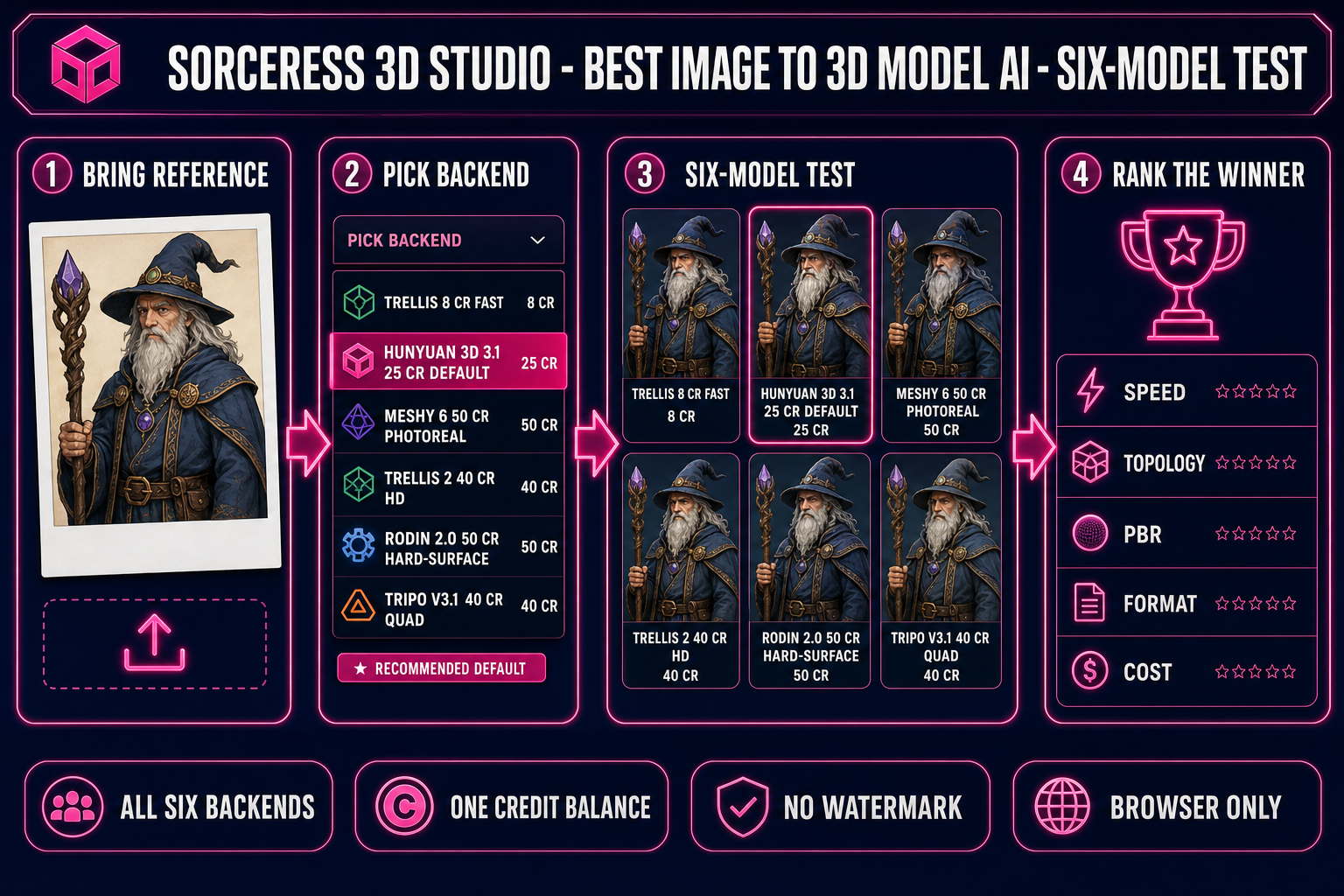
Searches for the best image to 3D model AI in 2026 surface a dozen single-vendor pages, each insisting that its one backend is the right answer. The honest answer is that no single backend wins every test. The right pick depends on whether you need cheap shape iteration, photoreal PBR baking, clean quad topology, hard-surface accuracy, HD geometric detail, or a recommended all-around default. This article runs the same six tests across the six image-to-3D backends inside Sorceress 3D Studio and ranks the winner per scenario. Every credit cost and capability below was verified against the live source on May 31, 2026.
What “best image to 3D model AI” actually means in 2026
The phrase best image to 3D model AI hides a category mistake. There is no single ranking, because the dimensions a 3D mesh is graded on are independent of each other. Six axes drive the practical decision when you sit down to convert a reference image into a usable 3D asset:
- Geometric fidelity. Does the mesh capture the silhouette, depth cues, and concave detail of the source image? Concave organic forms and thin features (hair, glasswork, fingers) separate the strong models from the weak ones.
- Topology. Clean quad flow vs noisy triangle soup. Polygon-mesh topology decides whether the asset can be rigged or subdivided, and is the single largest determinant of downstream pain.
- PBR material baking. Albedo, metallic, roughness, and normal maps that survive new lighting in a game engine. The technical primitive is well documented on the physically based rendering Wikipedia page.
- Speed. 3 seconds vs 60 seconds matters when you iterate on shape ten times before committing to a textured pass. The end-to-end practical latency on hosted infrastructure is always slower than the published benchmark.
- File format coverage. GLB for browser runtimes, FBX for skeletal pipelines, USDZ for Apple AR, 3MF for multi-color 3D printing. The right rule is to match the format to the runtime, documented in the official Khronos glTF 2.0 specification.
- Credit cost per generation. A 50-asset prop pack at 50 credits per model is 2,500 credits where the same pack at 8 credits is 400 credits — the difference between a viable trial and a budget burn.
The honest pitch from this article is that the best image to 3D model AI is not one backend. It is the picker that lets you switch backends per generation and the credit balance that follows you across all six.
The six contenders for best image to 3D model AI in 2026
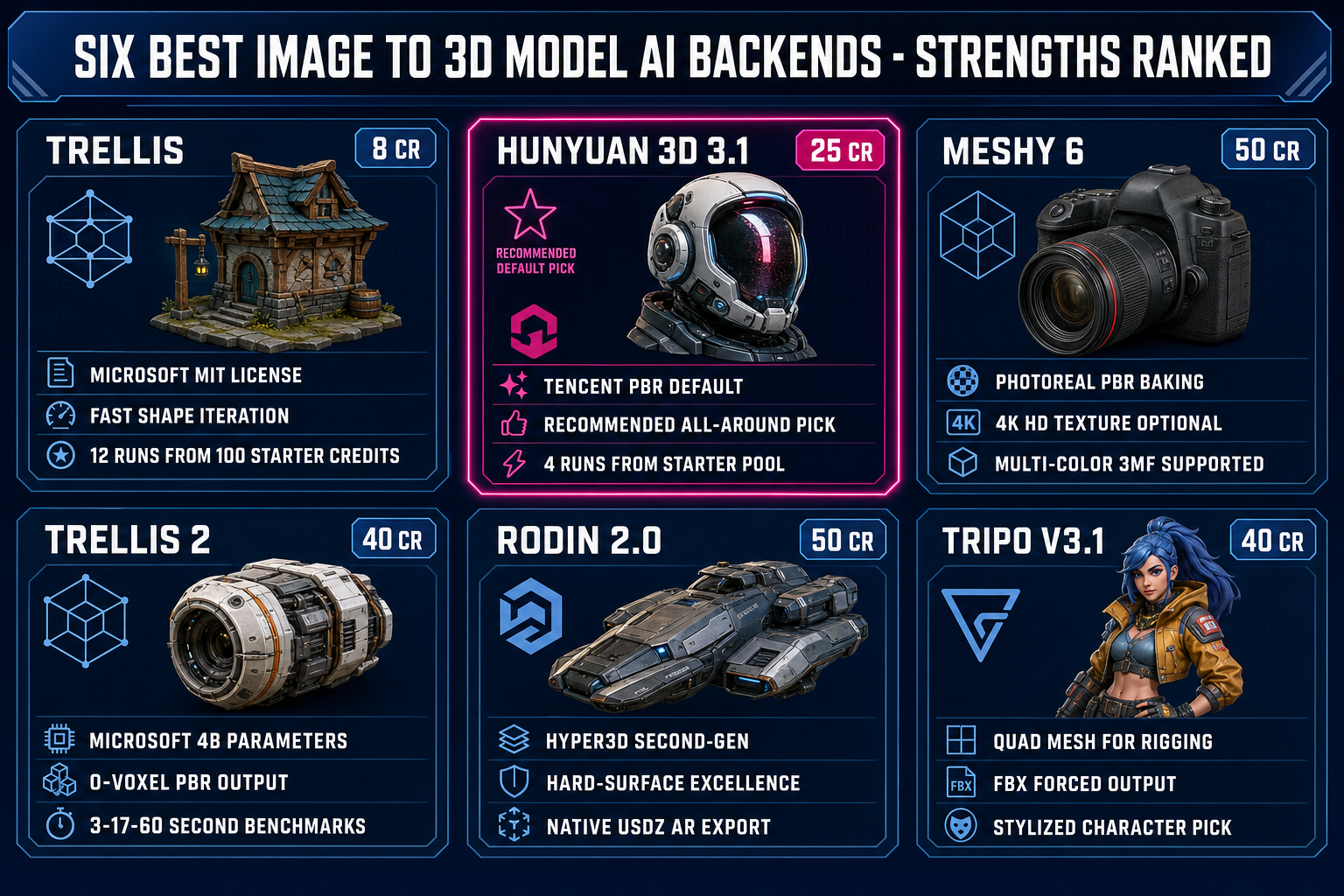
The Sorceress 3D Studio picker exposes six image-to-3D backends as of May 31, 2026, verified against src/lib/threed-models.ts. Each backend has a sweet spot, a credit cost, and a quirk that decides when it is the right pick.
- TRELLIS — 8 credits. Microsoft Research’s 1.2B-parameter image-to-3D model, MIT-licensed open-source on github.com/microsoft/TRELLIS. The cheapest backend in the picker. Twelve runs from the 100 starter credits granted at sign-up.
- Hunyuan 3D 3.1 — 25 credits. Tencent’s next-generation 3D model with PBR materials baked in by default. The recommended default in the picker (the only backend with a star icon). Four runs from the starter pool.
- Tripo v3.1 — 30 credits no texture, 40 credits standard or HD texture, +5 credits with Quad mesh. Best-in-class for stylised characters and props that need quad topology. Quad mode forces FBX format output.
- TRELLIS 2 — 35 credits at 512³, 40 credits at 1024³ (default), 45 credits at 1536³. Microsoft Research’s 4B-parameter follow-up at github.com/microsoft/TRELLIS.2. The technical paper lands at arXiv 2512.14692 and reports 3-second / 17-second / 60-second generation on an H100 at the three resolutions.
- Meshy 6 — 50 credits base, +25 credits with texture, +13 credits with remesh. The premium photoreal path. The January 18, 2026 Meshy 6 release added multi-color 3MF support, and the Multi-Color Printing feature went live on MakerWorld via Bambu Lab AMS hardware in March 2026.
- Rodin 2.0 — 50 credits. Hyper3D’s second-generation pipeline. Strong on hard-surface and architectural assets. The only backend in the picker with native USDZ export for Apple AR. Mesh density tiers: High at 50K faces (Quad), Medium at 18K, Low at 8K, Extra-Low at 4K.
The open-source local route — running TRELLIS, TRELLIS.2, or Tencent Hunyuan3D-2.1 on your own GPU — is the long-run cheapest deal at zero ongoing cost, but the 16–24GB VRAM hardware requirement and forty-minute install pass the cost from credits to hardware. The image to 3D model free workflow guide covers the four shapes of free deal in detail. This article focuses on the hosted pick.
src/lib/threed-models.ts on May 31, 2026.Test 1 — Speed: which best image to 3D model AI generates fastest
Microsoft TRELLIS.2 publishes the cleanest benchmark for the speed test. The official microsoft/TRELLIS.2 repository reports about 3 seconds end to end on an NVIDIA H100 at 512³ (2 seconds shape, 1 second material), about 17 seconds at 1024³ (10 plus 7), and about 60 seconds at 1536³ (35 plus 25). Hosted browser performance through Sorceress 3D Studio adds queue latency and image upload time on top, so the practical end-to-end is slower than the H100 benchmark.
Hosted speed in practice, end-to-end from submission to the GLB landing in the in-browser viewer, lands roughly as follows on May 31, 2026:
- TRELLIS: ~30 seconds. The cheapest and fastest practical pick on the hosted side for shape iteration.
- Hunyuan 3D 3.1: 30–60 seconds. The fastest practical pick when full PBR is needed.
- Tripo v3.1: 60–90 seconds at standard texture.
- TRELLIS 2: 30–90 seconds depending on resolution (3 seconds, 17 seconds, 60 seconds plus hosted overhead).
- Meshy 6: 60–180 seconds when textures are baked, depending on input complexity.
- Rodin 2.0: 60–180 seconds with PBR materials enabled.
The honest takeaway: when you are still settling on shape, run TRELLIS at 8 credits and 30 seconds per iteration; when the shape is locked, switch to a slower textured backend for the final pass. Burning 60-second-per-generation Meshy 6 runs on shape iteration is the most common credit-budget mistake in this category.
Test 2 — Topology: which best image to 3D model AI gives clean meshes
Topology is the second axis where the per-backend differences are sharpest. The Sorceress 3D Studio picker exposes three topology-relevant options across the six backends: triangle vs quad output, polycount target, and remesh.
The ranking on the topology axis on May 31, 2026:
- Tripo v3.1 with Quad Mesh. Forces FBX output and ships clean quadrilateral faces ideal for subdivision and skeletal animation. The +5 credit surcharge ($0.05 worth of credits) is worth it on every character bound for a rigging pass. Verified against
src/lib/threed-models.tsline 183 on May 31, 2026. - Rodin 2.0 in Quad mode (default). Mesh density tiers: High = 50K, Medium = 18K, Low = 8K, Extra-Low = 4K faces. Pick High mesh density at generation time and decimate downstream rather than asking Rodin to ship a low-poly mesh.
- Meshy 6 with Quad topology + Remesh. Two flags, +13 credits for remesh on top of base. Retopologizes triangle output into a uniform mesh suitable for animation.
- TRELLIS 2 with Remesh enabled (default true). Rebuilds mesh topology for cleaner triangles. Slower but produces better results for animation, rigging, and 3D printing.
- Hunyuan 3D 3.1. Triangle mesh only, no quad option exposed. Topology is acceptable for static props but needs a Blender retopology pass before rigging.
- TRELLIS. Triangle mesh only, with a mesh simplification slider (0.90–0.98). Best for rough shape exploration; not the right pick when topology matters.
For best image to 3D model AI on the rigging-first axis, the order is unambiguous: Tripo v3.1 (Quad) wins, Rodin 2.0 (Quad mode) is second, Meshy 6 (Quad + Remesh) is third. The companion auto-rigging guide walks through the rigging step that consumes the FBX output of any of these three.