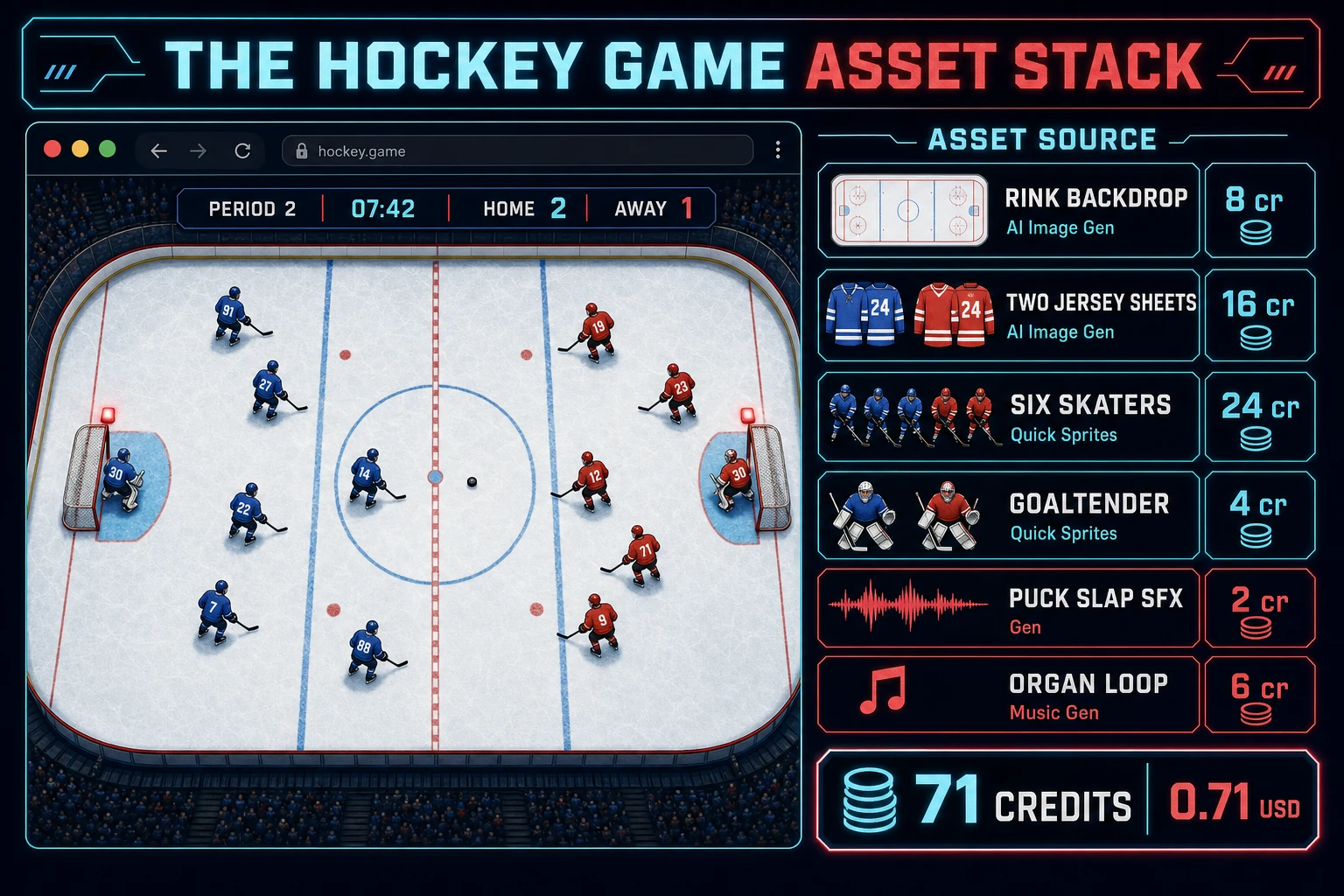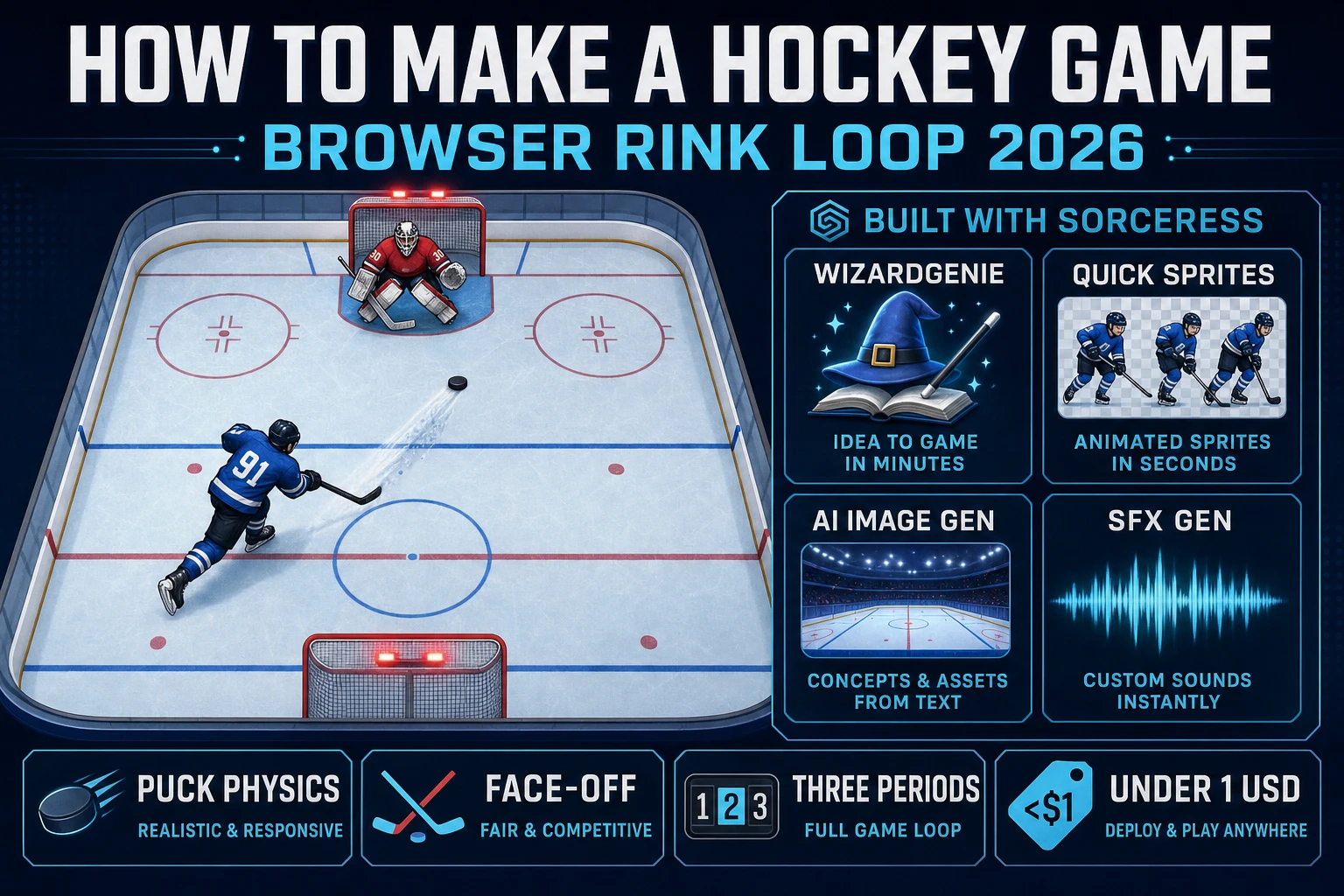
Most beginners who search "how to make a hockey game" want the honest arena feel - a top-down rink with two blue lines and a red center line, a puck that skitters after a hard pass, two teams in colored jerseys chasing it, a face-off dot at center ice where the puck drops to start each period, a goaltender who slides across the crease to block wrist shots, and a scoreboard that flips to HOME 1 AWAY 0 when the puck crosses the goal line - not an NHL-licensed simulation with real-player skating physics on day one. Live hockey games at commercial scale are famously demanding because a single project juggles ice-friction physics, six-on-six team AI with line changes, offside and icing rulings, penalty kills and power plays, and a period clock that respects stoppages of play. A browser hockey game aimed at a portfolio piece or a jam is a different animal. A coding agent scaffolds the rink, the puck friction, the shot-and-save loop, and the period clock from a single prompt, and AI generation covers the ice sheet, the jerseys, the puck slaps, and the organ break between periods. On desktop or web, that means WizardGenie for the rink-loop interpreter, Quick Sprites for skater and goaltender sprites, AI Image Gen for the rink and jerseys, and SFX Gen for the puck slaps and skate carves. This guide is the honest end-to-end for how to make a hockey game in 2026, as a weekend build you can actually finish.
What how to make a hockey game actually means in 2026
The query "how to make a hockey game" hides three distinct intents. Some searchers want a broadcast breakdown of positional strategy - the neutral-zone trap, the 1-3-1 forecheck, the umbrella power play - which is a coaching article, not a browser build. A second intent is the broader sports-game category covered by siblings like how to make a soccer game and how to make a basketball game - useful, but each targets a different playing surface, camera, and physics profile. The intent this article targets is the third: a browser hockey game that boots into a single-page HTML shell with a top-down white ice sheet, two blue lines and a red center line, five skaters plus a goaltender per team in home and away jerseys, honest puck friction so a hard pass carries but a soft pass settles, a face-off at center ice to start each period, WASD or gamepad control of one skater at a time with the puck auto-following whoever last touched it, wrist and slap shots that arc the puck toward the net with a POWER meter, a goaltender AI that slides across the crease to intercept, a three-period 20-minute-each game clock (compressed to two-minute periods for playtesting), and a scoreboard that persists between periods. That is a weekend build, it demos the Sorceress toolset honestly, and it is the format most hockey game tutorial and javascript hockey searchers actually want.
The presentation contract is small and strict. A white ice sheet fills most of the viewport, with dasher boards outlining the perimeter, two blue lines dividing the rink into three zones, a red center line with a faceoff dot in the middle, four additional faceoff circles in the two end zones, and two goals with red goal lights above each net. Six skaters per team are rendered as short sprites with team-colored jerseys and numbers on the back. The puck is a small black oval whose current possessor gets a subtle stick-highlight glow. A HUD at the top-left reads "PERIOD 1 - 20:00 - HOME 0 AWAY 0" and updates with the period clock. A shot POWER meter appears at the bottom when the shoot key is held and grows over 800 ms - a hard slap shot needs the full meter, a wrist shot fires at half. The ice hockey overview on Wikipedia (verified 2026-08-31) is the canonical reference for the six-per-side team structure, the three 20-minute periods, and the blue-line-based offside rule - cite that page in your itch.io blurb so players know you shipped a hockey rink loop, not an air-hockey table.
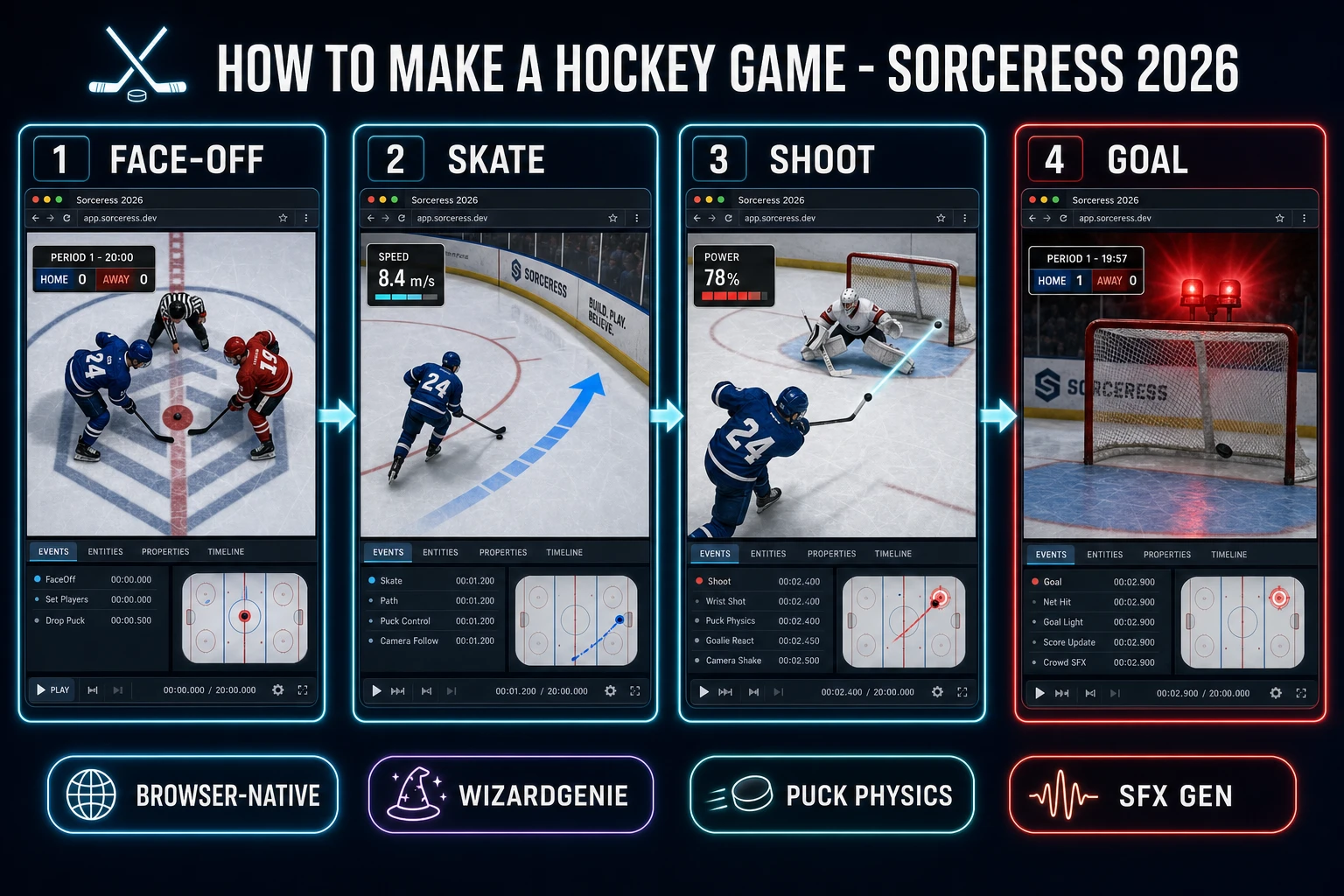
The hockey rink loop in one minute (face-off, skate, shoot, goal)
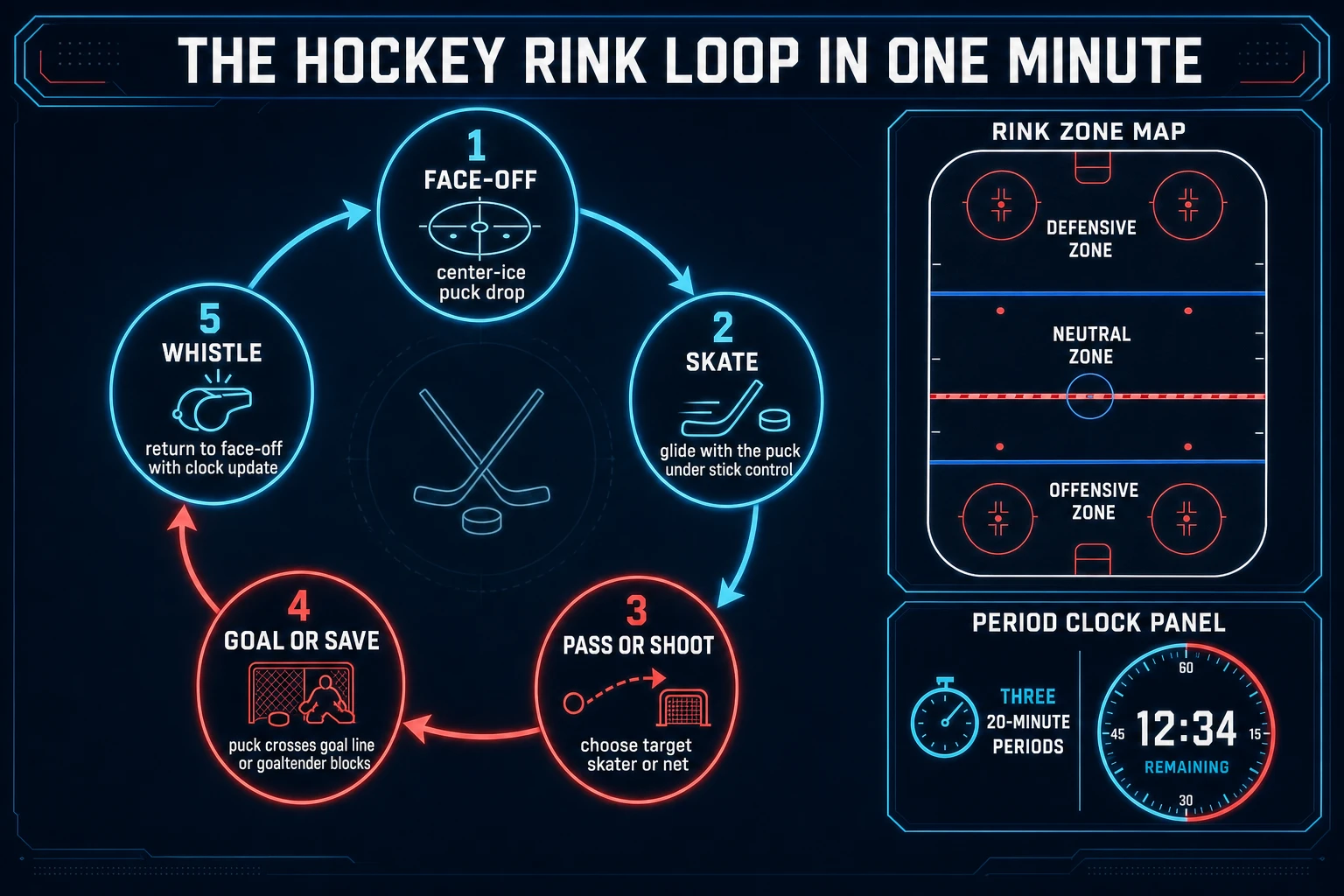
Five moving parts, cycled every stoppage. First, face-off - the puck drops on a faceoff dot (center ice at the start of each period, or the closest end-zone dot after a stoppage), and one skater from each team is positioned across from the other with their sticks angled to win possession. Second, skate - the possessing team moves the puck through the three zones (defensive, neutral, offensive) with the puck auto-following whichever skater is closest and last-touched, WASD or gamepad-left-stick steering the active skater, and shift or right-stick to sprint. Third, pass or shoot - a pass sends the puck along a straight line to the nearest teammate on the far side of the click direction; a shoot fires the puck toward the goal at the current POWER-meter strength. Fourth, goal or save - if the puck crosses the goal line inside the net posts, the red goal light pulses, the horn sounds, the scoreboard flips, and play stops; if the goaltender intercepts the puck, it either bounces (rebound) or is smothered (whistle). Fifth, whistle - the referee whistles, the period clock updates, and the next face-off drops. That five-step cycle, wrapped by a three-period clock and scoreboard between whistles, is the whole html5 hockey loop - everything else (offside, icing, penalties, line changes, empty-net situations) is polish on top.
Pick your engine for how to make a hockey game: Canvas, Phaser, or WizardGenie
Three good targets in 2026, each with a different trade-off. Plain HTML Canvas 2D is the honest default and the pick this guide recommends for a first build. Hockey is light on graphics - the rink is a flat plane with painted lines, the sprites are small top-down skaters and one puck, and the biggest render load is the static rink backdrop that draws once per period. The MDN Canvas API reference (verified 2026-08-31) covers the drawImage sprite-atlas pattern that lets you pack all six skater orientations plus the goaltender into a single texture and stamp any player at any position with one blit. Cache the rink backdrop to an offscreen canvas once at boot, redraw only the moving skaters, goaltender, and puck each frame, and the whole browser hockey game holds a stable 60 fps in any modern browser without any WebGL overhead.
Separate the physics tick from the render frame using a fixed-timestep loop driven by MDN requestAnimationFrame (verified 2026-08-31). A 60 Hz physics tick keeps puck friction and skater acceleration deterministic across a range of monitor refresh rates - a puck that decays velocity by 0.995 per tick behaves identically on a 60 Hz laptop and a 144 Hz monitor because the tick count is the same. Without the fixed timestep, a 144 Hz display would decay puck velocity 2.4x faster, and any hard pass would die inside the neutral zone. This is the same discipline the sibling how to make a soccer game guide uses for its ball dribble loop - hockey just swaps the low-friction ice surface for the higher-friction grass field.
Phaser v4.2.1 "Giedi" (released 9 July 2026, verified 2026-08-31 on the official Phaser stable download page) becomes the right pick when a browser hockey game wants Phaser's Arcade Physics for the puck-and-skater collisions, its input plugins for a clean gamepad hookup via the MDN Gamepad API (verified 2026-08-31), and its Scene system for the lobby, game, and end-of-game screens. Phaser saves an hour on the physics wiring but adds a small learning curve; for a pure vanilla-JavaScript learning build, plain Canvas with a hand-rolled fixed-timestep loop is more instructive.
WizardGenie is not a separate hockey engine - it scaffolds whichever of the two you pick from a single natural-language prompt. WizardGenie ships as both a desktop app (Windows installer with auto-update, available to Early Access supporters and above) and a no-install web build. Its coding-model lineup covers Claude Opus 4.7, Claude Sonnet 4.6, GPT-5.5, Gemini 3.1 Pro, DeepSeek V4 Pro, Kimi K2.5, Grok 4.2, and MiniMax M2.7 (verified 2026-08-31 in src/app/_home-v2/_data/tools.ts lines 767-772). For a first hockey rink loop, any frontier model scaffolds the face-off-skate-shoot-goal state machine in one prompt. Pair a frontier planner with a budget executor like DeepSeek V4 Pro or Kimi K2.5 for the typing pass - the dual-agent pattern lands most projects at roughly one-fifth the single-frontier cost.
Step 1 - model rink, skaters, puck physics, and shot mechanics
Nothing else in the pipeline matters if the puck does not slide honestly and the skaters do not glide. Start with a small, testable model:
const RINK = { w: 1600, h: 800, blueLineOffset: 500, goalLineOffset: 80 };
const TICK_HZ = 60;
const PUCK_FRICTION = 0.995;
const SKATE_ACCEL = 0.35;
const SKATE_FRICTION = 0.97;
const MAX_SKATE_SPEED = 8.4;

const state = {
  clock: 20 * 60,
  period: 1,
  score: { home: 0, away: 0 },
  puck: { x: 800, y: 400, vx: 0, vy: 0, holder: null },
  skaters: [],
  goalies: [],
};

function makeTeam(color, offsetX) {
  return Array.from({ length: 5 }, (_, i) => ({
    id: color + i,
    color,
    x: offsetX,
    y: 200 + i * 100,
    vx: 0,
    vy: 0,
  }));
}

state.skaters = [...makeTeam("home", 400), ...makeTeam("away", 1200)];
state.goalies = [
  { color: "home", x: RINK.goalLineOffset + 40, y: 400 },
  { color: "away", x: RINK.w - RINK.goalLineOffset - 40, y: 400 },
];

function tick(input) {
  const active = state.skaters.find((s) => s.id === input.activeId);
  active.vx += input.dx * SKATE_ACCEL;
  active.vy += input.dy * SKATE_ACCEL;
  const speed = Math.hypot(active.vx, active.vy);
  if (speed > MAX_SKATE_SPEED) {
    active.vx *= MAX_SKATE_SPEED / speed;
    active.vy *= MAX_SKATE_SPEED / speed;
  }
  for (const s of state.skaters) {
    s.x += s.vx; s.y += s.vy;
    s.vx *= SKATE_FRICTION; s.vy *= SKATE_FRICTION;
  }
  state.puck.x += state.puck.vx;
  state.puck.y += state.puck.vy;
  state.puck.vx *= PUCK_FRICTION;
  state.puck.vy *= PUCK_FRICTION;
  clampToRink(state.puck);
  updatePuckPossession();
}
Three constants earn their weight above. The PUCK_FRICTION of 0.995 per tick at 60 Hz is the number that decides whether the puck reads as an ice puck or a grass ball - decrease it to 0.99 and the puck stops mid-neutral-zone on every pass; increase it to 0.999 and it never settles anywhere. The SKATE_ACCEL and SKATE_FRICTION pair produces the honest glide feel where a skater takes a quarter-second to reach top speed and half a second to coast to a stop after releasing the movement key. The MAX_SKATE_SPEED of 8.4 units per tick approximates a real skater's roughly 10 meter-per-second top speed when the rink is scaled to 60 meters long by 30 meters wide.
The shot mechanic is the second must-get-right component. When the shoot key is held, start a POWER timer that ramps from zero to one over 800 ms; when released, fire the puck at the current power along the current stick angle with initial velocity power * 20 units per tick. Add a small aim assist (roughly 5 degrees of magnetism toward the net when the shot direction is within a 15-degree cone of the goal mouth) so a straight-on shot from the slot goes where the player intends without demanding pixel-perfect aim. Randomize starting player positions using a Fisher-Yates shuffle (verified 2026-08-31) on line assignments so each face-off pairs a different combination of skaters, which reads as a real line change without a full substitution system.