Cue How to Make Music for a Game (Loop Bed 2026)

By Arron R.7 min read
How to make music for a game is a loop-bed job: one instrumental bed in Music Gen (Suno V6 / Mini / Wild at 10 credits), hits in SFX Gen, then cue with HTMLMedi

People who type how to make music for a game are not booking a recording booth. They need one looping bed that can sit under a room for ten minutes, plus a cue that starts when the player presses Start — not when the tab loads. This guide builds that bed on Sorceress with Music Gen, keeps hits in SFX Gen, and wires the loop so the first gesture owns playback.
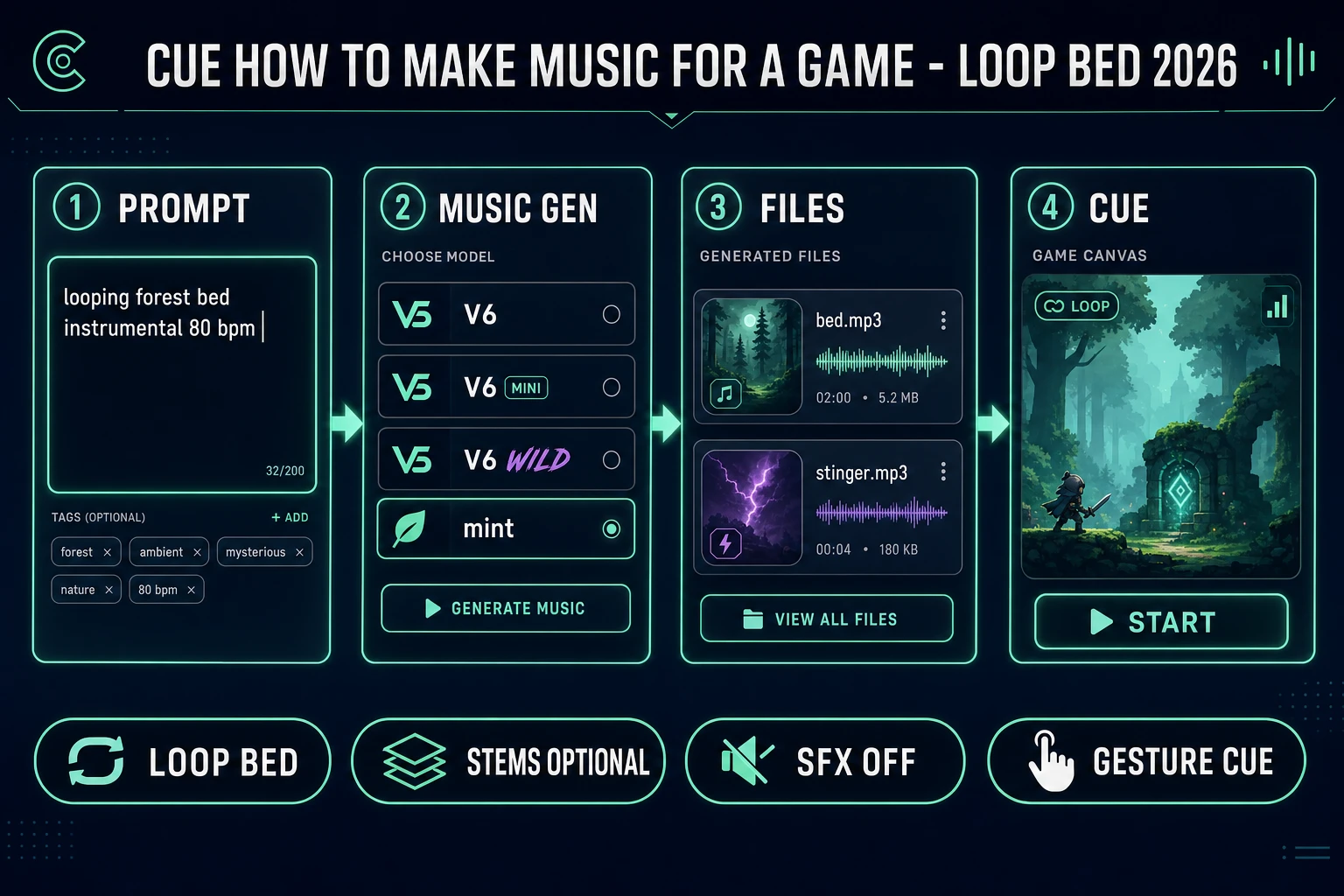
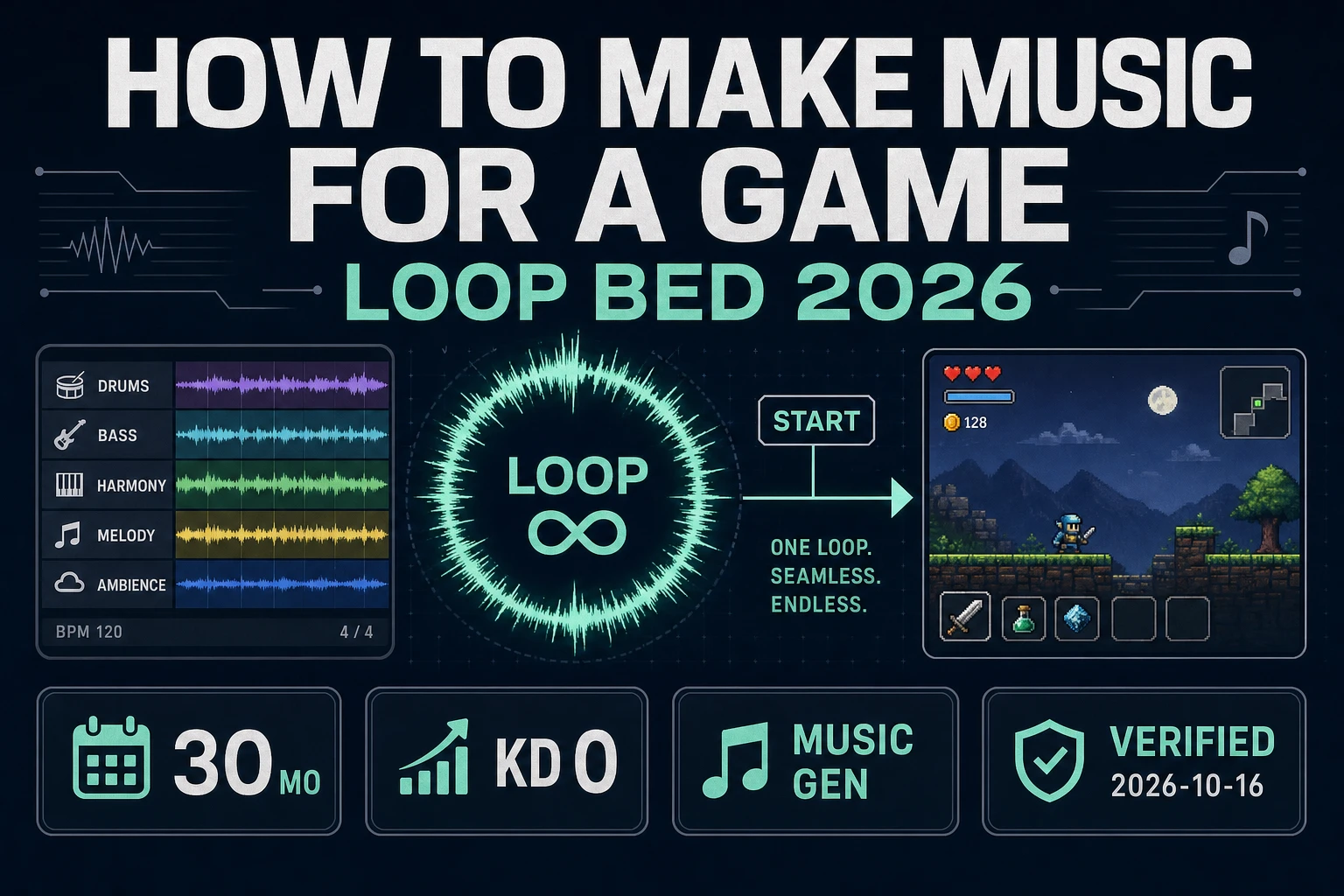
How to make music for a game pipeline: prompt, Music Gen models, named files, engine loop cue
How to make music for a game in four beats: prompt a bed, generate it, name the files, cue with loop on from Start.

What how to make music for a game searchers actually want

DataForSEO lists how to make music for a game at 30 searches a month, KD 0 (confirmed 2026-10-16 in tools/research-supplement.md). Sibling phrases nearby include how to make game music and the longer how to make music for a video game. The short-tail shape still points at the same deliverable: audio files a loader can trust, not a playlist essay.

Wikipedia’s Video game music article (checked 2026-10-16) defines VGM as the soundtrack that accompanies video games — title screens, menus, and gameplay — and notes that scores can change with the player’s situation. Early continuous beds were already loop-shaped. Space Invaders (1978) used four descending chromatic bass notes that sped up as enemies descended; Rally-X (1980) is cited as an early continuous melodic background tune. That history is the jam job description: short material that can repeat without a chorus drop at bar 32.

When you how to make music for a game for the first time, treat the query as a file plan:

  1. One instrumental bed, roughly 30–90 seconds, written to restart cleanly.
  2. One optional stinger, 2–6 seconds, for win, fail, door, or chest.
  3. SFX on separate clips — never baked under the melody.

A full track fights the room. Verse, chorus, and ending train the ear to expect arrival. A loop bed is a texture: one harmony pocket, restrained percussion, no sung narrator. Ship the bed before you chase adaptive danger layers.
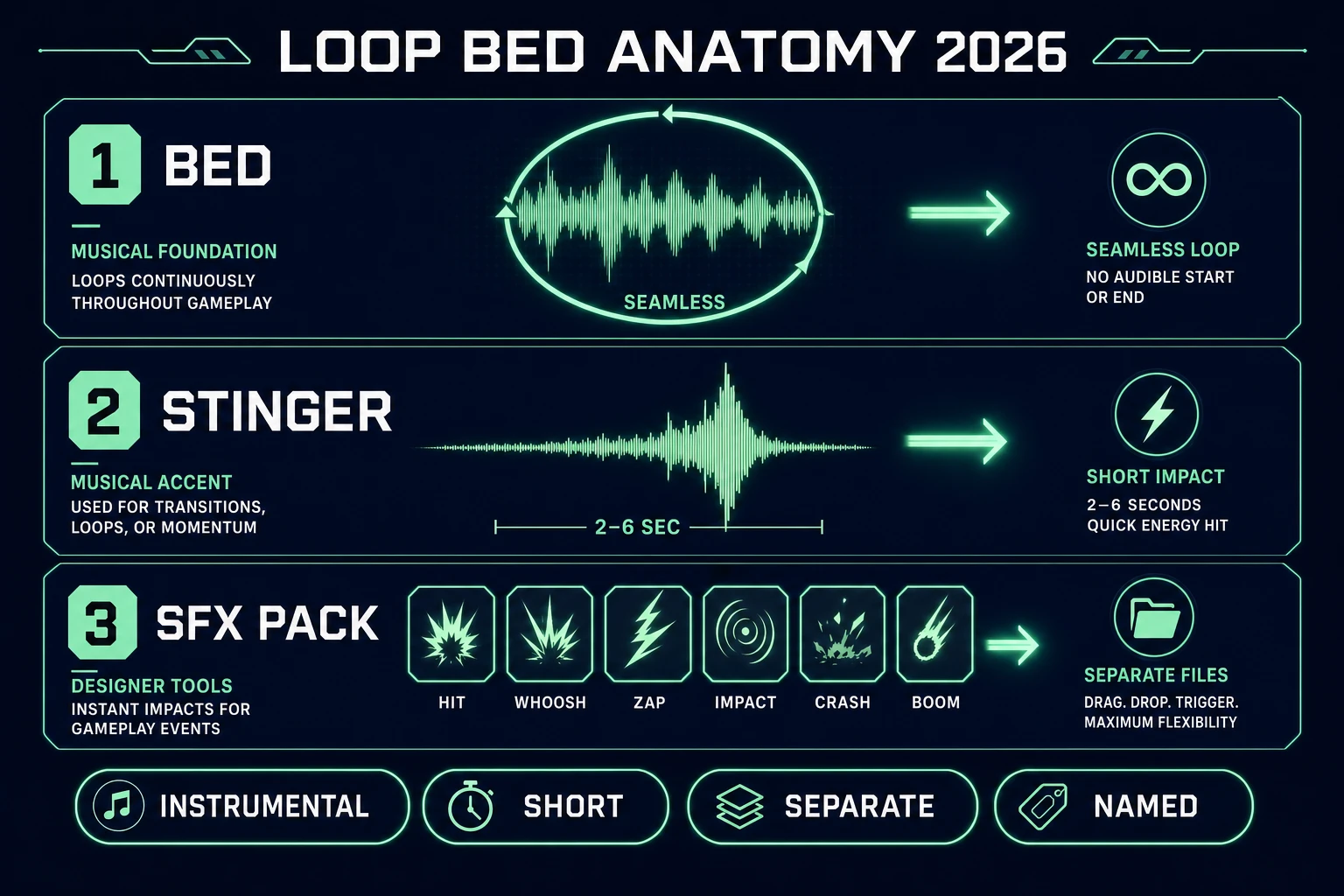
Loop bed anatomy for how to make music for a game: bed, stinger, separate SFX pack
Loop bed anatomy: seamless instrumental bed, short stinger, SFX pack on its own bus.

Loop bed anatomy before you open a DAW

Skip the DAW until the roles are clear. How to make music for a game fails when every download is named track_final_v3.mp3 and the code looks for music.mp3.

Write three rules on a sticky note:

  • Bed — loops under explore or combat. Instrumental. No big chorus arrival.
  • Stinger — one-shot celebration or sting. Loop stays off.
  • Hits — jumps, UI, coins, impacts. Generated and mixed separately.

Loudness rule: leave headroom under the bed so a pickup chime does not clip the strings. Match peak across UI clicks. Never put a music bed under a hit clip — that is two jobs fighting for one bus.

Tempo and key family matter when you add a second bed later. Same dungeon at 72 bpm with denser drums is a better danger prompt than a brand-new epic orchestra in a new key. Konami’s Frogger is the historical picture of state-driven themes — many gameplay tracks plus start and game-over cues that follow player action (Wikipedia, checked 2026-10-16). You do not need eleven files. One bed and one stinger already talk back.

Music Gen: the Sorceress path for how to make music for a game

Music Gen is the Audio Studio tool that answers how to make music for a game on this site. The home catalog badges it AI Credits (verified 2026-10-16 in src/app/_home-v2/_data/tools.ts). Current Suno models on the left checklist (verified 2026-10-16 in src/app/music-gen/page.tsx):

  • V6 — richest detail (default).
  • V6 Mini — fastest iteration.
  • V6 Wild — experimental color.

Create costs 10 credits per selected model. Auto lyrics add 2. Advanced mode accepts a target length from 10–360 seconds (default suggestion 20s when enabled). Turn Instrumental on for level beds so the model does not sing over gameplay. One credit equals one cent (CREDITS_PER_DOLLAR = 100 in src/lib/models.ts, verified 2026-10-16).

A practical first how to make music for a game run:

  1. Open Music Gen. Leave V6 selected unless you are stress-testing Mini for speed.
  2. Enable Instrumental. Set Advanced length to 45–75 seconds for a hideable seam.
  3. Prompt the place, not a playlist: looping mossy dungeon bed, soft low strings, 72 bpm, sparse pulse, no vocals, no chorus drop.
  4. Generate. Each Create returns two variations — keep the quieter one under dialogue.
  5. Listen for the seam. If the restart clicks, Extend from a point inside the waveform, or trim ends before you set loop.

Do not paste a famous melody into the style box. Wikipedia notes video game music is original or licensed (checked 2026-10-16). A jam that “sounds like” a commercial theme is how a licensed contour ends up inside your loop without a deal.

Stem surgery is optional after the keeper lands:

  • Separate vocals — 8 credits — mute a surprise lyric without regenerating.
  • Full stem split — 42 credits — drums, bass, guitar, keys, and more for remix or ducking.
  • Advanced single-instrument — 17 credits — extract one named stem when you only need the bass quieter.
  • Replace Section — 5 credits — patch a bad bar without throwing away the rest of the loop.

Most how to make music for a game sessions end with a single instrumental mp3. Iterate on Create first; spend stem credits on the keeper. Duck percussion under NPC lines from Speech Gen only when the bed is already locked.
Mix with SFX: keep hits off the score

Early consoles often shared music channels with sound effects — a laser on the square wave would interrupt the tune (Wikipedia history, checked 2026-10-16). Modern browser games do not have that hardware excuse. Baking jumps and hits into the music file recreates the same failure: every jump restarts the bed, or the hit never fires because the score is locked.

Generate one-shots in SFX Gen. Seed Audio meters length (1 credit per second of finished audio, minimum 1). Suno Sounds V6 is a flat 2 credits per sound. Trim tails in SFX Editor or manage the library in Sound Studio. Name files the loader can trust:

  • bed_explore.mp3
  • stinger_win.mp3
  • sfx_jump.mp3

How to make music for a game fails quietly when code looks for music.mp3 and the folder has three anonymous downloads. Keep a sheet with columns: id, prompt, model, length, credits, filename. That sheet is how you know a 40-credit evening became two usable beds instead of twenty abandoned A/B folders.

Sibling deep-dive if you need the longer-tail video-game phrasing: Mix How to Make Music for a Video Game. This page stays on the short how to make music for a game query and the cue-first file plan.

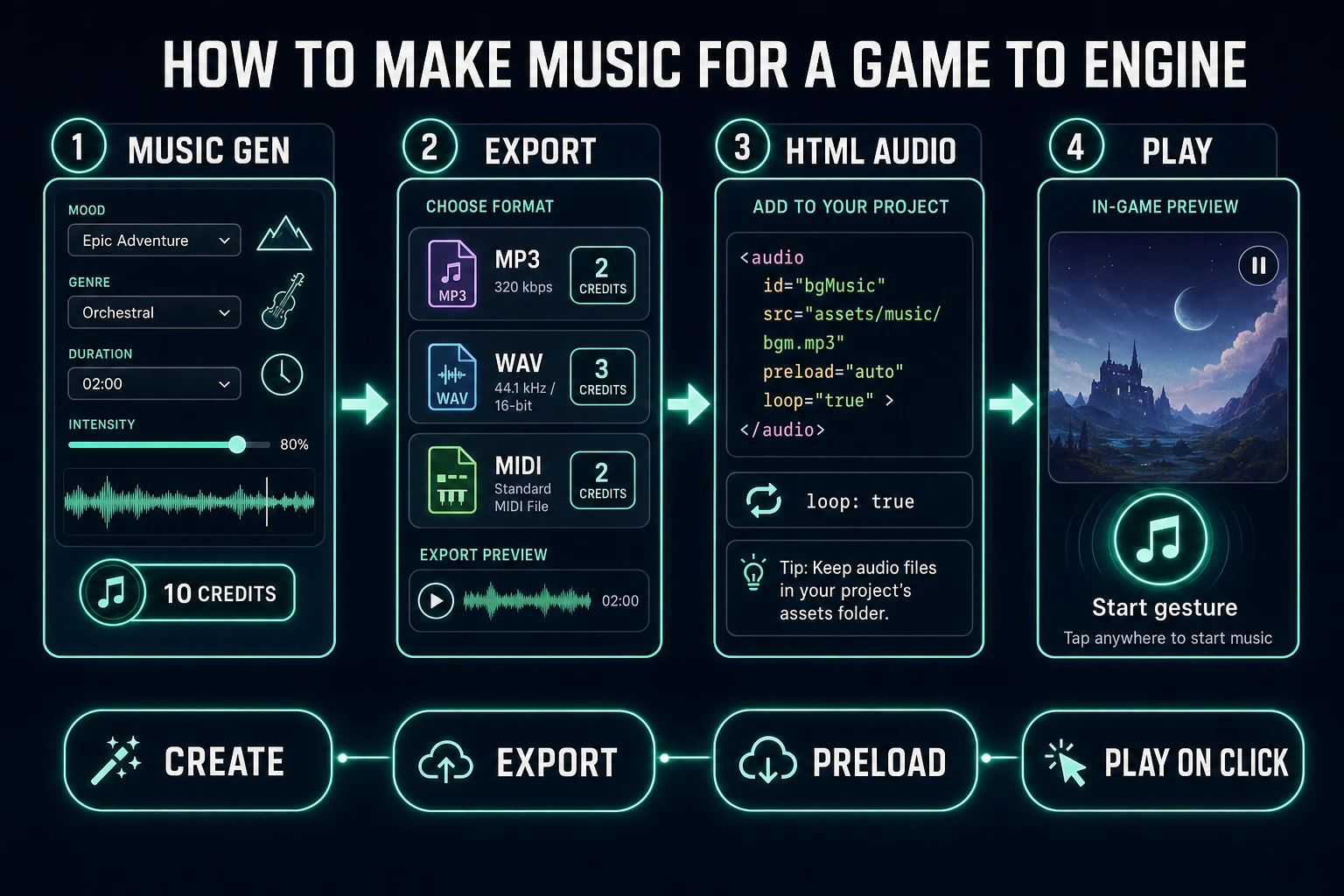
How to make music for a game export and cue: Music Gen, export costs, HTMLAudioElement loop, Start gesture
Export the bed, then cue with loop true from a user gesture — never on bare page load.

Engine cue: loop true from a real gesture

MDN’s HTMLMediaElement.loop property (checked 2026-10-16) reflects the loop attribute and restarts playback when the media ends. For a simple browser jam:

const bed = new Audio('/audio/music/bed_explore.mp3');
bed.loop = true;
bed.volume = 0.35;
// call bed.play() from a click / Start button — not on page load

Browsers block surprise autoplay. Start the bed from a user gesture such as Start, Continue, or the first jump. Preload during the loading screen so the first loop does not stall. MDN’s HTML audio element docs (checked 2026-10-16) cover the same loop attribute on the element itself if you prefer markup over the constructor.

When you need ducking, crossfades, or sample-accurate restart, step up to the Web Audio API (MDN overview checked 2026-10-16). Decode into an AudioBuffer, set AudioBufferSourceNode.loop = true, and route through a GainNode so combat can lower the bed without stopping it. That modular graph is how you how to make music for a game that reacts without restarting the whole score on every state change.

Stingers stay one-shots: new Audio(url).play() on the event, or a short buffer source with loop off. Never set loop true on a win sting — it will celebrate forever.

Optional WAV export costs 2 credits when you need a cleaner master. MIDI export is 15 credits when you want note data for a tracker or live rearrange — useful, not required for a first browser loop. Folder by role:

  • /audio/music/bed_explore.mp3
  • /audio/music/stinger_clear.mp3
  • /audio/sfx/ for hits from SFX Gen

Credit the tool on the about screen the same way most jams credit AI art. Do not claim the bed came from a public-domain library if it came from Music Gen.

Credits: worked examples for 2026

Constants verified 2026-10-16 in src/app/music-gen/page.tsx:

  • One Create on V6 = 10 credits ≈ $0.10 (two variations).
  • Auto lyrics = +2 credits when you need sung title themes.
  • WAV = 2, MIDI = 15, vocal stems = 8, full stems = 42, Advanced instrument = 17, Replace Section = 5.
  • A careful how to make music for a game night: two Creates + one WAV ≈ 22 credits before stems.

If budget is tight, lock the prompt on V6 Mini for drafts, then spend one V6 Create on the final bed. Do not multi-select three models on every experiment — costs multiply by selected model count.

Verdict: how to make music for a game in one session

How to make music for a game is a loop problem, then a file problem, then a cue problem. Write an instrumental bed that can repeat. Keep SFX and stingers on their own clips. Export with names the loader trusts. Set loop = true and start from a gesture.

Sorceress Music Gen fills the bed with Suno V6, V6 Mini, or V6 Wild. SFX Gen fills the hits. Sound Studio keeps the library in one place when you want music, voice, and effects together. If you are scaffolding the playable loop itself, WizardGenie Dual-agent can own the Phaser wiring while you stay on the audio bus. Ship the explore bed first — adaptive danger layers can wait until the room already feels directed.

Frequently Asked Questions

What does how to make music for a game mean versus a full soundtrack?

How to make music for a game usually means one looping instrumental bed for a scene, not a three-minute single with a fade-out. DataForSEO lists how to make music for a game at 30/mo, KD 0 (verified 2026-10-16 in tools/research-supplement.md). Ship the bed first; adaptive danger layers can wait.

Which Sorceress tool answers how to make music for a game?

Music Gen at /music-gen. It runs Suno V6 (richest detail, default), V6 Mini (fastest), and V6 Wild (experimental). Create costs 10 credits per selected model; Instrumental mode keeps lyrics off the level bed. Constants verified 2026-10-16 in src/app/music-gen/page.tsx. Badge is AI Credits on the home catalog.

How do I loop the bed after I how to make music for a game files?

MDN’s HTMLMediaElement.loop property (checked 2026-10-16) reflects the loop attribute and restarts playback when the media ends. Set bed.loop = true and call play() from a Start click — browsers block surprise autoplay. For ducking and sample-accurate seams, decode with the Web Audio API and set AudioBufferSourceNode.loop.

Should SFX live inside the music file?

No. Keep hits on separate clips from SFX Gen (Seed Audio meters length; Suno Sounds V6 is flat 2 credits). Baking jumps into the score recreates the old console failure where a laser stole the music channel. Wikipedia’s video game music history (checked 2026-10-16) notes early hardware shared channels — modern browser games do not need that compromise.

How many credits for a first how to make music for a game session?

One Create on V6 is 10 credits (two variations). WAV export is 2, MIDI 15, vocal stem split 8, full stem split 42, Advanced single-instrument 17, Replace Section 5, auto lyrics +2. A careful night is often two Creates plus one WAV ≈ 22 credits before stems. One credit equals one cent (CREDITS_PER_DOLLAR = 100).

Sources

  1. Video game music — Wikipedia
  2. HTMLMediaElement.loop — MDN Web Docs
  3. Web Audio API — MDN Web Docs
  4. HTML audio element — MDN Web Docs
Written by Arron R.·1,676 words·7 min read

Related posts