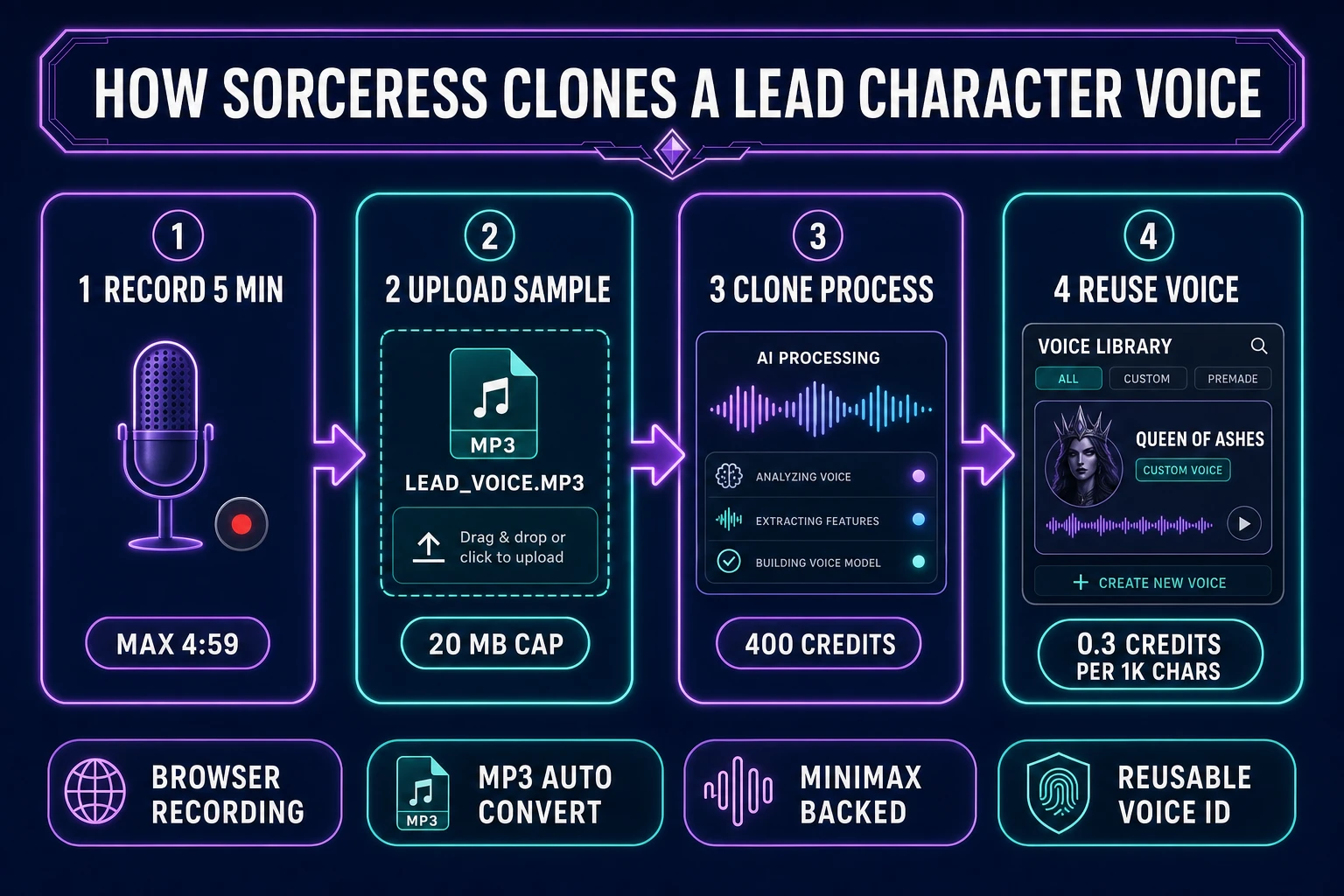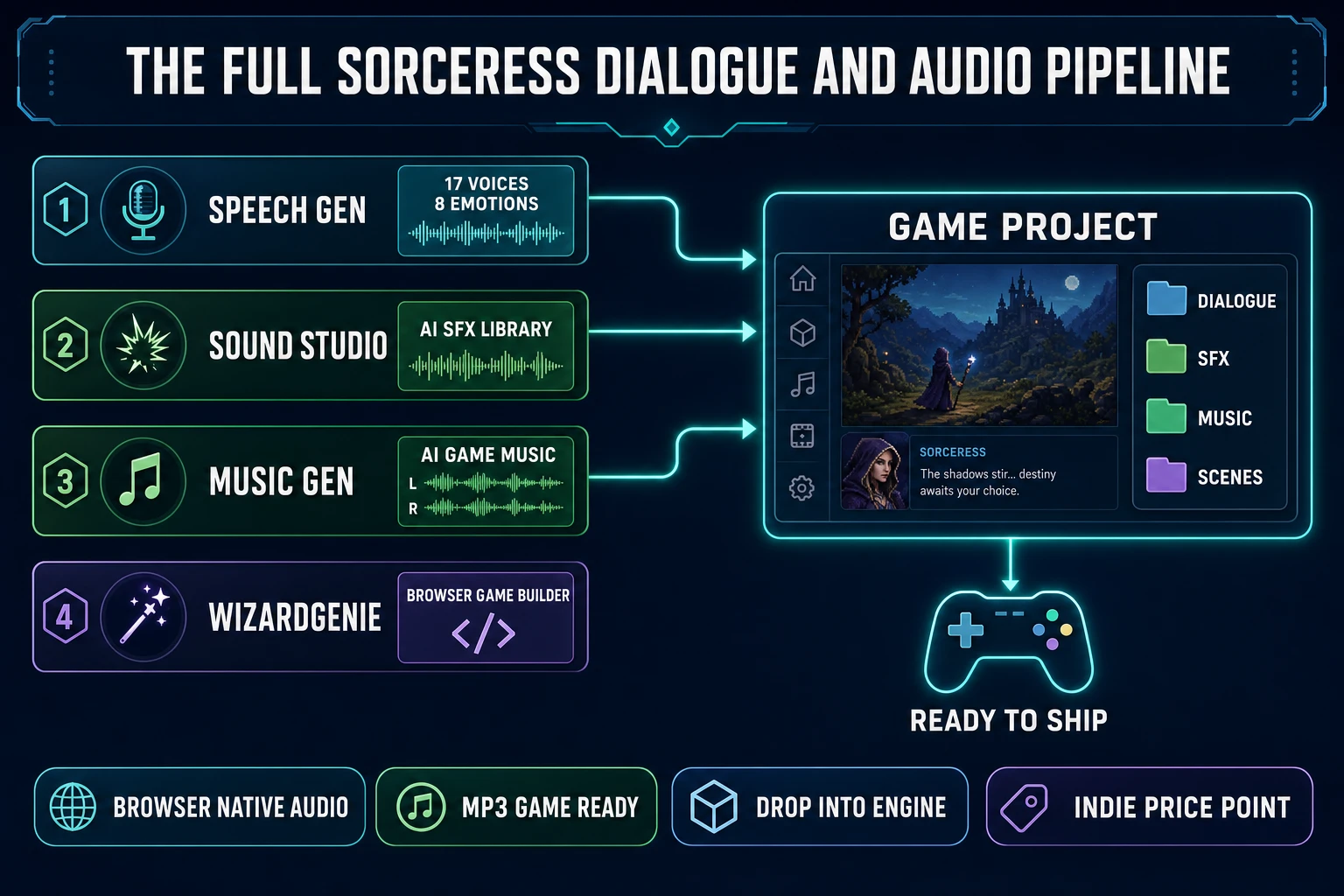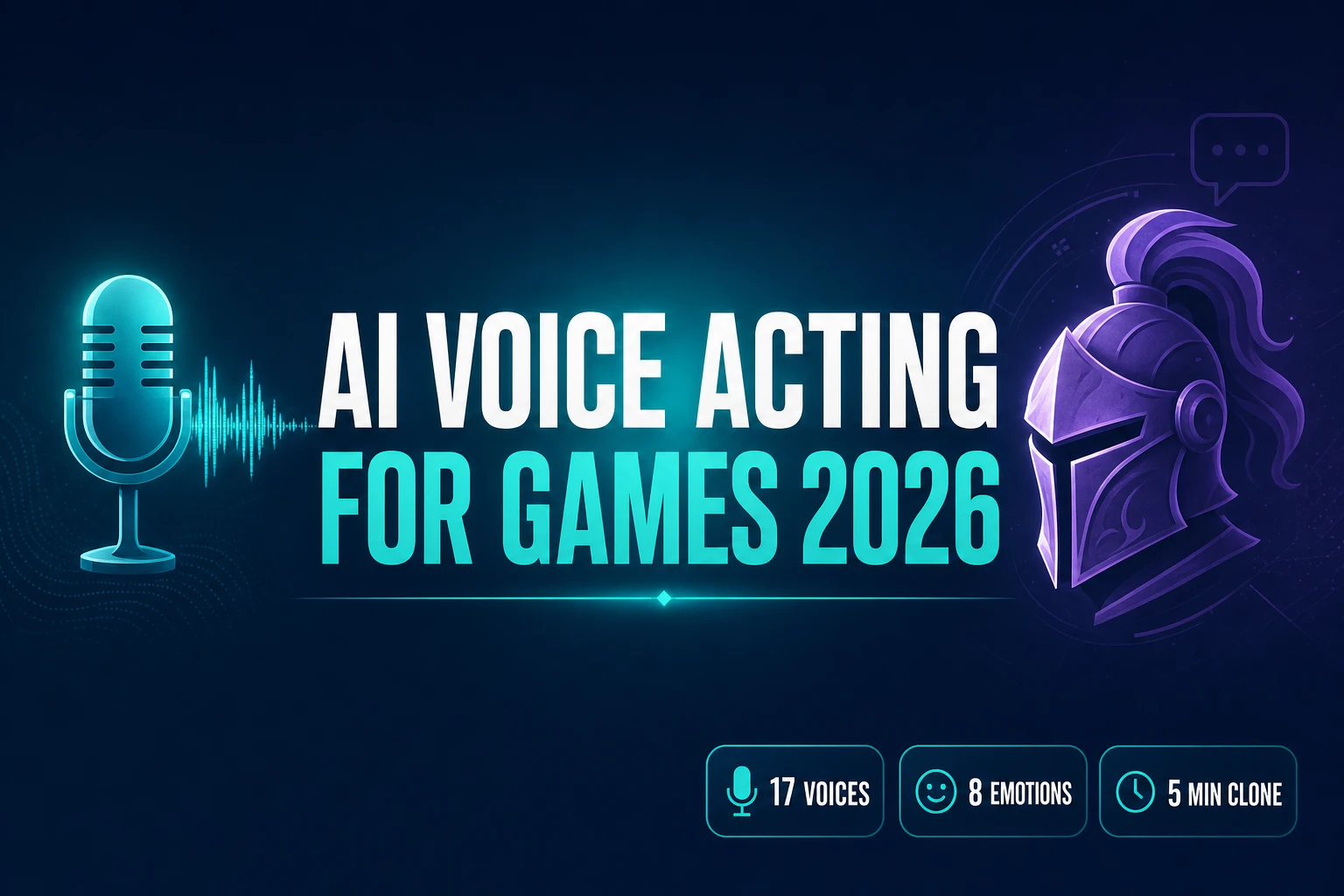
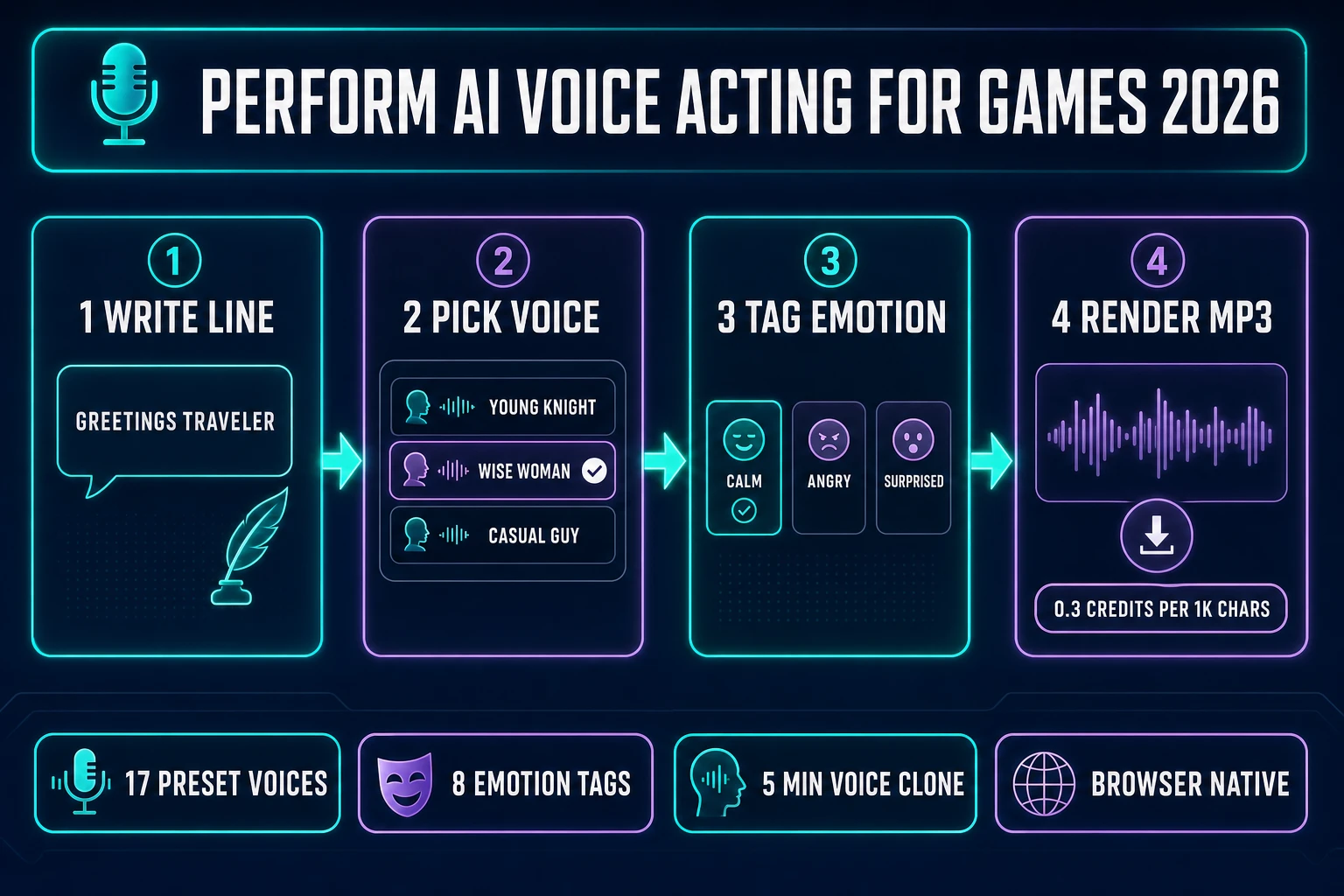
Search intent for ai voice acting for games in 2026 is dominated by one question: can indie game devs actually voice-cast a full NPC lineup with AI, end to end, without renting a studio or hiring a cast? The honest 2026 answer is yes — and the workflow that makes it yes runs in a browser tab. Sorceress Speech Gen ships 17 preset voices, 8 emotion tags, and 5-minute voice cloning against a MiniMax Speech-02 HD backing model, all at 0.3 credits per 1,000 characters on the Turbo tier and 0.5 credits per 1,000 characters on HD. A 5,000-character NPC role costs 2 to 3 credits (about $0.02 to $0.03 at the Starter tier). A custom voice clone for a lead character costs a flat 400 credits (about $4). The rest of this article walks the honest 2026 workflow, from a written line of dialogue to an MP3 that drops straight into a game project, and covers what AI voice acting still cannot do so the reader knows where to stop. Every fact below is verified against either the live Sorceress source or a neutral technical reference on July 1, 2026.
What “ai voice acting for games” actually means for indie devs in 2026
The phrase ai voice acting for games collapses three things that used to be separate crafts: text-to-speech, voice cloning, and directed performance. Text-to-speech reads written words in a chosen voice. Voice cloning creates a new voice from a short audio sample of a real person, so the same character can speak lines the original voice actor never recorded. Directed performance is the emotional layer — a line delivered as angry, resigned, or fearful reads very differently on the same text with the same voice. In 2026, all three land in one browser tab.
The historical alternative is worth naming clearly. Voice acting for games has traditionally meant: write dialogue, hire voice actors, book a recording studio, direct sessions in person, edit takes for noise and pacing, name every clip to match the game engine’s expected file paths, and re-record whenever the writing changes. For AAA productions this remains the correct workflow — a lead character with hundreds of hours of dialogue benefits from a real performer per the Voice acting Wikipedia entry. For indie casts, the arithmetic inverts. A 15-NPC indie game with 40 short lines per NPC is 600 total lines — a scale problem that AI now handles for a few dollars total.
The 2026 read for an indie writing an NPC cast is: use preset voices for background NPCs (guards, shopkeepers, quest-givers with three lines each), use custom clones for the three or four lead characters players will hear the most, tag every line with the emotion the scene needs, render each line as an MP3, and drop the MP3s into the game project. The whole cycle takes minutes per line, not hours.
Why the 2026 stack — TTS + voice cloning + emotion tags — is finally shippable
The three-layer stack has existed in pieces for years. What changed in 2025 and 2026 is quality convergence: TTS output stopped sounding synthetic on typical NPC dialogue, voice clones stopped needing 30-minute sample libraries and now work from a 5-minute clip, and emotion conditioning stopped being a marketing checkbox and started producing measurably different renders on the same text.
On the TTS layer, modern neural speech-synthesis models (MiniMax Speech-02 HD is the specific model Sorceress Speech Gen ships as its backing engine; comparable models in the field include the ElevenLabs Turbo lineage and the Play HT 2.0 lineage) produce delivery that reads as natural on lines under about 20 seconds. Speech synthesis as a field has moved from concatenative (splicing pre-recorded phonemes) through parametric (statistical models of the vocal tract) to neural (deep learning end-to-end from text to waveform) per the Speech synthesis Wikipedia entry. The neural layer is what made 2026 quality possible; the concatenative and parametric predecessors were fine for phone-tree voice prompts but never convincing for game dialogue.
On the voice-cloning layer, sample requirements have collapsed. In 2023 most cloning services asked for 30 minutes of clean recorded material. By 2025, 5 minutes was standard. In 2026 the Speech Gen cloning flow enforces a 4:59 hard cap on the sample duration (per MAX_CLONE_DURATION = 299 seconds in src/app/speech-gen/page.tsx verified July 1, 2026) and a 20 MB file-size cap, and produces a reusable voice ID that can render unlimited future lines. Voice cloning as a technique — capturing a person’s vocal identity from a small sample and re-synthesizing new speech in that identity — is documented in the Voice cloning Wikipedia entry along with its ethical and consent considerations, which matter for game dev (clone your own voice, or a voice actor who has explicitly consented in writing to the clone).
On the emotion-tag layer, per-generation conditioning inputs (rather than in-transcript SSML markup) let the same written line render with dramatically different pacing and pitch contour depending on the tag. The Speech Gen emotion set is Neutral, Happy, Calm, Sad, Angry, Fearful, Disgusted, and Surprised — 8 options that cover the emotional spectrum most game dialogue actually uses. The tag applies to the whole generation, so lines that shift feeling mid-passage need to be split (which is fine — game dialogue systems already index individual lines by ID).
How Sorceress Speech Gen handles ai voice acting for games in the browser
Speech Gen at /speech-gen is the Sorceress module purpose-built for this workflow. The interface is a three-panel layout: a left sidebar with the voice library (17 preset voices plus any custom clones the user has created), a center panel with the script editor and generation history, and a right panel with model selection (HD or Turbo) and emotion tags. Sign-in is required — credits are debited from the account balance per generation.
The pricing is explicit and unified. Text-to-speech runs at 0.5 credits per 1,000 characters on the HD tier and 0.3 credits per 1,000 characters on the Turbo tier, with a 1-credit floor per generation (verified against CREDITS_PER_1K_HD = 0.5, CREDITS_PER_1K_TURBO = 0.3, and MIN_TTS_CREDITS = 1 in src/app/speech-gen/page.tsx lines 28-30 on July 1, 2026). Voice cloning costs a flat 400 credits per clone regardless of tier. Credits themselves come from the Sorceress plans page: $10 buys 1,000 credits at the Starter tier, $20 buys 2,000 at Creator, $50 buys 5,000 at Plus, and $100 buys 10,000 at Studio (verified against CREDIT_TIERS lines 49-54 of src/app/plans/page.tsx on July 1, 2026). The $49 lifetime supporter price unlocks the whole studio.
The 17 preset voices are named for the persona they perform, which makes casting quicker than picking through anonymous voice IDs. On the male side: Deep Voice Man, Casual Guy, Patient Man, Young Knight, Determined Man, Decent Boy, Imposing Manner, Elegant Man, and Friendly Person. On the female side: Wise Woman, Calm Woman, Inspirational Girl, Lively Girl, Lovely Girl, Abbess, Sweet Girl, and Exuberant Girl. Every preset renders in every emotion tag, and every preset works with the same 10K-character-per-generation cap that Turbo and HD both respect.
Building an NPC voice cast: prompt to voiced MP3 in under two minutes
The end-to-end flow for a single NPC line looks like this. Open Speech Gen. Pick a preset voice from the left sidebar that fits the character (Young Knight for a young human male paladin, Wise Woman for an older elven queen, Casual Guy for a shopkeeper). Paste the line into the center-panel script editor. Pick the emotion tag on the right panel that matches the scene beat. Pick HD or Turbo — HD reads noticeably better on lines longer than a full sentence, Turbo is fine for quick barks and background chatter. Click Generate.
The generation runs asynchronously and lands in the generation history below the script editor with a Play button and a Download button. The download produces an MP3 encoded at 128 kbps (via the browser-native lamejs encoder per the Mp3Encoder import at line 25 of the source, verified July 1, 2026). MP3 is universally supported by game engines and by the Web Audio API, so the file drops directly into any project’s audio folder without transcoding per the MP3 Wikipedia entry.
For a full NPC cast, the practical rhythm is to build a spreadsheet with columns for line ID, character name, preset voice or clone ID, emotion tag, and script text, then generate each line in Speech Gen and save the MP3 with a filename that matches the line ID (npc_blacksmith_greet_01.mp3, npc_queen_reject_02.mp3). Speech Gen’s generation history persists across sessions, so a partial cast can be resumed the next day. A 600-line indie cast typically renders in a single afternoon.