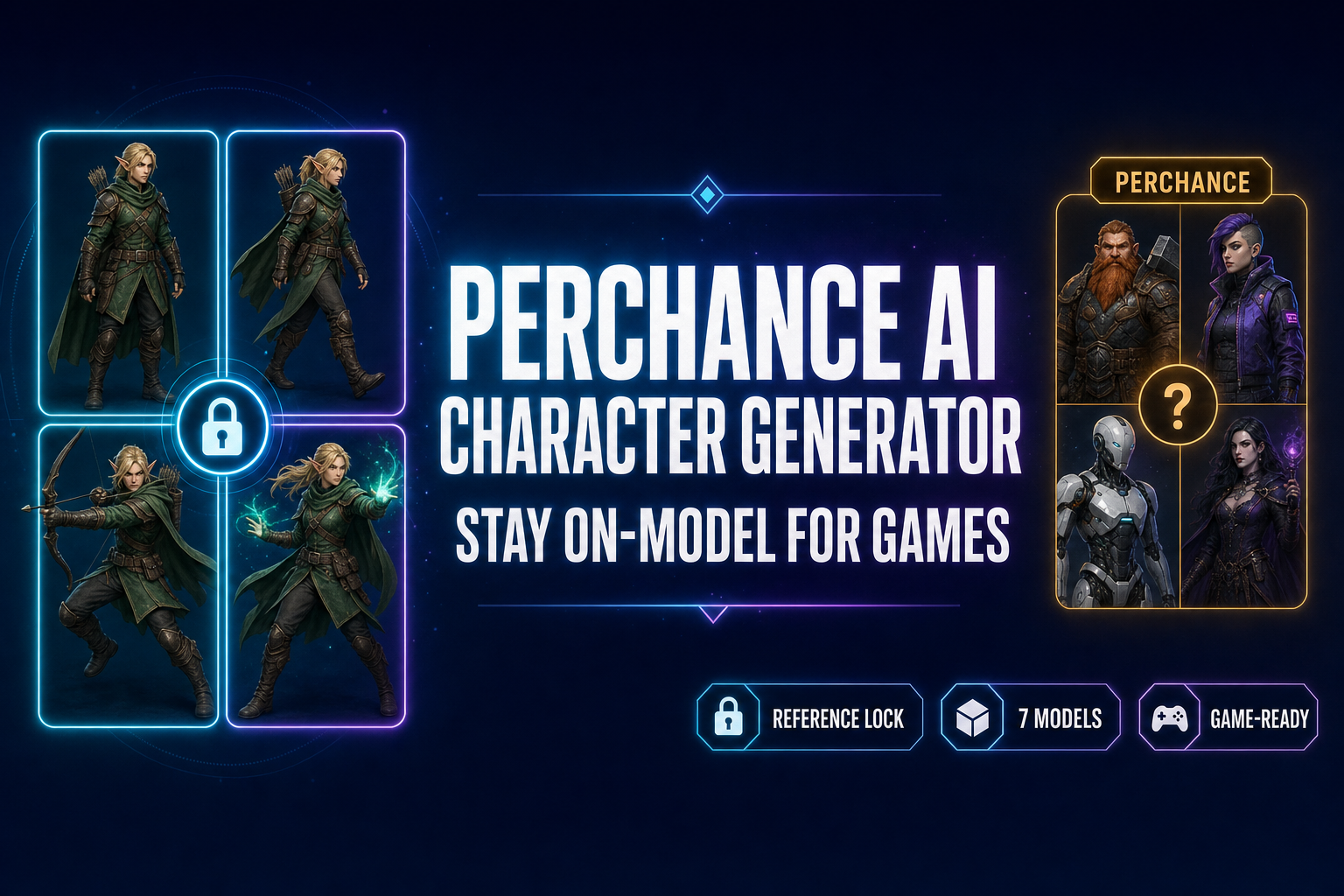
Perchance AI Character Generator (Stay On-Model for Games)

By Arron R.11 min read
The Perchance AI character generator is a free, no-login Stable Diffusion tool — great for one-shot brainstorming but it can't stay on-model across poses. The r

The Perchance AI character generator sits at the friendly end of the AI tooling spectrum: free, no login, no watermark, no daily cap, and a community-built library of character generators that runs entirely inside your browser tab. For a one-shot D&D character portrait or a brainstorming session that needs ten random side characters by lunch, it is genuinely one of the best free tools on the open web. For a game that needs the same hero in eight different poses, it falls short for one specific reason — it has no reference-image input, so it cannot stay on-model across iterations. Below is what the Perchance AI character generator actually does in 2026, where it shines, where it stops, and the reference-locked alternative inside Sorceress AI Image Gen that bridges straight into a sprite sheet and a rigged 3D model. Verified May 18, 2026 against the live perchance.org generator pages, the Sorceress IMAGE_MODELS array in src/app/_home-v2/_data/tools.ts, and the reference-image caps in src/lib/models.ts.
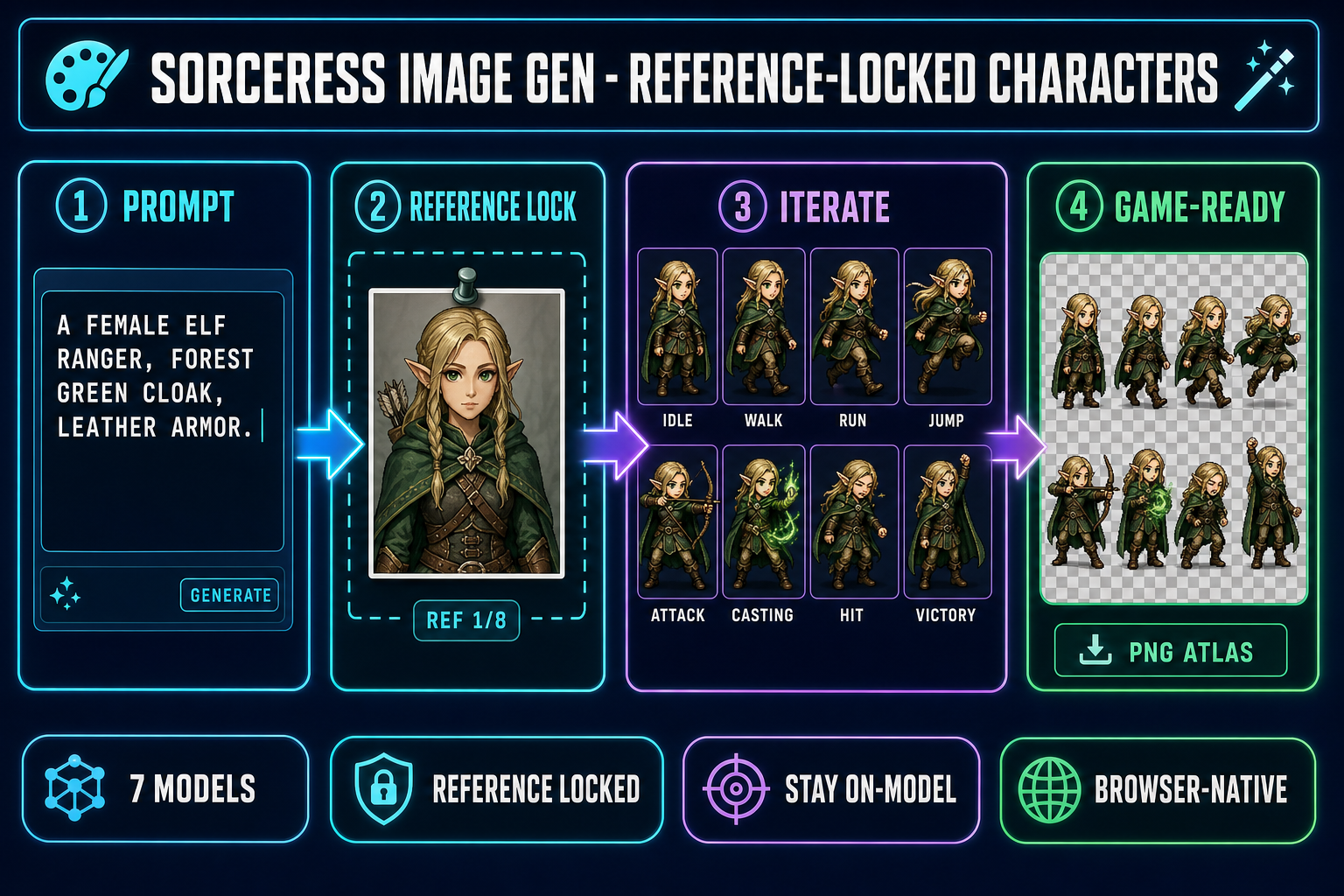
Reference-locked AI character generation pipeline showing four steps inside Sorceress AI Image Gen - type a prompt, pin a reference image, iterate eight character variants from the same source, export a game-ready sprite sheet - on a dark navy background with cyan and purple accents
The reference-locked alternative to the Perchance AI character generator. One source portrait, eight matching poses, one ready-to-ship sprite sheet. Verified May 18, 2026.

What the Perchance AI character generator actually does in 2026

Perchance is a procedural-generation platform: a community wiki where any author can ship a generator written in Perchance’s own templating language. The platform hosts dozens of pages that match the “Perchance AI character generator” query, and they split cleanly into two technical flavors.

The first flavor is the text profile generator. It uses a weighted-randomization templating syntax (a pipe character separates options, brackets nest variables, square braces include sub-lists) to assemble a short character profile from author-defined word lists. Type [warrior|rogue|mage|cleric] and the generator randomly picks one of the four roles with equal weight. Real generators stack dozens of these lists to produce a name, race, role, two or three personality traits, and a snippet of backstory. There is no language model in the loop — the “AI” in the page title refers to the genre of output, not the technical implementation. The result is a procedurally-generated D&D-style NPC card that fits on a screen.

The second flavor is the Stable Diffusion image generator. The community-built character-art pages route a prompt through a Stable Diffusion backend (SDXL plus SD v1.5 with custom LoRA weights for stylized output, per the community documentation pages, verified May 18, 2026). The user types a short description, the model returns a single character portrait, and the entire generation runs without a login. Both flavors are completely free, store output locally in the browser’s IndexedDB (no server-side data harvesting), and do not watermark the output.

The catch is the missing feature set. The Perchance AI character generator does not accept reference images. It does not let you pin a face. It does not expose a seed. It does not write to a sprite sheet. It does not export a transparent PNG with a clean alpha channel. There is no native save system — close the tab without right-click-saving the image and the generation is gone. During peak hours the image generator queues, and the server-side throttle is the bottleneck that has frustrated everyone on the perchance subreddit at one point or another. None of those gaps make Perchance a bad tool; they make it the wrong tool for one specific use case, which is the one game devs care about.

Where the Perchance AI character generator shines (and where it stops)

Three honest cases where Perchance is the right pick:

  • Brainstorming a roster of side characters. Need twelve different shopkeepers for a town, or twenty random monsters for a roguelike enemy table? The text profile generator is perfect — refresh, copy, refresh, copy, and you have a starter list in five minutes.
  • One-shot D&D / Pathfinder portraits. When you need a single piece of character art for a session that starts in an hour and nobody is going to see it twice, Perchance gets you to a usable portrait without a credit card or a sign-up form.
  • Teaching procedural generation. The Perchance templating language is a clean, beginner-friendly intro to weighted-random content systems — the same pattern you will use inside a roguelike loot table or a dialogue generator.

And three cases where Perchance stops cold:

  • Same character, multiple poses. The image generator has no reference-image input. Every regeneration samples a fresh point in the diffusion latent space, so the character looks different every single time. For a game that needs eight poses of the same hero, this is a hard wall.
  • Commercial-grade licensing. Outputs are usable but not warranted, and the platform offers no indemnity if a generation happens to closely resemble a copyrighted character. For a real commercial release you want a vendor with explicit commercial-output terms.
  • Bridging into a game pipeline. The output stops at a single PNG inside the browser. No sprite-sheet export, no 3D-model conversion, no engine import. Every downstream step is on you.

Why “stay on-model” is the missing feature in Perchance AI character generation

Game art has a hard requirement that random-character art does not: character identity is constant, only pose changes. A sprite sheet of a hero walking right has eight frames where the same face, hair, costume, and color palette must repeat. The walking animation in your sprite atlas is read frame-by-frame at 12 fps; if the face shifts between frames, the player’s eye registers it as a glitch.

The technical reason the Perchance AI character generator cannot deliver this is that Stable Diffusion in prompt-only mode samples a fresh point in latent space on every generation. The latent representation of “a young elf ranger with long black hair” is not a single point — it is a wide cloud of possible characters who all match that description. Two consecutive samples from the cloud will look like two different people who happen to be wearing similar costumes. The fix that production image-gen tools added in 2024-2026 is reference-image input: a second input channel where you pin one image, and the model treats the latent-space cloud around that image as the source-of-truth subject. Prompts then steer the pose without changing the identity. Perchance has never shipped that feature, and the community-built pages that wrap Stable Diffusion do not expose the IP-Adapter / ControlNet inputs that would enable it.
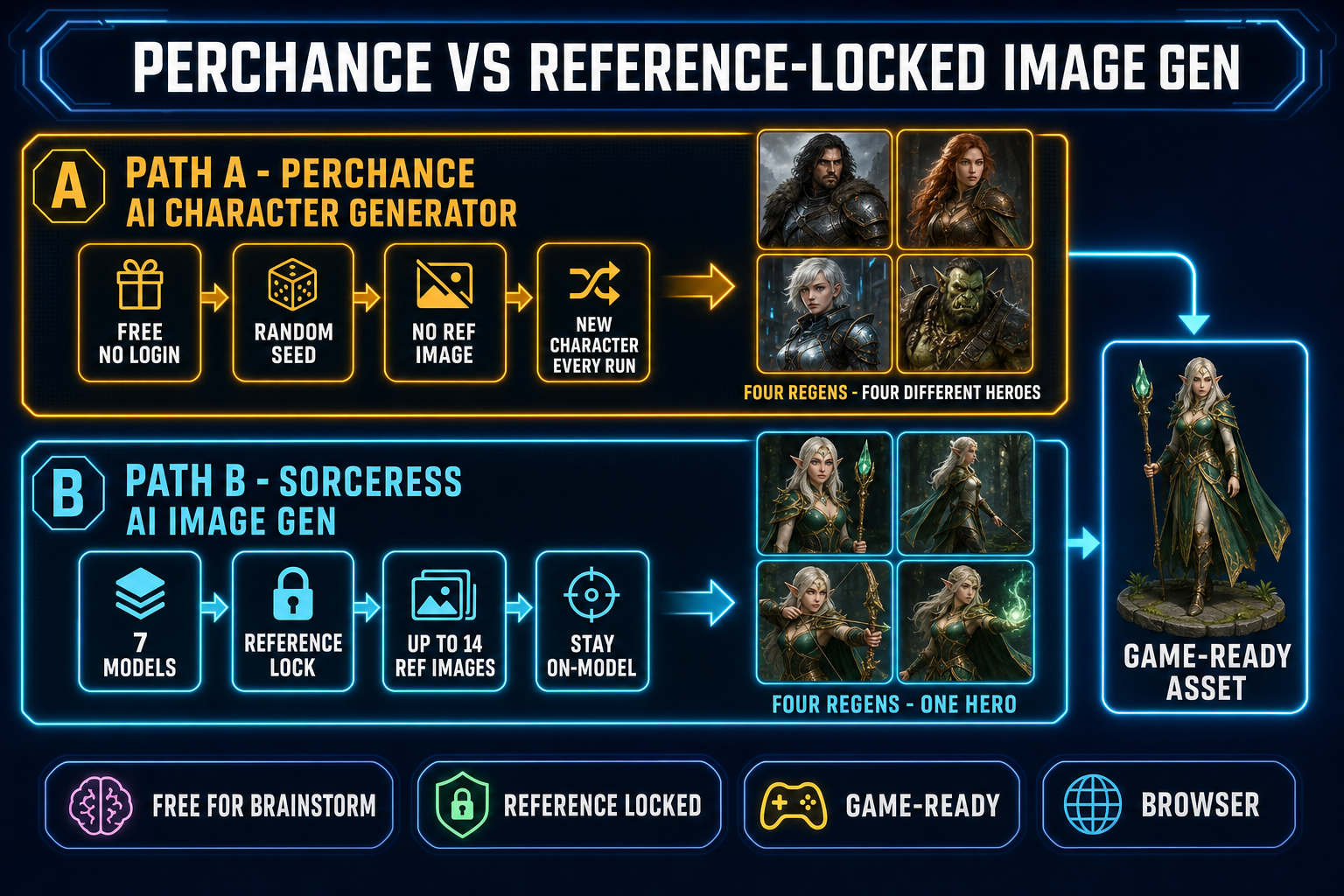
Side-by-side comparison diagram of Perchance AI character generator versus Sorceress AI Image Gen - top lane shows Perchance with four different-looking characters from four regenerations - bottom lane shows Sorceress with the same elf character in four different poses from four regenerations - both lanes converging on a game-ready asset
Same prompt, four regenerations. Perchance returns four different heroes; the reference-locked Sorceress workflow returns one hero in four poses. The difference is whether the model can pin to a reference image.

The reference-locked alternative to the Perchance AI character generator

Sorceress AI Image Gen ships seven image models on the homepage rail (verified May 18, 2026 against src/app/_home-v2/_data/tools.ts lines 669–676), and every single one accepts reference images alongside the text prompt. The maximum number of reference images per generation varies by model (verified against src/lib/models.ts):

ModelProviderMax ref imagesCredits (default)Best for
Nano Banana ProGoogle818 (2K) / 33 (4K)Highest-fidelity portrait
Nano Banana 2Google149 (1K) / 12 (2K) / 17 (4K)Iterating poses cheaply
GPT Image 2OpenAI10~7–17 (quality tier)Photoreal style
Seedream 5 LiteByteDance14~9Uncensored / horror genres
Flux 2 ProBlack Forest Labs8 (+3 cr each)~9 + 3 per refStylized illustration
Z-Image TurboTongyi-Maivaries~3Ultra-fast iteration
Grok ImaginexAI5~9Creative-style portraits

The reference-locked Perchance AI character generator alternative workflow is four steps:

  1. Generate the canonical character once at high quality. Open Sorceress AI Image Gen, pick Nano Banana 2 at 2K resolution (12 credits), and type a detailed prompt: “a young elf ranger, forest green hooded cloak, light leather armor, longbow strapped to back, soft fantasy lighting, full-body front-facing portrait, neutral standing pose, transparent background”. One generation, one canonical hero. Save it.
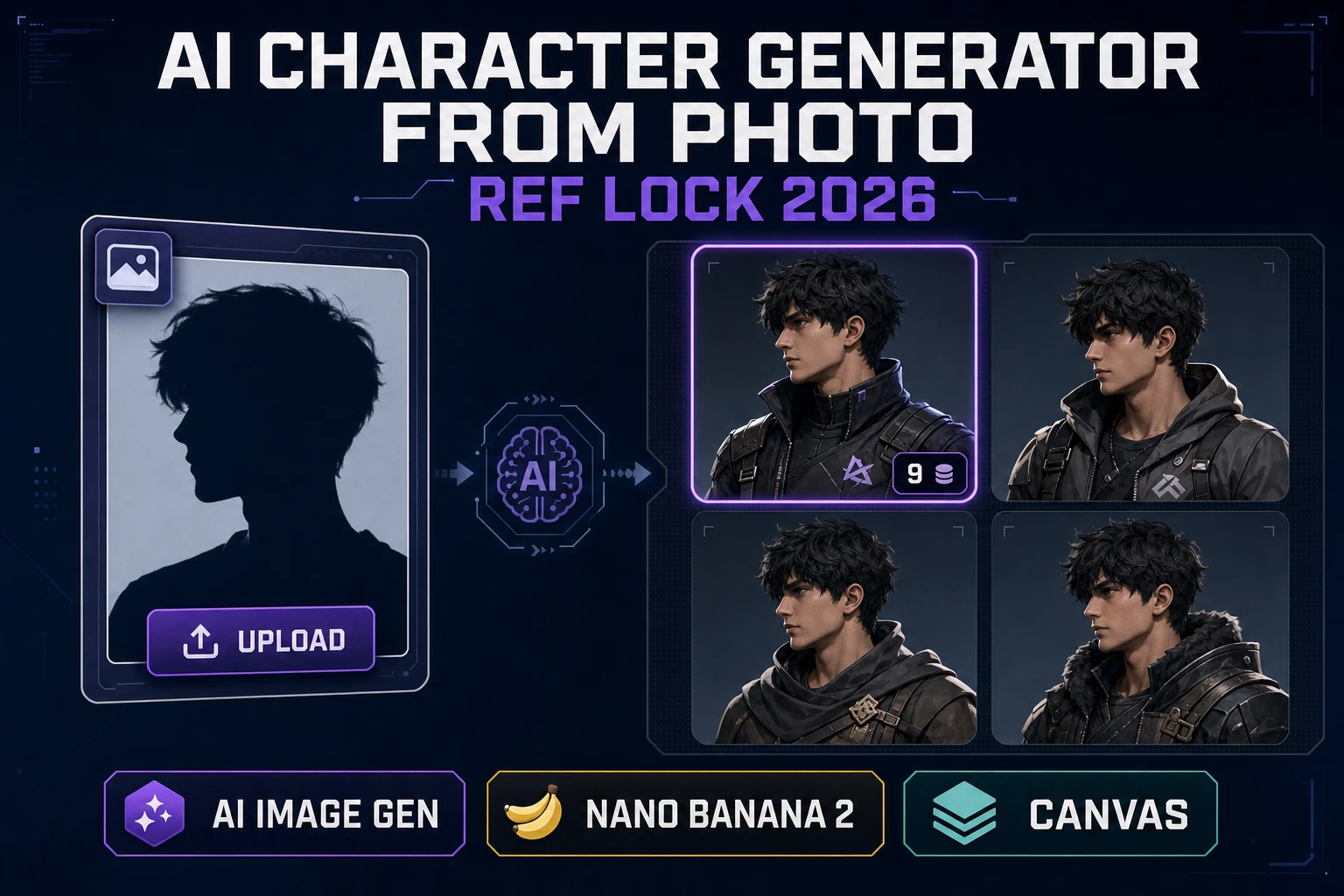
  2. Pin the canonical hero as a reference image. In the same panel, drop the saved image into the reference slot. Nano Banana 2 accepts up to fourteen reference images per call — you will use one for character lock and optionally one for pose direction.
  3. Run seven follow-up prompts at 1K resolution (9 credits each): “same character, idle standing pose”, “same character, walking to the right, side view”, “same character, running to the right”, “same character, mid-air jump”, “same character, drawing bow to attack”, “same character, casting a green spell”, “same character, reacting to being hit”, “same character, victory celebration”. Each generation is anchored to the reference, so the elf’s face, hair, costume, and palette stay constant.
  4. Lay the eight outputs out as a sprite sheet. Drop them into Quick Sprites for clean alpha-channel cleanup and grid layout, or into Canvas for manual arrangement. The pack ships as a single PNG atlas the engine reads in one this.load.spritesheet() call.

The full eight-pose pack lands at 75 credits — well inside the 100-credit starter pack a new Sorceress account ships with. The hero stays on-model because every generation after the first is anchored to the same reference image, which is the one capability the Perchance AI character generator does not have.

From the character image to a game-ready sprite sheet

The reference-locked outputs are already pose-consistent and identity-consistent; the remaining job is to align them into a uniform grid for the engine. Quick Sprites handles that step end-to-end — verified May 18, 2026 against src/app/quick-sprites/page.tsx: MODEL_ID = 'retro-diffusion/rd-animation', CREDITS_PER_GEN = 9, animation styles include four_angle_walking at 48×48 px and small_sprites at 32×32 px, plus a configurable vfx mode (24–96 px). For a top-down RPG hero, the eight-frame walk cycle in four directions (north, south, east, west) drops into RPG Maker, Phaser, or Godot using the same one-line spritesheet loader call:

// Phaser 4 — load and play the sprite sheet
this.load.spritesheet('hero', '/assets/hero_walk.png', {
  frameWidth: 48,
  frameHeight: 48,
});

this.anims.create({
  key: 'hero-walk-right',
  frames: this.anims.generateFrameNumbers('hero', { start: 0, end: 7 }),
  frameRate: 12,
  repeat: -1,
});

const hero = this.physics.add.sprite(100, 100, 'hero');
hero.play('hero-walk-right');

That is the full integration. The Quick Sprites output rides a clean transparent background, frames are aligned to the same pixel grid, and Phaser’s generateFrameNumbers walks the atlas left-to-right and top-to-bottom in the order the sprite sheet was laid out. The reference-locked workflow keeps the character identity tight enough that the player’s eye never reads a frame transition as a glitch. For a deeper sprite-sheet walkthrough, see the sprite-sheet how-to; for the broader on-model pipeline, see the reference-image character workflow.

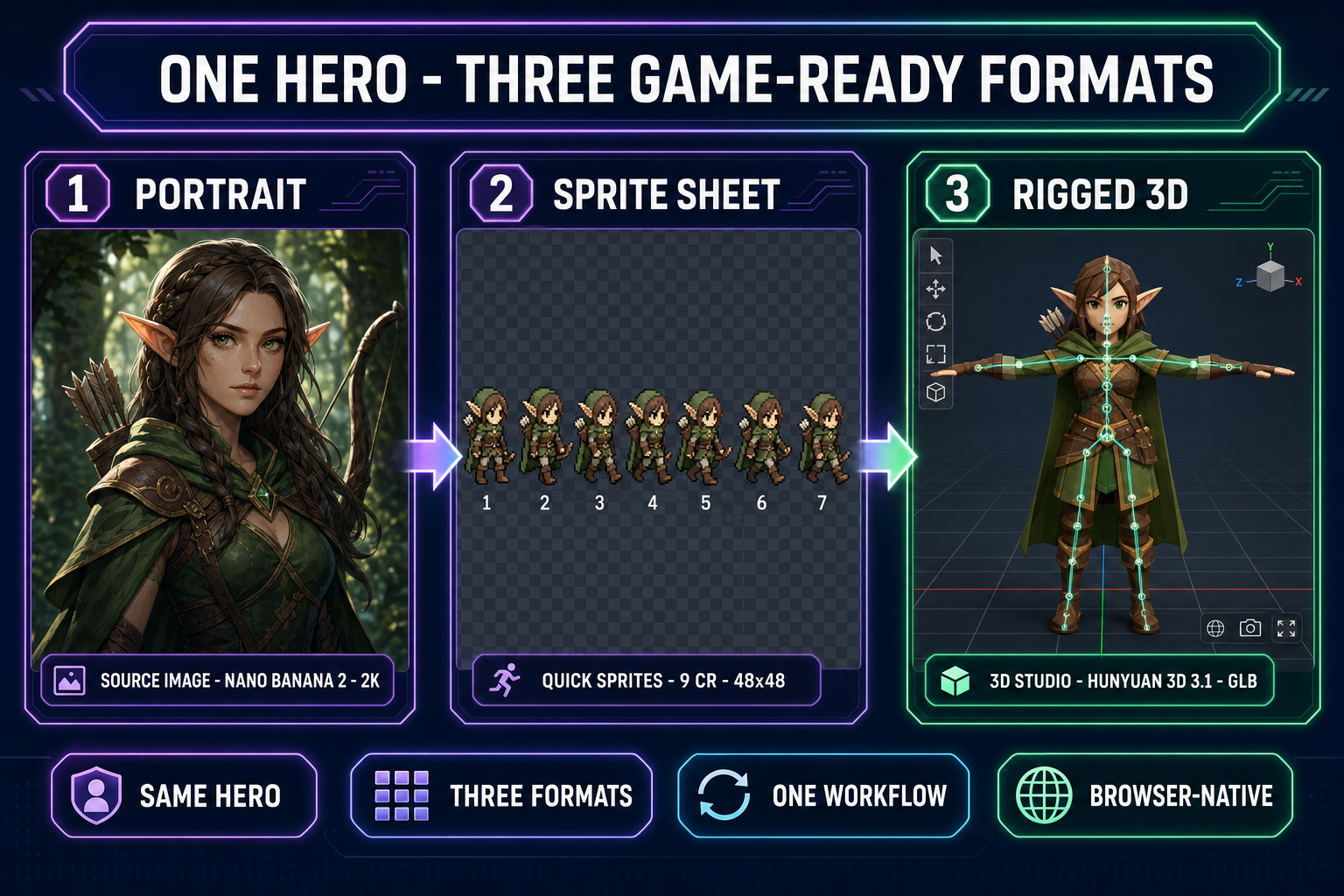
Diagram showing one elf ranger character transformed into three game-ready formats - a high-resolution portrait from Nano Banana 2, an 8-frame walk cycle sprite sheet from Quick Sprites at 48 by 48 pixels, and a rigged 3D model in T-pose from 3D Studio using Hunyuan 3D 3.1 - on a dark navy background with purple and emerald accents
One canonical character, three game-ready exports. The reference image anchors identity across all three formats so the hero looks the same in the menu portrait, in the 2D walk cycle, and in the 3D scene.

From the character image to a rigged 3D model

If the game needs a 3D version of the same hero (an RPG cutscene, a 3D platformer, a VR title), the canonical portrait flows into Sorceress 3D Studio through the same reference-image input. The six 3D models available in 3D Studio (verified May 18, 2026 against THREED_MODEL_ORDER in src/lib/threed-models.ts — Hunyuan 3D 3.1, Meshy 6, TRELLIS 2, TRELLIS, Rodin 2.0, Tripo v3.1) accept a single image and output a textured glTF 2.0 binary (GLB) mesh.

The recommended default for character work is Hunyuan 3D 3.1 (25 credits per generation), which produces a clean low-poly mesh with PBR textures baked in. Send the portrait, wait roughly two minutes, and the 3D Studio viewer renders the result. From there click Rig for the browser-based auto-rigging pass (humanoid skeleton, no marker placement required), then click Animate for the text-to-motion pass (Tencent HY-Motion 1.0, two credits per clip, 30 fps SMPL output baked into the GLB). The whole portrait-to-rigged-animated-character path runs in roughly five minutes inside a browser tab, anchored to the same Perchance-style character description that started the project.

Five mistakes that ruin AI character consistency across Perchance AI character generator outputs

  1. Prompting with a generic role instead of a specific look. “A warrior” is a cloud of millions of possible characters. “A woman in her thirties with chin-length copper hair, freckles across her nose, a leather chest plate dyed teal, and a notched longsword” is a much narrower region of latent space. Each adjective tightens the cloud. The Perchance AI character generator has no reference input, so the prompt is the only steering mechanism — spend an extra ninety seconds on it.
  2. Comparing two generations side by side and calling them consistent because they share a costume color. Sprite-sheet consistency means the face is the same. Stand the two outputs side by side and cover everything below the chin. If the faces are clearly different people, the costume match is cosmetic.
  3. Skipping the reference image even when the tool offers one. Sorceress AI Image Gen exposes a reference slot on every model. Leaving it empty for pose iterations gives you the same problem Perchance has — eight different-looking characters in eight different poses. Upload the canonical portrait once and pin it.
  4. Re-rolling at different resolutions across the same pack. A 4K render and a 1K render of the same prompt sample different detail layers of the diffusion model. Pick one resolution for the whole eight-pose set so the texture detail reads as consistent. Nano Banana 2 at 2K is the sweet spot for portrait work; downscale at export time, not at generation time.
  5. Mixing models within one character pack. Nano Banana 2 and Seedream 5 Lite have different style fingerprints — the same reference-image prompt produces visibly different stylistic interpretations on each. Lock to one model for an entire character’s pose set, and only switch models when you start a new character.

The verdict — when each tool is the right pick

Use the Perchance AI character generator when the goal is brainstorming, one-shot D&D portraits, random NPC rolls, or any case where every output is allowed (and expected) to be a different character. It is free, it is fast, it is excellent at the random-character job, and there is no reason to pay for a tool when free is the right answer.

Use Sorceress AI Image Gen when the goal is “the same hero in eight poses” or any pipeline that bridges from a canonical character to a sprite sheet, a 3D model, or an engine import. The reference-image input is the missing feature that closes the gap from random-character art to game-ready character art, and the 100-credit starter pack covers a full eight-pose character pack with credits to spare. The two tools are complementary, not competitive — brainstorm in Perchance, lock and ship in Sorceress.

Frequently Asked Questions

What is the Perchance AI character generator and is it really free?

The Perchance AI character generator is a collection of free, browser-based generators hosted on perchance.org. There are two flavors. The first is a text-only random character profile generator that uses a weighted-randomization templating language to pull names, traits, occupations, and short descriptions from author-defined lists. The second is a Stable Diffusion image generator (SDXL + SD v1.5 with custom LoRA weights, per public documentation) that produces character art from a short text prompt. Both are completely free, require no login or email, and run client-side in the browser — Perchance does not bill, watermark, or daily-cap the output. The catch is that during high-traffic windows the image generator queues, and there is no native save system: if you close the tab without copying the output, the generation is gone. Verified May 18, 2026 via the perchance.org generator pages.

Why does the Perchance AI character generator output a different-looking character every time?

Two reasons. First, the text generator is fundamentally a randomizer — every refresh picks a fresh combination of name, role, and traits from the source lists. That is by design, not a bug. Second, the image generator runs Stable Diffusion in a stateless prompt-only mode. There is no reference-image input, no character-lock parameter, no LoRA you can pin to a single trained subject. Each generation samples a fresh point in the diffusion model's latent space from your prompt alone, so even the same prompt run twice produces two visually different characters who happen to wear similar costumes. For a one-shot D&D character portrait or a brainstorming session that is fine; for a game that needs eight poses of the same hero (idle, walk, run, jump, attack, cast, hit, victory) it is the wrong tool.

How is the Sorceress AI Image Gen different from the Perchance AI character generator?

Sorceress AI Image Gen is also a browser-based prompt-to-image tool, but it adds the one thing Perchance does not have: reference-image input on every model. The seven models on the homepage rail (verified May 18, 2026 against src/app/_home-v2/_data/tools.ts lines 669-676 — Nano Banana Pro, Nano Banana 2, GPT Image 2, Seedream 5 Lite, Flux 2 Pro, Z-Image Turbo, Grok Imagine) each accept between three and fourteen reference images per generation alongside the text prompt. That is what makes characters stay on-model across iterations. Upload one good portrait of your hero, then prompt 'same character running to the right, 3/4 view', and the model latches onto the reference and shifts the pose, not the face. Perchance has no equivalent input. The other differences: Sorceress costs credits per generation (between 6 and 33 credits depending on model and resolution, against a 100-credit starter pack) instead of being free, and Sorceress bridges directly into the game-asset pipeline (sprite sheets via Quick Sprites, 3D models via 3D Studio) instead of stopping at the image.

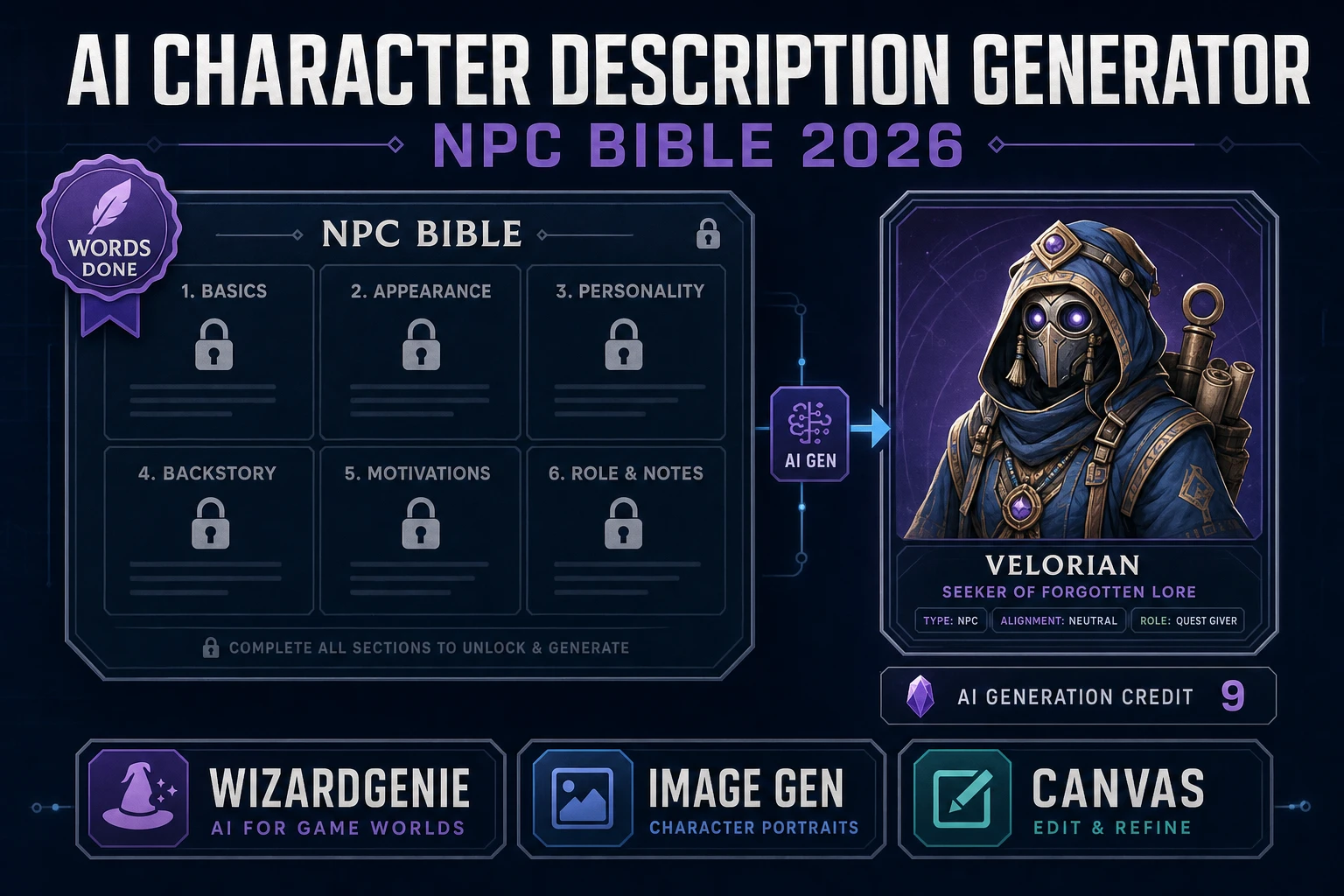
Can the Perchance AI character description generator write NPC bios I can drop into a game?

Yes, for first-draft brainstorming. The perchance.org AI character description generator pages (perchance.org/ai-character-description-generator and the user-input variant) produce short paragraphs that read like the back of a Pathfinder NPC card — name, race, role, two or three personality traits, a snippet of backstory. For a side character whose only job is to give the player a sword, that is enough. For a named NPC whose dialogue spans an entire questline, you will want to hand the Perchance output to a real AI coding agent and have it expand the bio into a dialogue tree. The Sorceress workflow for that step is documented in the related how-to: drop the Perchance text into a WizardGenie session, ask for the dialogue tree in the format your engine reads (JSON for Phaser, .tres for Godot, ScriptableObject for Unity), and pipe the result back into the game project.

What is the cheapest way to keep an AI-generated character on-model across eight poses?

Generate the canonical character once at high quality, then use that image as the reference for every subsequent pose. Concretely: in Sorceress AI Image Gen, set the model to Nano Banana 2 at 2K resolution (12 credits), generate a clean front-facing portrait, then run seven follow-up prompts at 1K resolution (9 credits each) with the portrait pinned to the reference-image slot — 'idle pose', 'walking to the right', 'running to the right', 'jumping', 'attacking with a sword', 'casting a spell', 'reacting to being hit', 'victory celebration'. The full eight-pose pack lands at 75 credits — well inside the 100-credit starter pack a new account ships with. The hero stays on-model because every generation after the first is anchored to the same reference image. Verified May 18, 2026 against the credit values and reference-image caps in src/lib/models.ts.

Does the Perchance AI character generator give me commercial rights to use the output in my game?

Perchance itself does not impose explicit licensing on user outputs because the platform runs client-side and never receives the image. The underlying Stable Diffusion family (SDXL, SD 1.5) is released under the CreativeML Open RAIL-M license, which broadly permits commercial use of model outputs with carve-outs against generating illegal content. The pragmatic answer for a small indie game: outputs are usable but not warranted, and the platform offers no indemnity if a model output happens to closely resemble a copyrighted character. For commercial work that matters, run the prompt through a model whose vendor publishes a clear commercial-output license — most of the Sorceress AI Image Gen lineup (Google Nano Banana family, OpenAI GPT Image 2, ByteDance Seedream 5 Lite, Black Forest Labs Flux 2 Pro, xAI Grok Imagine) ships with explicit commercial-use terms on the underlying API. Verified May 18, 2026 via the StabilityAI and individual model-vendor terms pages.

Sources

  1. Stable Diffusion XL — Wikipedia
  2. Latent diffusion model — Wikipedia
  3. Procedural generation — Wikipedia
  4. Texture atlas (sprite sheet) — Wikipedia
  5. glTF 2.0 specification — Khronos
  6. Non-player character — Wikipedia
Written by Arron R.·2,411 words·11 min read

Related posts