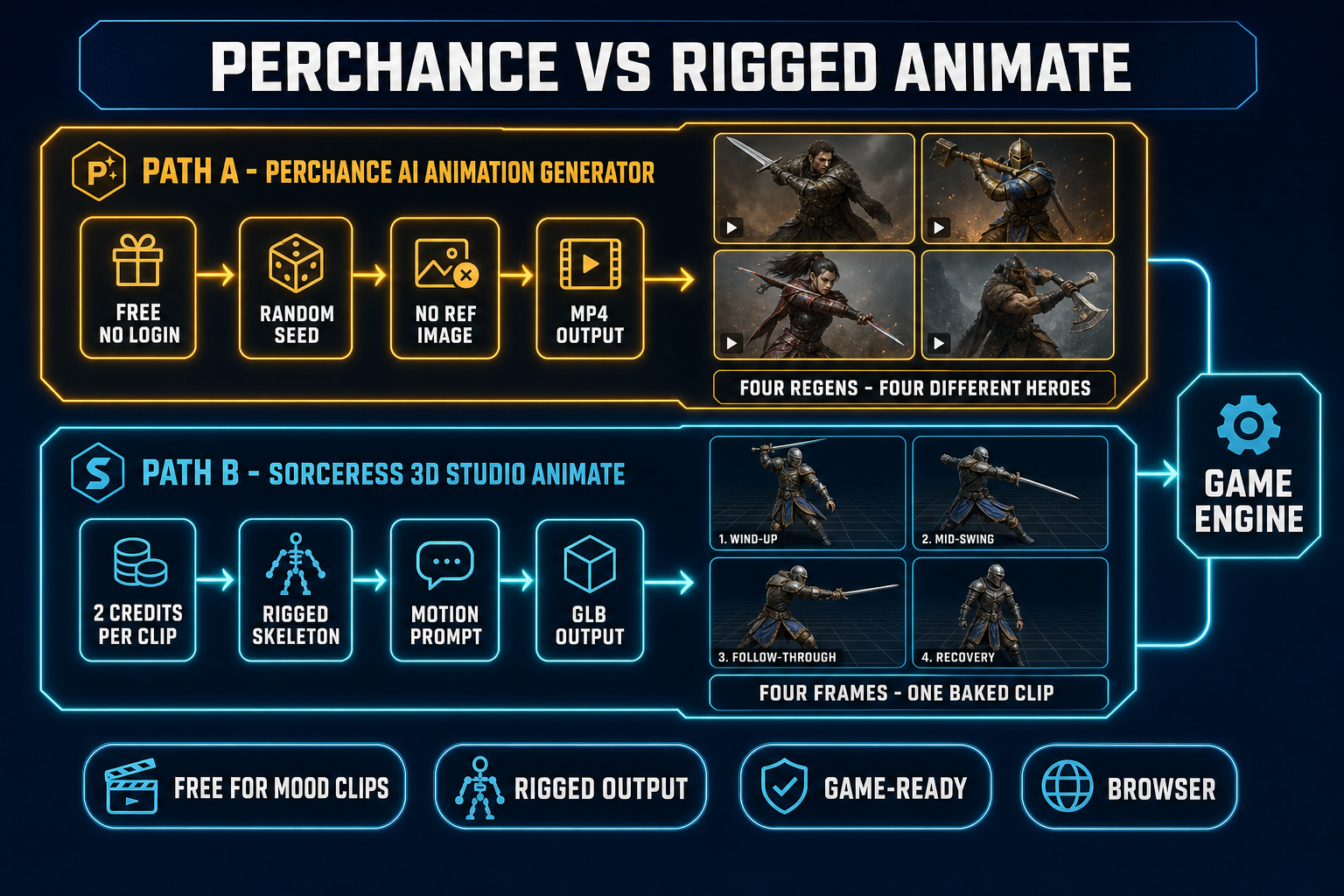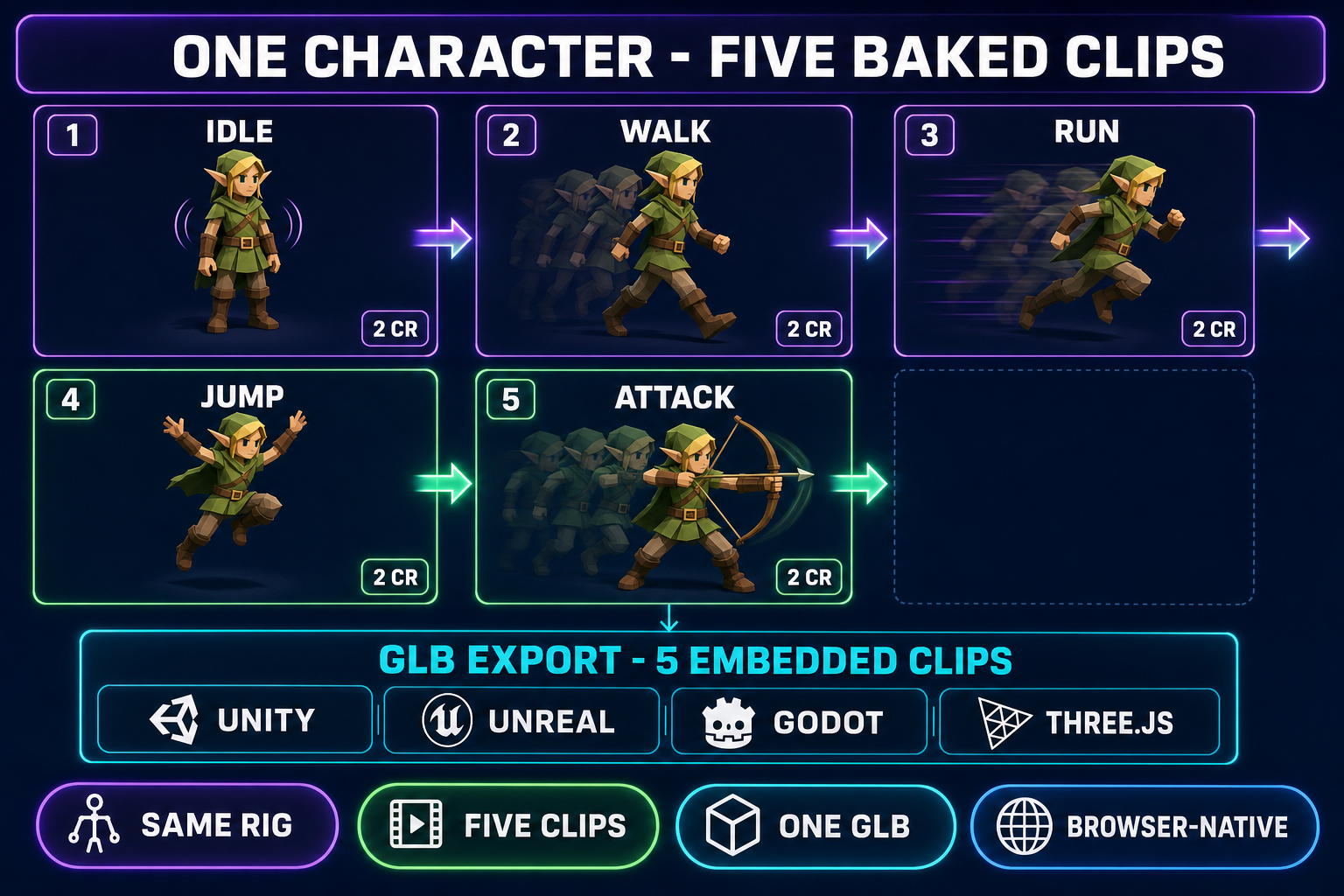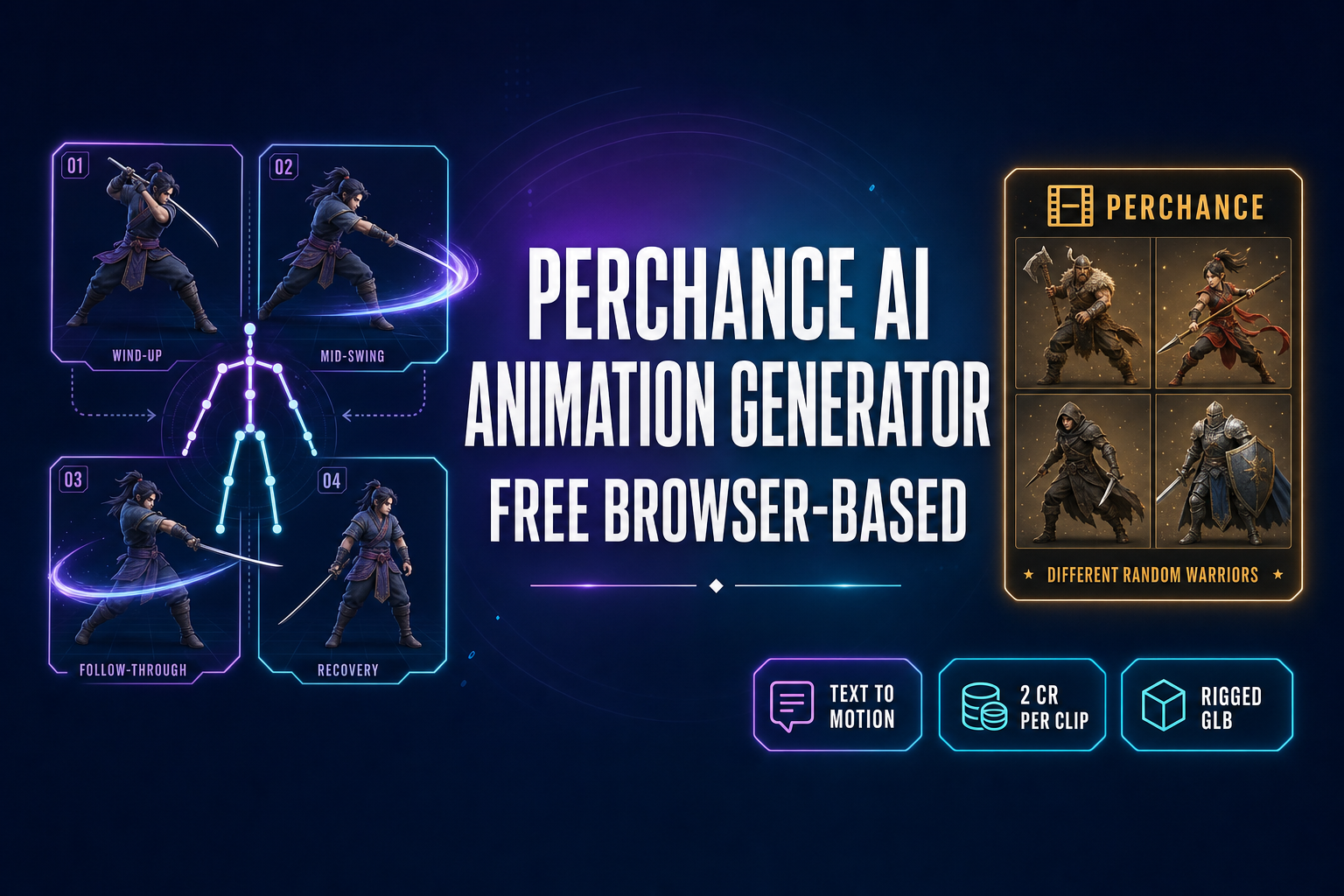
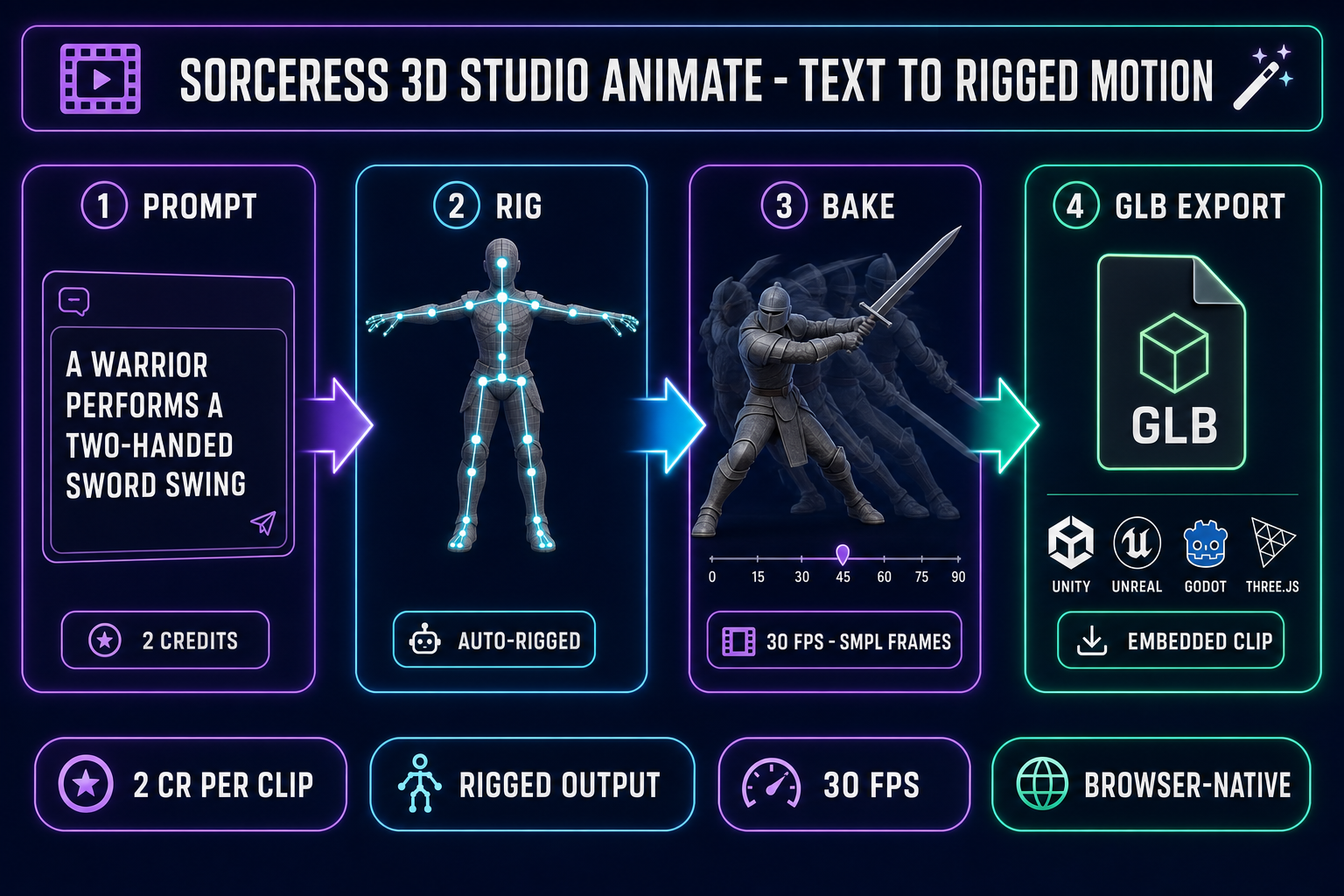
The Perchance AI animation generator is the friendliest free entry point in browser-based AI motion: a community sandbox at perchance.org where any author can publish a generator written in the platform’s own templating language, no login, no credit card, no watermark. For atmospheric mood clips, an animated lock-screen background, or a one-shot Pretty AI Video Generator render of “misty forest at dawn”, it is one of the better free tools on the open web in 2026. For a game that needs the same hero in five baked animation clips, it falls short for two specific reasons — it has no rigged-character output, and it has no reference-image lock. Below is what each Perchance AI animation generator page actually ships today, where each one stops, and the reference-locked alternative inside Sorceress 3D Studio Animate that bakes a plain-English motion prompt onto a rigged GLB at 2 credits per clip. Verified May 30, 2026 against the live perchance.org community pages, the AnimateUnified.tsx source in src/components/studio/animate/, and the IMAGE_MODELS array in src/app/_home-v2/_data/tools.ts.
What the Perchance AI animation generator actually is in 2026
Perchance is a procedural-generation platform launched in 2017. It is not a single product. The site hosts a community wiki where any author can publish a generator written in Perchance’s scripting syntax, and a search for “AI animation generator” on perchance.org returns dozens of community-built front-ends. Three of them carry most of the “perchance ai animation generator” query traffic in 2026:
- Pretty AI Video Generator at
perchance.org/pretty-ai-video-generator— the highest-traffic page, text-to-video with a small set of style presets, typical output 768×1024 MP4 at 24 fps for 3-10 seconds. - HyperReal AI Video Generator at
perchance.org/pzj6ev1bvx— leans into cinematic realism, longer queue times, occasionally routes through a Kling or Luma Dream Machine backend through a free-tier API key. - Fast Free AI Animation Generator at
perchance.org/b7kc35yv7u— lower resolution (often 512×512), shorter queue, falls back to slideshow-style frame stitching when the underlying API throttles.
All three are completely free, no login, no email harvesting, no watermark on the output. Verified May 30, 2026 against the live community pages. The catch is the underlying infrastructure. Perchance is funded by donations, run on a single-developer budget, and the community animation pages are routed through small third-party API quotas instead of a dedicated GPU pool. During North-American afternoon peak hours the Pretty AI Video Generator commonly queues for 5-10 minutes per generation, and the Fast Free AI Animation Generator falls back to a slideshow renderer when the upstream API rate-limits the request. None of the pages expose a reference-image input, an IP-Adapter style identity lock, a rigged-character output, or a sprite-sheet export. They all stop at a single MP4.
Underneath the AI hood, the still-image generators run latent diffusion models — Stable Diffusion 1.5, SDXL, and (on some newer pages) SD 3.5 with custom LoRA weights. The video generators are wrappers around external diffusion-video backends (Kling, Luma Dream Machine, Wan, Minimax) consumed through the upstream vendor’s free or rate-limited tier. None of those backends are operated by Perchance itself; the community page is a UI that calls an external API and renders the result back to your browser tab.
Where the Perchance AI animation generator works (and where it stops)
Three honest cases where Perchance is the right pick:
- Atmospheric B-roll for a dev vlog or a Steam capsule trailer. A Pretty AI Video Generator render of “misty forest at dawn, slow camera pan” is exactly the kind of mood clip that backs a 30-second devlog intro. No login, no watermark, two minutes of queue, done.
- One-shot mood clips for an itch.io page or a game-jam pitch deck. When the deliverable is a single 5-second clip that nobody is going to scrub frame-by-frame, the random-seed nature of the output is a feature, not a bug.
- Teaching prompt-to-video as a concept. The community pages are a clean, no-friction sandbox for showing a beginner what text-to-video looks like before they sign up for a paid tool. The same pedagogical role the still-image Perchance generators have played for prompt-to-image since 2023.
And four cases where Perchance stops cold:
- Same character, multiple clips. The community pages have no reference-image input. Every regeneration samples a fresh point in the underlying diffusion model’s latent space, so the “hero” in your idle clip and the “hero” in your run clip are visibly different people who happen to share a costume color. For a game that needs an idle, walk, run, jump, and attack of one named protagonist, this is a hard wall.
- Game-engine import. The output is a single MP4. Unity, Unreal Engine, Godot, Three.js, and Babylon.js all import animation through a rigged skeleton, not a video file. To get from MP4 to engine, you would need to reverse-engineer per-frame motion onto a separate rig you sourced elsewhere — which is exactly the work the rigged path skips.
- Sprite-sheet walk cycles for 2D. The MP4 is not a sprite atlas. To convert it would mean sampling N frames, removing the background per frame, aligning to a pixel grid, and packing into a PNG — roughly half a day of post-processing per character.
- Commercial-grade licensing. Outputs are usable but not warranted, and the platform offers no indemnity if a generation closely resembles a copyrighted character or motion. For a real commercial release you want a vendor with explicit commercial-output terms on the underlying API.
Why “rigged output” is the missing feature in Perchance AI animation generator pages
Game animation has a hard requirement that random-mood-clip generation does not: the motion must drive a rig, not a video frame. A character’s walk cycle in Unity, Unreal Engine, or Godot is read by the runtime as a sequence of per-bone rotations on a humanoid skeleton, blended at runtime against the idle, the run, the jump, and the attack — all on the same rig — through a state machine that the engine animates 60 times per second based on player input. A flat MP4 cannot drive that machine. The video has no concept of the character’s spine, hips, shoulders, hands, or feet; it is a 2D pixel grid that just happens to depict a motion.
The technical fix that rigged AI animation tools add is skeletal animation output: instead of returning pixels, the model returns a baked frame array of per-bone rotations on a standard skeleton (the SMPL body model is the most common), at a fixed frame rate (30 fps is standard), retargeted onto whatever humanoid skeleton your character was rigged with. The runtime then reads those rotations and applies them to your bones every frame. Perchance’s community animation pages have never shipped that output mode — the pages were built around the diffusion-video backends, which return MP4. The Sorceress 3D Studio Animate panel was built around the rigged path from the start, which is why the comparison reads cleanly in either direction.