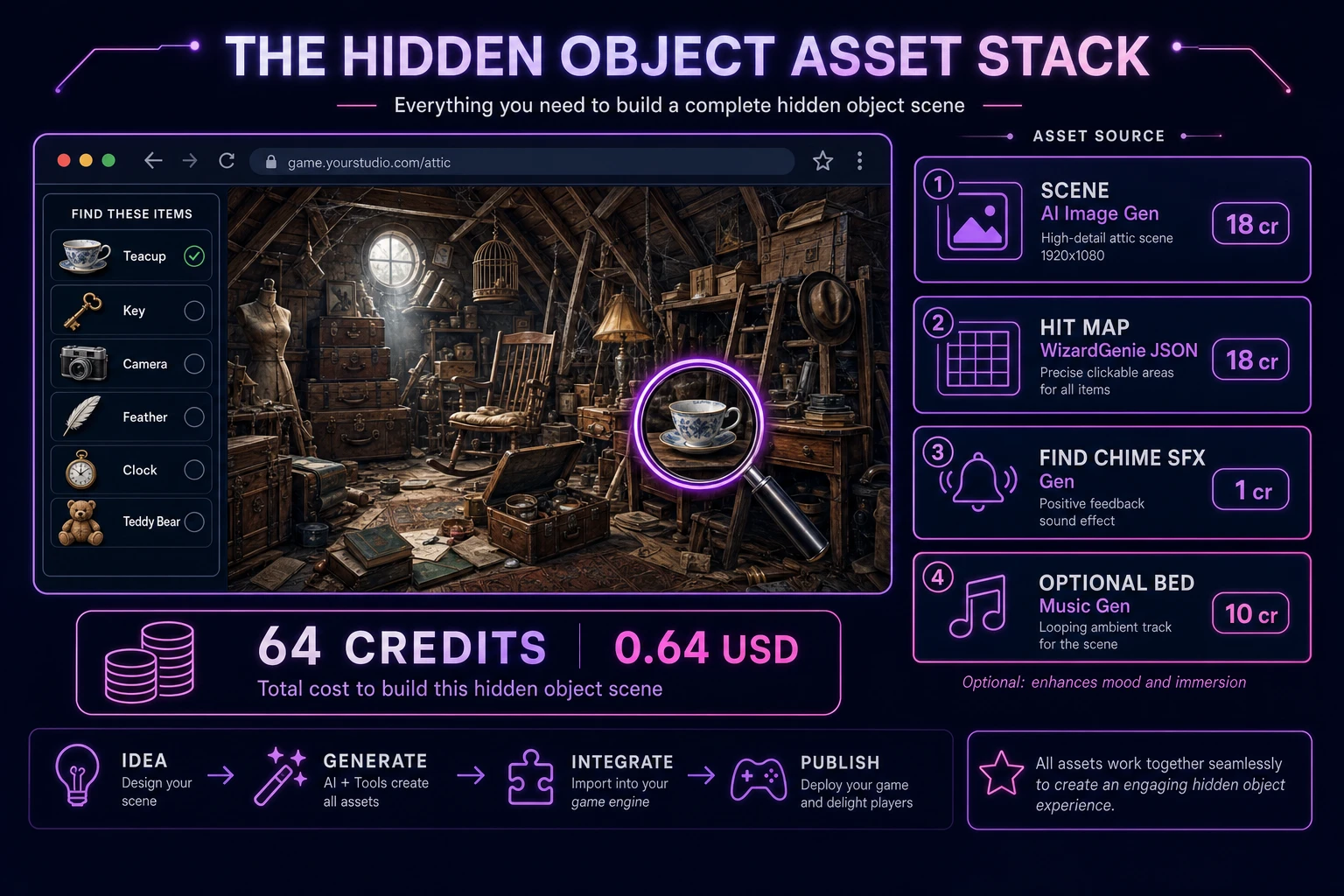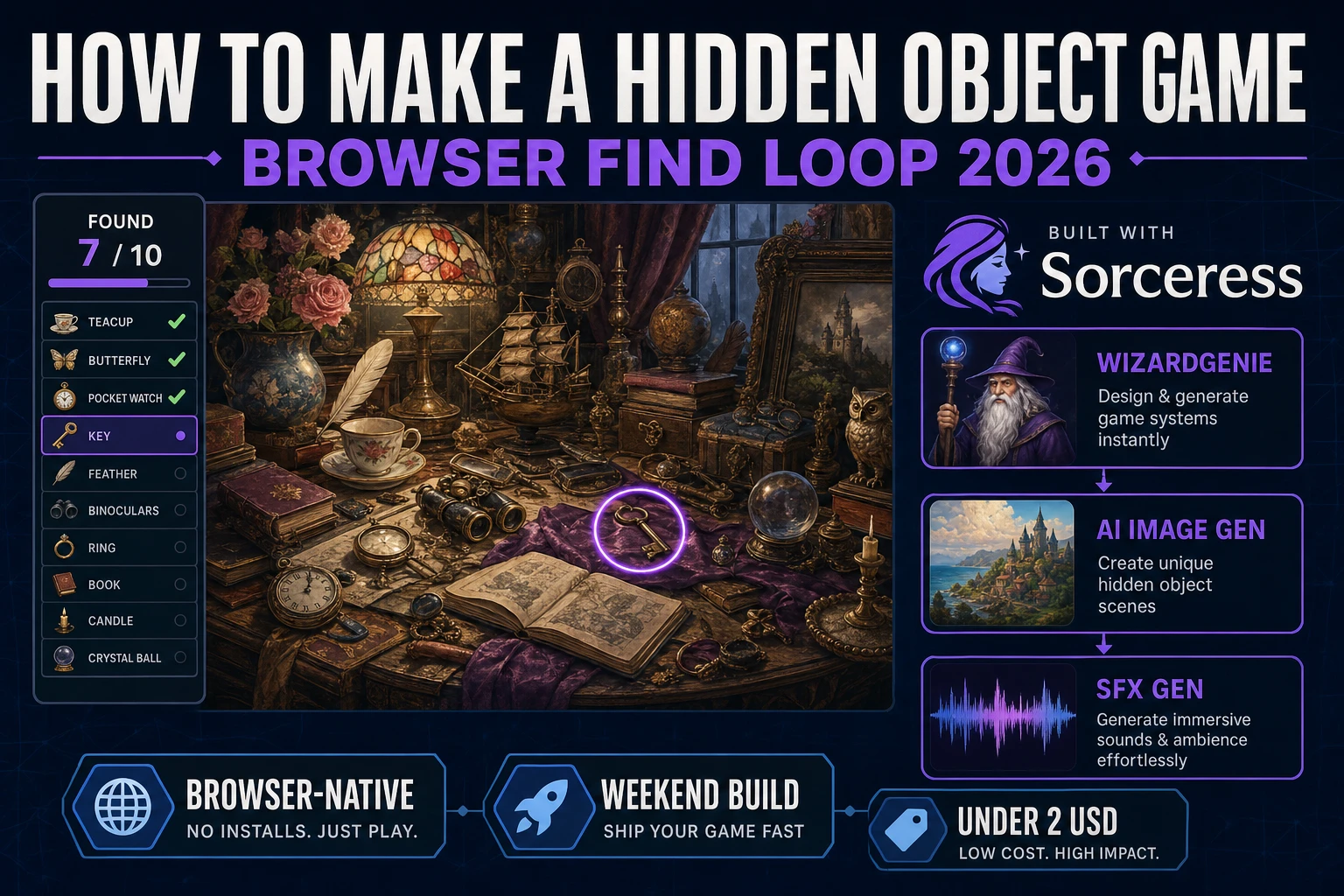
Most beginners who search "how to make a hidden object game" want one cluttered painted scene, a sidebar list of items to find, click regions over each hidden prop, and a chime when the last teacup or key gets discovered. A commercial hidden-object franchise with hint shops, energy timers, and fifty linked scenes is a live-ops product. A browser find loop is different. A coding agent scaffolds hit regions and find-list state from one prompt, and AI generation covers the cluttered room art and discovery audio. On desktop or web, that means WizardGenie for the click-and-find interpreter, AI Image Gen for the painted scene, and SFX Gen for find chimes and wrong-click feedback. This guide is the honest end-to-end for how to make a hidden object game in 2026, as a weekend build you can finish once.
What how to make a hidden object game actually means in 2026
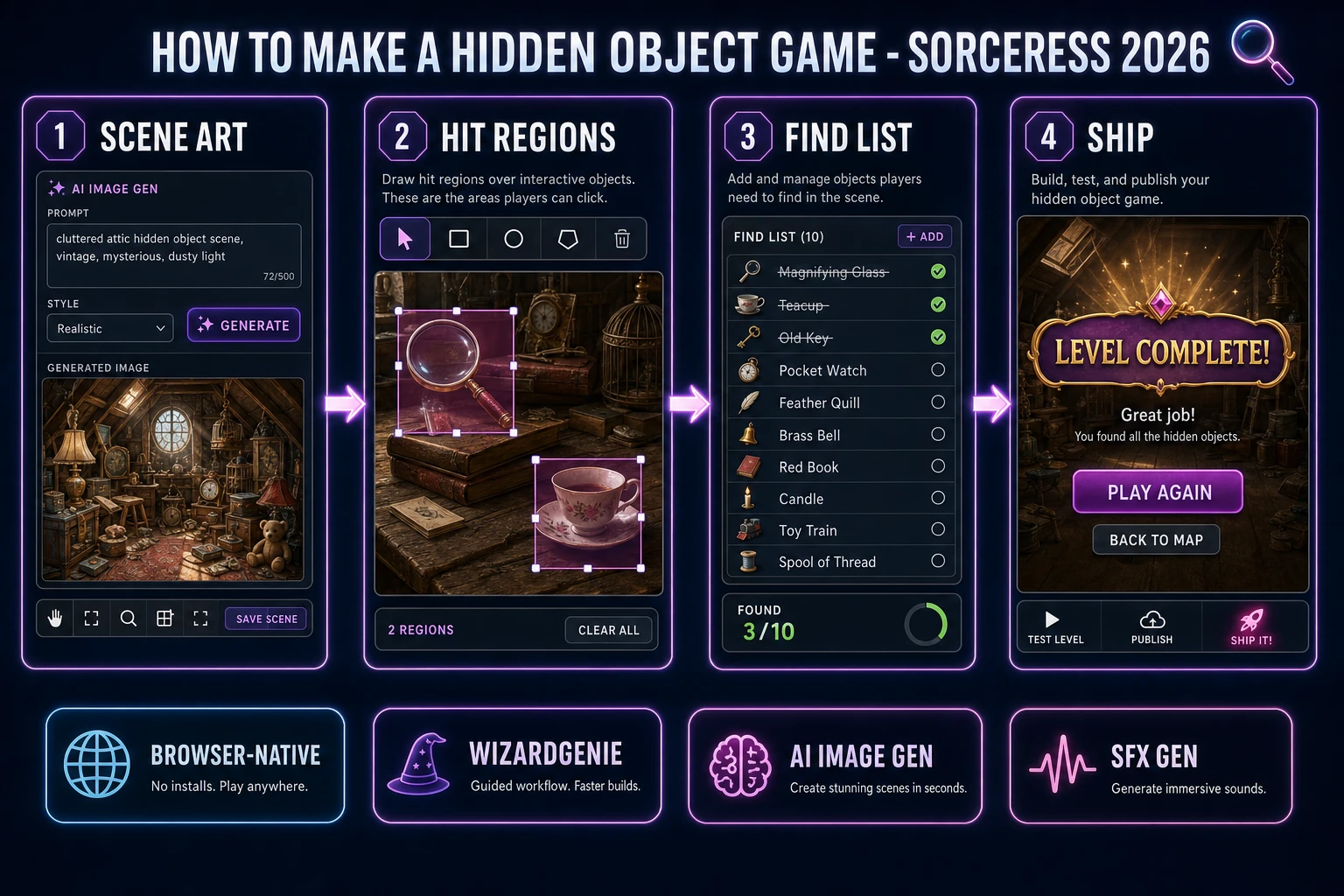
The query "how to make a hidden object game" hides three intents. Some searchers want a Unity or Godot asset pack with pre-authored scenes and monetization hooks — that is engine shopping, not a minimal playable loop. A second intent is a mobile free-to-play hidden-object saga with energy gates and IAP hint packs — a studio roadmap, not a solo jam. The third intent, and the one this guide targets, is a browser find loop: one full-bleed cluttered illustration, eight to twelve item names in a sidebar list, invisible click rectangles over each prop, and a level-complete screen when every name is struck through. That is a weekend build, it demos the Sorceress toolset, and it is the format most hidden object game tutorial and javascript hidden object searchers actually want.
The presentation contract is small and strict. A title screen shows the game name, optional Continue if localStorage has progress, and Play. The play screen shows the scene image at full width, a find list column on the right or bottom, a Found counter, optional hint button, and mute toggle. On correct click, play a short chime, strikethrough the list entry, and optionally pulse a highlight ring around the object. On wrong click, play a soft buzz — no lives lost, no game over. When the last item is found, show Level Complete with final time and Play Again. The Hidden object game overview on Wikipedia (verified 2026-08-26) traces the genre from I Spy books through Mystery Case Files and modern mobile hits — cite it when you write your itch.io blurb so players know which promise you kept. If you already shipped a multi-puzzle room escape, the sibling guide on how to make an escape room game covers inventory combine and clue chains; this post owns the single-scene find list instead.
The hidden object loop in one minute (scan, click, check, mark, win)
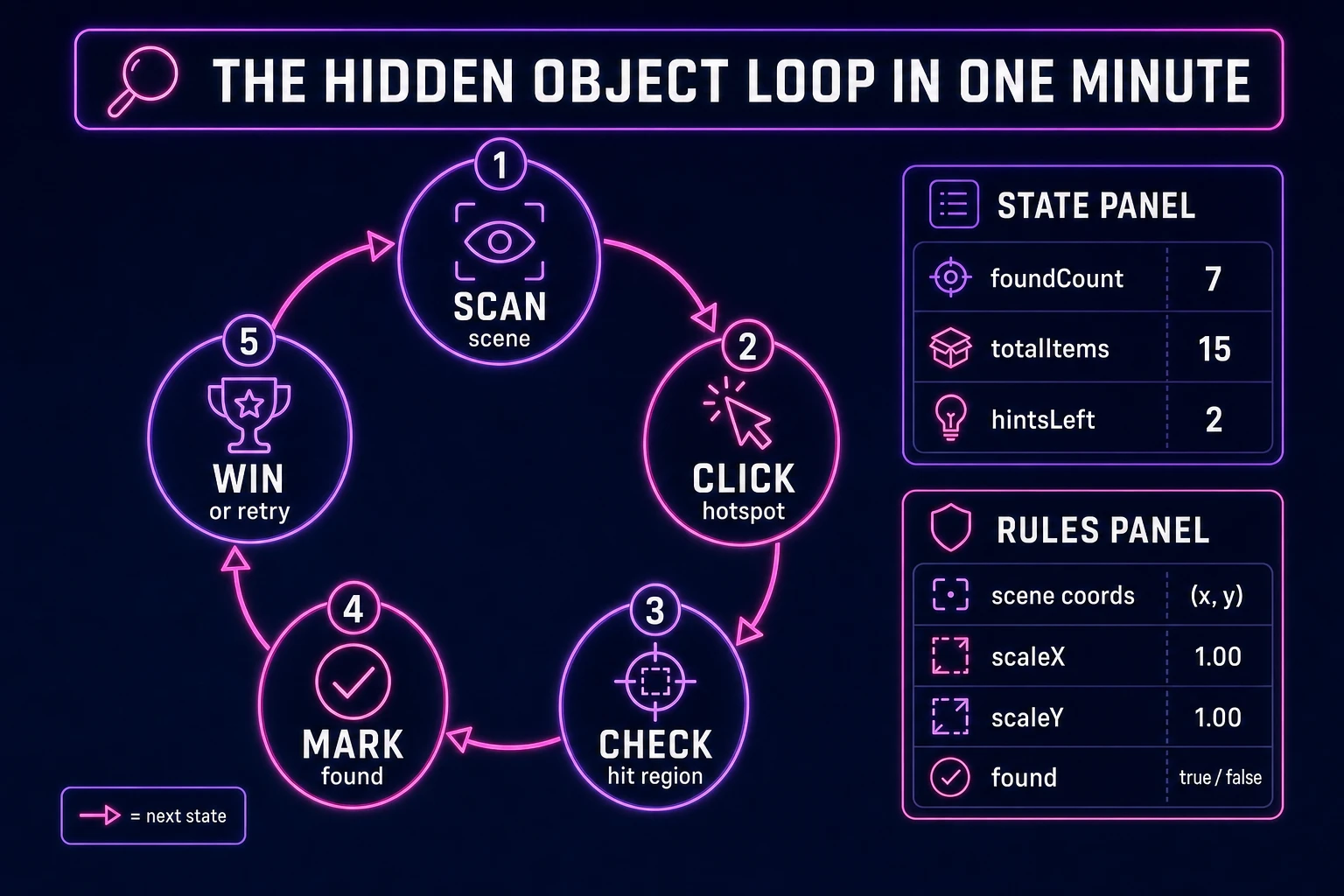
Five moving parts, repeated until every list entry is found or the player quits. First, scan — the player reads the find list and visually searches the cluttered scene. Second, click — pointerdown on the scene canvas or image. Third, check — convert screen coordinates to scene space and test overlap against each unfound hit rectangle. Fourth, mark — on a hit, set found: true, strikethrough the list label, increment the counter, play a find chime. Fifth, win — when foundCount === totalItems, stop accepting clicks, show Level Complete, and persist high score or best time in localStorage. Hint buttons, zoom-and-pan, and multi-level maps are polish layered after one honest level clears without mis-clicks registering as false positives.
Pick your engine for how to make a hidden object game: DOM, canvas, or WizardGenie
Three good targets in 2026, each with a different trade-off. Vanilla JavaScript with DOM layout is the honest default and the pick this guide recommends for a first build. One full-bleed <img> for the scene, a column of list items beside it, and absolutely positioned transparent <div> hotspots over each findable prop — or a single click handler on the image that math-checks stored rectangles. Total code footprint for a working browser find objects game is under 350 lines including list UI, win screen, and localStorage save. The MDN click event docs cover pointer handling, and getBoundingClientRect covers coordinate conversion from screen space to image space.
Canvas with drawImage becomes the right pick when you want zoom-and-pan on a scene larger than the viewport — translate and scale the drawing context on wheel or pinch, then inverse-transform click coordinates before hit testing. Stick with DOM when the scene fits one screen; most hidden object puzzle browser jam builds do.
Phaser 4.1.0 (verified 2026-08-26 on the official Phaser API documentation page) becomes the right pick if you want camera zoom tweens, particle bursts on each find, or five or more levels with scene transitions and a level-select map. Phaser does not invent your hit regions — you still need the same rectangle array and find-list state machine. Use Phaser when animated highlight rings and level progression are the product; use raw DOM when the product is a click to find game walkthrough people can read in one sitting.
WizardGenie is not a separate rendering engine — it scaffolds whichever of the three you pick from a single natural-language prompt. WizardGenie ships as both a desktop app (Windows installer with auto-update, available to Early Access supporters and above) and a no-install web build. Its coding-model lineup covers Claude Opus 4.7, GPT-5.5, Gemini 3.1 Pro, DeepSeek V4 Pro, Kimi K2.5, Grok 4.2, and MiniMax M2.7 (verified 2026-08-26 in src/app/_home-v2/_data/tools.ts). For hidden object games, any frontier model scaffolds hit regions, find-list state, and win detection in one prompt. Pair a frontier planner with a budget executor like DeepSeek V4 Pro or Kimi K2.5 for the typing pass — the Dual-agent pattern lands most projects at roughly one-fifth the single-frontier cost.