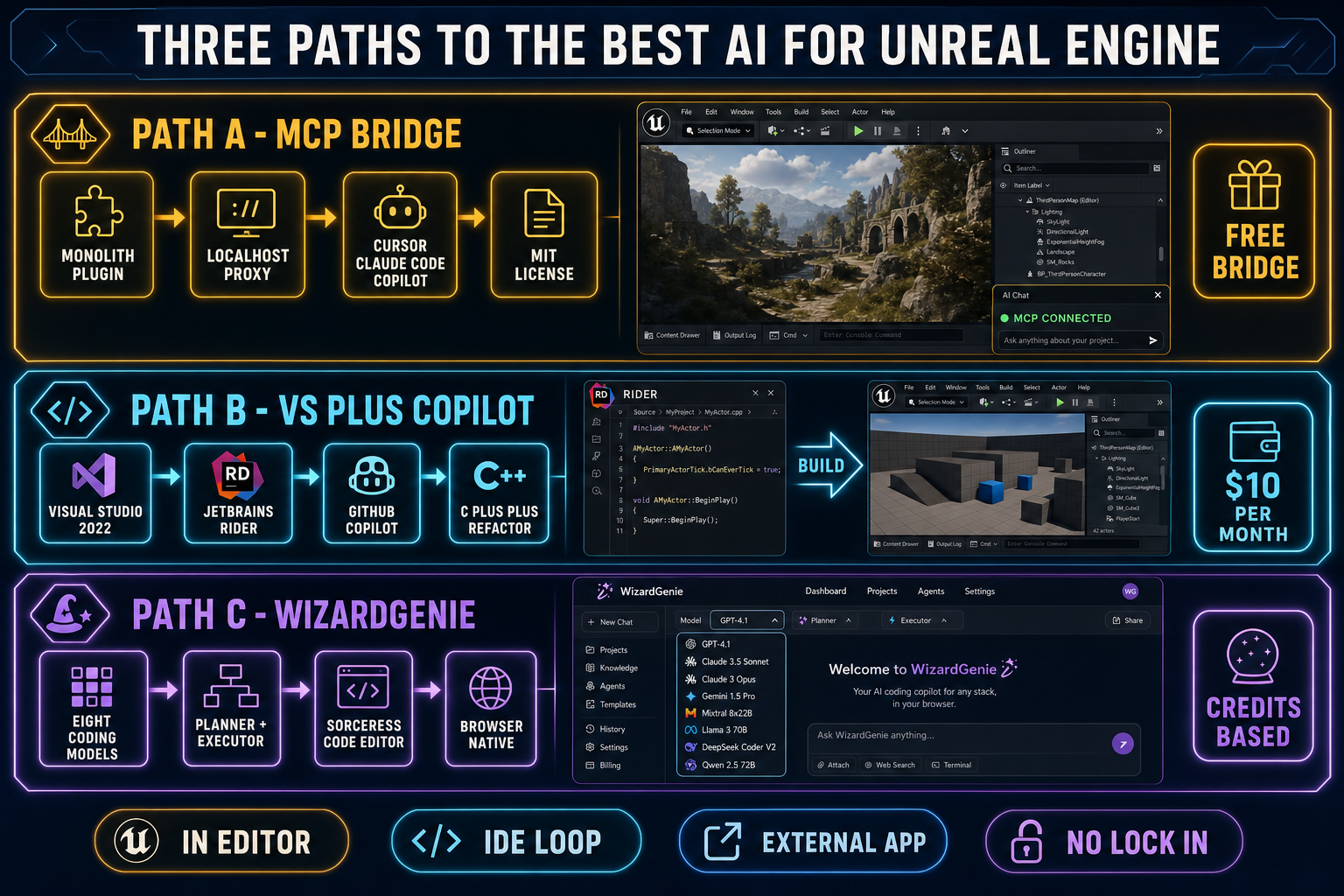
The honest answer to what is the best AI for Unreal Engine in 2026 is that there is no single answer — the field splits three ways because Epic Games never shipped an in-editor coding assistant like Unity AI Beta, and the community filled the gap with three independent paths. The first path is the Model Context Protocol bridge, where community plugins like Monolith and UEBridgeMCP turn the Unreal Editor itself into an MCP server that any compatible client (Cursor, Claude Code, VS Code Copilot, Claude Desktop, Windsurf, Cline) can drive. The second path is the classical IDE loop: Visual Studio 2022 or JetBrains Rider with GitHub Copilot grinding through C++, headers, and Blueprint-as-text on the project source. The third path is an external coding agent like WizardGenie with its eight-model picker, paired with the Sorceress Code editor for browser-native script work that does not need to live inside the editor at all. Below is what each path actually does in 2026, where it stops, and which one earns the title of best AI for Unreal Engine for the project you are about to start. Verified May 27, 2026 against the live unrealengine.com license and feature pages, the live github.com/tumourlove/monolith and github.com/uuuuzz/UEBridgeMCP repositories, and the Sorceress source at src/app/_home-v2/_data/tools.ts.
The three honest paths to the best AI for Unreal Engine
Treat the question what is the best AI for Unreal Engine like a routing decision, not a model choice. The three viable paths in 2026 differ on where the agent runs, what it sees, and what it costs:
- Path A — MCP-bridged in-editor: a community MCP plugin (Monolith for Unreal 5.7+, UEBridgeMCP for 5.6+, or the hosted Flop MCP for 5.5+) runs inside the Unreal Editor as an HTTP MCP server. Any compatible client (Cursor, Claude Code, VS Code Copilot, Windsurf, Cline) speaks to it over localhost and gets editor-level tools: scene actors, Blueprints, Materials, asset import, build, and run-tests. The plugin is MIT-licensed and free; the agent subscription is whatever you already pay.
- Path B — Visual Studio or Rider with Copilot: the long-running default for Unreal C++ work. Visual Studio 2022 with Microsoft’s Unreal integration, or JetBrains Rider with the Unreal-aware RiderFlow plugin, plus GitHub Copilot for inline completions and chat. Sees the .cpp / .h source files and the Blueprint-as-text exports, does not see the live editor scene graph. The cheapest path for pure code work; the slowest path for whole-scene refactors.
- Path C — WizardGenie + Sorceress Code: the agent runs outside Unreal in the browser (or on the WizardGenie desktop build), picks from eight coding models, and edits the C++, Blueprint-as-text, and Verse source files directly with a planner-executor pair. Trades in-editor scene-graph context for the multi-model picker, the planner-executor cost ratio, and zero recurring subscription floor.
All three paths are usable today. The question is not which one is the single best AI for Unreal Engine — it is which combination of paths fits your project, your language mix (C++, Blueprints, Verse for UEFN), and your budget. The rest of this post is what each path actually delivers in 2026, with no marketing language and no missing prices.
Path A — the MCP bridge as the best AI for Unreal Engine inside the editor
The first path uses the Model Context Protocol — the open standard that lets any compatible client (an IDE-based coding agent, a desktop chat client, a CLI tool) call tools on a remote server. Unlike Unity, Epic Games has not shipped a first-party in-editor AI for Unreal Engine 5.7 as of May 27, 2026, so the community MCP plugin ecosystem is the de-facto in-editor path. The three dominant 2026 options:
- Monolith (GitHub:
tumourlove/monolith): UE 5.7+, MIT licensed, current release v0.12.1 (May 2026), 1,125 actions across 15 modules. Gives the agent full read/write access to Blueprints, Materials, Niagara VFX, Animation, Mesh, AI (Behavior Trees, State Trees, EQS, Smart Objects), Gameplay Ability System, Logic Driver state machines, project configuration, and more. Zero Python dependency — ships a standalone C++ stdio-to-HTTP proxy. Works with Claude Code, Cursor, and any MCP-compatible client. - UEBridgeMCP (GitHub:
uuuuzz/UEBridgeMCP): UE 5.6+, native C++ plugin, current release v1.19.0. Embeds the MCP server directly inside the editor process so tools can inspect and edit Blueprints, levels, assets, materials, widgets, StateTrees, PIE sessions, and build workflows. Cross-client compatible with Claude Code, Claude Desktop, Cursor, Continue, Windsurf. Modular extension surface (Control Rig, PCG, external AI). - Flop MCP (
flopperam.com/mcp): hosted version that supports UE 5.5, 5.6, and 5.7. No local Python install, no local server — one URL, one API key. Pairs the MCP server with an autonomous Flop Agent that lives inside the editor and plans multi-step workflows, writes and executes code, recovers from errors, and iterates until the job is done. Works with Cursor, Claude Code, Windsurf, Cline, VS Code Copilot, OpenClaw.
Install is the same shape across all three: drop the plugin into the project’s Plugins/ folder, regenerate project files, compile, enable the plugin in the Unreal Editor, and the plugin opens an MCP endpoint (typically localhost on a fixed port). Add the endpoint to your MCP client’s config file, and the client’s agent can call the editor’s tools the same way it would call read_file or run_terminal_cmd. The exact config for Cursor lives at .cursor/mcp.json in the project root; for Claude Desktop at ~/.config/claude-desktop/mcp.json; for Windsurf at ~/.config/windsurf/mcp.json.
The tool surface the bridge exposes is the part that matters for actual Unreal work. Monolith’s tool surface covers Blueprint node graph editing, Material graph editing, Niagara emitter configuration, Animation Blueprint state machines, AI behavior tree authoring, and Gameplay Ability System abilities; UEBridgeMCP’s tool surface covers Blueprints, levels, assets, materials, widgets, StateTrees, PIE (Play in Editor) sessions, and build workflows; Flop MCP’s tool surface skews toward world-building (towns, castles, mazes) and ships its own autonomous agent on top. Pick the plugin that matches the shape of your project: Blueprint-heavy gameplay programmer projects pair best with Monolith; engine-extension and editor-tooling projects pair best with UEBridgeMCP; level-design-heavy projects pair best with Flop MCP.
The honest verdict on Path A: this is the cheapest path to wiring a real coding agent into the Unreal Editor today. You bring whatever IDE-based agent subscription you already pay for, install the plugin once, and the same agent that writes your TypeScript also drives the Unreal Editor. The trade-off is the plugin maturity gap relative to the Unity AI Beta first-party path — community plugins ship faster but break on engine updates more often, and the support story is GitHub issues, not Epic Games developer relations. For most working Unreal devs in 2026, that trade-off is worth taking; the alternative is no in-editor AI at all.
Path B — Visual Studio plus Copilot as the best AI for Unreal Engine on the C++ side
The second path is the long-running default for Unreal C++ work and is still the right pick for many projects in 2026. The shape is unchanged: an IDE that knows C++ and the Unreal-specific macros (UCLASS, UPROPERTY, UFUNCTION, USTRUCT, BlueprintCallable), plus a code-completion / chat agent layered on top. The two real choices:
- Visual Studio 2022 with Microsoft’s Unreal Engine integration extensions. The default Windows path. Compiles Unreal Build Tool scripts natively, handles platform-specific console SDK plugins cleanly, and integrates with the Unreal debugger out of the box. Visual Studio Community is free for individual developers; Professional and Enterprise tiers are paid.
- JetBrains Rider with the RiderFlow plugin. The cross-platform alternative (Windows, macOS, Linux) that ships better Unreal-specific refactorings: UPROPERTY- and UFUNCTION-aware rename, Blueprint reference lookup, Async task completion, and a faster project model than Visual Studio on large Unreal projects. Roughly $179/yr after the free trial. The 2026 day-to-day favorite among Unreal C++ developers who do not need MSBuild specifically.
The AI layer on top of either IDE is GitHub Copilot for the cheapest case ($10/mo Individual seat, $19/mo Business, $39/mo Enterprise as of May 27, 2026). Copilot writes inline completions, chats about code, and runs an agent loop in VS Code Copilot mode. The honest 2026 verdict on Copilot for Unreal: the inline completions are reliable on C++ syntax and Unreal macros (every frontier coding model in Copilot’s underlying picker is trained heavily on the Unreal C++ corpus), but the agent loop is weaker on multi-file Unreal refactors than the Path A MCP-bridged agent because Copilot does not see the editor’s scene state. A rename that propagates from a UPROPERTY through Blueprint references and live actor instances is a Path A job, not a Copilot job.
The cheaper Copilot alternative inside Visual Studio or Rider is to point the IDE’s MCP client at a Monolith or UEBridgeMCP server running in the Unreal Editor (the same Path A plugins). VS Code Copilot in agent mode, Cursor, and Claude Code all support MCP server configuration; once the editor plugin is running, the IDE-based agent has the same tool surface the dedicated MCP client would have. This pairing — Rider as the IDE plus an MCP-bridged Claude Code session targeting a Monolith server — is the strongest 2026 setup for serious Unreal C++ work that mixes script-level edits with editor-level scene refactors. The cost is the Rider seat plus whatever the agent costs; there is no separate Unreal AI subscription.
The honest verdict on Path B: this is the default if your Unreal team is already on Visual Studio or Rider and you just want to add an AI layer. Copilot is the cheapest entry; an MCP-bridged Claude Code or Cursor session inside the same IDE is the more capable upgrade. For projects where the work is mostly C++ headers, gameplay loops, and editor-extension tooling, Path B fits cleanly. For projects where the work is mostly scene-graph wiring and Blueprint authoring, Path A’s editor-level tool surface earns its install effort.
Path C — WizardGenie as the best AI for Unreal Engine from the browser
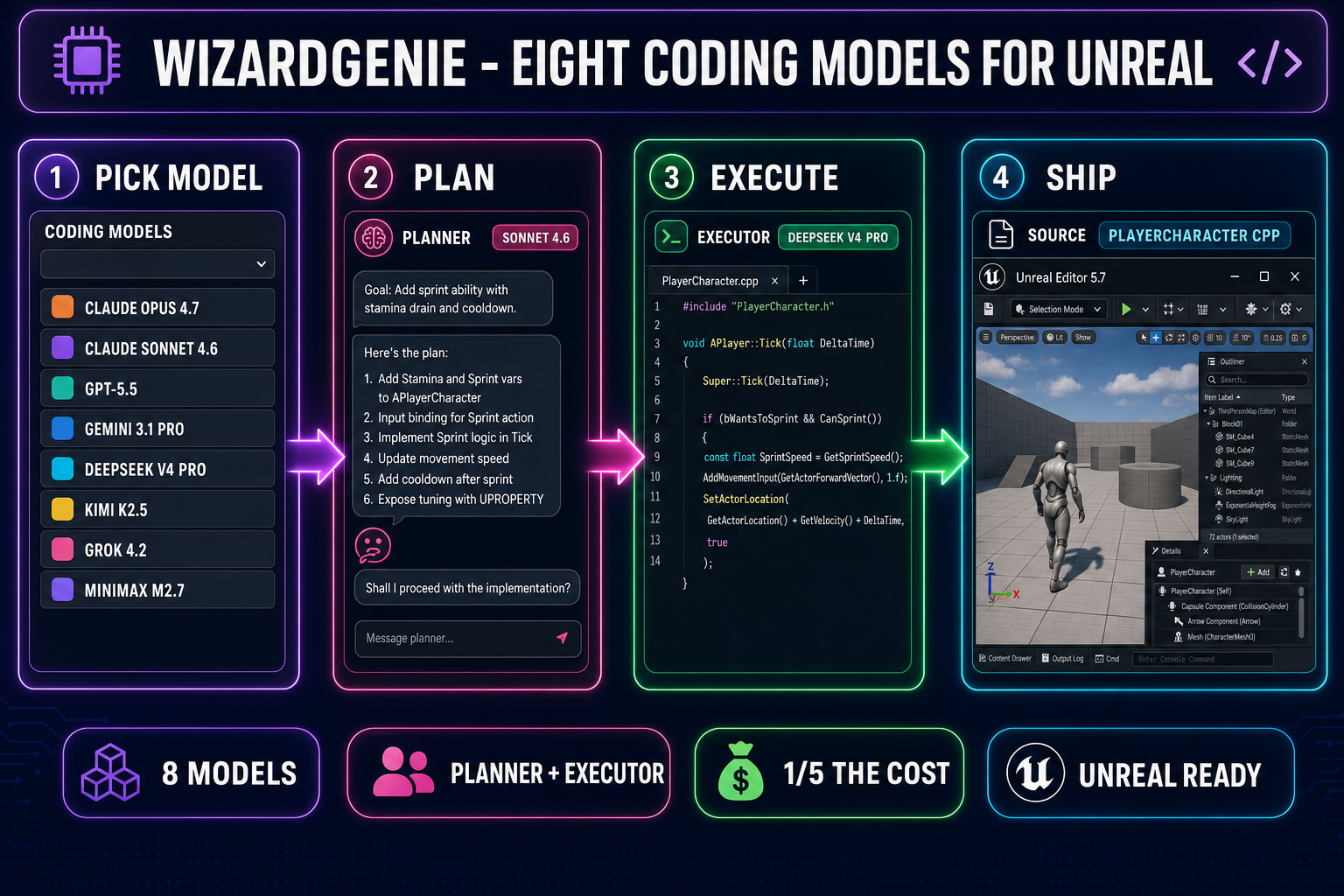
The third path moves the agent entirely out of the editor and into WizardGenie, the browser-native (and desktop) coding agent that ships as part of the Sorceress stack. Verified May 27, 2026 against src/app/_home-v2/_data/tools.ts lines 690-699, the WizardGenie CODING_MODELS list ships eight coding models out of the box:
| Model | Provider | Slot | Notes |
|---|---|---|---|
| Claude Opus 4.7 | Anthropic | Top tier | Acceptable planner. 1M context. $5/$25 per Mtok verified May 27, 2026. |
| Claude Sonnet 4.6 | Anthropic | Balanced default | Acceptable planner. 1M context. $3/$15 per Mtok verified May 27, 2026. |
| GPT-5.5 | OpenAI | Frontier | Strong C++ semantics. Acceptable planner. |
| Gemini 3.1 Pro | 1M context | Acceptable planner for long-context Unreal projects. | |
| DeepSeek V4 Pro | DeepSeek | Budget executor | $0.435 input / $0.87 output per Mtok — the 75% discount was made permanent on 2026-05-22. 1M context. |
| Kimi K2.5 | Moonshot | Budget executor | 256K coding context, agent-optimised. |
| Grok 4.2 | xAI | 2M context | The only model that fits a whole Unreal project plus all referenced UASSETs in one prompt. |
| MiniMax M2.7 | MiniMax | Agent-ready executor | Cheap fast typer for the executor slot. |
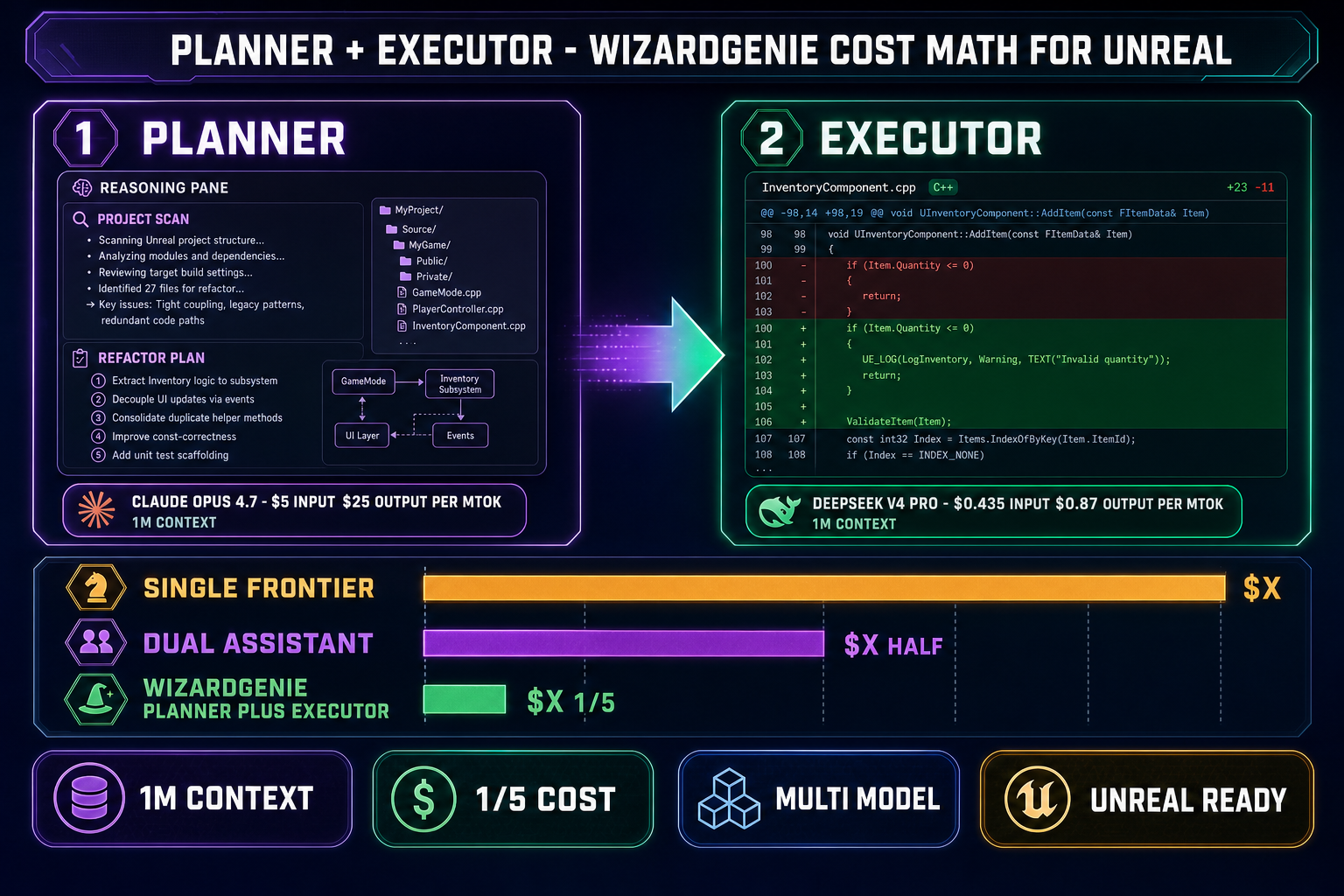
The WizardGenie picker is the surface; the value is the paired-agent pattern the picker enables. The right configuration for serious Unreal refactor work is a planner-executor pair: an expensive reasoner on the planning side (Claude Opus 4.7, Claude Sonnet 4.6, GPT-5.5, or Gemini 3.1 Pro) and a genuinely cheap fast typer on the executor side (DeepSeek V4 Pro, Kimi K2.5, or MiniMax M2.7). The planner reads the project, plans the refactor across C++ headers, Blueprint-as-text exports, and Verse modules (for UEFN), and emits a structured edit plan; the executor applies the diffs at roughly one-fifth the cost of letting the planner write every line itself. Pairing two frontier-priced models defeats the entire purpose — Sonnet 4.6 as both planner and executor is roughly four times the cost of Sonnet 4.6 plus DeepSeek V4 Pro for equivalent output quality.
Inside the Sorceress stack, the same WizardGenie agent also drives the Sorceress Code editor — a browser-based Monaco editor with project file tree, multi-file editing, image attachment, voice input, checkpointing, and direct file-system access (on the WizardGenie desktop build). For Unreal script work the typical workflow is: drop the entire Source/ tree into a WizardGenie session, let the planner read it (1M-context Sonnet 4.6 swallows most Unreal C++ source trees in a single message; Grok 4.2 at 2M context fits even the largest projects), then let the executor (DeepSeek V4 Pro) apply the diffs. The output is plain .cpp / .h / .uasset / .verse files you can drop back into the Unreal project, or pull via git if your Unreal project is git-tracked. For Blueprint work the same loop works against the text-export form of the Blueprint asset.
The honest verdict on Path C: this is the cheapest path for high-volume script work and the only path that gives you a real eight-model picker. The trade-off is the same one as the Visual Studio path — the agent does not have the in-editor scene-graph context the Path A MCP plugins provide. For projects where the work is mostly script-level (gameplay loops, state machines, character controller refactors, save/load systems, networking layers), Path C is faster and cheaper. For projects where the work is mostly scene-graph-level, Path A’s editor tool surface earns the install effort.