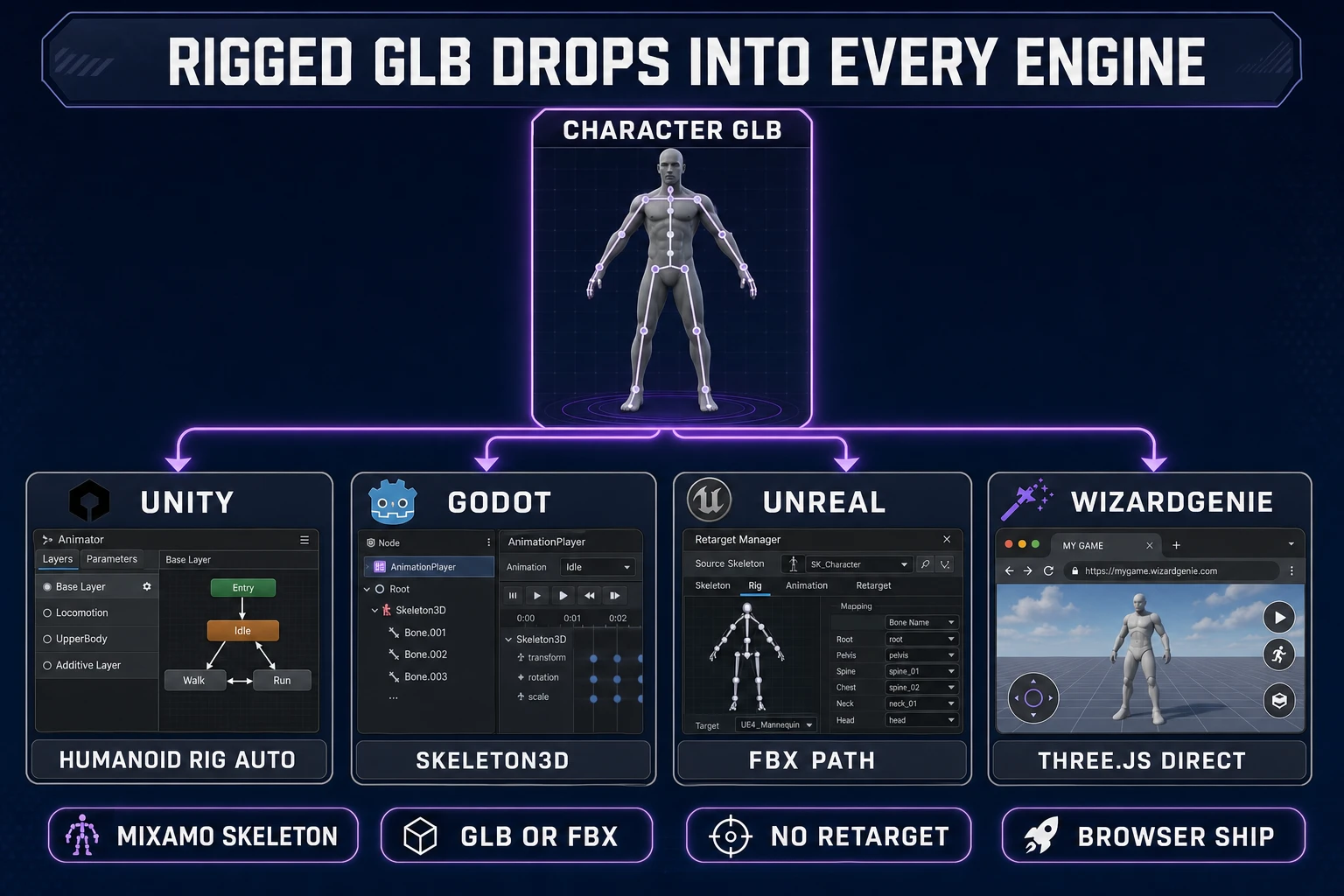
The search intent behind 3d character generator ai in 2026 is specific: an indie dev, a hobbyist, or a small studio needs a playable game character — not a static sculpt — and wants an AI pipeline that turns a prompt or a reference image into a rigged mesh that drops straight into Unity, Godot, Unreal, or a browser engine. The market splits cleanly into two camps. On one side, paid cloud generators (Meshy, Tripo, Rodin, Hunyuan) produce beautiful geometry per generation but bill per credit and ship no rig. On the other side, free desktop pipelines (Blender + AccuRIG, Character Creator 4 Essentials) require an install, a GPU, and hours of manual retopology before a character is animation-ready. There is a third path that most listicles skip: Sorceress 3D Studio bundles every major cloud model plus a genuinely free browser generator (Pixal3D on Sorceress GPU, currently no credits) alongside a browser-native Auto-Rigging tool in the same tab. This walks the honest free-browser path end-to-end, then shows the credit math for when the paid models are worth it. Every fact below is verified against the live Sorceress source in src/lib/threed-models.ts and the Sorceress rigging pipeline on July 1, 2026.
What a 3D character generator AI actually delivers in 2026
A 3D character generator AI in 2026 is a pipeline that takes a text prompt or a reference image and returns a textured 3D mesh in a game-ready format — GLB, FBX, or OBJ. The head of the SERP for 3d character generator ai assumes the reader has already tried the paid image generators for concept art and now needs the same speed for actual game geometry. That distinction matters because a static 3D sculpt is not a game character. A game character has an armature (a skeleton of bones), skinning weights (per-vertex bone influence), and clean topology that survives deformation when the character walks, runs, or swings a sword. Any tool that only produces the mesh — and there are many — solves half the problem.
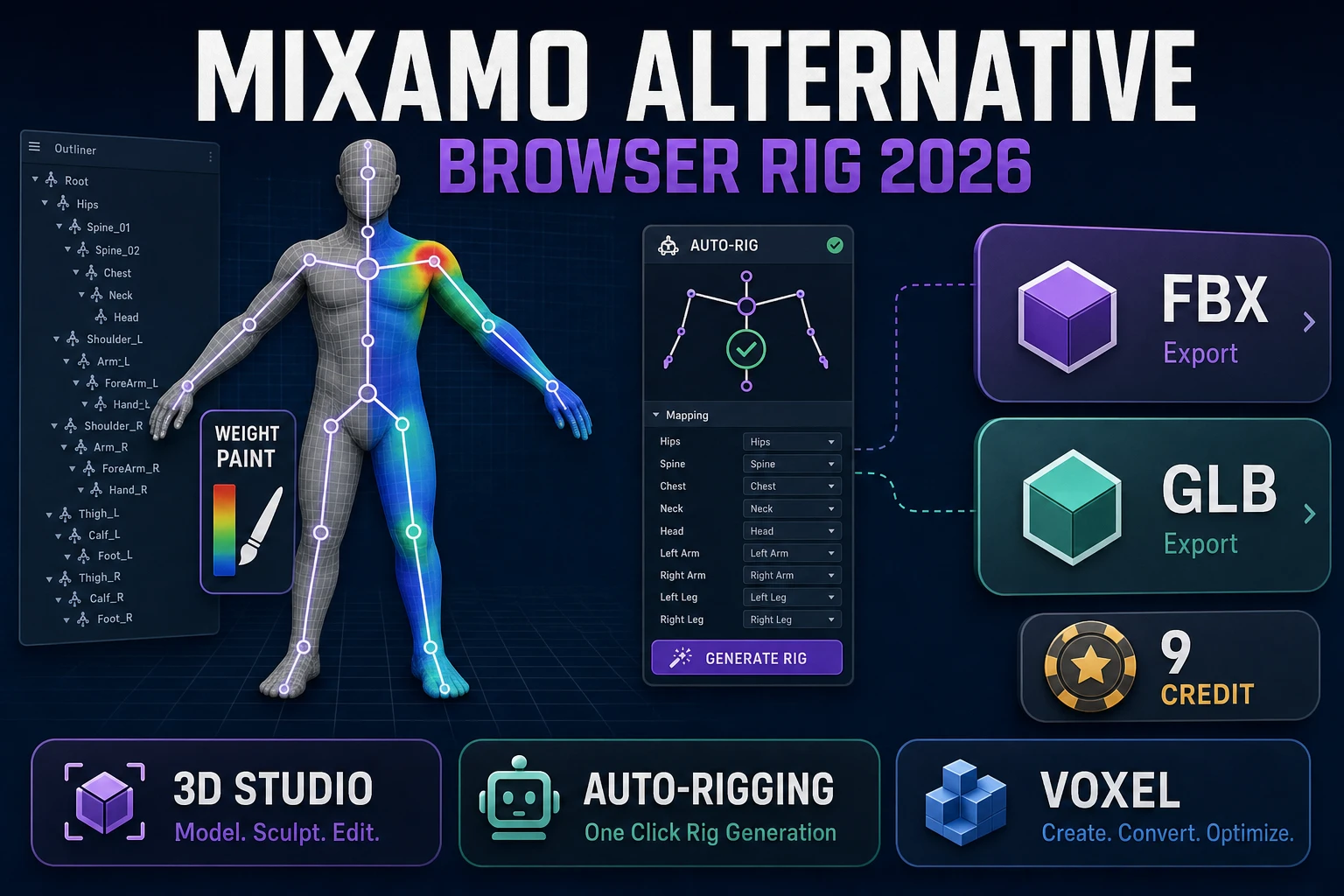
The pipeline breaks into three stages. Stage one is generation: text-to-3D or image-to-3D turns an input into an untextured or textured mesh. Stage two is rigging: an automatic tool inserts a skeleton and computes skinning weights so the mesh deforms correctly. Stage three is validation: the rigger, or the dev, plays a walk cycle or a punch animation on the mesh to catch broken weight painting before the character ends up in a shipping game. The Wikipedia entry on skeletal animation covers the theory of bones and weight painting for anyone new to the terminology. The important practical point is that stage two is the expensive one on most competitor stacks — either it requires a desktop app like Blender or it requires a separate paid tool like Adobe Mixamo. Sorceress ships stage two as a browser-native, credit-free workflow (per the source in src/app/rigging/page.tsx), which is why the honest 2026 recommendation is to run stage one in 3D Studio and stage two in Auto-Rigging back to back.
The alternative categories worth naming so the reader knows the landscape: paid cloud generators without rigging (Meshy, Tripo, Rodin, Hunyuan — typically 30 to 100 credits per generation on their own platforms), free desktop pipelines with heavy install overhead (Blender 4.5 + AccuRIG addon, Reallusion Character Creator 4 Essentials), paid desktop suites with hand-crafted models (ZBrush, Character Creator 4 Pro), and combined browser suites (Sorceress 3D Studio + Auto-Rigging + Refinement Studio, which stack in one tab). Each category solves the same end goal — a rigged GLB — through a different tradeoff between install effort, per-generation cost, and rig quality.
The free browser path with 3D Studio: Pixal3D image-to-3D plus Auto-Rigging
The genuinely free browser path for a 3d character generator ai in 2026 uses two Sorceress tools back to back: 3D Studio for stage one (mesh generation) and Auto-Rigging for stage two (skeleton + skinning). The free stage-one model is Pixal3D, which runs on Sorceress-hosted GPU and is labeled “Free for now” in the model picker (verified in src/lib/threed-models.ts line 264 on July 1, 2026). The free stage-two workflow is the browser-native 5-marker rig, which runs entirely on the user’s own WebGL/WebGPU (per src/app/rigging/page.tsx) and costs zero credits.
Step 1: open 3D Studio. Pick Image to 3D at the top and select Pixal3D from the model dropdown — it appears in the picker with an orange “Free for now” badge. Upload a reference image (a character concept, a stylized portrait, or a full-body silhouette). Best results come from a full-body front-facing image with a clean background and A-pose or T-pose limbs; Pixal3D will attempt to infer the back of the character from the front but the reconstruction is measurably cleaner when the input is neutrally posed with visible limbs.
Step 2: hit Generate. Pixal3D queues the job on the Sorceress GPU cluster and streams a textured mesh preview into the studio canvas. Typical turnaround is one to three minutes depending on cluster load. The output is a triangle mesh with baked color textures. If the mesh has topology artifacts (floating hair, closed eyes, extra fingers), regenerate with a different image or switch models to Hunyuan 3D 3.1 for a paid retry — more on that in the next H2.
Step 3: click the Rig button in 3D Studio — this hands the mesh straight to Auto-Rigging in the same tab. The 5-marker rig flow now opens: place one marker on the head, one on each wrist, and one on each ankle. The tool infers the rest of the skeleton (spine, hips, upper/lower limbs) from those five landmarks. Skinning weights compute in-browser using a Mixamo-compatible bone convention (per the rig source in src/app/rigging/page.tsx), so the result works with any Mixamo animation library out of the box.
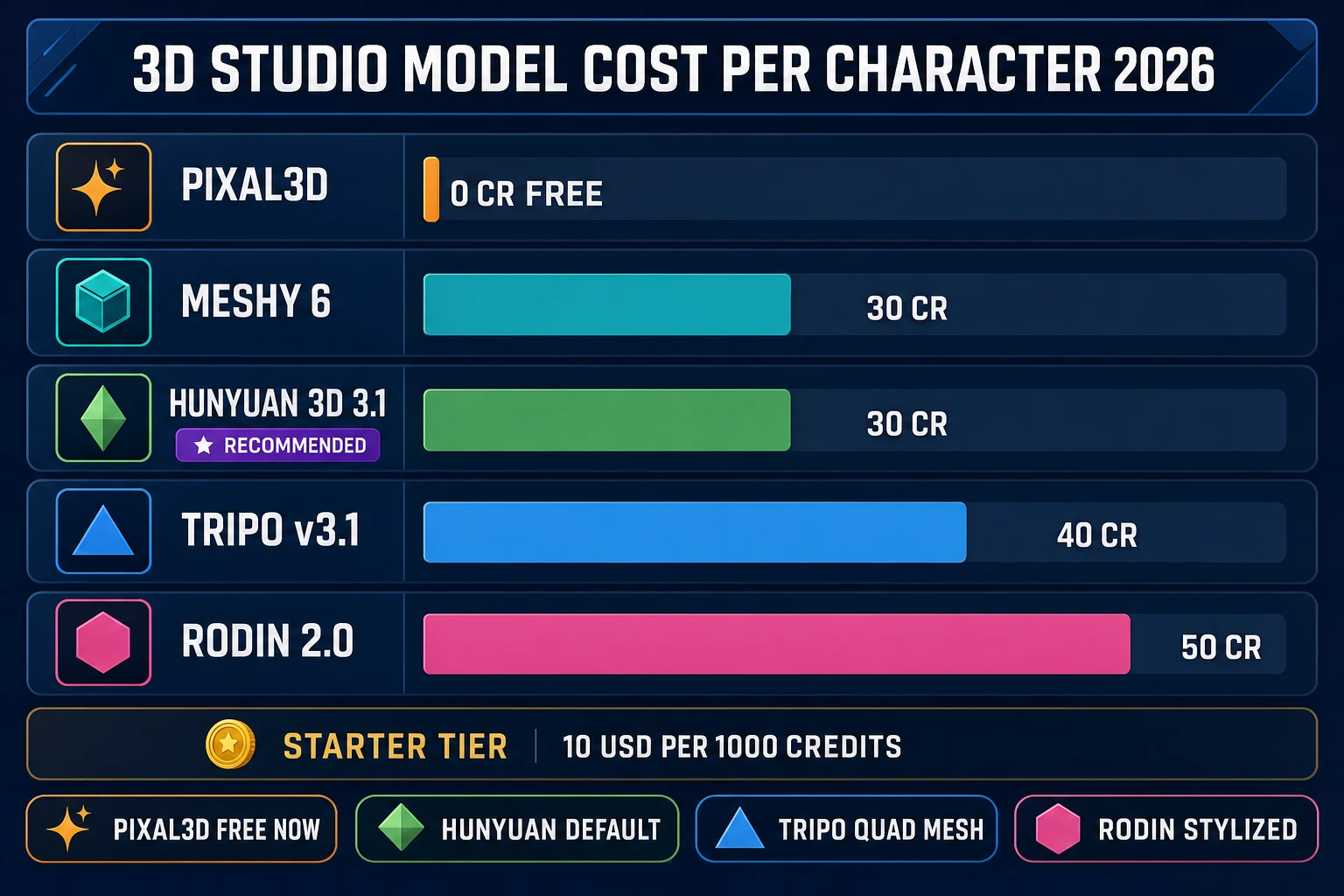
src/lib/threed-models.ts). Pixal3D is currently free; Hunyuan 3D 3.1 is the recommended paid default at 30 credits (~$0.30 at the Starter tier).When to spend credits: honest model matrix for Hunyuan, Tripo, Meshy, and Rodin
The free Pixal3D path handles most solo-indie use cases, but four paid models earn their credits for specific jobs. Every number below is verified against src/lib/threed-models.ts on July 1, 2026 — the same registry the live 3D Studio picker reads at runtime.
Hunyuan 3D 3.1 costs 30 credits per image-to-3D generation and sits at the top of the model list as the recommended default (RECOMMENDED_MODELS Set line 371). Tencent’s Hunyuan family is the modern head of the open-source-derived generator branch; the 3.1 revision on Sorceress GPU produces the cleanest topology of the four paid options for stylized characters and mid-detail hero characters. At the Starter tier of $10 for 1,000 credits (per src/app/plans/page.tsx), 30 credits works out to about 30 cents per character. Hunyuan 3D 2.1 also ships in the picker at 15 credits but is gated behind a self-hosted RunPod GPU key and only visible when that env var is set (RunPod-gated flag line 137). For most users the default 3.1 model is the correct pick.
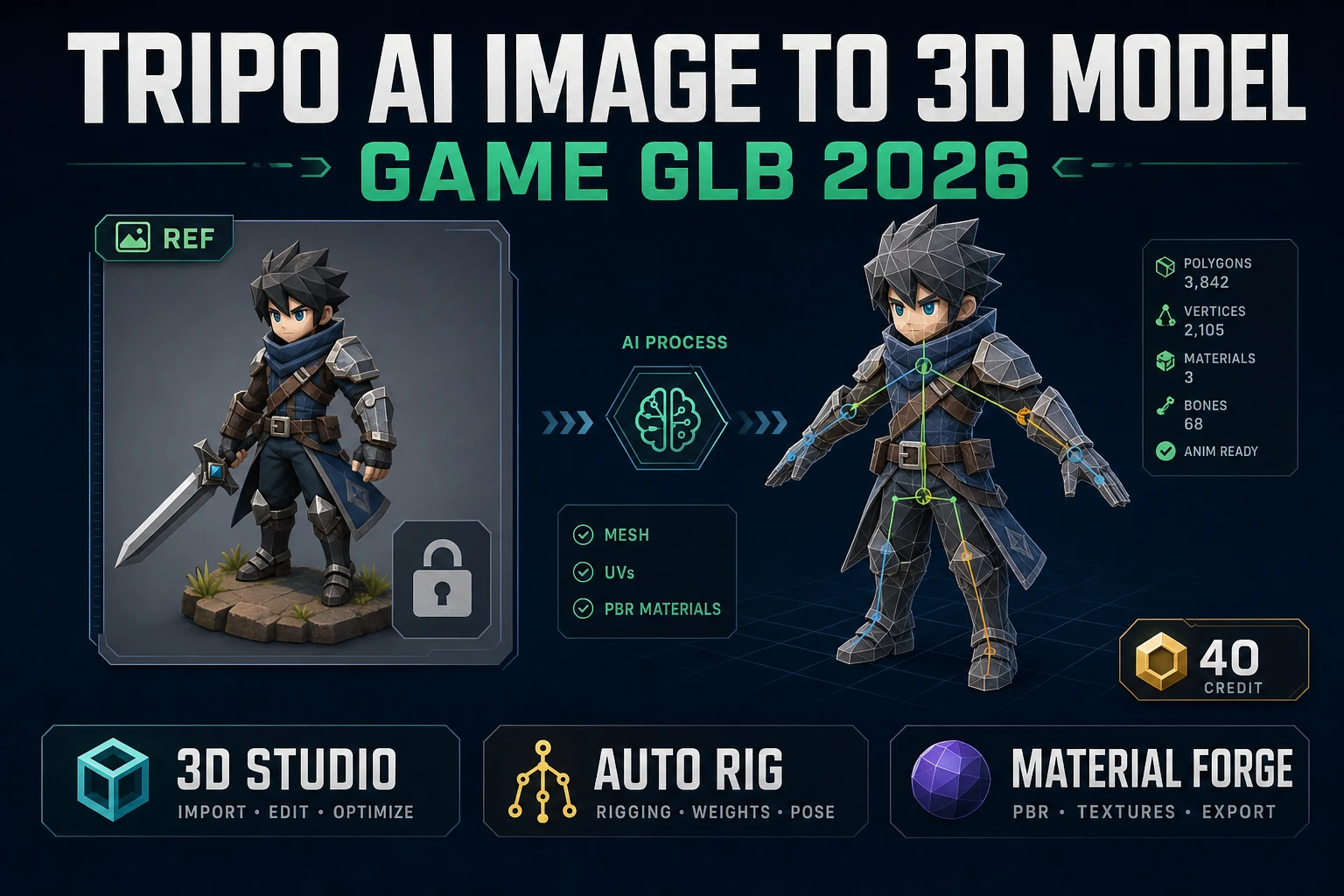
Tripo v3.1 costs 40 credits for a standard image-to-3D generation, or up to 75 credits with HD texture (+10), quad-mesh topology (+5), and detailed geometry (+30) all enabled. Tripo shines when the reader needs quad-mesh topology — the Quad option outputs FBX with quadrilateral polygons instead of triangles, which subdivides and sculpts cleanly in Blender or ZBrush post-generation. For a game-ready character that will animate as-is without further sculpting, quad mesh is unnecessary and the default triangle output at 40 credits is fine. Tripo v3.1 also uniquely supports text-to-3D and multi-image-to-3D (four-view input) — more on that in the next H2.
Tripo Smart Mesh P1 costs 65 credits for the standard image path (55 for text-to-3D no-texture) and is optimized for clean low-poly output — game-ready meshes with 500 to 20,000 faces suitable for realtime rendering on mobile or in-browser engines. P1’s topology is deliberately restrained (max 20,000 faces) and its target use case is stylized characters and game props where polygon budget matters more than geometric detail. For a hero character at desktop-quality res, Tripo v3.1 or Hunyuan 3D 3.1 is the better pick; for a background NPC or a mobile-target character, P1 is the smarter spend.
Meshy 6 costs 30 credits base, +15 for textures, +15 for remesh, so a fully-featured Meshy 6 generation lands at 60 credits. Meshy 6 also uniquely supports text-to-3D and multi-image-to-3D on the same model (Meshy 5 is image-and-text only). Its pose_mode parameter can force the output into A-pose or T-pose, which matters for automatic rigging — a rig on a T-posed mesh always outperforms a rig on a neutral-pose mesh because the arms are extended clear of the torso. If the reader knows the character needs to animate, setting pose_mode to t-pose is a free quality upgrade at the cost of a slightly stiffer static pose.
Rodin 2.0 (Hyper3D Gen-2, routed through Replicate) costs 50 credits and produces the most stylized, artist-forward output of the four paid options. Rodin’s strength is characterful faces and asymmetric detail (weapons in one hand, prop in the other, expressive facial anatomy). If the source image is highly stylized — anime, low-poly, hand-painted concept — Rodin usually captures the intent better than Hunyuan or Tripo, at a higher credit cost.
Two more models round out the picker: Trellis 2 at 35 to 45 credits depending on resolution (35 for 512, 40 for 1024, 45 for 1536) and Meshy 5 at 31 credits base for legacy Meshy workflows. For a first character in 2026, the honest recommended flow is: try Pixal3D free first, upgrade to Hunyuan 3D 3.1 (30 cr) if Pixal misses, and only reach for Rodin (50 cr) or Tripo Smart Mesh P1 (65 cr) for specific stylistic or topology reasons.