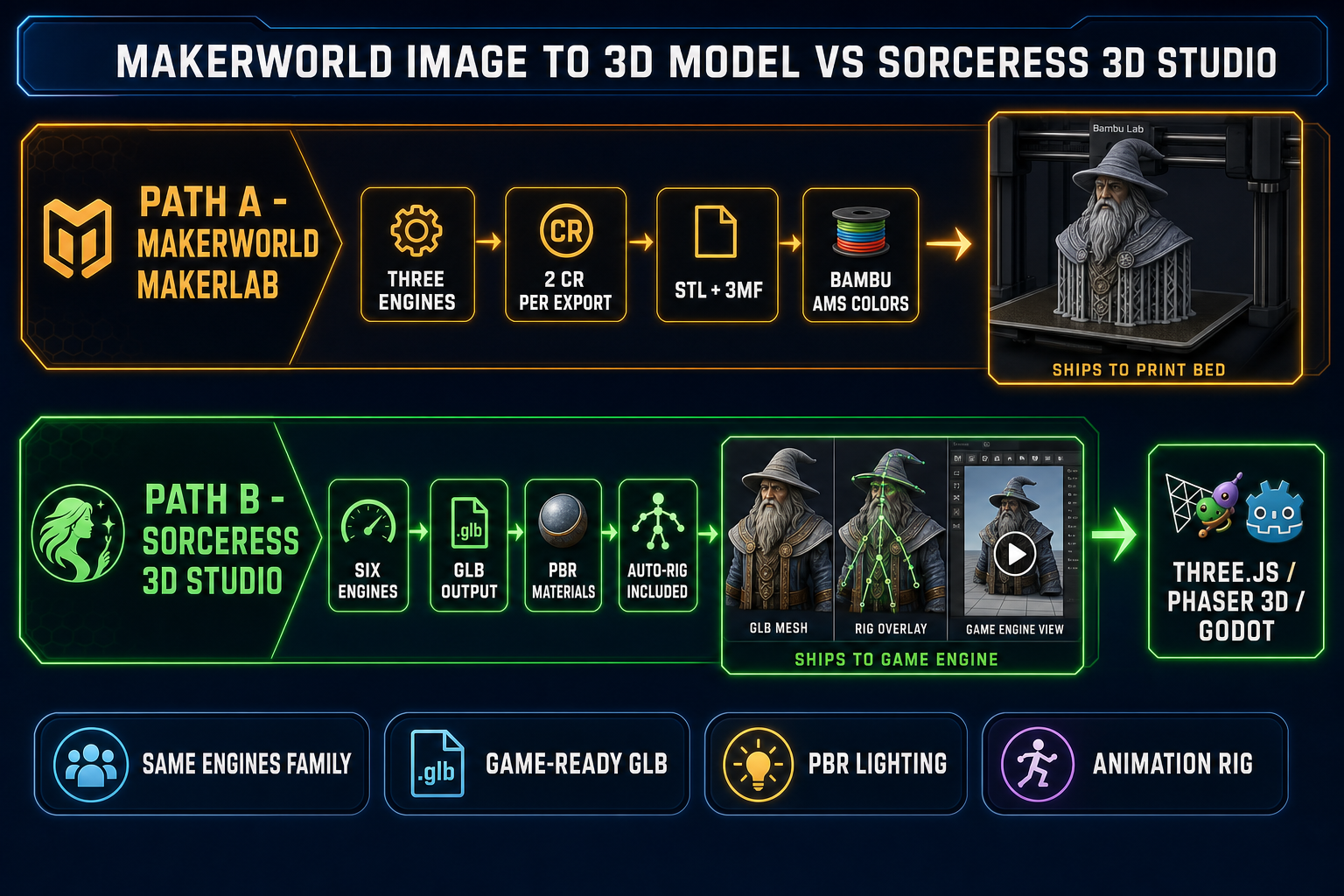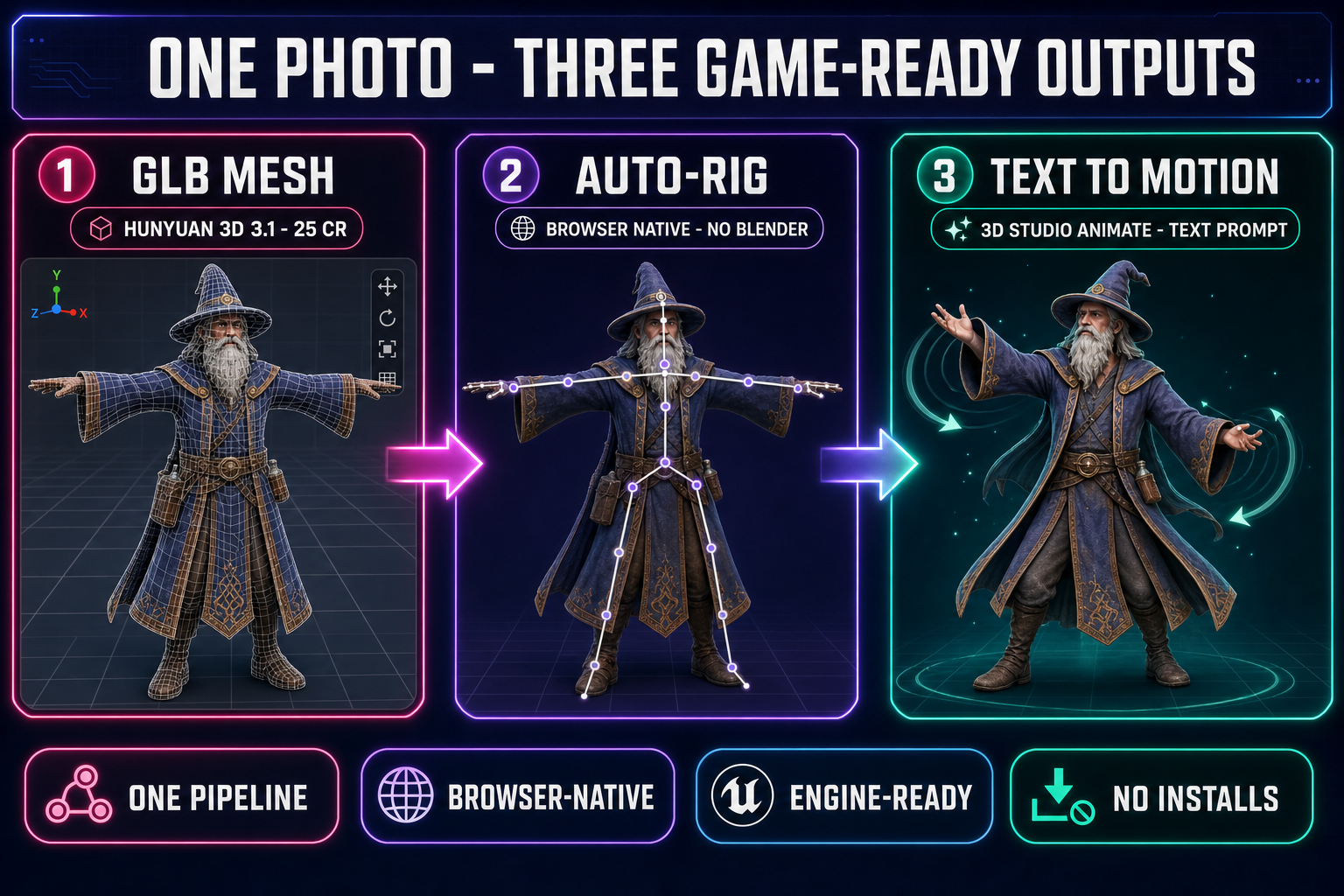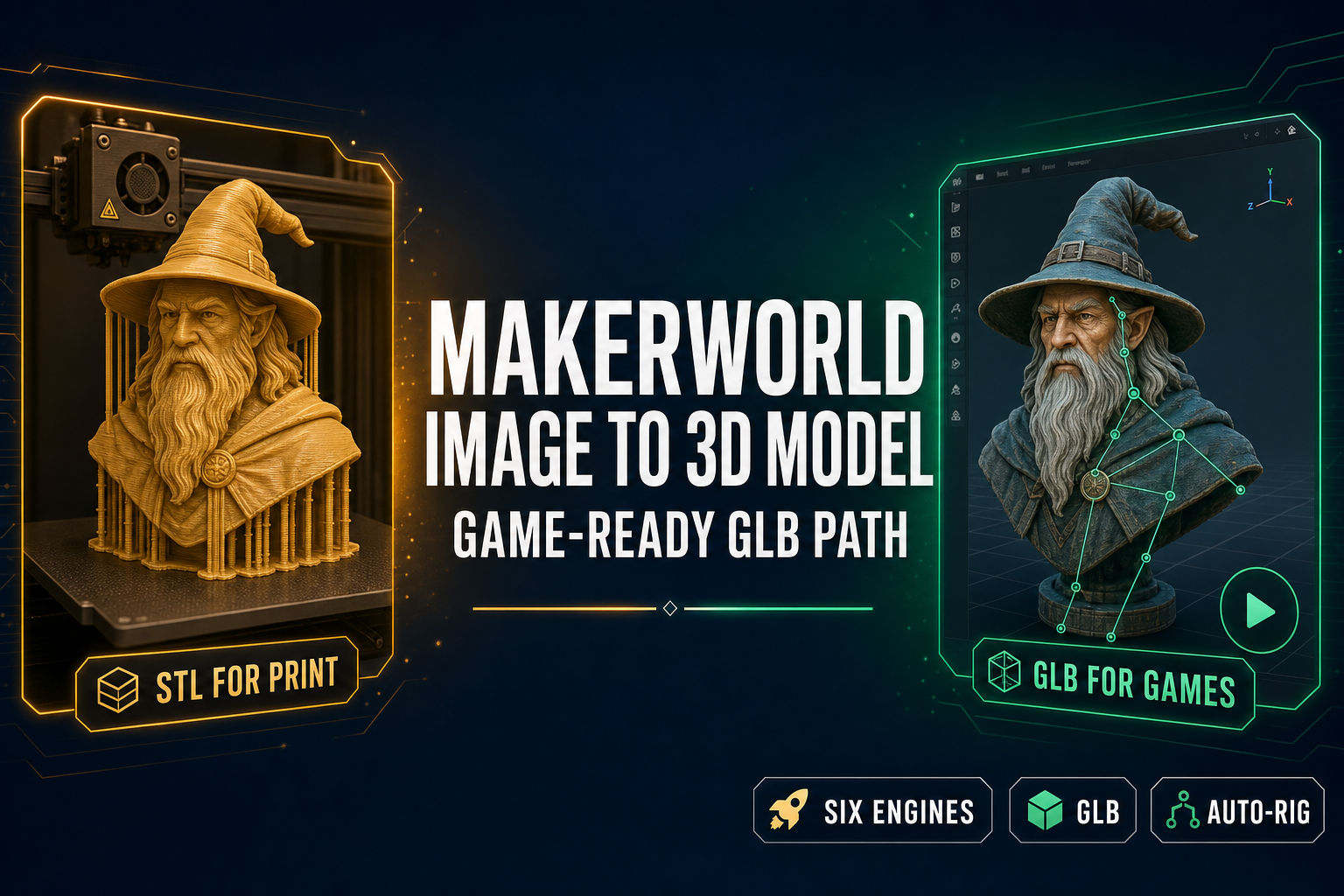
The Makerworld image to 3D model tool launched on March 17, 2026 inside Bambu Lab’s MakerLab section of the MakerWorld community platform, and it is genuinely good. It runs three of the same AI engines that power the inside of every modern image-to-3D pipeline — Meshy 6, Hunyuan 3.1, and Tripo AI 3.0 — accepts a single photo, ships a textured mesh in roughly two to four minutes, and exports STL, 3MF, GLB, OBJ, FBX, USDZ, and BLEND. The headline feature is the colour zoning: the 3MF export pre-maps the AI-generated texture as Bambu AMS filament colours (up to 16) so the file lands in Bambu Studio with the multicolour print already configured. For an FDM print, that is the cleanest workflow on the market. For a game engine, the same output stops one step short of useful, because game engines do not want a print-tuned STL with painted filament zones — they want a GLB with PBR materials, a humanoid skeleton, and an animation rig. This is the honest read of what the Makerworld image to 3D model tool does in 2026, where it shines, where it stops short for game-asset work, and the same-engine alternative inside Sorceress 3D Studio that takes the same Meshy 6 / Hunyuan 3D 3.1 / Tripo v3.1 backbone all the way to a rigged, animated, engine-ready character. Verified May 19, 2026 against the live MakerLab pages, the Khronos glTF 2.0 specification, and the Sorceress THREED_MODELS registry in src/lib/threed-models.ts.
What the Makerworld image to 3D model tool actually does in 2026
MakerLab is the AI-tools section of MakerWorld, Bambu Lab’s community model-sharing site. The Image to 3D feature lives at makerworld.com/makerlab/imageto3d and was announced on March 17, 2026 as the first public output of a Meshy plus Bambu Lab partnership. The whole flow runs in a browser tab: upload an image, choose an engine, wait roughly two to four minutes, then export the mesh in the format that matches the destination printer or downstream tool. Three AI engines are exposed in the picker:
- Meshy 6 — Meshy’s 2026 flagship, the highest-detail engine in the lineup. Recommended for stylised characters, figurines, and busts.
- Hunyuan 3.1 — Tencent’s open-source image-to-3D model. Recommended for clean hard-surface props (vehicles, weapons, mechanical parts).
- Tripo AI 3.0 — Tripo’s fastest engine. Recommended for quick iteration on the source image before committing to a longer Meshy 6 run.
The export menu lists STL (geometry only, the universal print format), 3MF (geometry plus colour-zone mapping plus print metadata, Bambu Lab’s preferred format), GLB (the glTF 2.0 binary used by game engines and the web), OBJ, FBX, USDZ, and BLEND. The Makerworld image to 3D model tool charges 2 MakerLab credits per successful export, with a daily free credit refresh that supports a few generations per day on the free tier. The differentiator that justifies the headline “one-click” framing is the Bambu AMS (Automated Material System) integration: the 3MF export carries the Meshy-generated texture pre-mapped as filament colour zones compatible with the AMS multi-colour system (up to 16 colours), which means the file imports into Bambu Studio with the colour assignments already in place. No manual painting in the slicer, no hand-mapping of material IDs to filament slots. Verified May 19, 2026 against the live MakerLab tool pages and the Bambu Lab announcement materials.
The shared engine lineup — where Makerworld and Sorceress 3D Studio overlap
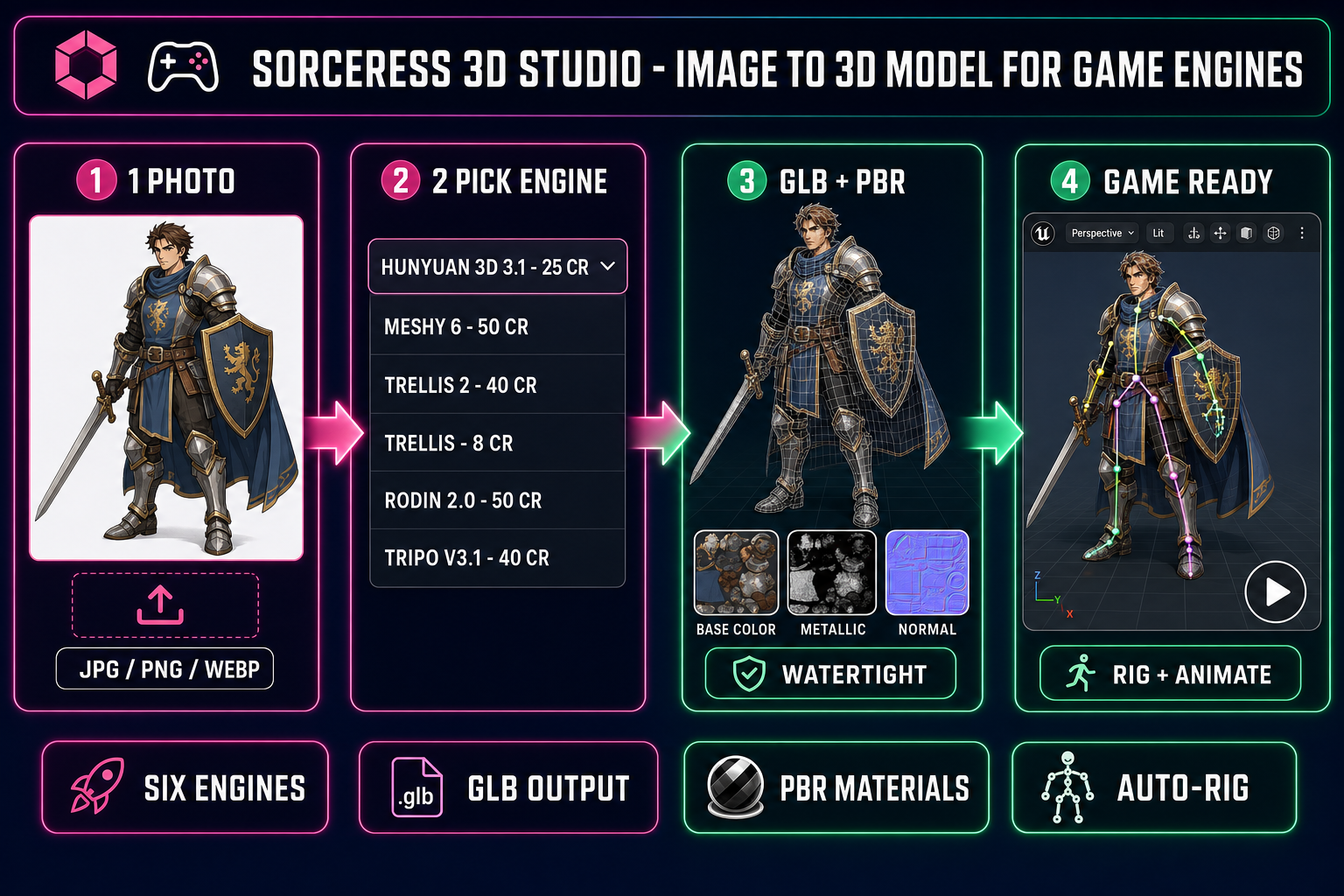
The pleasant surprise about the Makerworld image to 3D model tool is that two-thirds of its engine picker is the same backbone that runs inside Sorceress 3D Studio. Both platforms expose Meshy 6, both expose a Hunyuan 3.1 model (Sorceress runs Hunyuan 3D 3.1 specifically), and both expose Tripo (Sorceress runs Tripo v3.1, the HD-tier variant). Verified May 19, 2026 against THREED_MODEL_ORDER in src/lib/threed-models.ts, the full Sorceress 3D Studio picker lists six engines in this order:
| Engine | Provider | Credits (default) | Also on Makerworld? | Best for |
|---|---|---|---|---|
| Hunyuan 3D 3.1 | Tencent | 25 | Yes (as Hunyuan 3.1) | Recommended default — clean PBR character mesh |
| Meshy 6 | Meshy | 50 base | Yes | Highest detail, multi-image support |
| TRELLIS 2 | Microsoft Research | 35–45 (resolution) | No | Tighter topology, single-image only |
| TRELLIS | Microsoft Research | 8 | No | Cheapest watertight mesh — iteration pass |
| Rodin 2.0 | Hyper3D | 50 | No | Native STL export, Quad PBR topology |
| Tripo v3.1 | Tripo | 40 (HD) | Yes (as Tripo AI 3.0) | Hard-surface props, quad mesh option |
The shared subset matters because it means the geometry quality you get from the Makerworld image to 3D model tool is the same geometry quality you get from Sorceress 3D Studio when you pick the same engine. The mesh that comes out of Meshy 6 inside MakerLab is the same mesh that comes out of Meshy 6 inside the Sorceress Generate tab. The differentiator is not the AI engine — it is what happens after the mesh lands.
Where the Makerworld image to 3D model tool stops for game devs
Three places the Makerworld pipeline stops cold once the destination is a game engine instead of a print bed:
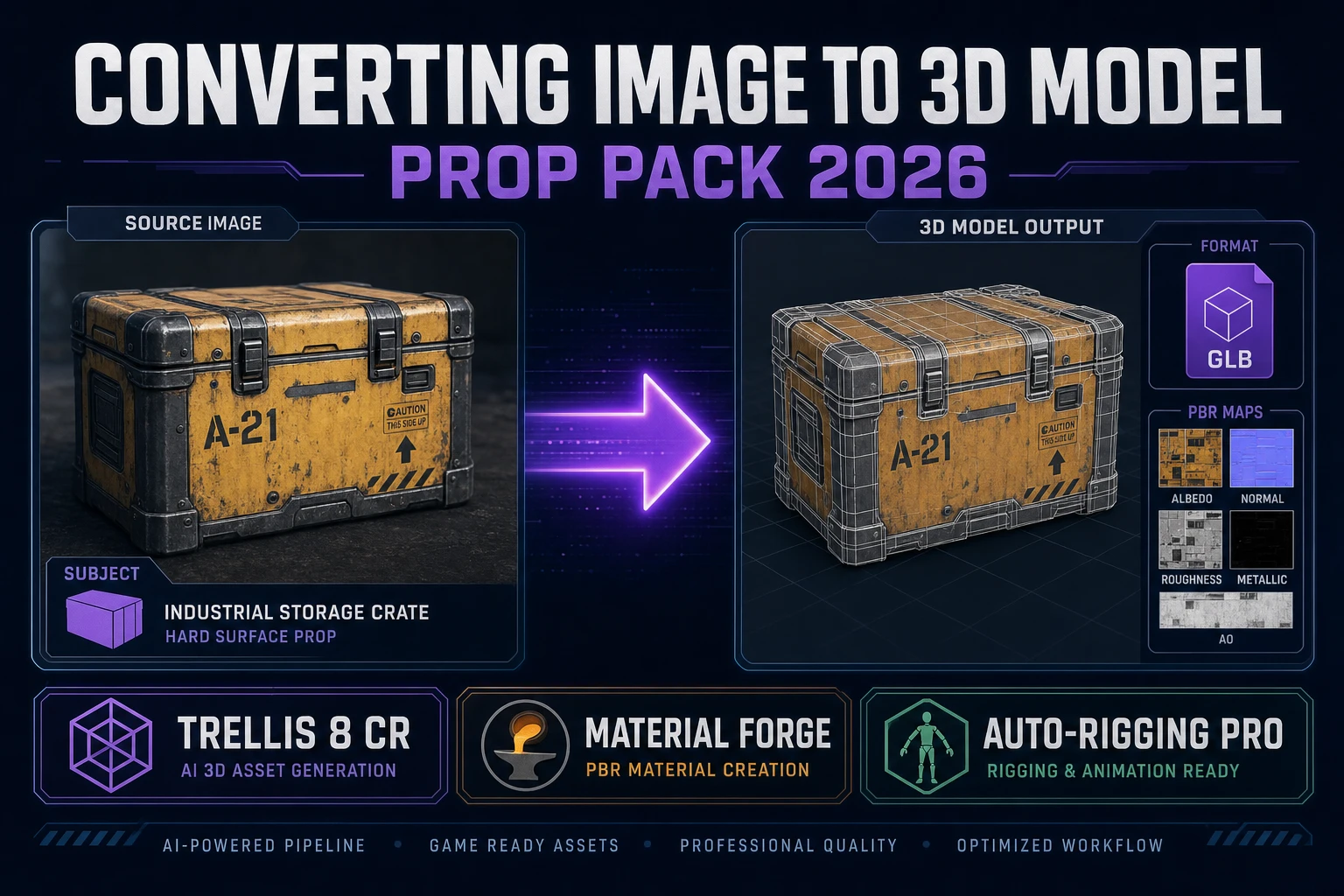
- PBR materials are not the export target. Game engines read physically based rendering materials — a base-colour map plus metallic, roughness, and normal maps — so the engine’s lighting reads correctly on the surface. The Makerworld image to 3D model tool emits a Meshy-derived diffuse colour map and pre-maps it as 3MF filament zones, which is exactly what you want for a multi-colour FDM print and exactly what a game engine cannot do anything useful with. The GLB export carries the diffuse colour but ships without metallic, roughness, or normal maps — those parameters live in the PBR domain that the FDM print path discards. Sorceress 3D Studio runs Hunyuan 3D 3.1 with
enable_pbr: trueby default (verified insrc/lib/threed-models.ts) and Rodin 2.0 with thematerial: ‘PBR’option that ships base colour plus metallic plus normal plus roughness in one GLB. - No rigging pass. A game character that the player controls needs a humanoid skeleton wired through the mesh so the engine can drive bone rotations. The Makerworld tool ships a static mesh with no skeleton because FDM prints are static objects. A printed wizard bust does not need to walk. Sorceress 3D Studio ships a browser-based auto-rigging pass that fits a humanoid skeleton to the generated mesh and exports the result as a single rigged GLB — see the browser-based auto-rig walkthrough for the full flow.
- No animation bridge. Once a character is rigged, the next step is at least one animation clip — an idle, a walk cycle, an attack. The Makerworld pipeline has no concept of animation because the print path ends with a static STL. Sorceress 3D Studio bridges the rigged mesh into a text-to-motion pass that runs on a Hunyuan-class mocap model and produces GLB-embedded animation clips driven by a text prompt — see the 3D animation generator walkthrough.
None of these gaps are a flaw in the Makerworld image to 3D model tool. The tool is built for a different destination — an FDM print, where PBR is meaningless, rigging is meaningless, and animation is meaningless. The mismatch only appears when a game developer reads the Makerworld feature page and assumes the GLB export is the same shape as a GLB export from a game-asset pipeline. It is the same file format with a different payload inside.