Sprite tools land on a spectrum in 2026. On one end of that spectrum, browser canvases that snap a single PNG to a 32-pixel grid for a tabletop token. On the other end, full game-asset platforms that pair a market-research dashboard with a generative animator and a Unity plugin. The Ludo AI sprite generator sits squarely on the platform end of that line, with a credible enough sprite flow that game devs Googling for it deserve an honest take rather than another listicle. Below: what the Ludo AI sprite generator actually ships in 2026 (text-to-sprite plus image-to-animated-spritesheet with engine-ready PNG export at customizable frame counts and layouts), the credit math at the Indie and Pro tiers verified June 6, 2026 against the live pricing summaries, where the platform stops cold for indie work, and the Sorceress sprite stack at Quick Sprites and Auto-Sprite v2 as the different-shaped browser path that closes the rig-and-3D loop Ludo leaves open.
src/app/quick-sprites/page.tsx.What people mean by "Ludo AI sprite generator" in 2026
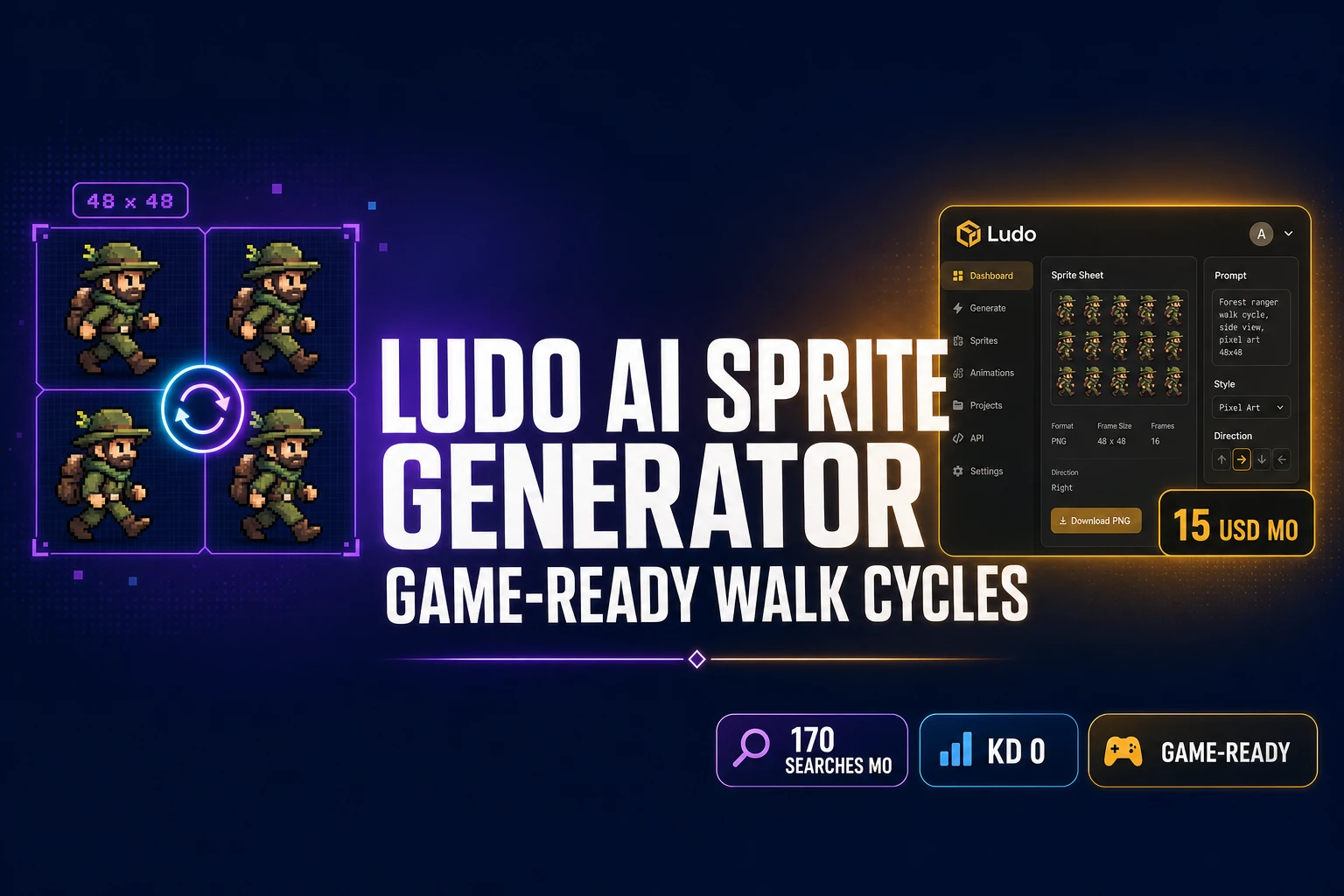
The phrase Ludo AI sprite generator shows up about 170 times a month on Google in 2026, with a keyword-difficulty score of zero, which is unusual for a brand-anchored long-tail. That combination tells you something specific: indie game devs and hobbyists are reading about Ludo.ai on YouTube, Reddit, or a Steam dev blog and going straight to Google to figure out whether the tool actually does what they need before they spin up a free trial. The brand is real. Ludo.ai is built by Jet Play Inc. out of Sacramento, California, and it positions itself as an end-to-end pre-production hub for indie game studios. The sprite generator is one of about eight headline features (alongside the Game Ideator, the Ludo Market Score, a text-to-3D asset flow, a playable web prototype builder, an audio generator, and a market-trends explorer).
The sprite tool itself runs two flows. The first is text-to-sprite: type "armored space marine, side perspective, pixel art style" and the model returns a static 2D character on a transparent background. The second is image-to-spritesheet: upload your own still character image and a motion prompt like "walk cycle" or "attack swing", and the model animates it into a transparent PNG spritesheet you can export at customizable frame counts and layouts. As of mid-2026, the platform also exposes the same generators through a Unity plugin (in-Editor asset import), a Model Context Protocol server at mcp.ludo.ai for AI assistants like Claude and Cursor, and a REST API at api.ludo.ai for custom pipelines. The underlying sprite primitive is the same 2D-character-on-transparent-background that engines have rendered for forty years; the AI part is what generates the frames.
The honest Ludo AI sprite generator workflow, step by step
Here is the actual sequence a first-time user walks through with the Ludo AI sprite generator, verified June 6, 2026 against the live ludo.ai product page and the Jet Play Inc. documentation. The flow is five steps for a static sprite and seven for an animated spritesheet.
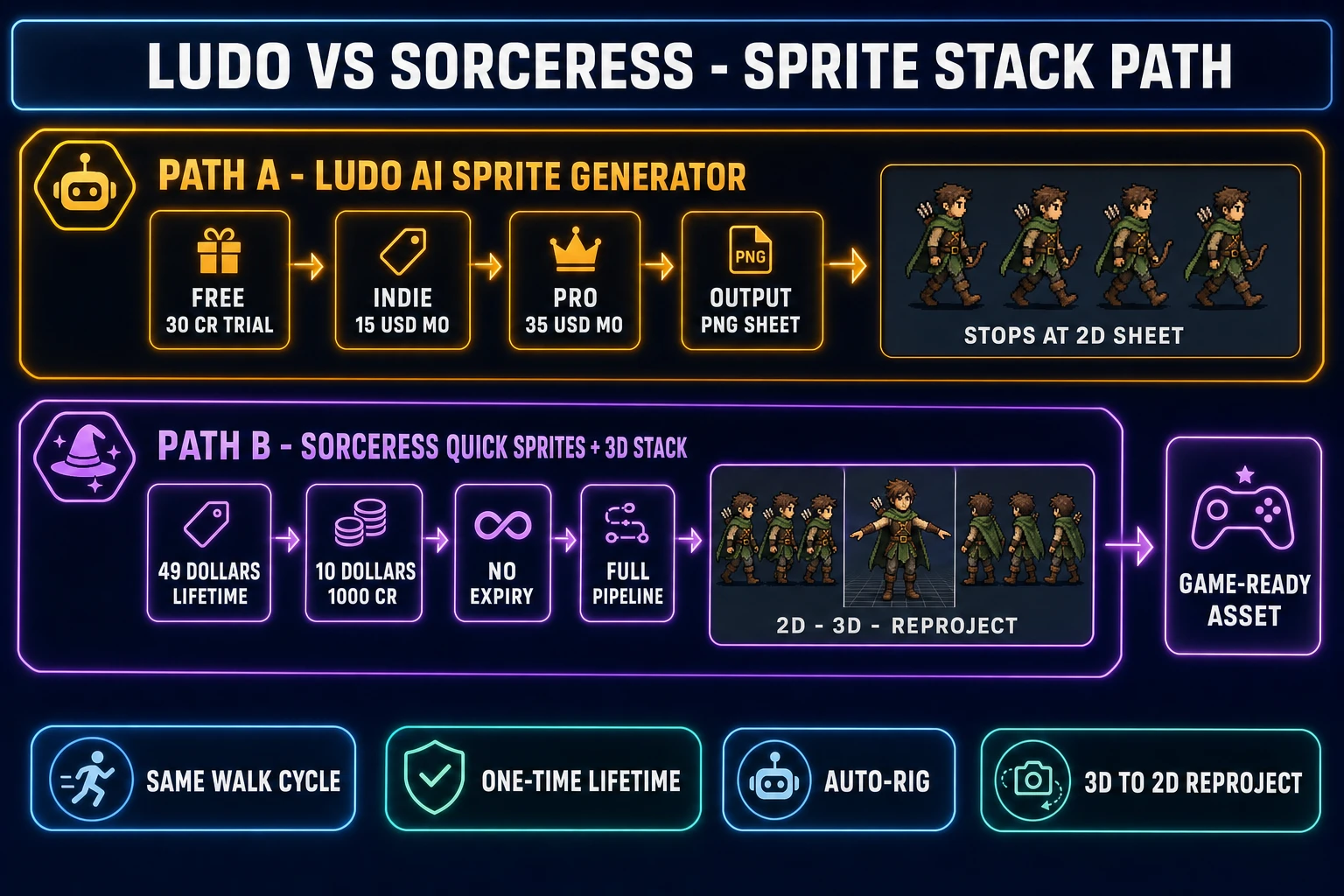
- Sign up at ludo.ai and redeem the free trial. The free tier ships 30 one-time credits with no card required. That gets you roughly sixty static images at 0.5 credits each, or about two to four animated spritesheets depending on frame count.
- Open the sprite tool and pick a flow. The dashboard exposes two tabs: Generate Sprite (text-to-static) and Animate Sprite (image-to-spritesheet).
- Write a prompt that names the subject and the camera. Specific phrasing wins. "Forest ranger archer, side-scroll perspective, pixel art style, 32x32 sprite size" produces a cleaner result than "ranger character".
- Pick a style and a perspective. Ludo lists about twenty art styles (Pixel Art, Low Poly, Cartoonish, Realistic, Stylized, several others) and nine perspectives (Top-Down, Side-Scroll, Isometric, Three-Quarter, others). Style and perspective are separate dropdowns.
- Generate, preview, save. Render time runs from a few seconds to about half a minute. The static sprite drops into your project library as a transparent PNG at the source-image resolution.
- For animation, upload the static character and add a motion prompt. The Animate Sprite tab accepts your own static images (Ludo recommends a sprite that contains only the character; backgrounds are auto-removed). The motion prompt is plain English: "walk cycle", "idle breathe", "sword attack", "hit reaction", "death sequence".
- Export the spritesheet. Choose frame count, layout (row, column, grid), and individual-frame versus packed-sheet format. Output is a transparent PNG (with an optional ZIP of individual frames or a transparent GIF preview), drop-in for the Unity, Unreal, Godot, or GameMaker importer of your choice.
The seven steps above are the public surface. Under the hood, Ludo runs the generative work on a diffusion-model stack and treats every asset type as a separate billable endpoint, so the credit cost depends on which step you trigger.
Where the Ludo AI sprite generator shines (and where it boxes you in)
The Ludo AI sprite generator does three things visibly well in 2026. First, the end-to-end web flow is polished: no install, no Photoshop seat, no Unity Editor required for the 2D-sprite case. Second, the Unity plugin is genuinely useful for studios that already live in the Unity Editor; assets land in Assets/Sprites/ without a download-and-import detour. Third, the MCP server pulls the same generators into Claude, Cursor, and any other MCP-aware assistant, so a vibe-coding workflow can request sprites in the same chat that writes the gameplay loop.
The Ludo AI sprite generator boxes you in on four fronts that matter for indie game shipping. First, every meaningful use is gated to a paid subscription once the 30-credit free trial runs out; there is no permanent free tier, and no Lifetime option. Second, the platform produces "pixel-art-style" sprites at the source image resolution, not true grid-locked palette-limited pixel art (rendering "every pixel snaps to a true 1x1 square in a 16-color PICO-8 palette" is a separate post-processing job). Third, there is no auto-rig path inside Ludo for 3D characters, and no native bridge from a 2D sprite to a rigged 3D mesh; the platform’s text-to-3D feature is a separate flow that does not consume the 2D sprite as input. Fourth, the spritesheet output is a packed PNG without engine-specific metadata; the slicing into texture-atlas regions happens in your engine importer, which works fine for Unity and Godot but leaves the row/column conventions up to you.
The credit math: what Indie and Pro tiers actually buy you
Verified June 6, 2026 via WebSearch against the AI Gear Base and Tool Academy AI summaries of the live ludo.ai pricing page, Ludo runs four tiers. Free trial: 30 one-time credits, no card required, basic support, single seat. Indie: roughly 15 dollars a month when billed annually (so about 180 dollars a year), with annual billing saving up to 35 percent versus monthly; 3,000 credits per year up front, one seat, five active projects, basic support. Pro: roughly 35 dollars a month when billed annually (about 420 dollars a year); 12,000 credits per year, unlimited active projects, unlimited ideation and image generation through the web UI, API plus MCP access with one concurrent request, priority support. Studio: 300 dollars a month for enterprise and large teams.
Credit consumption is the part that catches first-time users. Across the public breakdowns, image generation runs around 0.5 credits per asset, 3D generation around 3 credits per model, and video generation between 5 and 15 credits per clip depending on length and resolution. Sprite-sheet animation sits between the image and video pricing tiers in practice: a 16-frame walk-cycle animation typically draws somewhere in the 8 to 12 credit range, which means an Indie subscriber gets roughly 250 animated spritesheets per year out of the 3,000 annual credit pool (closer to 1,000 if every output is a static image). A Pro subscriber gets roughly 1,000 animated spritesheets per year out of 12,000 credits. The honest read: Indie covers a small game-jam project comfortably; Pro covers a full indie release with room for iteration; Studio is overkill unless you have a team running the asset pipeline daily.
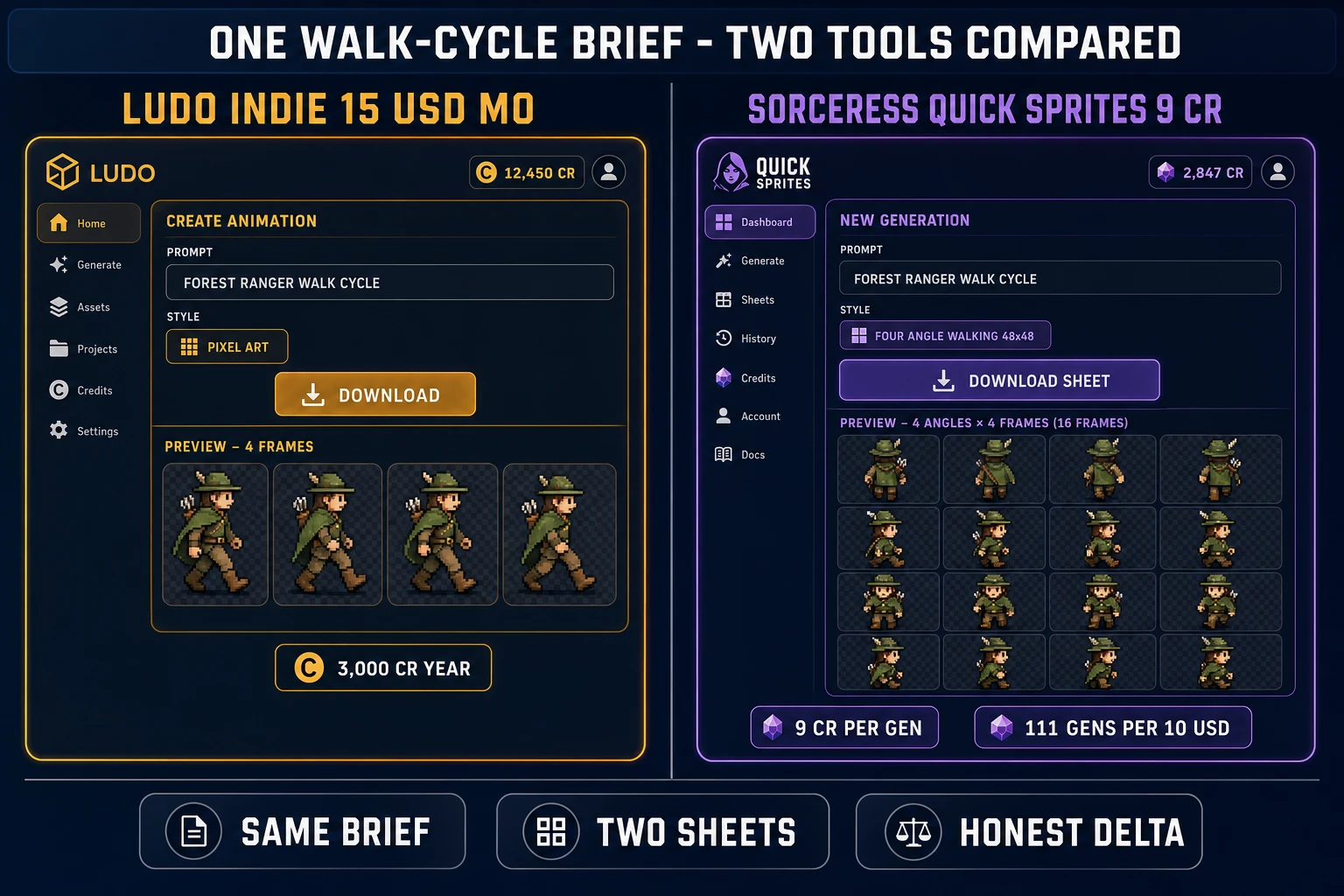
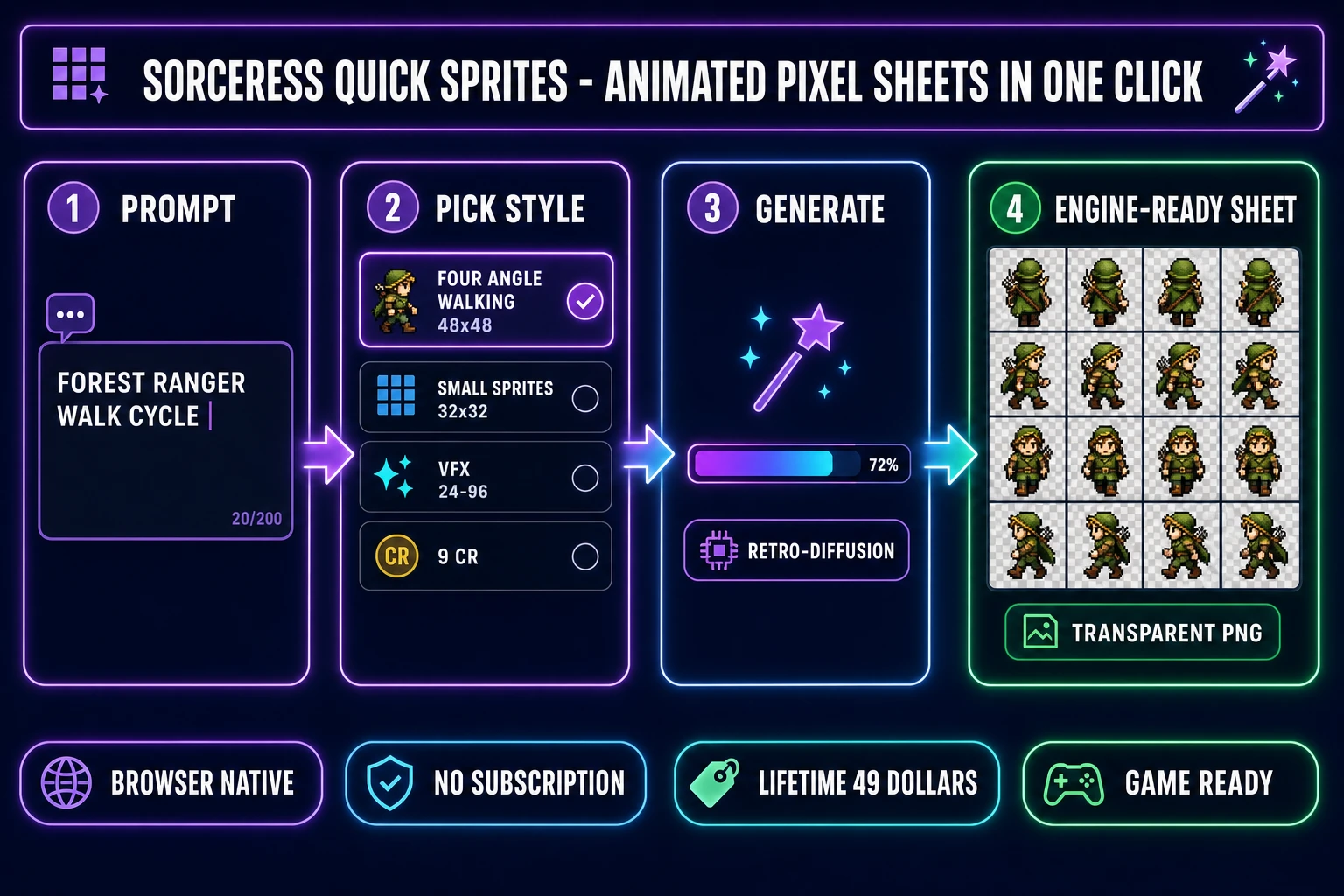
For comparison, Sorceress pricing takes a different shape: a single 49-dollar one-time Lifetime purchase covers permanent access to the non-AI tools, plus optional credit packs at four flat tiers (Starter 10 dollars for 1,000 credits, Creator 20 dollars for 2,000 credits, Plus 50 dollars for 5,000 credits, Studio 100 dollars for 10,000 credits) where credits never expire. At Sorceress Quick Sprites’ 9 credits per generation, a 10-dollar Starter pack covers 111 sprite sheets; a 50-dollar Plus pack covers 555 sheets. A first-year Ludo Indie subscriber pays 180 dollars for 250-1,000 spritesheet credits with annual reset; a first-year Sorceress buyer pays 49 dollars for Lifetime plus another 10-50 dollars for as-needed credits that never expire. Two different shapes; pick the one that matches your spend horizon.