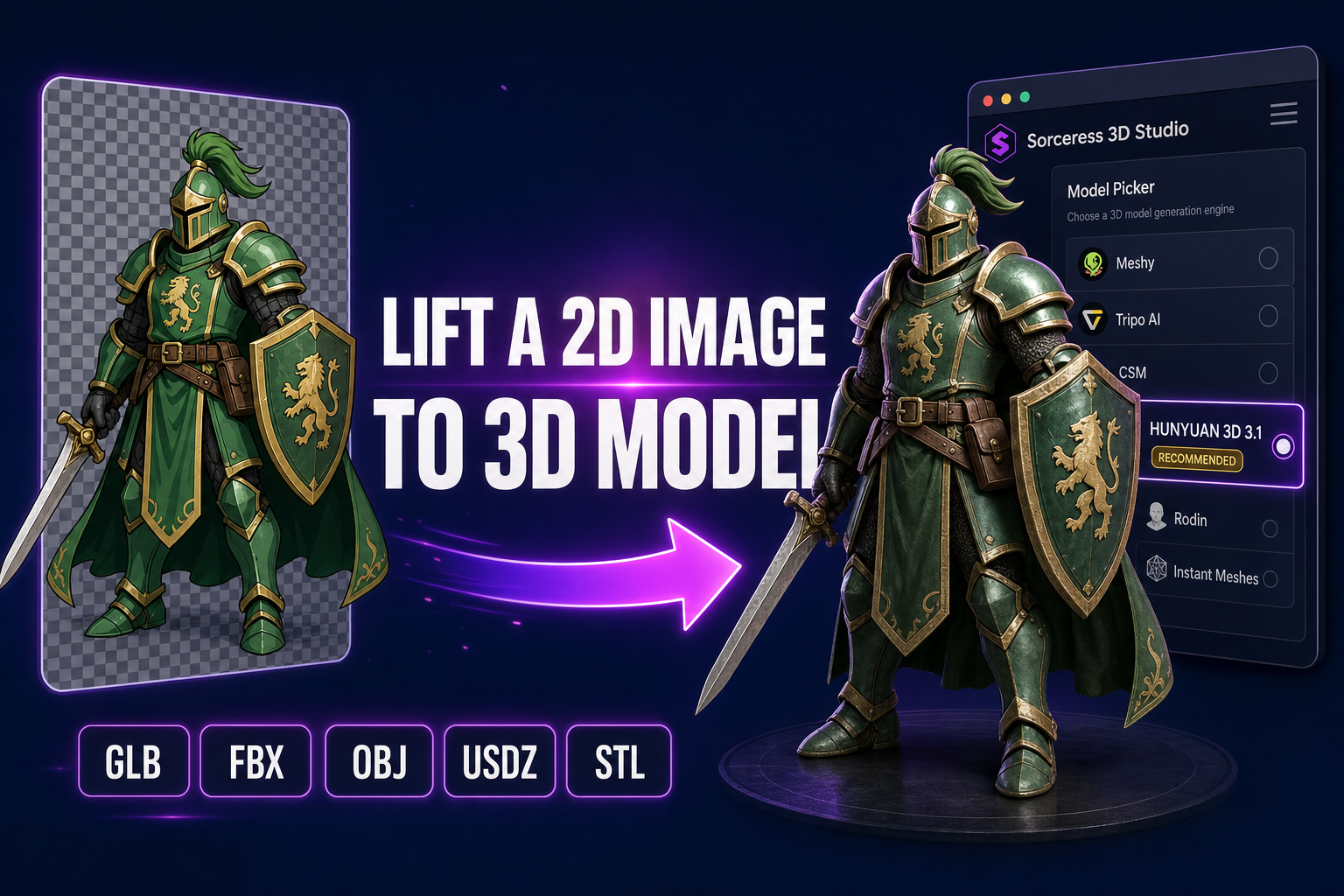
Lifting a 2D image to 3D model used to be the slowest step in any indie game pipeline. You opened Blender (free but punishing) or Maya (paid and even more punishing) and you sculpted a humanoid from a flat illustration for a week. The 2026 version of the same work is a single flat image — a concept art piece, a generated AI character render, a pixel-art sprite, a pencil sketch — fed into a generative 3D model and out comes a textured GLB in under a minute. This guide walks the browser pipeline end-to-end specifically for flat inputs (the harder case), every step verified May 25, 2026 against the live 3D Studio source.
What “lift a 2D image to 3D model” actually means in 2026
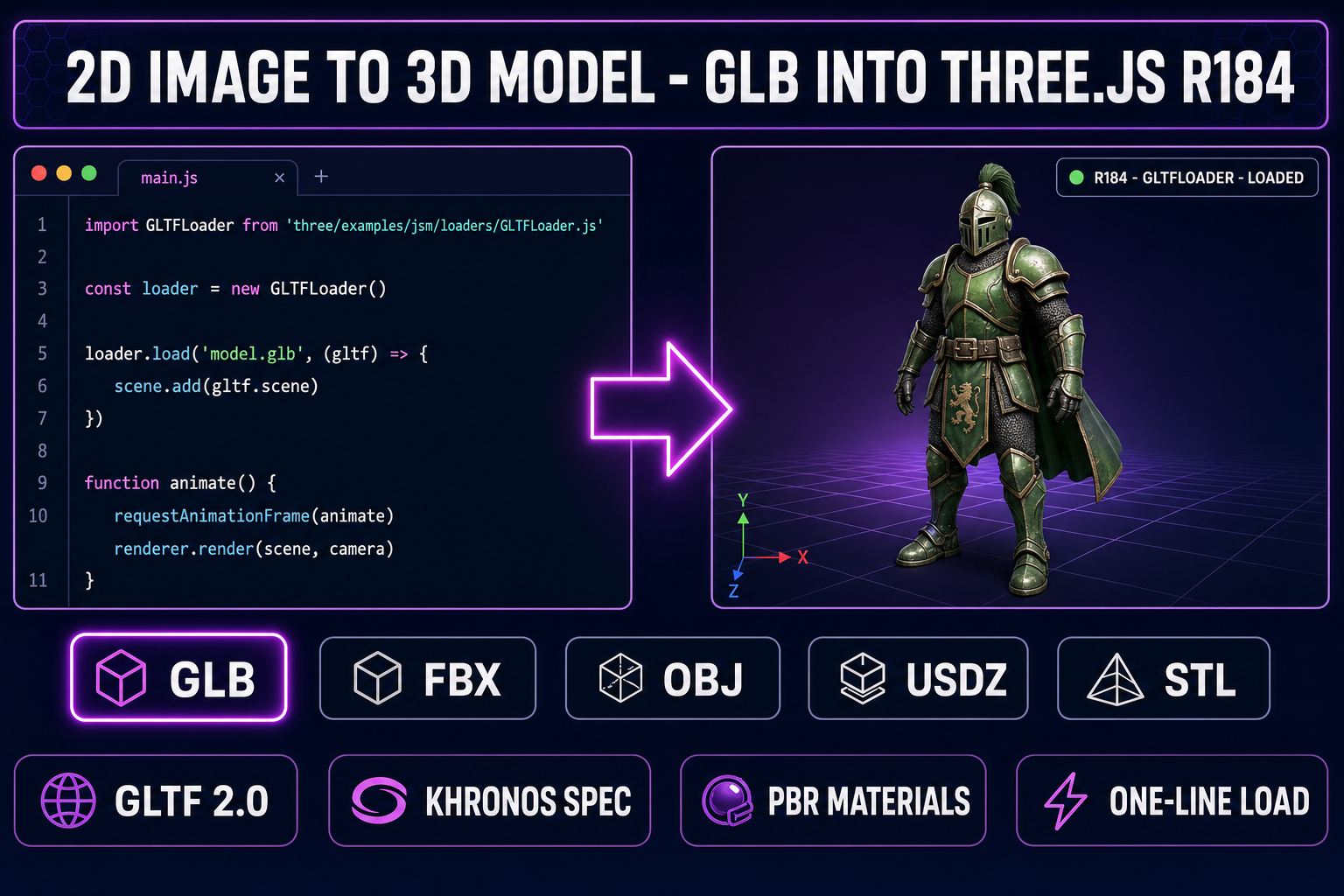
The phrase covers a single workflow with a sharp boundary. The input is exactly one flat 2D illustration — a pencil sketch, a concept-art piece, a generated AI character render, a pixel-art sprite, a logo, a comic-book panel. The output is a real 3D mesh: vertices, faces, UV coordinates, plus a baked color texture, often a full PBR set (base color, metallic, roughness, normal, sometimes AO and emission), exported as GLB, FBX, OBJ, USDZ, or STL. The mesh is watertight or near-watertight, loads in any major game engine without a plugin, and renders correctly under whatever lighting the engine throws at it. That is the entire promise of the 2026 lift-a-2D-image-to-3D-model workflow.
The boundary that matters is the input type. A photograph has real lighting, real specular highlights, real depth cues from focus and parallax that the generative models read as geometry hints. A flat 2D illustration has none of those — no specular cues, no focus-blur depth, no real surface tone. The 2026 models compensate by leaning harder on their learned 3D priors over the geometric cues in the image. The priors are strongest on common subjects (humanoid characters, animals, vehicles, common props in clean front-facing or three-quarter views) and weaker on rare or asymmetric assemblies. For a flat illustration, the right model pick and the right input preparation matter more than they do for a photograph — which is the entire reason this post exists separately from the more general convert image to 3D model guide.
The technology under the hood is a flow-matching or diffusion transformer trained on millions of paired image-and-mesh examples. The model learns to invent the back of the object from learned 3D priors when the input image only shows the front. The 4-billion-parameter TRELLIS 2 model from Microsoft Research is the strongest 2026 prior in the panel — its O-Voxel architecture handles open surfaces (clothing, leaves), non-manifold geometry, and sharp features that the older iso-surface methods cannot. For a 2D image to 3D model lift specifically, that prior strength is the difference between a usable mesh and a malformed blob.
The six models to lift a 2D image to 3D model (inside 3D Studio)
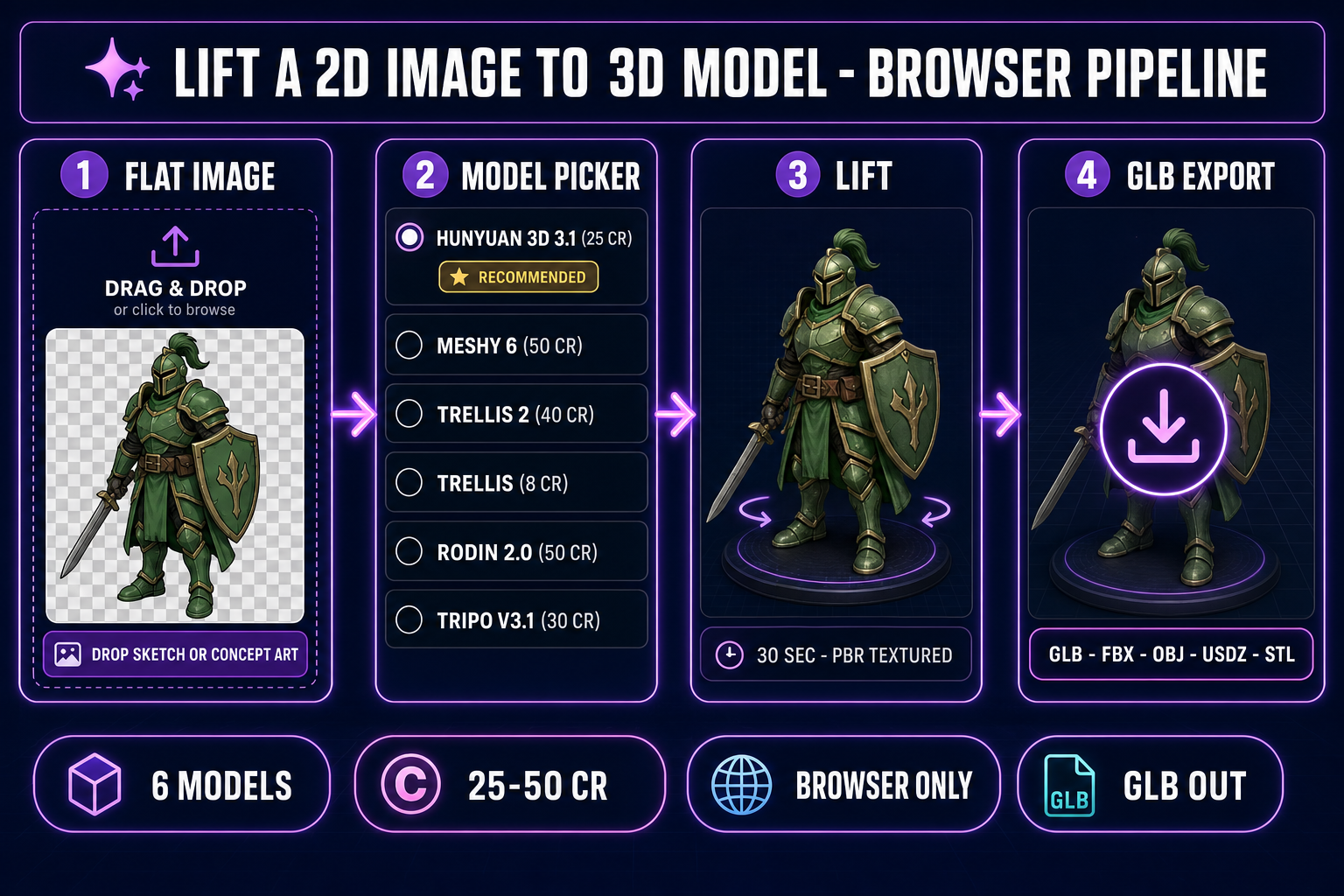
Sorceress 3D Studio ships six image-to-3D models in a single model picker, verified against the THREED_MODEL_ORDER array on lines 212-219 of src/lib/threed-models.ts on 2026-05-25. Each model has distinct strengths when the input is a flat 2D image rather than a photograph; the right pick depends on the input style and the downstream use case.
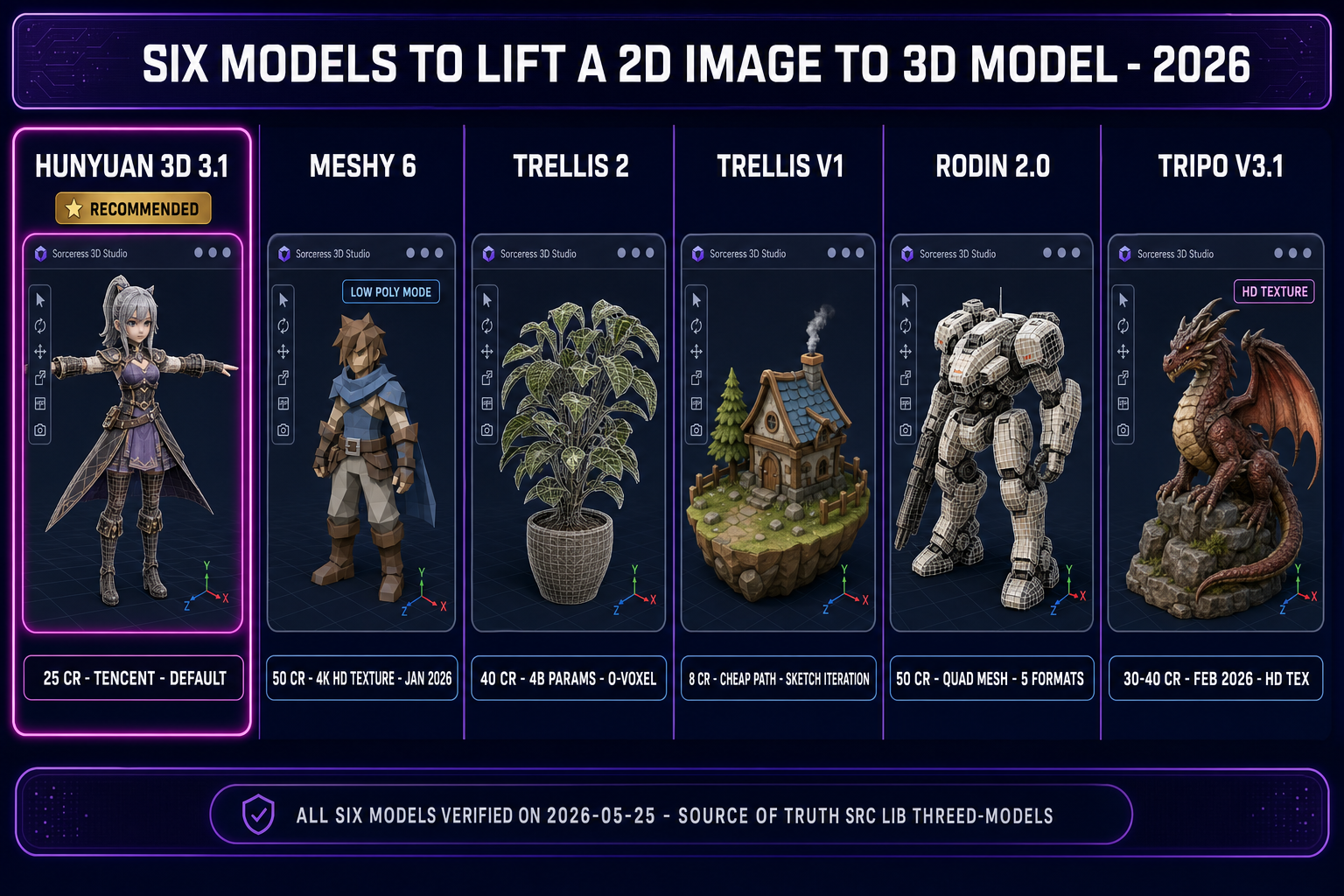
Hunyuan 3D 3.1 — the default recommended pick (25 credits)
Hunyuan 3D 3.1 is the Tencent generative-3D model, verified active on Replicate at replicate.com/tencent/hunyuan-3d-3.1 on 2026-05-25. It is the default recommended pick inside 3D Studio — the only model in the RECOMMENDED_MODELS set on line 221 of src/lib/threed-models.ts. The cost is 25 credits per generation, verified against line 202. It supports both image-to-3D and text-to-3D input modes. PBR materials are enabled by default. The face_count parameter ranges from 40,000 to 1.5 million, with the default at the maximum for the best texture quality (verified against line 207). For a clean concept-art illustration with rich color and clear silhouette, Hunyuan 3D 3.1 produces a usable lift in 30 to 60 seconds and is the right pick for the first run on any new flat input. Replicate’s 3d-models collection page lists it as the best all-around 3D generation model in May 2026 — that matches what shows up in 3D Studio.
Meshy 6 — the texture-quality pick (50 cr base, +25 texture, +13 remesh)
Meshy 6 was released on January 18, 2026 — verified against meshy.ai/blog/meshy-6-launch on 2026-05-25. The launch announcement names the headline improvements: cleaner geometry for characters and organic models, sharper edges and clearer silhouettes for mechanical models, a dedicated Low Poly Mode for game developers, and multi-color 3D printing with 3MF export. The Sorceress 3D Studio cost is 50 credits base plus 25 for textures plus 13 for remesh — verified against the getCredits function on lines 48-53 of src/lib/threed-models.ts. Meshy 6 is the only model in the panel that exposes the 4K hd_texture base color (verified against docs.meshy.ai on 2026-05-25 — only meshy-6 and the latest alias support it). For a 2D image to 3D model lift from a high-color concept-art illustration with fine detail, Meshy 6 with hd_texture on is the sharpest texture path in the panel.
TRELLIS 2 — the complex-topology pick (40 credits at 1024p default)
TRELLIS 2 is the Microsoft Research generative-3D model with 4 billion parameters — verified against github.com/microsoft/TRELLIS.2, the Hugging Face model card, and the arxiv 2512.14692 paper (published December 16, 2025) on 2026-05-25. The model uses a novel field-free sparse voxel structure called O-Voxel — distinct from the SDF and Flexicubes iso-surface methods the older generation relied on. The O-Voxel structure handles three input categories that the older models struggle with: open surfaces (clothing, leaves, hair, capes), non-manifold geometry, and internal enclosed structures, all without lossy conversion. Generation speed on an H100 GPU runs roughly 3 seconds at 512 cubed resolution, 17 seconds at 1024 cubed (the default in Sorceress 3D Studio), and 60 seconds at 1536 cubed. The Sorceress cost scales with resolution: 35 credits at 512p, 40 credits at 1024p, 45 credits at 1536p — verified against the getCredits function on lines 154-162 of src/lib/threed-models.ts. PBR materials including transparency and translucency are supported natively. For a 2D image to 3D model lift from a sparse line-art sketch or a stylized illustration with complex topology, TRELLIS 2 has the strongest prior in the panel.
TRELLIS v1 — the cheap iteration pick (8 credits)
The original TRELLIS model from Microsoft Research, routed through Replicate via firtoz/trellis. The Sorceress cost is 8 credits per generation — the cheapest path in the panel, verified against line 111 of src/lib/threed-models.ts. Image-to-3D only (no text-to-3D). The parameter surface exposes structure sampling steps, latent sampling steps, structure guidance, latent guidance, texture size (512 to 2048), and mesh simplification (0.90 to 0.98). TRELLIS v1 is the right pick when iterating fast on prompts or refining the input illustration — 12 generations on the starter allowance vs 4 generations on Hunyuan 3D 3.1. For a 2D image to 3D model workflow where you are still tuning the prompt for the source illustration, run TRELLIS v1 for the iteration loop, then return to Hunyuan 3D 3.1 or Meshy 6 for the final hero pass.
Rodin 2.0 — the quad-mesh pick (50 credits)
Rodin 2.0 (Hyper3D Gen-2) is routed through Replicate via hyper3d/rodin. The Sorceress cost is 50 credits — verified against line 91 of src/lib/threed-models.ts. The model wins on two specific features that none of the other five expose. First, the Mesh Mode toggle lets the user pick Quad (clean quadrilateral faces, ideal for subdivision and animation rigging) vs Raw (triangle mesh, standard game-engine format). Quad mode at High density produces 50K faces, Medium 18K, Low 8K, Extra-Low 4K. Second, the geometry_file_format parameter exposes five output formats from the single job: GLB (default), FBX, OBJ, USDZ (Apple AR), STL (3D printing) — no other model in the panel exports USDZ or STL directly without a conversion step. For a 2D image to 3D model lift that needs to feed straight into a subdivision-surface workflow or an animation rig, Rodin 2.0 in Quad mode is the cleanest path.
Tripo v3.1 — the HD-texture pick (30 cr no texture, 40 cr with HD)
Tripo v3.1 was released on February 11, 2026 — verified against runware.ai/docs/models/tripo-v3-1 on 2026-05-25. The Runware model ID is tripo:v3.1@0. Pricing on Runware starts at $0.3 per generation for text-to-3D and $0.4 for image-to-3D. The Sorceress 3D Studio cost is 30 credits image-to-3D without texture, 40 credits with HD texture, plus 5 credits for the optional Quad Mesh surcharge — verified against the getCredits function on lines 190-195 of src/lib/threed-models.ts. The model_version on the Tripo v2/openapi/task endpoint is v3.1-20260211, matching the release date. The HD texture path is the headline differentiator vs the standard texture — Tripo markets the v3.1 release (as Tripo H3.1) as a high-density-geometry, close-up-quality, production-ready upgrade. For a 2D image to 3D model lift where the texture quality is the bottleneck, Tripo v3.1 with HD texture is the right pick.
The browser pipeline to lift a 2D image to 3D model (no Blender, no install)
The entire lift-a-2D-image-to-3D-model pipeline runs in a single browser tab. No local install, no GPU at home, no upstream account at Meshy or Tripo or Hyper3D. The Sorceress 3D Studio panel handles all six upstream providers through one unified credit budget on the Sorceress account. Every signed-in user gets 100 starter credits. At Hunyuan 3D 3.1 pricing (25 credits per generation), the starter allowance covers exactly 4 lifts. At TRELLIS v1 pricing (8 credits), the starter allowance covers 12 lifts. The honest budget for the first day of work is somewhere in between: one Hunyuan 3D 3.1 pass for the headline-quality mesh, then several TRELLIS v1 iterations to refine the input illustration before re-running the higher-cost models.
The architecture is intentionally narrow. The 3D Studio panel does one thing: it accepts an image, runs it through the chosen model, and returns a downloadable mesh. Texturing, rigging, retargeting, and animation are downstream steps in adjacent Sorceress tools — Auto-Rigging for the humanoid skeleton, 3D Studio Animate for text-to-motion clips, Material Forge for PBR refinement, 3D to 2D for rendering the lifted mesh back out as a sprite sheet. Each tool composes with the 2D image to 3D model output without a manual file-format conversion step. The end-to-end pipeline from illustration to rigged, animated, exported character is covered separately in the full image-to-3D pipeline guide; this article focuses on the lift step specifically.