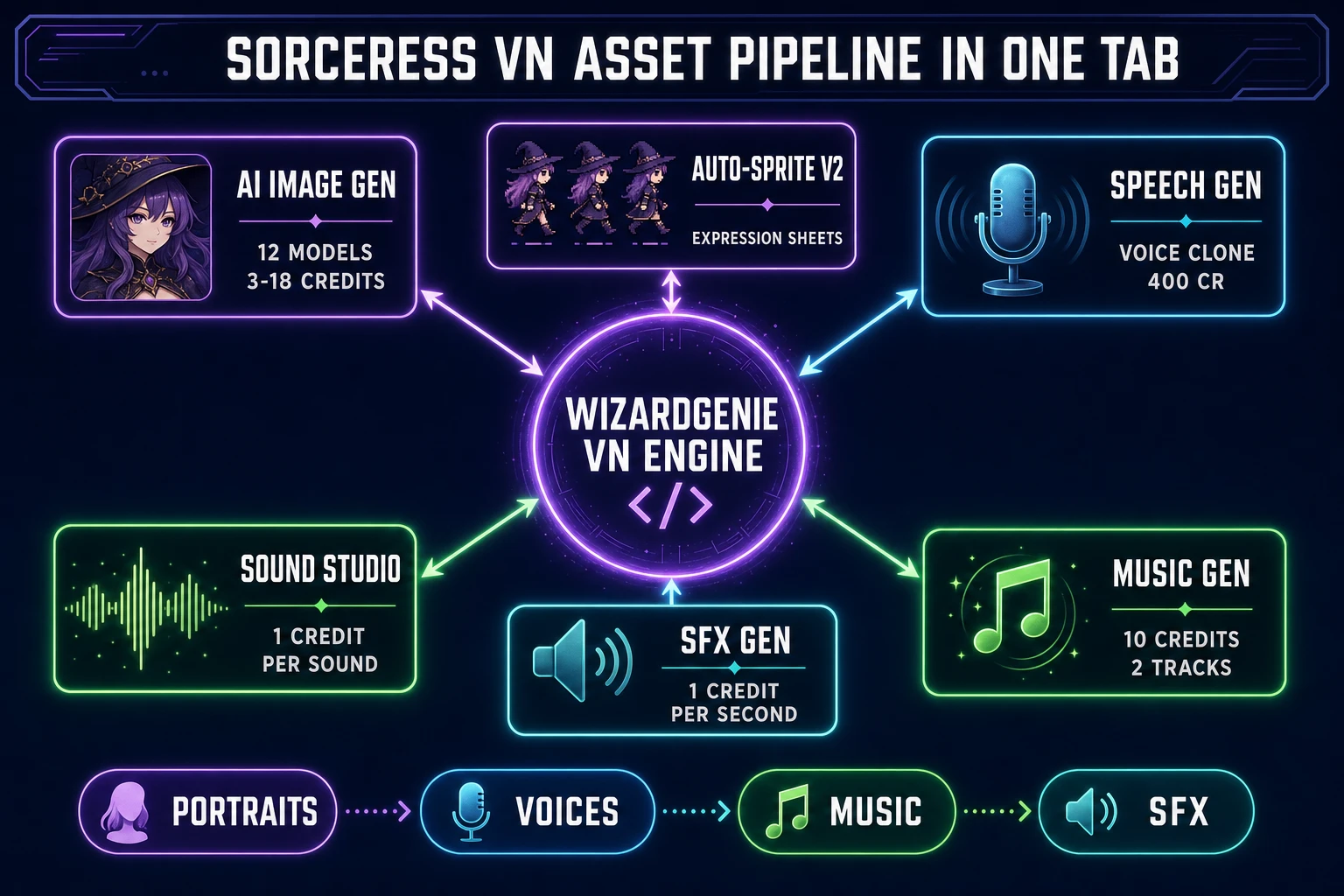
Every indie who has ever finished a novel-length script and thought “this should be a game” ends up in the same Google search: which visual novel maker should I install. In 2026 the honest answer has shifted. The tools you install — Ren’Py on Python, TyranoBuilder on JavaScript, KirikiriZ on C++, Kadokawa’s Visual Novel Maker on RPG Maker MV — are still perfectly usable, but they carry the same install-and-configure cost every downloadable engine carries. The browser-native answer is different: describe the game to a coding agent, let it write the VN engine on demand, and pull every asset (portraits, backgrounds, voices, music, SFX) from the same tab. This piece walks the honest 2026 stack for a visual novel maker that lives entirely in a browser, with every Sorceress product claim verified against live source (src/app/wizard-genie/page.tsx lines 295-297, src/app/_home-v2/_data/tools.ts lines 734-742, src/app/plans/page.tsx lines 45-56, and the per-tool credit constants in music-gen, sound-creator, sfx-gen, and speech-gen) on July 4, 2026.
What a visual novel maker actually needs to do in 2026
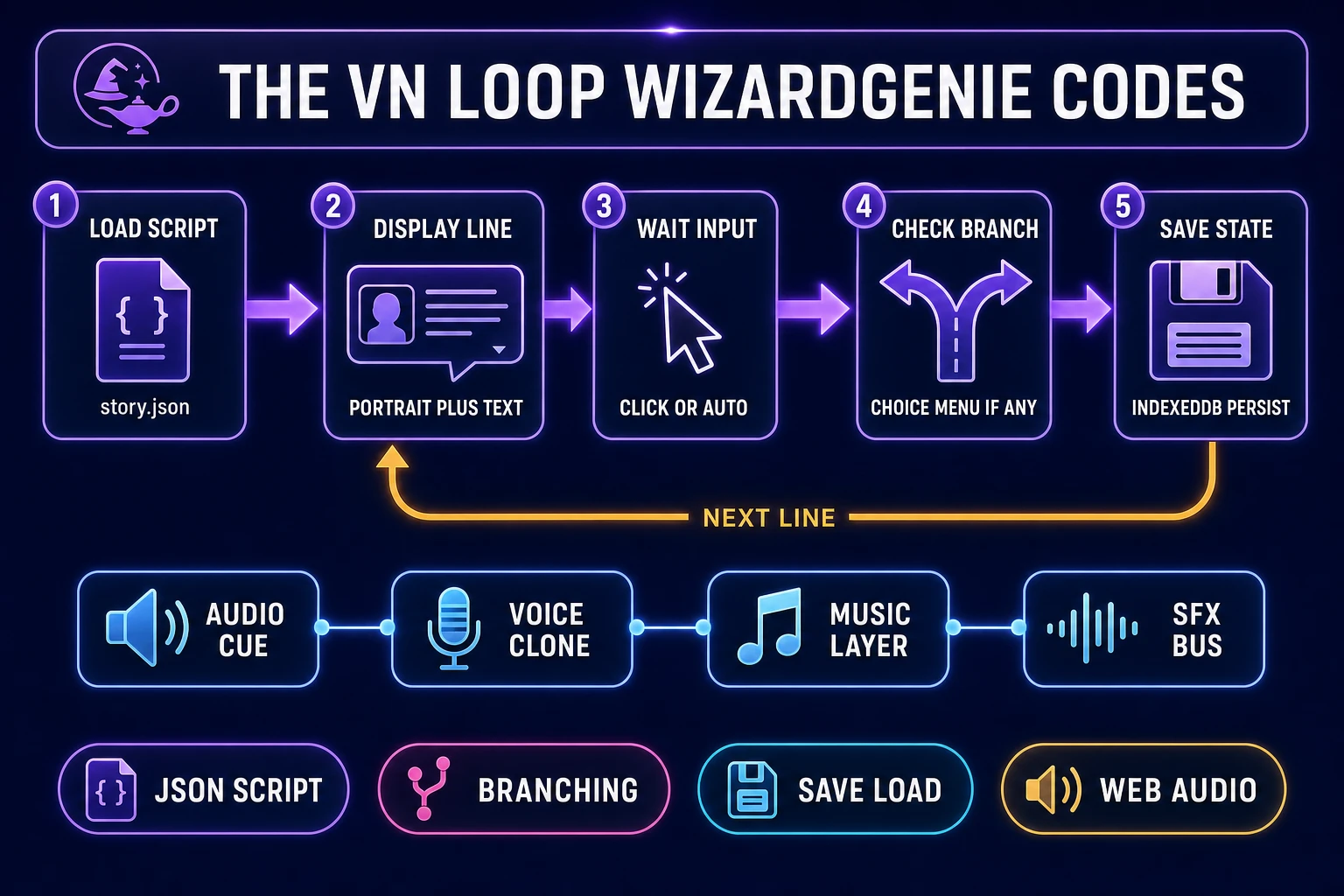
A working visual novel maker is not a graphics tool. It is the specific piece of software that ties five separate concerns into one runtime loop: display a character portrait over a background, show a line of dialogue in a text box, wait for a click, advance to the next line, and branch to a different chapter when the reader picks a choice. Every visual novel from Steins;Gate down to a five-hour game-jam entry runs some version of that loop. The genre traces back to Japanese adventure games in the 1980s and consolidated into its modern text-plus-portrait shape in the mid-1990s per the visual novel history. Modern readers expect a specific set of features on top of the core loop: auto-mode (advances without clicks), skip-mode (fast-forwards through seen text), a text log or backlog to re-read missed dialogue, quicksave and quickload, and named save slots that survive across sessions.
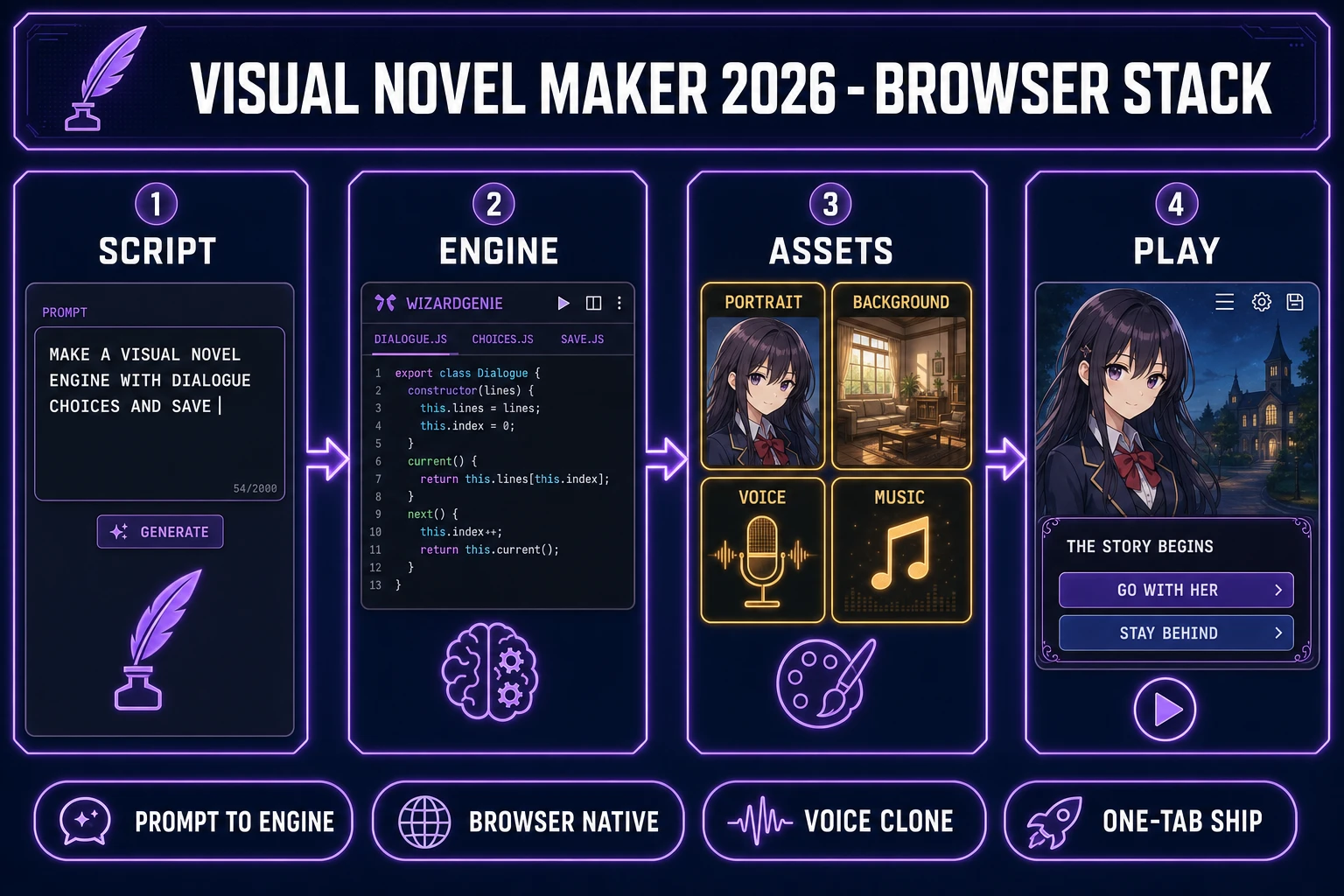
A serious visual novel maker in 2026 also has to solve the asset problem, not just the code problem. Every scene needs a background image at the game’s resolution, every speaking character needs at least four expression variants (neutral, happy, angry, sad), the soundtrack needs at least six mood-tagged tracks, and the reader will notice within thirty seconds if the same three UI clicks are re-used for every button. The old install-a-tool approach expected the developer to solve that asset problem separately in Photoshop, Audacity, and FL Studio. The 2026 browser-native approach pulls the asset production into the same environment as the engine coding, and the reader never leaves the browser tab.
Why the browser is the better home for a visual novel maker than a downloadable engine
The desktop visual novel maker tools all have real communities behind them. Ren’Py has shipped free and open source since 2004, TyranoBuilder ships a paid drag-and-drop layer over TyranoScript, KirikiriZ powers a corner of the Japanese doujin scene, Novelty had a run in the late 2010s, and Kadokawa’s Visual Novel Maker sits inside the RPG Maker family. Any one of them can ship a finished game. The cost they impose is the desktop-engine cost: install a Python interpreter or a bundled runtime, pick a platform target (Windows, macOS, Linux, HTML5 export), pay attention to the packaging build settings, and re-configure the whole thing when you switch machines or when a dependency updates.
A browser-native visual novel maker collapses all of that. The engine code emits into a folder of HTML, JavaScript, and image files that any modern browser runs without an interpreter. The reader plays the game by opening a URL on any device that has a browser — a phone on a bus, a Chromebook in class, a laptop at a jam venue — and neither the developer nor the reader has to install anything. Cross-platform is automatic. Sharing a playtest build is a link, not a zip. The HTML5 platform ships the specific primitives a VN needs: the Canvas API for compositing portraits over backgrounds, the Web Audio API for cueing music and voice and SFX, and the IndexedDB API for persistent named save slots that survive page reload. Every browser since 2019 supports all three at parity. The only piece missing is the specific engine code that stitches them together, and that is the piece a modern AI coding agent handles well.
WizardGenie as the coding backbone of a visual novel maker
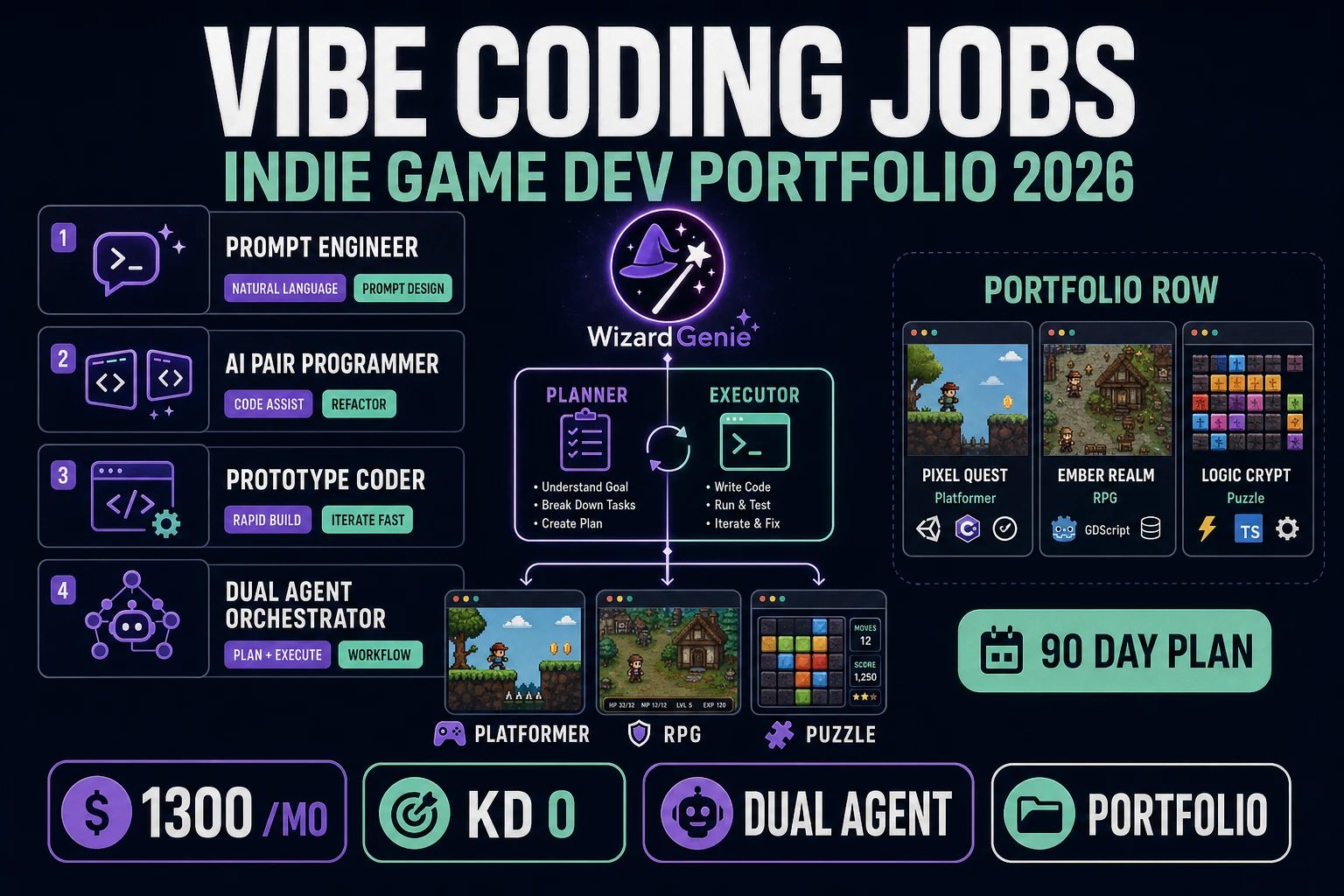
The engine layer of a 2026 visual novel maker is where WizardGenie earns its place. WizardGenie ships a dual-agent Planner plus Executor architecture as its default pillar — the marketing page states “Dual-agent Planner + Executor” on line 295 and “A smart Planner thinks; a cheap Executor codes. Same quality at roughly a quarter of the token cost.” on line 297 of src/app/wizard-genie/page.tsx, verified July 4, 2026. The pattern maps directly onto VN-engine code: the Planner (Claude Opus 4.7, Gemini 3.1 Pro, or Grok 4.2 at 2M context) reads the existing project files, decides the file structure (a scene manager, a dialogue-box component, a portrait compositor, a choice menu, an IndexedDB save layer, a Web Audio cue system), and hands the specific implementation tasks to the Executor (DeepSeek V4 Pro, Kimi K2.5, or MiniMax M2.7 — all cheap, fast, and big-context enough to hold the running codebase). The 8-model CODING_MODELS array is verified at src/app/_home-v2/_data/tools.ts lines 734-742 on July 4, 2026.
A concrete first prompt for a visual novel maker engine looks like this: “Make a visual novel engine in vanilla JavaScript. Load the story from a JSON file at data/story.json. Each entry is a line with a speaker name, a portrait filename, a background filename, and a text string. Some entries are choice nodes with two or three options that jump to labelled other entries. Render the current line as a dialogue box at the bottom of a full-screen canvas with the character portrait at the left and the background image behind. Save the current story index to IndexedDB every ten seconds. Add auto-advance and skip-mode toggles.” Within one WizardGenie session the Planner scaffolds the file structure, the Executor writes the actual scene code, and the preview iframe on the right side of the screen renders the running engine loading a placeholder story.json. The second session adds a text log, quicksave and quickload, and per-line audio cueing. The third session polishes the UI (text-speed slider, save-slot thumbnails, settings menu). By the end of week one the engine is done, and the reader spends the rest of the project on writing and asset production, not on VN-engine plumbing.
Character portraits and expressions: AI Image Gen inside a visual novel maker
The single biggest asset cost in a visual novel maker project is the character portrait sheet. A serious VN needs four to six expression variants per speaking character (neutral, happy, angry, sad, surprised, blushing) plus at least one full-body sprite per costume change, and a five-character cast crosses two hundred renders before the game ships. The Sorceress AI Image Gen panel makes that cost tractable. The tool surfaces twelve image models in a single dropdown at per-model credit costs verified in src/lib/models.ts on July 4, 2026: Z-Image at 3 credits, Wan 2.7 Image at 5, Flux 2 Pro at 6, Seedream 4.5 at 6, Seedream 5 Lite at 6, Nano Banana at 6, Grok Imagine at 6, GPT Image 1.5 at 7, GPT Image 2 at 7, Nano Banana 2 at 9, Wan 2.7 Image Pro at 10, and Nano Banana Pro at 18. For a visual novel maker workload the practical default is GPT Image 2 or Nano Banana Pro for the establishing portraits (best text and detail retention) and one of the cheaper Seedream or Flux models for expression variants where consistency matters more than detail.
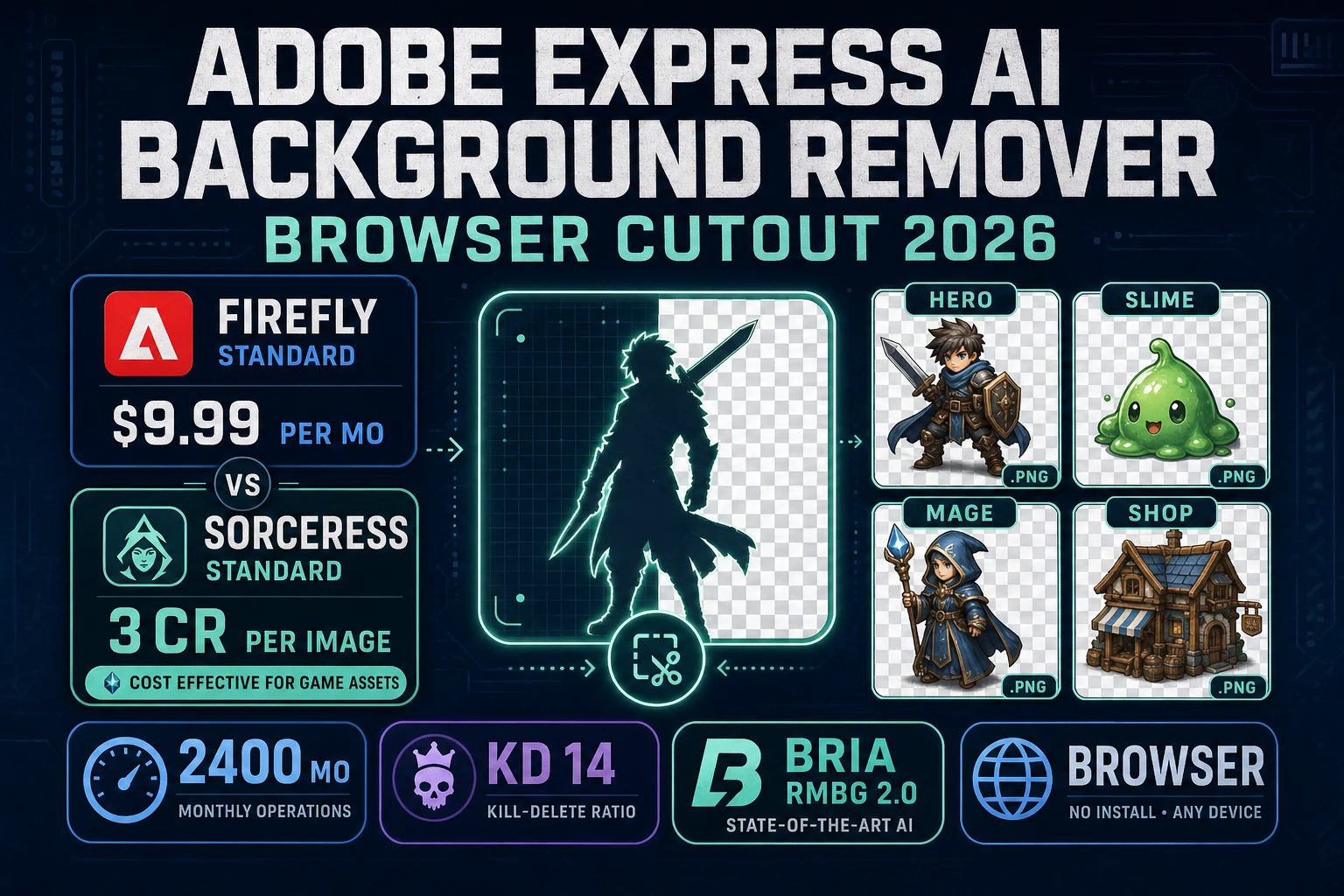
The consistency workflow is where the browser-native visual novel maker pipeline pulls ahead of the old install-a-tool approach. In AI Image Gen the reader locks a character reference by uploading the first successful neutral portrait as a reference image, then re-prompts for each expression variant with the reference locked (“same character, now angry, same outfit”). The reference-image workflow keeps the character on-model across every expression, which is what old VN artists spent weeks hand-drawing to guarantee. Backgrounds run through the same panel with different prompts (“a Japanese high-school classroom at sunset, empty desks, warm orange light”), and the Image Expander outpaints a portrait-oriented background into the wide 16:9 canvas the VN engine renders. If the character sprite needs a cutout with a transparent background for compositing over the scene, the BG Remover tool handles that in one click. For animated expressions (a blush that fades in, a hair strand that shifts in the wind) the Auto-Sprite v2 pipeline generates a short reference video and packs it into a frame-aligned sprite sheet the engine plays on cue.