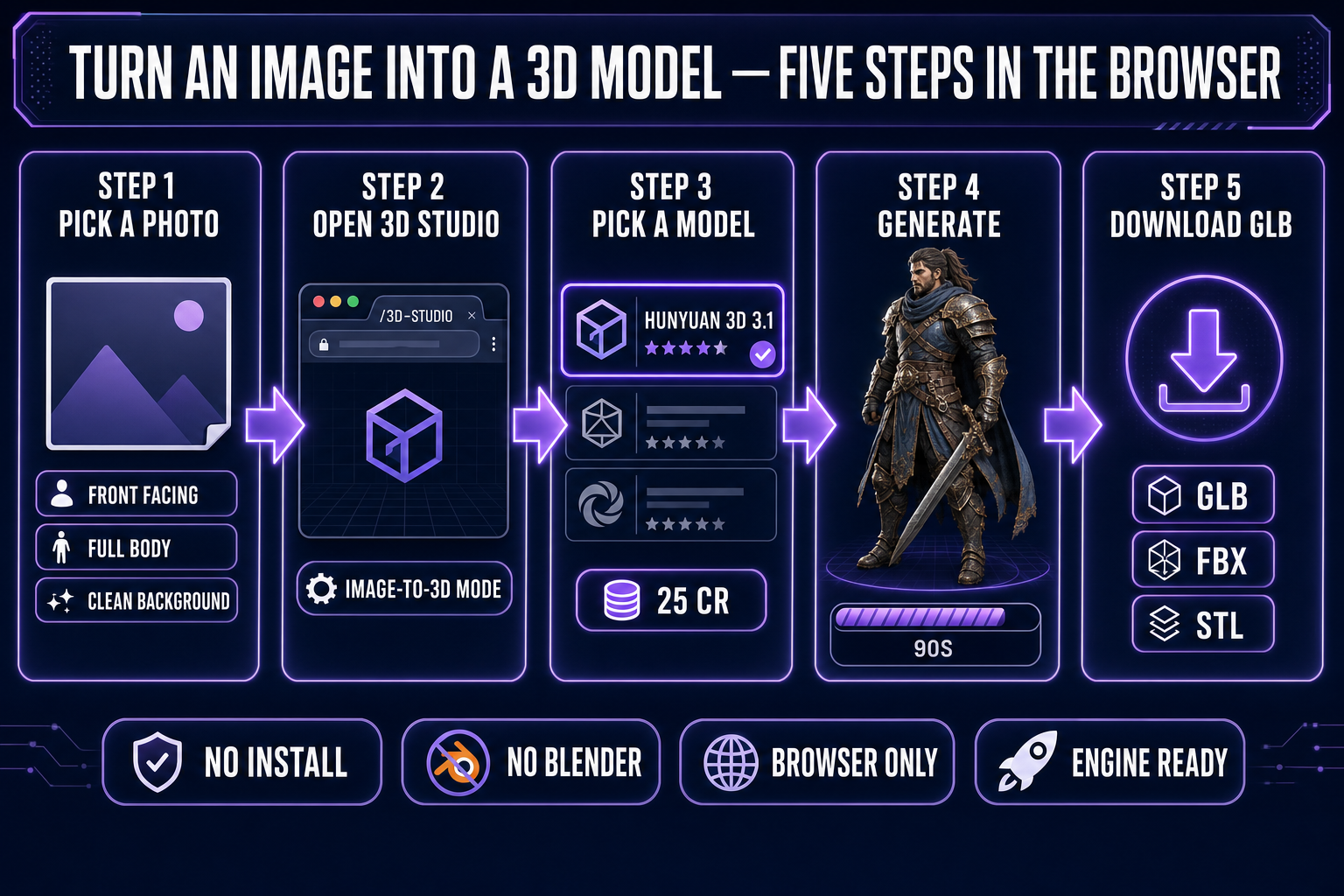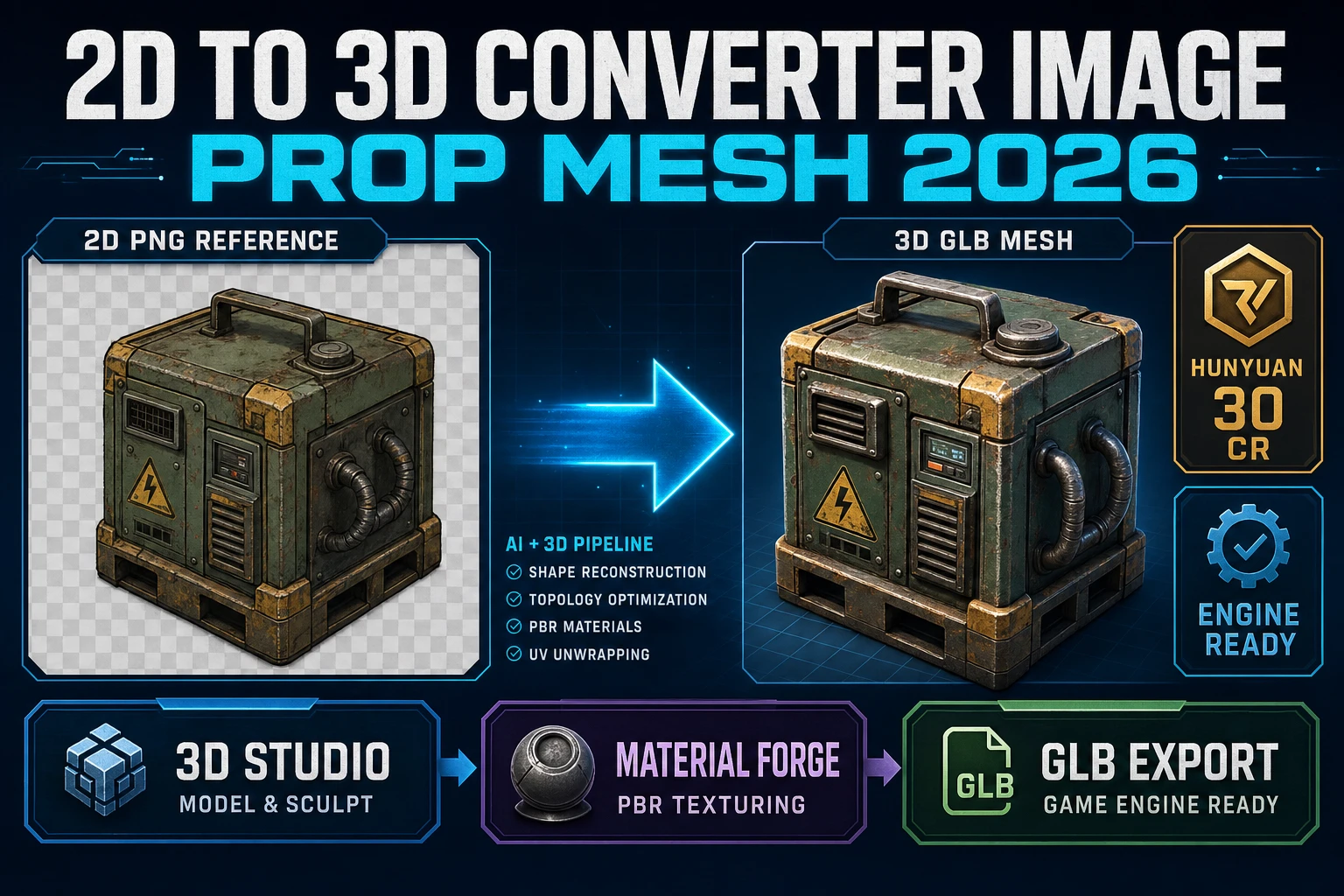
Anyone who has ever searched "how to turn an image into a 3D model" lands on the same two answers a few clicks deep: learn Blender, or buy a desktop tool with a steep learning curve. Both are real paths and both are wrong starting points if all you have is a single photo or a single AI-generated character render and you want a textured mesh by the end of the afternoon. The browser path collapses that ten-hour onboarding into a five-minute click flow. The six image-to-3D models in Sorceress 3D Studio read a single front-facing image and emit a textured GLB ready for Three.js, Babylon, Godot, Unreal, or a 3D printer — without installing anything, without Blender, without leaving the tab. Verified May 15, 2026 against the Sorceress source code at src/lib/threed-models.ts and the public Khronos glTF 2.0 specification.
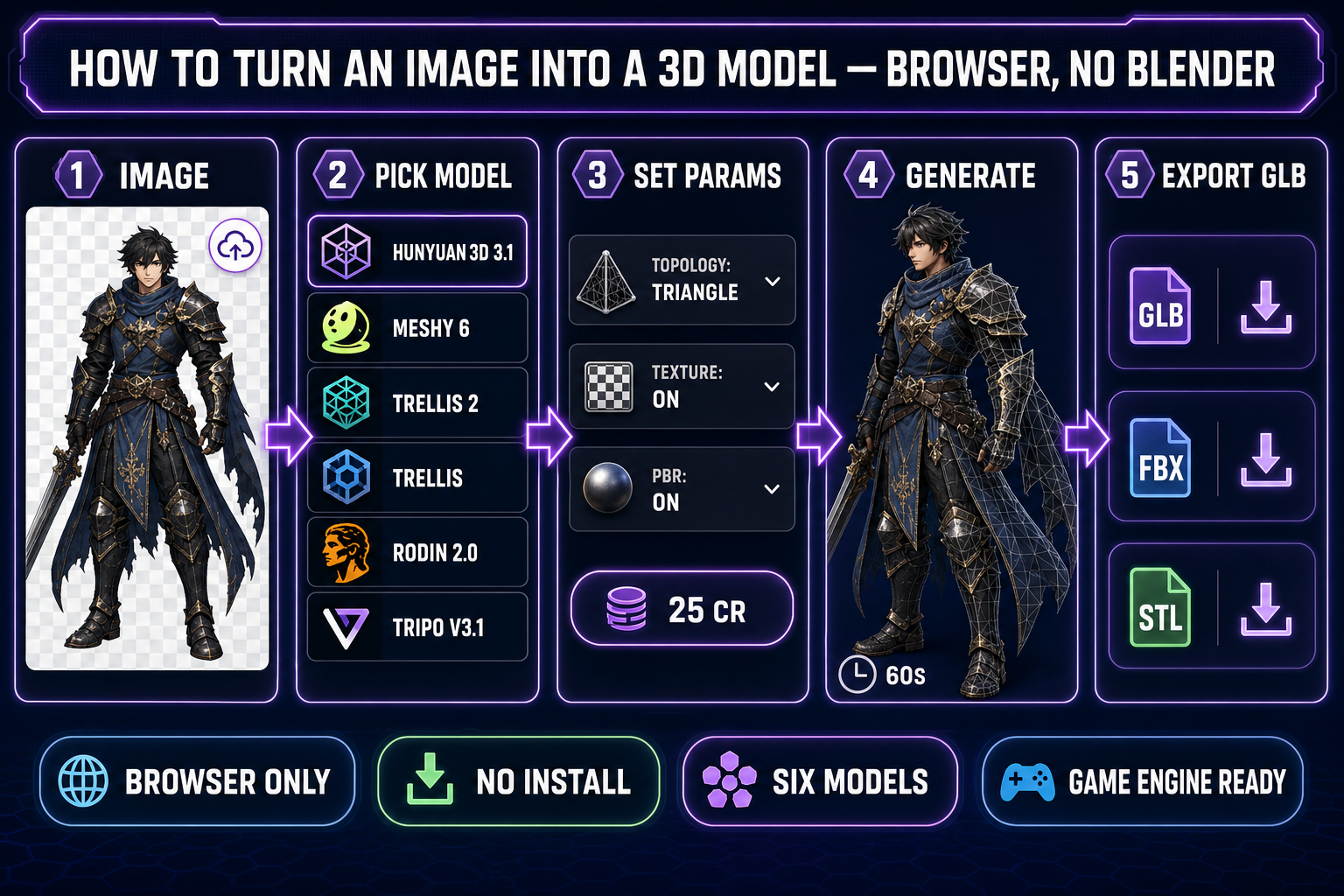
src/lib/threed-models.ts on May 15, 2026.What "3D model" actually means when you turn an image into one
The phrase "3D model" hides a stack of things that have to be true at the same time before an engine or a printer can use the file. The first is the mesh — a set of vertices in three dimensions, connected by edges into triangles or quadrilateral faces. The second is UVs — a flat two-dimensional map of the mesh that says "this triangle gets that part of the texture image", documented by the Wikipedia UV mapping primer. The third is the texture itself — usually a 1024-by-1024 or 2048-by-2048 image baked from the source photo plus AI inpainting for the parts the photo did not show. The fourth, for engines that simulate light, is a PBR material set — additional maps for metallic, roughness, and surface normal, so the same character looks right under direct sunlight and inside a torchlit cave.
A printable model adds one more constraint on top of all that: the mesh has to be watertight and manifold, where every edge belongs to exactly two faces and the surface has no holes. The manifold requirement is what separates "this looks 3D on a screen" from "the slicer can decide which voxels are inside the solid". Image-to-3D models trained on game-ready and print-ready datasets handle this automatically — every one of the six models in the Sorceress picker emits a manifold mesh by default — which is a meaningful detail because hand-modeled meshes from beginners frequently are not. The 2026 image-to-3D path is built around exactly these guarantees: mesh, UVs, baked texture, PBR maps, manifold geometry, all in one file, all in one generation step.
The Blender myth — why everyone defaults to it (and why it is the wrong first step)
Search "how to convert image to 3D model" anywhere on the open web and the first answer is reliably some variation of "install Blender, learn the modeling shortcuts, learn the texture node editor, learn UV unwrapping, watch the eight-hour Donut tutorial, then trace the photo by hand". That recommendation is not wrong — Blender is genuinely free, genuinely open source, and genuinely the right professional tool when you want to hand-sculpt, retopologize, or rig a mesh manually. The wrongness is in where it sits in the pipeline. Hand-modeling from a reference image is the destination for a working 3D artist, not the starting point for a game developer or hobbyist who has one photo and one afternoon. A learned-from-zero Blender session to retrace a character from a single photo is a five-to-twenty-hour exercise even with the tutorial open in the second window.
The browser-based image-to-3D approach inverts the order. The mesh comes out of a neural network in 30–90 seconds, manifold, textured, UV-mapped, GLB-exported by default. Blender then becomes the second-pass tool — for the hand cleanup you specifically want, the retopology you specifically need, the rigging refinement an auto-rigger missed — rather than the gate everyone has to pass through before getting a single usable asset. This is the same inversion the rest of the AI tool stack has done over the last two years: do the boilerplate in seconds, spend the human time on the parts that need taste.
The browser path — six image-to-3D models in one tab
Open 3D Studio in any modern browser. The Generate tab is the entry point; switch the input mode dropdown to "Image to 3D" and the model picker reveals the six image-to-3D models verified in the Sorceress source code on May 15, 2026 — Hunyuan 3D 3.1 (25 credits, recommended), Meshy 6 (50 credits, character-specialized), TRELLIS 2 (40 credits at 1024p), TRELLIS (8 credits, cheapest), Rodin 2.0 (50 credits, direct STL export), and Tripo v3.1 (40 credits, HD texture tier). Each model is a separate trained network with its own strengths; the picker reads the same input image and routes it to whichever one you select.
The picker matters because the cost of experimentation is low. TRELLIS at 8 credits is cheaper than a coffee — generate a first-pass mesh on it to confirm the source image converges into a reasonable silhouette, then re-run on Hunyuan 3D 3.1 or Meshy 6 for the final. The credit costs and parameters are all exposed in the same panel: target polycount, texture resolution, PBR on/off, A-Pose or T-Pose forcing for characters, mesh density tier (high/medium/low/extra-low on Rodin), and the seed control for reproducibility on TRELLIS and TRELLIS 2. The whole picker is open in front of you before the first generation runs — there is no surprise paywall and no install dialog between "I have a photo" and "I have a 3D mesh."
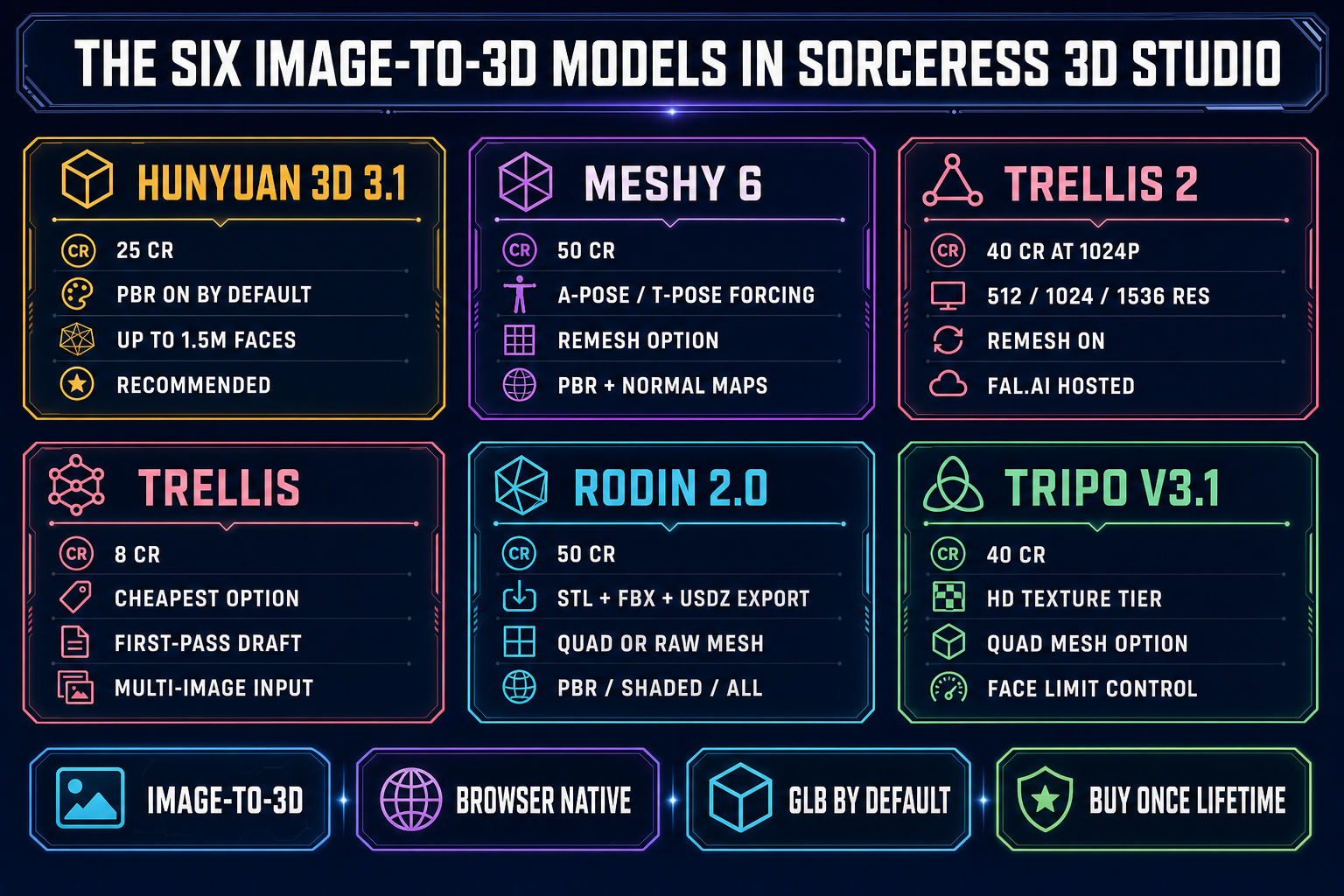
src/lib/threed-models.ts and the matching API routes on May 15, 2026.