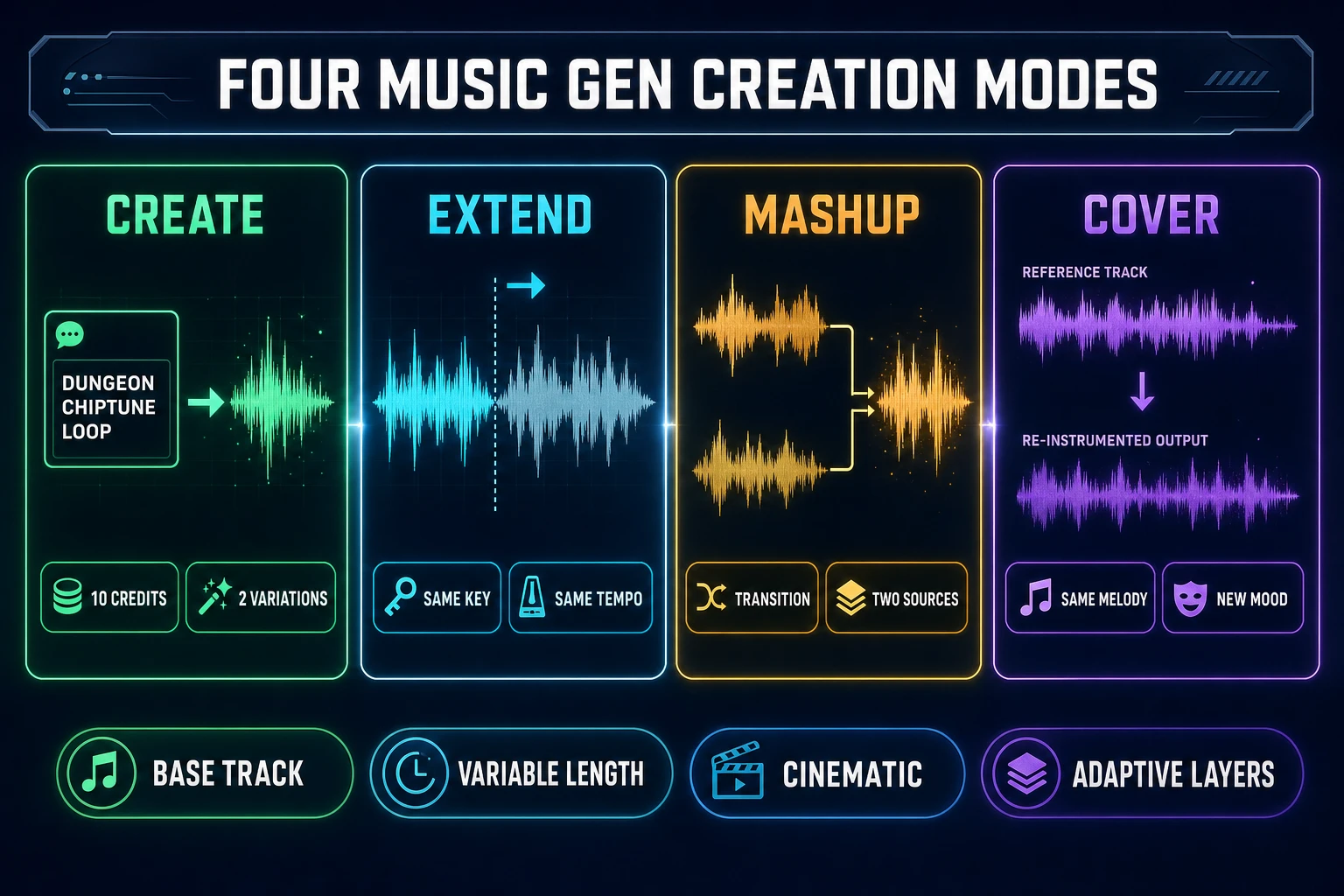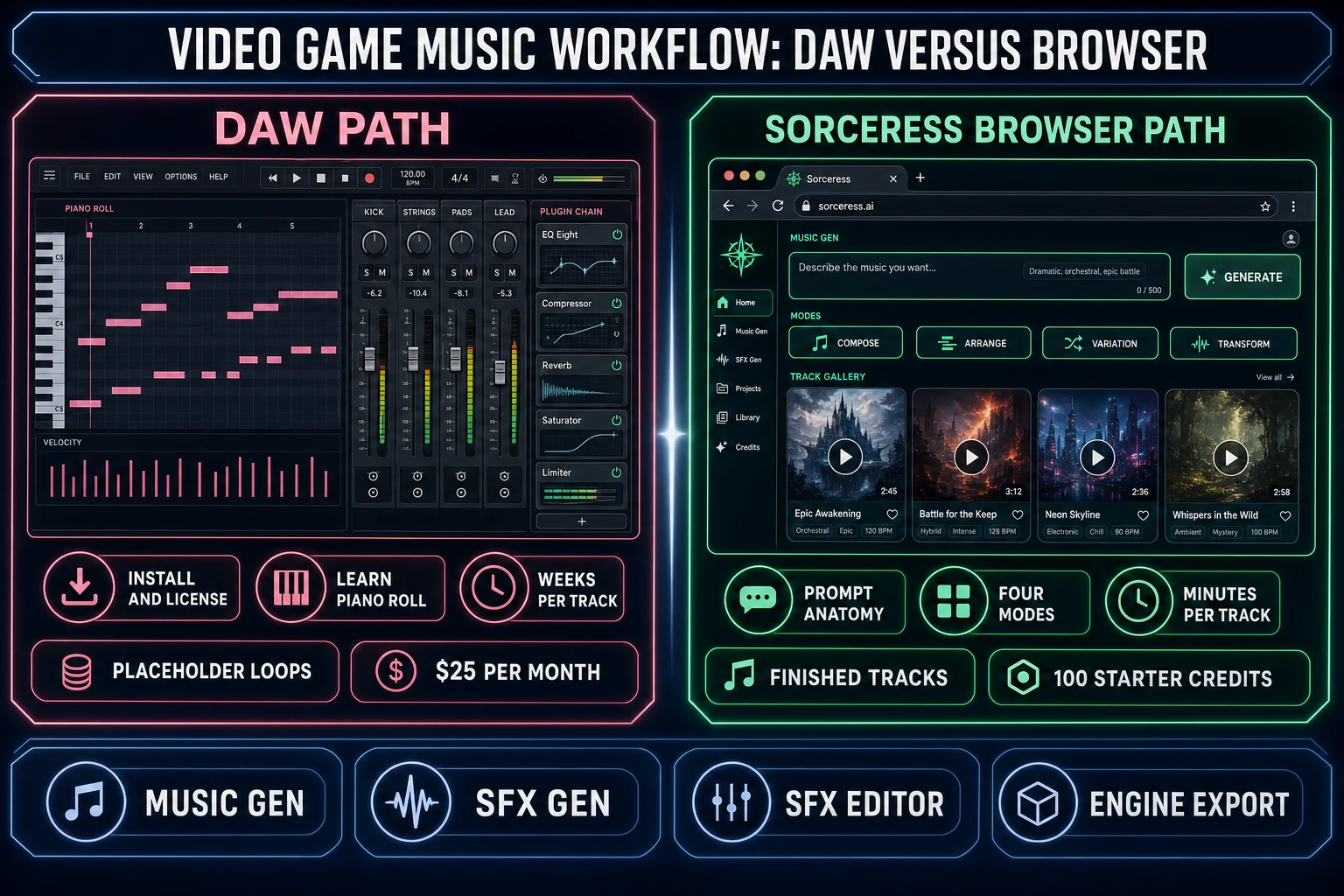
A vibe coder who spent the weekend wiring a browser platformer in WizardGenie, an indie three weeks into a jam build with placeholder royalty-free loops, and a hobbyist sound designer who can’t justify another $25 Splice month for a project that may never ship all land on the same problem in 2026: how to make video game music that fits the level, loops cleanly, layers into intensity stems, and doesn’t cost the rent. The AI music stack has moved from “novelty” in 2023 to “the obvious default” in 2026 — the V5.5 model in Sorceress Music Gen writes full instrumental dungeon tracks, boss-fight crescendos, and adaptive ambient pads from a prompt in under 90 seconds, and the four-mode workflow (create, extend, mashup, cover) makes those tracks usable for games instead of just YouTube videos. This post walks the honest pipeline: the five pieces every video-game soundtrack needs, the prompt anatomy that produces game-ready output, the four Music Gen modes that turn a base track into a level’s worth of cues, and the SFX pass that fills in the hits, jumps, and pickups.
What “how to make video game music” actually means in 2026
How to make video game music is a different problem than how to make music. Music is a linear artifact — a song with a beginning, a middle, and an end — that a listener consumes once, in order, with full attention. Video game music is the opposite: a non-linear, context-aware, loopable score that adapts to the player’s pace, ducks under combat SFX, swells during boss reveals, and resets cleanly when the player dies and restarts. The same player will hear the same dungeon track for forty minutes if they’re stuck on a puzzle, so the track has to loop without an audible seam and stay listenable on the twentieth pass.
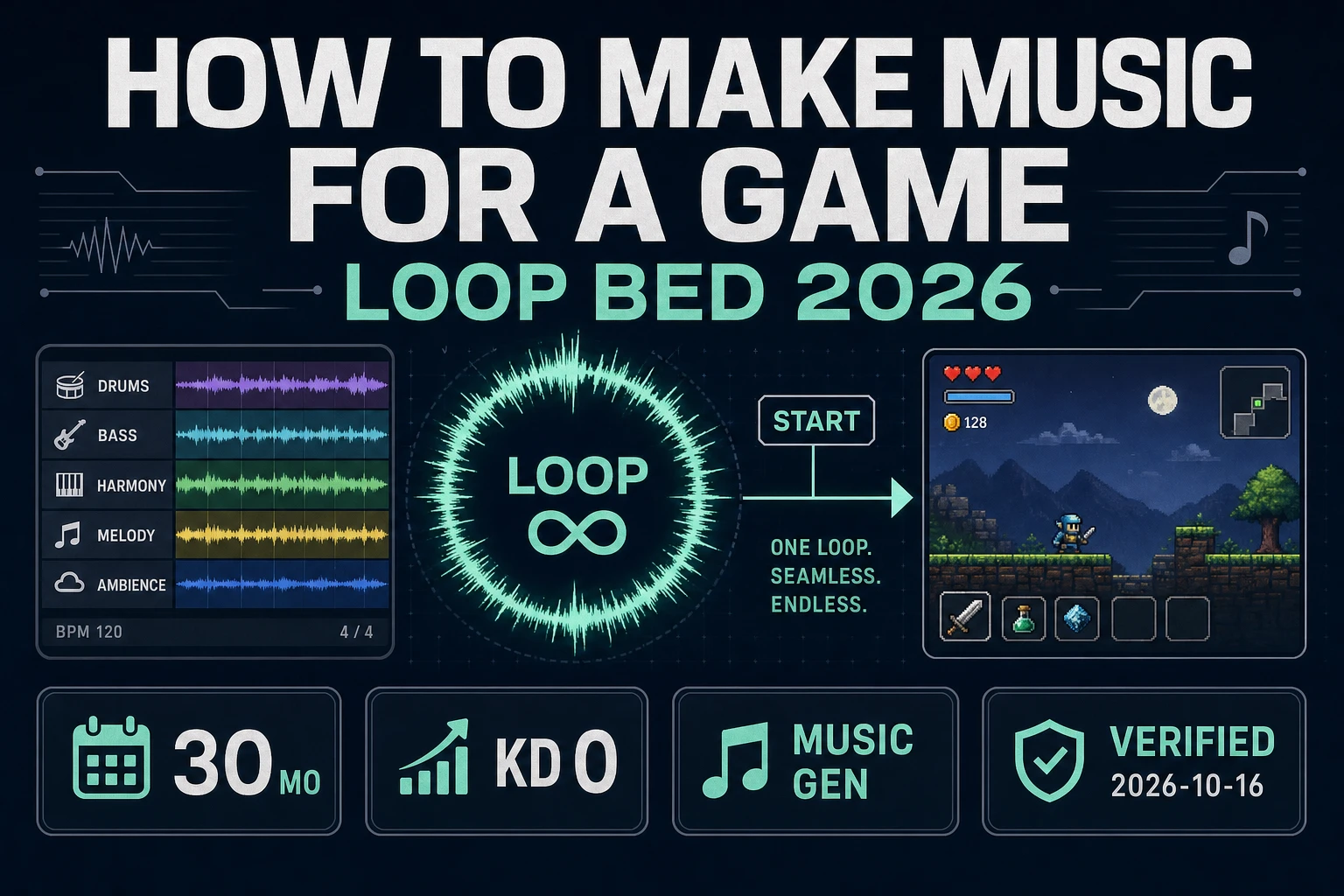
That difference is why the 2026 video-game-music workflow is built on four primitives that don’t exist in linear music production. Loop points. Every track needs a clean loop seam — the last beat of bar 32 has to transition naturally into the first beat of bar 1. Stems. A boss track delivered as one mixed file is one decision; the same track delivered as drum, bass, lead, and pad stems is four decisions the game engine can mix dynamically at runtime. Tempo locking. The combat track at 128 BPM has to cross-fade into the victory sting at 128 BPM or the transition feels broken. Layered intensity. The exploration version of a track strips out the drums and the lead; the combat version adds them back. Adaptive music is what separates a finished indie game from a tech demo with placeholder loops.
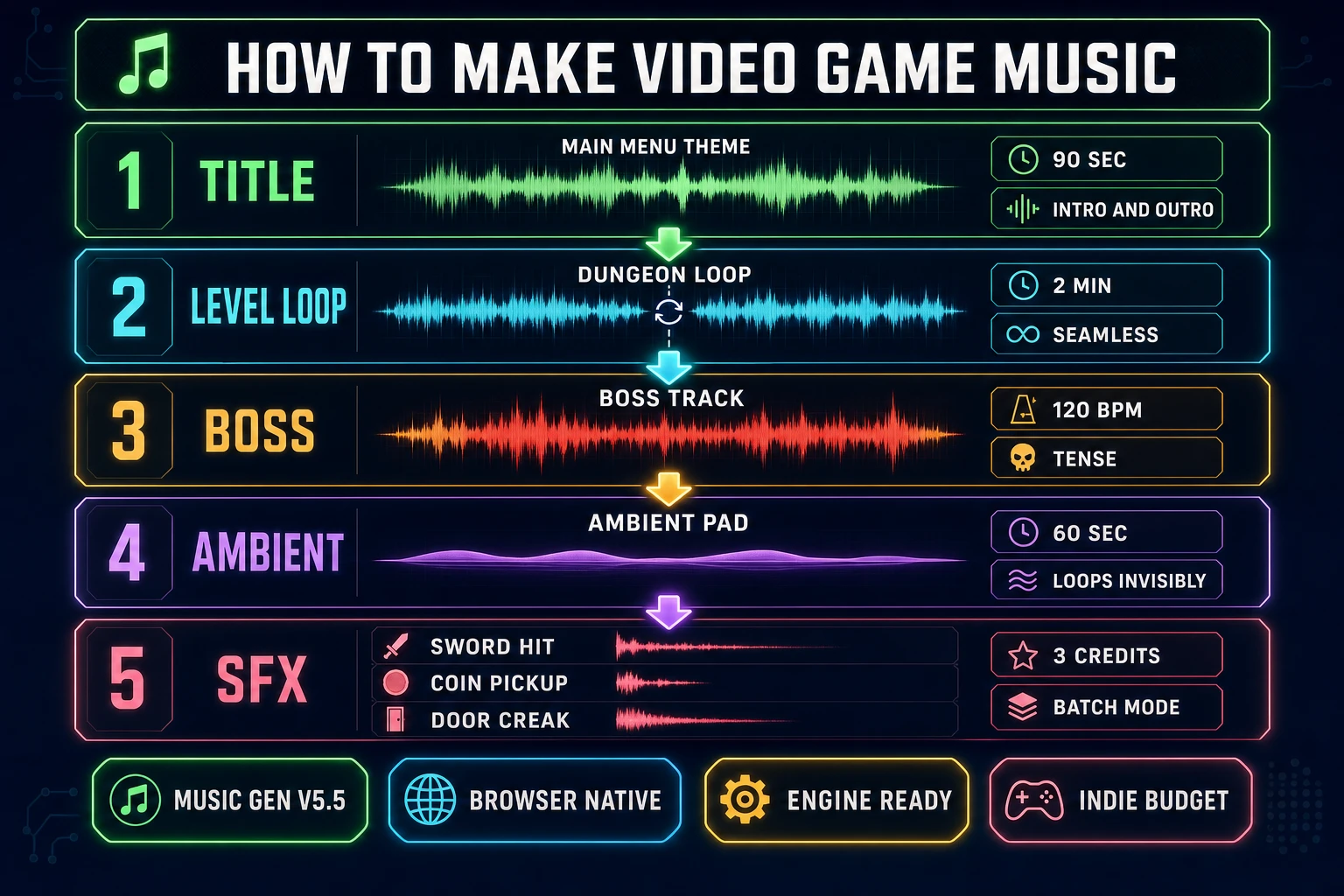
The five pieces every video game soundtrack needs (title, level loops, boss, ambient, SFX)
Naming the five pieces up front gives the AI a clean prompt target for each one and keeps the soundtrack from drifting into a single ten-minute prog-rock track that fits nothing. Every shipped indie game from a one-room jam game to a 40-hour metroidvania has roughly the same five categories.
Piece 1: The title theme. A 60 to 90 second hook that plays on the main menu, the studio splash, and the credits. This is the only piece the player hears more than once in full, so it carries the project’s sonic identity. Big intro, big outro, no loop seam required.
Piece 2: Level loops. One per region or biome. 2 to 4 minutes each, clean loop seam, mid-energy. The dungeon track, the forest track, the snow level. These do the most work in the soundtrack because the player spends 80 percent of the play session inside them.
Piece 3: The boss tracks. One per boss, plus a generic mini-boss track. 90 seconds to 3 minutes, high-energy, tempo-locked to the gameplay framerate (60 BPM divides evenly into 60 fps for animation sync). Loops cleanly because boss fights run long.
Piece 4: Ambient pads. Low-volume sustained drones for cutscenes, dialogue, and inventory menus. These give the audio mix a floor to sit on so the absence of music feels intentional, not broken. 60 to 120 seconds, almost no rhythm, loops invisibly.
Piece 5: One-shot SFX and stings. Pickup chimes, level-clear fanfares, boss-defeated stings, game-over chords. Short (1 to 5 seconds), non-looping, tempo-matched to whatever track is currently playing so they don’t sound dropped-in.
The math for a six-level indie game ends up at: 1 title + 6 level loops + 4 boss tracks + 3 ambient pads + ~20 SFX. At Sorceress 10 credits per Music Gen generation and 3 credits per SFX Gen batch, that’s 140 credits + 60 credits = 200 credits total, which the 100 free starter credits cover halfway. A $20 Creator credit top-up covers the whole soundtrack with credits to spare.
Step 1 — Prompt anatomy: how to write a game-ready music brief
The Music Gen prompt is where most first-time video-game-music attempts go wrong. The default reflex is to type “dungeon music” into the prompt box and hope for the best. The model can do better with five extra words and a clearer structure. The prompt anatomy that produces consistent game-ready output has six parts.
Genre. Be specific. “Chiptune” not “retro.” “Orchestral hybrid” not “epic.” “Synthwave” not “80s.” Chiptune alone covers eight subgenres; pin the one that fits.
Mood. Two adjectives, no more. “Tense and methodical” for a dungeon. “Triumphant and propulsive” for a boss. “Wistful and patient” for a hub town.
Instrumentation. Name the three or four lead instruments. “Square-wave lead, triangle bass, NES-style noise hi-hat, 4-bit drums.” The model latches onto specific instrument names better than abstract textures.
Tempo. Lock the beats per minute in the prompt. 120 BPM for standard combat, 90 BPM for exploration, 140+ BPM for chase sequences. The model honors explicit BPM tags far more reliably than vague “medium tempo.”
Structure. “Loopable A-B-A.” “No intro, no outro, designed to repeat seamlessly.” “Build to climax at 0:45, sustain through 1:30.” The model writes longer-form structure when you give it a shape.
Negative tags. What you don’t want is as important as what you do. “No vocals, no fade-out, no key change, no orchestral hits.” The Music Gen custom mode exposes a Negative Tags field for exactly this purpose — everything in that field is excluded from the generation.
A complete prompt for a dungeon track looks like: “Chiptune dungeon exploration loop, tense and methodical, square-wave lead, triangle bass, NES-style noise hi-hat, 4-bit drums, 110 BPM, loopable A-B-A, no intro no outro no fade-out.” Negative tags: vocals, key change, orchestral hits, modern drums. The custom mode also lets you set a Style Weight slider (default 0.5; push to 0.7+ to hold genre tighter) and a Weirdness slider (default 0.5; push down to 0.2 for safer output, up to 0.8 for unexpected combinations).
Step 2 — Create your first track with Music Gen (V5.5, 10 credits, 2 variations)
The Music Gen workflow at sorceress.games/music-gen opens on the Create tab, which is where every new soundtrack starts. The default model is V5.5 (verified against the MODELS array at line 376 and the default useState('V5_5') at line 444 of src/app/music-gen/page.tsx on June 11, 2026), with V5, V4.5+, V4.5, and V4 available as fallbacks. V5.5 is the right call for almost every prompt; the older versions are useful when you want a specific older sonic character (V4 has a noticeably crunchier low end that fits some retro genres better than V5.5’s cleaner master).
Toggle Custom Mode on. This unlocks the Style, Title, Vocal Gender, Negative Tags, Style Weight, and Weirdness fields. For game music, Custom Mode is non-negotiable — the default simple mode generates closer to a song with a verse-chorus structure, and the custom mode generates closer to an instrumental loop. Toggle Instrumental on for any track that doesn’t need vocals (which is most game music; vocals are for title themes and credit songs).
Paste the prompt into the Style field, paste any title text into Title, paste negative tags into Negative Tags. Press Generate. Each Music Gen run costs 10 credits (verified at MUSIC_CREDIT_COST = 10 on line 26 of src/app/music-gen/page.tsx) and produces 2 track variations (verified at the “2 variations per generation” UI string on line 2094). The two variations are not the same track twice — they are two distinct AI interpretations of the prompt, with different melodies, different drum patterns, different instrumentation choices. For game music, this is a feature: keep both, use one as the exploration version and one as the combat version of the same biome, or A/B-test them in the engine and ship the better one.
The generation runs in the background; you can fire off three or four prompts before the first one finishes. The Gallery on the right shows the tracks as they complete, with a waveform preview and a Play button. Listen on headphones, not laptop speakers — game audio mixes that sound fine on the laptop sound thin in Discord and muddy on a phone speaker.