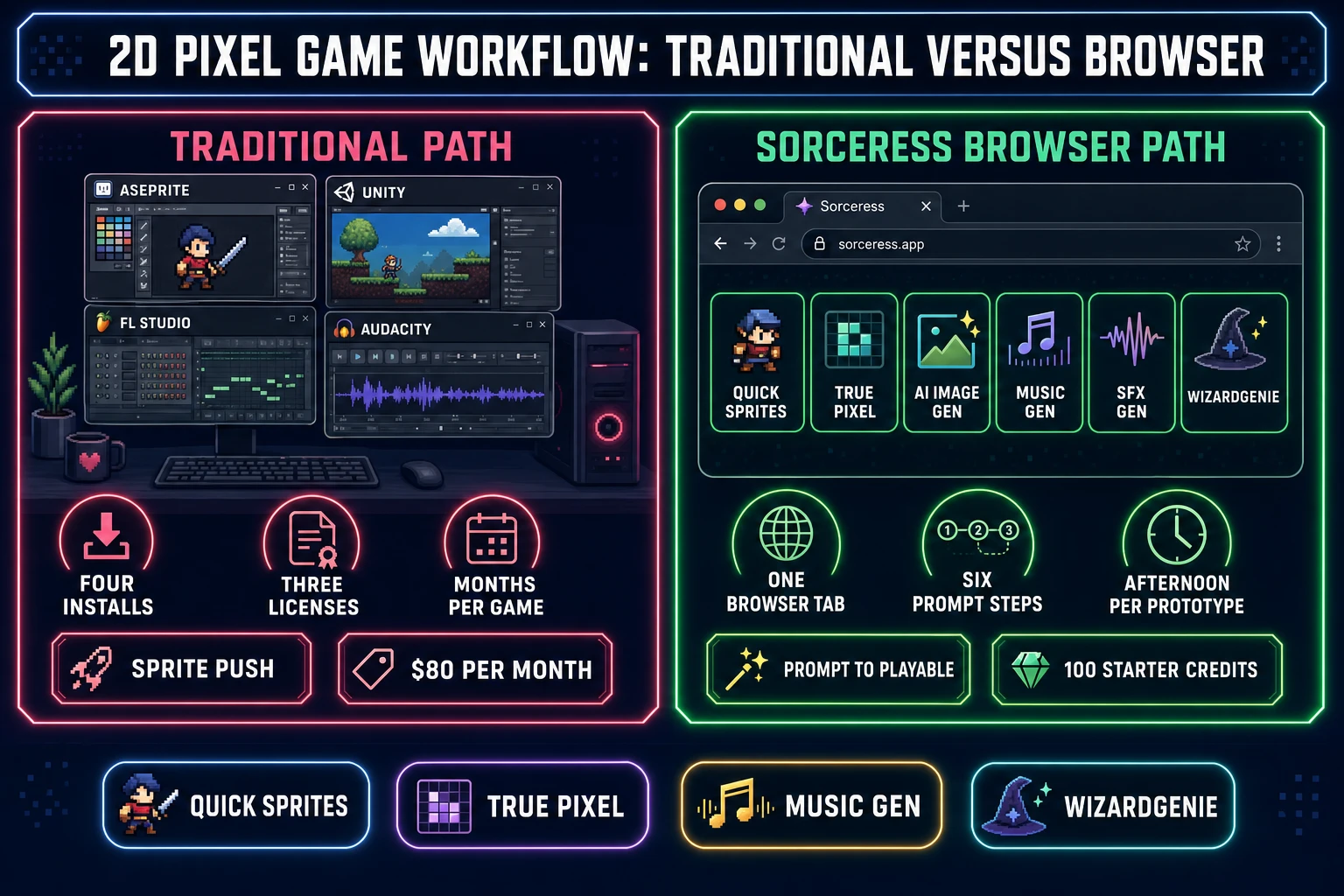
A vibe coder who just shipped a browser platformer prototype in WizardGenie, an indie three weeks into a jam with placeholder rectangles for sprites, and a hobbyist who loved Stardew Valley and wants to make “just a small pixel game” all run into the same wall in 2026: how to make a 2D pixel game when the art skill, the music skill, and the engine skill each take a year to learn on their own. The 2026 answer is a browser stack that hands every one of those skills to AI without locking you into a specific engine or asset store. This post walks the honest six-step pipeline: the player sprite from Quick Sprites, the props and tilesets through True Pixel and AI Image Gen, the music and SFX from Music Gen and SFX Gen, and the actual game loop wired together in WizardGenie against whatever engine fits the genre — Phaser for a platformer, Three.js for a top-down isometric, native Canvas for a one-screen arcade game. Verified against the Sorceress source on June 12, 2026.
What “how to make a 2D pixel game” actually means in 2026
How to make a 2D pixel game is a different question than how to make pixel art. Pixel art is a visual style — a static image rendered on a deliberate low-resolution grid with a limited palette. A 2D pixel game is everything that turns that static image into a playable experience: animated sprite sheets with clean frame timing, tilesets that snap to a grid, a player loop that responds to input at 60 frames per second, music that loops cleanly under combat SFX, and code that wires it all together against a rendering engine. The art is maybe twenty percent of the work; the other eighty percent is the systems that surround it.
That difference is why most “how to make a pixel game” YouTube tutorials in the wild are actually how-to-make-pixel-art tutorials with a brief “and now drop it into Unity” section glued on. The Sorceress browser stack approaches the problem the other way around: pin down the systems first, then let AI generate the art and audio to fit the systems. The six pieces every shipped indie pixel game needs are the same six whether the game is a one-screen jam entry or a 40-hour metroidvania: a player sprite, a tileset, props and enemies, a music track, a SFX bank, and the engine code that runs the loop. Each one gets a dedicated step below.
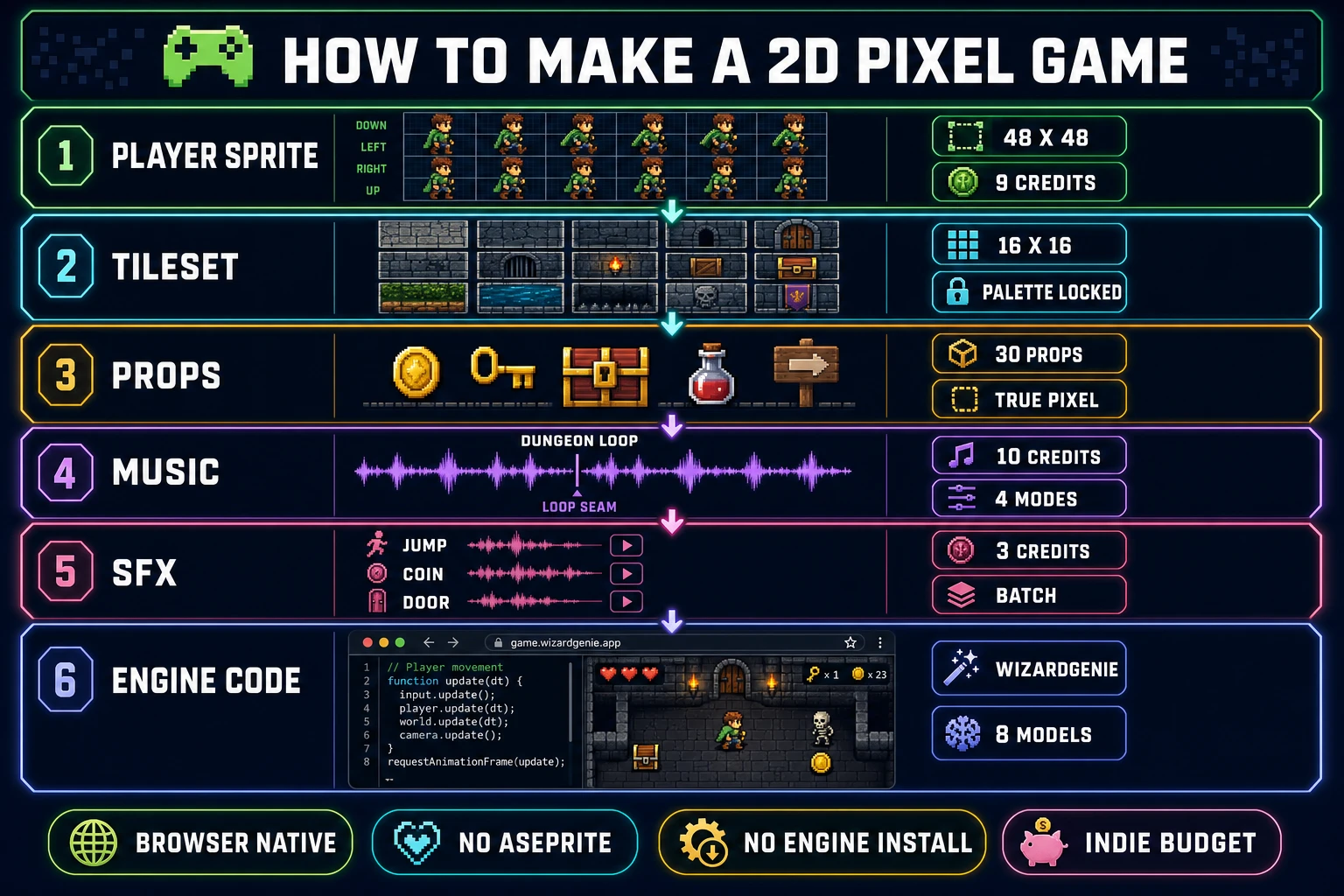
The six pieces every 2D pixel game needs (sprite, tileset, props, music, SFX, code)
Naming the six pieces up front turns a vague “I want to make a pixel game” ambition into a concrete checklist that maps cleanly onto a sequence of Sorceress tool runs. Skip a piece and the game ships with a hole; do all six and the game ships.
Piece 1: The player sprite. A four-direction walking cycle, an idle, and at least one action frame (attack, jump, pickup). For a 2D pixel game the canonical sizes are 32×32 for small mobile-friendly characters and 48×48 for desktop-scale heroes. Both sizes ship out of Quick Sprites as a single grid-formatted PNG with a transparent background.
Piece 2: The tileset. A grid of 16×16 or 32×32 tiles — ground, walls, slopes, water, decoration — that the level designer paints into a tilemap. The tileset has to share the player’s palette or the game looks like two different games stitched together.
Piece 3: Props and enemies. Coins, keys, chests, doors, signs, fire, water, plus the enemy sprites that populate the levels. Each prop is small (16 to 64 px) but the game ends up needing 30 to 50 of them. Generate the references in AI Image Gen and pixelize them in True Pixel.
Piece 4: The music. A title theme, two level loops, a boss track, and an ambient pad — five Music Gen runs that ship a soundtrack-quality album from a sequence of prompts. Each generation is 10 credits, the cost math lands at roughly $0.50 per track at the Sorceress Creator tier.
Piece 5: The SFX bank. Jump, land, hit, pickup, door, menu-click, game-over, level-clear. Twelve to twenty short one-shots, each generated as a SFX Gen batch at 3 credits with multiple variations per run.
Piece 6: The engine code. The actual game loop — input handling, physics, collision, scene transitions, save/load. This is where WizardGenie earns its name; describe the genre in plain English and the agent writes the engine-specific code that loads the assets generated in the first five steps.
Step 1 — Generate the player sprite (Quick Sprites at 9 credits per run)
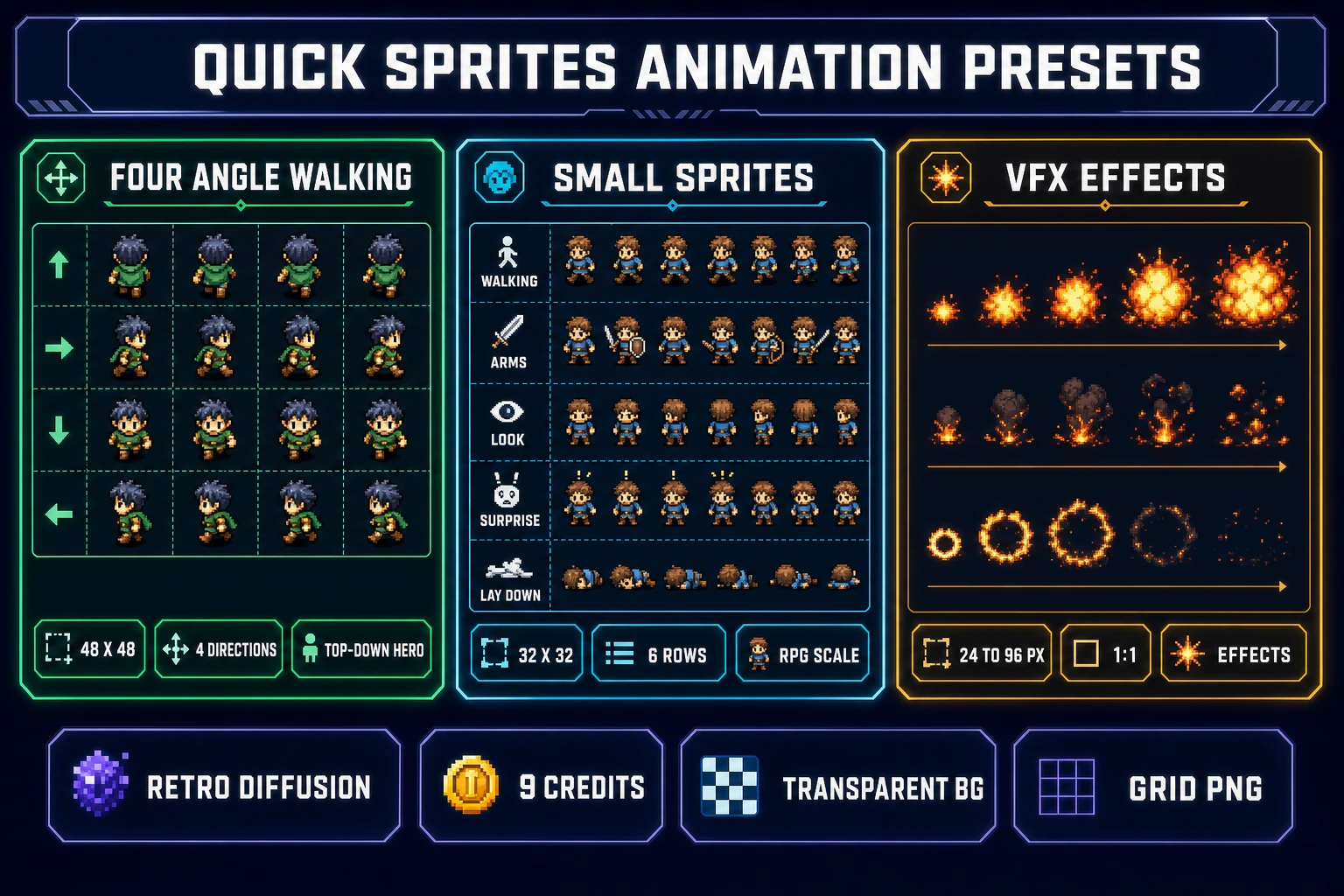
The player sprite is the right place to start because it sets the scale, the palette, and the silhouette that every other asset has to harmonize with. Quick Sprites at /quick-sprites runs on the retro-diffusion/rd-animation model at 9 credits per generation (verified at CREDITS_PER_GEN = 9 on line 21 of src/app/quick-sprites/page.tsx on June 12, 2026) and ships three animation-style presets a 2D pixel game can drop in directly.
The three presets are Four Angle Walking (48×48, a 4-direction 4-frame walking sheet for the standard top-down or platformer hero), Small Sprites (32×32, a 6-row sheet that includes 4-direction walking plus arm movement, looking, surprise, and lay-down poses for a small-scale RPG character), and VFX Effects (24 to 96 px, eye-catching loops for fire, explosions, and lightning effects). Pick Four Angle Walking for a top-down adventure, Small Sprites for a Game Boy-scale RPG, and run a few VFX generations for the action accents.
The prompt anatomy that produces consistent, clean Quick Sprites output is genre + role + outfit + palette + restrictions. A complete prompt for a small RPG hero looks like: “Pixel art 2D RPG hero, young female knight, leather armor with a green tabard, brown hair in a side braid, PICO-8 palette, no helmet, no shield, no background.” The first generation usually lands in the ballpark; the second iteration tightens the palette and removes the items you didn’t want. Two generations is 18 credits, which is under $0.20 at the Starter credit price (verified at CREDIT_TIERS in src/app/plans/page.tsx on June 12, 2026: $10 for 1,000 credits at the Starter tier).
Quick Sprites delivers the output as a single PNG with the frames laid out in a grid the size of the chosen preset. Every modern 2D engine reads that PNG natively. Phaser loads it with this.load.spritesheet('hero', 'hero.png', { frameWidth: 48, frameHeight: 48 }). Three.js wraps it with a SpriteMaterial. Native Canvas just calls drawImage() with the right source rectangle. No conversion step, no atlas-packer detour.
Step 2 — Convert reference art into pixel sprites (True Pixel + 8 classic palettes)
Quick Sprites covers the player and the enemies, but not every prop in a 2D pixel game needs to be a Retro Diffusion generation from scratch. A faster path for the dozens of small props (keys, coins, chests, signs, plants, food items, weapons, potions) is to generate a reference illustration in AI Image Gen and pixelize it through True Pixel at /pixel-art. True Pixel runs in the browser on a downsample + palette-quantization pipeline that respects the chosen palette exactly, so every prop in the game lands on the same 16 or 32 colors as the player sprite.
The True Pixel palette presets are the eight that pixel-game artists have used for two decades: PICO-8 (16 colors), SWEETIE-16, Endesga 32, Game Boy, CGA, NES (54 colors), Grayscale (8), and 1-Bit (verified in the PALETTE_PRESETS array on line 24 of src/app/pixel-art/page.tsx on June 12, 2026). Pick the palette once for the whole game and apply it to every asset that comes through True Pixel. PICO-8 is the right default for cartoony adventure games, Endesga 32 for richer fantasy, Game Boy for the mono-green retro look, NES for late-80s vibes, and 1-Bit when the project leans toward stark high-contrast aesthetics.
The workflow is: generate the prop in AI Image Gen at a reasonable size (512×512 is enough), upload it to True Pixel, pick the palette, choose the target pixel resolution (32×32 for small props, 48×48 for chests and tables, 64×64 for large furniture), and export. The exported PNG has the right palette baked in — no manual color-correcting, no Photoshop indexed-color conversion. True Pixel also exposes dithering modes (none, ordered, floyd-steinberg) when the palette is tight enough that the quantizer needs help approximating mid-tones.
The math for a 30-prop game is 30 True Pixel runs at zero credits each (True Pixel image processing is unmetered in the browser; only the upstream AI Image Gen for the references costs credits) plus maybe 8 AI Image Gen reference batches at a few credits each. The whole prop set ships for less than a single Quick Sprites generation. That cost structure is what makes a one-person pixel game project realistic in 2026 instead of a six-month art crunch.