Grow How to Make a Tycoon Game (Browser Profit Loop 2026)

By Arron R.11 min read
How to make a tycoon game in 2026: model earn stations with cash-per-second rates and upgrade costs in WizardGenie, then add AI Image Gen shop art and SFX Gen c

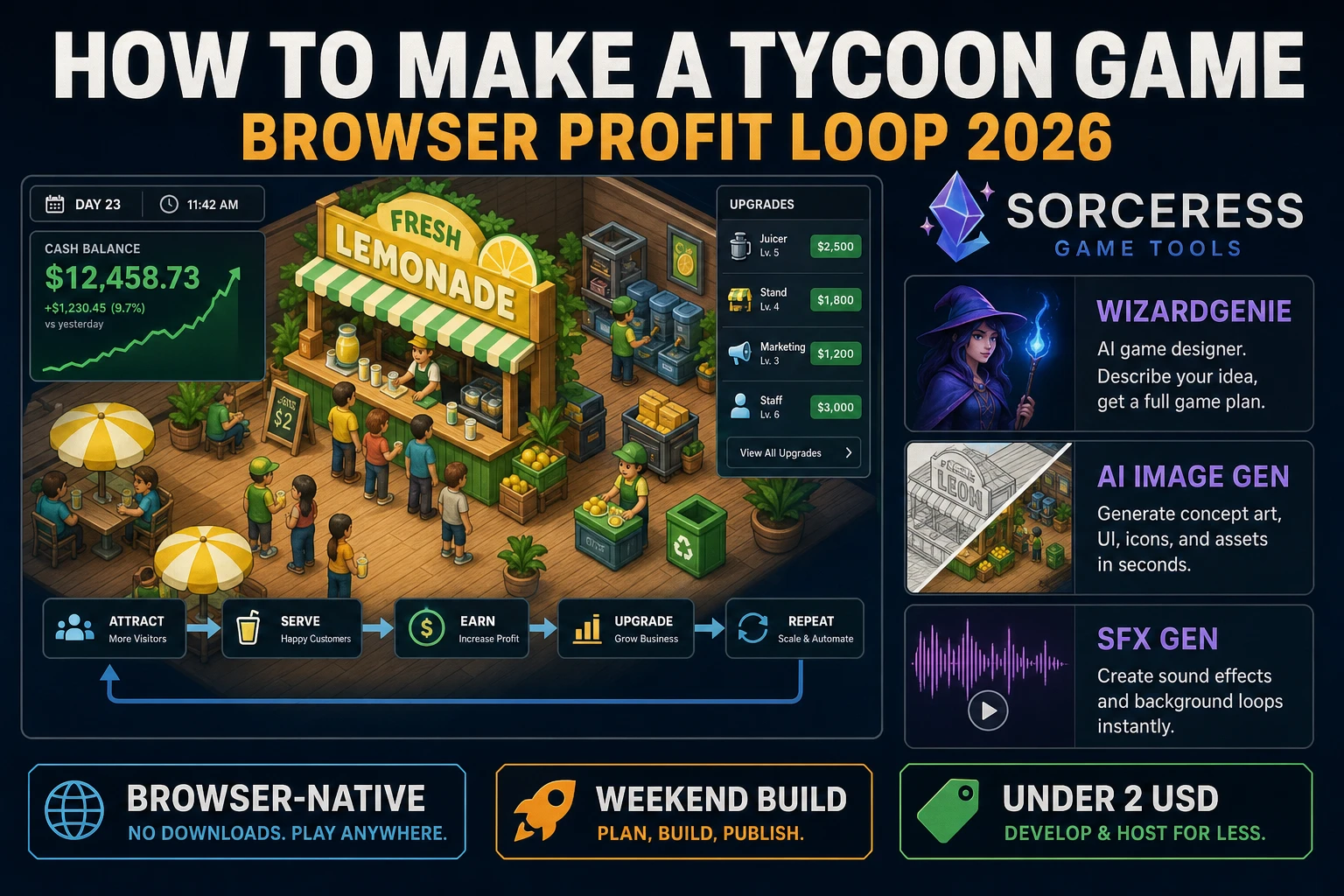
Most beginners who search “how to make a tycoon game” want a cash balance on screen, a few earn stations that pay every second, and Buy buttons that raise rates when you can afford them. A full franchise sim with staff hiring, supply logistics, and multi-city expansion is a product team. A browser profit loop is different. A coding agent scaffolds station rates, cash ticks, and upgrade gates from one prompt, and AI generation covers shop icons, floor backdrop, and coin audio. On desktop or web, that means WizardGenie for the earn-upgrade-unlock interpreter, AI Image Gen for station and shop art, SFX Gen for coin and unlock clips, and optional Music Gen for a shop ambience bed. This guide is the honest end-to-end for how to make a tycoon game in 2026, as a weekend build you can finish once.
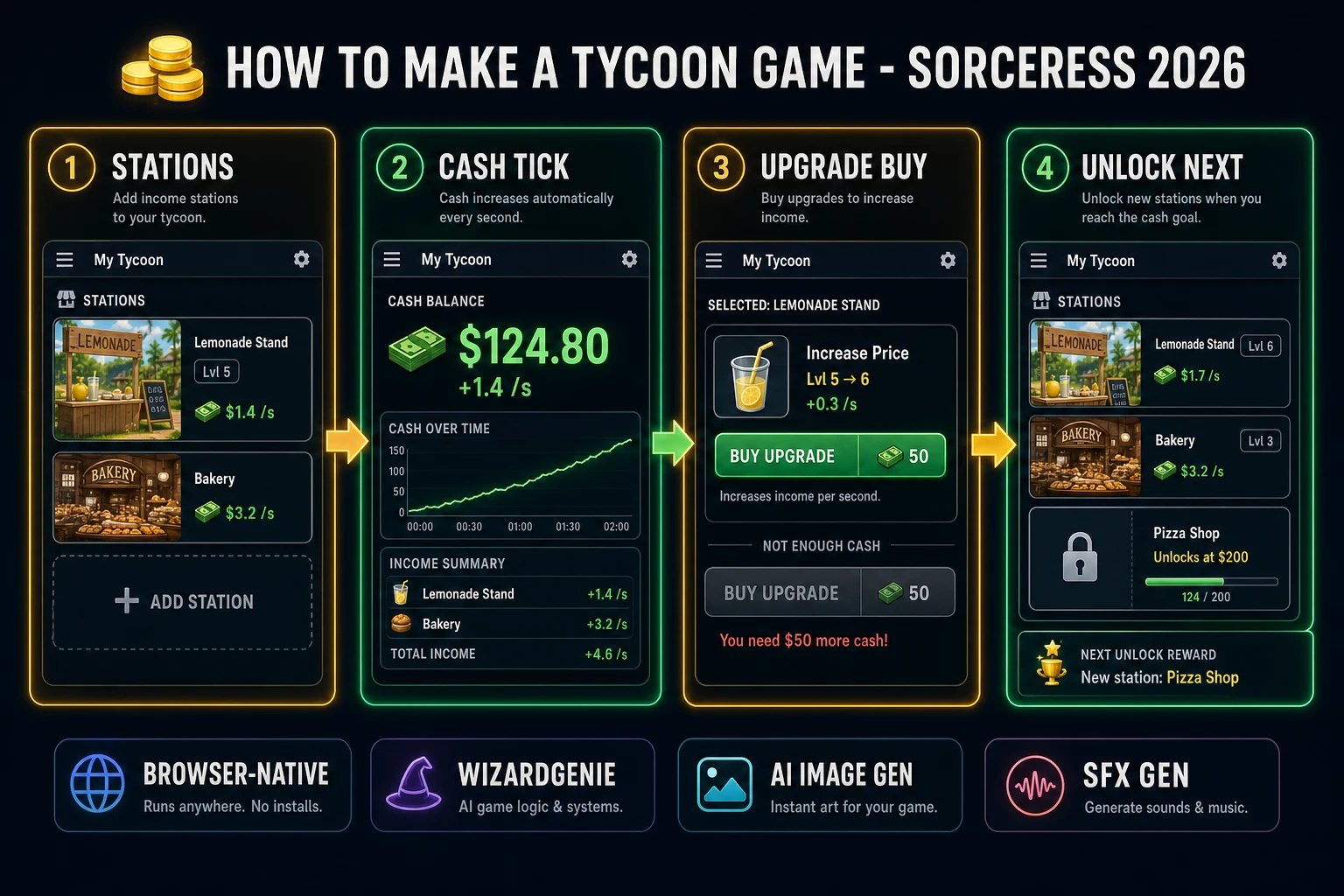
How to make a tycoon game browser pipeline: wire stations, cash ticks, and upgrade buys in WizardGenie, then ship a browser profit loop
The 2026 how to make a tycoon game recipe: generate station icons and shop art, model earn-upgrade-unlock logic in WizardGenie, then add SFX Gen coin audio and Music Gen shop bed.

What how to make a tycoon game actually means in 2026

The query “how to make a tycoon game” hides three intents. Some searchers want a Unity asset pack with isometric malls, NPC shoppers, and fifty prefab businesses — that is engine shopping, not a minimal playable loop. A second intent is a Roblox-style place with datastore economies and group monetization — a platform tutorial, not a solo jam. The third intent, and the one this guide targets, is a browser profit loop: a cash HUD, two or three earn stations with cash-per-second rates, upgrade buys that raise those rates, and an unlock threshold that reveals the next station. That is a weekend build, it demos the Sorceress toolset, and it is the format most tycoon game tutorial and javascript tycoon game searchers actually want.

The presentation contract is small and strict. A title screen shows the shop name, control hints (watch cash rise, click Buy Upgrade when affordable, unlock new stations at cash gates), and Play. The play screen shows cash top-left, rate-per-second under it, station cards in a row with level and income labels, Buy buttons under each card, and optional mute toggle. When cash funds an upgrade, play a short chime, bump the station level, and refresh the cost label. When cash hits an unlock threshold, reveal the next locked card. The business simulation game overview on Wikipedia (verified 2026-08-28) traces the genre from classic tycoon titles through modern management sims — cite it when you write your itch.io blurb so players know you shipped an arcade shop floor, not a full franchise empire. If you already shipped a passive number loop, the sibling guide on how to make an idle game covers offline ticks and prestige; this post owns visible stations, upgrade costs, and unlock gates instead.

The tycoon profit loop in one minute (tick, show, buy, raise, unlock)

Five moving parts, repeated until the player quits or hits a soft end goal. First, tick income — every frame, add the sum of each station’s rate times level times delta time to cash. Second, show HUD — render cash, rate-per-second, and per-station level labels so the player sees money move. Third, buy upgrade — when the player clicks Buy and cash covers cost, subtract cost and increment level. Fourth, raise rate — recompute rate-per-second from the new levels and scale the next upgrade cost by a fixed multiplier such as 1.5. Fifth, unlock — when cash crosses a threshold (for example 200), set the next station’s unlocked flag and enable its Buy button. Staff AI, supply trucks, and prestige resets are polish layered after one honest upgrade visibly speeds income.
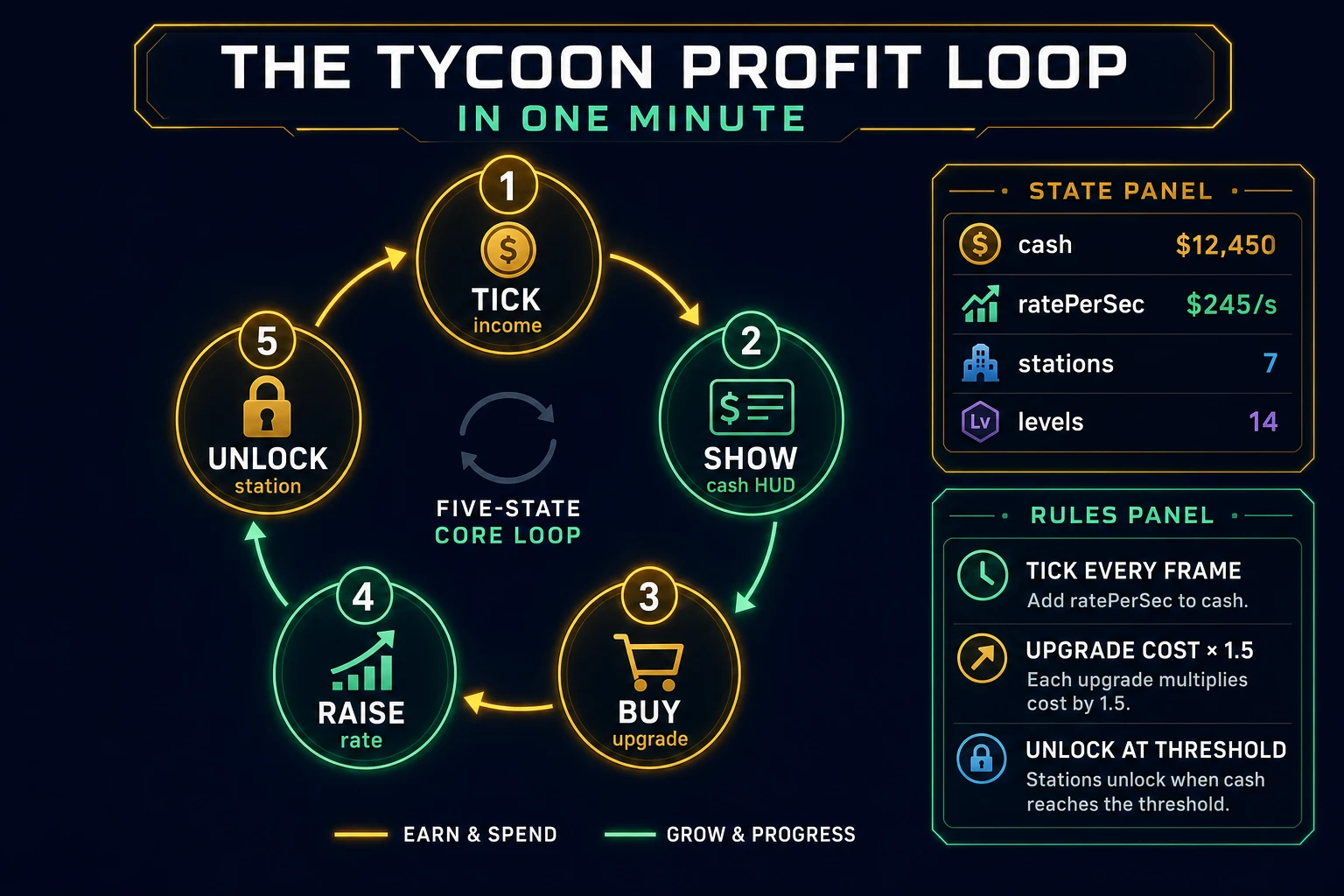
Tycoon game loop state machine diagram showing tick income, cash HUD, buy upgrade, raise rate, and unlock station
The tycoon profit loop: tick station income into cash, show the HUD, buy upgrades when affordable, raise rates, then unlock the next station at a cash gate.

Pick your engine for how to make a tycoon game: canvas, Phaser, or WizardGenie

Three good targets in 2026, each with a different trade-off. Vanilla JavaScript with canvas (or a simple DOM card layout) is the honest default and the pick this guide recommends for a first build. One <canvas> or HTML panel draws the cash HUD and station cards. Track click targets with bounding boxes or button elements, run income with requestAnimationFrame, and gate buys with a cash comparison. Total code footprint for a working browser management game is under 400 lines including tick income, upgrade buys, unlock gates, and save. The MDN Canvas API docs cover drawing, and the requestAnimationFrame guide covers smooth delta-time ticks.

DOM cards versus canvas sprites stays readable for jam scope: HTML buttons for Buy Upgrade are easier to hit-test and style; canvas is better when you want floating +cash popups drawn over a painted shop floor. Ship DOM cards first, move labels into canvas in v2 if the art direction demands it.

Phaser 4.1.0 (verified 2026-08-28 on the official Phaser API documentation page) becomes the right pick if you want tweened coin popups, TimerEvent income pulses, or scene-based shop floors with camera pan. Phaser does not invent your economy — you still need the same rate sum, upgrade costs, and unlock thresholds. Use Phaser when animated station sprites and floating +cash text are the product; use raw canvas or DOM when the product is an html5 tycoon game walkthrough people can read in one sitting.

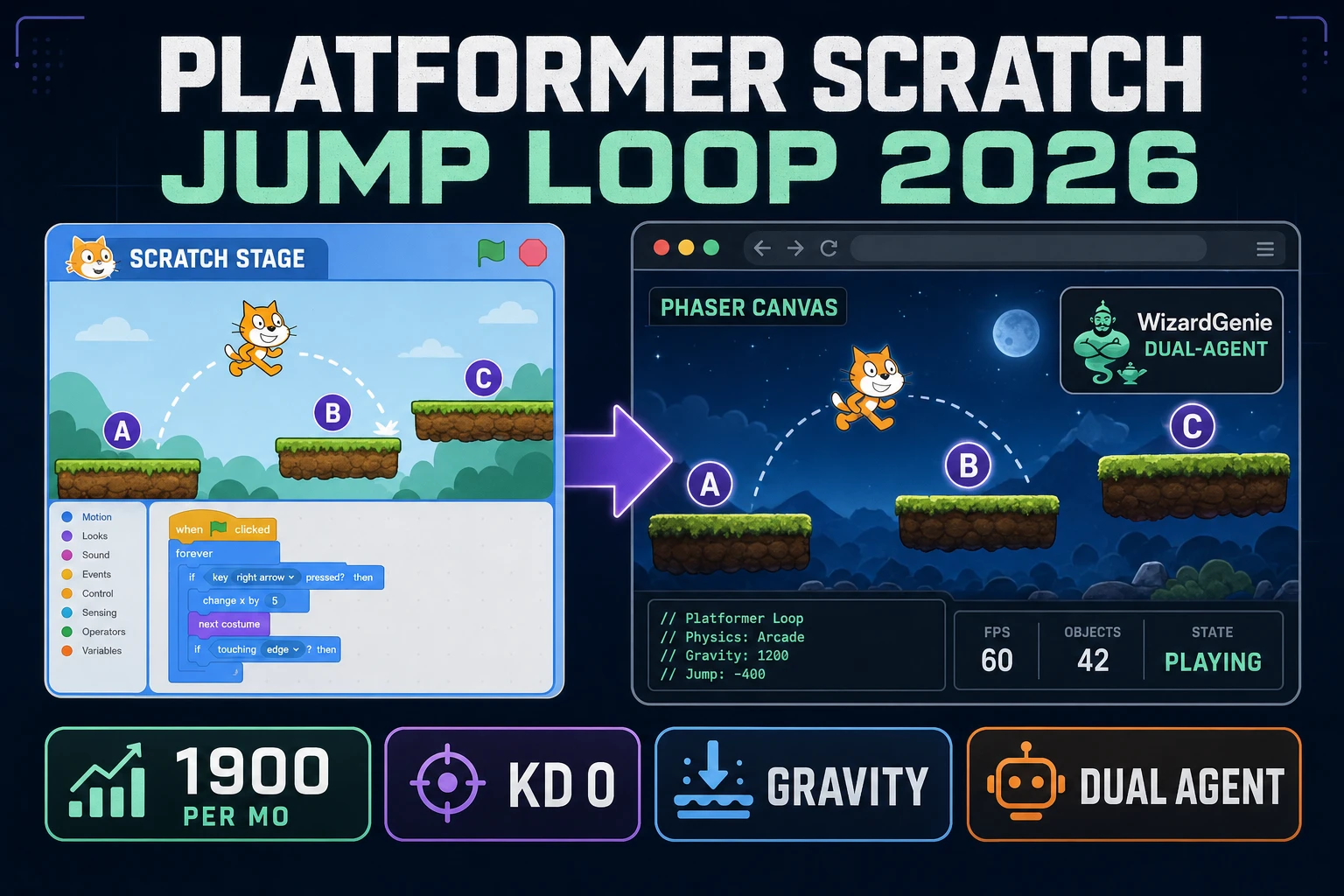
WizardGenie is not a separate rendering engine — it scaffolds whichever of the two you pick from a single natural-language prompt. WizardGenie ships as both a desktop app (Windows installer with auto-update, available to Early Access supporters and above) and a no-install web build. Its coding-model lineup covers Claude Opus 4.7, GPT-5.5, Gemini 3.1 Pro, DeepSeek V4 Pro, Kimi K2.5, Grok 4.2, and MiniMax M2.7 (verified 2026-08-28 in src/app/_home-v2/_data/tools.ts). For tycoon loops, any frontier model scaffolds station state, tick income, and buy handlers in one prompt. Pair a frontier planner with a budget executor like DeepSeek V4 Pro or Kimi K2.5 for the typing pass — the Dual-agent pattern lands most projects at roughly one-fifth the single-frontier cost.
Step 1 — model stations, cash rate, and upgrade costs

Nothing else in the pipeline matters if cash never rises or Buy spends without raising income. Start with a small, testable model:

const STATIONS = [
  { id: 'lemonade', name: 'Lemonade Stand', baseRate: 1, level: 1, upgradeCost: 25, unlocked: true },
  { id: 'bakery', name: 'Bakery', baseRate: 4, level: 0, upgradeCost: 80, unlocked: false },
  { id: 'cafe', name: 'Cafe', baseRate: 12, level: 0, upgradeCost: 250, unlocked: false },
];

const UNLOCK_AT = { bakery: 200, cafe: 800 };
const COST_MULT = 1.5;

let cash = 0;
let lastTs = performance.now();

function ratePerSec() {
  return STATIONS.reduce((sum, s) => sum + (s.unlocked ? s.baseRate * Math.max(s.level, 0) : 0), 0);
}

function tick(now) {
  const dt = Math.min(0.05, (now - lastTs) / 1000);
  lastTs = now;
  cash += ratePerSec() * dt;
  for (const [id, need] of Object.entries(UNLOCK_AT)) {
    const s = STATIONS.find((x) => x.id === id);
    if (s && !s.unlocked && cash >= need) {
      s.unlocked = true;
      if (s.level < 1) s.level = 1;
    }
  }
}

function tryUpgrade(stationId) {
  const s = STATIONS.find((x) => x.id === stationId);
  if (!s || !s.unlocked || cash < s.upgradeCost) return { ok: false };
  cash -= s.upgradeCost;
  s.level += 1;
  s.upgradeCost = Math.ceil(s.upgradeCost * COST_MULT);
  return { ok: true, level: s.level };
}

Unit-test three cases before you generate art: zero unlocked stations earn nothing; one level-1 lemonade at 1 cash per second adds roughly 1 after one simulated second; and an upgrade that costs more than cash is rejected without mutating level. Those three tests catch ninety percent of javascript tycoon game bugs. Keep the first unlock at 200 cash so playtesters feel progress within a minute.

Step 2 — wire profit tick and buy handlers in WizardGenie

With station helpers drafted, open WizardGenie. Drop in a bare index.html shell with placeholder cards for three stations and a cash HUD. Give the agent one paragraph: Build a browser tycoon game. Three stations: Lemonade Stand (1 cash/s at level 1), Bakery (unlocks at 200 cash, 4 cash/s base), Cafe (unlocks at 800 cash, 12 cash/s base). Tick income every frame with delta time. Buy Upgrade spends cash, raises level by 1, multiplies next cost by 1.5. Show cash, rate/s, and per-station level. Disable Buy when cash is short. Autosave cash and station levels to localStorage. Feed that to any coding model in the lineup and the interpreter scaffolds in under five minutes.

The remaining hour is polish via follow-up prompts. Add a floating +cash popup — short text that rises and fades every half-second of income — eight lines. Add a progress bar to next unlock — fill from current cash toward the next threshold — six lines. Add a broke-button shake — translate Buy 4px when clicked without funds — four lines. Add a goal banner — “Own the Cafe at level 5” soft end — ten lines. Each item is a follow-up prompt, and the whole shop tycoon browser experience comes together over a Saturday afternoon.

Optional sibling: if your jam needs active taps instead of station rates, borrow the score loop from how to make a clicker game — same cash HUD shell, different income source. For crop timers and harvest slots rather than cash-per-second stations, see how to make a farming game.

Step 3 — AI Image Gen station art, SFX Gen coin chimes, Music Gen shop bed

Flat colored rectangles read as a tech demo even when the economy is perfect. Four asset passes cover the whole browser management game experience:

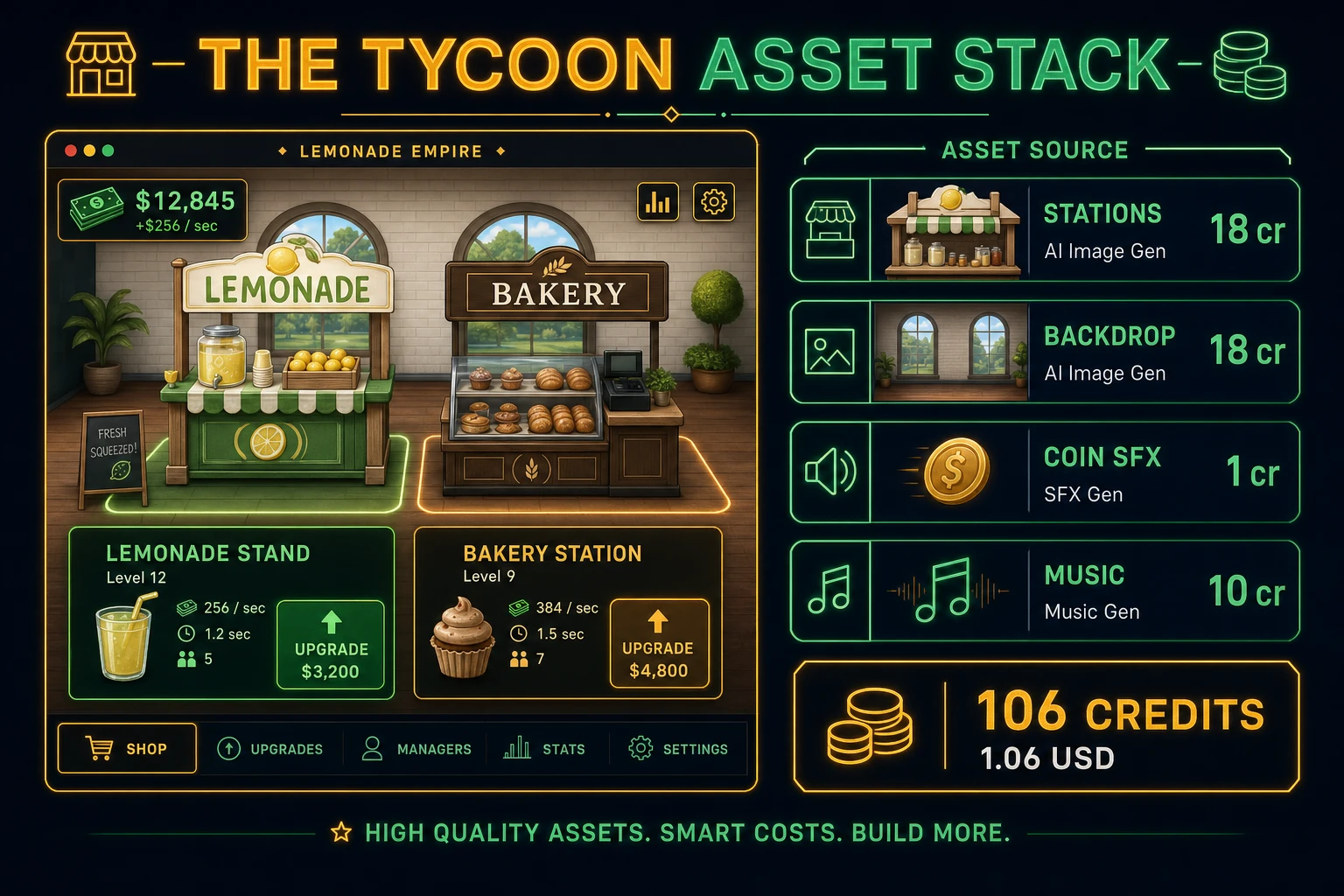
  • Station icons — four 64×64 shop sprites from AI Image Gen. Prompt for “game UI icon, [lemonade stand/bakery/cafe/coin pile], flat cartoon style, transparent background, tycoon game asset, 64x64”. Nano Banana Pro costs 18 credits per generation per src/lib/models.ts. Four icons is 72 credits.
  • Shop backdrop — one storefront or counter floor from AI Image Gen. Prompt for “top-down small shop floor background, warm wood counters, soft lighting, 800x600, game UI backdrop, no characters”. One pass at 18 credits.
  • Coin chime — bright metal ping under 0.4 seconds when cash ticks a visible milestone.
  • Upgrade confirm — positive chime under 0.5 seconds on successful Buy.
  • Unlock ding — sparkly bell under 0.5 seconds when a station unlocks.
  • Error buzz — soft buzz under 0.4 seconds when Buy is clicked without funds.

Open SFX Gen, describe each clip in plain language (“short coin chime, bright metal, UI feedback”), and export WAV into your assets/audio/ folder. Billing is 1 credit per second of generated audio per src/app/sfx-gen/page.tsx — four short clips land around 6 credits total.

For the background loop, open Music Gen and prompt for “cozy shop ambience loop, soft ukulele, light percussion, no vocals, seamless loop, 30 seconds”. Music Gen costs 10 credits per generation (MUSIC_CREDIT_COST in src/app/music-gen/page.tsx). Mute by default with a toggle — mobile browsers often block autoplay until the first click anyway.

Tycoon game asset stack diagram showing AI Image Gen station icons and shop backdrop, SFX Gen coin audio, and Music Gen shop bed with 106 credit total
The tycoon asset stack: AI Image Gen for station icons and shop backdrop, SFX Gen for coin and unlock clips, Music Gen for optional ambience — roughly 106 credits total.

Step 4 — playtest the browser profit loop like a jam judge

Before you share the build, run a five-minute checklist borrowed from game-jam judging:

  1. Cash moves at a glance — rate label and balance update every frame without stutter.
  2. Buy gate is obvious — disabled or gray Buy when cash is short; successful buy raises level and rate immediately.
  3. Unlock feels earned — Bakery appears at 200 cash with a ding; Cafe at 800; locked cards show the threshold.
  4. Costs scale — second and third upgrades on Lemonade cost more; income still outpaces boredom within two minutes.
  5. Save works — refresh the page; cash and levels restore; no negative cash or level-zero unlocked stations.

Log issues as WizardGenie follow-ups, not rewrites. “Show a progress bar to the next unlock” is one prompt. “Add a Sell All button that converts 10 seconds of income instantly for a 20 percent fee” is another. The Sorceress tools guide lists every asset tool if you want to swap Music Gen for Sound Studio on a longer loop.

What how to make a tycoon game costs on Sorceress in 2026

A honest budget for the stack above against the 2026 Sorceress rate card (verified 2026-08-28 against local source):

  • Four AI Image Gen station icons at Nano Banana Pro: 72 credits (0.72 USD)
  • One AI Image Gen shop backdrop: 18 credits (0.18 USD)
  • Four SFX Gen clips (~6 seconds total): ~6 credits (0.06 USD)
  • One Music Gen shop bed: 10 credits (0.10 USD)
  • Coding-model API time for WizardGenie scaffolding: under 0.40 USD with a planner plus budget executor pair

Total art and audio: roughly 106 credits or 1.06 USD. The free 100-credit signup grant (src/app/api/admin/credits/route.ts) nearly covers the full stack outright — skip the Music Gen bed or one icon variant if you need to stay inside the grant on day one. If you already built a clicker game or cooking game in the same jam week, reuse the SFX Gen confirm chime for upgrade feedback — positive UI audio generalizes well.

Frequently Asked Questions

Which tycoon game mechanics should a beginner implement first?

Start with one cash balance, two earn stations each with a cash-per-second rate, and one Buy Upgrade button that spends cash to raise a station rate. Tick income every frame with delta time, disable buys when cash is short, and persist balance plus station levels in localStorage. Skip staff hiring, supply chains, prestige resets, and multi-floor layouts until one honest profit loop funds an upgrade and visibly speeds income. That is what most how to make a tycoon game and tycoon game tutorial searchers expect from a weekend build.

How does a profit loop work in javascript tycoon game code?

Store stations as objects with id, level, baseRate, and upgradeCost. Each animation frame, add sum(station.baseRate * station.level) * dt to cash. On upgrade click, if cash >= upgradeCost, subtract cost, increment level, and scale the next upgradeCost by a fixed multiplier such as 1.5. Unit-test three cases: zero stations earn nothing, one level-1 station at 1 cash per second adds roughly 1 after one second, and an upgrade that costs more than cash is rejected without mutating level.

Canvas or Phaser for a browser management game?

Canvas with clickable station cards and a cash HUD is the honest default for a first html5 tycoon build — under 400 lines including tick income, upgrade buys, and save. Phaser 4.1.0 (verified 2026-08-28 on the official Phaser API documentation page) adds tweened coin popups, TimerEvent income pulses, and scene-based shop floors if you plan five or more station types with animated sprites. Pick Phaser when floating +cash text and camera pan across a shop floor are the product; pick raw canvas when the product is a business simulation walkthrough people can fork in one file.

How is a tycoon different from an idle or clicker game?

A clicker scores mainly from active taps. An idle game often runs offline with prestige resets and exponential generators. A tycoon centers visible stations you fund and upgrade so cash-per-second rises as the shop expands — players feel they are running a business, not only watching a number. Reuse tick math from idle tutorials, but keep the presentation as station cards, upgrade costs, and unlock gates. Sibling guides on how to make an idle game and how to make a clicker game cover those loops; this post owns station rates, buy handlers, and unlock thresholds.

How much does it cost to build a tycoon game on Sorceress?

A first-project browser profit loop with art and audio budgets like this against the 2026 Sorceress rate card (verified 2026-08-28 against local source). Four station icons from AI Image Gen at Nano Banana Pro 18 credits each = 72 credits. One shop floor backdrop at 18 credits = 18 credits. Four SFX clips at 1 credit per second (src/app/sfx-gen/page.tsx) — coin chime, upgrade confirm, unlock ding, soft error buzz — roughly 6 credits. One Music Gen shop bed at 10 credits (MUSIC_CREDIT_COST in src/app/music-gen/page.tsx). Total roughly 106 credits or 1.06 USD plus under 0.40 USD in coding-model API time. The free 100-credit signup grant (src/app/api/admin/credits/route.ts) nearly covers the full stack outright.

Sources

  1. Business simulation game - Wikipedia
  2. MDN - Canvas API
  3. MDN - Window: requestAnimationFrame()
  4. Phaser 4.1.0 API Documentation
Written by Arron R.·2,425 words·11 min read

Related posts