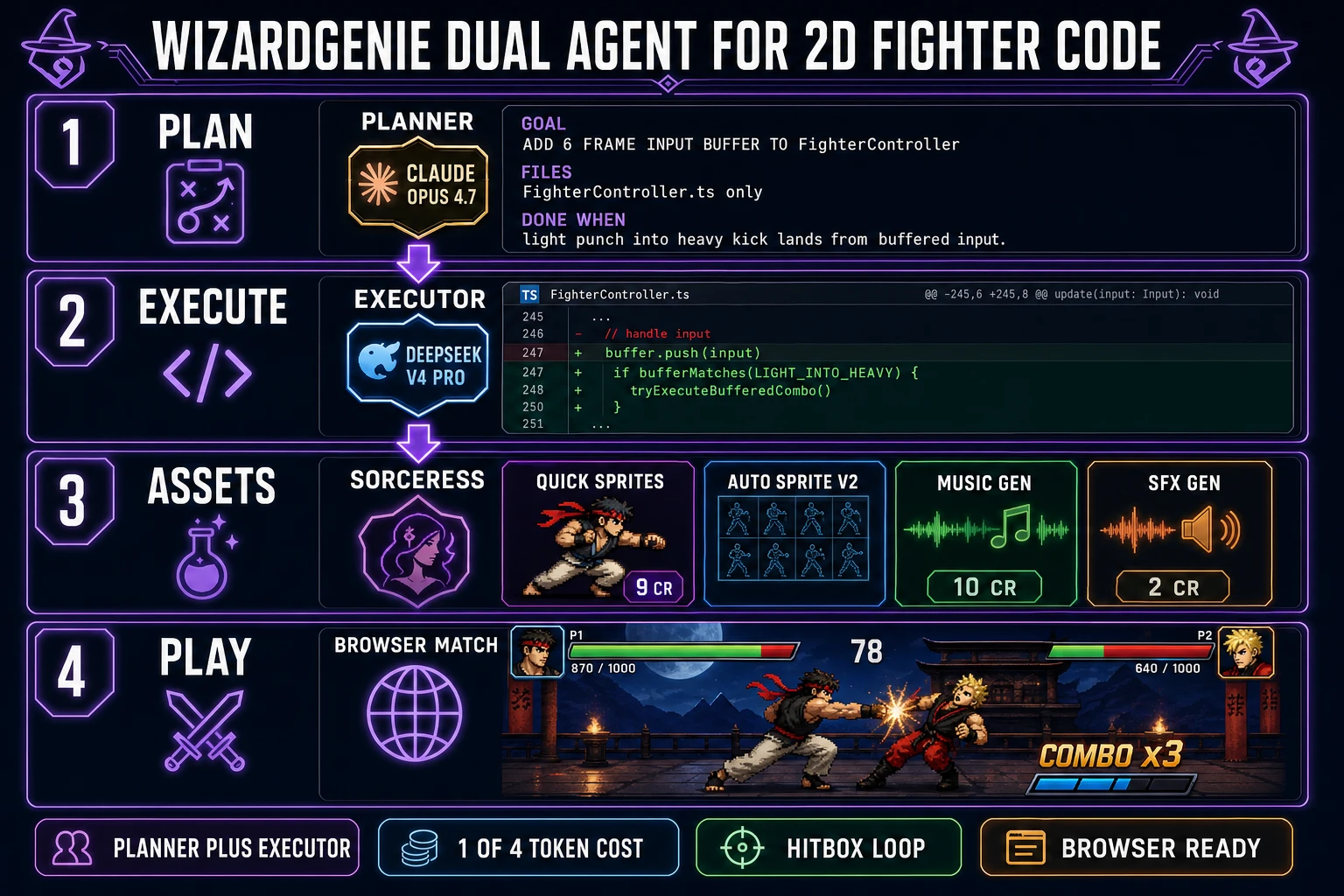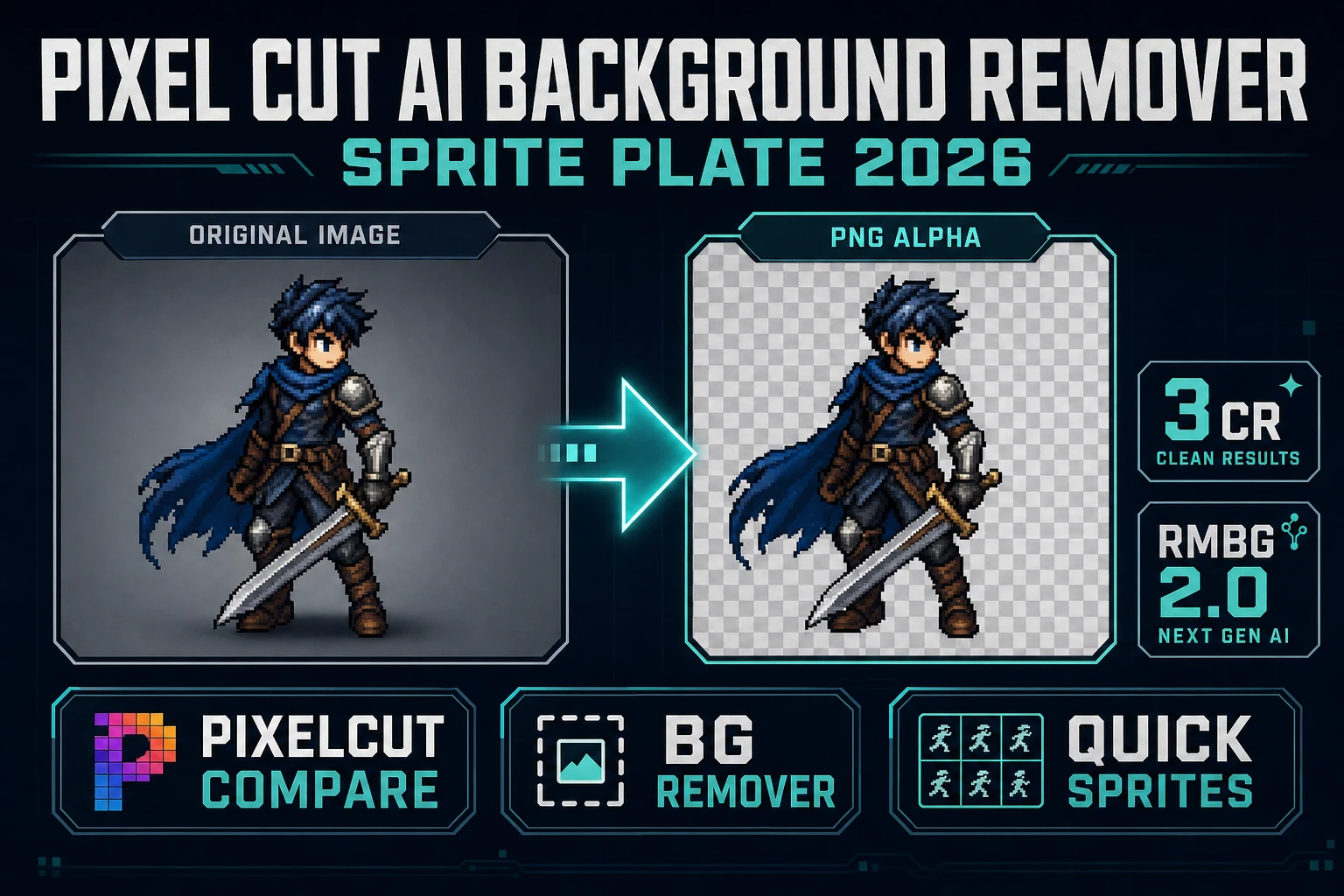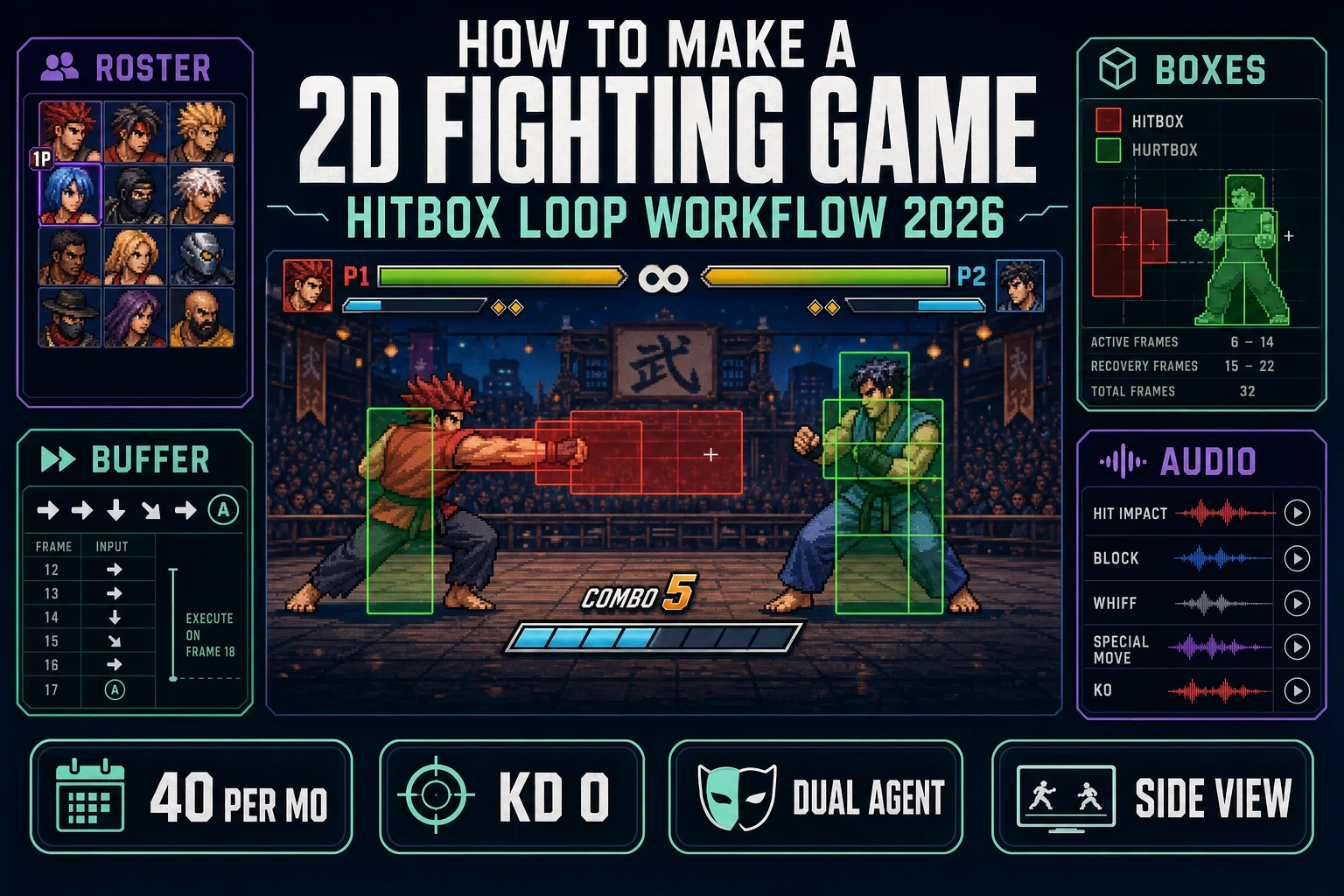
Street Fighter II did not invent one-on-one combat, but it locked the grammar every 2D fighter still speaks: a side-view plane, health bars, specials, and combos that chain on timing (Wikipedia Fighting game article, verified 2026-10-12). The hard part in 2026 is not finding a framework — it is shipping a loop where hitboxes actually resolve, a two-character roster looks consistent, and the input buffer forgives human hands. This guide is the full path for how to make a 2D fighting game without pretending you need a console SDK or a twelve-person animation team. You will lock fighter anatomy (hitbox, hurtbox, state machine), generate a sprite roster with Quick Sprites and Auto-Sprite v2, wire combo logic through WizardGenie’s dual-agent Planner-plus-Executor pattern, and bed the match with Music Gen plus SFX Gen. Every credit constant and citation below was re-checked against the Sorceress source or the live reference on 2026-10-12.
What searchers typing how to make a 2d fighting game actually want
DataForSEO lists how to make a 2d fighting game at 40 searches a month, KD 0, competition 0.04, intent informational (verified 2026-10-12 in tools/research-supplement.md, seed how to make a 2d game). KD 0 is a soft SERP. The adjacent head term how to make a fighting game already has a Sorceress primer at Court How to Make a Fighting Game (Browser Combo Loop 2026); this post owns the tighter 2D long-tail — side-view plane, sprite sheets, AABB hitboxes, and a two-fighter roster you can animate in a weekend.
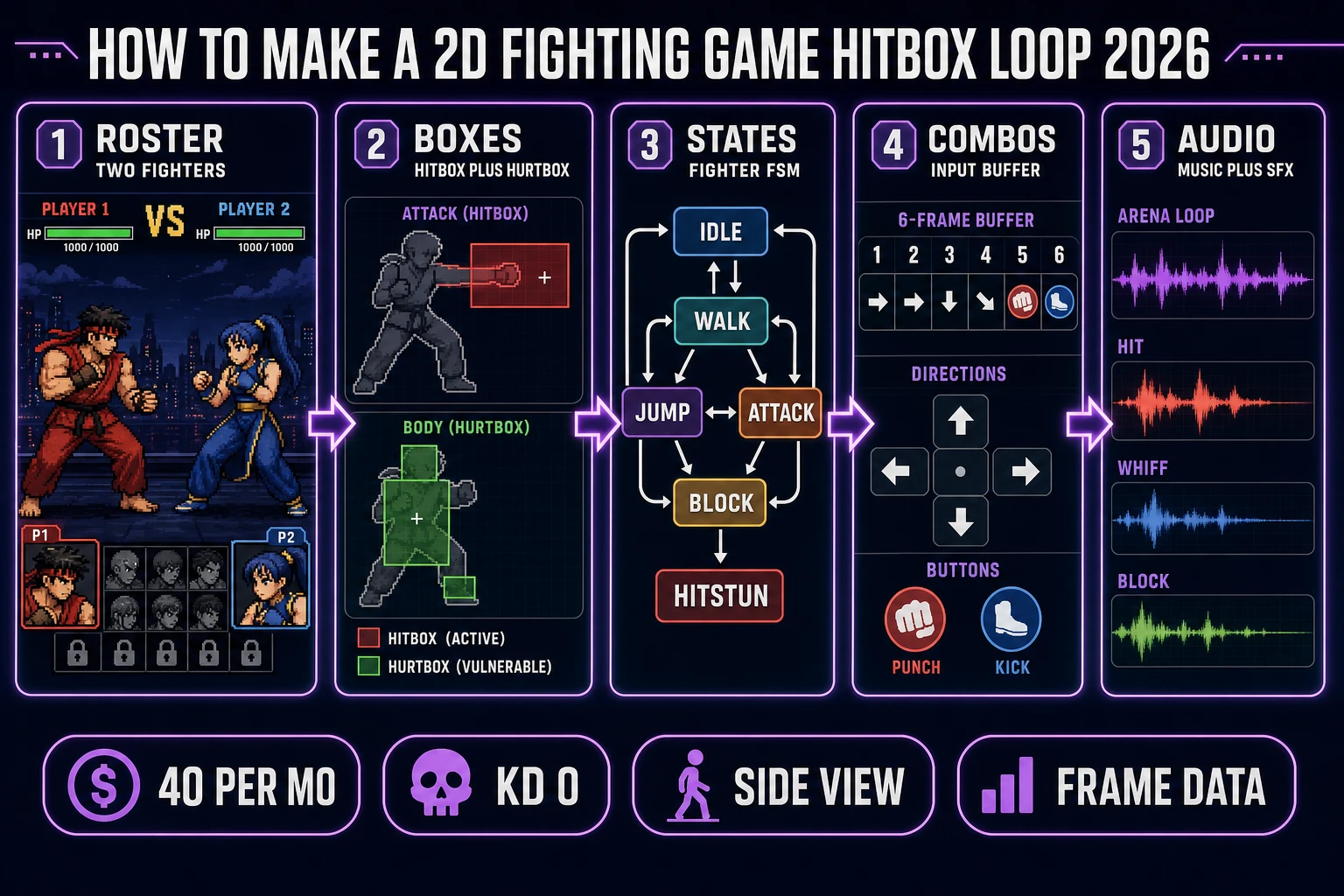
Reader intent splits into three honest buckets: (1) “show me hitbox and hurtbox before I draw anything,” (2) “map idle / walk / jump / attack / block / hitstun onto a state machine I can actually code,” (3) “be honest about sprite and audio cost so I do not stall on art.” All three answered below. If you only need the abstract genre loop, start with the Court primer; if you are building a side-view match with sheets, stay here.
Fighter anatomy: hitbox, hurtbox, and the state machine
MDN’s Anatomy of a video game (verified 2026-10-12) reduces any game loop to present → accept input → interpret → calculate → repeat. A 2D fighter is that loop with three genre-specific primitives bolted on.
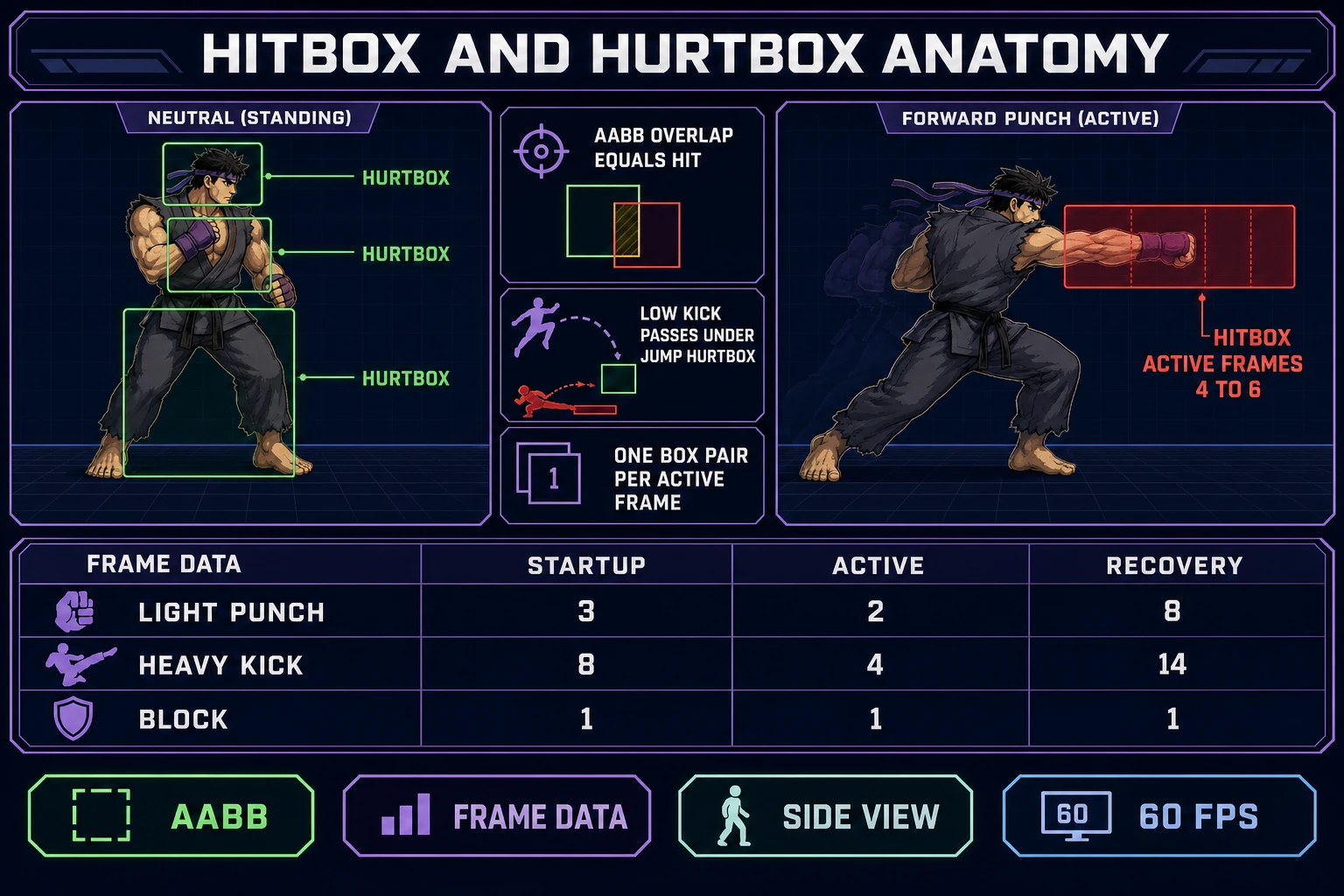
- Hurtbox. The region that can take damage. Usually a stack of axis-aligned rectangles covering head, torso, and legs. Active almost every frame the fighter is vulnerable.
- Hitbox. The region that deals damage. Active only during the “active” window of an attack (often 2 to 6 frames at 60 FPS). A punch’s hitbox is a small red rectangle on the fist arc, not the whole sprite.
- State machine. Idle, walk, jump, attack, block, hitstun (plus optional knockdown and wake-up). Only one state is live. Transitions are gated by input, timers, and collision results.
A hit connects when any active hitbox from fighter A overlaps any active hurtbox from fighter B on the same frame. That is classic collision detection — the Wikipedia collision detection article (verified 2026-10-12) calls out axis-aligned bounding boxes (AABBs) as the cheap broad-phase test that games use before any fancy geometry. For a jam fighter, AABBs are not a shortcut; they are the product.
Publish a frame data table before you write combo code. Three columns per move: startup (frames before the hitbox appears), active (frames the hitbox exists), recovery (frames after the hitbox dies before you can act again). Example for a light punch at 60 FPS: startup 3, active 2, recovery 8. The Wikipedia fighting game article notes that combos have been fundamental since Street Fighter II in 1991 (verified 2026-10-12); frame data is how you make those combos deterministic instead of lucky.
Lock the sprite roster before you touch collision code
Most abandoned fighters die in the art queue, not the physics queue. Lock a two-fighter roster (plus one shared stage backdrop) before you write a single AABB test. Each fighter needs at minimum: idle, walk, jump, light punch, heavy kick, block, and hitstun. That is seven sheets per character. Keep silhouettes distinct — one tall rushdown shape, one squat zoning shape — so players can read who is who at 50% zoom.
Generate base stills in Quick Sprites at 9 credits per generation (CREDITS_PER_GEN = 9 at src/app/quick-sprites/page.tsx line 21, verified 2026-10-12). Use one shoulder prompt per roster so proportions stay consistent: “pixel art 2D fighting game character, side view, 64x96, white outline, cel-shaded, solid chroma background, no UI.” Change only archetype words (scarred striker, masked grappler) and palette. Plan on 4 to 6 generations per fighter to lock the idle before you animate. For the stage, send AI Image Gen a wide 16:9 prompt (“neon rooftop arena, side-view parallax layers, dusk, no characters”) and crop to your camera width.
If you want a deeper roster pipeline later, the sprite-sheet walkthrough at Grid How to Make a Sprite Sheet (Engine Atlas 2026) covers atlas packing once your match loop is already fun.
Turn stills into animation sheets with Auto-Sprite v2
Still portraits do not make a fighter. You need keyed frame strips. Pipe each locked still through Auto-Sprite v2: generate or import a short motion clip, key the chroma plate, and export a game-ready sheet. Cloud GPU keying on Auto-Sprite v2 bills SD at 1 credit per 10 frames and HD at 2 credits per 10 frames (src/app/autosprite-v2/page.tsx lines 3820–3827, verified 2026-10-12). A 40-frame light-punch strip at SD is about 4 credits. Local keying stays free when you run Corridor Key on your own machine.
Name sheets with the move and frame count baked in — striker_lp_12.png, grappler_hk_18.png — and keep a sidecar JSON that maps frame index → hitbox rect and hurtbox rect. That sidecar is the contract between art and code. If the punch sheet gains two frames of wind-up later, you edit the JSON, not half the combat file. For True Pixel palette locking after generation, see True Pixel and the pixel-art game workflow at How to Make a Pixel Art Game (Browser Workflow 2026).