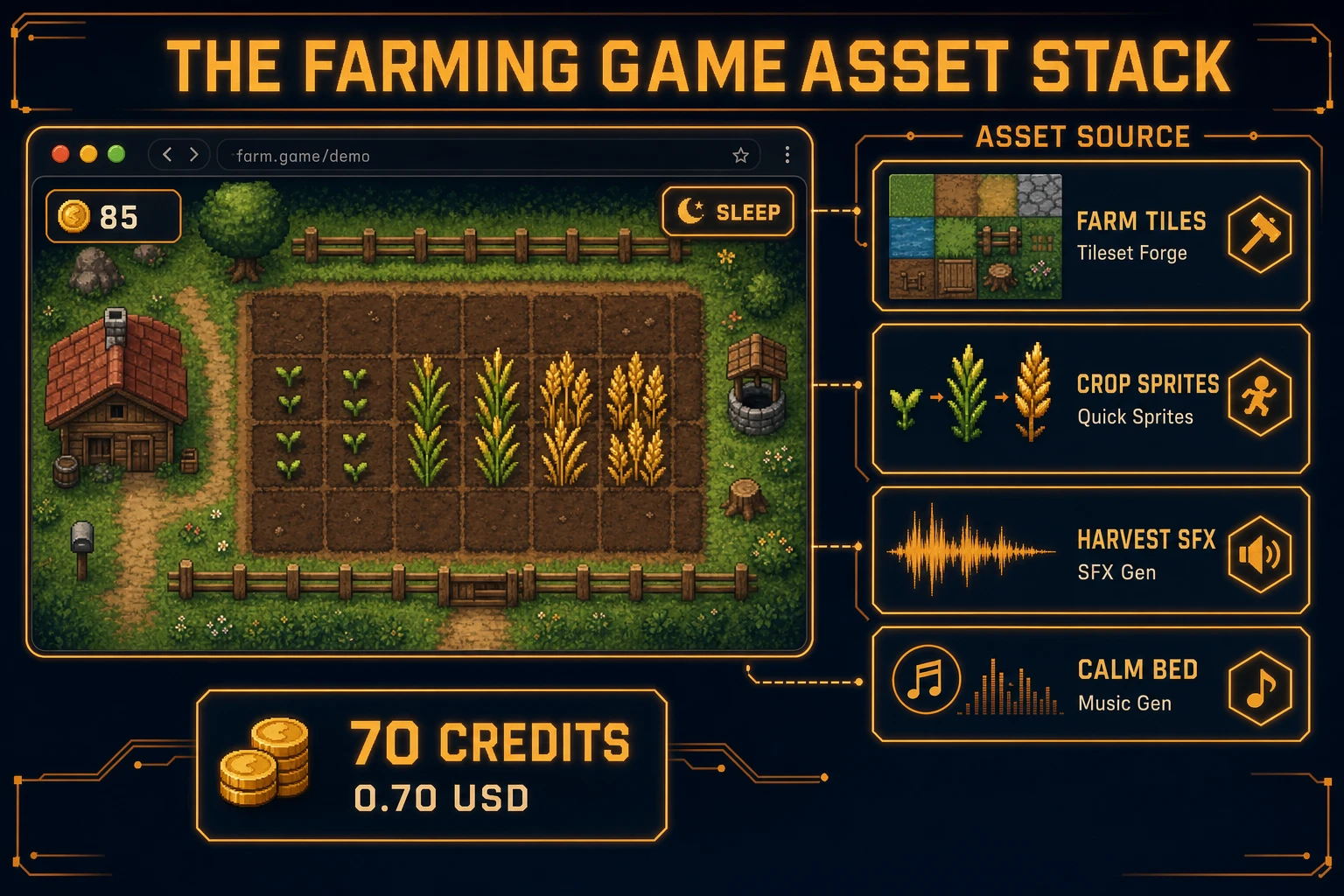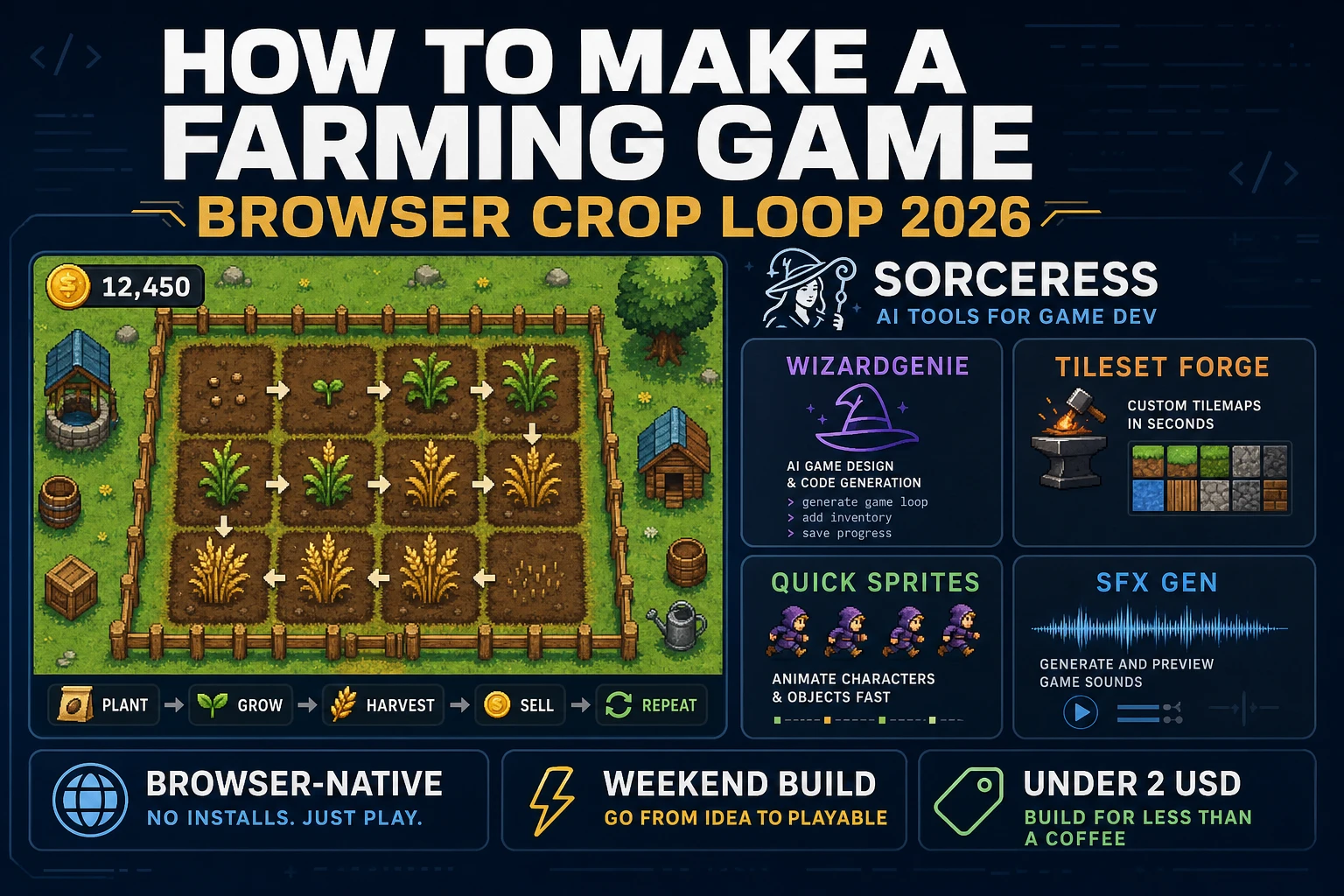
Most beginners who search “how to make a farming game” want a cozy loop they can finish in a weekend: till a patch of soil, plant a seed, sleep through a few days, harvest golden crops, and watch coins tick up. A full life-sim with seasons, festivals, and romance is a studio product. A browser crop loop is different. A coding agent scaffolds the farm grid, day clock, and plant-harvest-sell rules from one prompt, and AI generation covers field tiles, crop sprites, and soft harvest audio. On desktop or web, that means WizardGenie for the till-plant-grow loop, Tileset Forge for farm ground tiles, Quick Sprites for crop growth frames, SFX Gen for till and harvest cues, and optional Music Gen for a calm farm bed. This guide is the honest end-to-end for how to make a farming game in 2026, as a weekend build you can ship once.
What how to make a farming game actually means in 2026
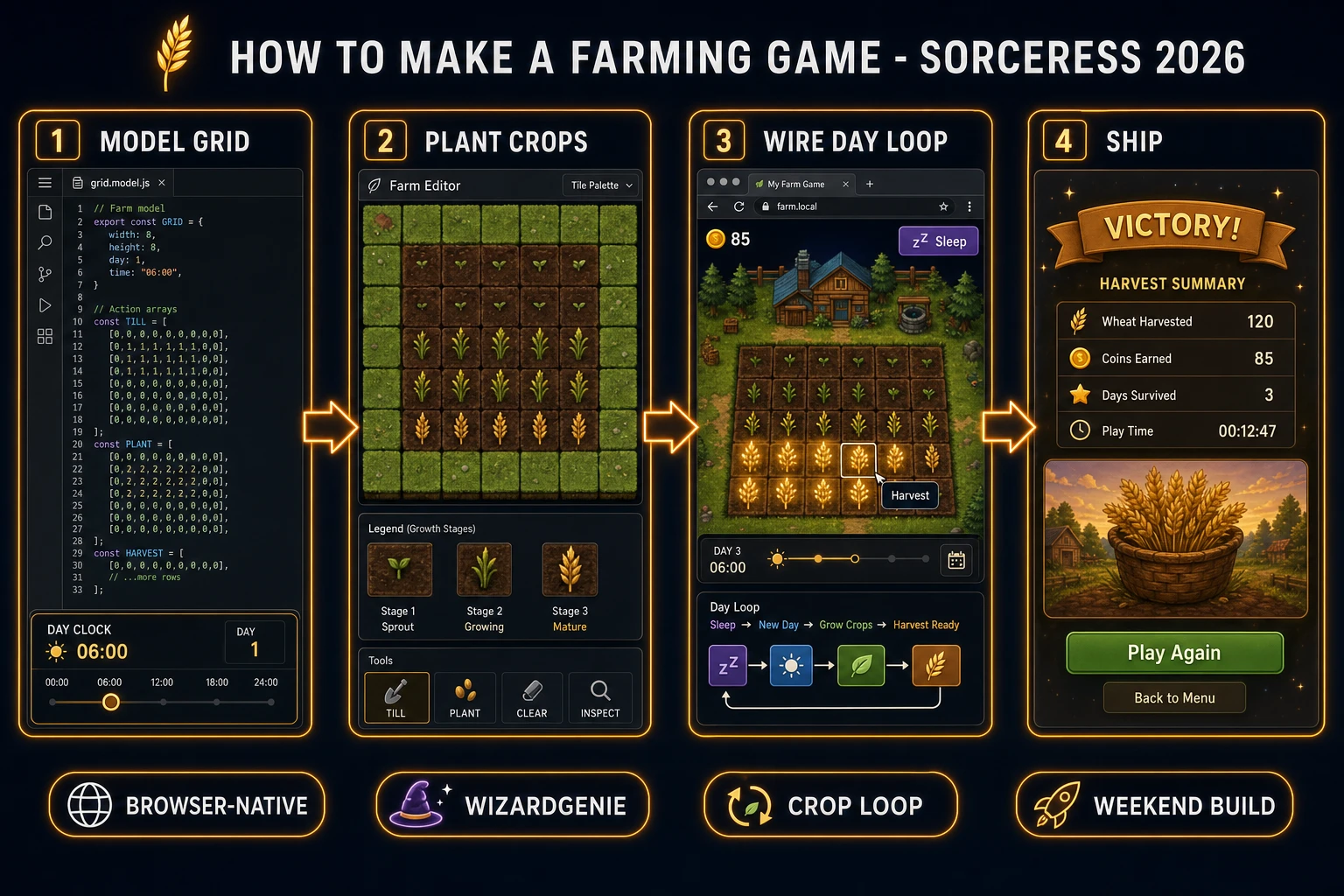
The query “how to make a farming game” hides three intents. Some searchers want a Stardew-scale life sim with NPC schedules, mines, and marriage arcs — that is years of systems design, not a jam entry. A second intent is an idle clicker where numbers climb while the tab is closed — our clicker score-loop guide owns that passive-income path. The third intent, and the one this guide targets, is a browser farming sim: a small top-down grid, tillable soil cells, one or two seed types, a day counter you advance with Sleep, growth stages that tick forward each morning, harvest that pays coins, and a shop that sells more seeds. That is a weekend build, it demos the Sorceress toolset, and it is the format most farming game tutorial and javascript farming sim searchers actually want when they type “stardew clone browser.”
Keep farming and sandbox straight so you don’t rebuild the wrong sibling. A sandbox title owns free placement and creative erase — see the sandbox free-build guide. A farming title owns time: crops only advance when the day clock moves, and the player’s job is to plant before sleeping and harvest before replanting. The simulation video game overview on Wikipedia (verified 2026-08-26) separates construction sims from management sims cleanly — cite it when you write your itch.io blurb so players know you kept the harvest loop, not a creative mode. For agent-heavy worlds where citizens decide where to shop, see the simulation tick guide; this post owns soil, seeds, and seasons-lite instead.
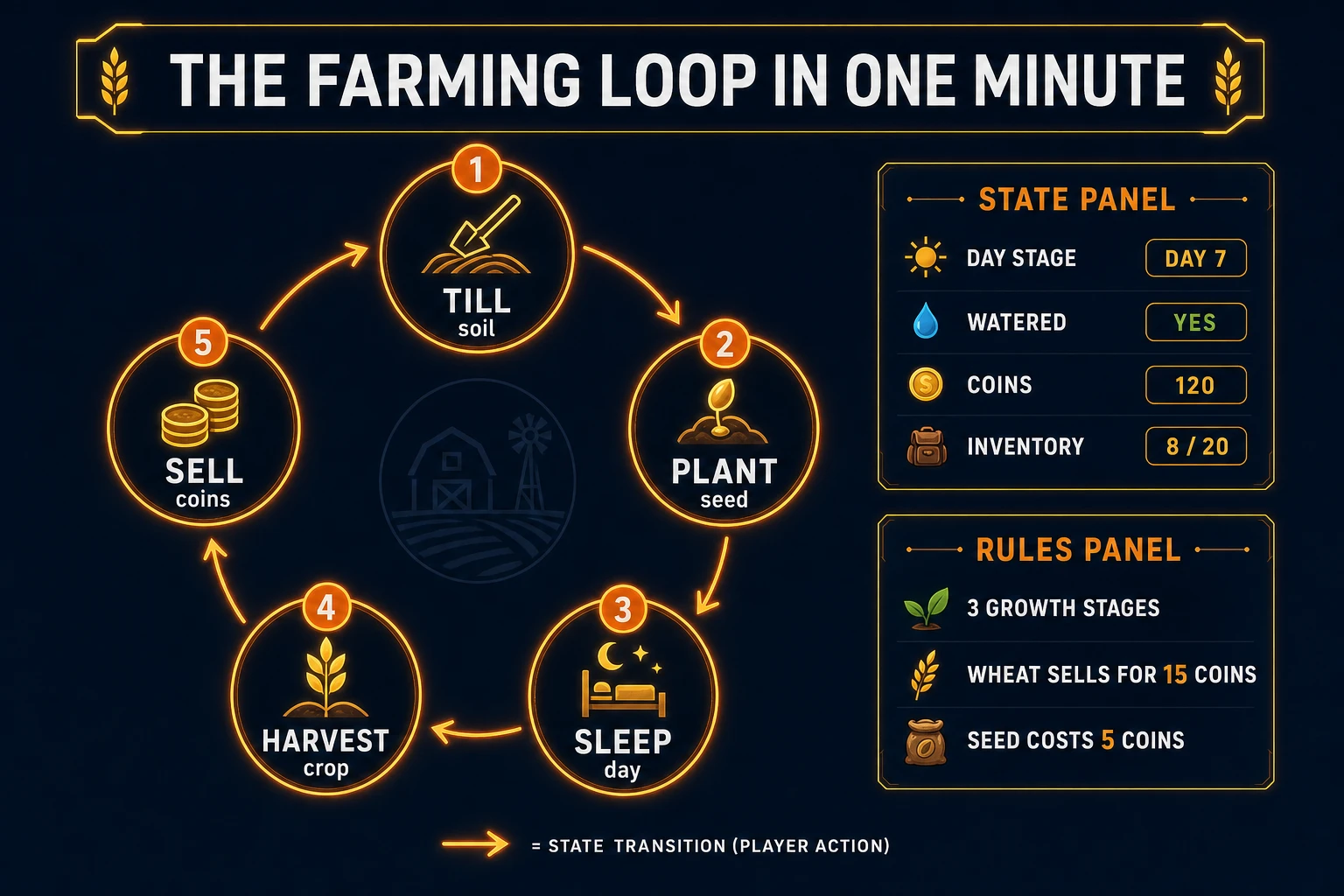
The farming loop in one minute (till, plant, sleep, harvest, sell)
Five moving parts, repeated until the player closes the tab or buys the whole seed catalog. First, till — click untilled grass to flip a cell into plantable soil. Second, plant — with seeds selected, click tilled soil to drop a seed at stage zero. Third, sleep — advance the day counter; every planted cell that was watered (or every cell in a forgiving v1) increments its growth stage. Fourth, harvest — click a cell at max stage to collect produce, clear the tile back to tilled soil, and add coins. Fifth, sell and restock — open the shop, buy more seeds if coins allow, optionally pay for a sprinkler upgrade later. That is the entire browser crop game loop. Livestock, fishing ponds, and winter festivals are polish layered after one honest wheat cycle already pays for itself.
Pick your engine for how to make a farming game: canvas grid, Phaser, or WizardGenie
Three good targets in 2026, each with a different trade-off. Vanilla JavaScript on a 2D canvas grid is the honest default and the pick this guide recommends for a first build. Paint cells with fillRect or tile sprites, map clicks to grid indices, keep crop state in a parallel array. Total code footprint for a working html5 farm game with till, plant, day sleep, harvest, coins, and local save is under 500 lines. No engine to install, ships as a static HTML file, deploys anywhere. The MDN Canvas API docs (verified 2026-08-26) cover the draw surface; the Web Storage API covers save slots between sessions.
DOM tile buttons become the right pick if you want accessible focus rings and readable crop stage labels without sprite atlases. Each cell is a <button> whose class changes with soil state and growth stage. Slower to paint large farms, but trivial to debug on mobile.
Phaser 4.1.0 (verified 2026-08-26 on the official Phaser API documentation page) becomes the right pick if you want Scene lifecycle for title-farm-shop, tweens when crops pop through growth frames, or a tool hotbar with animated cursor swaps. Phaser does not invent your day clock — you still need the same crop arrays and sleep handler. Use Phaser when growth animations and camera pan across multiple fields are the product; use a bare canvas when the product is a farming game tutorial people can fork in one file.
WizardGenie is not a separate rendering engine — it scaffolds whichever of the three you pick from a single natural-language prompt. WizardGenie ships as both a desktop app (Windows installer with auto-update, available to Early Access supporters and above) and a no-install web build. Its coding-model lineup covers Claude Opus 4.7, GPT-5.5, Gemini 3.1 Pro, DeepSeek V4 Pro, Kimi K2.5, Grok 4.2, and MiniMax M2.7 (verified 2026-08-26 in src/app/_home-v2/_data/tools.ts). For farming games, any frontier model scaffolds the grid, crop stages, and sleep handler in one prompt. Pair a frontier planner with a budget executor like DeepSeek V4 Pro or Kimi K2.5 for the typing pass — the Dual-agent pattern lands most projects at roughly one-fifth the single-frontier cost.