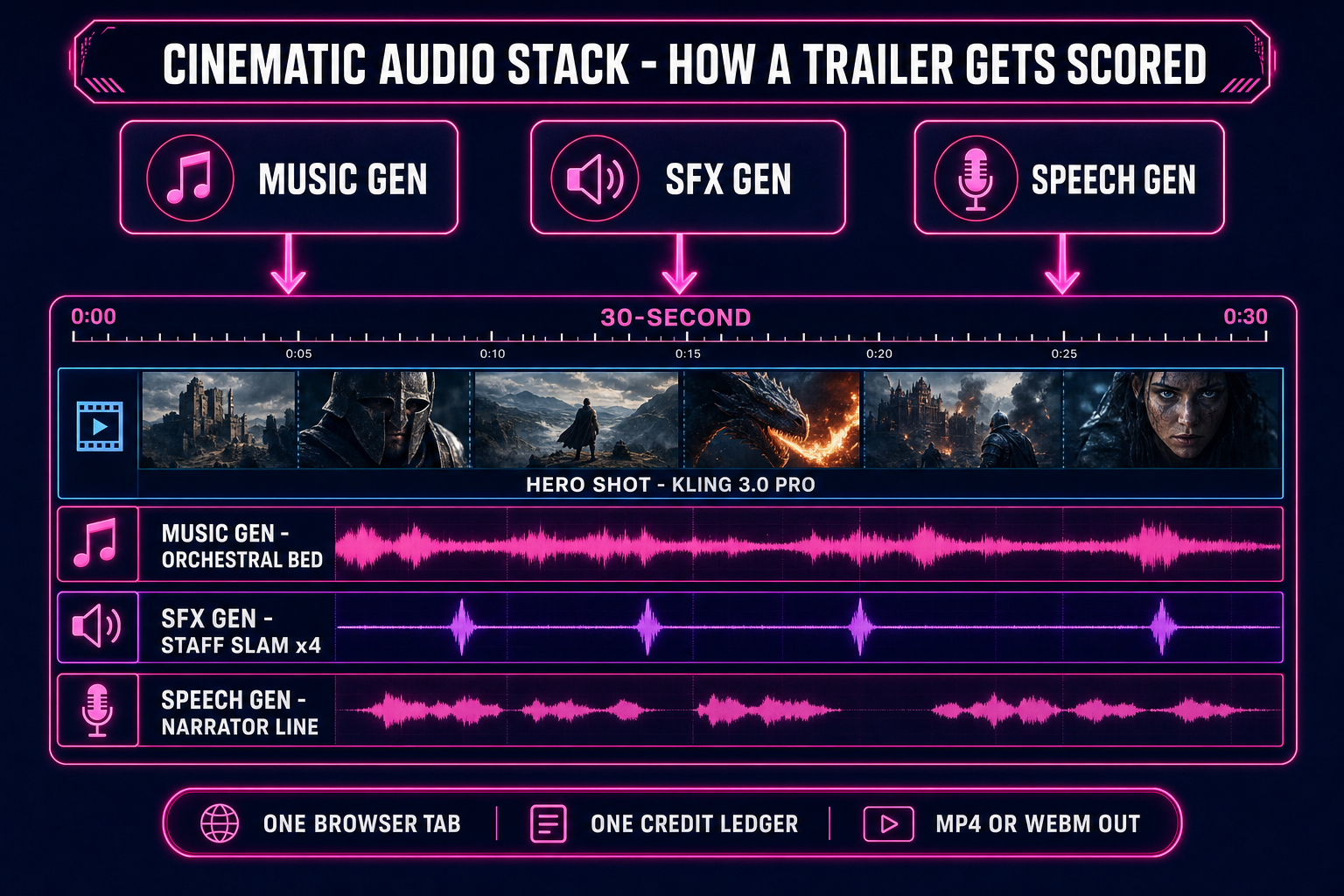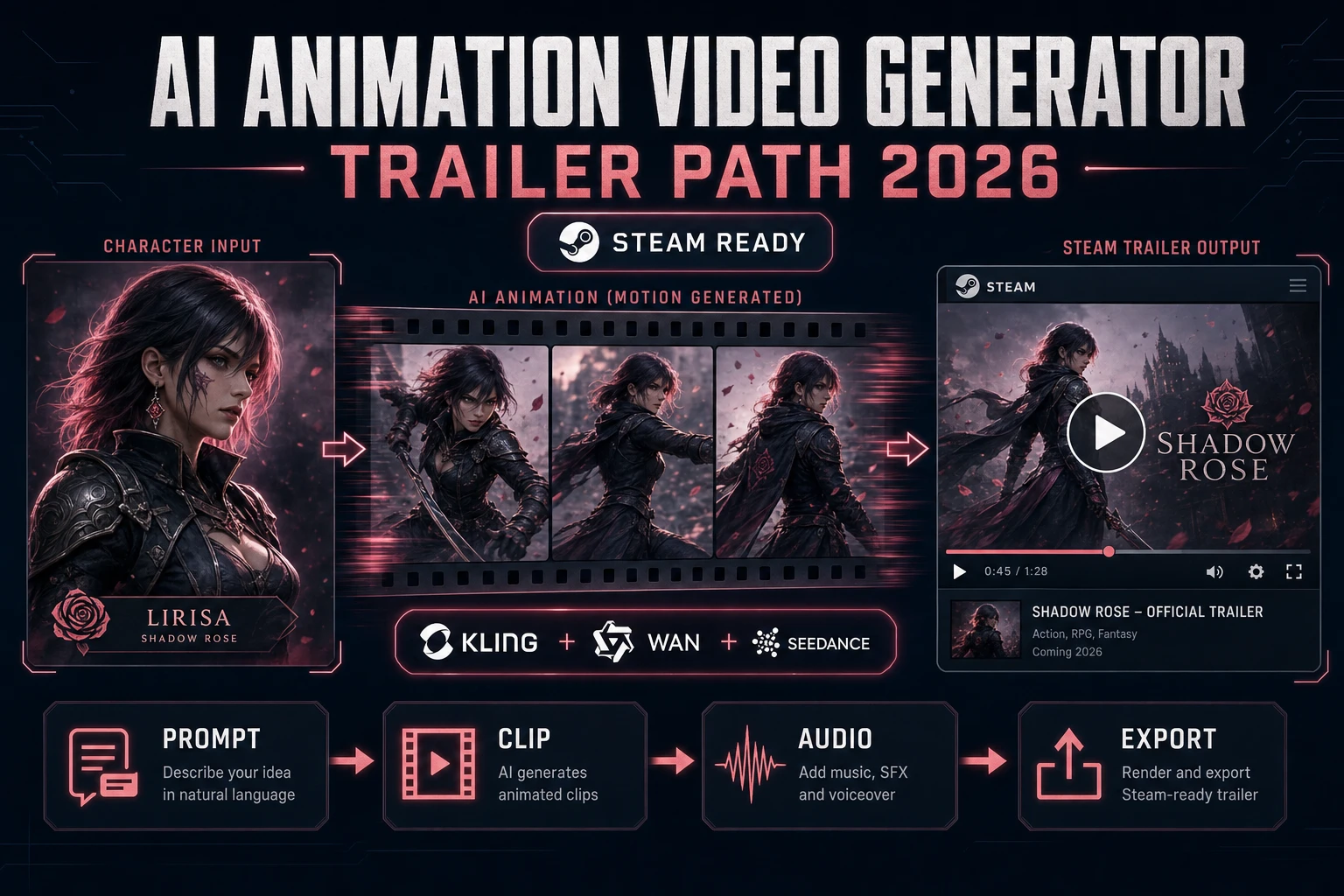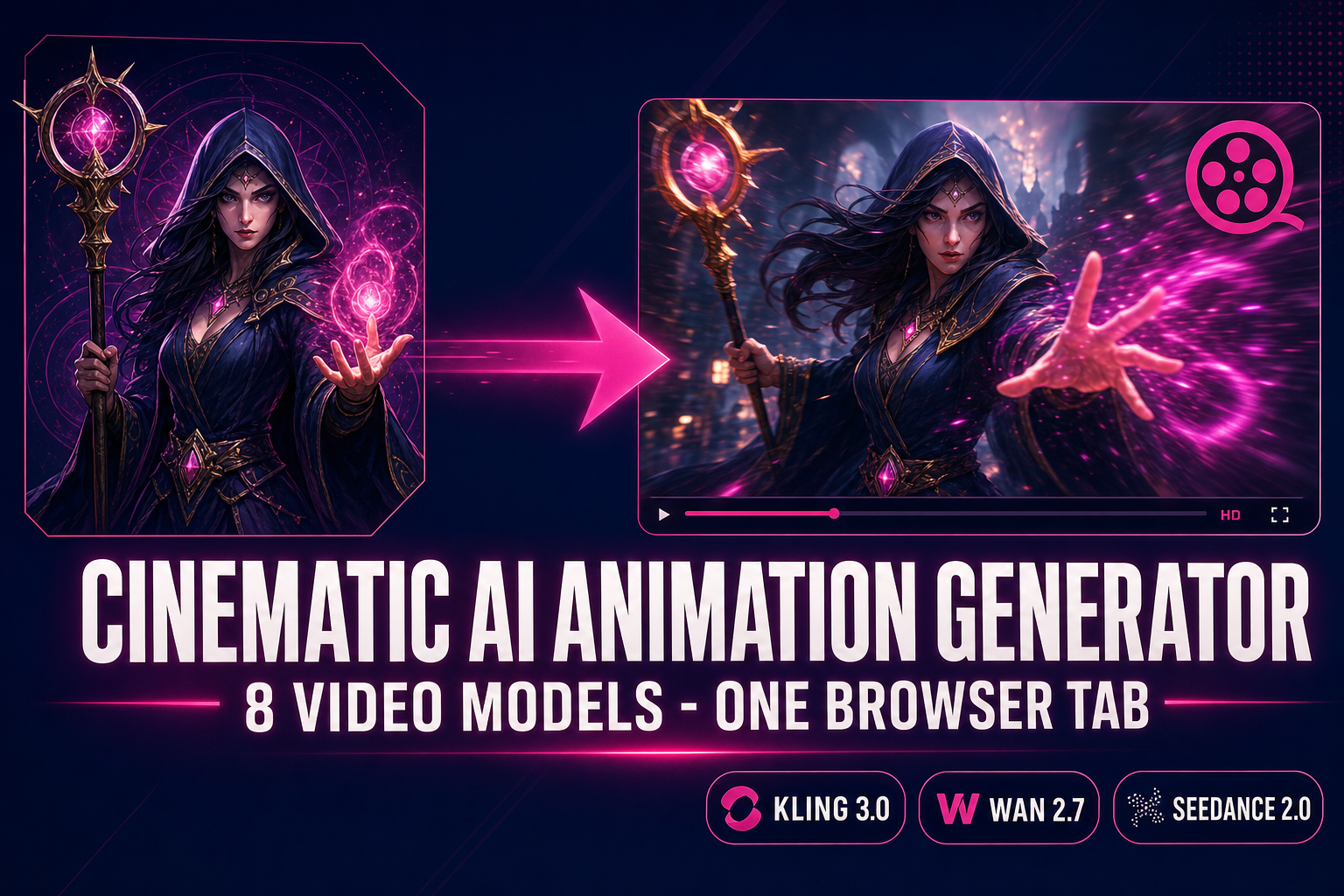
A cinematic for a game used to require Maya, ZBrush, a motion-capture studio, a render farm, and the kind of week-long timeline that turns a one-week jam into a four-week production. The 2026 alternative: an AI animation generator that takes a prompt and a duration and ships a 5–15 second cinematic-quality video clip in about a minute. Sorceress AI Video Gen runs eight of those models inside one browser tab — Grok Imagine Video, Wan 2.7, Seedance 2.0 (and Fast), Wan 2.2 Fast, Seedance 1.5 Pro, Kling 3.0, and Kling 2.5 Turbo Pro — with text-to-video and image-to-video modes on every one of them. This guide walks the cinematic pipeline end to end: which model to pick for which shot, how to write a prompt that produces a usable trailer rather than a wobbly mood clip, where the failure modes live, and how to layer score, SFX, and dialogue on top from the matching audio tools without leaving the suite.
The five-minute cinematic pipeline at a glance
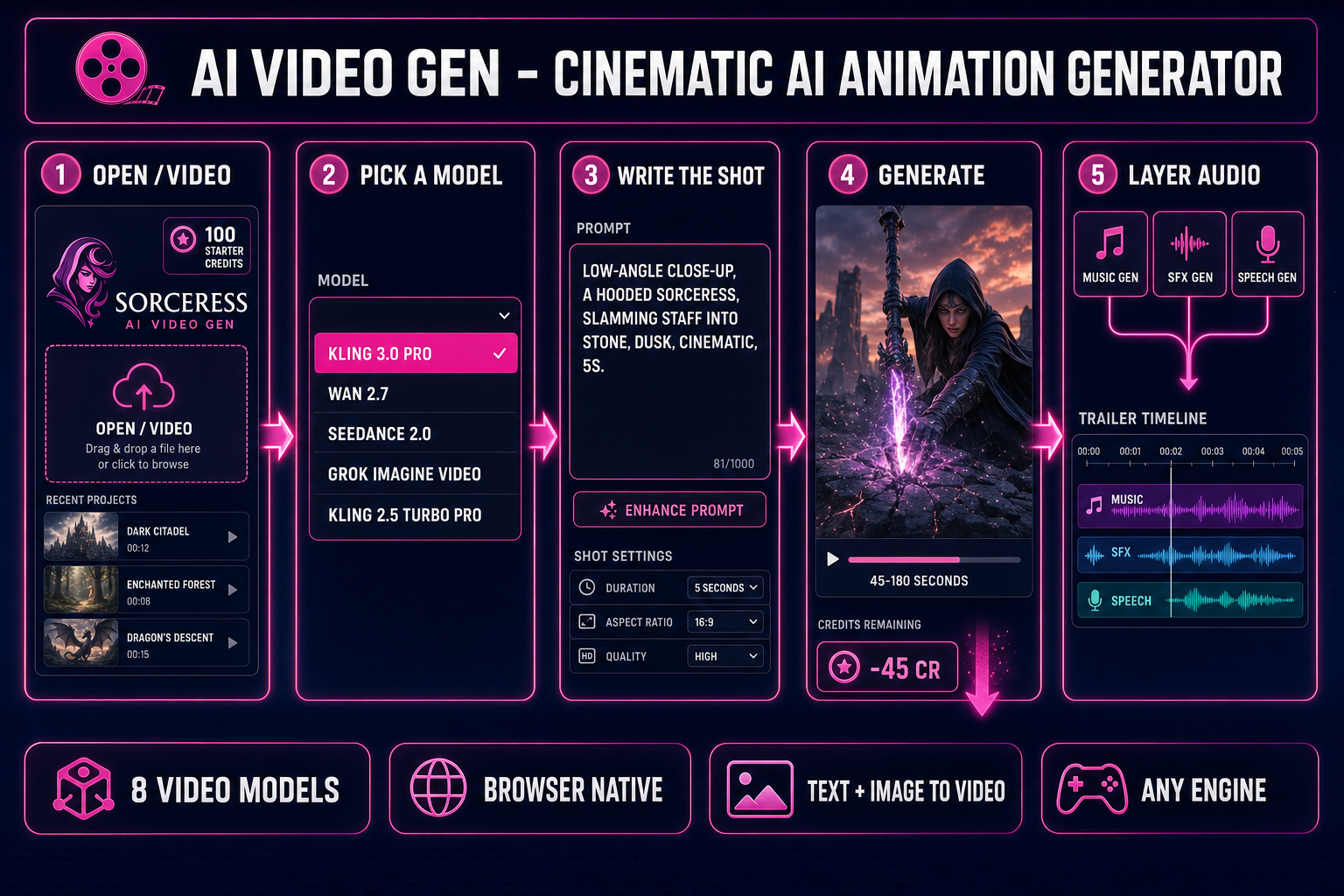
The full path from "I want a trailer for my game" to "I have a 720p MP4 in my downloads folder with a score and an SFX hit on the title reveal" is five clicks plus one prompt, and it lives inside one browser tab. The five clicks:
- Open AI Video Gen at
/video. The page loads with the model picker at the top and an empty prompt field. No install, no extension, no card on file. The credit chip in the header shows how many credits the next run will consume. - Pick a mode and a model. The mode toggle has two states: text-to-video (write a prompt, get a clip from scratch) and image-to-video (drop a still frame, the model animates it). Every model in the picker supports at least one mode; six of the eight support both. Pick the model that matches the shot — Kling 3.0 for cinematic trailers, Wan 2.2 Fast for image-to-video at the cheapest credit cost, Seedance 2.0 for native synced audio.
- Write the cinematic prompt. A useful cinematic prompt names the shot, the subject, the motion, the lighting, and the atmosphere. "A wizard casts a spell" produces a mood clip. "Low-angle close-up of a hooded wizard slamming a staff into the ground, blue energy ripples out, slow dolly forward, dusk lighting, cinematic atmosphere, 5 seconds" produces a trailer beat.
- Set duration, resolution, aspect. The right panel shows the parameters specific to the model you picked. Kling 2.5 Turbo Pro is locked to 5 or 10 seconds. Seedance 1.5 Pro spans 4–12 seconds. Grok Imagine Video goes 1–15. Pick what your timeline needs. The cost preview updates live as you toggle.
- Click Generate. The job dispatches, the queue progresses, and the preview loads in-tab when the render finishes. Typical run times are 45–180 seconds depending on model and resolution. Once the clip looks right, click Download for the MP4 (or WebM, on supported models) and move to the audio stack tabs.
Five clicks for the picture; two more tabs for the score and the SFX (covered below); one Phaser or Three.js snippet to drop the clip on a title screen. The whole cinematic pipeline runs in a browser session with no engine install, no DAW, no compositor, no render farm. That is the difference 2026 made.
What "cinematic AI animation generator" means in 2026
The phrase "AI animation generator" covers three technically distinct families of model in 2026, and reading them as one thing is how readers end up disappointed when a tool ships a 5-second wobble instead of a cutscene. The three families:
- Diffusion video. A neural network that learned, during training, what real-world video frames look like at every timestep between t = 0 and t = duration. At inference, the model starts from noise, conditions on your prompt (and optionally a start frame), and denoises straight into a video sequence. This is the family AI Video Gen runs — Grok Imagine Video, Wan, Seedance, and Kling are all diffusion-based video generators. The output is photorealistic or stylised-realistic moving footage, the kind that goes on a Steam trailer or a title screen, not on a sprite sheet.
- Text-to-motion (skeletal mocap). A different family entirely: instead of generating pixels, the model generates a sequence of bone rotations for a rigged 3D skeleton. The output is a motion clip that drives an existing rig (humanoid or quadruped). This is what 3D Studio's text-to-animation primitive does. Covered in the image-to-animation post; the output type is fundamentally different from a video clip and the use case is in-game character motion rather than cinematic footage.
- Image-to-video diffusion. Same diffusion family as the first bullet, but conditioned on a still image rather than (or in addition to) a text prompt. Useful when you have a generated character image or a screenshot you want to animate into a cinematic. All eight models in AI Video Gen support this mode; the picker calls it the "Image" toggle.
Cinematic AI animation generators sit in the first and third buckets. The "cinematic" qualifier means the output looks like film footage — depth, atmosphere, camera language, lighting that reads as intentional — not like a hand-keyed sprite waving from a 2D animation timeline. The trade-off: cinematic-quality diffusion video does not loop seamlessly without manual cleanup, the subject identity drifts beyond about 10 seconds, and multi-character coverage gets unreliable past 2 named subjects. Knowing where the failure modes are is most of the skill of producing one usable cinematic out of every two or three generations.
The 8 video models in Sorceress AI Video Gen (and what each one ships)
The model picker exposes eight backends, each routed to a separate provider, each tuned for a slightly different cinematic job. Credit costs below are read directly from src/lib/video-models.ts and verified against the live picker on May 11, 2026. Per-second credit rates assume the model's standard quality preset; the right-panel cost preview is always authoritative for an individual run.
- Grok Imagine Video — ultra-fast, broad aspect-ratio support (16:9, 9:16, 1:1, 4:3, 3:4, 3:2, 2:3), 1–15 second duration, 480p or 720p. Both text-to-video and image-to-video. Pricing is 5 credits per second at 480p and 7 credits per second at 720p, plus 2 flat — a 5-second 720p clip lands at 37 credits. The right pick when you need a lot of variations cheaply or a vertical (9:16) shot for a social trailer.
- Wan 2.7 — uncensored, image-to-video and text-to-video, 2–15 seconds, 720p or 1080p, fixed credit cost of 10 credits per second regardless of resolution (so a 5-second 1080p run is 50 credits). Supports first-frame and last-frame conditioning, which makes it the right pick when you want to lock a clip's start and end to specific keyframes (intro/outro reveal, character pose-to-pose beat). No native audio.
- Seedance 2.0 Fast — the workhorse for game trailers that need synced audio in one shot. T2V and I2V, 4–15 seconds, 480p / 720p / 1080p, with a native audio toggle that produces dialogue, SFX, and music inside the video frame itself. Credit cost varies by resolution: 8 credits per second at 480p, 15 at 720p, so a 5-second 720p clip is 75 credits. The audio toggle adds cost but eliminates the separate Music Gen + SFX Gen layering pass when the cinematic only needs one beat of sound.
- Seedance 2.0 — premium quality variant of the same family, 4–15 seconds, 480p or 720p, with the same audio toggle. Credit math: 10 per second at 480p, 22 at 720p, 50 at 1080p — a 5-second 720p clip is 110 credits. The right pick when the cinematic absolutely has to land on the first take and the budget allows; the per-frame quality bump over the Fast variant is visible on hero shots.
- Wan 2.2 Fast — image-to-video only (no text-to-video), frame-based duration rather than second-based (81–121 frames, with a frames-per-second control 5–30 to set playback speed), uncensored. Cheapest model in the picker for I2V at the default 81 frames 720p: 14 credits flat. There is an optional smooth-motion interpolation toggle that bumps the cost. The right pick when you have a generated character still and want to animate it into a 5-second beat without spending more than a fancy cup of coffee.
- Seedance 1.5 Pro — T2V and I2V, 4–12 seconds, broad aspect-ratio support including 21:9 and 9:21 for ultra-wide cinematics. Credit math: 3 credits per second no-audio, 6 with audio, plus 3 flat — a 5-second no-audio run is 18 credits. The right pick when the trailer is wide-screen and the audio will be layered in separately from Music Gen + SFX Gen.
- Kling 3.0 — cinematic-quality T2V and I2V, 3–15 seconds, standard or pro quality preset, supports first-frame and last-frame conditioning. Credit math: 9 per second at standard, 11 at pro — a 5-second standard run is 45 credits. The right pick when the shot reads as cinema (depth-of-field, slow camera moves, atmospheric lighting). The pro preset is worth the bump for hero shots; standard is fine for B-roll.
- Kling 2.5 Turbo Pro — fixed-duration model: 5 or 10 seconds only, no in-between. Credit cost is flat: 40 credits for a 5-second clip, 80 for a 10-second. Supports T2V and I2V with a CFG-scale slider for how literally the model follows the prompt. The right pick when you want consistent prompt adherence on a 5-second shot and the slightly higher base cost is acceptable for the reliability.
Across the eight, the practical mental model is: Grok Imagine Video for cheap variations and vertical social cuts, Wan 2.2 Fast for the cheapest image-to-video pass, Kling 3.0 pro for hero cinematic shots, Seedance 2.0 Fast with audio when one beat needs to ship with synced sound, and Wan 2.7 when you need first-frame and last-frame keyframe locking. The cost preview in the right panel updates as you toggle, so there is no math to do in your head — just pick the model that matches the shot.
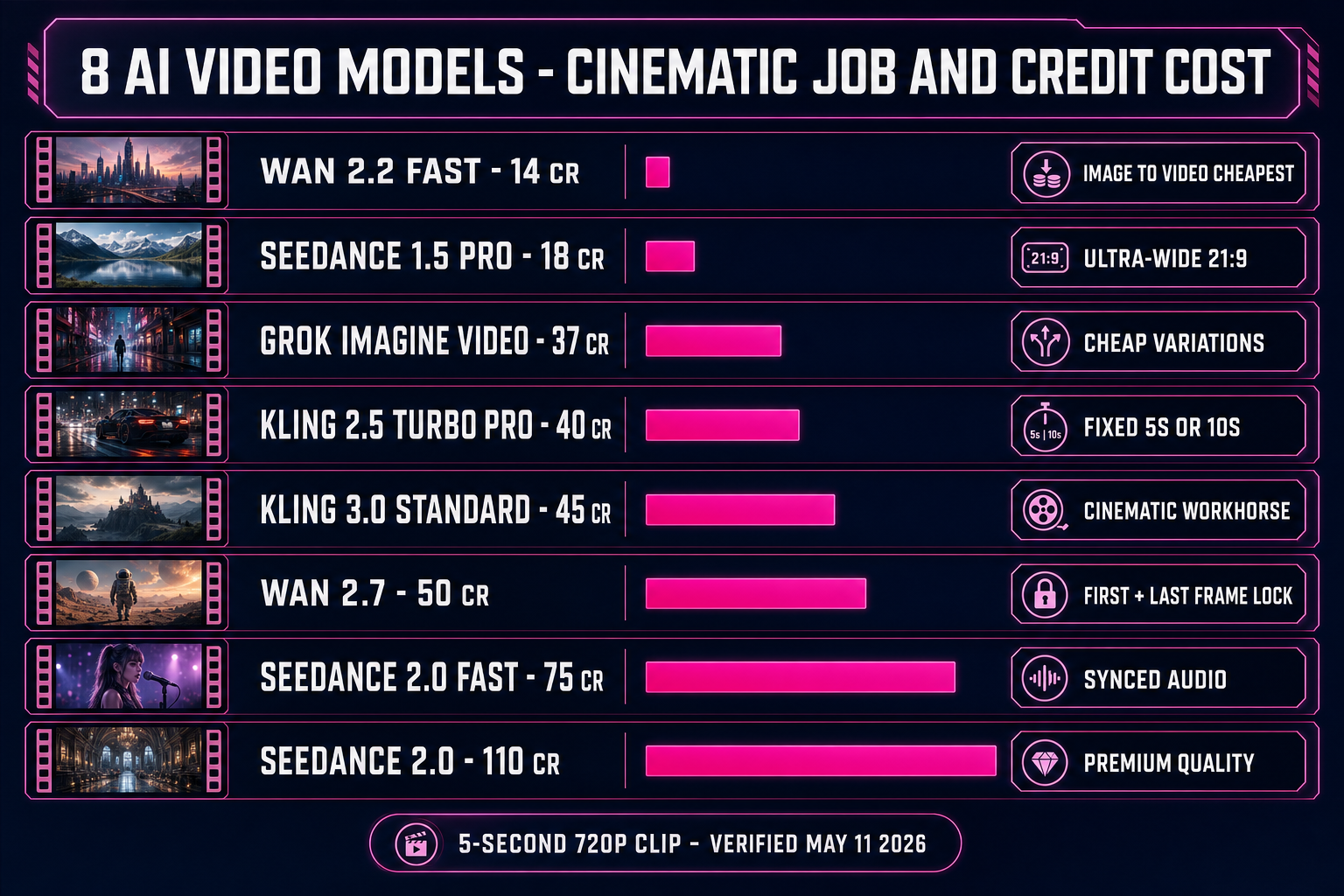
src/lib/video-models.ts on May 11, 2026.